
In an unusual move from Keychron blending ergonomic comfort with high-performance gaming specs, the keyboard specialist released its new M5 Wireless Ergonomic Mouse earlier this month. The device makes for an interesting peripheral launch because you don’t see a mouse mashing up professional ergonomic features and technical gaming capabilities every day.
Keychron M5 Wireless Ergonomic Mouse: Gaming power in an ergonomic package
The Keychron M5 — not the company’s first mouse (which came out in 2021) — stands out in the crowded mouse market by offering an 8K polling rate in a vertical ergonomic design. That’s something rarely seen in the gaming peripheral space. The high polling rate, which Keychron says provides “ultimate control in gaming scenarios,” is paired with a PixArt 3950 sensor capable of reaching 30,000 DPI sensitivity. These specifications would impress on a traditional gaming mouse, so including them on a vertical device designed for wrist comfort creates an intriguing proposition.
Logi orients the mouse at a 47-degree angle, promoting what it describes as a “natural handshake position” to reduce wrist strain during extended use. The positioning aims to address the common problem of repetitive strain injuries that can develop from using standard mice. They force users’ hands into an unnatural palm-down position that twists the forearm.
Thoughtful features beyond ergonomics
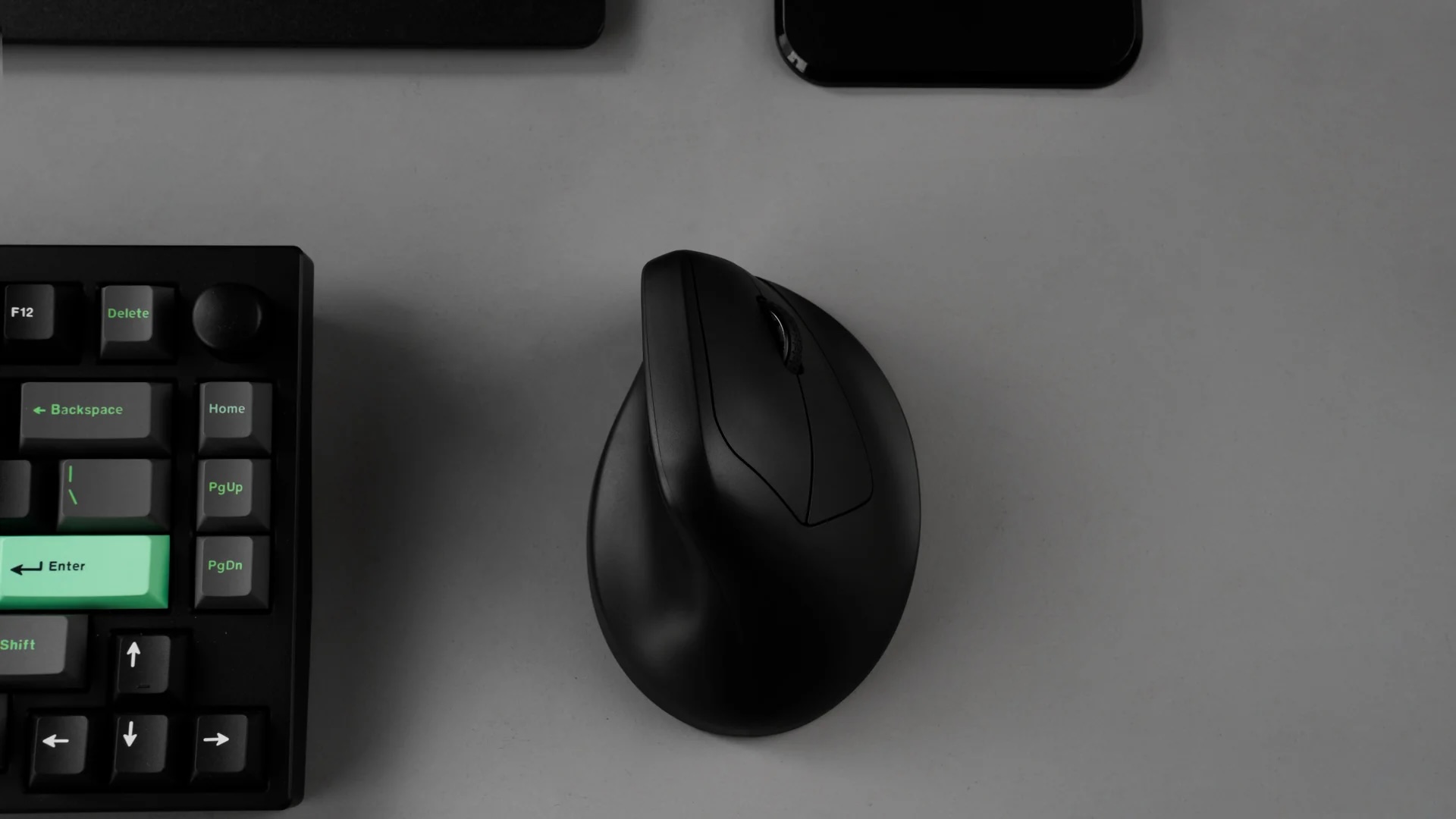
Photo: Keychron
Keychron M5 Wireless Ergonomic Mouse’s versatility comes from its five programmable buttons and two scroll wheels — one in the traditional position and a horizontal wheel positioned for thumb operation. This secondary scroll wheel gives the thumb an active role in navigation, potentially reducing strain on the fingers during extended sessions.
Comprehensive connectivity options support 2.4GHz wireless, Bluetooth 5.3 and wired USB-C connectivity. The mouse features dedicated hardware buttons for DPI and polling rate adjustments, allowing for customization without software. But you can go for deeper personalization through Keychron’s Launcher software. It supports macOS, Windows and more.
Despite its focus on ergonomics, the M5 maintains a relatively light weight of 3.35 ounces (95 grams). That’s heavier than ultralight gaming mice but lighter than many ergonomic productivity peripherals. Battery life is rated at an impressive 140 hours. Huano 80M microswitches power scrolling clicks for what Keychron calls a “clean clicks feeling.”
Keychron M5 Wireless Ergonomic Mouse is surprisingly affordable
One of the most compelling aspects of M5 shows up in its price point of $69.99. That positions it as a significantly more affordable alternative to comparable vertical mice like the Logitech MX Vertical, which typically sells for around $100. This accessibility makes it an attractive entry point for users curious about vertical mice but hesitant to invest heavily in an unfamiliar form factor.
The design itself is unassuming, with both black and white variants featuring minimal decoration and no RGB lighting beyond a charging indicator LED. The mouse also avoids TPU overmolding that can deteriorate over time, suggesting Keychron goes for long-term durability with this one.
New direction for gaming peripherals?
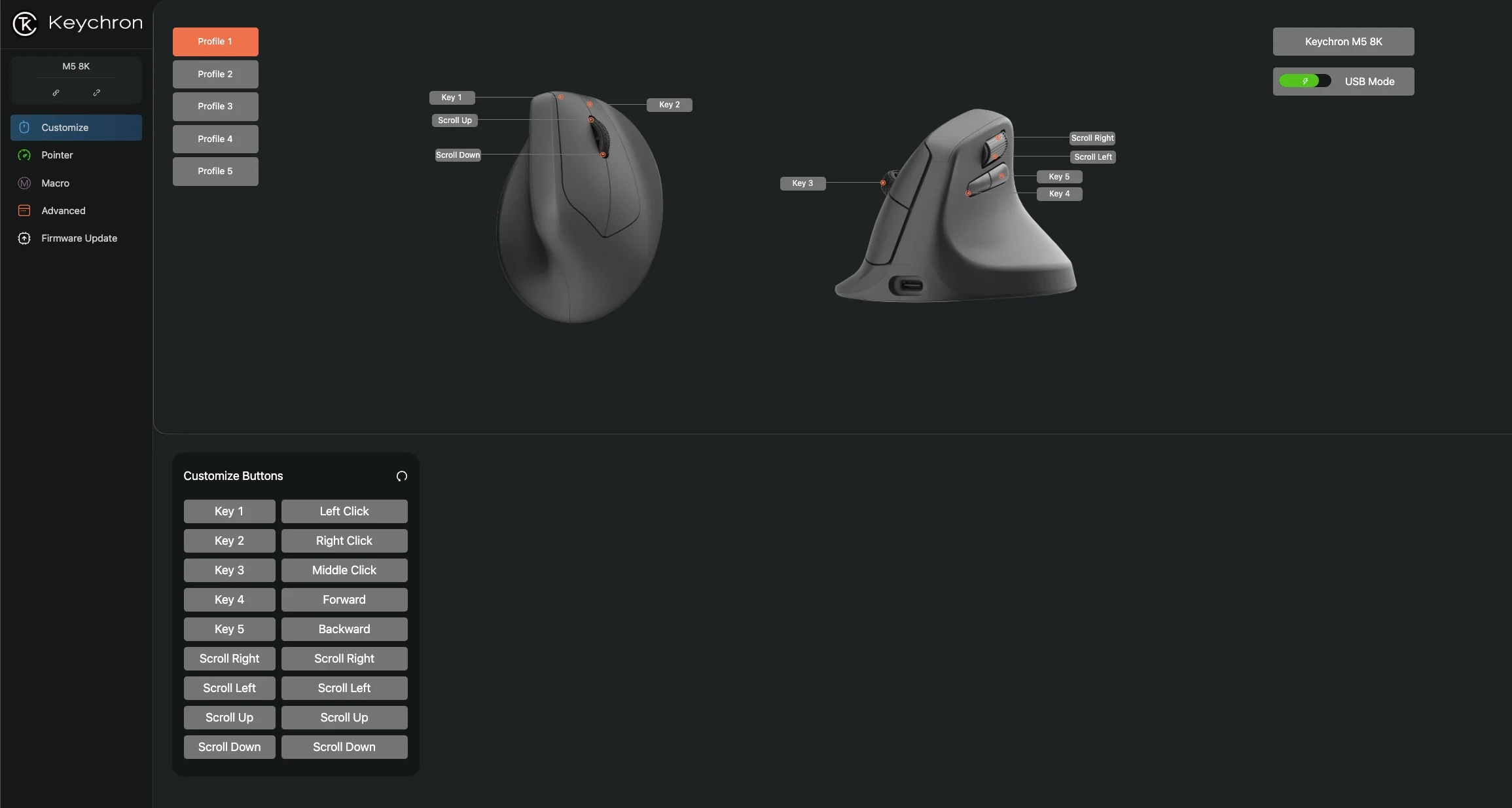
Photo: Keychron
While vertical mice continue to gain popularity in productivity settings, nobody seems to associate them with gaming. That may be down to concerns about stability and precision. In a boisterous session, a gamer could pretty easily knock over a vertical mouse.
The company seemed to consider the stability issue. It designed Keychron M5 Wireless Ergonomic Mouse with a substantial lower half on a pretty wide base. Whether this will satisfy competitive gamers remains to be seen. But M5 represents an intriguing attempt to bridge the gap between comfort and performance.
As more gamers grow concerned about potential long-term impacts of extended gaming sessions, products like the Keychron M5 may represent a growing trend. We might see more ergonomic designs that don’t compromise on gaming performance.
Keychron M5 Wireless Ergonomic Mouse isn’t on Amazon yet, but it probably will show up there soon.
Where to buy: Keychron

David Snow, an expert on Apple hardware and software, writes on a variety of technological and cultural topics for Cult of Mac. They include Apple news, technology buying guides, and features about computer setups and Apple TV shows and movies.
With 30 years of experience covering technology and other subjects, he has written and edited for numerous print and online publications, including CMP Media, TechTV.com, CNET, Wired News, Red Herring magazine, Law.com, The National Law Journal and Law Technology News magazine. Among other roles, he served as executive editor of the Law.com network of websites and editorial director, technology, for ALM Media.
Snow graduated with a B.A. from Syracuse University with majors in magazine journalism and psychology. While there, he worked as a reporter for The Daily Orange newspaper and associate editor of Equal Time magazine.
Founder of the blog At the Waterline, he can be reached on X (formerly Twitter) via @atthewaterline and on Mastodon via @dsnow.

