NOAA now app.
As hurricane season enters its most active time, tracking those storms can be a breeze with apps for the iPhone and iPad.

As hurricane season enters its most active time, tracking those storms can be a breeze with apps for the iPhone and iPad.


The iAMDA (International Association of Mobile Digital Artists) is gearing up for the second MobileArtCon taking place at the New York University’s Interactive Telecommunications Program (ITP) and other big apple locations, September 30 – October 2.

Apple has just released a minor update to the latest version of iTunes. Update 10.4.1 is now available in Software Update, and it fixes several minor bugs and compatibility issues.
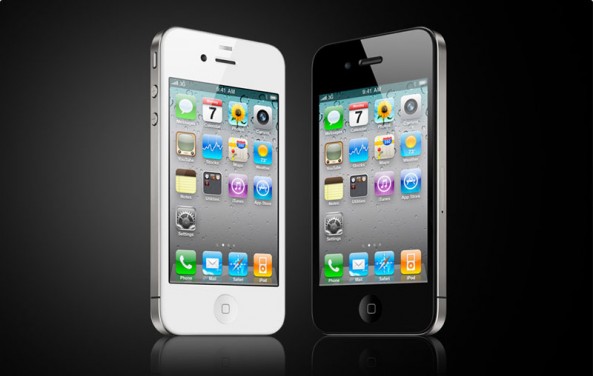
In case you needed any more confirmation: yes, the iPhone is doing very well in the US. Research firm NPD has published its Mobile Phone Track report for Q2 of 2011, and the iPhone 4 and 3GS tank as the top two best-selling smartphones.
Even during the current economy, consumers are still opting for the Apple tax. What’s even more interesting is that the iPhone 3GS is the second best-selling smartphone, and the 3GS has been on the market for over two years.
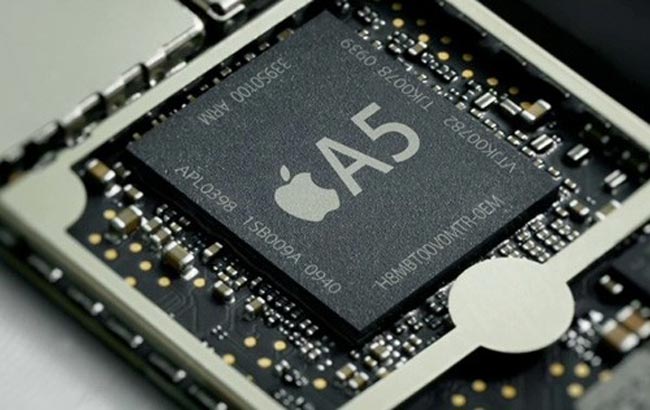
It’s been a long-standing rumor that Apple will switch to its own, proprietary ‘A’ series of ARM-based chips in its MacBook and desktop machines. Currently, Apple relies heavily on Intel to provide processors for its computers — the MacBook specifically.
In terms of the MacBook, a recent interview with the director of Intel’s Ultrabook group shows that Intel sees Apple switching to ARM processors as a very real threat. There could very well be a day when all Apple products run on the same series of chips — and that series will be exclusively made by Apple.

After buying a new 27″ iMac last week, I was surprised to find a few missing features that I’ve been accustomed to in OS X Lion on other machines, including the removal of many desktop wallpapers. In this video, I’ll show you how to get back features in OS X Lion that you may be missing on a new Mac.

Just a reminder: as we mentioned on Thursday, Best Buy’s giving away the 8GB iPhone 3GS for free with a two year AT&T contract today only. The iPhone 3GS is a couple years old, but it’s still a hell of a phone, so if you fancy a free handset and need a carrier, you know where to go. Anyone going to take the plunge?

If you love Evernote as much as I do, this’ll delight you: a chunky update has just been released adding rich text support, shared notebooks, a redesigned UI for iPad and more.
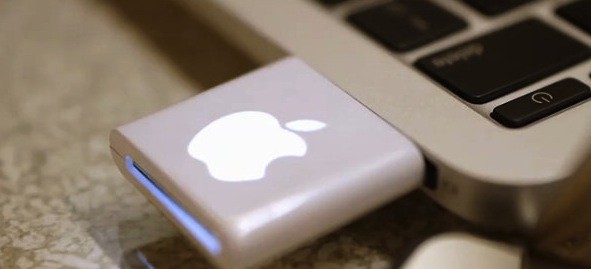
Remember the darling little iHub that MIC Gadget used to sell, complete with a glowing little Apple logo that ended up getting them kicked so hard by Apple’s legal team that MIC Gadget ended up gargling their lower intestines?
Well, the iHub’s spiritual cousin is back with this cute Chinese SD card reader, and if Apple’s legal team can find them, we’re sure they’ll get C&Ded too in due course. In the mean time, it’s just $10 bucks at K.O. Gadget, and given the fact that my MacBook Air doesn’t have an SD slot, I’m about to take the plunge. If you’re in a similar pickle, you might want to get in on this before the Leviathan wakes.
[via 9to5Mac]

PC Maker Lenovo just released their first would-be iPad killer, the IdeaPad K1. It is, of course, a piece of junk, with This Is My Next calling it “chunky and cheap-feeling” with software that is “unstable to the point of being unusable.”
You’d think that would damp anyone’s aspirations in the tablet game: HP pulled out of the tablet market despite garnering much more positive reviews for the TouchPad. Nevertheless, Lenovo not only thinks that Apple will lose dominance of the tablet market, but that Lenovo itself will become “one of the strongest… players in this area.” Now that’s pie-eyed optimism.

The WINGStand has to be one of the nicest accessories for an iOS device I’ve seen for some time. It takes your iPad or your iPhone and marries it to your Apple wireless keyboard with two simple plastic clamps to provide you with the most comfortable typing experience.

Despite the fact that it’s been abandoned for years, Techspansion has released a free update to its popular VisualHub and AudioHub apps, making them fully compatible with OS X Lion. What prompted them to dust off the moribund software after so long? A weird altercation with a Californian company that was trying to sell the same patch for $5 a pop!

Ever wonder why iOS 5 features built-in Twitter integration but not Facebook, the largest social network on Earth? It’s because Steve Jobs thinks Mark Zuckerberg is a “f*cking a**hole,” according to tech evangelist Robert Scoble.

Verizon Wireless introduced a brand new data plan late last week that gives customers 300MB of data for just $20 per month. It’s available to customers in the mid-Atlantic region from August 18 to September 30, but is expected to roll-out permanently by this holiday season. For those who aren’t massive data consumers but would like to get a little bit of browsing for their bucks, it seems to be a great deal.
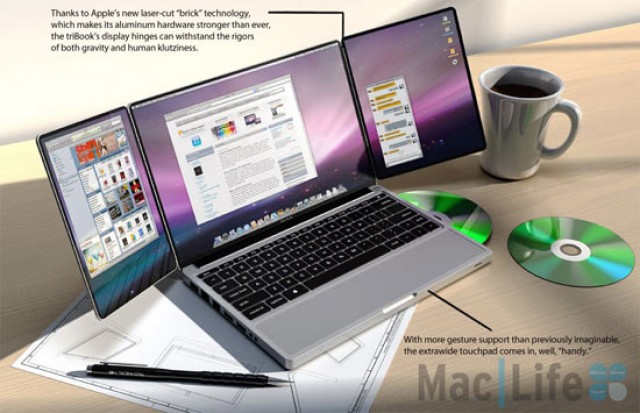
According to our own dear Mike Elgan, Apple is through creating new devices and will continue to coast on the product categories they currently have.
Not so fast, though! According to a Japanese site, component suppliers are gearing up to help Apple create new Macs that are “absolute different from current products,” with a debut as early as the end of the year.


Here are two new trackpad gestures that will make using Photo Booth a lot easier when you are using it in full screen mode.
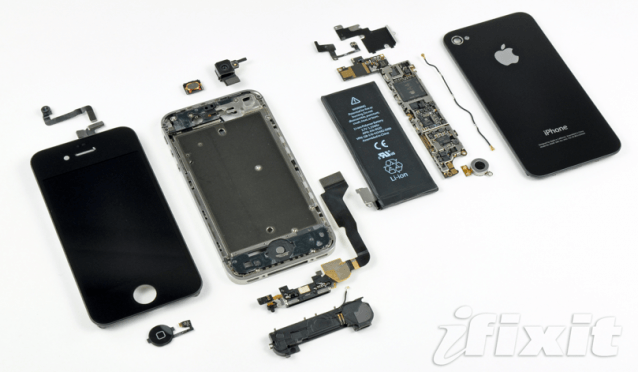
Well, what a start to the week! Following those iPhone 5 prototype battery images we published earlier today, we have more photographs of iPhone components, including the rear-facing camera, an audio flex cable, and another of its battery.
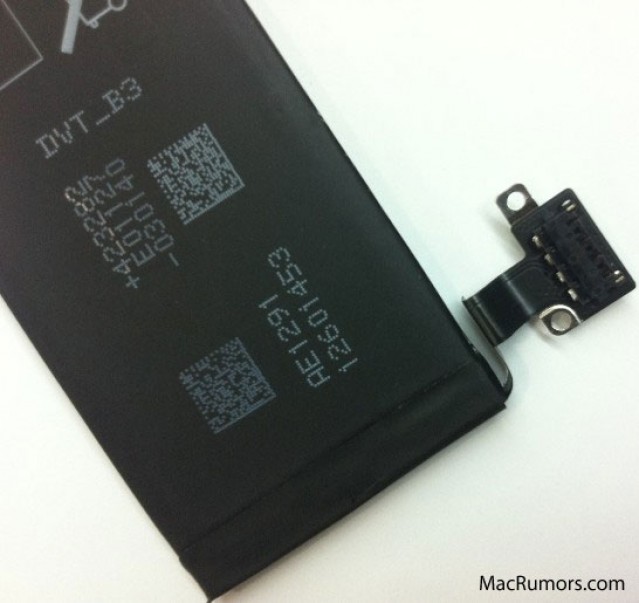
As the launch of Apple’s iPhone 5 looms closer, components for the device have been cropping up all over the place. The latest provides an indication that the device is close to launch, with a prototype batter labeled ‘DVT_B3’.

We’re all excited about Notification Center, Twitter integration, iMessage, and all the other wonderful features that will come with iOS 5 later this year. But for Japanese users there’s one feature that may be far more useful than tweeting a picture of your cat directly from your camera roll: quake alert warnings.

A slew of rumors have surfaced this weekend that point towards Apple currently field-testing 4G iDevices in the wild running the latest builds of iOS 5. LTE code has been uncovered in recent beta builds of iOS 5, and speculation is that Apple could release the iPad 3 with LTE capability in early 2012.
Reports have already come out that Apple is testing LTE iPhones in the wild, and it was recently uncovered that AT&T was installing 4G equipment in Apple stores. Will we see the first 4G device from Apple in early 2012?

A Twitter user going by the name of iH8sn0w is claiming that iOS 5 Beta 6 will expire on September 29, 2011 just one second after 8:00 PM Eastern time. Is this a clue that offers some insight into the real release date of iOS 5?

It’s time for the second round of the “Cult of Mac’s Readers Have The Coolest Mac Setups” gallery. We’ve already shown you the first round of awesome setups that have been sent in, and we’re back with another collection that’s sure to inspire.
Enjoy round two!

There are a lot of changes being made by Apple to iOS 5. Each new beta reveals a little more about the changes everyone can expect after iOS 5 is released to the public in a few months. There is one big change that Apple hasn’t said a lot about publicly and developers might be surprised by it.
Apple has notified developers via a recent update to iOS 5 documentation that they will be removing access to the unique device identifier (UDID) on the iPhone, iPod touch and iPad.

It looks like HP isn’t waiting to long to get rid of TouchPad stock since sales are cropping up with prices starting at $99. The fire sale comes just one day after HP announced that it would stop production of webOS devices. If you want one it might be time to head to the bargain section of your local electronics store or online retailers website.

Lion’s the best operating system that Apple has ever released, but that’s not to say it doesn’t have its sticking points… the little tweaks and changes to default OS X behavior that really sticks in some people’s craw.
There’s ways to fix these little irritants, of course, but most of them involve delving into Terminal and deploying write commands. There’s got to be an easier way, right?
Yup. It’s called LionTweaks and it allows you to tweak OS X Lion’s default performance just by clicking a yes or no button.