It seems like every couple weeks now, we get new rumors that the iPad is about to get all mini-me on us. But does anyone really want a smaller iPad? We’ll tell you what we think on our latest CultCast.
Then, Raves and Faves! The segment where we pitch our favorite tech and then vote on which is best — only one gadget may live!
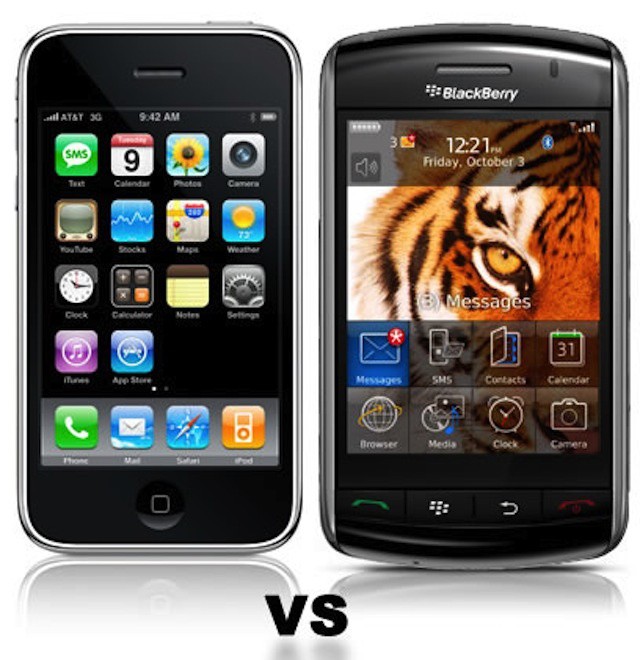
If RIM falters, iPhone/iPad pilot projects become the contingency plans.
Enterprise customers form the backbone of RIM. Many of them are now preparing contingency plans in case the BlackBerry maker goes out of business or is bought by another technology company. Many enterprises first began thinking about contingency plans in the wake of RIM’s large-scale outages last year.
What those contingency plans look like varies. Some companies are soliciting advice from leaders in the mobile management like MobileIron. Some are revisiting their agreements with RIM. Others have already begun migrations away from the BlackBerry.
Ever feel like online marketing is a strange, black box where it’s more magic than science? Feel like you need to step up your online marketing game—maybe the boss has just told you that you need to boost your company’s online marketing efforts—and you’re feeling a bit at a loss?
Frankly, me too sometimes. It’s hard to keep up with the changes to Google’s search algorithms, Facebook’s ads and page strategies, and what’s the most effective way to use a blog for marketing. The answer isn’t trying to muddle through on your own, the answer is to pick up the skills from an expert.
The first image ever transmitted on the web, first uploaded using a Mac.
When you think about the European Organization for Nuclear Research, or CERN, you probably think about all of their excellent particle smashing work, which recently culminated in the supposed discovery of the so-called ‘god’ particle, the Higgs Boson.
But twenty years ago this July, the researchers at CERN were responsible for another watershed moment, not in the history of physics, but in the history of the web: they put up the first ever image on the Internet. And they used a Macintosh to do it.
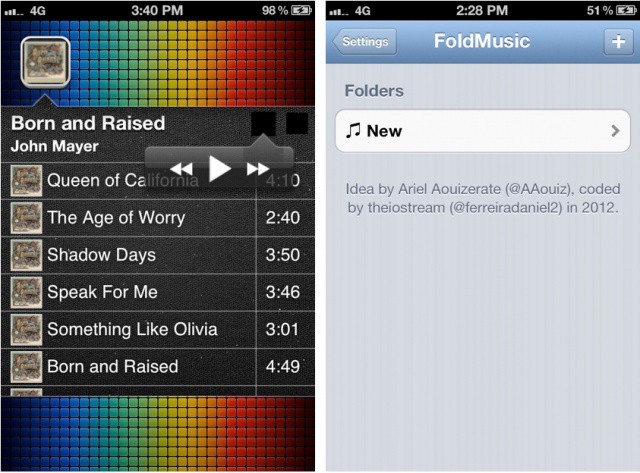
Taking an innovative approach to how we experience music on our iOS devices, a new jailbreak tweak called FoldMusic lets you create playlists from the iOS Music app and view them as standalone folders on your iOS Home screen.
I was skeptical of this idea originally, but after playing with the tweak, I can see the appeal. If you have an artist, playlist, or album you want quick access to, it doesn’t get much faster than this.
T-Mobile may finally get the iPhone next year, according to one analyst. Sanford C. Bernstein’s Craig Moffett predicts that T-Mobile could partner with Deutsche Telekom to sell the iPhone in 2013.
Google has released a major update to its Google+ iOS app that brings full support to the iPad’s Retina display. Borrowing from the Android version, Google+ on the iPad relies heavily on images and sports a very clean, minimal interface. The iPhone version of Google+ was updated weeks ago with a similarly clean UI, probably due to the fact that Google acquired Kevin Rose’s talent at the app development firm Milk.
In today’s update, the location-based Google+ Events feature has been integrated into the universal app. You can attach photos directly from your device’s Camera Roll and add them to your posts. You can also start and join hangouts in-app and stream them to your TV using AirPlay.
FileMaker delivers training resources, classes, and certification exam for FileMaker 12.
FileMaker has announced the availability of its FileMaker 12 Certification exam. As with other certifications for IT professionals, FileMaker’s certification illustrates to potential employers or consulting customers that you have the key skills to deliver a solid and complete solution using FileMaker Pro and related products like FileMaker Go for iPhone and iPad and FileMaker Server.
UPDATE: In an email from the developer after this posted, it was made clear that the FREE app is only able to manage one project. In order to utilize the full power of this project management app, you’ll need to purchase the “full” version for an in-app pice of $8.99 “currently.”
In response to our feature article about project management apps on iOS, developer i2e Consulting emailed me to ask if we’d write about its own project planning app, Project Management Pro. While I’m not reviewing the app, the quick look I had at it made me want to pass the tip along to you, especially as the app is free as of today.
The Twitter client used to send a tweet is no longer displayed in the new Twitter for iPhone.
Twitter has updated its official iPhone app in the App Store with several new features, including added settings for notifications, enhancements to the Discover tab, the new expandable tweets feature for viewing media content in the timeline, stability improvements, and the new Twitter icon.
How badly will fallout from Apple's decision to remove its products from the EPEAT registry affect it?
Just days after word broke that Apple had decided to withdraw its products from the EPEAT registry, San Francisco announced that the city would will stop procurement of Apple’s Mac desktops and notebooks. The move may be the first of many such announcements as many local, state, and federal agencies mandate purchases of only computers that meet the EPEAT criteria.
Apple’s decision to remove 39 of its products from the registry is puzzling to many considering that Apple is very vocal and transparent about the environmental friendliness of its products and processes. Apple was also one of the companies that helped create the EPEAT standards in 2006.
Not so long ago, I reviewed a beautiful new DSLR bag from ThinkTank Photo called the Retrospective 5. I loved it, and it has been my favorite DSLR day-bag ever since.
But the Retrospective 5 is only able to carry a DSLR and a lens or two, so often times, I need to slug along my iPad in yet another pack. I hate that.
No longer! ThinTank’s new Retrospective 7 camera bag ($157) allows me to carry my photo gear along with either my iPad or an 11-inch Macbook Air, all living together in perfect harmony.
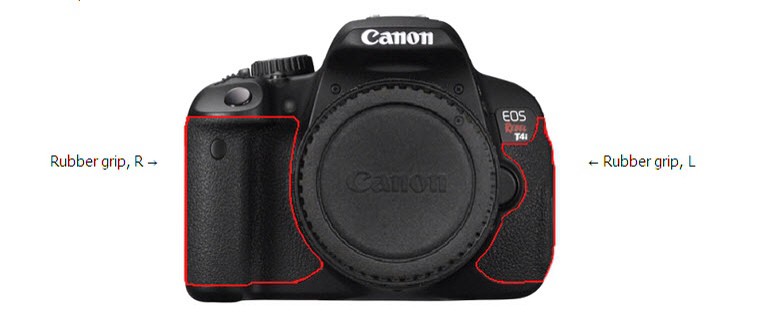
Some Rebel T4is are turning white and could cause allergic reactions.
Remember the first batch of white MacBooks? Their top panels would react with the grease from your hands and turn a disgusting, smoker’s-hair yellowish brown. Not only that, but the trim on the edges of the computer was prone to flaking off like mature plastic scabs.
Apple seems to have gotten on top of this kind of first-gen hardware problem, but Canon’s new Rebel T4i (EOS 650D) is doing a similar thing, only in the opposite direction: Its rubber coating is turning white, and leaking irritating substances as it does so.
6 months later, and Google is about to pay the “largest penalty ever levied on a single company” by the U.S. Federal Trade Commission (FTC). Google will pay $22.5 million to settle the charges issued by the FTC, and the code in question has already been disabled by Google in Safari on iOS.
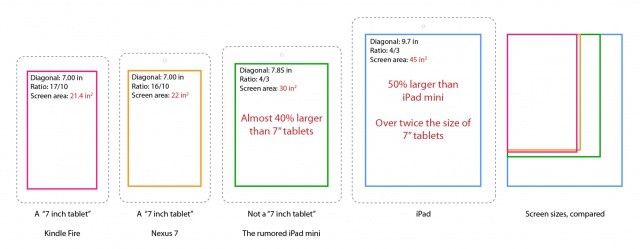
This graphic shows popular tablet screen sizes compared with the rumored ‘iPad mini’ screen size. Tablets include the Kindle Fire (Amazon is rumored to introduce a new generation of the Fire in coming months), Google Nexus 7, current iPad, and the theoretical 7.85-inch iPad mini’s screen. Rounding the screen size, we should actually be calling the purported device a 8-inch iPad.
Rumors are saying Apple will unveil the iPad mini (unconfirmed name) this fall, and that the device will sport a non-Retina 1024×768 display.
More than any other iPod, the venerable iPod nano has tended to be the chrysalid of the family, morphing from one radically different shape to the next with every successive generation.
The first couple generations of the iPod nano tended to be long and thin devices, to be replaced with a squatter square third-gen model, before returning to its familiar rectangle shape for the fourth and fifth generations, only to become a radically different touchscreen Shuffle-sized device in 2010.
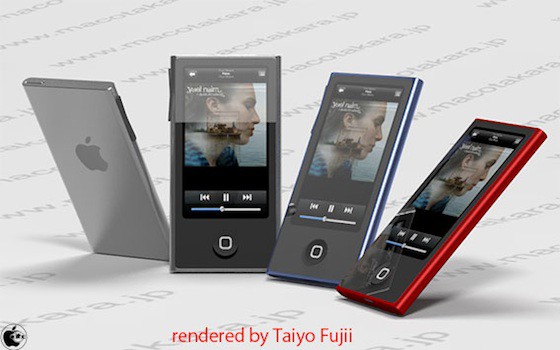
Crazy. So what’s next for the iPod nano? According to a new report, it’ll stay a multitouch device, but again become long, thin and rectangular. It’ll even get a home button!
If you want to make photo collages on your iPhone or iPad, you use Diptic. Those are the rules. But a challenger is in town: Fuzel, from the Vietnamese designers at Not A Basement Studio, will launch on July 12th and looks to be a fast and easy way to make great collages.
Think OS X Server doesn't have equivalents to Active Directory and Exchange? Think again.
Last week, I compared the costs of Mountain Lion Server with the licensing for Windows Server 2012 Essentials Edition. Both products are pretty clearly for the small business market. One of the big questions or concerns from readers centered around Microsoft’s Active Directory and Exchange. The assumption being that Apple didn’t provide anything similar.
That assumption, however, isn’t accurate. To clear up confusion, let’s take a look at what the core services and features in OS X Server actually offers and the audience that can best benefit from Mountain Lion Server – small businesses looking to set up a handful of services for a relatively small number of users.
If this was good enough for the iPod shuffle, why isn't it good enough for the iPhone 5?
In 2006, Apple released an iPod that, to this day, is unique amongst all of the iPods it sells in that it didn’t come with a standard Dock Connector: the iPod shuffle.
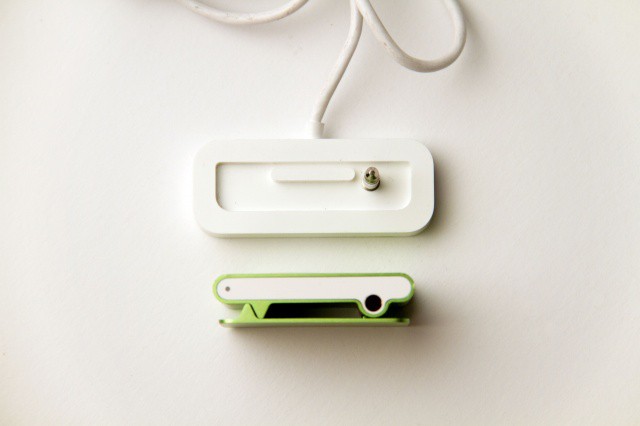
In order to save space in a design that was built from the ground up to be as tiny as possible, Apple jettisoned the traditional 30-Pin Dock Connector in the second-gen shuffle in favor of a clever implementation of USB that plugged in right through the 3.5mm audio jack.
For the last six years, Apple has favored this implementation of USB syncing and charging in its line of iPod shuffles, even as every other model of iPhone, iPod or iPad shipped with a much bulkier 30-Pin Apple Dock Connector.
As rumors have heated up that Apple will abandon the 30-Pin Dock Connector in the next iPhone for a slimmer 19-Pin Connector, a natural question to ask is, “why?” If Apple just wants to save space in the next iPhone, why not just adopt the time-tested iPod shuffle’s approach, which is about the most efficient and elegant implementation of USB ever designed?
The answer’s simple: while the iPod shuffle’s USB design is ingenious at syncing and charging, it’s really crappy at everything else that the 30-Pin Dock Connector is designed to do. But what does the 30-Pin Dock Connector do, why doesn’t Apple just use USB like most of its competitors, and why is 19-Pin — not 30 — the way to go?
Who would have thought we’d see the day when Rovio released anything but an Angry Birds game? Well, that day is almost upon us, as Rovio has released the official Amazing Alex trailer announcing a July 12th release for both the Google Play Store and App Store.
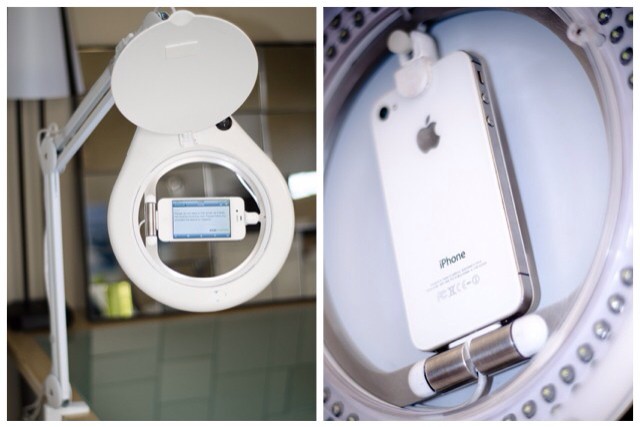
Well, I guess it had to happen some time. What? A ring-flash for the iPhone. And not only that, but a ring-flash that looks like an Anglepoise lamp. My feeling is that there are some iPhoneography nerds out there getting very excited right now.
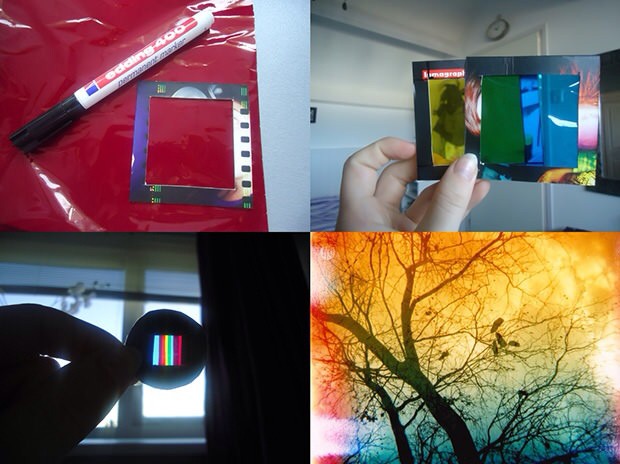
With just a few minutes you can make your own real-time iPhone photo filters.
Who needs Instagram? Well, me for one, ever since I gave up on Flickr and never really got started with the evil Facebook. But I’m pretty bored with the Instagram filters already (they could toss them all except X-Pro II and I wouldn’t even notice).
And yes, there are a million other photo-filtering apps out there, but what about a little DIY? If you’re feeling adventurous, grab some tape, some colored gels and your iPhone and head over to Lomography for this great little low-tech project.
Dropbox today announced some major changes to its Pro storage plans. The cross-platform data storage/sync solution is introducing huge upgrades for its Pro users. The service’s 50GB ($10/month) plan has been doubled to 100GB, and the 100GB plan ($20/month) has been doubled to 200GB for no extra charge. Pro users who already pay for one of those plans will be given the extra storage for free automatically. For those who want even more space on the cloud, a giant 500GB plan has also been announced.
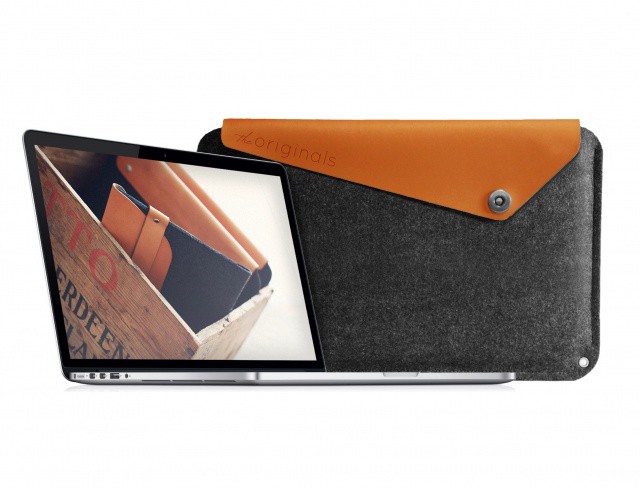
Mujjo makes high quality cases and accessories for iOS devices, and the company is announcing the first sleeve for the brand new 15-inch MacBook Pro with Retina Display. The hand-crafted sleeve is made in The Netherlands, and you can pre-order it now from Mujjo now for €64.95 ($80). Shipments go out on August 28th.
We conducted a brief chat with Mujjo about their new sleeve, and the product looks fantastic.
Could Apple add NFC to the iPhone after all? This patent would suggest so.
Apple’s rivals are already producing smartphones with NFC capabilities, and although NFC is yet to really take off, it’s still capable of some pretty incredible things that we all want from our smartphones. However, there has been some debate about whether or not Apple will adopt the feature, or create an alternative of its own — possibly utilizing Bluetooth.
Since the company unveiled Passbook in iOS 6, that debate has hit an all-time high. Passbook would work wonderfully with NFC, and would allow us to ditch physical cards and tickets in favor of a “contactless” system in which we just hold our devices up to a sensor. And according to a newly granted Apple patent for “iTravel,” it appears the Cupertino company is just as excited about that prospect as we are.