With the release of OS X Mountain Lion today, Apple also released Safari 6.0 for Mac. As noted by some, the Windows version of Safari didn’t see the update, and in fact, disappeared from Apple’s site altogether.
While a direct download is still available, speculation has arisen that perhaps Safari for Windows had been completely discontinued.
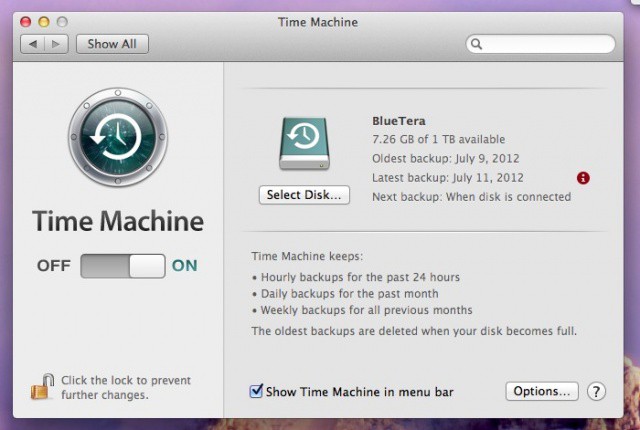
Time Machine, Apple’s amazingly simple backup solution, debuted in Mac OS X 10 Leopard and changed the way a lot of us kept our Macs backed up. No longer were we tied to complex software like Retrospect, or easily forgotten manual backup systems. Time Machine made backing up our Macs easy and automatic. Even more importantly, it just worked.
Flash forward to today’s release of Mountain Lion, and Apple has quietly added a feature many of us have been wishing for, whether we knew it or not – multi-disk backups. One of the best practices in data backup plans is to create more than one backup, and then take one of them off site (if at a business, say) for safekeeping. At home, having more than one cheap, capacious hard drive to backup to is added peace of mind, considering how often those cheap, capacious drives can fail.
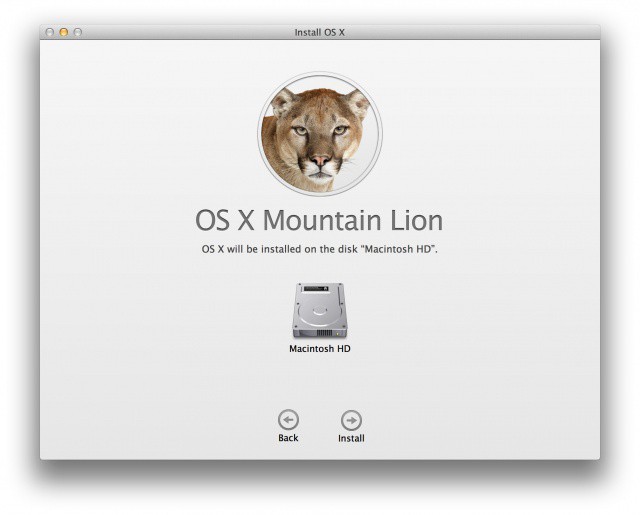
Apple only sells OS X Mountain Lion as a digital download in the Mac App Store. The installer weighs in at a hefty 4.05GB, but the good news is that you can install your copy of Mountain Lion on all of your Macs for no extra charge. Technically, the Mountain Lion installer can be used on an infinite number of Macs once you have it; you just need to make a bootable disk or drive.
See, the Mountain Lion installer is set to self-destruct once it’s used. When your Mac reboots running Mountain Lion, the installer will be gone and you’ll have to re-download it if you want to use it again. Another reason to create a bootable copy of Mountain Lion is if you want to do a clean install. Apple’s installer will keep your files and personal setup intact while installing Mountain Lion, but a bootable disk will allow you to erase your Mac and start completely anew.
The good news is that creating a bootable disk or USB drive of Mountain Lion is pretty simple.
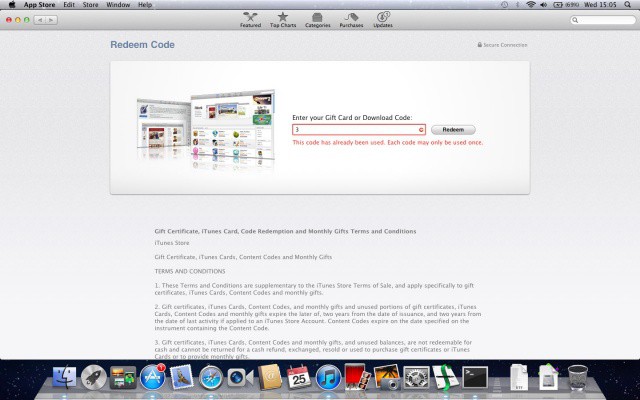
Apple has now begun reissuing OS X Mountain Lion redemption codes to customers eligible for its free up-to-date program. These codes replace those issued to customers earlier today, which had already been redeemed, according to the Mac App Store.
SpellTower, the award-winning word game for iOS, is part of the first wave Mountain Lion-ready games in the Mac App Store today, with Retina graphics and support for Game Center leaderboards and achievements shared with iOS, a Mountain Lion only feature.
SpellTower is a word finding game – click your way through letters set up in a grid, creating words from adjacent letters. The visuals, the sound, and the simple pleasure of finding longer and better words all shine through, making it a joy to play. But how does a game designed for the touchscreen of your iPhone or iPad work on the Mac?
Some Mac security and Mac management tools already support Mountain Lion, but there are many that haven't gotten their yet.
Many Mountain Lion apps will function normally under Mountain Lion, but many won’t. Of particuar concern are the various utilities that help keep Mac systems secure, scan for viruses and malware, integrate with enterprise systems in businesses and schools, and dianose and repair problems.
These tools often require much deeper integration with OS X than other apps. That means that developers need to ensure they function as intended and don’t damage any documents, files, OS X system components, or other apps. That can sometimes delay releases of key utilities.
Here’s a list of Mac utilities and enterprise tools that have confirmed Mountain Lion Compatibility
Xcode joins a long list of new software from Apple today. Photo: Apple
Apple has updated Xcode this morning to introduce compatibility with OS X Mountain Lion, which was released earlier today, and iOS 5.1. The update also brings support for the new MacBook Pro’s high-resolution Retina display.
Now that Apple has released OS X Mountain Lion into the wild, millions of Mac users have a shiny new operating system to play with. If you haven’t been closely following our Mountain Lion coverage over the past several months, you may not know some of the marquee features Apple has added in its latest Mac OS.
But you’re in luck! Whether you just need a Mountain Lion refresher or you’re getting a glimpse of it for the first time, we’ve got 10 killer features for you to check out first.
Despite releasing OS X Mountain Lion and a whole host of app compatibility updates this morning, Apple has finished delivering new software. The Cupertino company just rolled out iTunes U version 1.2, which adds note-taking, and new search and sharing features.
With every new major release of OS X, there are, unfortunately, a lot of people who end up having problems. The big news this morning is that many new Mac owners who are eligible for a free Mountain Lion update can’t redeem their codes for the update, but these poor sods aren’t likely to be the only ones with problems, as millions of Macs across the world do their darnedest to trip up the attack of Apple’s latest cat.
Tech support issues can be annoying, and it can help to bellyache and gripe with other people. So if you’re having issues with installing or even downloading Mountain Lion, why not jump into our open thread and tell us what’s going on. Maybe we or one of our many great Cult of Mac forums users can help! At the very least, we can commisserate, and that’s always nice too.
The world's most awesome website, made in minutes.
It’s not exactly hard to make a website these days, but Webr makes it just about as easy as could be. It’s a free iPhone app which lets you create and publish a website in just a couple of minutes, and it’s pretty impressive.
Free to eligible customers, but you'll have to wait for it.
Several readers have contacted Cult of Mac to report that Apple is issuing them used redemption codes for OS X Mountain Lion through the free up-to-date program. The Cupertino company’s customer support line has acknowledged the issue, and promises a fix is coming later today.
Apple’s latest jungle cat is called Mountain Lion, and the new version of OS X is available as a $20 purchase in the Mac App Store. If you’ve updated to a new version of OS X before, you know that getting everything in order isn’t always as easy as Apple makes it out to be. In this how-to guide, Cult of Mac will show you how to get your Mac ready to install OS X Mountain Lion the right way.
Apple launches Mountain Lion Server for the bargain price of $19.99.
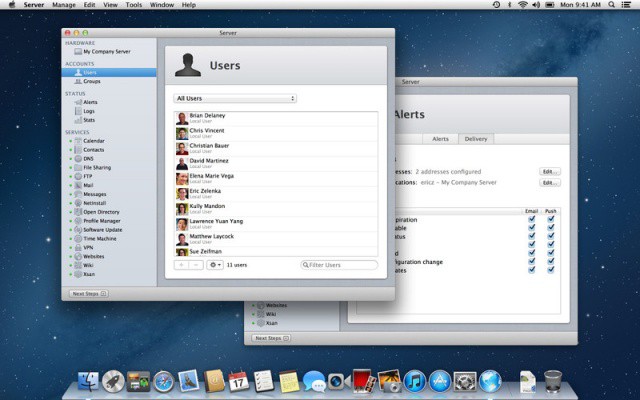
In addition to Mountain Lion, Apple today launched the latest generation of its OS X Server platform known as Mountain Lion Server. The release includes several new features that will appeal to small business and larger enterprises alike.
Like Mountain Lion, Mountain Lion Server is available from the Mac App Store. The $19.99 price tag is a huge bargain given Mountain Lion Server’s feature set.
The release functions as an add-on to Mountain Lion in the same way that Lion did last summer. That means that you will need have Mountain Lion installed before you can purchase and download Mountain Lion Server.
If you’ve decided to wait for OS X Mountain Lion until all of your apps are compatible, don’t think Apple has forgotten all about you already. The Cupertino company has just released Safari 6 for OS X Lion, which introduces a number of new features, including the smart search field, an offline Reading List, and more.
iPhoto's latest update brings new sharing options for those running Mountain Lion.
Following the release of OS X Mountain Lion this morning, it seems Apple is also pushing out updates to its applications to ensure they’re compatible, and to take advantage of new features. One of the apps on that list is iPhoto, which now has new sharing options in version 9.3.2.
If you rushed off to the Mac App Store to download OS X Mountain Lion as soon as it was released this morning, then I hope you like it. Because once you’ve handed over your cash, there’s no going back. Apple has now pulled OS X Lion from the Mac App Store, and once you’ve purchased Mountain Lion, it will be removed from your “Purchased” list.
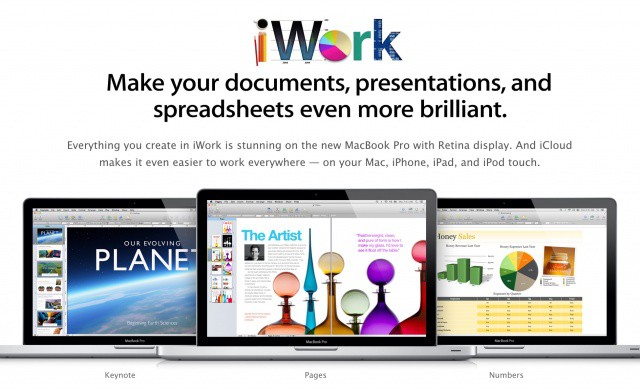
Apple has updated its iWork suite (Pages, Keynote, Numbers) with Retina graphics for the new MacBook Pro and iCloud documents for OS X Mountain Lion. Documents in the Cloud allows you to access and manage synced documents across the iOS and OS X versions of the iWork apps. The functionality is baked into TextEdit and Preview in Mountain Lion, and Apple lets developers build iCloud document support into third-party apps as well.
Another Mountain Lion feature, Dictation, is also available when using the iWork suite. Like Siri on iOS, you can speak into your Mac’s mic and have your voice transcribed automatically.
The new versions of Pages, Keynote, and Numbers don’t appear to be live in the Mac App Store yet, but we’ll update this post when they are available. [Update: They’re out!] Sadly, iWork hasn’t received a major upgrade since 2009.
FileBrowser, the – uh – file browser app for iOS, has gotten a slew of new features in a recent update, one of which will make movie-downloading iPad owners very happy: Now the app can not only browse network-attached drives (like the Time Capsule), it can stream movies of any format to other apps on your iPad.
A friendly reminder for those of you downloading Mountain Lion: Facebook integration will not be added until this fall. Apple has said that Facebook in OS X “will be available in an upcoming software update to Mountain Lion.” If you’ve been following the news, you know this already, but we thought it was worth reiterating today.
While we don’t know for sure why it’s taking longer to add Facebook to the mix, our gut tells us Apple’s deal with Facebook got a little more complicated than both parties expected. Facebook in Mountain Lion is currently being tested by developers. So it’s coming, but not right out of the gate.
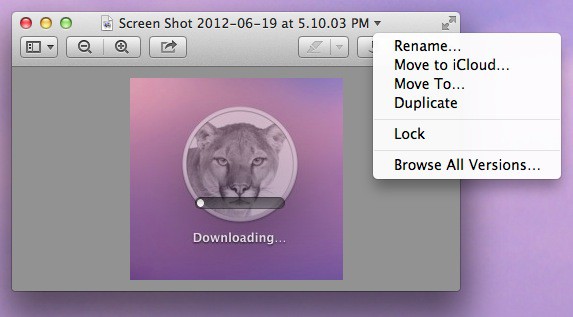
Renaming files in OS X is a fairly simple affair. Simply click a file name to select it, then click again (don’t double click!) to make the name editable. However, when you’re working with a file in your favorite app, a trip to the finder to rename it, or a trip to the Duplicate function may not fit within your workflow. It’s also just annoying. Why not just mess with the file directly from the file itself. Say,t he title bar? Well, in Mountain Lion, you can.
It took a good half hour, but Apple has now activated OS X Mountain Lion’s free up-to-date program following this morning’s release, allowing users with a qualifying Mac to get their hands on the latest release without paying a penny. All you need to qualify is a new Mac purchased after June 11, 2012.
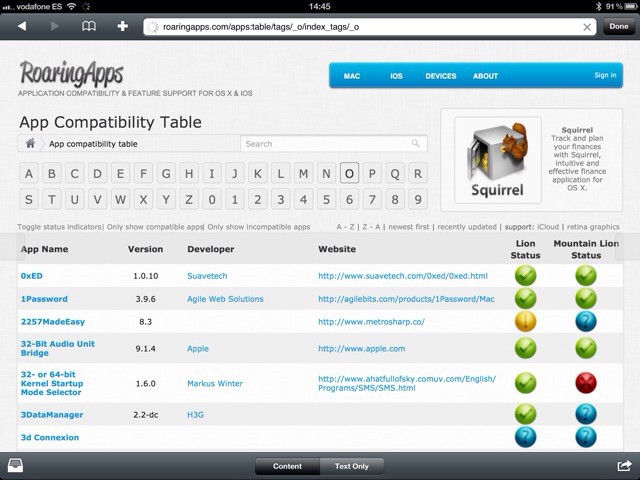
Before you go ahead and upgrade to OS X 10.8 Mountain Lion, spare a second to check whether or not your favorite and most essential apps actually work with it. Sure, it might be nice to have notifications, a VIP inbox and direct Twitter integration, but it won’t do you much good if your text editor or to-do list app won’t even launch.
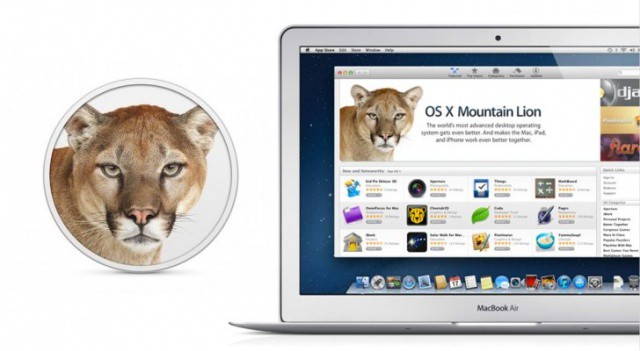
Apple has released OS X Mountain Lion for $19.99 in the Mac App Store. The OS comes with over 200 new features, including added iCloud integration, Messages, Reminders, Notes, Notification Center, Power Nap, Dictation, Sharing sheets, Twitter integration, AirPlay Mirroring, Game Center, Gatekeeper, Safari improvements, and more.
Apple revealed its ninth desktop operating system to the world on February 16, 2012, and Mountain Lion has been in developer beta since. The final GM version of the Mountain Lion beta was seeded to developers on July 9th.
Cult of Mac’s full review of Mountain Lion will be published in the next couple of hours, but for now, stay tuned to Cult of Mac for breaking coverage of Mountain Lion all day.
LiveClock, a tweak from Ryan Petrich that animates the Clock app’s icon to show the time, was once one of the first tweaks I would install after jailbreaking my iPhone. But after installing iOS 5, I had to live without it — because it just wasn’t compatible. Now, nine months after iOS 5 made its debut, it is!