Did you know that “rucksack” is German for rucksack? Neither did I, until I just made a guess and wrote it down. And Fabric Horse’s new Rucksack Luxe (Luxus, in German) sure is a Luxe sack for your back (Ruck, in German).
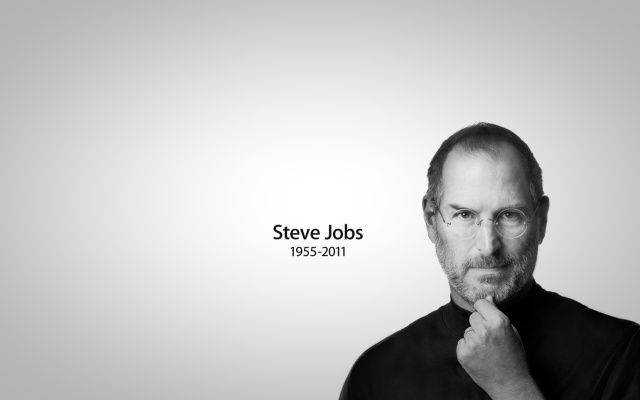
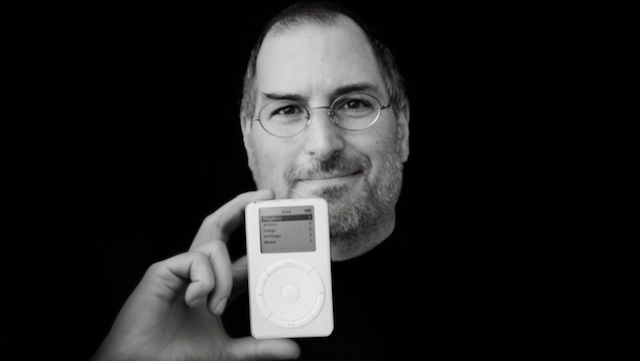
Steve Jobs has changed the world four times, by my reckoning. One year after his death, is the world different? What is his legacy? Is it the company that he started, journeyed outward from in disgrace, and ultimately returned to in triumph? How about the devices he had an enthusiastic hand in bringing to market? The business of music and film? What is the world now that it would not have been without Steve Jobs?
It’s all of those things, of course. Jobs’ legacy is not something we can distill into a simple slogan or tagline. Steve Jobs worked for a world in which the design, manufacture, and marketing of consumer electronics enhances our lives in a very human way.
You broke the back glass of your iPhone 4, but you’re not eligible for an iPhone 5 upgrade just yet. Maybe you forgot to buy AppleCare+. Yeah, you could go and get the back glass replaced for $29, but if you want to save some money and make your iPhone look unique while you wait for your upgrade eligibility you can try what this Redditor did.
Rather than buy a new back plate they added splashes of paint or nail polish into the cracks to give it a funky look. Who knows what will happen if that paint seeps into the components, but when your iPhone is already busted, you might as well throw caution to the wind and try something weird.
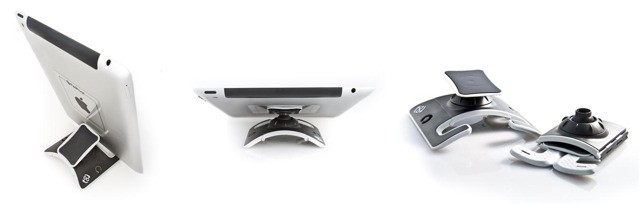
PadPivot is one of those gadgets which at first appears completely absurd, but then grows on you as you see what it can do. It starts off looking like an over-engineered solution for an non- problem: putting an iPad on your lap. But then you see it stick, prop, and fold, and it all starts to look rather compelling.
What would Apple's late CEO be impressed with this year? (AP)
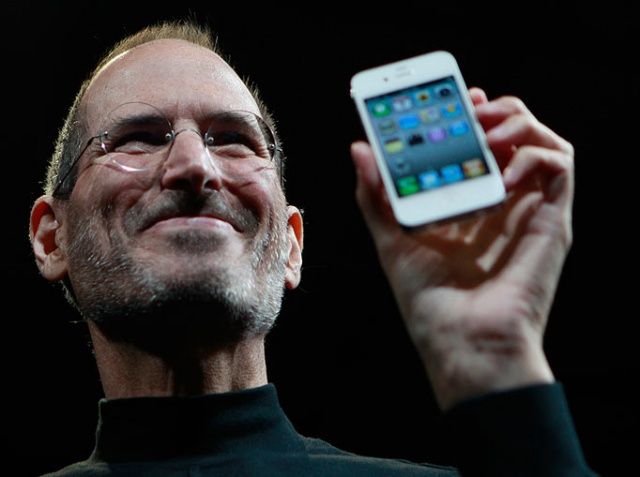
Steve Jobs was passionate about a lot of things: simplicity, challenging the status quo, creating products that people loved, etc. He was a man of many shining strengths and deep personality flaws. As one of the most dynamic titans to ever grace the tech industry, one can only imagine what Jobs would think of Apple in 2012. How would he have handled Mapgate? We’ll never know.
Based on what we do know about the late CEO, there are several things Jobs would have definitely been proud of at Apple in 2012.
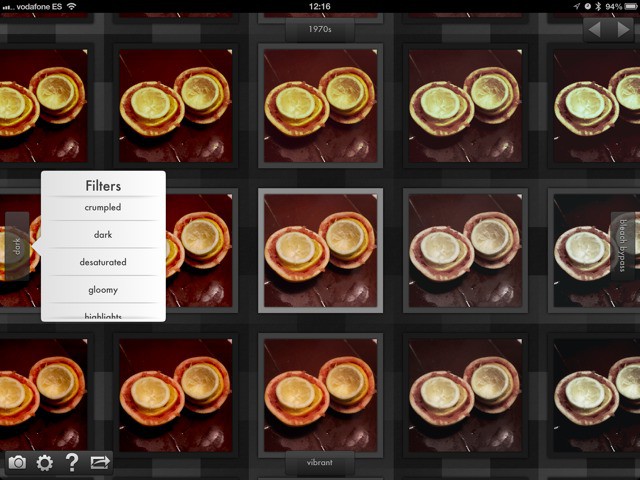
You know those old-style video demos which presented images as an endless wall, and your point of view was that of a tiny creature as the wall sped past you? Gridditor is that, only its also an iPad photo editing app.
Steve Jobs had a stage presence like no one else. He was just pedaling tech products, but the man captivated his audiences like he was Jimi Hendrix or Elvis or John Lenon. Steve didn’t just introduce a new computer or new iPod, he was selling a philosophy and way of life, and once he activated his reality distortion field on stage you were spellbound by his performance.
There are tons of amazing Steve Jobs videos on the internet, but we’ve gone out and collected the ones that we think are the best. Not just the videos where he introduces products, but also his candid interviews where Steve reveals his thoughts on life. We hope you enjoy them just as much as we do.
On the anniversary of Steve Jobs’ death, Cult of Mac is marking his passing with a series of tributes running throughout the day.
Apple has turned its own homepage over to honouring Jobs, including a message from Tim Cook. It’s stirring stuff, the kind of thing you’d simply never see from any other company. But then Steve wasn’t just any other boss.
The whole web is full of Jobs comment and tribute articles today, so here are some links to some of the ones we’ve read and enjoyed this morning.
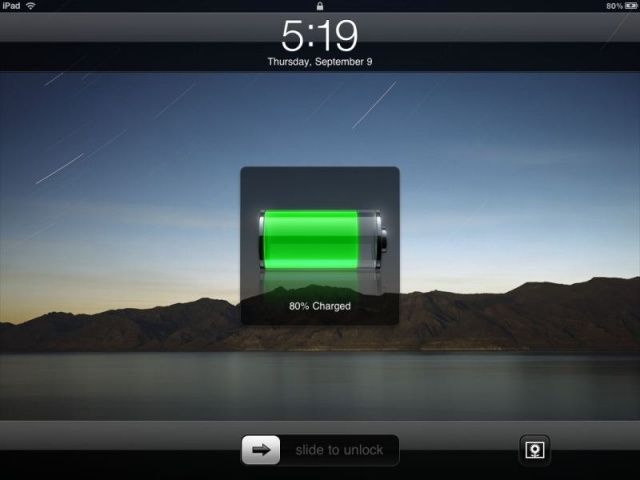
Plug in your iPhone or iPad and charge it up, and you’ll notice that while the first 80% or so will go by pretty fast, they actually kind of suck at charging up that last 20%, taking a lot more time to do so than it feels like they should.
There’s a reason for this. Charging batteries up to “full” is a complicated process. There’s no real way to tell if a battery is completely “full” so all you can do is measure the voltage, which (and this is a vast simplification) tells you how much resistance is being met when you try to put more electricity into the battery.
That’s why it takes so long for an iPhone to charge that last 20%. It charges full blast until it measures a certain voltage, then goes into what’s called “trickle mode” to slowly allow small sips of electricity into the battery until it thinks, based upon some software calculations, that the battery is more or less full. But a new algotihm could make the time it takes to charge your iPhone or iPad go by a lot faster.
Hey, you know what’s getting a bad rap these days? Apple Maps! Sure, the app’s got issues, but it’s not all bee stings and bug bites, and on this episode of The CultCast, we’ll tell you exactly why some of us actually love the new Google usurper.
And then, with the anniversary of his death on Oct. 5th, we remember the life and works of Steve Jobs; ponder why the things he touched all turned to gold; and examine the price he paid for conquering the world of tech.
All that and so much more on our newest CultCast! Subscribe now on iTunes or easily stream it via Apple’s free Podcasts App.
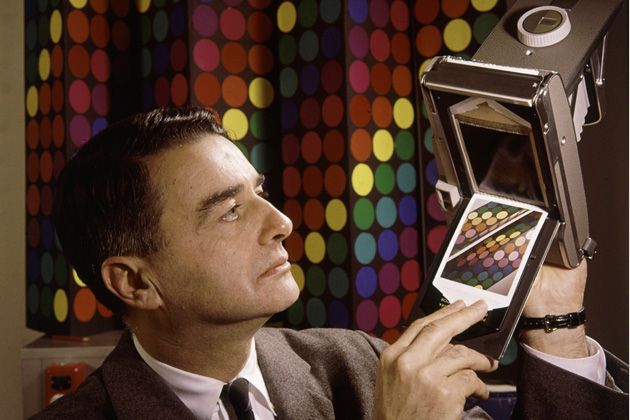
Steve Jobs was irreplaceable, but he does have his analogs. Driven, charismatic men who created their own companies based upon their ability to imagine a complete product that had never existed — “a perfect new product, whole, already manufactured sitting before him” — and spend tireless years to bring it to the world.
One of those analogues was Edwin Land, founder of Polaroid. And the number of parallels between his life and Steve Jobs’s life were incredible.
The new 4-inch, fifth-generation iPod touches aren’t out yet, and Apple will only stubbornly insist that they are shipping sometime this month, but Sam Adams at Today’s iPhone noticed yesterday that the Australian Apple website listed ship dates for the new iPod touch as being between two-three weeks.
Not a long time to wait, certainly, but still disappointing considering they were announced three weeks ago and still won’t be shipping out until the end of October.
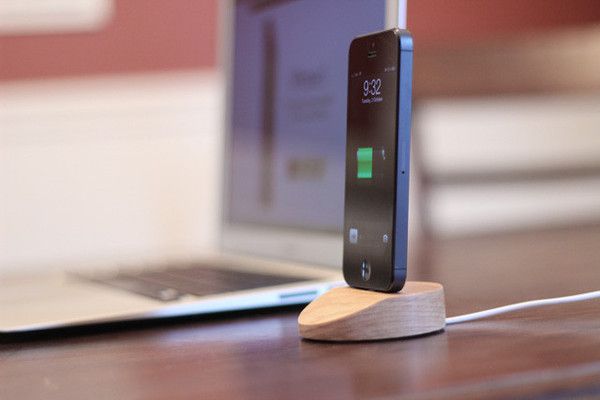
Luckily, you now have an option. Coming in an attractive hardwood version or a choice of either regular or black aluminum, the Lightning Dock is a no-fuss, no-frills dock that works with or without a case and depends on the incredible strength of the new Lightning Connector to keep the iPhone upright.
It also works with the new fifth-generation iPod touch, and it’s pretty cheap: the hardwood version will only cost you $24.95, while the aluminum version is $10 more. That’s without an included Lightning cable: if you want them to ship you one, it’ll cost $20 more.
In a timed announcement made exactly on the one year anniversary of Steve Jobs’s death, Chrisann Brennan — Steve Jobs’s highschool sweetheart and the mother of American journalist and writer Lisa Brennan-Jobs, for whom the Apple Lisa was named — has said that she will be publishing a memoir next year.
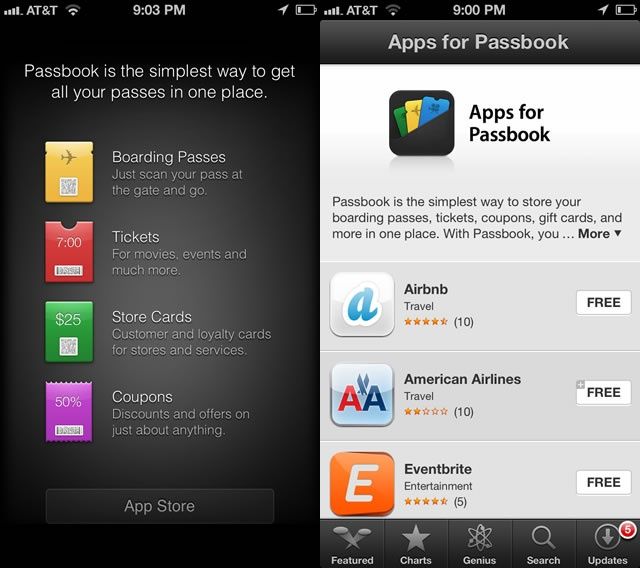
So, the wacky little app-thingy that we all wondered about in iOS 6, Passbook, seems like it’s starting to grow up a bit. Now, when you tap the App Store button in the Passbook App, the new “Apps for Passbook” section of the iTunes App Store, only available via your iPhone running iOS, has quite a few new apps available.
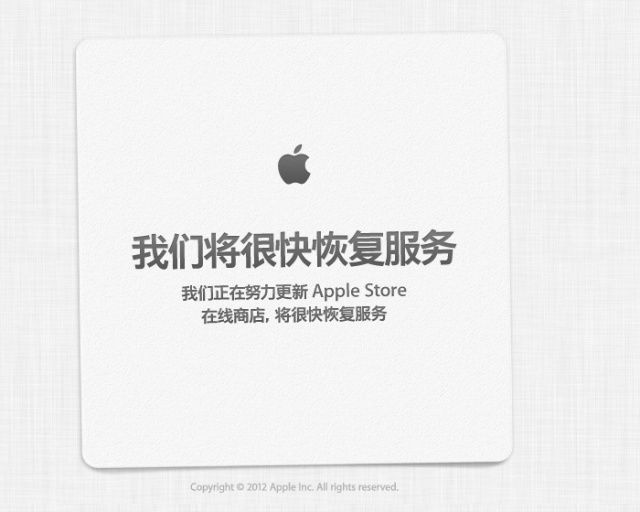
The Apple store is down on Apple’s website, which typically happens when a new product is about to come online and be sold to the public. With the iPad Mini all but confirmed to be released at a separate event, and the iPhone 5 a semi-distant last-week memory, chances are this is a simple update or change. Maybe a simple speed bump for one of the Mac computers? The iMac, perhaps?
Of course, the fan boy in me really wants it to be something super cool, so I’m asking you all here to jump in with your wildest fantasy of why the Apple store is down. Ready? Go!
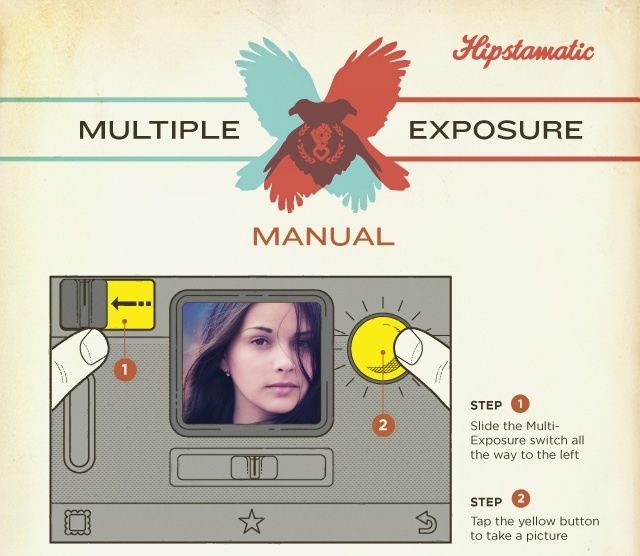
The Hipstamatic folks sent us word that their new 260 update is here, with some rad new features, like Multiple Exposures, Rock the Vote free films, a new switch for the flash, and fully iOS 6 and iPhone 5 capabilities – no more letterboxing.
You can now create double exposure (or triple or quadruple) to spice up your photographic styles. It’s available as a $0.99 in-app purchase, and should let you play around with lens, film, and flash combinations to your heart’s content.
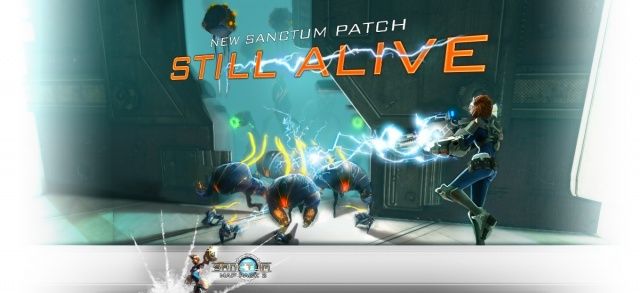
Coffee Stain Studios announced a new update for its 3D tower-defense game, available for Mac on Steam for $9.99. The new update is named “Still Alive,” and includes two new towers and a new weapon. A new map pack is available, as well, cleverly named “Sanctum – Map Pack 2.” This adds three new levels, each new environment containing its own set of challenges and strategies for winning.
Sanctum takes the standard tower defense game and brings you into the action with a zoomable 3D perspective. You must place towers of differing power types along the route of aliens intending to destroy your space ship, upgrading them as the waves of enemy creeps grow more voluminous and stronger with each successive defeat.
Apple is gonna sell an insane amount of these tablets this holiday season.
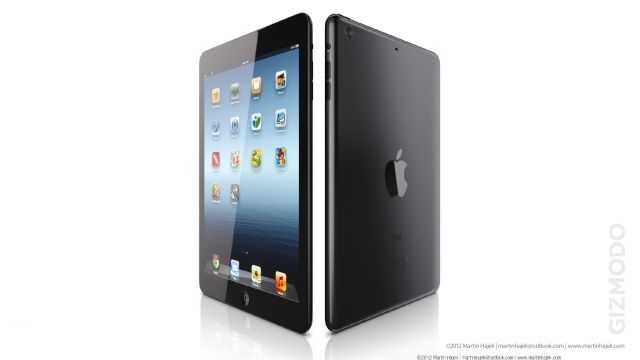
The iPad mini’s rumored announcement is drawing near, with many speculating that Apple will unveil the mythical device by mid-October. We’ve seen a few part leaks of the smaller tablet, and The Wall Street Journal reported yesterday that Apple is starting to ramp up mass production for the expected launch. Hopefully low yield rates overseas can pick up to meet what will undoubtedly be crazy consumer demand.
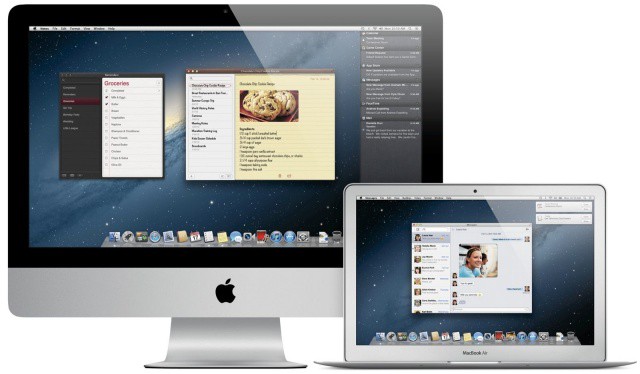
Will your Mac be able to run Mountain Lion? Apple has the official list.
Apple has quietly released two supplemental updates for OS X Mountain Lion and Lion today. The first supplemental update for OS X 10.8.2 is available now in the Mac App Store, and a similar update to 10.7.5 has also been made available. Both updates contain small bug fixes.
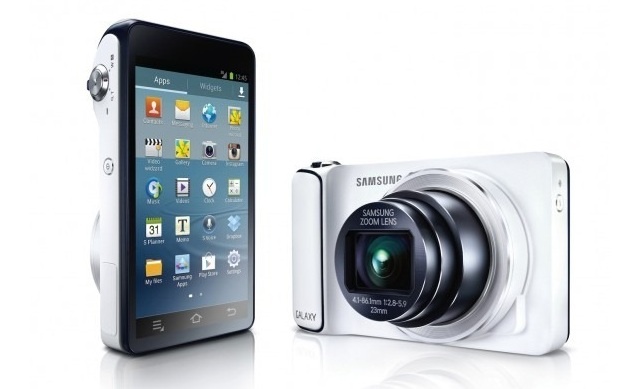
AT&T has announced that they will be the first to carry the 16MP, Android 4.1 touting, 4G Samsung Galaxy Camera we told you about back in August. AT&T is taking a gamble on this unique product, and I, for one, am curious to see how it turns out. I personally don’t believe there’s a market for it, but you never know (just look at the Galaxy Note).
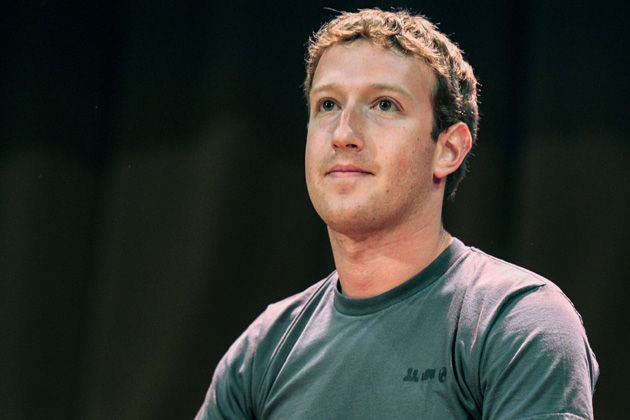
Facebook hit 1 billion users earlier today, and Mark Zuckerberg has been making the rounds with the press to celebrate the milestone. While speaking with NBC’s Matt Lauer, Zuckerberg talked briefly about Steve Jobs and Apple’s influence on Facebook as a company.
When asked about Steve Jobs, Zuckerberg mentioned how his company and Apple share a respect for user experience. “He [Steve Jobs] was just so focused,” said Zuckerberg. “For him, the user experience was the only thing that mattered.”
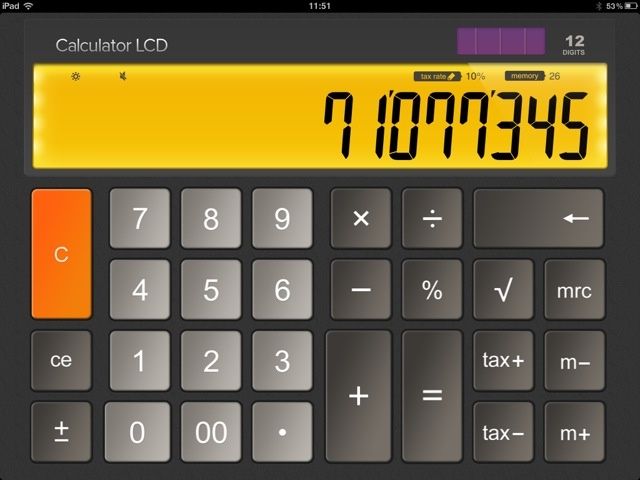
You wait for ages for a calculator, then two come along at once. Following on from Sums which we reviewed the other day, here’s Calculator LCD, a smart-looking one dollar desktop-style calculator for iPad.
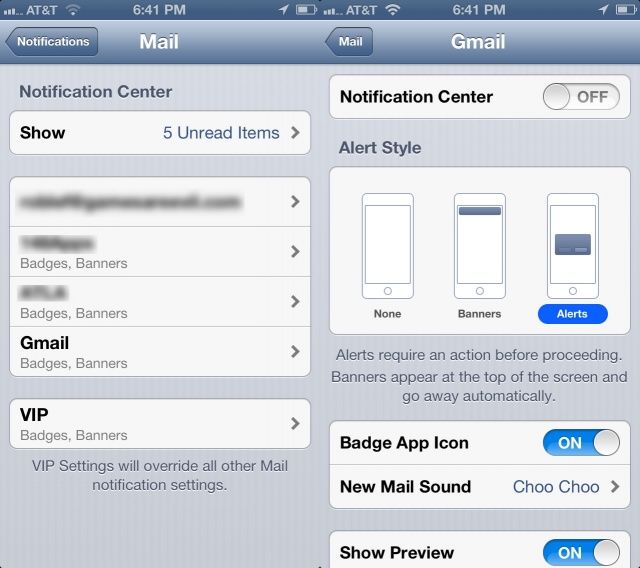
I like to be notified when email comes in, but I sure do get a lot of email. Prior to iOS 6, I was relegated to just dealing with it, and setting the type of notification–Badges, Banners, and Sounds–for eMail in general. It got a bit tedious, to say the least, with the four main accounts I check on my iPhone.
You know now that you can set up a different signature for each email account you check on your iPhone, iPad, or iPod touch running iOS 6. But did you know you could also set up a different Notification style for each account, as well?