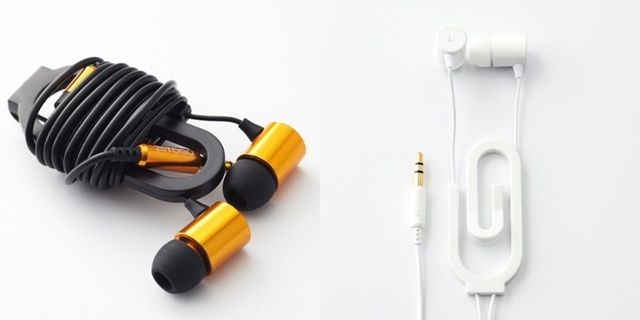
These clip-on headphones probably sound truly awful, but the paperclip that lets you secure them to your clothes or bag is genius, and probably worth the price-tag alone. Then again, they probably won’t be much worse than Apple’s old pre-EarPod earbuds, either, and we all got by with those for years.
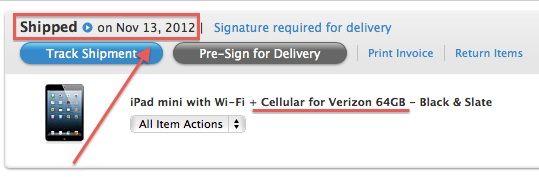
Last week we reported that Apple was planning to ship initial iPad mini with LTE pre-orders on November 16th, and it looks like units are finally ready to leave home base and make their way to your doorstep.
Customers who have pre-order the iPad mini with LTE are now reporting that Apple has sent them confirmation that their iPad mini has shipped and is en route to its destination.
I used to be a diehard Moleskine fan. I still love them, but I realized that I was spending too much time worrying about what to write in those precious pages that I never actually wrote much. So I switched to completely disposable (and easily scannable) index cards and I never looked back.
Well, apart from the time I found an index card written to me by my future self which said “Look behind you… NOW!” But that just turned out to be a drunken prank I played on myself.
So I have little time these days for Moleskine, Field Notes or any other fancy book that gets in the way of my scrawlings. But that’s not to say that this Field Notes Archival Wooden Box isn’t tempting.
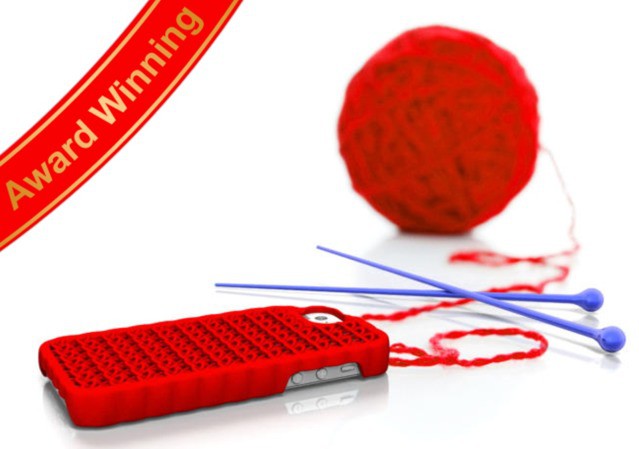
3-D printing: It’s just like knitting, right, only more high-tech? No? OK, fine. At least I tried.
But you know what really is high-tech and just like knitting? These iPhone cases, which are 3-D printed in the shape of knitting. Try to spoil that one for me, you grumpy old sourpuss you. Just try…
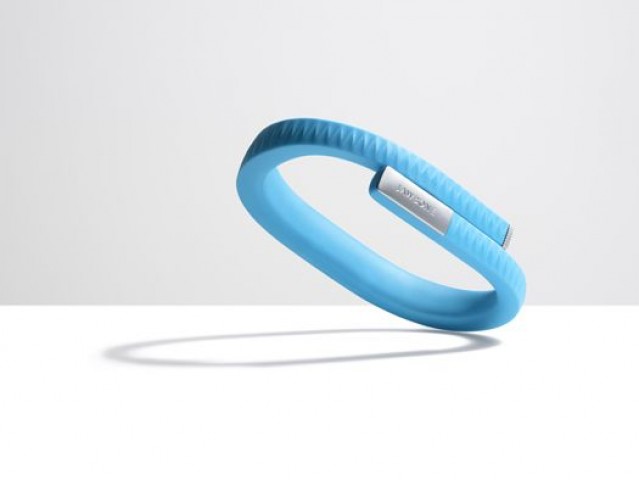
The Jawbone UP wristband first launched back in 2011, and it became quite a popular product. Everyone wanted to get their hands on the fitness- and sleep-tracking iPhone accessory, which came with plenty of promise. Unfortunately, it launched with all kinds of problems, too — including water leaks and inflexible components that broke too easily — and Jawbone was forced to pull it.
The company’s now giving the device a second shot. Today it announced the second-generation Jawbone UP, which is now shipping for $129.99.
Despite losing some of the tablet marketshare to Android tablets this year, the iPad and iPhone are still the two most popular non-PC devices to watch video on. A new study on video monetization conducted by FreeWheel found that Apple iOS devices make up more than 60% of all non-PC/Mac video viewing.
Even though Android tablets and smartphones have seen major gains, they’re still a work in progress and their users don’t consume media as heavily as iOS users.
One is an ugly ex-con with a face that looks like it weathered the apocalypse who is known for his gruff demeanor and insatiable appetite for ultra-violence. The other is a cuddly teddy bear of a man and co-founder of Apple.
It might seem unbelievable, but Machete star Danny Trejo and the lovable Steve Wozniak are apparently teaming up in a video game to promote Trejo’s upcoming movie, Vengeance. It’s called Vengeance: Woz With A Coz. And it looks like it’s coming to iPhone. What the heck is going on here?
This is Curiosity, a free iOS game from British gaming icon Peter Molyneux. The idea is that all of us – everyone playing the game – work together to peel off layers of cubelets that make up the larger revolving cube. At the center, a surprise (and a prize) awaits the person lucky enough, and determined enough, to tap on it at the end.
Only two people in the whole world know what’s at the center. Do you care what it is? Do you care enough to spend hours tapping on your iDevice to find out? No, really: hours.
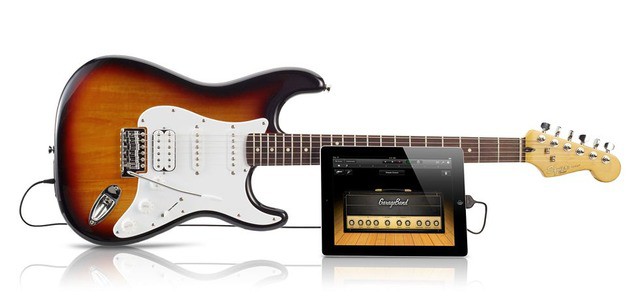
There are plenty of USB-capable guitars. But there aren’t many $200 USB guitars. Now, you can not only get a USB Stratocaster for the price of a terrible Android tablet, but it actually comes from Fender — albeit under the Squier diffusion brand. But whatever, right? It’s a Strat, and you can hook it straight up to GarageBand and play it through some of the sweet (not Fender either) amps.
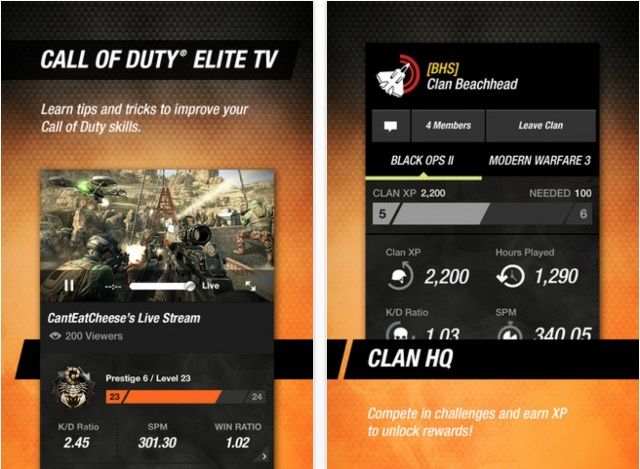
Getting Black Ops II today? Don't forget to update the companion app.
Call of Duty: Black Ops II launched today, and with it comes a new update to the Call of Duty Eliteapp for iOS. In addition to support for the latest game, the app brings an “all-new iPad experience,” which includes a new feature called Elite TV that allows you to live-stream Black Ops II gameplay and multiplayer guides.
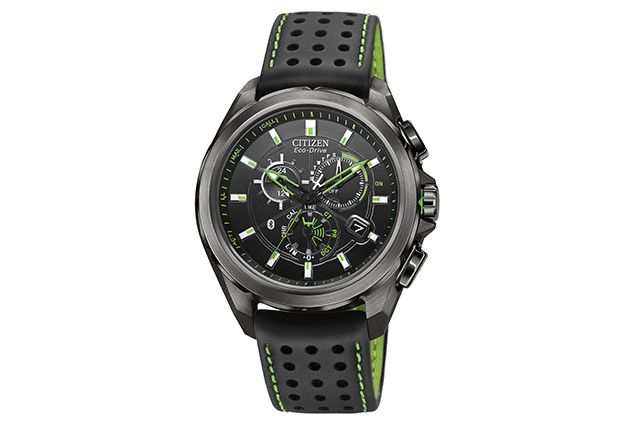
The Eco-Drive Proximity Watch vibrates when you receive calls and texts on your iPhone.
Citizen has announced the latest edition to its Eco-Drive watch lineup, and it’s the perfect partner to your iPhone 4S or iPhone 5. Called the Eco-Drive Proximity Watch, it has Bluetooth 4.0 built-in, and vibrates when you receive calls, text messages, emails, and more on your iPhone. It also synchronizes its time and date with your iPhone to ensure it’s always spot-on.
The Eco-Drive Proximity Watch has been available in the U.S. for a couple of months, but it’s just landed in the U.K.
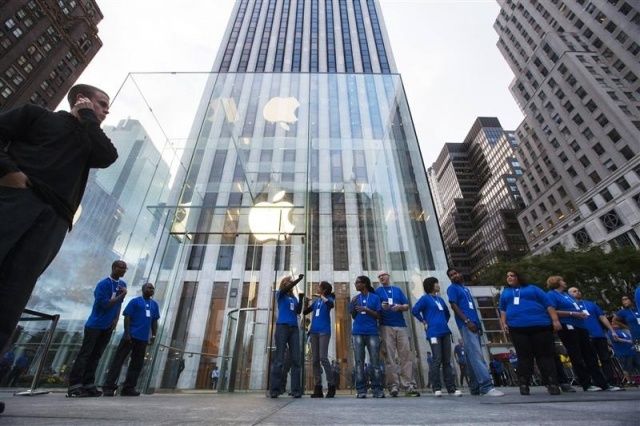
Apple’s retail stores are ridiculously successful. For the last few years Apple Stores have been the top performing retail locations in the world in terms of revenue per square foot.
This year Apple Stores earned twice as much revenue as the next most profitable retail chain, Tiffany & Co. RetailSails analyzed the world’s top performing brick-and-mortar U.S. retail chains and found that Apple Stores averaged $6,050 in sales per square feet, while Tiffany & Co. earned $3,017 per square feet.
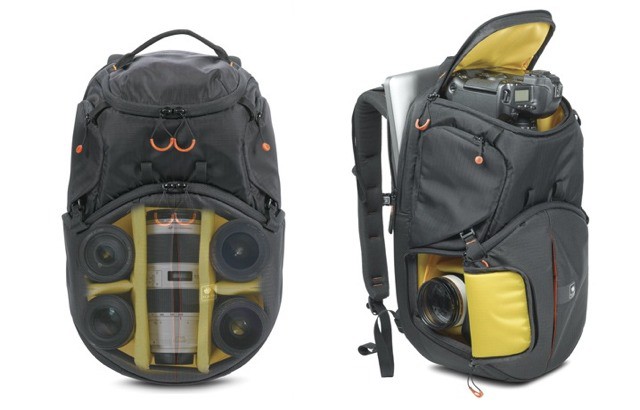
Camera bags are like iPad cases and murses — you can never have enough, and you can never find the perfect one. Now Kata, maker of some fine and very functional camera bags, has thrown yet more confusion into the mix with a unique new lens-storage solution.
The Kata Revolver-8 has a spinning section that lets you load lenses like you would load bullets into a gun.
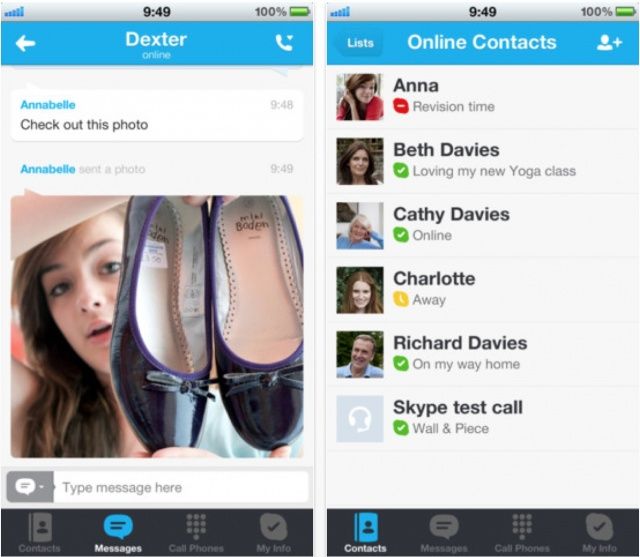
It’s been almost a month since Apple began shipping the iPhone 5, and we’re still waiting for some of the biggest apps to be updated for its larger 4-inch display. Fortunately, as of today, eBay and Skype are not longer on that list.
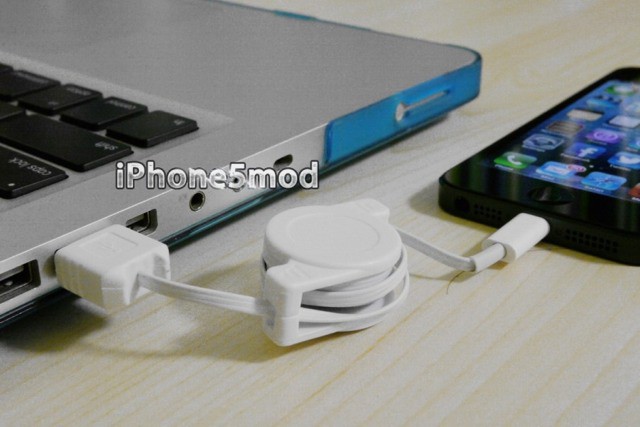
I have no illusions about this retractable Lightning cable for charging your current-gen iOS devices – it looks so much like the crappy USB and 30-pin dock connector cables that come in those vending machine accessory kits that I wouldn’t be surprised if you could break the thing inside a few weeks, just by using it as it is meant to be used.
But it is just $10, and it is actually available to buy, which are two major points in its favor.
Apple may be waging a thermonuclear war against Android in the courts, but that doesn’t mean that they won’t try to profit off of gadgets running Google’s competing operating system in their online store… even if the word ‘Android’ is nowhere on the item’s product page.
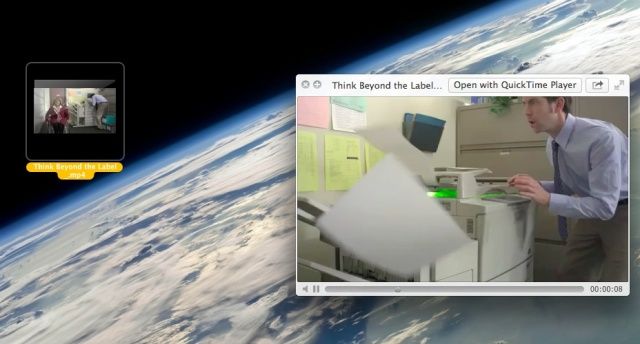
You might notice that your hard disk is constantly spinning on your Mac. If you check Activity Monitor, you might find out that the CPU is also being used up by the Finder, which typically doesn’t use a lot of CPU.
Turns out that the culprit could, in fact, be video files on your desktop. As you may know, OS X can play video files in their thumbnails and via Quick Look. To do this, it seems, your Mac needs to constantly be accessing the video file data, in order to have it ready to play at a moment’s notice. This eats up CPU cycles like nothing else on the desktop.
As they do every year, Apple has posted their annual holiday gift guide, a well-designed and laid-out section of the Apple.com online store that is dedicated to gift ideas for the loved ones in your life.
It’s a pretty page, but there’s no deals to be had here. Apple does usually offer some Black Friday savings, but they’re pretty conservative, usually topping out between 5-10% on select Macs, iDevices and accessories. We should start seeing those deals leaking out later this week or early next ahead of Black Friday, November 23rd.
Make Spotlight even better with a simple jailbreak tweak.
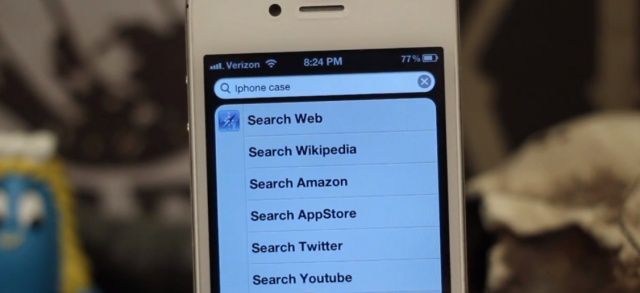
Spotlight is, in my opinion, one of the most underrated features of iOS. I know so many people who don’t use it, yet I find it indispensable when it comes to searching for emails, notes, contacts, and apps I’ve hidden in a folder somewhere. And with SLightEnhancerSearch, a new tweak for jailbroken iOS devices, it’s even better.
SLightEnhancerSearch enhances Spotlight by introducing the ability to search YouTube, Twitter, Amazon, the App Store, and lots more — right from your home screen.
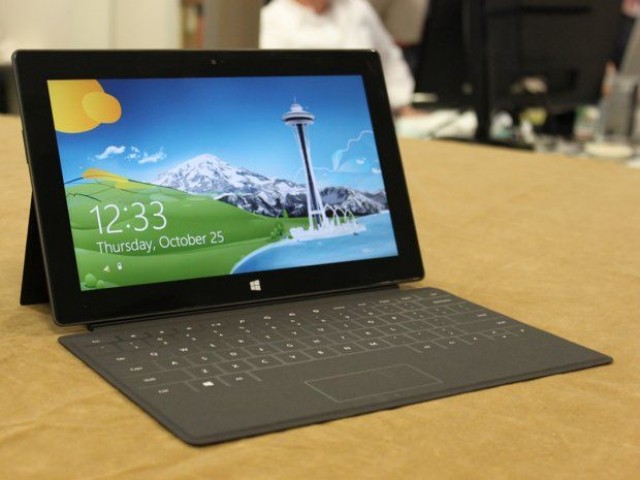
We had a feeling Microsoft was a little optimistic about the Surface RT's display.
Shortly before Microsoft began shipping the Surface RT tablet, the company claimed its ClearType display was superior to the third-generation iPad’s Retina display. We had our doubts, and now Dr. Raymond Soneira of DisplayMate Technologies has confirmed we were right to dismiss Microsoft’s claims.
In a display comparison between the third-generation iPad, the Surface RT, and Samsung’s Galaxy Tab 10.1, Soneira found that Apple’s device offers significantly better color saturation and color accuracy, and sharper text.
We’re starting to gear up for a new year – yes, even now – and there’s really no time like the present to start to build up your skill set in an area that can only help you to start the new year with a sense of confidence and new-found expertise. If you’ve been interested in learning about design, this soon-to-end Cult of Mac Deals offer is the perfect way to level up your web design skills.
You’ll get some seriously good video training courses that showcase how to use several of the applications you’ll need to familiarize yourself with in order to go to the next level with your design skills. The Learn to Design Bundle has a lot packed into it and at a price that won’t break your bank – just $99!
A study was presented at the 116th annual meeting of the American Academy of Ophthalmology yesterday that shows the benefit of backlit tablet computers like the iPad help patients with vision loss due to eye diseases read at a comfortable level again.
The study looked at all backlit tablets, scoring the iPad highest in terms of helping readers with low vision due to conditions like macular degeneration or diabetic retinopathy read at their previously higher and more comfortable reading level.
At a Techonomy conference today, two of the four panelists called out Apple as “most likely to succeed” at a session discussing how advertising could affect existing media companies.
While the session itself didn’t spend a lot of time on Apple, according to Techcrunch, the panel ended with an answer to moderator Dave Morgan’s question on predictiong the world’s most powerful media company in 2020. Digital agency AKQA’s Tom Bedecarre said that Apple would take the top spot, due to the several media delivery platforms that it owns or controls.
Another panelist and CEO of SocialFlow, Frank Speiser, agreed, adding that the time was ripe for a company like Facebook or Twitter to team up with Apple to help improve discovery, thus giving the partnering company a leg up in the media landscape.
Throughout 2012 Tim Cook has continued to put his stamp on Apple and its culture. One move that we haven’t heard much until now is his decision earlier this year to allow certain employees to spend 20% of their work time pursuing new projects that may help Apple.
20% time has become a prominent employee incentive at other companies throughout Silicon Valley as it has been popularized by Google who got the idea from 3M. The incentive allows employees to spend 20% of their time on side projects, but it hasn’t been adopted by Apple until now.
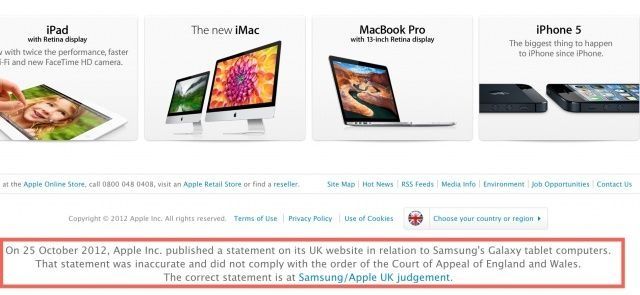
If you’ve been following the back-and-forth over Apple’s court-mandated “apology” to Samsung in the UK, you know it’s been Cupertino at its cheekiest.
It’s also been Cupertino at its most dishonest, according to a London High Court, and they’re had enough, slamming Apple for false and misleading statements about the trial… and ordering Apple to pay all of Samsung’s legal bills on top of things.