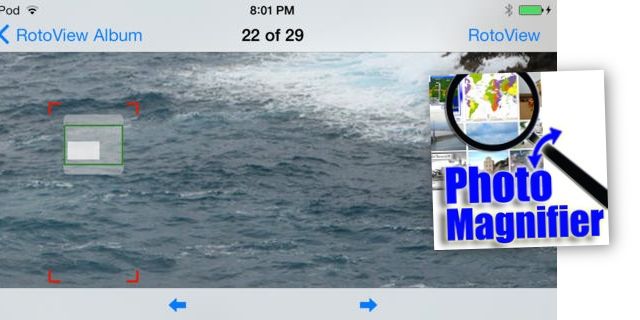
RotoView is an app that lets you zoom in super close on your iPhone photos, and then scroll around them by tilting the iPhone itself. It is also a great example of how iOS 7-native design can help an app look great, when otherwise it would very likely look awful.
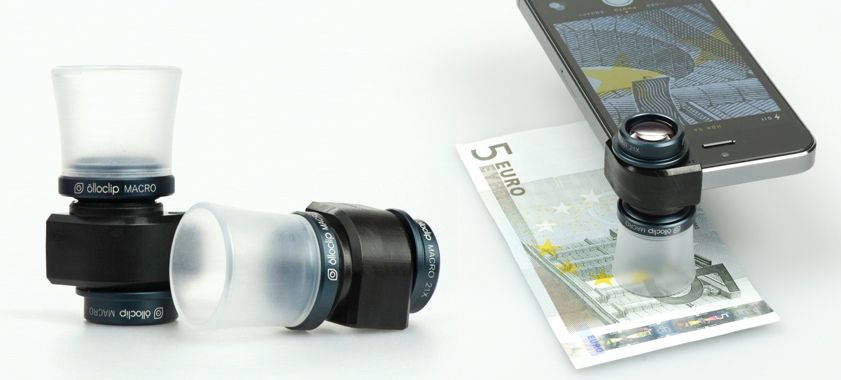
Olloclip has turned from being a maker of a neat novelty iPhone accessory into a purveyor of an entire iOS lens system. The newest member of the family is the Macro 3-IN–1, a set of closeup lenses with built-in light diffusers and high-quality optics.
It’s become horribly obvious that the more a driver fiddles with their phone, the better chance they have of becoming involved in a car accident. But even taking one’s eyes off the road can be problematic — so Slovakian-based Sygic has added a head-up display mode to their iOS turn-by-turn navigation apps that tries to alleviate the problem by keeping the driver’s eyes focused on the road.
Yes, Joshua Young is a doctor. And yes, the strange device he built and now wields is indeed sonic. But no, it’s not a screwdriver.
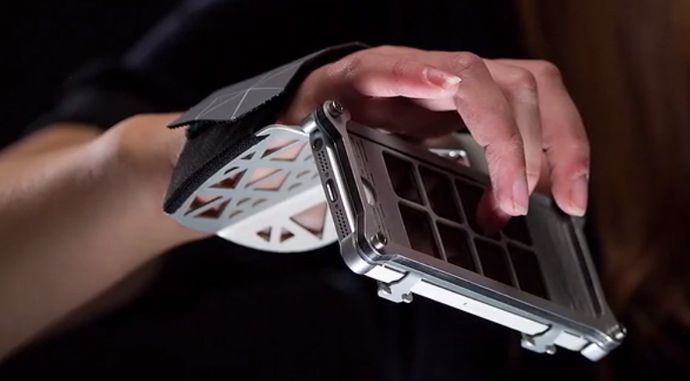
Instead, Joshua’s intricate alloy AUUG controller is an imaginative musical device that turns the iPhone or iPod into a unique instrument that uses accelerometer magic to bend and blend sound.
Back in April, I called Infuse the best media player for iOS out there. VLC hadn’t returned to the App Store at the time, and Infuse was the slickest, most versatile video player available in the App Store.
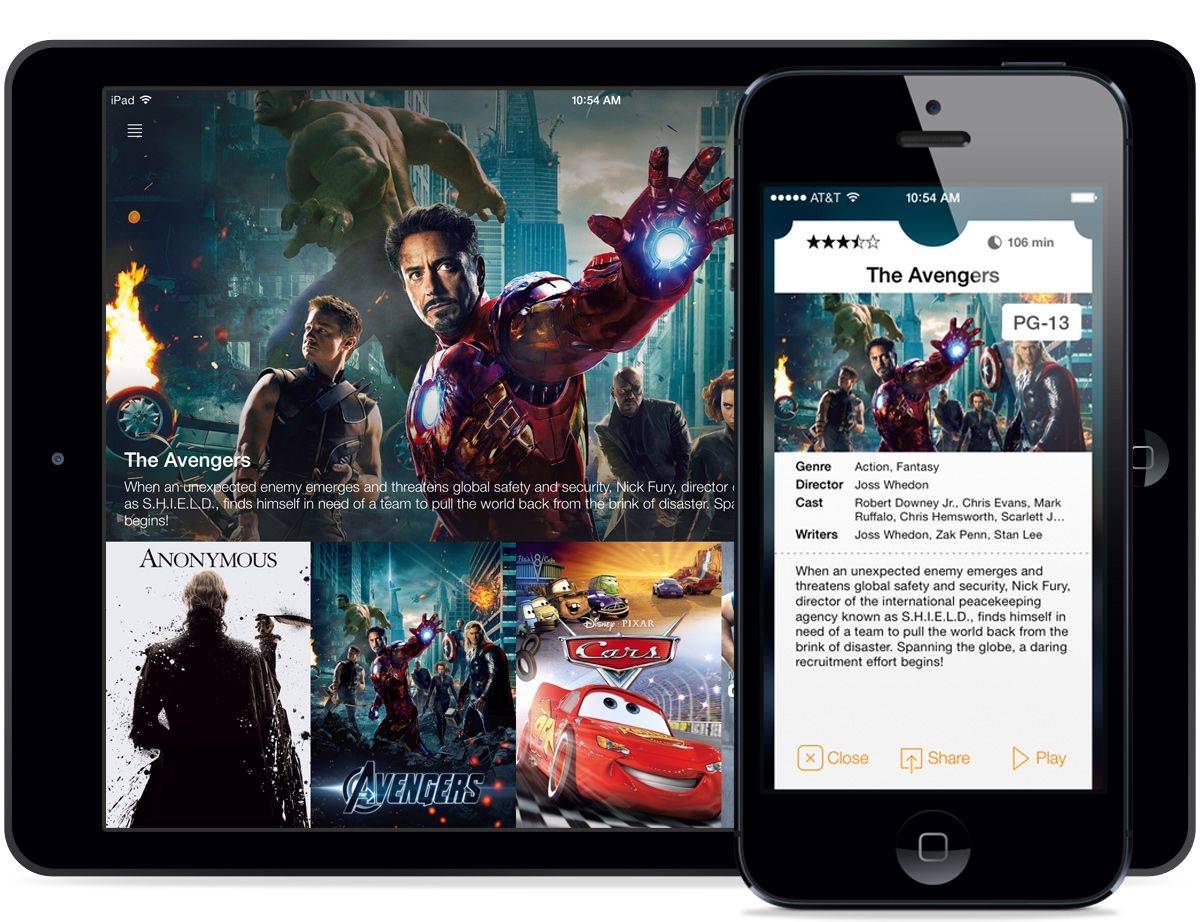
VLC for iOS made its triumphant over the summer, but Infuse continued to hold its own with support for over a dozen video formats, AirPlay, and video transfers over WiFi. But after the release of iOS 7, Infuse’s theatre-like UI started to look dated. Today FireCore released Infuse 2.0, the app’s biggest update yet that includes a completely redesigned interface, more video formats, 1080p with surround sound playback, and improved streaming.
Legend of Equip Pants is an episodic adventure/role-playing game that revolved around the acquisition of pants. You play as Sir Pantsalot as he quests to find, well, pants to wear. You start out partially clothed in armor and generally terrorize the innocent populace with your lack of lower body covering.
Legend of Equip Pants by Zach Johnson Category: iOS Games Works With: iPhone, iPad Price: Free
Each episode is fairly brief and has only a handful of solutions. In the first episode, you must acquire a costume or pumpkin pants to enter a party. You can either get a pumpkin and take it to the pantsmith or borrow cursed “underwere” that turn you into an underwerewolf! League of Epic Pants hardly takes itself seriously, and these bite-sized levels don’t overstay their welcome. You really only need a few minutes to appreciate the concept of underwerewolves, and the game’s developer realizes this.
International Data Corporation (IDC) released it’s quarterly report on worldwide tablet shipments Tuesday. The report states that the data tracking agency has lowered its expected forecast for growth in the tablet sector, which includes Android, iOS, and Windows tablets.
Tablet shipments are now expected to reach 221.3 million units this year, which is down from the agency’s earlier forecast of 227.4 million units. This new forecast is still 53.5 percent higher than last year’s unit shipment levels, however.
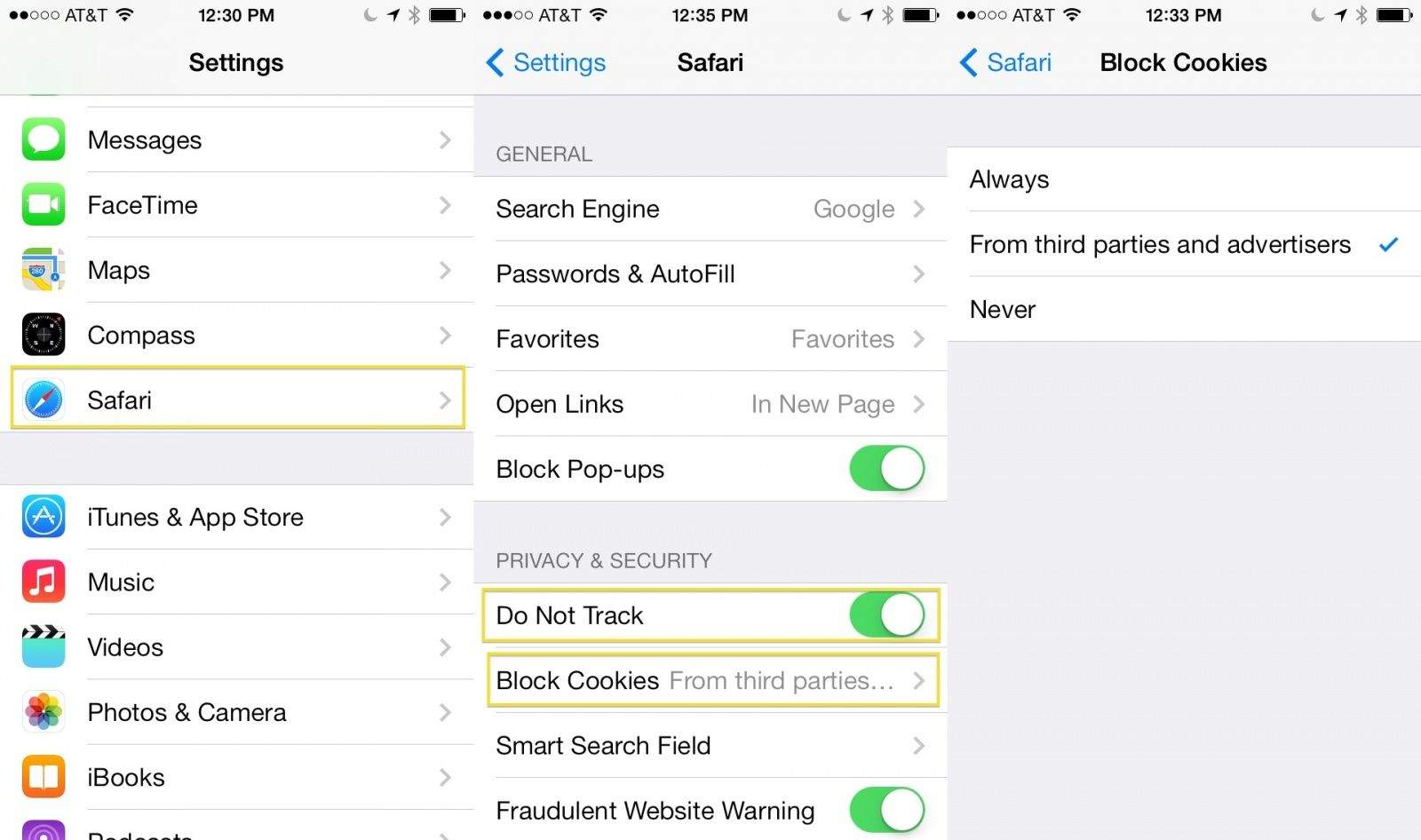
While other web browsers exist and thrive on iOS, Safari is the one Apple includes with it’s iOS system software, and it’s probably the one most of us use often, no small thanks to the fact that it’s integrated at the system level. Every click through, unless third-party apps (like Mailbox) allow something different, takes us to Safari as our main browser.
Therefore, if you’re looking for ways to protect more of your privacy, you’ll want to enable the Do Not Track feature in mobile Safari, as well as possibly block cookies, which are bits of code that store your preferences on website servers for return visits.
A week ago Honda brought Siri Eyes Free integration to its 2013-2014 Accord and 2013 Acura vehicles. The automobile maker said it had additional functionality to announce today, and the news is out. Honda has put a 7-inch “Display Audio” touchscreen in its 2014 Honda Civic and 2015 Honda Fit that is one step closer to Apple’s “iOS in the Car” dream becoming reality.
Following the software leaking on Apple’s U.K. site yesterday, FileMaker Pro 13 is officially available for purchase. The Apple-owned business management software’s first major update in nearly two years includes over 50 new features, including WebDirect, which offers the ability to access databases through a web browser.
iPad Mini with Retina Display by Apple Category: iPad Works With: Your hands Price: $400+
What’s this? A review of the Retina iPad mini almost a month after launch? That’s right. And although I haven’t been using my new mini for that long, I’ve been using for more than the two or three hours logged by most of the folks who “reviewed” it on launch.
So if you are wondering if the new mini is noticeably heavier than the old one, or if it takes all night to charge it, or whether an iPad even needs LTE, then read on.
If you’re looking for a quick, easy-to-use reference guide for that giant rock in the sky, Moon Chart is a pretty good one. It’ll show you the phase and point out what scientists have named all those holes and fiddly bits, and it’s all indexed. So if you have a bet with your buddy as to where Flammarion is in relation to Sinus Medii, this app will help you settle that weird, random thing I just made up.
Australian publisher Halfbrick (Jetpack Joyride, Fruit Ninja, Age of Zombies) announced Tuesday that its new free-to-play band simulator game Band Stars will release to the App Store on Thursday, December 5.
The game, developed in collaboration with Australia-based Six Foot Kid, has been in development for a while, with an early build available last March at the Game Developer’s Conference in San Francisco. Come this Thursday, you’ll be able to download the game for free onto your iOS device and start a band.
Dark and light should probably sit down someplace and talk. They’re always fighting.
Darklings by MildMania Category: iOS Games Works With: iPhone, iPad Price: $0.99 (50% off promotional price)
Their senseless war continues in Darklings, a new endless survival game from developer MildMania. You play as Lum, a being of light going up against the Darklings, evil beings who have stolen all the stars from the sky in a plan to plunge the world into darkness. Because that’s how the dark operates in these things.
Lum is alone against endless waves of evil beings, and only your quick shape-drawing powers can help it prevail.
Santa Claus is coming to town in just 20 short days which mean NORAD is knocking the dust off its famous Santa Tracker website with a revamp that makes the site iPad friendly for the first time ever.
Need a fast, discreet way to determine when you’ve had too much to drink or put a number on all of your inebriated muscle flexing?
The BACtrack S35 breathalyzer is small enough to keep in your pocket, and accurate enough to keep your keys there as well, if necessary. As one of the smallest, sleekest breathalyzers on the market – it also delivers reliable blood alcohol estimates in just five seconds. And Cult of Mac Deals has The BACtrack S35 breathalyzer for 57% off during this limited time offer – only $29.99!
Readdle has today rolled out a major new version of PDF Expert, on of its most popular productivity apps for iOS. The new release introduces an all-new design for iOS 7, as well as a much-improved file manager and PDF viewer, support for AirDrop and background downloads, and lots more.
Back in July, Realmac Software released Ember, a Mac app for collecting websites, photos, and more. Ember is pitched as an inspiration tool for designers, but it can also be used as a digital scrapbook for organizing random snippets from the web and other places.
Today Realmac is releasing an iOS counterpart to Ember in the App Store. With Ember on the iPhone and iPad, you can add, organize, and share items and have your library synced via iCloud.
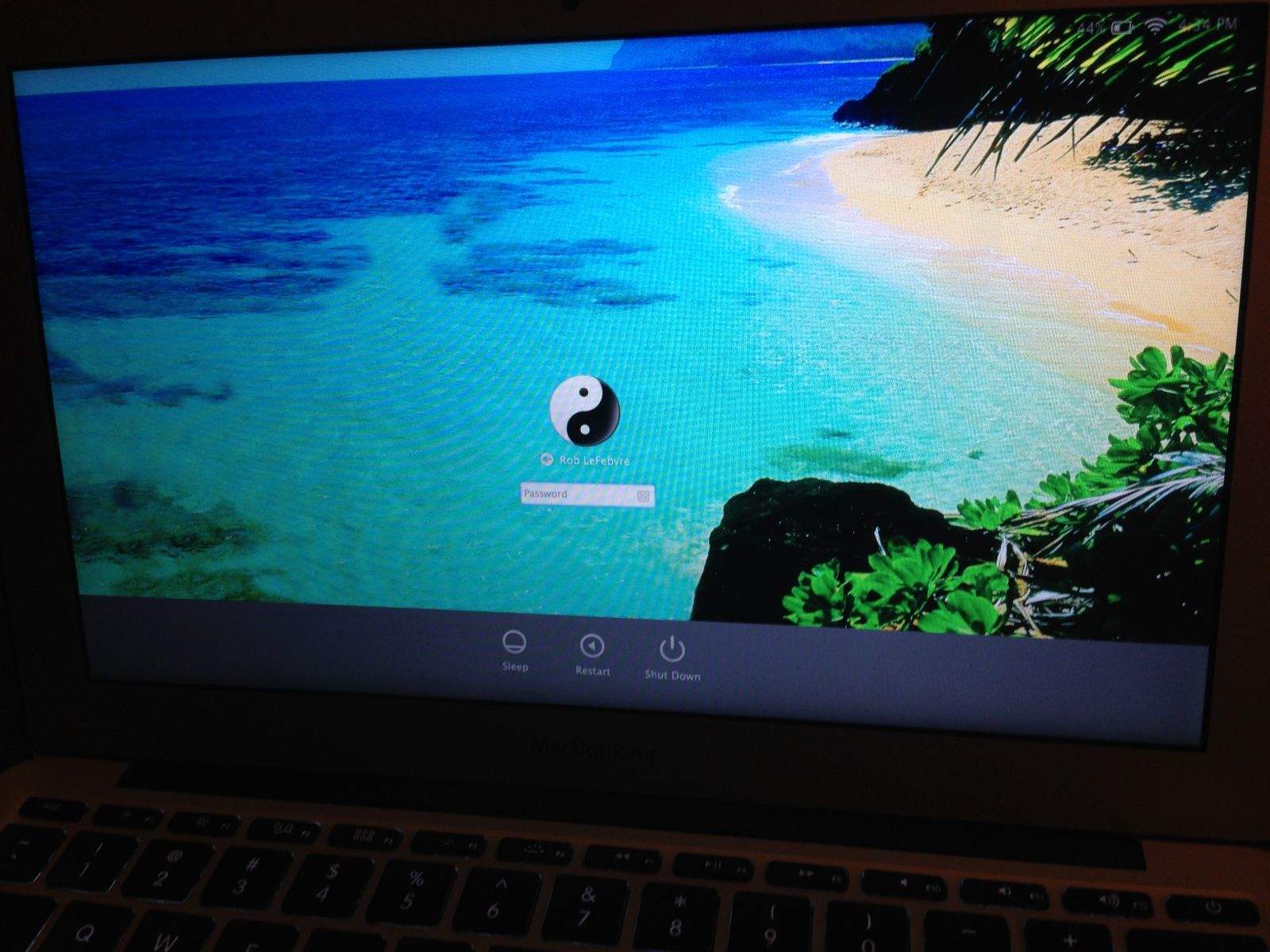
The login screen wallpaper in OS X Mavericks is a pretty boring dark gray linen picture, with the Apple logo in the center. Yawn.
Far better to put in your own image, thereby customizing the login screen for your very own purposes, am I right? It’s not too tricky to do so, though it does require replacing some system files and will get rid of the Apple logo image itself.
If you don’t mind replacing that Apple logo with a much larger image, thereby hiding the linen look but losing the Apple logo, then here’s how to do just that.
PayPal has been making a creep into gift cards lately, announcing just a week ago that it would start accepting prepaid gift cards as a form of payment online. Now it’s going even further, launching a digital gifts store where you can buy iTunes Gift Cards and, for now, only iTunes Gift Cards.
When we talk about Japanese games publisher Square-Enix bringing their games to iPhone, we’re usually talking about their popular Final Fantasy series: in the past few years alone, Square-Enix has brought anumberof the games in its world famous CRPG series to the App Store.
The next game Square-Enix is bringing to iPhone isn’t a Final Fantasy game, though. Instead, it’s a title in their other popular RPG series (and a personal favorite game of mine): Dragon Quest VIII.
Some of the best deals you can find on Apple products comes from buying refurbished. Far from second-hand rejects, refurbished Apple units come with a full year’s warranty, steep discounts and a personal once-over from an authorized Apple technician, meaning they are <em>more</em> likely to be technologically sound at a lower price.
If you’ve been interested in picking yourself up a late 2013 27-inch iMac, but were hoping to score a deal, good news: they’re now available refurbished on Apple’s online store.
Everything else in our lives has gone wireless, but here we are, still slurping electricity through wires like a bunch of cavemen. When will it end? Soon, soothes Apple. The mad scientists in their lab at Cupertino have just patented a method to supply wireless charging to a number of nearby devices.
The Sidney Central School District — located in Sidney, New York — has implemented a new 1-to-1 iPad Initiative for the 2013-14 school year, providing every child in the 7th through 12th grade with an iPad to work on.
The popularity of selfies made them the Oxford Dictionary's "Word of the Year" in 2013
It’s lacking the iPhone’s speaker slit, but otherwise all sources indicate that Darth Vader is an iOS user, most likely using either an iPhone 4 or iPhone 5.
The above selfie — which just appeared on the official Star Wars Instagram account — is designed to help launch the marketing platform that will be used to help build up to the new batch of sequels, currently being worked on by Disney.