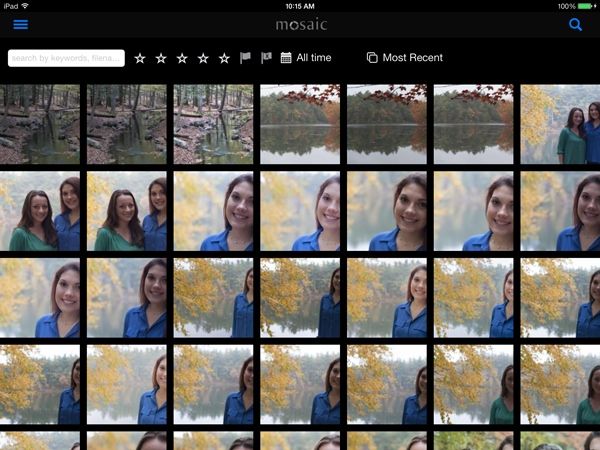
Great news for Lightroom users who both own iPads and love the Java runtime: The Mosaic app can now do two-way sync with Lightroom on your Mac, letting you load photos onto your computer and then sit down in your favorite easy chair with a cup of coffee to rate and reject your pictures using the iPad.
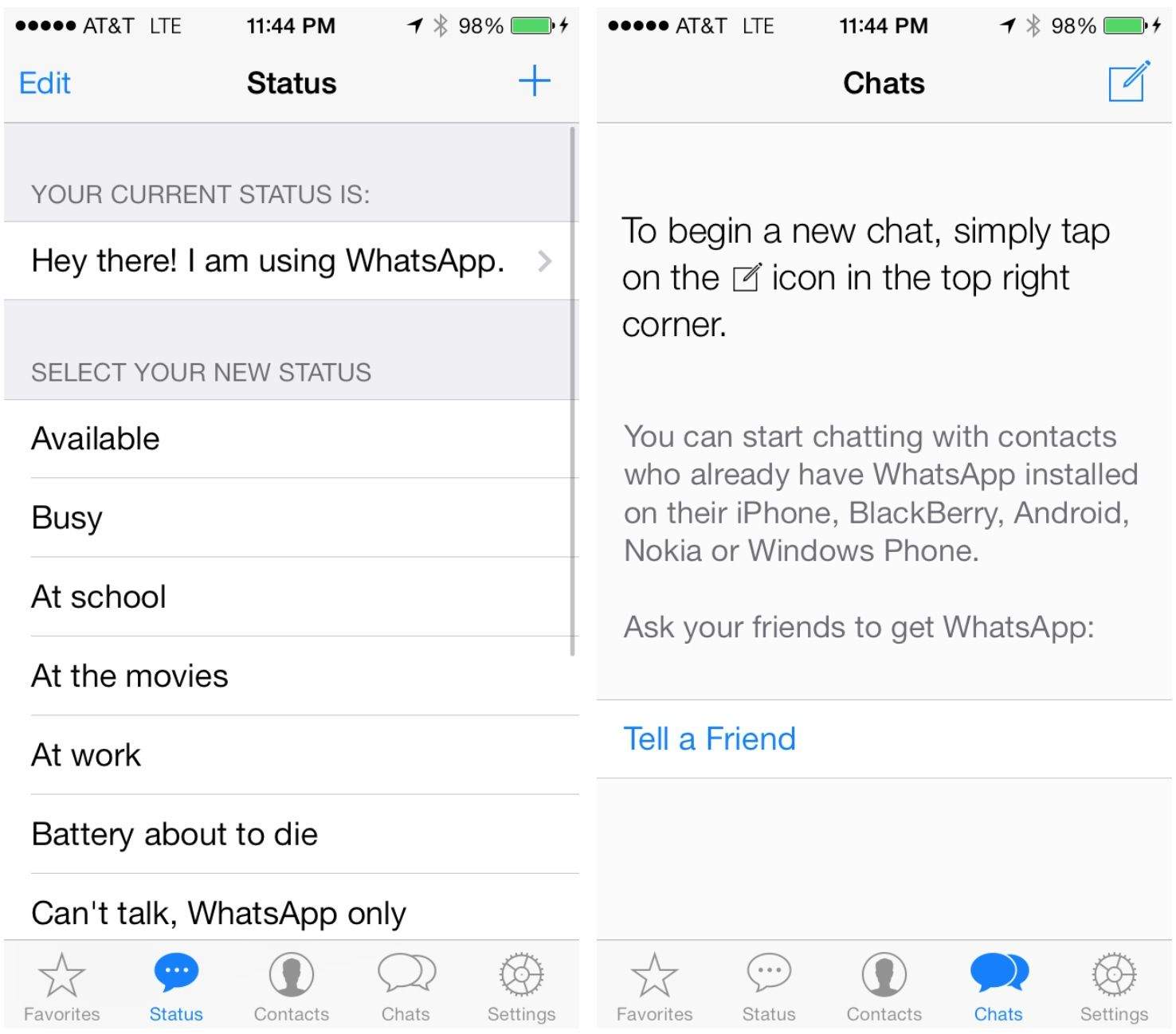
Popular cross-plaform service WhatsApp has been redesigned for iOS 7. The redesign leaked last month, and it’s finally here.
The app’s entire interface has been simplified, and group messaging has been improved with a new feature called Broadcasts Lists. You can create groups of people such as “classmates” to message all at once.
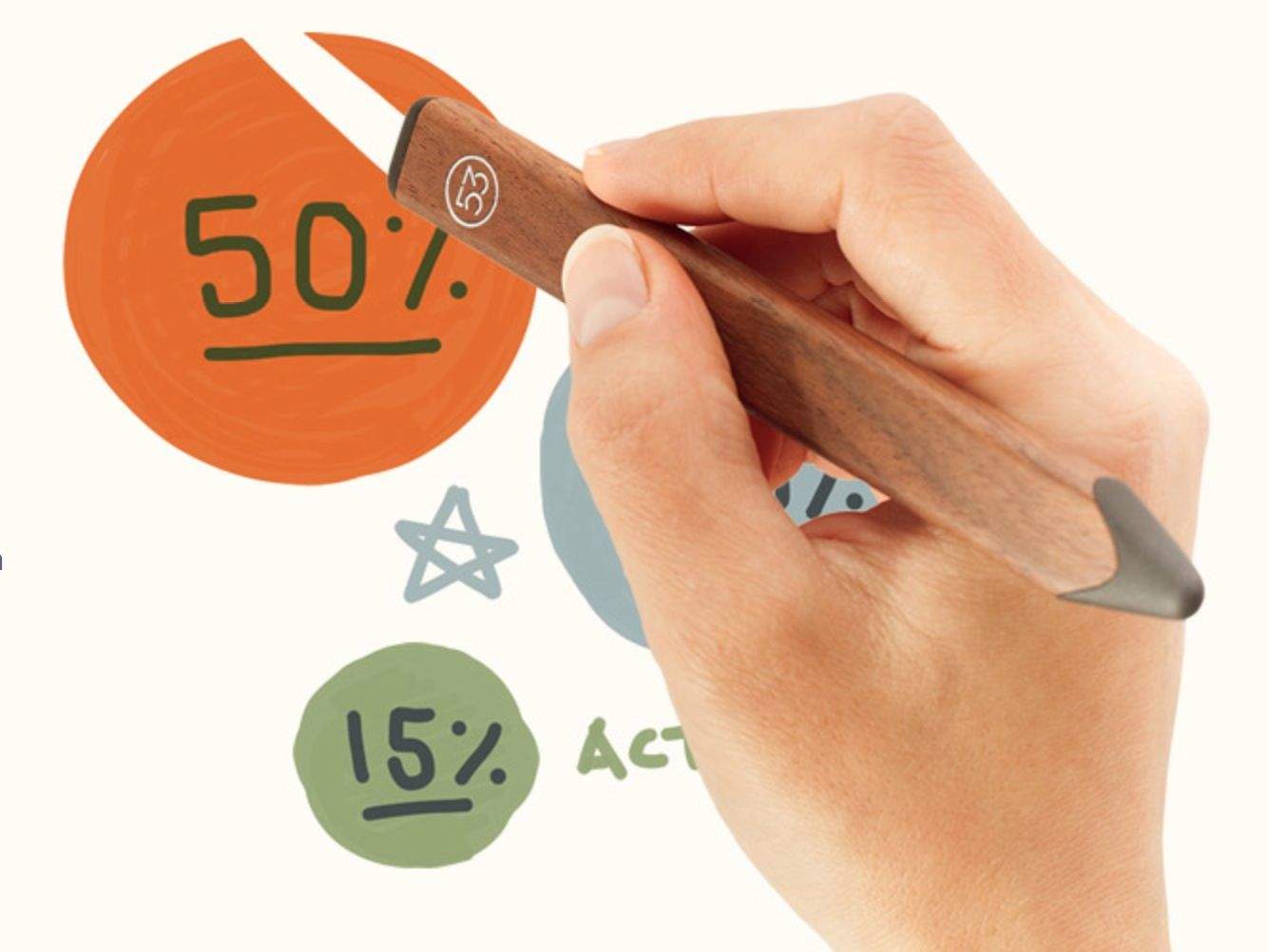
A couple of weeks ago, FiftyThree started accepting preorders for its new Pencil stylus. Pencil is designed specifically for FiftyThree’s Paper drawing app. The simplistic stylus connects over Bluetooth via on-screen paring in the Paper app and has features like palm rejection, blending, and quick erasing.
The Paper app has been updated with these new software features for Pencil in conjunction with preorders beginning to ship to customers.
Apple has bought Topsy, a San Francisco-based firm that offers Twitter analytics to companies. The deal has closed at over $200 million, according to The Wall Street Journal.
“It’s unclear how Apple plans to use Topsy,” says the report. “There may be opportunities to link Topsy’s technology with Apple’s iTunes Radio, an online-streaming-music competitor to Pandora Media Inc. and Spotify AB. One possible scenario would use data from Topsy to alert listeners to songs that are trending or artists being discussed on Twitter.”
A report from a few months ago said Apple was beefing up its iAd team prior to the launch of iTunes Radio. Topsy’s expertise in social marketing could certainly come in handy when trying to sell iAds.
TextExpander, the amazing utility that allows you to type a quick shortcut (or “snippet”) and have it expand into any text you want, has been in a bit of trouble with Apple recently. The maker of TextExpander, Smile Software, was informed a couple of weeks ago by Apple that the iOS version of its app was sharing snippets between apps the wrong way.
Now TextExpander for iOS has been updated with a fix, and it breaks the best thing about the app.
Second Gear, maker of the popular iOS text editor Elements, has announced its next app, Photos+. Pitched as “the best way to manage photos on your phone,” Photos+ looks like it’s trying to take on Apple’s default Photos app.
The app has been submitted for approval in the App Store, and it looks promising.
When it comes to Christmas shopping, procrastinating is a long standing American tradition. So to let you know how long you’ve got until you absolutely have to place your Christmas orders, Apple has posted a new guide detailing the estimated shipping times on all of its products.
Apple announced that the Online Apple Store will be offering free shipping on all orders from now until December 22nd, but according to the guide many of Apple’s most popular products need to be ordered a full week before the 25th if you want it to be waiting under the tree on Christmas morning.
According to a new report from IBM, the greed consumer-driven shop-fest known as Black Friday.
The report shows a new high for online sales for this 2013 reporting period, as well as a soaring rate of mobile shopping, in which folks used smartphones to browse for deals while people were more likely to complete purchases with tablets.
The most interesting finding, however, was how much more iOS users spent than those on Android. Take that, Google!
We’re big fans of Apple’s Pages app on iOS here, as it allows us to create and edit good-looking documents easily and on the go. Pages’ stunning array of templates, combined with the ease of use associated with an app built by Apple itself for its flagship touchscreen device, make it a must-have app on anyone’s iPad.
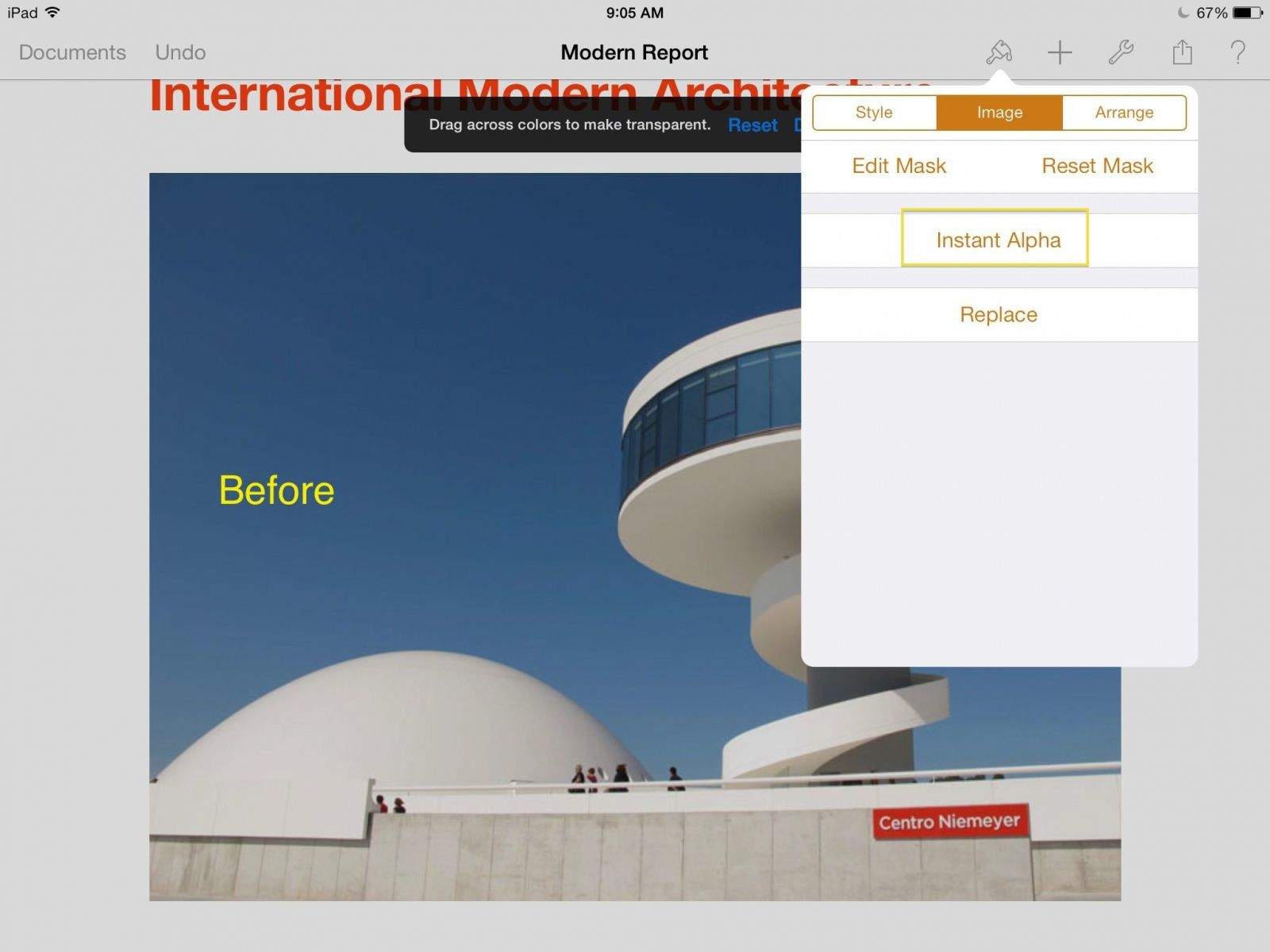
Color us excited, then, when we heard about a hidden feature in Pages that lets us delete backgrounds from photos right from within the app itself. Instant Alpha is a super helpful feature when we need to get rid of a large solid color background without dropping the image into an editing program first.
Fingerpainting on an iPad isn’t taken too seriously by most the world but iPad artist Kyle Lambert has blown us away with some us his creations, and now he’s back with one of the most detailed iPad finger paintings we’ve ever seen.
Kyle’s incredible painting of Morgan Freeman took over 200 hours of work and an astonishing 285,000 brushstrokes to complete using just his fingers and the app Procreate. To give you a sense of the amount of detail that went into the project Kyle recorded a time lapse of the creation process so you can see each freckle and grey hair sprout up.
Developer Frogmind has just updated its award-winning iOS game, Badland. The update is the conclusion to the Day II story-based levels, with 10 new levels and 30 new missions to accomplish, along with seven new Game Center achievements.
The final tally, then, of levels in Badland is now 80, fully double what the game started with back in April.
Owners of Sony products might want to check out its new mobile support app, which will hopefully save you from having to click around a website looking for the right troubleshooting or contact page. It contains links to forums, troubleshooting, documentation, and support areas, and it will take you directly to the page you need in Safari. It contains information for TVs, computers, cameras, software, and a bunch of other things. You can also get Sony news updates and press releases, if that’s your thing, but the app’s main value is preventing users from falling into bottomless Net-holes.
Kiwi & Me by Beeline Interactive Category: iOS Games Works With: iPhone, iPad Price: Free
The new free-to-play, match-three game from developer Beeline Interactive (the mobile arm of Capcom) has all the “swapping two things to form lines of other things” that you’ve seen in every other match-three title, but it’s all centered around an adorable little bird-thing named Kiwi who is looking for her lost mother.
Kiwi watches you solve the game’s puzzles, and every once in a while, you unlock a new accessory for her and dress her up. If you couldn’t tell, Capcom and Beeline are specifically targeting female casuals with this one, but that’s not to say that non-girl types can’t also appreciate it.
Playing Icycle: On Thin Ice feels more like interacting with a movie than playing a game. You guide the hapless (and naked) Dennis through an increasingly treacherous frozen wasteland with nothing but a bicycle and a warm hat. The world will shift, crack, and crumble all around you, often sending Dennis up an ice flow or down into frozen lakes. The animation is so seamless that it’s almost like you’re watching a cutscene.
Icycle: On Thin Ice by Chillingo Category: iOS Games Works With: iPhone, iPad Price: $0.99
What is more game-like about Icycle is the emphasis on completing level objectives while performing dangerous jumps to collect ice chunks. Doing so will let you unlock new tools and eventually clothing for Dennis to use. I was worried when I started the game that Dennis would just stay naked, so I’m glad you have the option to clothe him. Of course, every time you careen into spikey ice, his clothes miraculously disappear, leaving Dennis to freeze to death on the ice–which is as charmingly animated as everything else in Icycle.
Look: We know that not every iOS game is perfect. They all have their little quirks and irregularities, and some are flat-out broken. But among those that are actually playable, some contain a core mechanic that stumbles somewhere along the way. And maybe it’s a cool idea, but it feels like it could just be executed a little better.
That’s where this series comes in. We round up games that are not necessarily bad but just fall short in some area, and we suggest other titles that do it better.
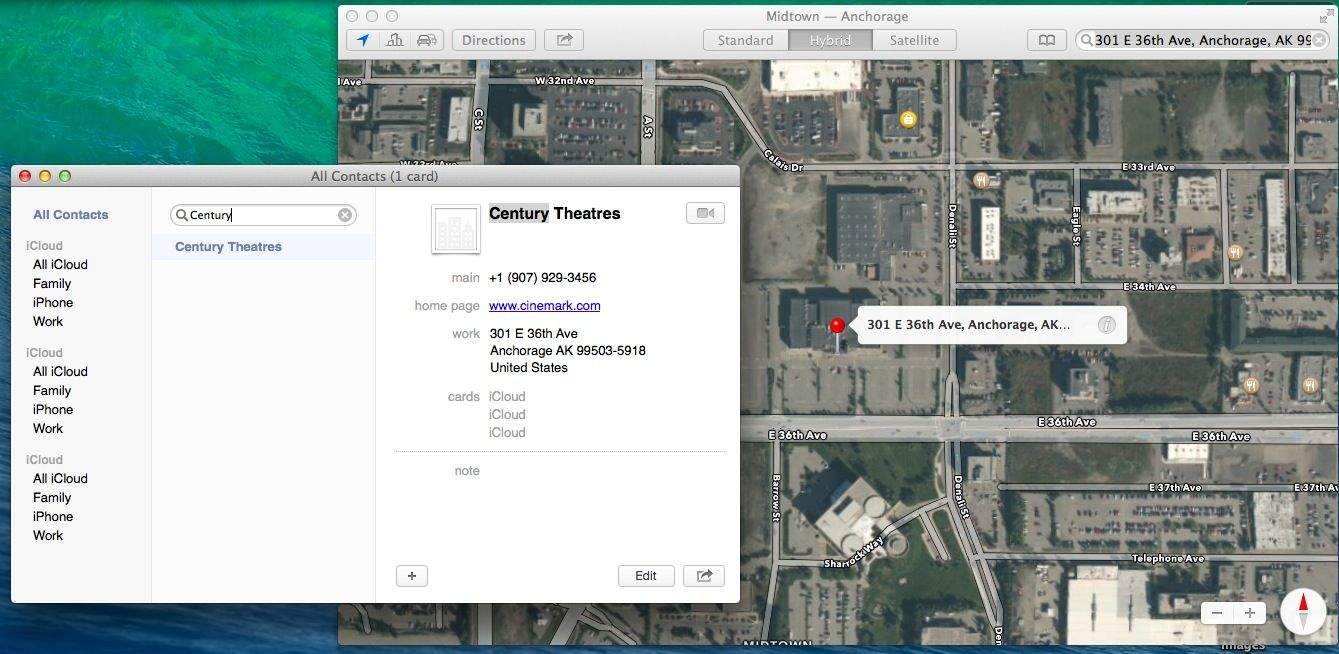
Sure, it’s pretty easy to type an address into the Maps built into Mavericks, but wouldn’t it be even better if you could just click your way to Map nirvana?
In the latest version of OS X, you can send your directions or Map locations right to your iPhone or iPad, so why not make things even easier and more streamlined? Just launch Contacts and you’ll see.
The Apple TV and Google Chromecast are pretty cool, but I know I’m not the only one who wishes I could stream whatever media I want to whatever device I want, without worrying about proprietary standards.
Until we get a universal API, we have AllCast for Android, an app that can stream content to an Apple TV, a Roku, an Xbox, a Samsung Smart TV, and so on. You name it, and AllCast supports it… except, perplexingly, for ChromeCast.
We’ve seen the 13-inch and 15-inch MacBook Pros go Retina. When will the iMac get ultra high resolution screens, though?
It’s unknown, but it looks like we’re edging closer. Dell — the company whose founder once laughingly suggested that Cupertino return all of its money to shareholders — has just posted details for a new 24-inch monitor sporting a 3840 x 2160 4K display.
Amazon Prime delivery is pretty fast. As long as you pony up $99 every year, you can have pretty much anything shipped to you overnight — even iPhones and iPads — for just $3.99.
But what’s after Prime? According to Amazon founder Jeff Bezos on a 60 Minutes interview last night, it’s PrimeAir, a new service in which Amazon will deliver your goods to you via drones within half-an-hour.
Attention, number crunchers and bean counters! Thanks to an inadvertent slip of the webmaster’s finger, Apple may have just unwittingly revealed the semi-imminent release of Filemaker Pro 13, Apple’s in-house database software for Mac, PC, Web and iPad.
Apple is doing all it can to grow in India. Illustration: Cult of Mac
Breaking with the tradition of Friday launches in India — and despite rumors that it would take place on November 29 — Apple has announced that customers in India will be able to buy the iPad Air and iPad mini with Retina Display as of Saturday, December 7.
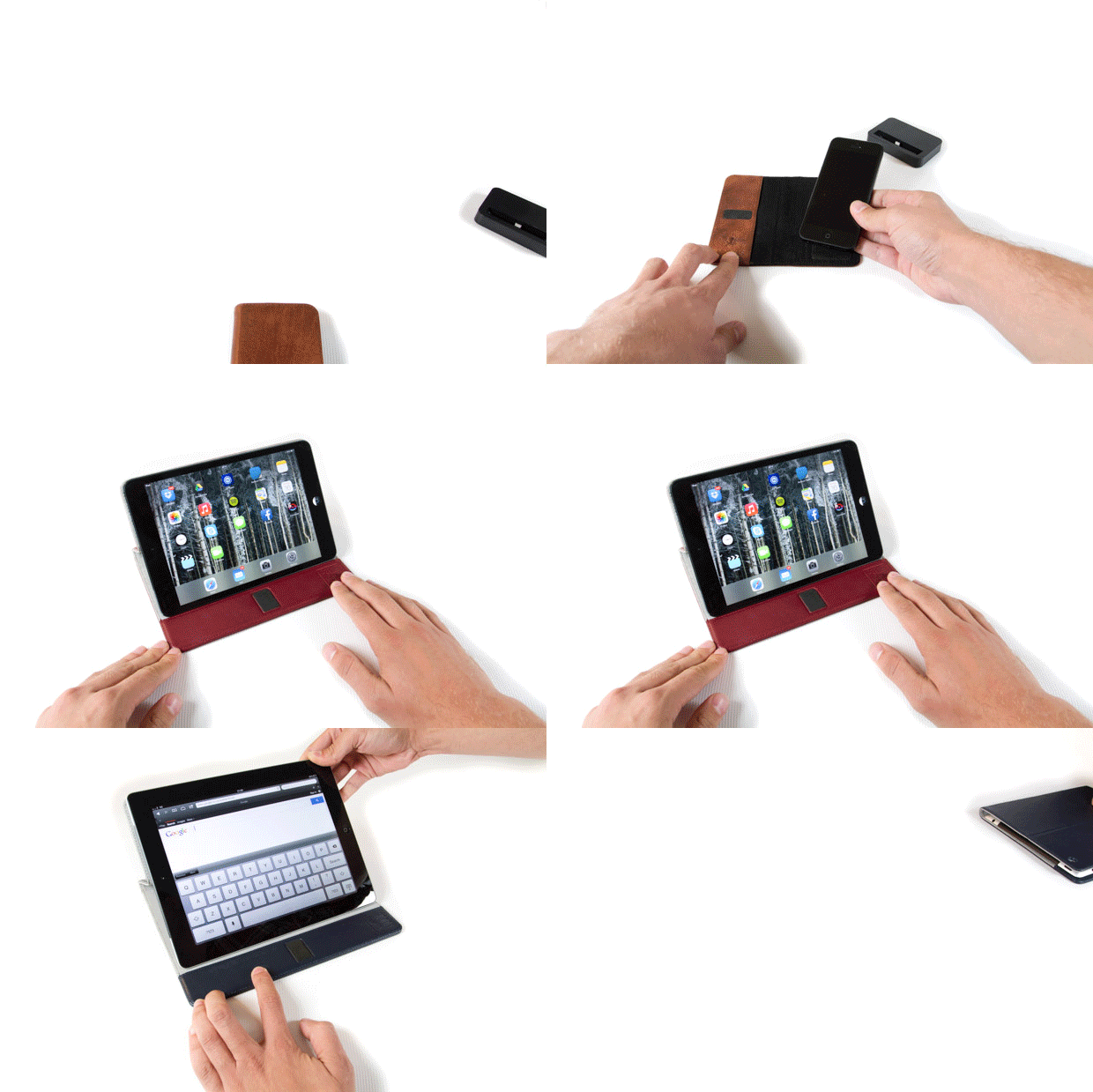
We’ve seen roughly one zillion iPhone wallet cases passing through the pages of Cult of Mac, and like neutrinos there are surely untold others which we never even detect. And yes, the Access Case is another wallet case, and yes, it’s even a Kickstarter project. But it has one thing none of the others do: it has a sweet-looking sister that fits the iPad, and which knows how to suck…
Liquid looks set to be a fixture on my Mac. It’s an app which lets you carry out transformations and operations on any selected text, which doesn’t sound like much unless you write for a living, or just have to wrangle lots of letters. It’s actually been around for quite a while (the current version is 4.3), but I figured that if I hadn’t heard of it yet, then maybe you hadn’t either.