If you want to be sure your data is secure on your Mac, Apple has provided an easy way to do so. They’ve created File Vault, accessed via the System Preferences, to encrypt your startup drive with some heavy duty file security.
You’ll need OS X Lion or later, and you’ll have to have an OS X Recovery partition on your drive. This last bit is typically installed on newer Macs, anyway, but to test it out, reboot your Mac and hold the Command-R key down. If you see an OS X Recovery screen, you’re good to go.
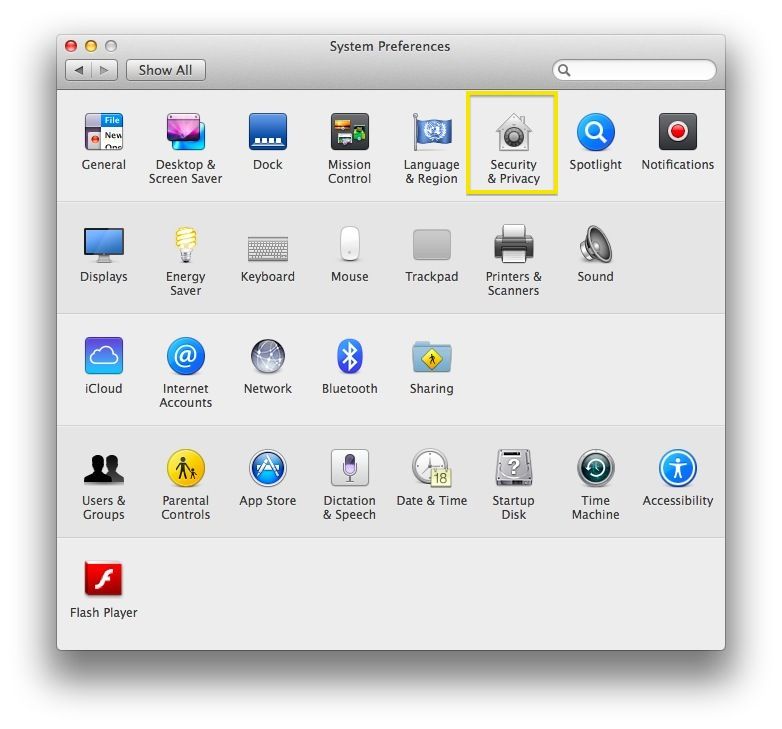
Setting up FileVault is even easier than that. Just launch System Preferences and click on Security & Privacy to get started.