Ever lose something? Of course you have. How would like to keep your belongings found, not lost? With StickR TrackR you can do just that.
StickR TrackR is a coin-sized device that can be attached onto or stuck to any item – keys, remotes, bikes, luggage, etc – and works with the corresponding TrackR app to help you locate your missing goods. And Cult of Mac Deals has StickR TrackR available for a limited time for only $19.95!
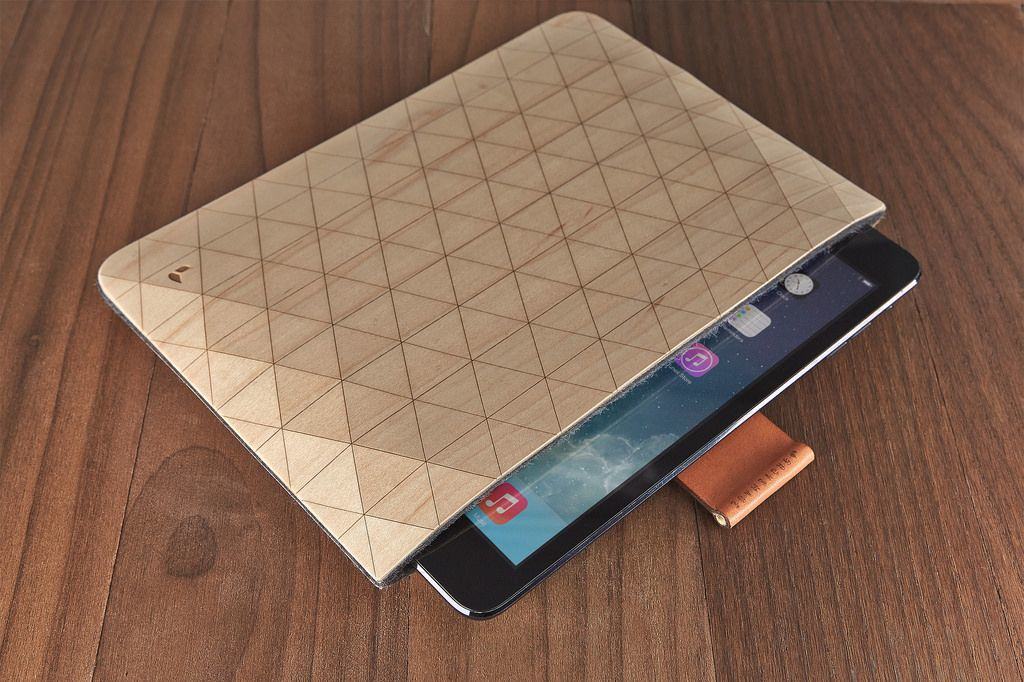
These new flexible wooden sleeves from Grovemade are amazing. Look at them. Just look.
They’re made from veneers of maple or walnut, lined with felted wool and have leather and brass straps to pull out the MacBook or iPad within in one easy yank.
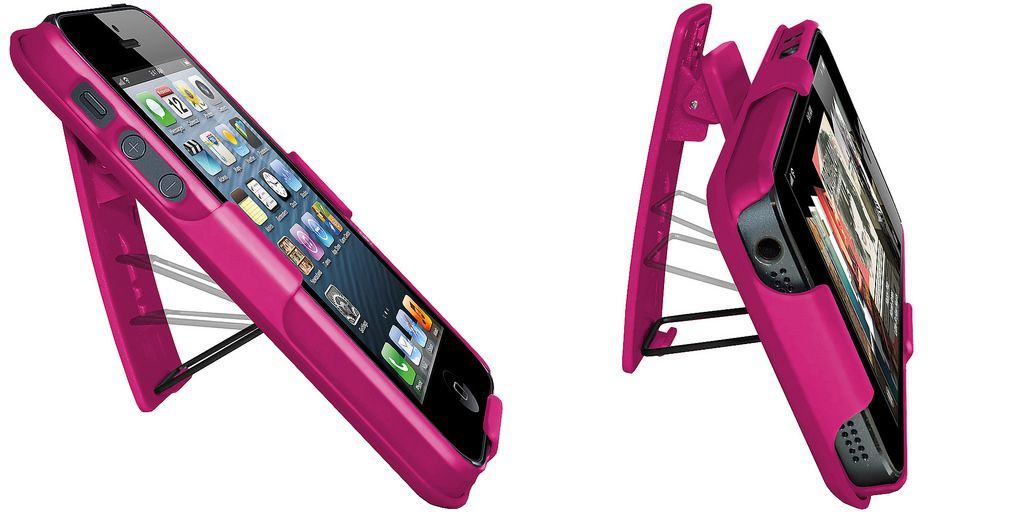
At just $15, I wouldn’t be surprised if the Amzer Shellster fell apart after a couple of weeks, but what a couple of weeks that would be. The iPhone 5 case comes in pretty much any too-bright color you can think of, and features an integrated clip and kickstand.
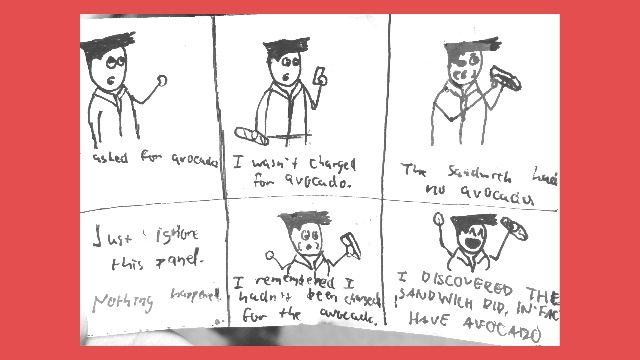
A lot of apps will let you turn your iPhone into a scanner, but Scantilly lets you turn your snapshots into PDFs quickly and easily. All you do is take a picture of the thing you want to preserve, crop it down using a very simple tool, and then you can e-mail it to whomever you want. You can even add extra pages with a single tap, which is pretty handy if you have things to scan other than crudely drawn cartoons of dubious quality.
Magic squares have always vexed me. I understand the concept — arrange a grid of numbers so that the rows and columns add up to predefined values — but actually doing them is beyond me.
Equilibrium by Bavlos Boutros Category: iOS Games Works With: iPhone, iPad, iPod Touch Price: Free
So maybe I’m not the best person to review Equilibrium, a new iOS game that is nothing but magic squares for days, but I think I can put my own incompetence aside to recommend it. It has great presentation, a good challenge and is as accessible as can be.
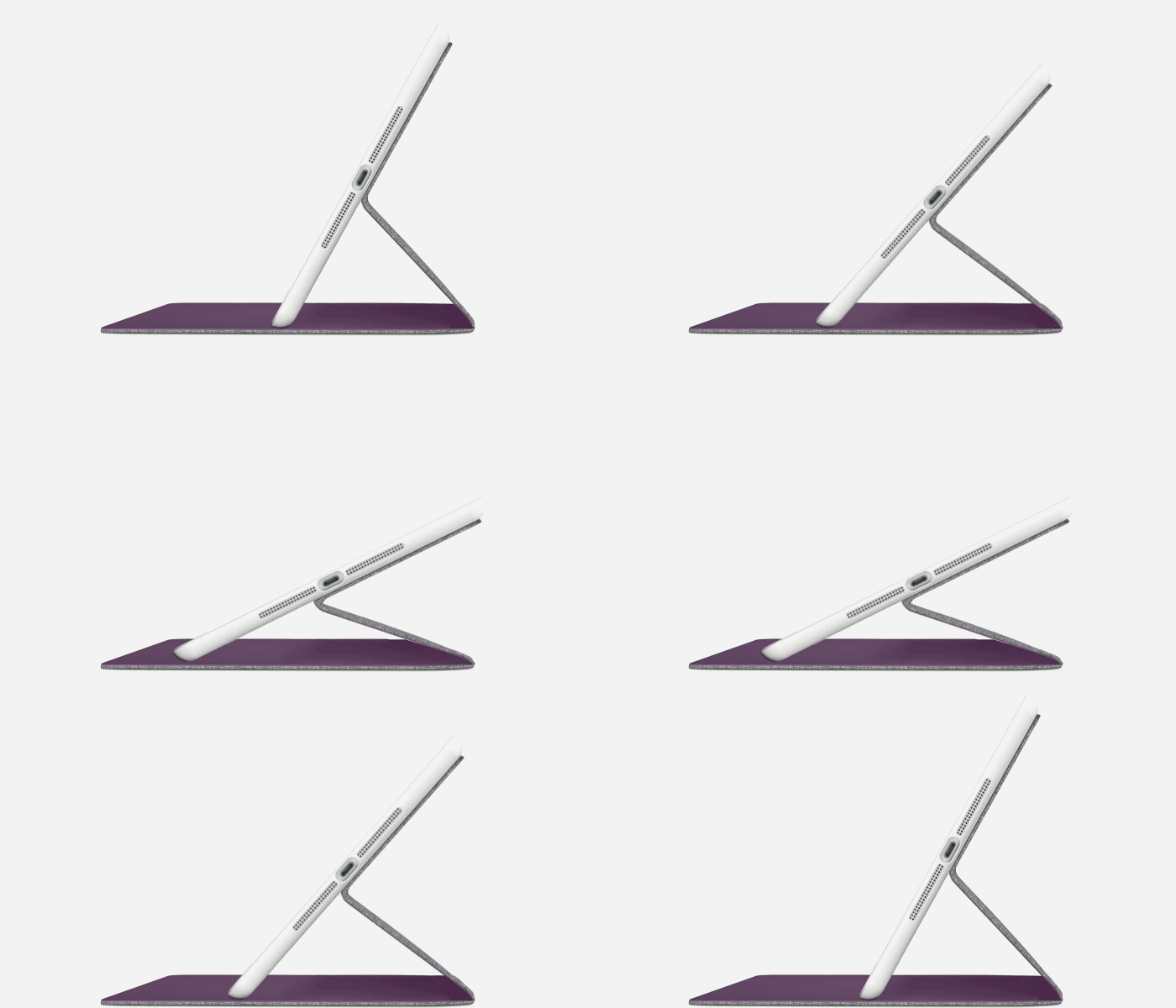
Logitech’s new Hinge is an iPad case with – what do you think? Yup, a hinge. To be honest, it’s really no different from all the other cases that have a vertical crease in the back so that the front flap can fold away and around to make a multi-angle stand, but the Hinge looks better than most of them while it does it.
This week we look at docking stations for the MacBook. Docks let you stow your laptop out of the way. With its lid closed, and yet still use its brain to power a monitor and hook up to a mouse and keyboard.
Some docks are simple dumb stands, others offer hookups that the modern MacBook lacks, like HDMI and Ethernet ports.
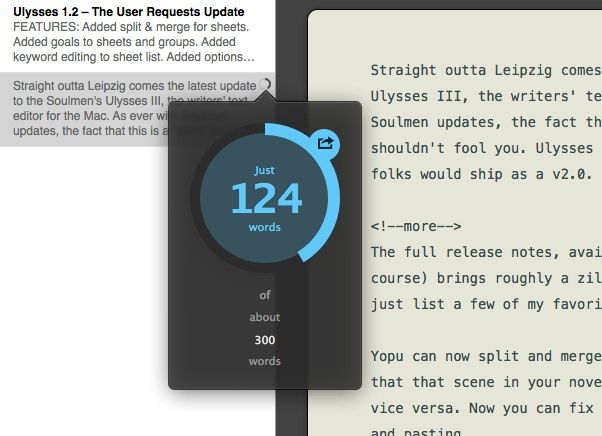
Straight outta Leipzig comes the latest update to Soulmen’s Ulysses III, the writers’ text editor for the Mac. As ever with Soulmen updates, the fact that this is a “mere” point update shouldn’t fool you. Ulysses III 1.2 is the kind of thing many folks would ship as a v2.0.
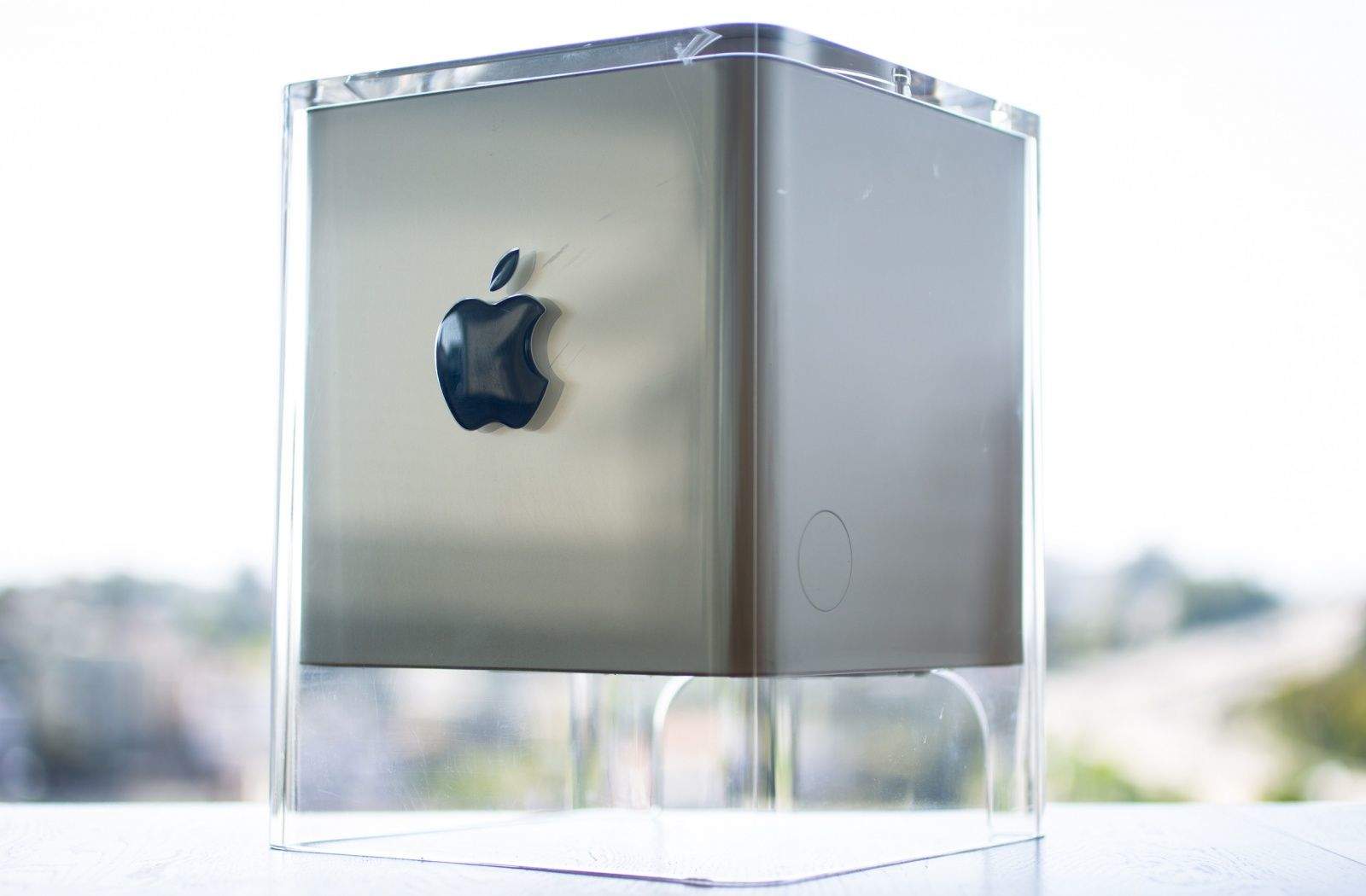
The Cube's raised blue badge provided a splash of color. Photo: Jim Merithew/Cult of Mac
The Power Mac G4 Cube, introduced in July 2000, delivered a fair amount of Apple computing power in a unique see-through enclosure made of acrylic glass. Designed by Jony Ive, the futuristic-looking Cube offered a glimpse of the sleek industrial design that would come to epitomize Apple’s upscale take on consumer technology.
“I just remember it being this incredibly elegant, sexy machine that looked nothing like a computer,” said Randall Greenwell, director of photography at The Virginian-Pilot and a longtime Apple aficionado, in an email to Cult of Mac.
The greening of Apple: it took almost 10 years for the Cupertino company to turn around its dismal eco-scorecard.
But that worm has truly turned: in this week’s edition of Cult of Mac Magazine, author Luke Dormehl talks to former Apple exec John Sculley and other insiders about why this change is all about current Apple CEO Tim Cook. Apple’s green day means a better future and even better products, they say.
Also this week, we’ve got reviews editor Charlie Sorrel taking a deep dive into underwater iPhoneography, plus his reviews for the best in Apple-related paraphernalia — including a mullet-style notebook (you know: business up front, party in the back.) Our tastemaker Buster Hein has once again sifted through all the offerings in the iTunes store to serve up the most scrumptious offerings in music, books and movies and Evan Killham rounds up what you need in apps.
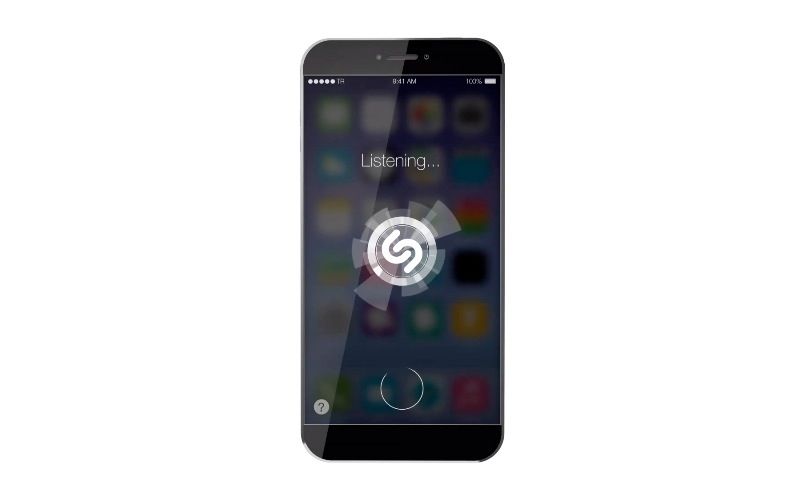
When Tim Cook takes the stage at WWDC in a couple months, everyone is expecting him to unveil the latest iteration of Apple’s mobile operating system, iOS 8… the first major update to the OS since Jony Ive drastically overhauled it.
Most of us at this point have come around to iOS 7 being an improvement on iOS 6, but even so, there’s lots of room for improvement. And if iOS 8 ends up looking anything nearly as good as this concept video from TechRadar, I think we’ll all be very pleased indeed.
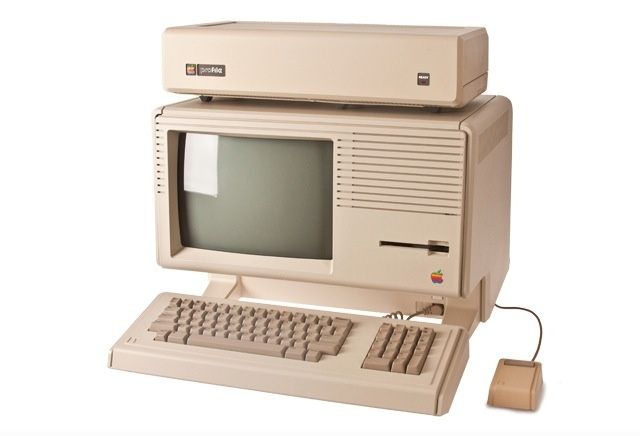
Remember that original Apple Lisa computer you’ve got in the basement, boxed next to your old VHS player and Rock ‘Em Sock ‘Em Robots toys? It may be time to dust it off and take it an auction house.
That’s based on the news that a Lisa 1 (a.k.a. Apple’s first computer to come with a graphical interface and a mouse) is expected to fetch $42,000 when it goes under the hammer in Germany late next month.
Coming off another record quarter, it’s hardly a surprise to find out that iPhone sales are looking pretty healthy globally.
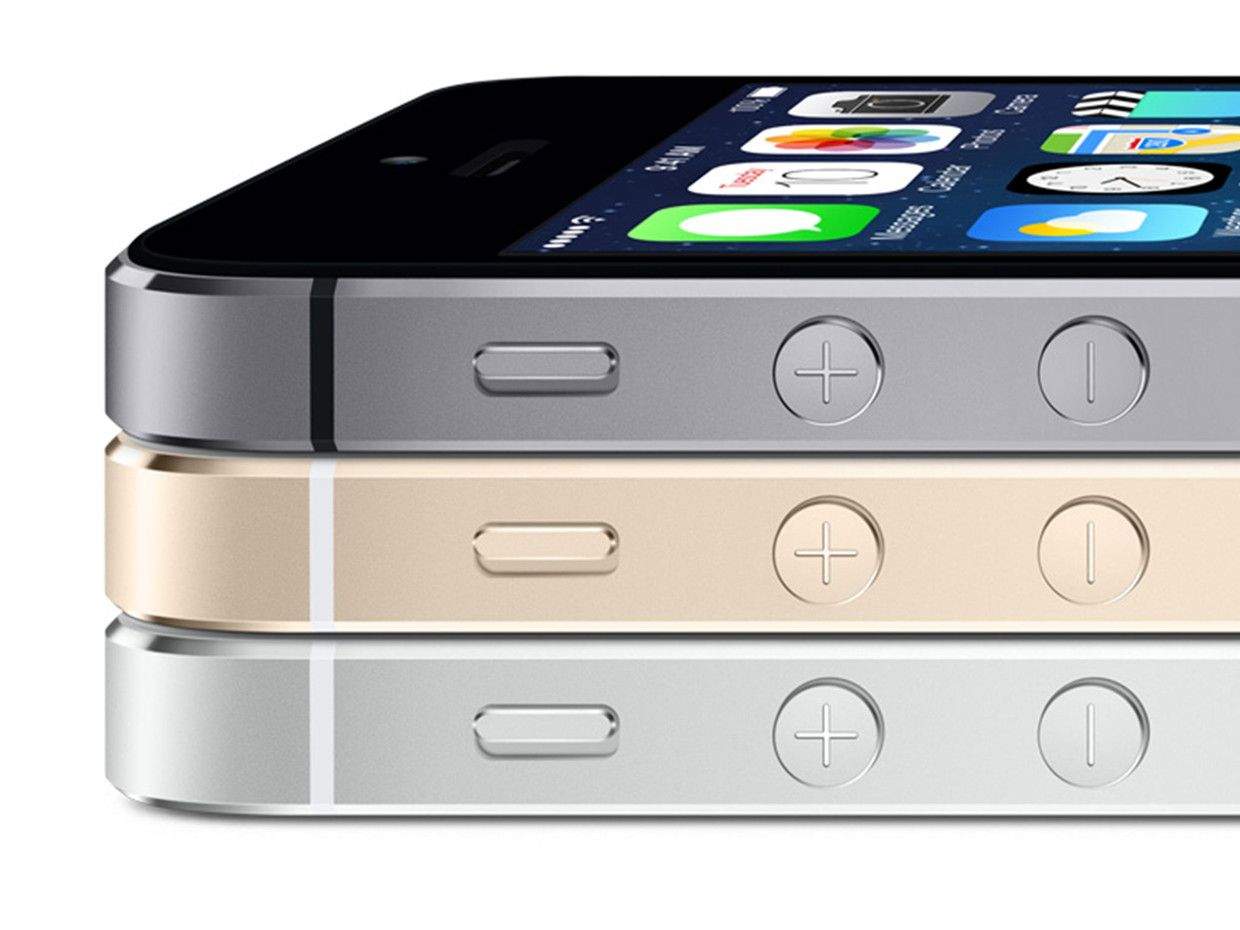
A new report from research firm Kantar Worldpanel shows just how healthy they are, however, by analyzing worldwide smartphone sales over the twelve-week January-March period. The report shows that strong sales of Apple’s flagship iPhone 5s have helped regain market share in places such as Europe, Japan and Australia.
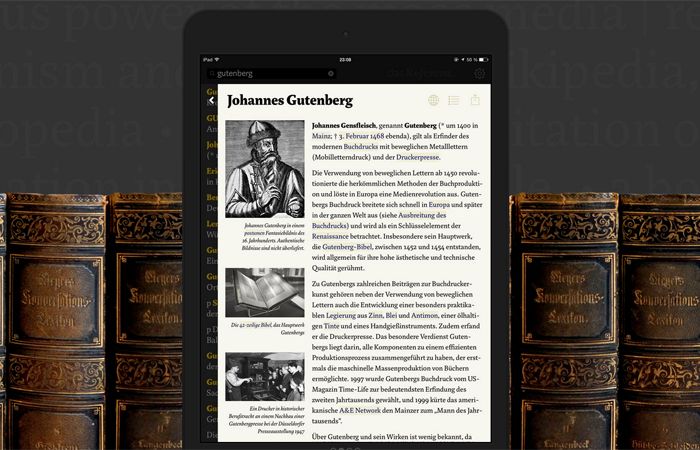
I had that feeling again over the weekend when I found Das Referenz, a new iPad app which takes it inspiration from old encyclopaedias and typeface design to create what is almost certainly the most beautiful Wikipedia browsing experience out there.
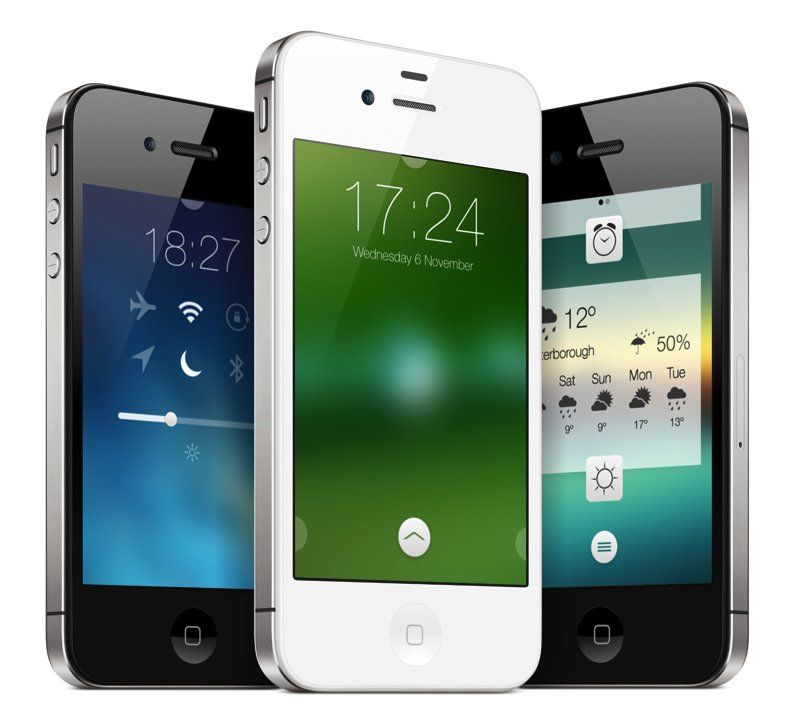
Jailbreaking your iPhone is of questionable wisdom these days, but this new tweak is pretty cool.
Called Convergance, it promises users a complete, all-in-one Lock screen replacement package for iOS. The package’s features extend across four main areas: widgets, theming, HTML, and APIs for developers.
Anyone whose iOS device is missing a certain speedy blue hedgehog can rejoice this week, thanks to a new sale that has seen Sega drop the price of several of its Sonic iOS games.
With Apple recently making OSX Beta Seed downloads available to the general public, Cult of Mac’s Ste Smith shows you how to prep your Mac to install the latest software. Get the latest OSX updates before general release by following the simple steps shown.
Take a look at the video to see what you need to do.
ComiXology has long been one of my favorite iOS apps, but I’m not a big fan of the latest update, which makes it impossible to purchase comics from within the app.
For the longest time, ComiXology was the easiest and best way to buy comics on a mobile device. Now the app has become solely a comic book reader: You must visit ComiXology’s website to buy new issues. You can still browse comics in the app, and download free ones, but the actual payment part must be done elsewhere.
HTML5 is a language that is designed to work on all platforms. That means you can code your app or website and it will work on mobile devices, tables and computers. The best part is that you can put these HTML 5 apps right into an Xcode project – meaning you can design and program an HTML 5 app and upload it to the App Store – without having to write more than a couple lines of code in Objective-C. You won’t find a more efficient way to publish your hit app idea – and Cult of Mac Deals has a video course on sale that will help you deliver the goods!
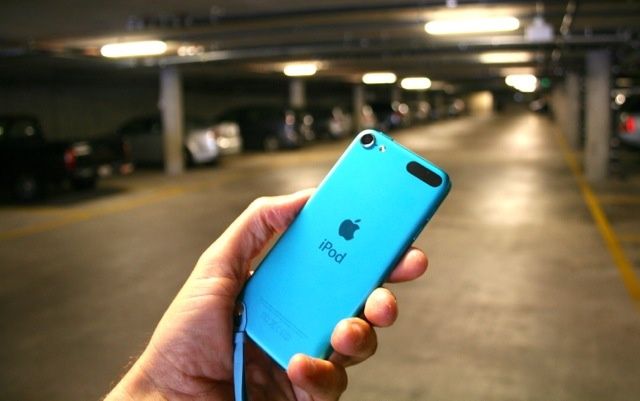
For the moment, the Apple doom-mongers have been silenced by another record quarter. But there’s one area where things are down, and still dropping. It’s the iPod division, and it’s the closest thing Apple has to a dead man walking.
Sales of the music player continue to plummet as more people buy iPhones than ever, and listeners move away from music downloads toward streaming services like Spotify, Pandora and iTunes Radio.
Should Apple ditch the iconic product line that first signaled Apple’s expansion beyond computers — or is there some way the business can be turned around?
Hundreds of new games come out every week in the App Store. A select few are the next must-play title that everyone will be talking about for the foreseeable future. Most of them are perfectly decent but may not receive the attention they deserve. And then you have the third group: games so odd, bizarre, and head-scratching that you’re not sure what to make of or do with them.
They aren’t necessarily bad; they’re just confusing and weird. And worst of all, people may never know that they exist. But that’s why we’re here.
Here are some of the strangest games to drop into the App Store this week, and they’re all weirdo versions of other titles. What you do with this information is between you and your iPhone.
Take this with a pinch of iSalt, perhaps, but a new set of alleged iPhone 6 renderings have surfaced online.
Hailing from the Ukrainian website UkrainianiPhone, they confirm a lot of what we’re already expecting — including the relocated sleep/wake button (moved to the side to make it more easily usable with the larger form factor) and a circular iSight flash.
One notable difference between this design and the mock-ups we’ve seen in the past, however, relates to the device’s rear shell. While previous renderings show a solid back cover, these shots suggest that Apple is leaving breaks in the chassis for the antenna.
We never thought they’d do it, but Apple is splitting their stock 7-to-1—and on our newest CultCast, we discuss that and other surprising (and non-boring) notes from their recent financial call. Plus, the best way to get the Apple stuff you want at lower prices; OS X betas now available to all; Apple Maps spots Nessie; Apple celebrates Earth Day with some great new marketing; why we’re crazy about Apple Campus 2; and forget Ashton, how about Leonardo DiCaprio as the next Steve Jobs?
LOL your way through each week’s best Apple stories! Stream or download new and past episodes of The CultCast now on your Mac or iDevice by subscribing on iTunes, or hit play below and let the audio adventure begin!
And thanks to our friends at New Relic for sponsoring this episode. Yes, New Relic, the all-in-one web application performance management tool that lets you see performance from the end user experience, through servers, and down to the line of application code. Put simply, New Relic helps the people who build modern software understand the stories their data is trying to tell them. If you’re ready to make your software run better, head over to https://newrelic.com/cultcast for a free 30 day trial.
The weekend is upon us, and Cult of Mac Deals has a few select offers that you’re going to want to check out while you can.
We’ve got special pricing on Mac Video Converter Ultimate, an app that allows you to easily convert movies and videos for any format or device. You can get it for 66% off – just $19.99. We’ve also got the Essential Shock-Proof Case, a case that will always keep your iPhone 5/5s protected, for only $15.99.