Mobile menu toggle

Play And Laugh In Family Guy: The Quest For Stuff [Video Review]

By

post-273945-image-4d2120d8d27dea6a7dca5a3def63e5c0-jpg

Family Guy is one of the most popular comedy shows on television nowadays. While people everywhere can watch the show, the creators behind the show have made games for fans to enjoy as well. The new app Family Guy: The Quest For Stuff is an interactive touch based game full of fun quests, funny dialogue and much more. After Peter fights the giant chicken and accidentally destroys Quahog it’s your job to help build it back up to what it once was. Do you think you have the skills to help restore Quahog?

Take a look at the video and see what you think.

This Week’s Best New Music, Books, And Movies

By

picksoftheweek

Rather than slogging through a lake of reviews to find something you’re just going to put down after 10 minutes, Cult of Mac has once again waded through the iTunes store to compile a list of the best new albums, books and movies to come out this week.

Enjoy!

Music

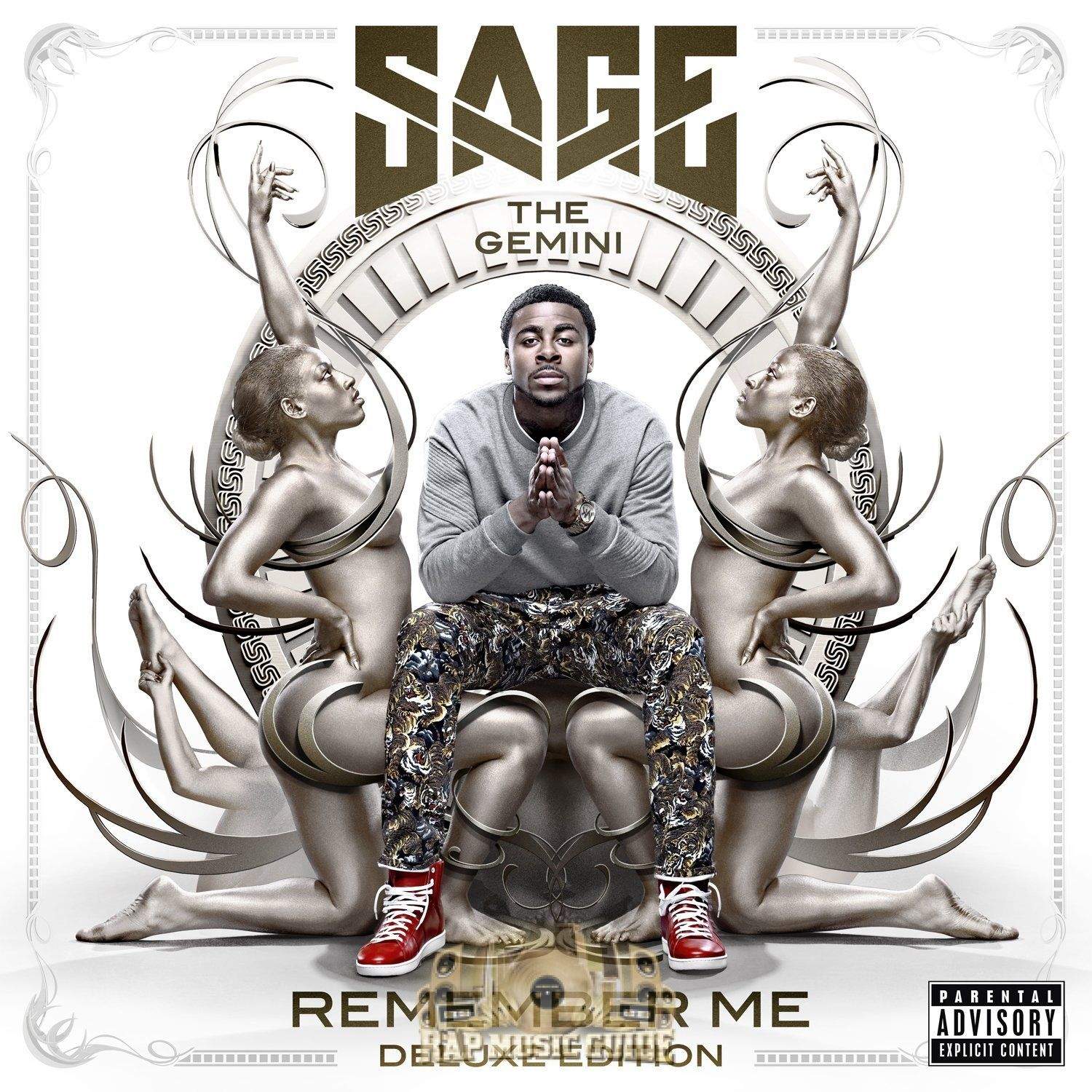
Sage the Gemini – Remember Mesage the gemini


Los Angeles is getting a lot of credit for the west coast’s rap resurgence thanks to Kendrick Lamar, YG, and the A$AP crew, but Sage the Gemini would like to turn your attention to the Bay Area this week with his debut album that has everything from hopping instructional dance floor drills like Gas Pedal and College Drop to your bravado tracks, while also exploring Sage’s variety combined and garrulous charm.

iTunes – $9.99

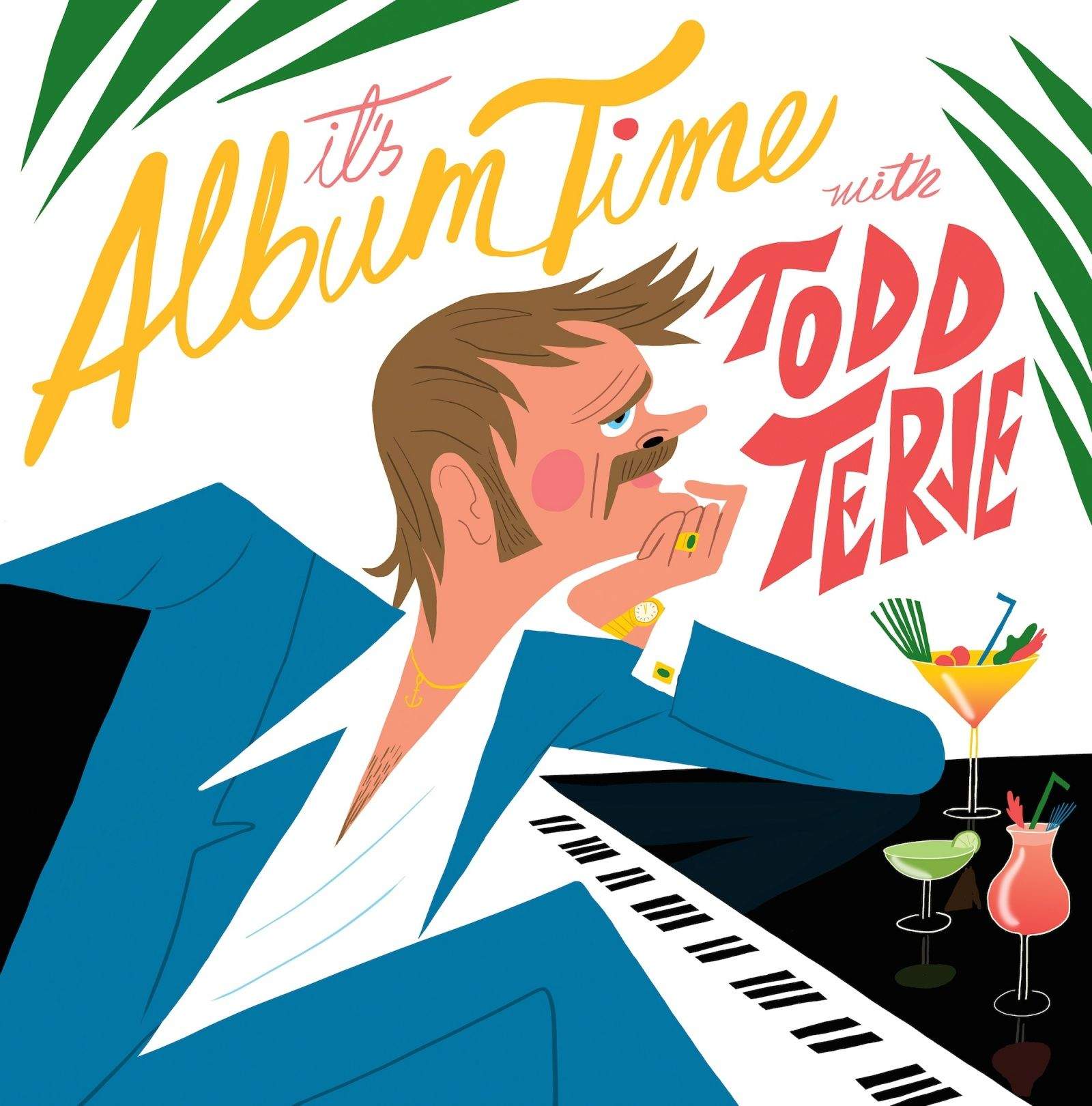
Todd TerjeIt’s Album Time

Albumtime-coverart

I fell hard. It took me just 30 seconds to love, love, love Todd Terje’s new album. The other 3,520 seconds weren’t bad either as Terje mixes a delicious cocktail of disco and surf tone instrumentals. It’s kind of like elevator music, only really fun danceable elevator music.

iTunes – $9.99

EMA The Future’s Void
EMA

Erika M. Anderson, better known by her stage name EMA, perked ears up with her debut album Past Life Martyred Saints due to the brutal intimacy of her songs, but with her latest effort, The Future’s Void, EMA goes for something new by turning her focus to things and issues rather than the people she cut herself off from in the first album.

iTunes – $9.99

Books

The Wrong Enemy: America in Afghanistan, 2001-2014
by Carlotta Gall

wrongenemy

Many many books will yet be written about the war in Afghanistan, but few will have a deeper personal acquaintance with Afghanistan and Pakistan New York Times correspondent Carlotta Gall who has been reporting from the area for almost the entire duration of the American invasion. Now that the U.S. is on its way out,  Gall’s book outlines how we’ve been fighting the wrong enemy, in the wrong country.

iTunes – $18.99

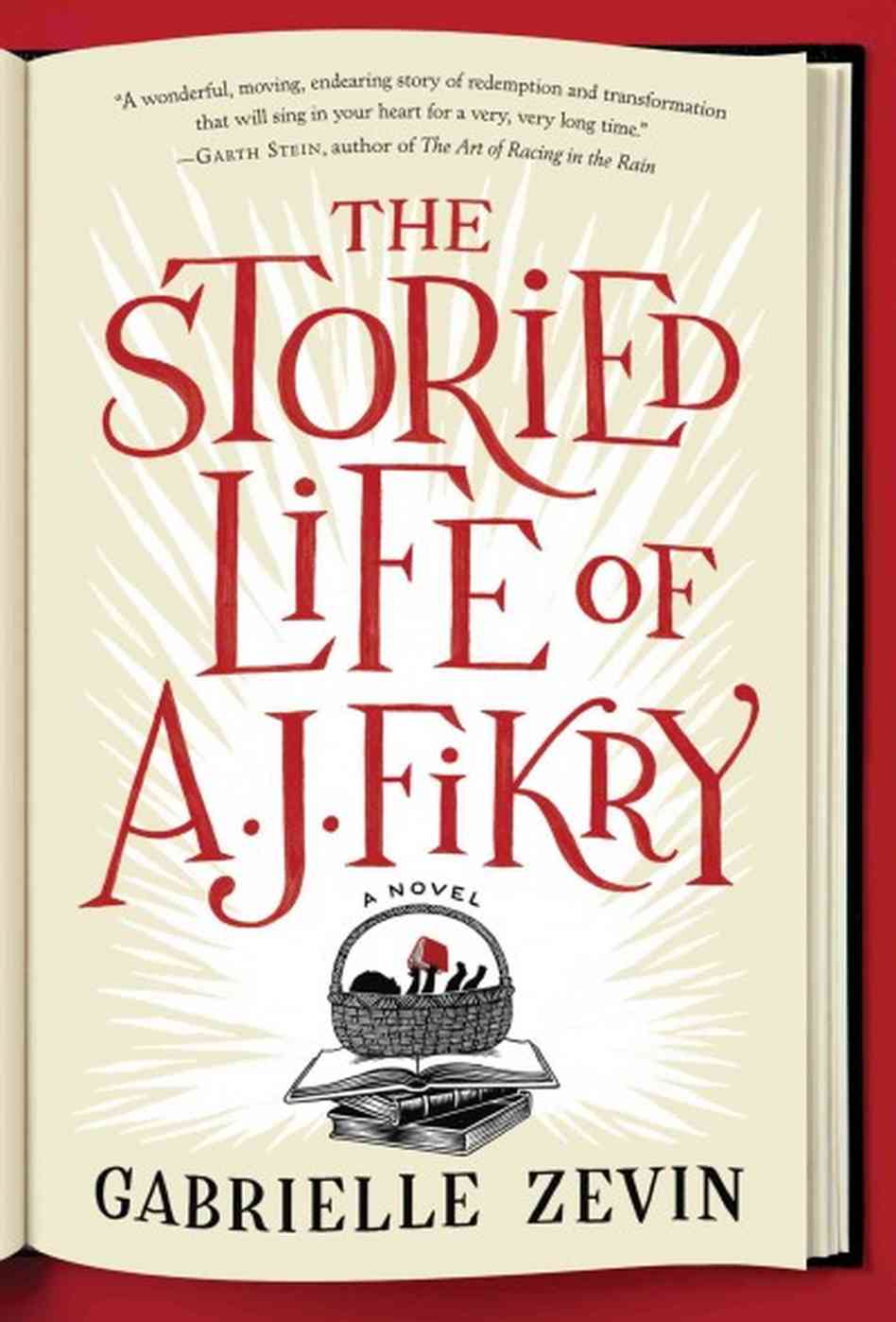
The Storied Life of A. J. Fikry
by Gabrielle Zevin

9781616203214_custom-1248f47d7cb47c8f90ffeacbcdc3bf065de3f59b-s6-c30

The Storied Life of A.J. Fikry, the third novel from Gabrielle Zevin, is about a 39-year-old widower named A.J., a cranky drunkard with a bookstore in shambles, but mostly it’s about reading. Each chapter starts with the title of short story or book and note from A.J. that introduces each new character along with what they read, using literature as his prism for judgement.

iTunes – $11.99

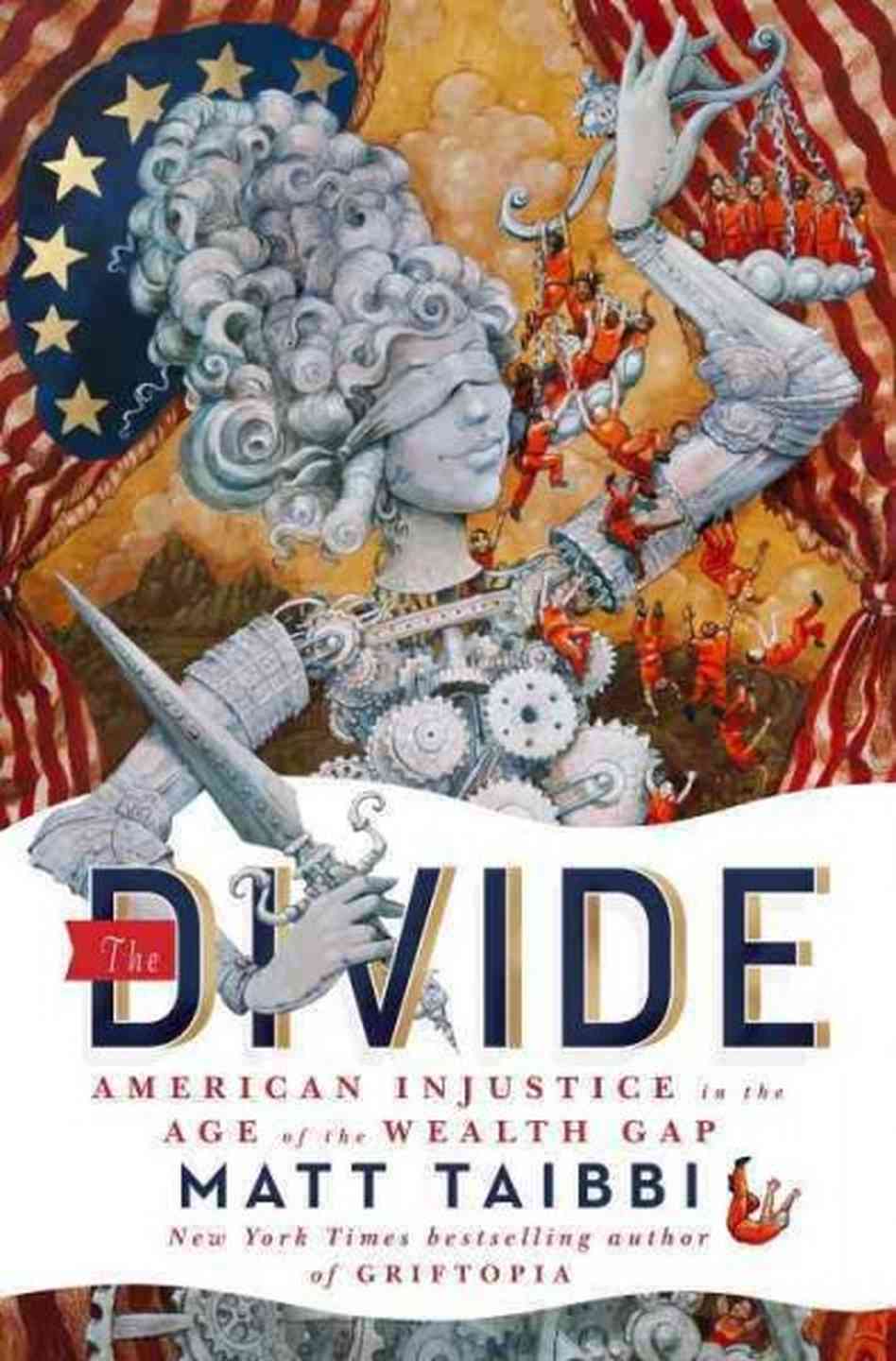
The Divide
by Matt Taibbi

thedivide

The yawning economic gap has promised to be a huge issue coming up in this year’s midterm elections which makes Matt Taibbi’s new book, The Divide: American Injustice in the Age of the Wealth Gap a timely read if you’re curious about two alarming trends – growing wealth inequality and mass incarceration.

iTunes – $13.99

Movies

Philomena
judi-dench-philomena

Philomena is based on the incredible true story of British journalist Martin Sixsmith, who reluctantly decides to accompany Philomena Lee on her search to find the son who was taken from her at a convent 50 years ago. The film could’ve been a sentimental nightmare in other hands, but thanks to the stellar cast, journey is both smart, funny and heartfelt.

iTunes – $14.99

Ride Along
Ride_Along_poster

I usually find Kevin Hart’s hyperactive comedy riffs too exhaustive to be enjoyable, but tempered against the stone- cold attitude of Ice Cube he’s pretty great. Here in Ride Along, the two actors are a police duo out on ride-along designed to scare the hell out of Hart’s character so he’ll stop foolin’ around with Cube’s sister.

iTunes – $14.99

Patton Oswalt: Tragedy Plus Comedy Equals Time

pattonoswalt

Technically you can also get Patton Oswalt’s latest stand-up special as an album, but Patton’s jokes on the trials and tribulations of frozen foods, failed outings with prostitutes, fatherhood and other uncensored topics are so much more entertaining watching them on the big screen with your friends.

iTunes – $14.99

‘Do One Thing’ Promotes Better Habits A Little Bit At A Time

By

Do One Thing

This new self-improvement app from the Seattle Cancer Care Alliance has a simple premise: Trying to do everything is hard, but doing one thing isn’t.

Sounds obvious, but what you do here is select a few habits you’d like to form; pre-loaded examples include drinking more water, inviting friends over, and going to bed early. You can also devise your own if you want to do something that isn’t on the list. The app sets goals, and you check them off when you do them. Eventually, you can “commit” to doing a thing without prompting and start on something else.

Source:Do One Thing by SCCA – Free | 2Morrow Mobile

The Ruins Of Civilization Make For Some Sweet Ramps In Trials Frontier [Review]

By

Trials Frontier

If I’ve learned nothing else from science-fiction shows like Firefly and Cowboy Bebop, it’s this: If society crumbles, even a little, we will revert back to a Wild-West mode of life.

Trials Frontier by RedLynx
Category: iOS Games
Works With: iPhone, iPad
Price: Free

I’m not sure why that is. Maybe it’s just more simple. Maybe it’s more practical. Odds are, though, that it’s just a cool motif for a story, and if you can get some spaceships or motorbikes in there, too, it’s like a bonus.

Trials Frontier, the latest in publisher Ubisoft’s physics-driven racing game franchise is out now, and it takes place in a rustic, post-apocalyptic world. But if you don’t care about that stuff, it’s also the series’ first appearance on mobile. And it’s free to play. And it’s really, really good.

Get Unlimited Storage For One Year With Pogoplug [Deals]

By

redesign_pogo_mf2

Running out of space on your phone? Worried about losing those irreplaceable photos and videos? Pogoplug has your back…and your backup.

Through this Cult of Mac Deals offer you’ll get Pogoplug, which gives you unlimited storage on your phone, tablet and computer for one year. That means you’ll have access to your files anytime and anywhere – and all for just $39.

Inside Monument Valley: How ‘Impossible’ Sketches Became An Amazing Game

By

Monument Valley
Designer Ken Wong's sketchbooks show how Monument Valley evolved into the finished product.
Photo: ustwo/Cult of Mac

Monument Valley is one of the most original iOS games ever. A triumph of isometric design, it’s a trippy puzzle game in which you guide a white-clad princess through a series of twisting, turning structures, inspired by the mind-bending art of M.C. Escher.

Creating a world of this complexity might sound like a nightmare project, but for the UK-based game developers at ustwo, coming up with such an audacious creation was something of a dream.

“One of the first things we did when designing Monument Valley were to try and come up with images that seemed impossible,” says lead designer Ken Wong.

Still reeling from the success of the game — priced at $3.99, it was the top paid iPad app in its first week of release — Wong cracked open his sketchbooks to give Cult of Mac readers a glimpse at how Monument Valley‘s breathtaking designs came to be.

Here’s what we found.

Exploring Elder Scrolls Online: What To Do, What To Do

By

Commander Karinth

Editor’s Note: Due to the sheer size of Elder Scrolls Online, we’re publishing our hands-on impressions in three chunks. Part 1 is here and Part 2 is here. What follows is Part 3.

I had just finished a long assignment from the elven ambassador in the province of Elsweyr. I was tired from running to and fro, tangling with spies and fighting the Sea Elves at every turn.

Suddenly, Commander Karinth stopped me in my path and pressed me into duty fighting these ocean foes. I had to run into the fabled Wind Tunnels, looking to destroy the foul Storm Totems. Enemies at every turn of the weaving passages forced me to dodge back and forth to avoid vicious attacks while retaliating with my own spells and sword blows.

After what seemed a lifetime of combat and destruction, I returned a hero. Then I took some time out for me, finding a crafting table to put together some ingredients I’d gathered to make something useful. A restorative meal got me feeling better than usual.

As in many MMO games, Elder Scrolls Online offers many activities to engage in, including questing, crafting, cooking, combat (both player versus player and player versus environment) and traveling through dungeons with a few close friends. Even marriage — if you bought the digital Collector’s Edition.

There’s a reason people get addicted to games like Elder Scrolls Online: There’s so much to do that it’s incredibly easy to get sucked into these deep virtual worlds.

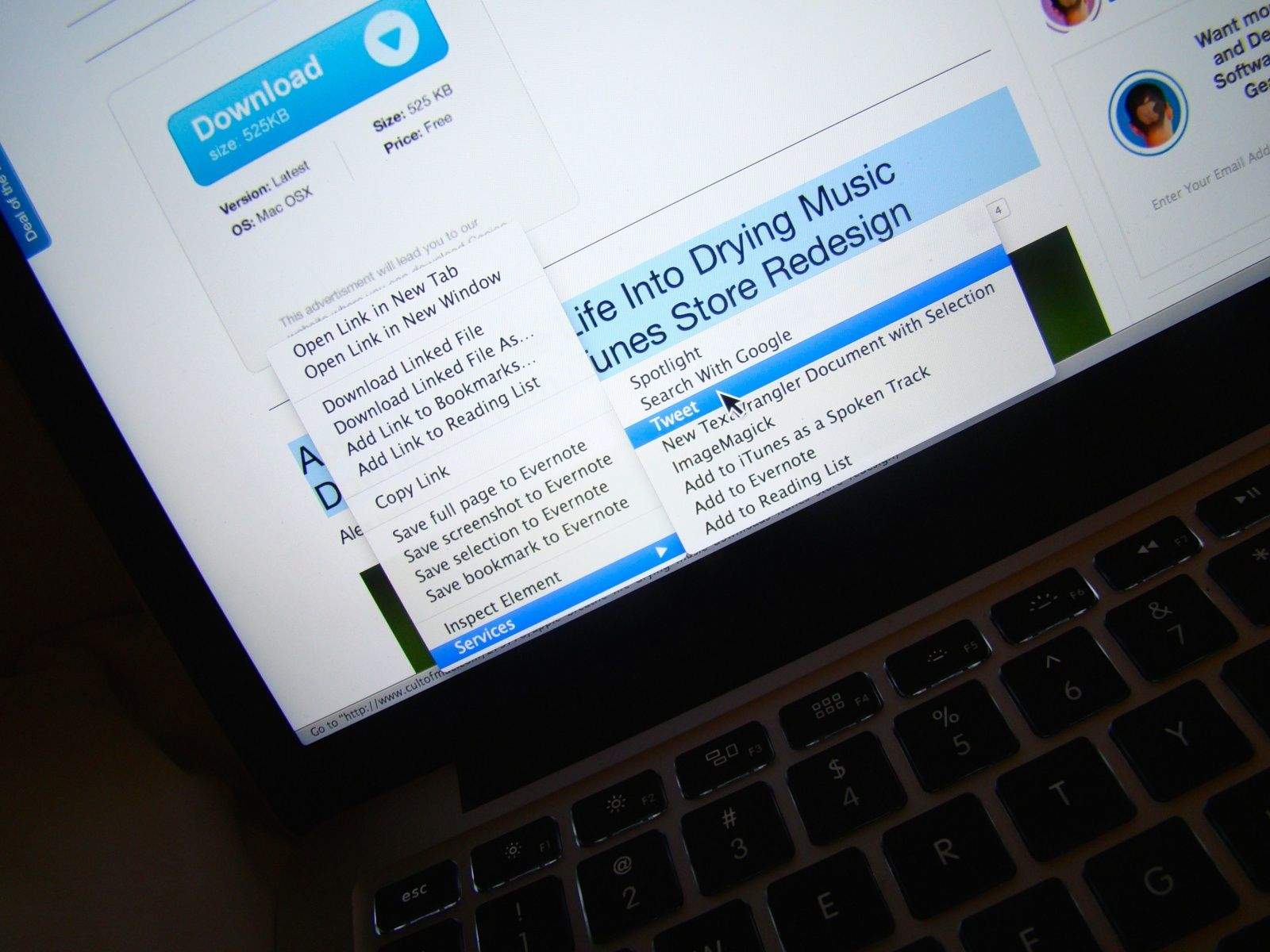
Tweet Any Highlighted Text From Your Mac [OS X Tips]

By

Photo credit: Rob LeFebvre

If you’ve ever come across a great snippet of text you want to Tweet right from your Mac, you know the drill: you have to copy it, open Twitter, create a new message, and then paste in the text there. Then hit the Send button.

Sure, it’s not that difficult, but what if there was an even easier way?

Well, there is, and here it is.

Conquering The Fashion World Is What The iWatch Is Really About

By

Apple-iWatch-02

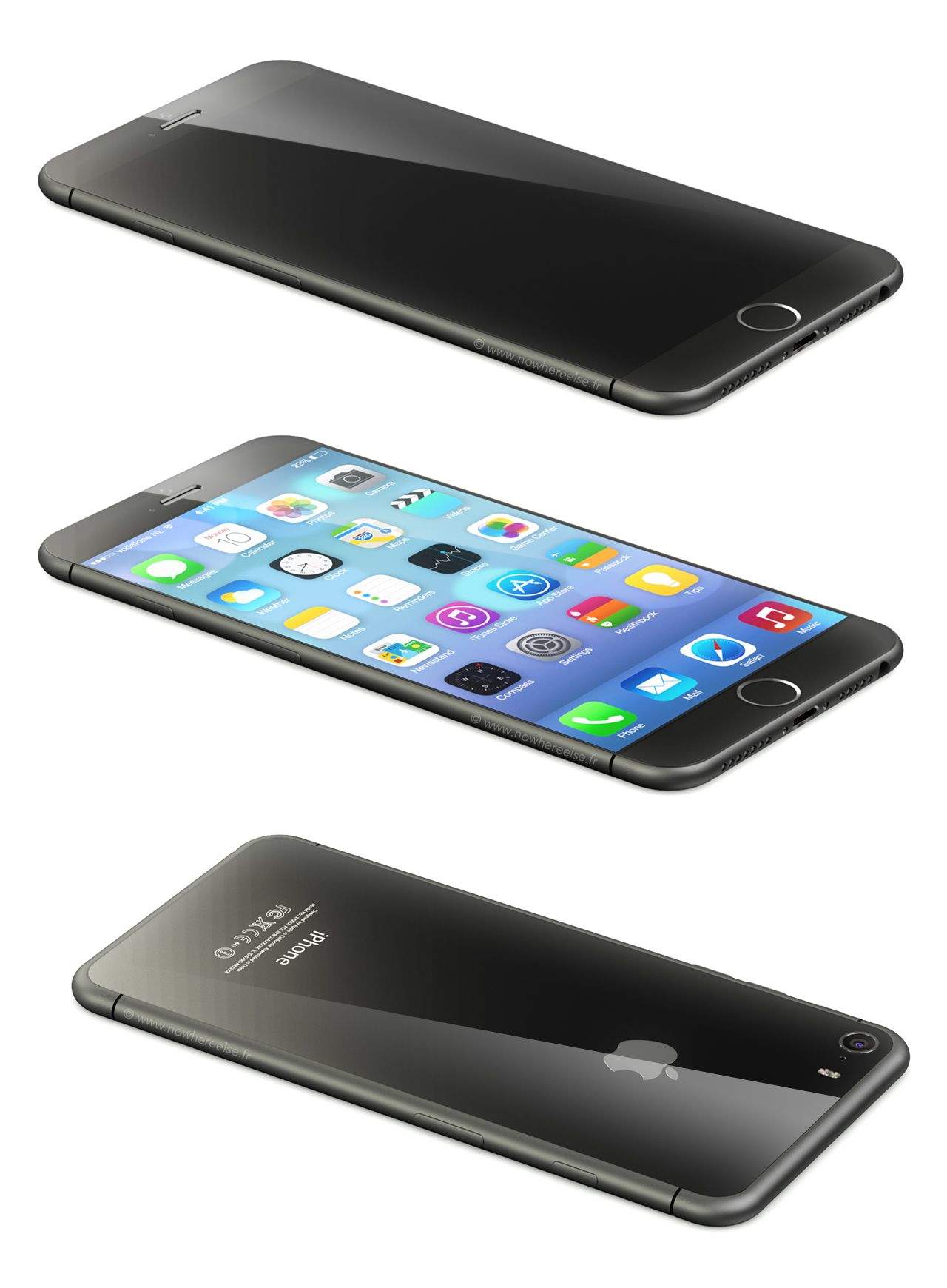
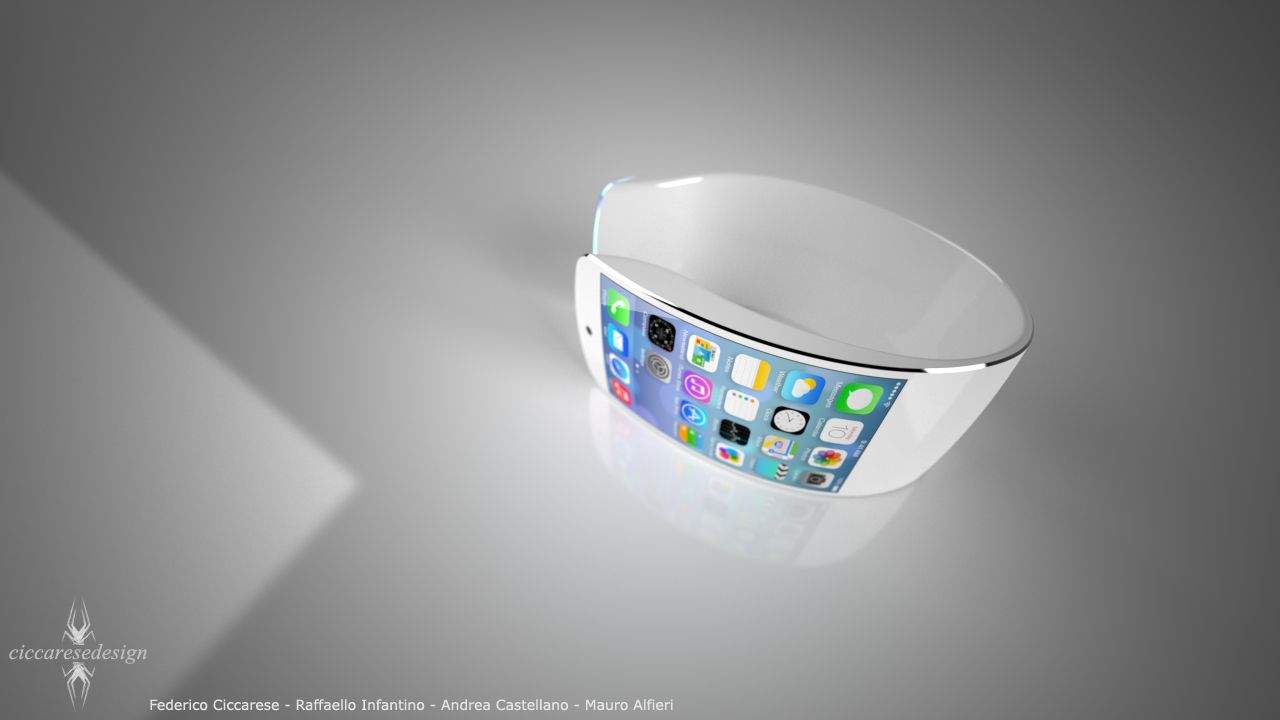
When we think about the iWatch, we tend to think of a little smartphone that you wear on your wrist, or at least a bit of technology, but if the latest reports are anything to go by, Apple’s iWatch play is going to much bigger than that: with the iWatch, Apple intends to do nothing less than conquer the world of fashion, becoming just as synonymous with luxury watches as Rolex. But how?

Future Apple TV May Be An Oculus Rift-Style Headset [Patent]

By

Screen_Shot_2014-04-10_at_12

Could Apple’s revolutionary re-imagining of Apple TV not be a set-top box at all, but rather an Oculus Rift style headset?

A patent published Thursday hints that this might be the case, as it refers to a head mounted display (HMD) capable of providing a personal media viewing experience for users.

The patent describes how data processing circuitry could feature optical component capable of adjusting left and right images to display 3-D media, or else to account for a user’s eyesight limitations.

New Family Guy iOS Game Lands YouTubers In Hot Water

By

cult_logo_featured_image_missing_default1920x1080

The success of The Simpsons: Tapped Out meant it was only a matter of time before Family Guy got similar mobile game treatment.

First announced back in December, today marks the arrival of Family Guy: The Quest for Stuff in the App Store.

A joint venture between Fox and TinyCo studios, the game lets you help Peter Griffin and the rest of the Quahog residents to rebuild their city after it’s destroyed.

Expect lots of fan service, in the form of regular Family Guy characters and reprised gags from previous episodes (Mermaid Peter, Rambo Lois, and the Petercopter, for instance.)

Apple Teams With New Ad Agencies To Counter Samsung Threat

By

Think-Different-Apple-1366x768

When you’ve got $158.8 billion in the bank, there’s not a huge amount you need to be envious of.

But while Apple is beating rival Samsung on both the quality of its products and adverts, it is perhaps losing out when it comes to the kind of big digital media strategies that really attract attention (and customers) — like Ellen DeGeneres’ famous Oscars selfie which Publicis CEO Maurice Levy recently valued at between $800 million and $1 billion.

With that in mind, Apple is reportedly changing up its marketing approach to invest more in digital marketing and social media support — adding four new digital agencies to its roster.

Gadget Watch Apr 10 2014

By

Each week we pull the best Apple-related gadgets from the Cult of Mac and collect them here for your perusing pleasure.

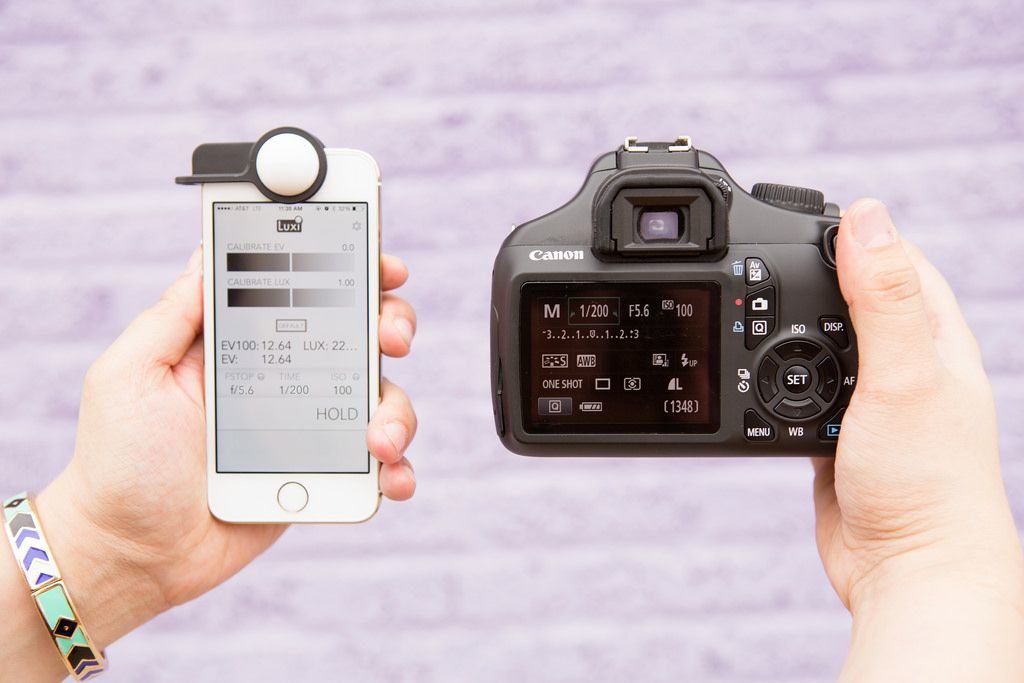
Luxi, The Little Light Meter For the iPhone

The little Luxi turns your iPhone’s front camera into a light meter. A what? A light meter, a device that measures the amount of light falling on a subject so that you can set the exposure correctly on your camera.

But wait, doesn’t you camera already set its own exposure? Doesn’t it have a light meter built in for when i want to kick it old school in manual mode? Yes and yes, but this $30 widget might still be handy.

Buy it $30

COVR Photo Case Lets You Shoot Around Corners

COVR Photo Case Lets You Shoot Around Corners
Ever wanted to take photos of people without them knowing? Perhaps a sneaky shot of a pretty girl to help you “remember” her later, or some equally creepy bit of deceit? Well then, we have good news for you, you pervert: it’s the COVR Photo, an iPhone case which lets you shoot in secret.

The COVR has a little prism stuck on the back, and when want to use it you slide it into place. Now you can hold your iPhone like a TV remote and shoot whatever is in front of you while looking down at your iPhone’s screen.

Buy it $75

The New Das Keyboard Looks So Cool Your Desk Will Feel Ashamed Of Itself

The New Das Keyboard Looks So Cool Your Desk Will Feel Ashamed Of Itself
Here’s the Das Keyboard 4, possibly the most bad-ass clacky keyboard in existence. No keycap markings, USB 3.0, Cherry MX switches and a huge knob. All that plus Das’s trademark feature: it’s as big as a boat. A “Das Boat” if you will.

You know how when you leave a pack of cookies open instead of sealing them in an airtight jar? They still taste the same, but they get all mushy: the satisfying snap has gone out of them. That’s how I feel now when I use even Apple’s excellent keyboards. They’re mushy compared to my clackety Filco keyboard.

Buy it $169
Elgato Thunderbolt Dock Great For Podcasters, Video Pros

Elgato Thunderbolt Dock Great For Podcasters, Video Pros

Elgato’s Thunderbolt Dock has a few unique features that are appropriate for a company that makes video accessories for Apple devices. First, there’s an HDMI port around back, and second, the USB ports put out enough juice to charge your iPad at a decent speed.

Buy it $230

Pad&Quill Traveler Case Looks Like It Feels As Good As It Looks

Pad&Quill Traveler Case Looks Like It Feels As Good As It Looks
Pad&Quill is at it again, this time with a low-profile rear-shell style case for the iPhone 5/S. While calling anything from Brian Holmes’s P&Q “minimal” would be a stretch, the Traveler Case gets pretty close. It is also gorgeous to look at, and would surely be just as lovely for the hands. It looks like the kind of case you couldn’t stop fingering.

Buy it $80

Baron Fig Confidant Is The Best Paper Notebook I’ve Used [Review]

Baron Fig Confidant Is The Best Paper Notebook I’ve Used
The Confidant is a 192-page notebook, packed with blank, ruled or dot-grid paper. It opens flat, has its own cotton bookmarker, is covered in pale gray fabric and has neat, extra-wide pages.

There are also 12 perforated pages at the back of the book so you can tear them out without ruining the binding. My copy doesn’t have these, so maybe I have a beta version.

Buy it $16

This Monitor Shows Way More Colors Than Any Monitor You’ve Seen Before

By

Look at this graph. Just look at it. The colored section represents all color visible to the human eye. The large black triangle shows the Adobe RGB color space, which is the space used by pro apps to process images, and can be captured by some cameras.

And the little white triangle, sat in the middle cutting out a fraction of the available colors? That’s the standard sRGB color space, which is what you’re looking at now on your Mac or iPad or iPhone (but probably not on the Retina iPad mini).

That’s because monitors don’t usually display so many colors. But the Eizo ColorEdge CG247 not only displays the full gamut of Adobe RGB, it calibrates itself too.

XKPasswd Generates Secure Pass-Phrases

By

post-273878-image-cd9d6ced29020f565a4933ca1c842551-png

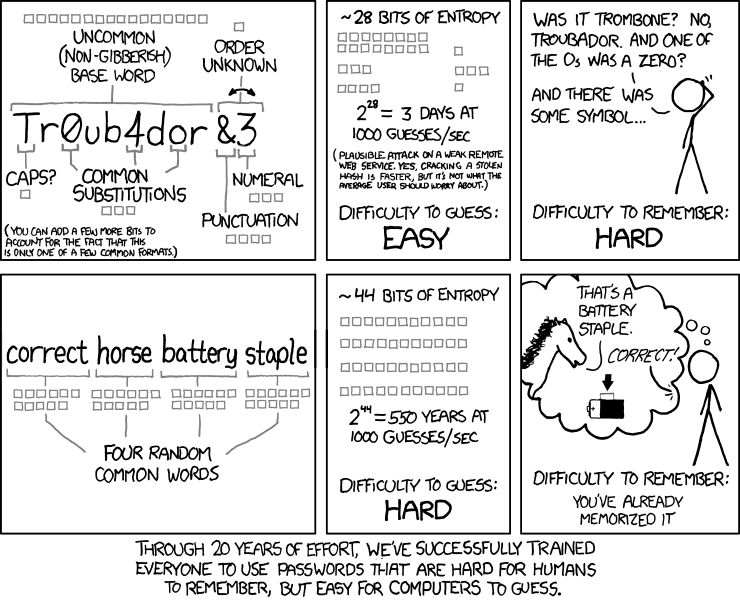
Apart from “correct horse battery staple,” the most secure passwords aren’t words, they’re phrases. You don’t even need crazy symbols or hard-to-determine numerals (is that an l or a 1, a 0 or an O?) – just a good, longish phrase made out of words.

And now you don’t even have to make one up. Using the XKPasswd generator, based on but not associated with Randall Munroe’s amazing comic strip XKCD, you can generate secure pass phrases easily.

Never Lose A Lens Cap Again With This $10 Widget

By

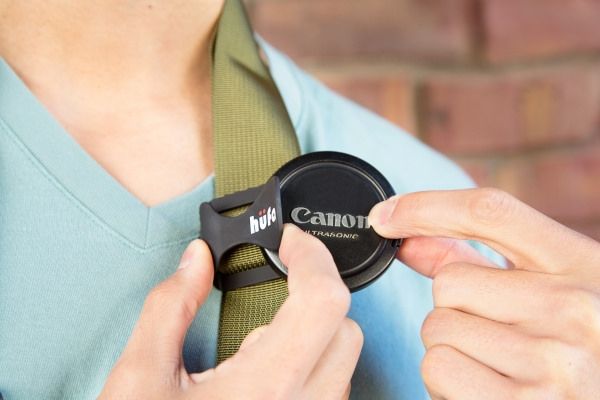
The worst thing about losing a lens cap is having to buy another one. You can go with a generic but ugly replacement and save a few bucks, or you can buy the manufacturers official version, which will make you hate yourself.

Now there’s a third option – don’t lose the cap in the first place. Instead, spend $10 now on Photojojo’s Hufa Lens Cap Strap Holder, and never buy a cap again.

Unless you’re a hipster – you can still buy as many sweet ironic trucker caps as you like.

Incase Calls Their New Icon ‘The Best Backpack We’ve Ever Made’

By

incase-icon-1


“The best backpack we’ve ever made” — a heady statement from an outfit with a focus on making packs and cases to keep traveling Apple stuff safe. The Icon certainly looks impressive, with its Airflow channels and more specialized pockets than a troop of kangaroos. And at $200, it also might be the most expensive backpack the Southern California-based company has ever made.

Apple To Breathe Life Into Drying Music Downloads With iTunes Store Redesign

By

iTunes is down!. Photo:

When iTunes Radio was introduced, it was clear that Apple hadn’t made the true Spotify competitor everyone had hoped for. Instead, it was designed to get people to buy more music from the iTunes Store—hence the buy button at the top right of every song.

Sadly, iTunes Radio hasn’t helped drive music downloads for Apple, so the company is considering a “dramatic overhaul” of the iTunes Store.

Oenophile App Drync Now On iPads, Adds Its Own Wine-Loving Social Media Platform [Daily Freebie]

By

drync-ipad


Vodka is great for fruity drinks and drunken stupors; and beer is what you nurse, alone at the edge of the bar, after you’ve been dumped.

Wine, on the other hand, is the ultimate social lubricant. So it makes sense that Drync, a sophisticated app for oenophiles (the sophisticated method to describe wine-lovers), has just launched its own social-heavy website to go along with its new iPad app.

Top iOS Apps Of The Week

By

Whether

Every week, we highlight some of the most interesting new apps and collect them here for your consideration.

This time, our picks include a donut locator, a good-looking scheduler and a quick house-hunting app.

Here you go:

I’m kind of obsessed with monitoring and comparing numbers like blog views and podcast downloads. It’s probably a mild form of obsessive-compulsive disorder, but I made up my own word for it: “metriculous.”

Whether is an app that satisfies that part of your brain, if you have it. It lets you compare today’s temperature, precipitation, wind, and humidity to the same day last year. The temperature panel is free, but you can unlock the rest — and any future ones — for $2.99.

So it’s basically a cool-looking weather app with an extra layer of trivia on top of it for crazy people inquisitive, metriculous types.

Whether App – Free | Sturmware

Candooit

It can be stressful when you have way too much stuff to do and it’s hard to keep track of everything.

Candooit is a new app that lets you add your obligations with a few simple gestures and then presents it all in an attractive, easy-to-read infographic. Once you select the type of activity (the app includes eight color-coded categories with numerous sub-items), you drag left and right to set the start time and up and down to set the duration. You can make notes, view by week or month, and even sync with your Google calendar.

And the busier you are, the cooler it looks. So that might actually be kinda dangerous.

CandooIt – Free | Panurge

Doughbot

Not everything in the App Store has to be a Swiss Army knife. Sometimes, you find an app that does one thing and does the heck out of it.

Doughbot is one such app. It tells you where you can buy donuts.

You can also get directions, read Yelp reviews, and look at pictures from Instagram, but that’s just overkill. I can count on one finger the number of bad donuts I’ve had in my life. Just point me toward the nearest besprinkled blip on the map so that I can start pointing at lumps of fried dough I’d like to cram into my face.

Doughbot – $0.99 | Timothy Tolbert

Doorsteps Swipe

House hunting can be stressful and annoying, especially if you’ve never done it before. But the Doorsteps Swipe app wants to help you out by letting you quickly look through a bunch of listings in your desired location, then reject or save them with a single swipe. It also compiles data (average price, number of beds and baths, etc.) on the ones you’ve liked so you can get some idea what you’re looking for.

Unfortunately, I haven’t seen any cloud houses or big shells yet. But I haven’t gotten all the way through the list yet.

Doorsteps Swipe – Free | Move, Inc.

Five Must-Have Workarounds For Your iOS Devices

By

fix the OMW

Photo Credit: Rob LeFebvre/Cult of Mac

Look, we all know that Apple makes some of the greatest products around. We use iPhones, iPads and Macs because they work well, and they’re fairly intuitive.

That said, even the most dedicated fanboy has to admit that there are still a few places that just don’t quite work as advertised.

Here are a few of those, along with their fixes, for iOS devices, including the iPad, iPhone and iPod touch.

Change That Stupid OMW iMessage Shortcut

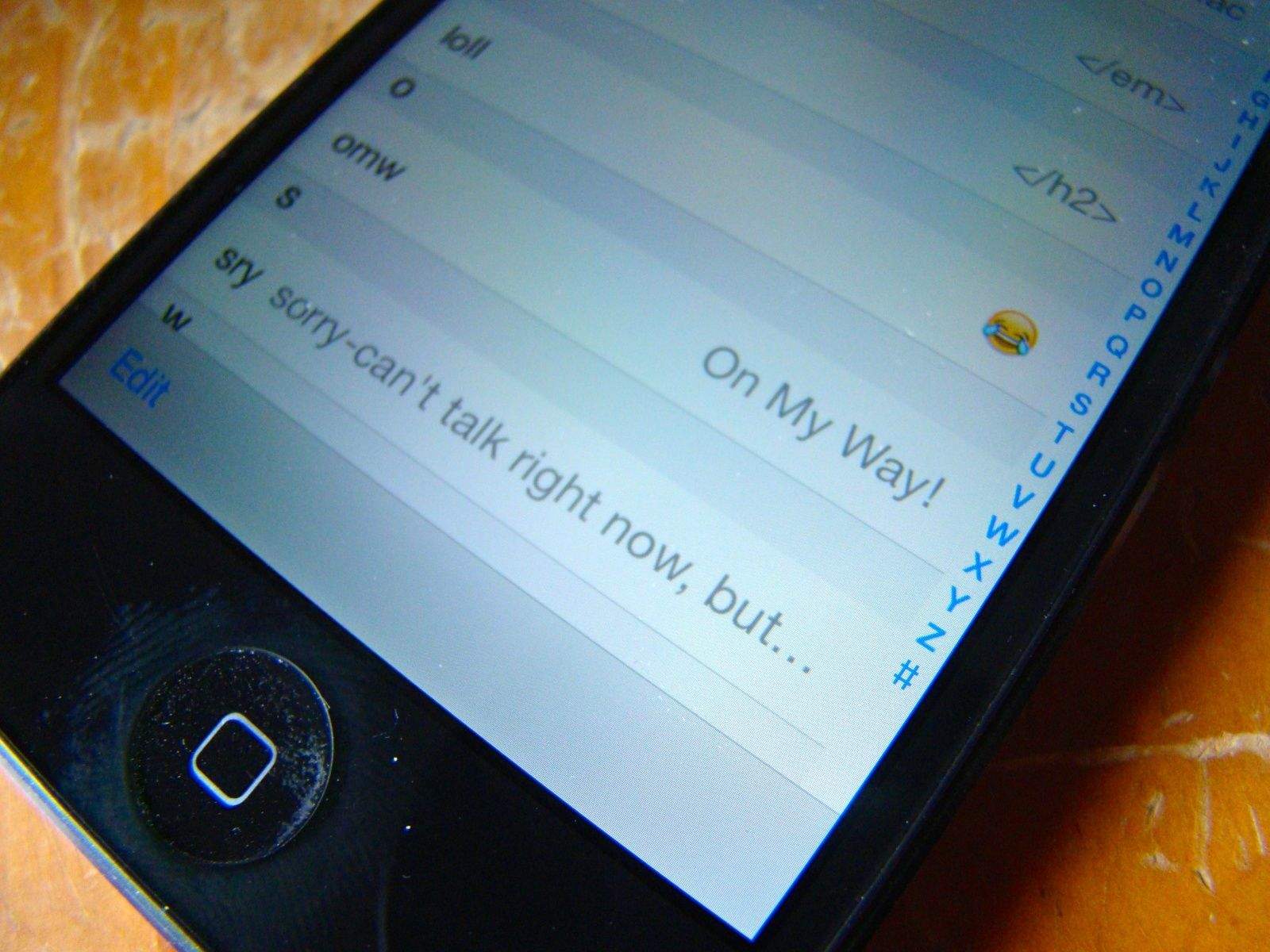
Some folks like the auto-expand of omw to “On My Way!” Honestly? I’m rarely that enthusiastic when sending a text about my plans to head over to a buddy’s house. Just sayin’. If this bugs you, here’s how to fix it, as well as add others to your texting repertoire.

Hop on over the Settings app. Tap on the General tab, then scroll down to Keyboard and tap through to Shortcuts. The omw! shortcut is built in right there. Tap it, and change it to whatever you want it to say. Be sure to hit the Save button in the upper right, or you’re back to square one.

Want to add your own shortcuts? That’s pretty easy, too. Simple tap the Add New Shortcut…field at the bottom of the Keyboard settings pane, and add one in. Try to keep your shortcut (bottom field) 2-4 letters, or it’s really more of a longcut, right? The top field contains the actual phrase you want the shortcut expanded to. Try not to get them confused, like I did the first one I added. You’ll get an error saying your Shortcut cannot contain spaces. That will be the tip you’ve gotten it backward.

Control Your Data – Turn Off Cellular For Certain Apps
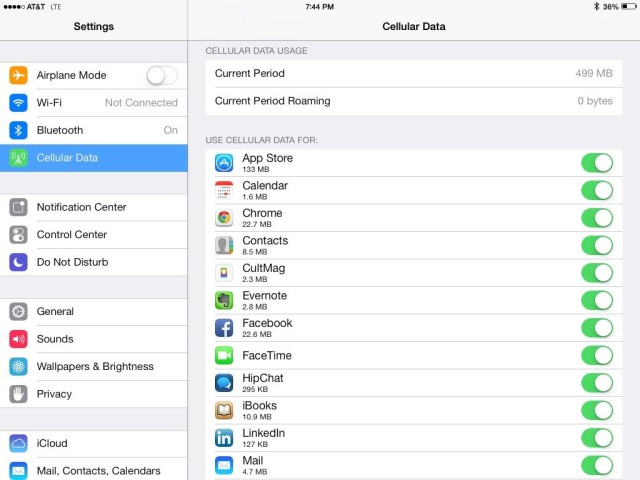
We’re all data hoarders now, what with our iPads and iPhones having the ever-present connection to the cellular and Wi-Fi networks all around us. Unfortunately, unlimited cell data plans are as rare a programmer who doesn’t own a single hoodie, so it’s paramount to keep track of which apps are sucking up the cell bandwidth.

Luckily, iOS 7 lets you control which apps will use cellular, and which apps will only connect to and use the network juice via a stable WiFi connection.

Tap into your Settings app on your iPhone or iPad and then tap on the Cellular icon. Once there, you’ll see the option to toggle Cellular Data OFF completely, disable LTE, or enable Data Roaming, as your heart (and wallet) allows.

Swipe down to the bottom, however, and you’ll see a long list of all the apps on your iOS device that use cellular data. For each app that you want to restrict to using only Wi-Fi networking, tap the toggle next to each app name to OFF.

Now, when you’re strictly on LTE, 4G or 3G, your iOS device won’t let those specific apps connect to the cell network and take up all your precious, metered data. They’ll be able to connect once you’re in range and hooked up to a WiFi signal, so have no fear.

Respond With Funnier Messages When You Get Calls
On My Way is dumb

It’s pretty easy to reply to a phone caller with a text message in iOS 7. When the call comes in, tap on the little phone icon in the lower right and slide up. You’ll get the option to either reply with a message or have your iPhone remind you to call the person back later.

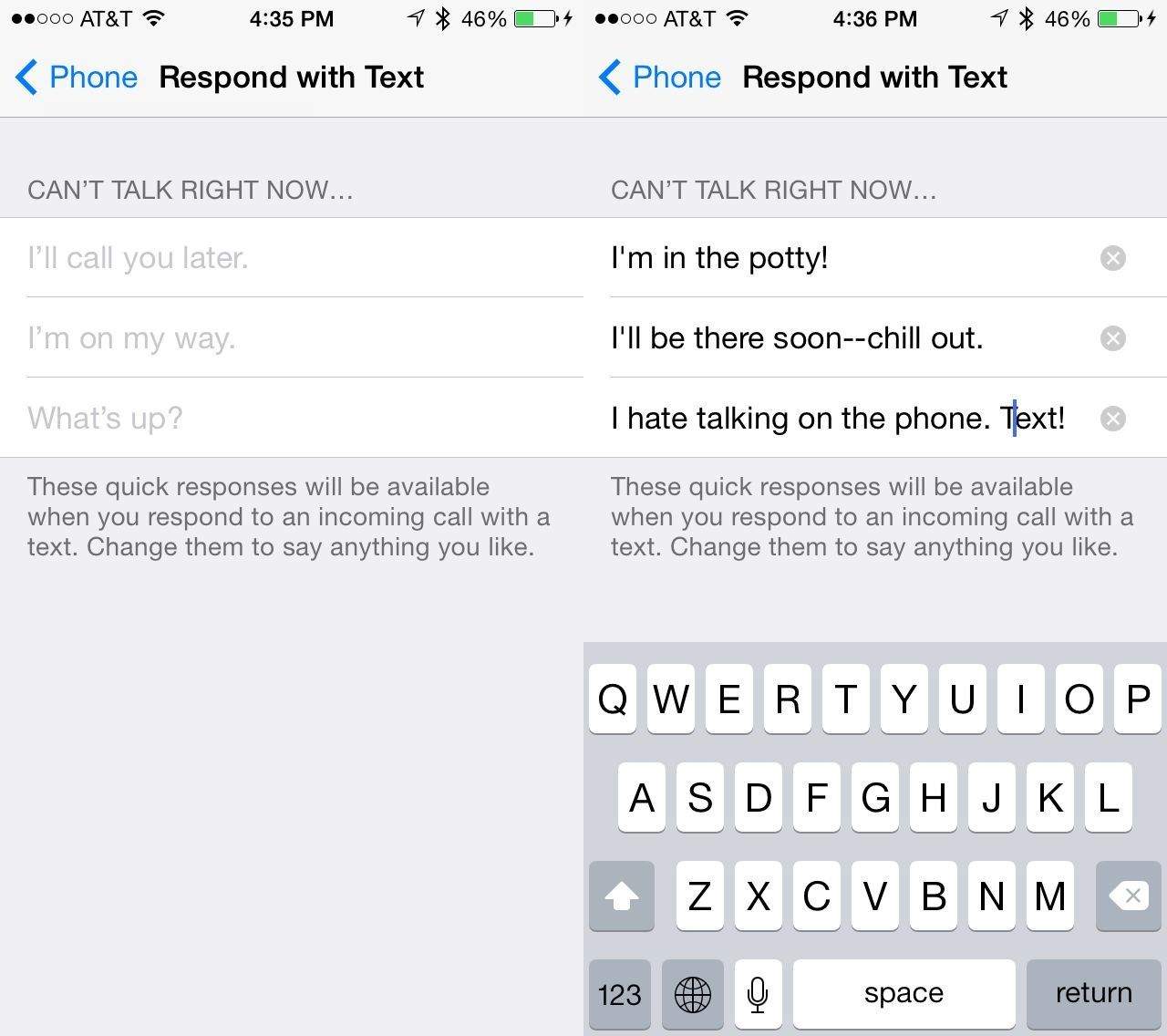
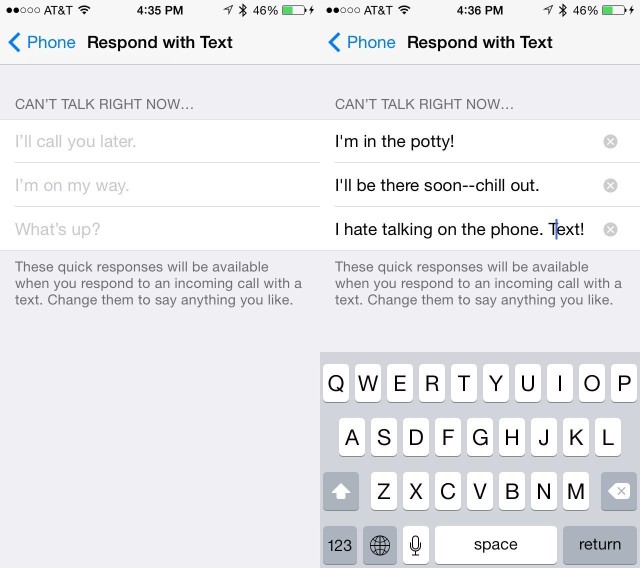
If you choose to reply with a text message, you get a couple of built in replies–Call you later, I’m on my way, What’s up–or you can type a custom message. Ever wanted to change those pre-written messages to be just a little bit funnier? You know you have.

Here’s how: Launch your Settings app, and find and tap on the Phone settings button. Then tap on Reply with Message. You’ll then be able to type in three custom missives. And you’ll still be able to type your own custom message, when the phone rings, too. Interestingly, the typical auto capitalization doesn’t seem to apply here, so maybe the developers wanted you to work at using proper English.

Whatever the case, this is a great way to personalize the way you interact with people when you tell them that you can’t answer the phone right now.

Clear Those Annoying Notifications Without Leaving The Lock Screen
iPhone-Lock-Screen

I like some notifications. I try to keep it down to a dull roar, of course, but I want a head’s up when I get a phone call, text message, or email from specific clients or friends. But when I see a flurry of these notifications in my lockscreen, I mentally dismiss them, only to have them appear again the next time I check my iPhone for the time.

I messed around with it and came up with this solution, thanks to iOS 7.
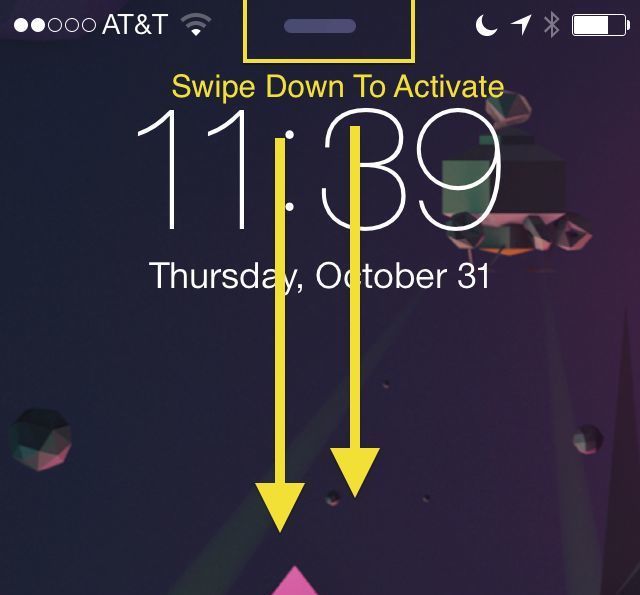
While your iPhone is locked but on (just hit the Home button), check out the little horizontal line at the top of your screen. That’s the Notification Center and it can be accessed without unlocking your iPhone.

Slide down from the line with your thumb or finger, and that will activate Notification Center. I tapped to the “Missed” notifications tab at the top to make sure the iPhone thought I saw everything, and then dismissed Notification Center with a swipe up.

Once you’ve done that, and you get to the lock screen again, you shouldn’t see any notifications hanging around in your lock screen. That is, of course, until you get new ones.

Troubles Sending Text Messages On iPhone? Try This Fix
Send-as-SMS

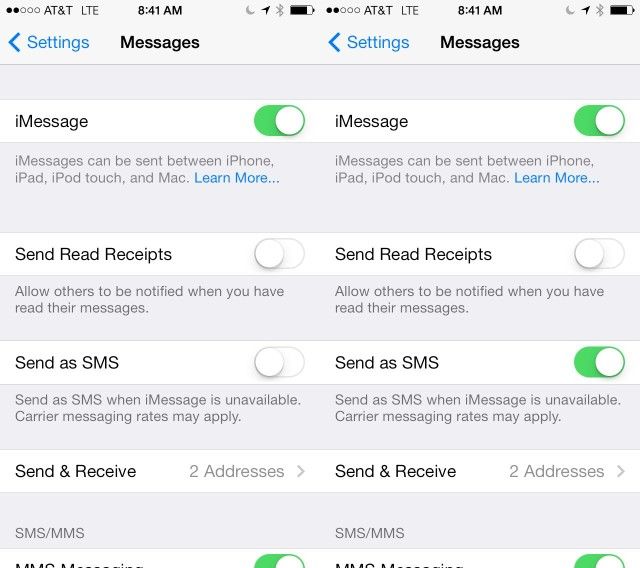
Some users have reported problems with sending text messages to their friends and family after the upgrade to iOS 7. Typically, when iMessage is unavailable, your iPhone should send messages as SMS ones instead, denoted by the green chat bubble as opposed to the regular blue.

If, however, your iPhone won’t send texts automatically, here’s a possible fix.

Tap into the Settings app, and scroll down to tap on Messages. Once there, you’ll see a toggle switch for Send as SMS. Set this to ON with a quick tap and your iPhone will start sending messages as SMS ones without you needing to intervene.

Even with this toggled OFF, you can still send messages when they stall out with iMessage. Simply tap and hold on the message mid-send, and choose Send as Text Message from the popup menu that appears.

Now you can send iMessages to those with an iOS or Mac device, but still communicate with anyone using an Android or feature phone (ugh).


Soothing Sounds Accompany Action-Packed Gameplay In I’m Aquarius [Video Review]

By

post-273774-image-dd2b330f947ce11ab57808f5305e606a-jpg

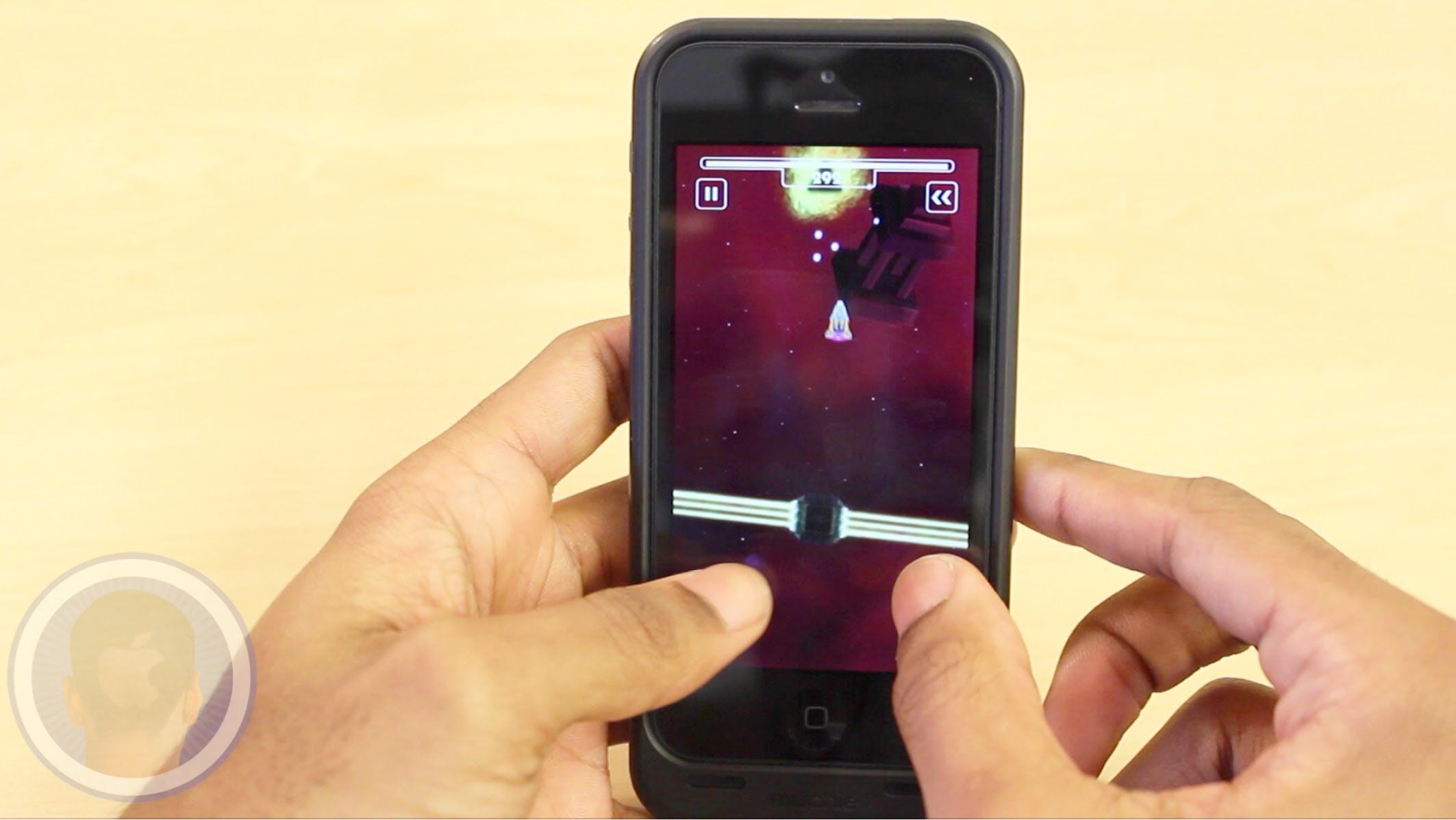
With busy schedules it can be easy to be consumed by the stress of our everyday lives. Sometimes sitting down and playing a good game can be a great way to escape from it all. The new app I’m Aquarius is an arcade game with intense action gameplay and a relaxing soundtrack. Avoid all obstacles as you tap to keep your ship safe for as long as possible. How long do you think you can last?

Take a look at the video and find out what you think.