Mobile menu toggle

Trials Frontier Is Our iOS Game of the Week [Editor’s Pick]

By

Trials Frontier

I’m not usually a big fan of the whole “do it over and over until you get it right” genre of games typified by the Trials series of games, but this one has me hooked. Developed by RedLynx and now published by Ubisoft, the latest version of the game is also the first on mobile: Trials Frontier. You can grab it for free now for your iPad or iPhone.

Like all of the other installments in the series, Frontier is all about piloting a motorcycle with a rag-doll rider through increasingly intense tracks with jumps, loops and environmental hazards.

Here’s a quick gameplay video to show you how it works.

Use Strategy Or Get Stumped By New Puzzle Game Sinkers [Video Review]

By

post-274092-image-bf71b5413bb0a909154b828ad8ca5995-jpg

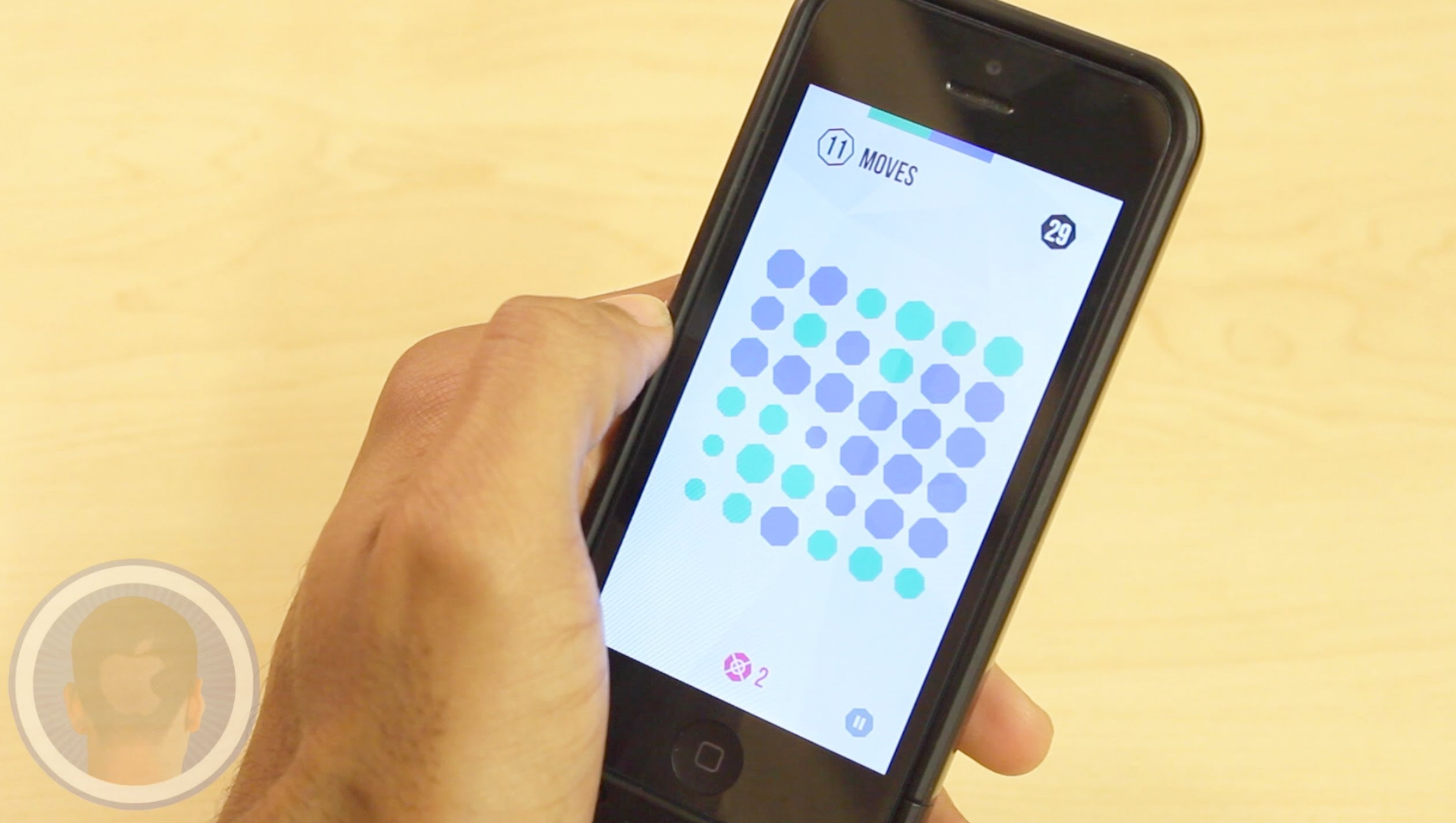
A good challenge every now and then is great to keep your mind fresh and alert. While many developers release new games every week, only some are able to give players the difficulty their minds ask for. Sinkers is a new strategy puzzle game where players have 20 moves to try and obtain the highest score removing colored cube like bits from the screen. With bits turning hollow and players having to sink them to keep moving, do you think you can play well enough to top the high-score charts?

Take a look at the video and see what you think.

‘SwipyCalc’ Has Extra Space For Especially Large Digits

By

SwipyCalc

I know that your iPhone already has a calculator in it, but here’s a specialty app for people who suffer from the curse of Man Thumbs.

SwipyCalc is a basic calculator that gives all the screen space to the numbers. Only the numbers. You enter your basic functions — adding, subtracting, multiplying, and dividing — with swipes in one of four directions. It’s fast and easy, especially once you realize that the comma in the lower left corner is what you use for a decimal point.

Unless you’re in one of the 60+ countries that uses the decimal comma. That won’t slow you down at all.

Source:SwipyCalc – Free | Domenico Scalambrino

Time Gap Crams Every Free-To-Play Game Into One [Review]

By

Time Gap

Ambition isn’t a bad thing, but it can get in the way.

Time Gap by Absolutist
Category: iOS Games
Works With: iPhone, iPad
Price: Free

Time Gap is a free-to-play title that tries to be all free-to-play games at once. It’s mostly a hidden-object game with a plot about the ghosts of famous historical figures guiding you on a mission to discover where all the people of Earth disappeared to, but along the way, you’ll also play minigames like the ones you tab over to during the day instead of working.

It does all of these things capably enough, and it’s an interesting compendium with a lot of variety. But in the end, it’s a free-to-play game, and it is free-to-play as hell.

Make A More Secure Passcode On Your iPhone or iPad [iOS Tips]

By

Photo: Rob LeFebvre, Cult of Mac
photo - Rob LeFebvre, Cult of Mac

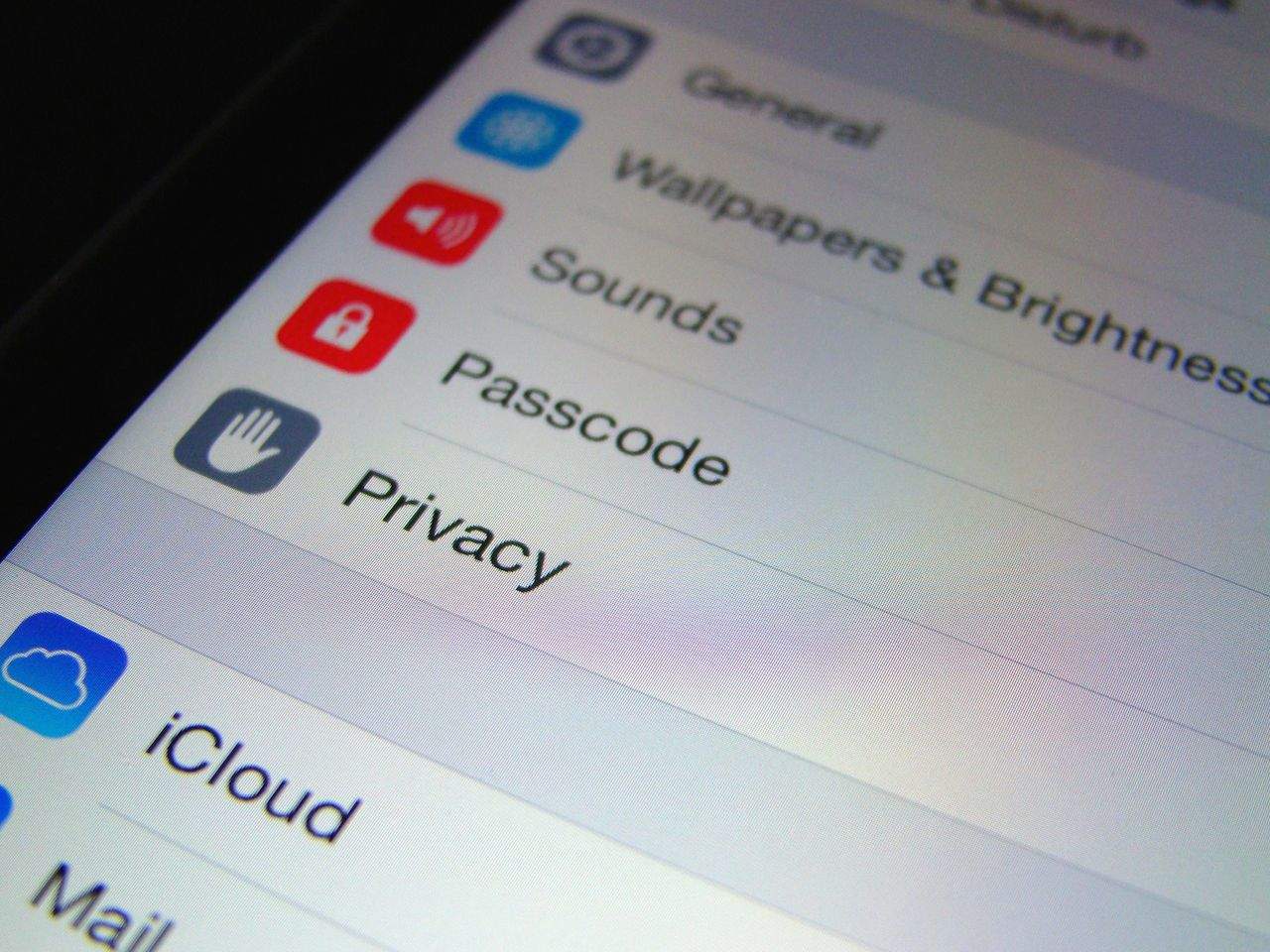
Sure, a simple passcode with four numbers will keep most casual folks out of your iPhone, but if you want it to be really secure, you should think about using an alphanumeric password, like you would on a website or your Mac.

The idea here is simple, the more characters you have (and the less obvious your password is), the better your security. Balancing a large enough number of characters with ease of recall can still be tricky, but I’d bet you’ve got it fairly worked out on the websites you visit — why not use that same acumen on your iOS devices?

Here’s how to turn off the simple passcode in iOS, and set up a more secure one.

What To Do About Heartbleed And The Apple/Samsung Battle Continues On The CultCast

By

cultcast-maccast1

Queue the spy music, cause on this week’s CultCast, our very own Buster Heine sneaks into Apple’s under-construction Arizona Sapphire Crystal factory and reports back what he’s found. Plus, WWDC dishes out golden tickets like they’re Willy Wonka; what you can do about HeartBleed; all that’s been revealed in the ongoing Apple V. Samsung trial; and you asked, so we answer: why we love Apple but would never want to work there.

Hem and haw your way through each week’s best Apple stories! Stream or download new and past episodes of The CultCast now on your Mac or iDevice by subscribing on iTunes, or hit play below and let the audio adventure begin!

And our thanks to iFixit for supporting this episode. You’ve seen iFixit’s amazing tear downs of the hottest tech and gadgets, but did you know you can use their free step-by-step repair guides to fix virtually anything? Check them out at iFixit.com/cultcast, and save $10 off their excellent Pro Tech Toolkit with code “CultCast” at checkout.

Click on for the show notes.

PayPal Debuts Biometric And Smartwatch Integration With Samsung

By

post-274053-image-32248f5578e993dc56cc582a43fc7d49-jpg

Fancy being able to use fingerprints to enable payment verification on PayPal for making purchases?

Having announced that feature with the Samsung Galaxy S5 at Mobile World Congress back In February, PayPal finally debuted that integration today — letting users in 25 different countries login to PayPal by simply placing one of their chubby digits on their brand new phone’s fingerprint sensor.

Stonebaked Steve: Apple Founder’s Pizza Portrait

By

stevejobspizza

Back in the heady days of 1996 — when Apple shares were worth less than the cost of a VHS tape of Independence Day — one of the many awful ideas the company came up with was to latch onto the then-popular trend for theme restaurants, by announcing the debut of Apple Computer cybercafes.

These were supposed to start in Los Angeles, before eventually spreading over the entire world.

Needless to say, they never happened — but if they had done, they may have served pizzas bearing the face of Apple’s co-founder Steve Jobs. (Or possibly not, since he wasn’t with the company at the time.)

Either way, if you’ve been waiting for the past two decades to finally have an edible snack in the form of Apple’s late co-founder and CEO, you may want to buy a plane ticket to take you to Papa’s Pizza restaurant in Puerto Rico, where pizza artist Wilhelm Rodriguez can whip you up a pizza pie like the above.

Marvel Turns Pencil Sketches Into Working App Prototypes

By

marvel_iphone1

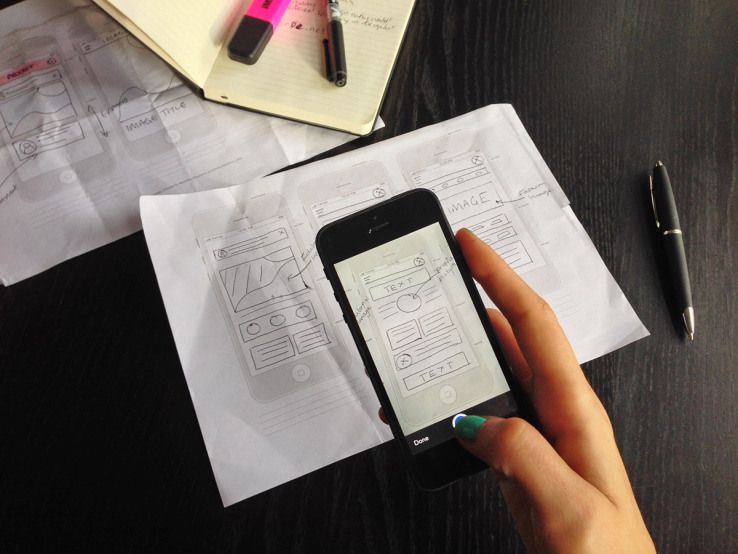
Have a great app idea written down in a notebook that would make you a millionaire if only you could turn it into a working prototype? (Sure you do!)

Marvel is a great iPhone app that lets you take sketches and turn them into a free prototype, by applying “hotspots” to your images and then letting you link these hotspots with other photos to create a demo you can tap your way through.

Ethical Decision Making iOS App Is Like A Conscience In Your Pocket

By

ethics

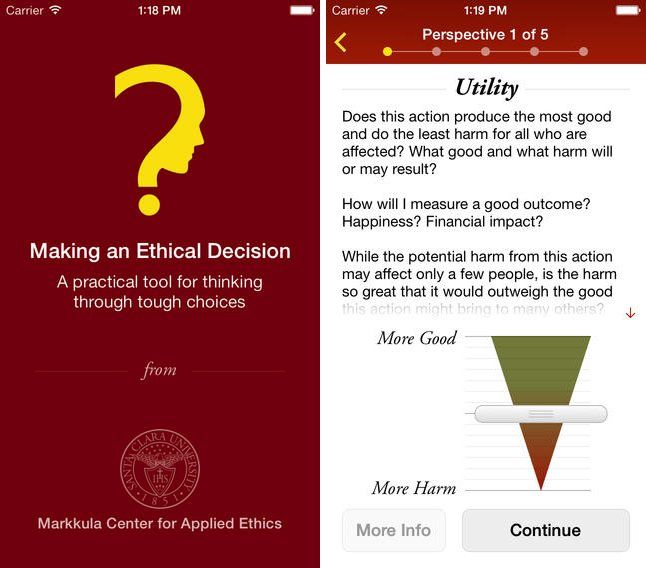
Got a tough, possibly life-changing ethical decision to make? Why not make your iPhone part of the decision-making process?

A recently released app called Ethical Decision Making lets you work through your options by prompting you to identify the people who have a stake in your decision, consider your options through five different ethical perspectives, weigh different approaches, and score and rank potential decisions.

Lomo Russar+ Lens For Retro-Fetishists

By

There’s something totally perverse about putting a crappy Lomo lens on your Leica M-series camera. After all, the Leica might be a glorious box which makes it super easy to take great pictures, but it really is just a box for holding Leica’s extraordinary lenses.

Thankfully, the new Lomo Russar+ also fits other bodies, using adapter mounts.

‘Total Numbers’ Service Adds Up Numbers So You (Or Your Cat) Don’t Have to

By

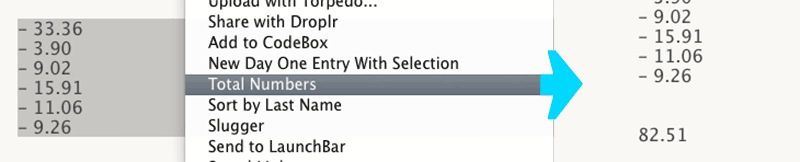
Ever looked at a column of numbers on your Mac’s screen and wished that they would just add themselves together already? I do. Ever since my “special” cat died, I’ve been adding things up manually.

My cat, who was called “Rain Cat,” used to take one look at a page full of numbers, twitch its cute little head a few times, and then tap out the answer with its paw. Admittedly, getting the answer usually took longer than doing it myself on a pocket calculator, and sometimes Rain Cat would fall asleep in the middle of a particularly long answer, but it was pretty convenient most of the time.

Now, Rain Cat can be replaced with Brett Terpstra’s Total Number service.

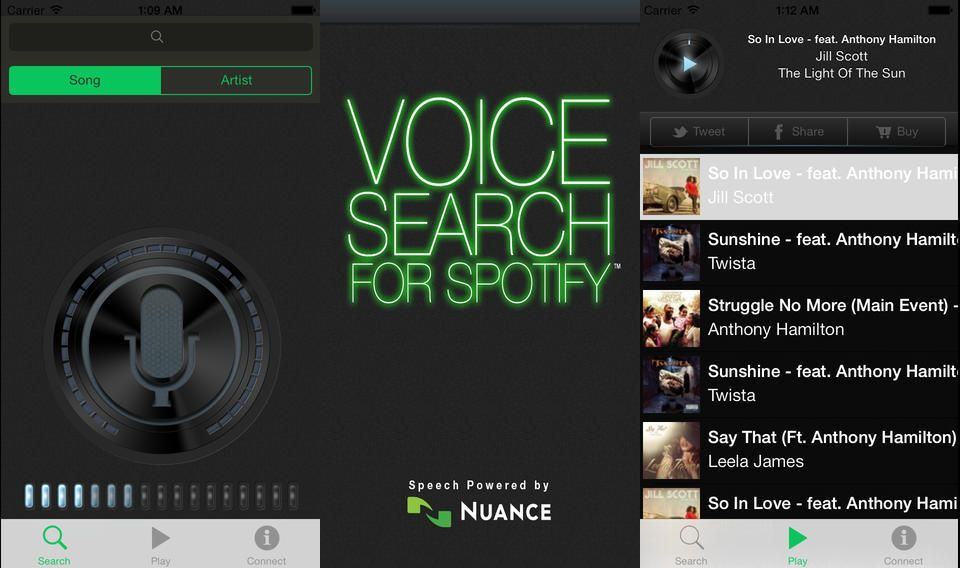
Vela Lets You Search Spotify With Your Voice

By

Here’s how to do Spotify voice search on the iPhone or iPad.

  1. Tap the search field in Spotify
  2. Tap the Siri dictate button on the keyboard
  3. Say the name of whatever you wan to hear
  4. Tap Siri button again
  5. Browse results.

Alternatively you can buy the new Vela app for $0.99, and skip all the tedious screen tapping.

Amazon Buys ComiXology

By

Oh man, I just can’t wait for this week to be over. First the entire Internet turns out to have been broken for the last two years. Then Dropbox hires Condoleezza “Cruella de Vil” Rice to help out with security. And now Amazon has bought out ComiXology, the digital comic book store/platform.

I’m ready for the weekend.

iMovie For Mac Gains New Sorting Options, Font Adjustments And Minor Fixes

By

imovieforMac

Apple released a new update for its iMovie for Mac video editing software today that adds a number of tweaks, bug fixes, and a small sampling of new features.

iMovie version 10.0.3 is the third small update since the app was received a big update last fall, but new improvements are mostly minor with new sorting options, adjustable font sizes and colors, and better speed effects.

Here’s a rundown of the changes:

Change Your Passwords For These 15 Heartbleed-Vulnerable Sites ASAP

By

(photo Buster Hein, Cult of Mac)
photo Buster Hein, Cult of Mac

Heartbleed sent the web reeling with the discovery that the catastrophic security hole quietly left passwords and other private data open for the taking on nearly 66% of the Internet’s servers.  Luckily for Apple customers, iOS and OS X were never vulnerable to Heartbleed but some of the most popular sites and services on the Internet weren’t so lucky.

Many companies are still working to patch their hole, but Mashable has compiled a list of the biggest sites hit by Heartbleed. There’s no way to tell if your info was actually snatched by attackers, but if you have account on the following sites that were affected and subsequently patched, you should change your password ASAP:

SimCity 4 Deluxe Lands On Mac, And It Looks Stunning

By

simcity4-27

Fancy building your own glittering high-tech utopia, or a bustling cosmopolitan metropolis?

Either way, gamers will be happy to know that SimCity 4 Deluxe Edition today became available for download, exclusively in the Mac App Store. Combining both SimCity 4 and the Rush Hour expansion pack — which adds bonus disasters like UFO attacks and Autosaurus Wrecks — the game is a steal at $19.99.

Apple Says That None Of Its Products Are Vulnerable To Heartbleed

By

heartbleed

Apple has confirmed that none of its products, including web services like iCloud.com, are vulnerable to the nasty Heartbleed web bug that was recently uncovered.

Heartbleed allows hackers to intercept sensitive traffic and steal information like logins from websites using OpenSSL encryption. So when you visit a website with a little padlock in the address bar and think you’re safe, you maybe aren’t.

Your Turn: Feedback, Reviews, Corrections

By

icon-2---512

“Imperfections are not inadequacies; they are reminders that we’re all in this together.” ― Brené Brown

Help us make the magazine better by chiming in to report anything that needs fixing or can be improved.

Some of the improvements on the upcoming version of the app were suggested by readers, so give us a shout if you have a wish list.

And, if you enjoy Cult of Mac Magazine, please give us a review.


Credits

Publisher Leander Kahney

Editor Nicole Martinelli

Cover design Rob LeFebvre

Contributors Evan Killham, Buster Heine, Luke Dormehl, Rob LeFebvre and Cult of Mac staffers.

@2014 Cult of Media Corp. Produced using Packagr and the Baker Framework.

Thule’s Snap-On iPhone 5s Case Is Molded For Extra Grip & Protection [Review]

By

P1050031

Thule’s Gauntlet case for the iPhone 5s is a slim, stylish snap-on cover that offers plenty of protection. Just like its big brother, a thin folio that will effectively protect an iPad Air, the Gauntlet employs a molded texture for grip and durability.

Gauntlet by Thule
Category: Cases
Works With: iPhone 5 & iPhone 5s
Price: $27

The iPhone case provides plenty of access to all buttons, ports and cameras. It comes in black, turquoise or pink, and it will protect your device without making it too big and bulky.

One of the Gauntlet’s best features, however, is its slender price tag. Available from MyBanana, it costs less than £16 ($27) — and it’s worth every penny.