With the launch of Apple Creator Studio Wednesday, Apple also updated its suite of productivity apps otherwise known as iWork. That’s Keynote, Pages and Numbers, which were always free and are now “freemium.” Some features will only work for Creator Studio subscribers, but others work for anyone using free versions of the productivity apps.
Updates to Keynote, Pages and Numbers
The new Apple Creator Studio subscription bundle includes Final Cut Pro, Logic Pro, Pixelmator Pro, Motion, Compressor and MainStage apps for Mac, iPad and, for some features, iPhone. But subscribers also get access to now-premium, mostly AI-related features of iWork apps Keynote for presentations, Pages for document templates and Numbers for spreadsheets, with the Freeform whiteboard app joining at a later date, Apple said.
How to get the new features
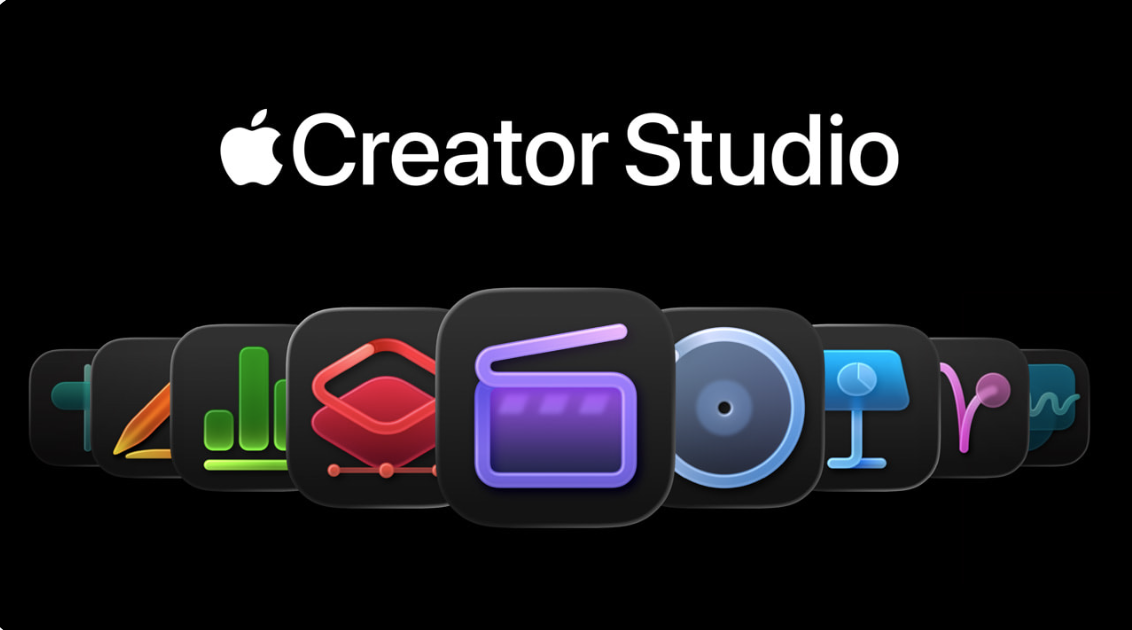
Photo: Apple
New Apple Creator Studio subscribers will get all the new features in the iWork apps with their purchase and download.
But for existing Keynote, Pages and Numbers users, it’s a little more complicated. The apps remain free for core features. But to get new features, you don’t just update the old version you have. Because the apps now have features for iPad and iPhone as well as Mac, you have to download and reinstall new versions.
And note that Keynote, Numbers and Pages version 14.5 for Mac only served the purpose of letting users know the apps won’t get further updates. To get the actual updates, you need to install version 15.1 of the apps for your devices from the App Store (go to Keynote, Pages and Numbers).
To decide if you should get those new versions, see all the new free and paid features of the apps below, according to Apple.
Keynote updates for all users:
• Experience a new, more fluid way to work on your presentations with Liquid Glass.
• Access the full set of advanced options and controls right from the new menu bar in iPadOS 26.
• Make text and other objects pop with extra brightness and vibrant color using HDR on supported displays.
• Add personality to your work with new editable shapes.
Keynote updates for Apple Creator Studio subscribers:
• Make your work stand out with an exclusive new collection of professionally-designed themes.
• Explore high-quality photos, graphics, and illustrations for your presentation in the all-new Content Hub.
• Find inspiration faster with collections of new Apple-curated content in the Content Hub.
• Create stunning images and graphics right in your document, apply quick edits, or adjust the style using AI.
• Increase the clarity and detail of existing images and graphics using Super Resolution.
• Use Auto Crop to generate suggestions for how to frame your image.
• Transform a text outline into a first draft of slides for a new or existing presentation (beta).
• Automatically generate presenter notes based on context from your presentation (beta).
• Quickly clean up your slide’s layout, spacing, alignment, and typography (beta).
• Collaborate on larger files shared via iCloud — now up to 4GB.
Pages updates for all users:
• Experience a new, more fluid way to work on your documents with Liquid Glass.
• Access the full set of advanced options and controls right from the new menu bar in iPadOS 26.
• Add personality to your work with new editable shapes.
Pages updates for Apple Creator Studio subscribers:
• Make your work stand out with an exclusive new collection of professionally-designed templates.
• Explore high-quality photos, graphics, and illustrations for your document in the all-new Content Hub.
• Find inspiration faster with collections of new Apple-curated content in the Content Hub.
• Create stunning images and graphics right in your document, apply quick edits, or adjust the style using AI.
• Increase the clarity and detail of existing images and graphics using Super Resolution.
• Use Auto Crop to generate suggestions for how to frame your image.
• Collaborate on larger files shared via iCloud — now up to 4GB.
Numbers updates for all users:
• Experience a new, more fluid way to work on your spreadsheets with Liquid Glass.
• Access the full set of advanced options and controls right from the new menu bar in iPadOS 26.
• Add personality to your work with new editable shapes.
Numbers updates for Apple Creator Studio subscribers:
• Make your work stand out with an exclusive new collection of professionally-designed templates.
• Explore high-quality photos, graphics, and illustrations for your document in the all-new Content Hub.
• Find inspiration faster with collections of new Apple-curated content in the Content Hub.
• Create stunning images and graphics right in your document, apply quick edits, or adjust the style using AI.
• Increase the clarity and detail of existing images and graphics using Super Resolution.
• Use Auto Crop to generate suggestions for how to frame your image.
• Use Magic Fill to suggest data or generate formulas based on pattern recognition.
• Collaborate on larger files shared via iCloud — now up to 4GB.

David Snow, an expert on Apple hardware and software, writes on a variety of technological and cultural topics for Cult of Mac. They include Apple news, technology buying guides, and features about computer setups and Apple TV shows and movies.
With 30 years of experience covering technology and other subjects, he has written and edited for numerous print and online publications, including CMP Media, TechTV.com, CNET, Wired News, Red Herring magazine, Law.com, The National Law Journal and Law Technology News magazine. Among other roles, he served as executive editor of the Law.com network of websites and editorial director, technology, for ALM Media.
Snow graduated with a B.A. from Syracuse University with majors in magazine journalism and psychology. While there, he worked as a reporter for The Daily Orange newspaper and associate editor of Equal Time magazine.
Founder of the blog At the Waterline, he can be reached on X (formerly Twitter) via @atthewaterline and on Mastodon via @dsnow.

