
Apple released significant updates to Final Cut Pro alongside the debut of Apple Creator Studio software bundle for creatives Wednesday. And in a new feature story, it showed how video director, dance choreographer and Blackpink collaborator Kyle Hanagami uses new AI-powered tools for video editing.
Apple showcases Final Cut Pro upgrades in Apple Creator Studio bundle
Apple announced the new Apple Creator Studio subscription app bundle for Mac and iPad, as well as iPhone for some features, on January 13. Apple’s new feature story highlights new intelligent features in Final Cut Pro, available by subscription Wednesday, that streamline video editing workflows.
Beat Detection and Beat Grid
For example, Beat Detection, powered by an AI model from Logic Pro, enables creators to instantly analyze music tracks and display a Beat Grid for precise synchronization of visual cuts with audio. The feature builds on existing AI capabilities like Magnetic Mask for quick compositing adjustments and Smart Conform for rapid aspect ratio conversions optimized for social media.
“I choreograph to music so intentionally, so being able to edit with that same intentionality is so important,” Harugami said. “When I need to loop a track for my class videos, I’m able to line it up so much faster with Beat Detection instead of manually looking at the waveforms and inching it over.”
Apple Creator Studio represents the company’s integrated approach to creative production, bundling Final Cut Pro with Logic Pro for music production and Pixelmator Pro for image editing and graphic design. Logic Pro’s new capabilities include Stem Splitter for isolating audio elements and Mastering Assistant for polishing final mixes. Pixelmator Pro offers streamlined tools for vector design and typography work across Mac and iPad.
From dance studio to Hollywood productions
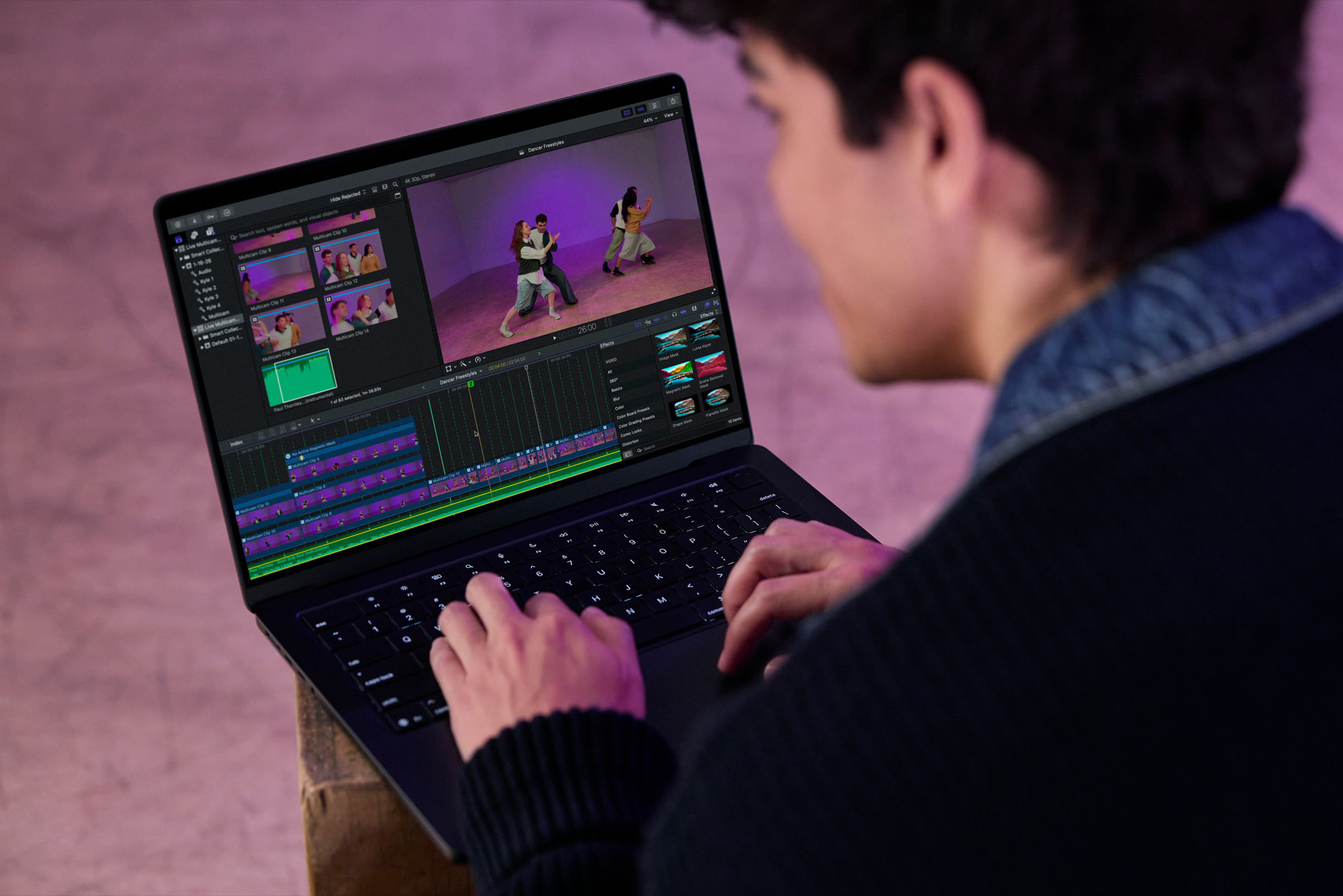
Photo: Apple
The company featured Hanagami demonstrating the tools’ real-world applications. With over 7 million followers across YouTube, TikTok and Instagram, Hanagami has built a career translating his choreography into compelling video content.
Hanagami’s professional credits include eight years working with K-pop group Blackpink, choreographing the 2024 Mean Girls film and serving as supervising choreographer for Jennifer Lopez’s 2016 Las Vegas residency. He is currently choreographing Disney’s stage adaptation of Zootopia.
The choreographer adopted Final Cut Pro in 2009 after starting with iMovie. He cited the professional software’s ability to provide complete creative control over his productions. He emphasized how AI-powered features have eliminated tedious manual work, allowing more time for creative development.
Apple showcases Final Cut Pro upgrades: Mobile-first workflow integration
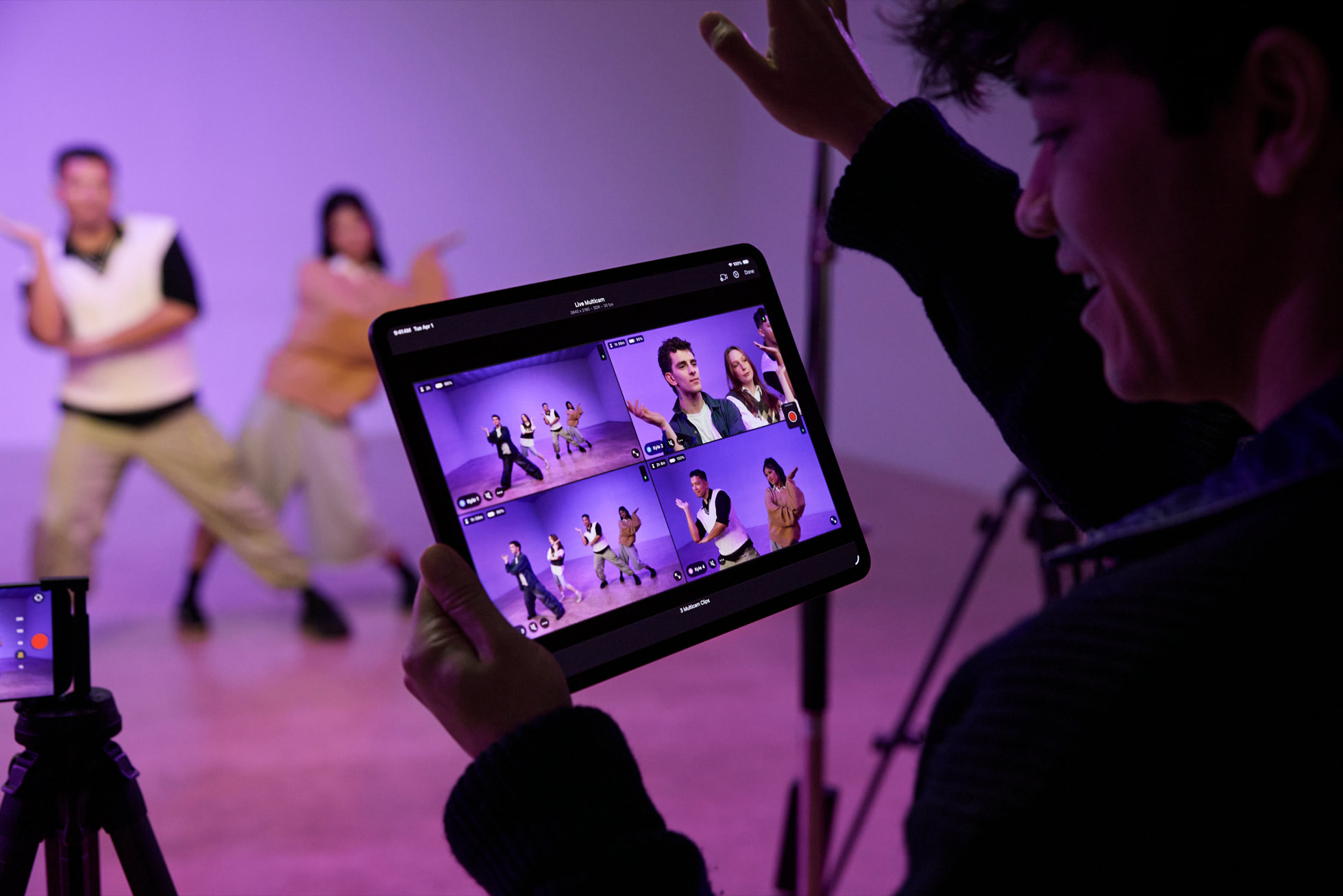
Photo: Apple
Hanagami’s production process demonstrates Apple’s ecosystem approach. He uses iPhone for filming, iPad for planning and mobile editing, and Mac for final production work. He highlighted the Live Multicam feature that syncs multiple iPhone cameras through Final Cut Camera and Final Cut Pro for iPad, eliminating post-production synchronization tasks.
For the Mean Girls production, Hanagami shot initial choreography sequences on iPhone to verify camera angles and sightlines before committing to full production equipment. Then he used the mobile footage to provide the studio with concrete visual references.
The updates reflect Apple’s strategy of using AI and machine learning to automate technical processes while allowing plenty of creative control. That positions its tools for both emerging creators shooting on smartphones and established professionals working on major productions.
Get Apple Creator Studio
Photo: Apple
Apple’s Creator Studio subscription includes six apps and premium features on three others. It costs $12.99 per month or $129 per year. For educators and college students, it’s just $2.99 per month or $29.99 per year.
Get an Apple Creator Studio subscription.

David Snow, an expert on Apple hardware and software, writes on a variety of technological and cultural topics for Cult of Mac. They include Apple news, technology buying guides, and features about computer setups and Apple TV shows and movies.
With 30 years of experience covering technology and other subjects, he has written and edited for numerous print and online publications, including CMP Media, TechTV.com, CNET, Wired News, Red Herring magazine, Law.com, The National Law Journal and Law Technology News magazine. Among other roles, he served as executive editor of the Law.com network of websites and editorial director, technology, for ALM Media.
Snow graduated with a B.A. from Syracuse University with majors in magazine journalism and psychology. While there, he worked as a reporter for The Daily Orange newspaper and associate editor of Equal Time magazine.
Founder of the blog At the Waterline, he can be reached on X (formerly Twitter) via @atthewaterline and on Mastodon via @dsnow.

