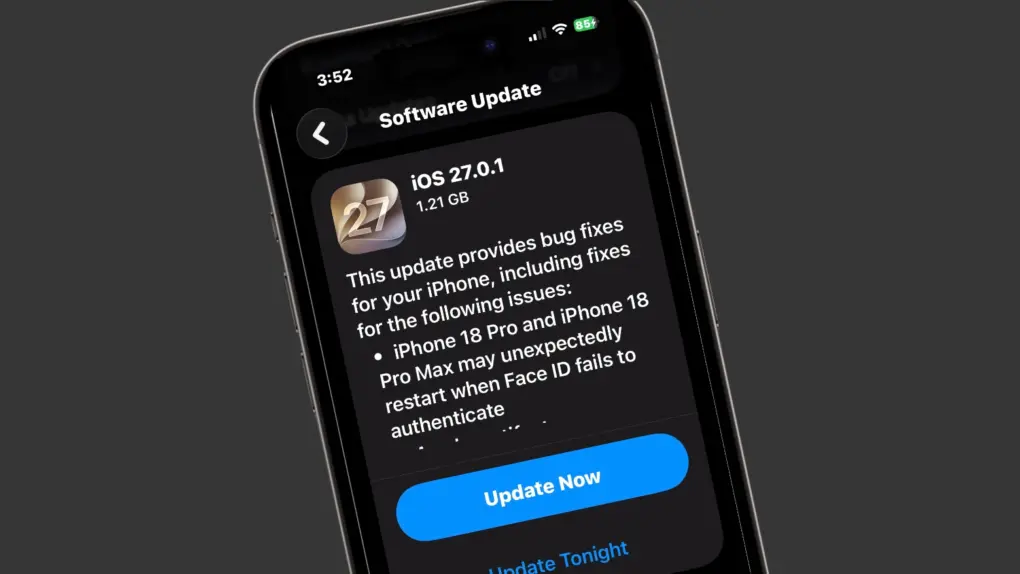
Apple released iOS 27.0.1 on Monday, a patch that fixes several bugs discovered after the company’s major iOS 27 update arrived earlier this month.
Several of these bugs made headlines, including one that could freeze the screen on any iPhone with merely a couple of finger swipes. So the update is recommended for all users.
There are also bug patches for macOS, iPadOS and watchOS out on Monday.
iOS 27.0.1 patches some prominent bugs
iOS 27 debuted two weeks ago, bringing Siri AI and other Apple Intelligence capabilities to Photos, Camera, Safari, Messages and other apps. Along with the new features came bugs.
One of these caused an iPhone’s touchscreen to become unresponsive when Notification Center and Control Center were opened simultaneously. Apple promises that this got a fix in iOS 27.0.1.
Also patched by Monday’s update was a bug that could cause the iPhone 18 Pro and iPhone 18 Pro Max to unexpectedly restart when Face ID failed to authenticate.
The new update also fixes a camera problem affecting a small number of iPhone 18 Pro and iPhone 18 Pro Max devices. Under certain lighting conditions, photos shot at 2x with the camera’s f/1.48 aperture could contain an unwanted color artifact.
Apple’s exact release note spells all these out:
This update provides bug fixes for your iPhone, including fixes for the following issues:
- iPhone 18 Pro and iPhone 18 Pro Max may unexpectedly restart when Face ID fails to authenticate
- A color artifact may appear on photos captured at 2x under certain lighting conditions at f/1.48 on a small number of iPhone 18 Pro and iPhone 18 Pro Max devices
- Opening Notification Center and Control Center simultaneously may cause the touchscreen to become unresponsive
What’s in macOS 27.0.1 Golden Gate?
The first update to macOS 27 also debuted on Monday, bringing bug fixes. However, Apple’s current release notes for macOS 27.0.1 don’t identify any specifics — Apple describes it simply as a bug-fix update.
The situation is much the same for iPadOS 27.0.1. Apple’s release note says simply, “This update provides bug fixes for your iPad.”
And there’s a new version of watchOS 27.0.1 with (you guessed it) bug fixes.
How to install the iOS 27.0.1, macOS Sequoia 27.0.1, iPadOS 27.0.1 patches
iPhone and iPad users can install iOS 27.0.1 and iPadOS 27.0.1 directly by opening the Settings app and going to General > Software Update. Alternatively, you can update your devices by connecting them to a Mac (or to a PC running iTunes).
To download the macOS 27.0.1 update, go to Settings > General > Software Update.
Installing watchOS 27.0.1 can be done from the Settings app on the Apple Watch. Look in General > Software Update. Alternatively, use the Watch app on a paired iPhone.

Ed Hardy has been writing full-time about tech for 26 years, and using it for much longer than that. His intro to Apple was a Macintosh SE/30 (which he still has), but now he uses a 13-inch iPad Pro as his primary computer.
That’s because he’s a “tablet first” type of guy. Rather than use a Macbook, he connects a keyboard case to the iPad. And instead of a desktop Mac, he connects his tablet to a 27-inch display and full-size keyboard. (So don’t try to tell him that everyone has to use a Mac to be productive.)
Before coming to Cult of Mac, Ed wrote for NotebookReview, TabletPCReview and Brighthand, as well as other sites.

