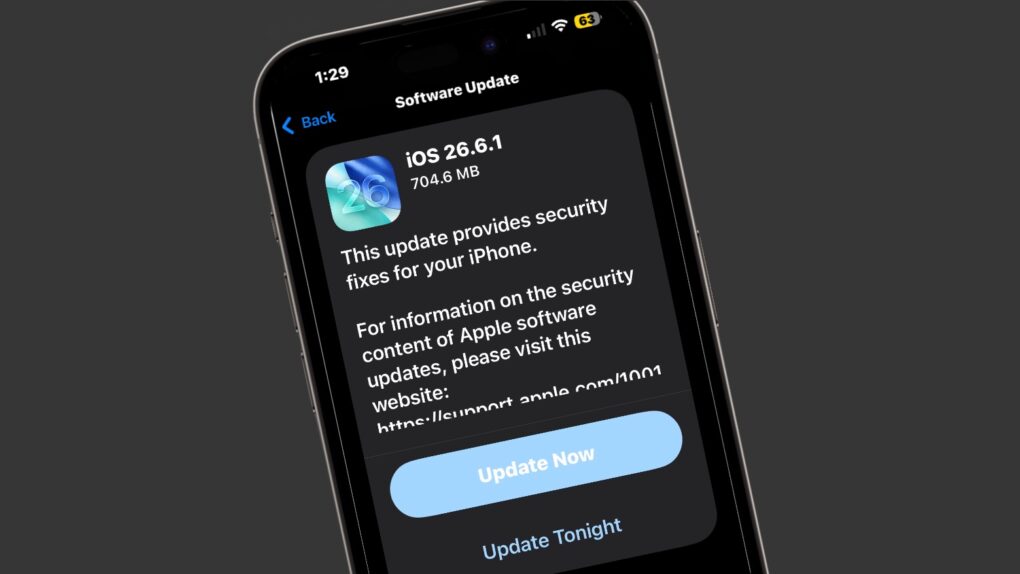
Apple on Monday released iOS 26.6.1, a small but important update for iPhone users focused on security rather than new features.
It also introduced macOS Tahoe 26.6.2 as well as iPadOS 26.6.1 to fix security bugs.
Don’t ignore iPhone security patches
Keeping your iPhone and Mac updated is important even when an update doesn’t add any exciting new features. Security patches fix vulnerabilities that hackers could potentially exploit to steal information, install malicious software or gain unauthorized access to your device.
Installing updates such as iOS 26.6.1 and macOS Tahoe 26.6.2 help keep your personal data, messages, photos and accounts protected — so it’s worth installing an update even when the only thing it adds is better security.
iOS 26.6.1 and macOS Tahoe 26.6.2 focus on security
Apple’s release notes for iOS 26.6.1 are brief and to the point: “This update provides security fixes for your iPhone.”
Cupertino published the detailed security information describing the vulnerabilities addressed by the update, and there are 21 fixes for iPhone and iPad, most related to WebKit. macOS Tahoe 26.6.2 closes 20 security holes, most related to WebKit.
That makes these fairly typical late-cycle updates. Apple is concentrating on keeping the current operating system secure and reliable rather than adding new capabilities with iOS 27 and macOS Golden Gate 27 just around the corner — both are expected to launch in the fall.
Monday’s update follows iOS 26.6, which Apple released on July 27. That release included bug fixes and security updates while also optimizing the Spotlight index ahead of the iOS 27 launch. macOS 26.6 came on that same day, but was followed on August 6 by macOS Tahoe 26.6.1, which also closed a security hole.
In addition, Monday also brought iOS 18.7.10 and iPadOS 18.7.10 along with visionOS 26.6.1. These all focus on security bugs.
Update to iOS 26.6.1 and iPadOS 26.6.1 now
iOS 26.6.1 is available now. To install it directly onto your iPhone, go to Settings > General > Software Update. The same holds true for iPad users.
Mac users can install macOS Tahoe 26.6.2 by opening Settings > General > Software Update.
Given that these releases are security updates, there’s little reason to put off installing it. If your iPhone is running any version of iOS 26, install iOS 26.6.1 soon. The same goes for Macs running macOS 26… make version 26.6.2 your new friend.

Ed Hardy has been writing full-time about tech for 26 years, and using it for much longer than that. His intro to Apple was a Macintosh SE/30 (which he still has), but now he uses a 13-inch iPad Pro as his primary computer.
That’s because he’s a “tablet first” type of guy. Rather than use a Macbook, he connects a keyboard case to the iPad. And instead of a desktop Mac, he connects his tablet to a 27-inch display and full-size keyboard. (So don’t try to tell him that everyone has to use a Mac to be productive.)
Before coming to Cult of Mac, Ed wrote for NotebookReview, TabletPCReview and Brighthand, as well as other sites.

