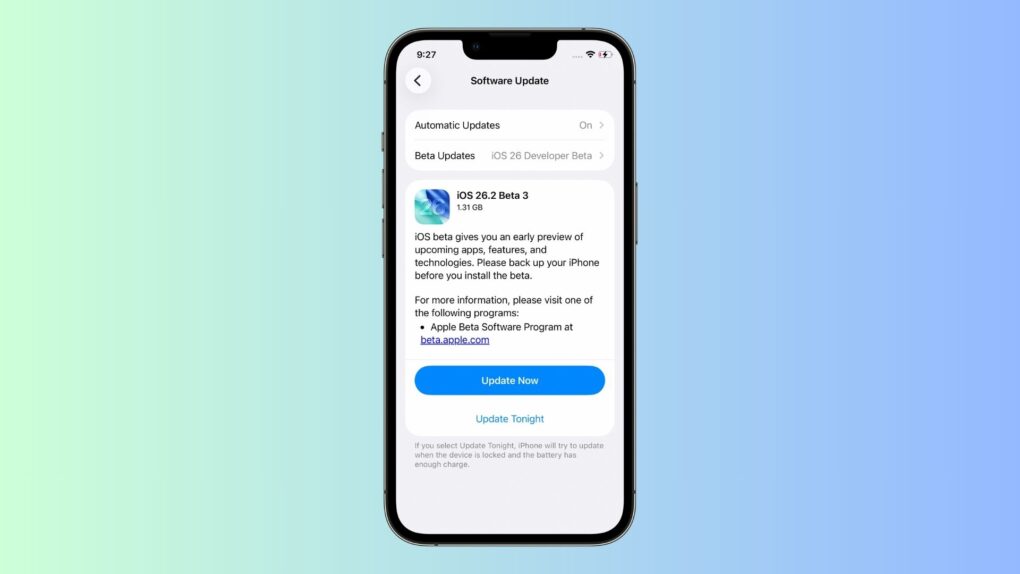
Apple continues testing iOS 26.2, seeding the third beta to developers. Building on the first two betas, the third beta contains several changes.
Below is everything new in iOS 26.2 beta 3.
iOS 26.2 beta 3: What’s new and changed
AirDrop
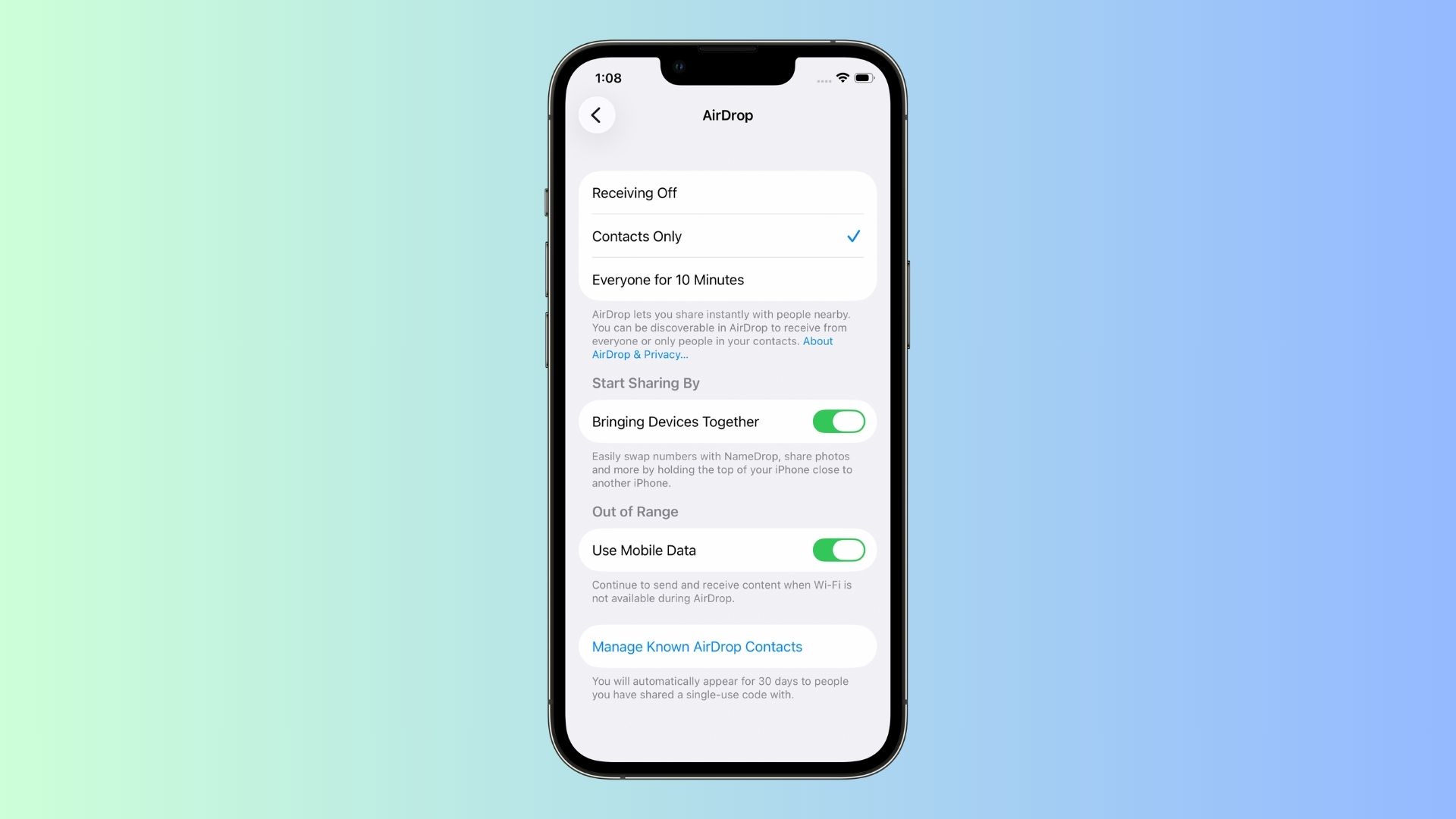
Photo: Rajesh Pandey/CultOfMac
Apple is making AirDrop file sharing even easier. For people not in your contact list, you can generate and share a one-time AirDrop code with them. Both parties can then share files over AirDrop for the next 30 days.
Splash screen in Games app
The Games app shows a splash screen after updating to iOS 26.2 beta 3. It highlights all the new changes, such as the ability to filter your library, improved controller support and real-time challenge score updates.
Drag and drop apps from App Library
iPadOS 26.2 beta 3 introduces a major multitasking improvement. You can now directly drag and drop apps from the App Library, Dock or Spotlight into Slide Over or Split View. This builds on iPadOS 26.1 restoring Slide Over to the iPad.
Smoother animations
In iOS 26.2 beta 3, the Liquid Glass animation feels smoother than beta 2 pic.twitter.com/NyFV8AKulz
— Aaron (@aaronp613) November 17, 2025
The latest iOS 26.2 beta tweaks some Liquid Glass animation, making it feel smoother and faster. The animations are now similar to what Apple showcased during WWDC25.
iOS 26.2 beta 1: What’s new and changed
After iOS 26 brought the sweeping Liquid Glass user interface overhaul in September, subsequent updates to the new iPhone operating system added tools to customize the glossy, translucent look. Some people love the shiny new look of Liquid Glass, but others find it makes words on the screen difficult to read. Or they just think it looks tacky.
iOS 26.1 and the first iOS 26.2 beta make it possible for users to find their Liquid Glass happy zone.
And, aside from new Liquid Glass customization options, iOS 26.2 beta 1 packs several other minor but useful changes aimed at improving the overall usability of the iPhone operating system.
Changes in Sleep Score
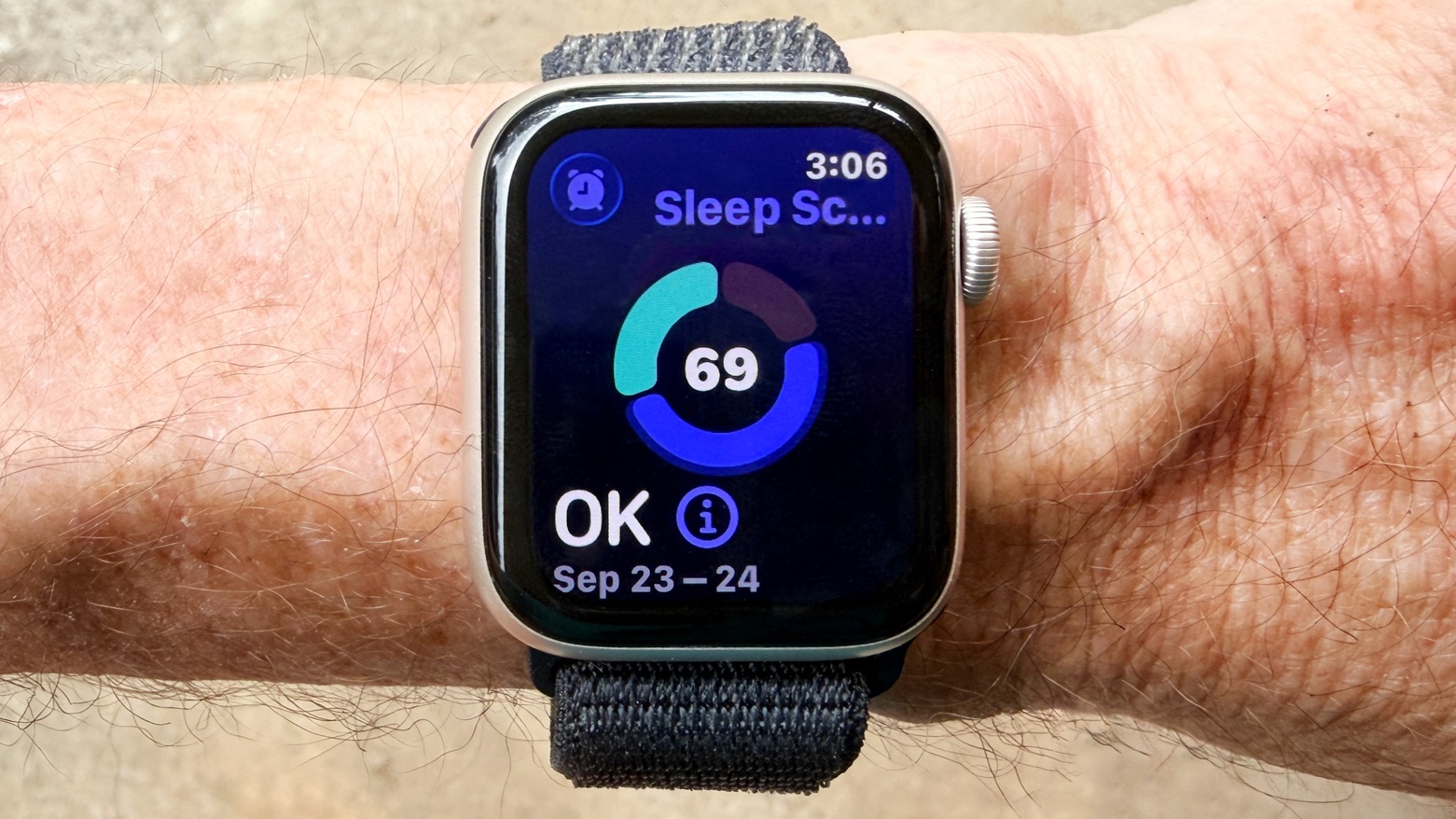
Photo: Ed Hardy/Cult of Mac
iOS 26.2 beta 1 tweaks how the Sleep Score is calculated on the Apple Watch and Health app. The feature debuted as part of watchOS 26 in September.
The company is increasing the threshold for each sleep level. It also renamed the “Excellent” Sleep Score to “Very High” to fall in line with other labels.
The new Sleep Score ratings in watchOS 26.2 and iOS 26.2 are as follows:
- Very low: 0 to 40 points
- Low: 41 to 60 points
- OK: 61 to 80 points
- High: 81 to 95 points
- Very high: 96 to 100 points
AirPods Live Translation expands to the EU
With iOS 26.2, Apple will roll out Live Translation for compatible AirPods models to the European Union. The feature allows AirPods to provide a real-time translation of what the other person is saying in your preferred language.
Live Translation debuted with iOS 26 and works on AirPods Pro 2, AirPods Pro 3 and AirPods 4 with ANC. It supports Chinese, English, French, German, Portuguese, Italian, Japanese, Korean, Mandarin and Spanish languages.
Design tweak for Apple News app
Apple made a minor but useful design change to the Apple News app in iOS 26.2. It now displays important categories like Sports, Puzzles, Politics, Business and Food at the top for quick and easy access to relevant topics.
Trigger alarms for Reminders
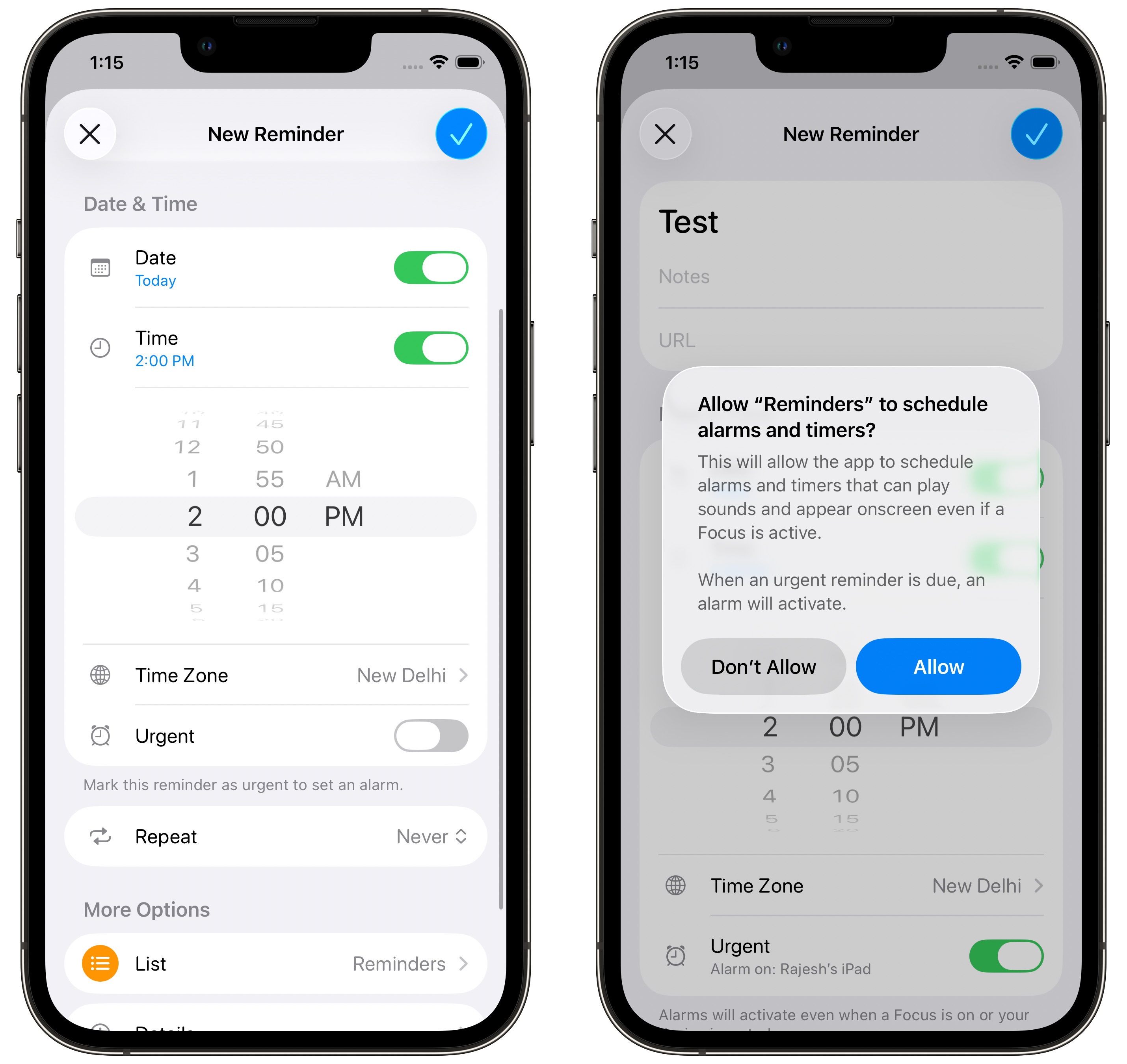
Photo: Rajesh Pandey/CultOfMac
iOS 26.2 will make the Reminders app better by allowing you to add alarms or timers as triggers for a reminder. You switch on the Urgent toggle when creating a reminder to use the new feature.
Any such reminder notification will get a higher notification priority and can even bypass Focus modes to grab your attention.
Enhanced Emergency Alerts
iOS 26.2 beta 1 adds a new Enhanced Alerts section. Located under Settings > Notifications, it will provide more detailed alerts for earthquakes and other imminent threats. There’s also an Improve Alert Delivery toggle, which uses your location to improve the timeliness and reliability of safety alerts.
Liquid Glass Lock Screen slider
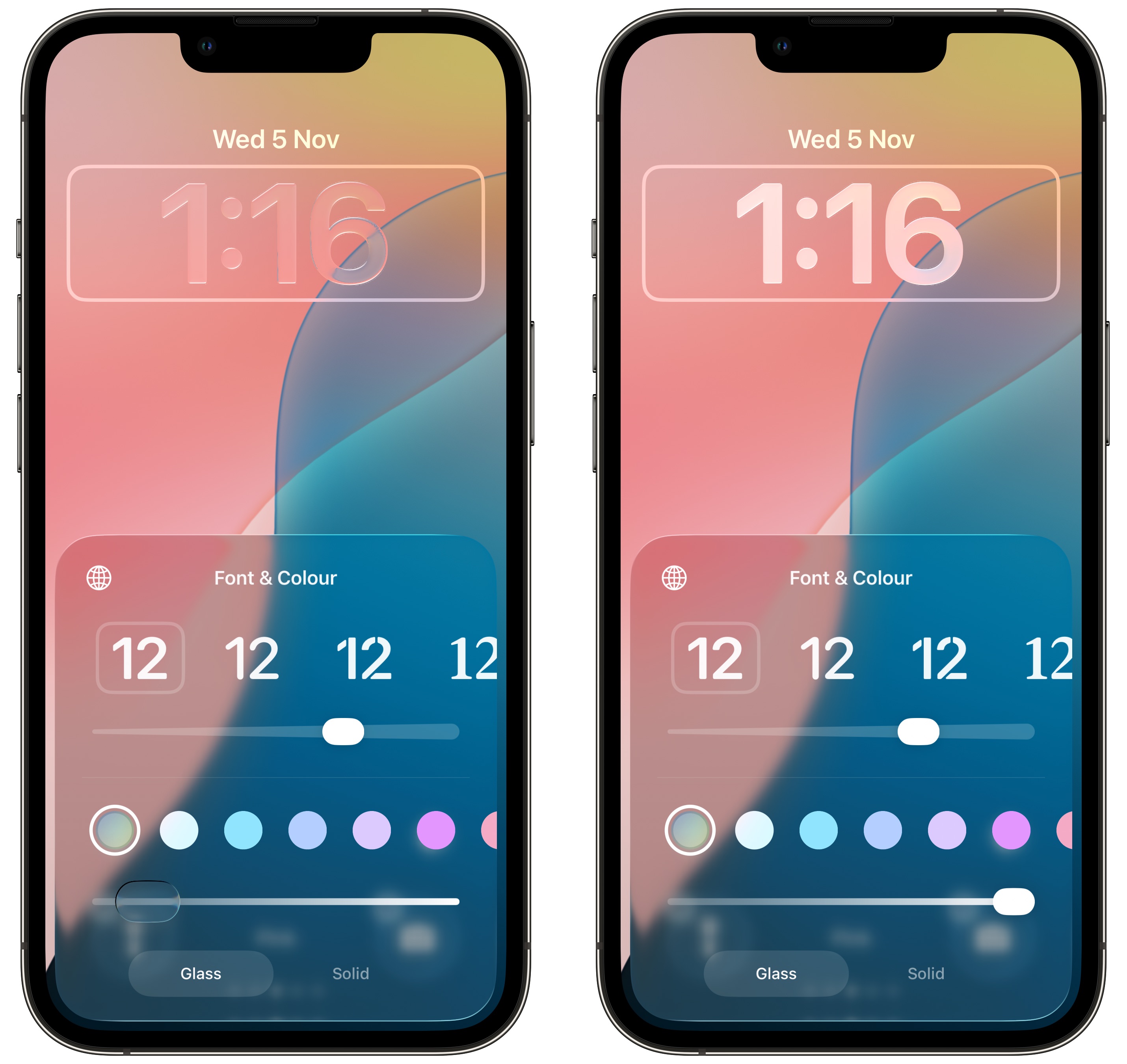
Photo: Rajesh Pandey/CultOfMac
Building on the Liquid Glass customization option introduced in iOS 26.1, Apple added a Liquid Glass slider for the iPhone’s Lock Screen in iOS 26.2 beta 1.
The slider is available for all the Lock Screen font options. You can drag the slider to the right to make the font more tinted to improve readability. Alternatively, you can give the clock an even more glassy look. Compared to the system-wide Liquid Glass toggle in iOS 26.1, which only offers Clear and Tinted options, the new slider provides greater flexibility.
Longer AirDrop duration
While not live, the first iOS 26.2 beta reportedly contains references to a new AirDrop feature for sharing files with other iPhone users. It will supposedly allow you to send a PIN to another contact. This will enable AirDrop sharing with them for the next 30 days — up from the current limit of 10 minutes.
Enhanced Podcasts app
The first iOS 26.2 beta adds three new features to the Podcasts app. Firstly, it can now automatically create chapters, enabling you to jump to a relevant section easily. Second, you can see and follow other podcasts mentioned in an episode right from the transcript and player itself.
Lastly, all links shared in a podcast will now be visible on the episode page.
Noticed any other changes in iOS 26.2 beta 1? Drop a comment and let us know!

Rajesh has been writing about consumer technology for over a decade, with a strong focus on iPhones, Macs and Apple’s ecosystem. He enjoys digging into Apple software updates, hardware changes, and discovering new Mac apps that make work faster and more enjoyable.
You can reach out to him at mail[at]rajeshpandey.me.

