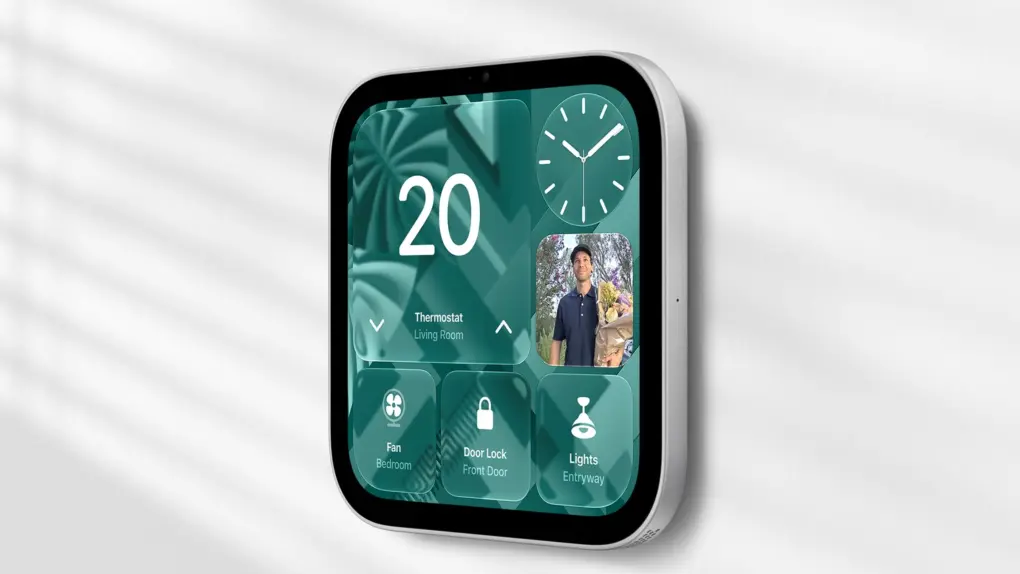
Apple’s HomeView Software 27.2.1 update is now live, and it squashes three bugs plaguing Apple’s new smart home hub. This is the device’s first post-launch software release.
The timing is notable: HomeView arrived last Friday, and some early owners quickly ran into trouble with Siri. Thankfully, Apple is already moving to patch it.
What the HomeView 27.2.1 update fixes
HomeView is a computer and it needs an operating system. It might have been called homeOS to fit with iOS, macOS, iPadOS, etc, but Apple went with HomeView Software.
Apple’s release note for HomeView Software 27.2.1 lists three fixes. The first one targets a Shared Album bug. When a user is setting up the Photos face, it could stop HomeView from downloading Siri support, leaving the chat assistant unavailable.
The second fix helps if the HomeView is paired with an iPhone or iPad on iOS 27.3 or iPadOS 27.3 beta. Apple says that setup would cause Siri requests to fail.
The third and the last one stops a nasty surprise. If someone connected to another home hub, it could unexpectedly remove HomeView from the home.
Some user complaints remain
Owners have reported a plethora of issues since launch. Some forum posts describe HomeView refusing to set timers and alarms. Others say Siri sometimes takes a few minutes to respond or music commands fail outright.
Apple’s notes don’t mention alarms, timers or music. This means it’s unclear whether this update helps with those issues. However, it may have addressed some of them through Siri fixes.
But not everyone is affected. Several owners say their units work just fine. A reboot of HomeView, iPhone or both has helped clear the problems for some.
Door locks still need the December update
One Siri problem is still missing from the release. Reviewer Joanna Stern hit a snag where Siri AI wouldn’t unlock her door or open her garage by voice. That happened even after HomeView recognized her. Apple said a software update will enable this next month.
How to install the update
To install HomeView Software 27.2.1, start on your iPhone, open the Home app and tap the three dots in the top right corner. Then head over to Home Settings and go to Software Update.
Or you can also install it from the Settings app on HomeView itself. The Home app on an iPad or Mac works too.

Anurag Chawake is a tech-focused writer specializing in smartphones, apps and consumer technology. His interest in computers began during the Windows 98 era, eventually leading him to explore everything from operating systems to mobile devices and PC hardware. Anurag previously contributed to The Indian Express, covering Apple, Android, gaming and the broader technology landscape.