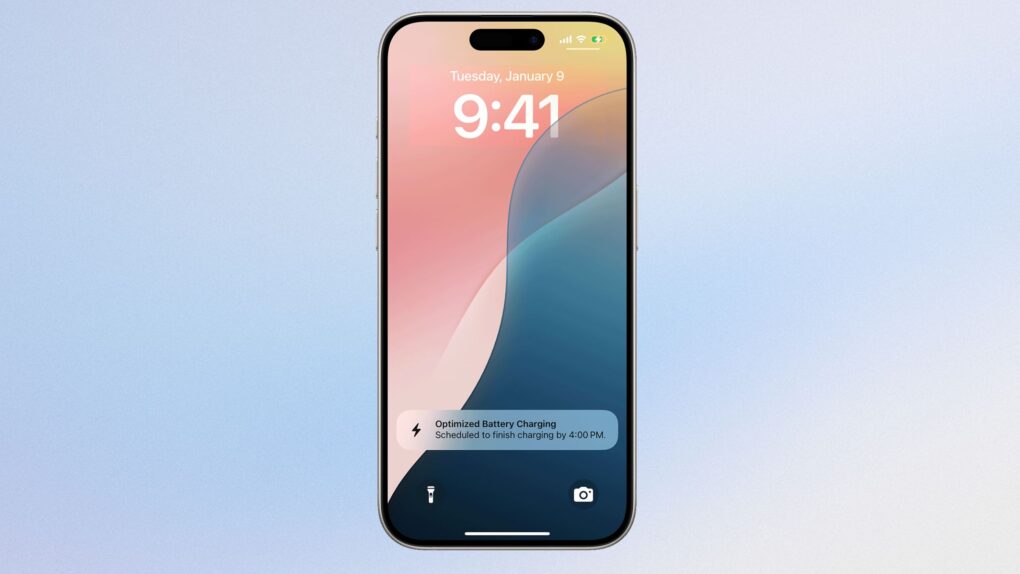
Charging your iPhone to 100% won’t instantly fry your battery. But regularly keeping it at full charge for hours matters more than you might think.
The real culprit isn’t the charge itself — it’s how long your phone stays plugged in at maximum capacity. Apple’s built-in tools do help, but temperature and charging habits matter even more.
Why iPhone battery charging matters
All iPhones use lithium-ion batteries, which naturally degrade with every charge cycle. Apple designs them to retain 80% capacity after 1,000 cycles. With iPhone 15 and older, the batteries were designed for 500 charge cycles. In real-world use, that translates to three to five years of daily use before the battery drops below 80% health.
One cycle means using 100% of battery capacity. This can either happen in a single 0-to-100 charge or be spread across several days of partial charges. That math stays the same.
Also, degradation isn’t linear. Some months, your battery drops faster; other times, it barely changes. Temperature, usage patterns and charging habits all affect the timeline.
Time at 100% is the real issue
Science shows lithium-ion batteries experience more stress when kept at very high charge levels for extended periods, especially in warm environments. This means a battery sitting at 100% overnight creates chemical stress inside the cells.
A quick top-up to full charge is fine. The problem is leaving it there for hours while plugged in. This is exactly why Apple introduced Optimized Battery Charging back in iOS 13.
How the iPhone’s Optimized Battery Charging works
The feature works by learning your daily routine using machine learning. When enabled, your iPhone charges to 80% normally, after which it pauses. And just before you typically unplug the device, it will finish charging to 100%.
But your iPhone will only do this when it predicts extended charging time. If you need the full charge immediately, you can override it with just one tap.
Apple has made this the default on newer iPhones. The company’s own support documentation says turning it off increases battery wear and reduces lifespan.
Heat kills batteries faster than anything else
However, when it comes to battery life, temperature matters far more than charge percentage. Apple says iPhones perform best between 32 degrees and 95 degrees. Anything above the upper limit can permanently reduce the lifespan of the battery.
You should avoid charging your iPhone in direct sunlight or inside hot cars. And don’t game while your phone is charging. All these activities trap heat and accelerate degradation.
Another thing to note is that fast chargers and wireless charging generate more heat. So make sure to use certified charging devices and avoid cheap third-party cables.
The 80% threshold explained
When your iPhone’s battery health drops to 80%, Apple considers it degraded. Below this mark, lithium-ion batteries can’t deliver peak power during CPU spikes.
This is why iPhones started throttling performance at lower battery health. It’s a safeguard, not a bug. Some older models like the iPhone 6s would shut down unexpectedly without this protection (Apple settled a class-action lawsuit over the issue.)
Most users don’t need to worry until hitting 80%, and Apple won’t replace the battery in-warranty until it reaches that threshold.
What you should actually do to make your iPhone battery last
To extend your iPhone’s battery life, you should eable Optimized Battery Charging. It’s on by default, but double-check in Settings. For iPhone 15 and later, go to Battery > Charging. If you own an older model, go to Battery > Battery Health & Charging.
Keep your iPhone between 20% and 80% charge when possible. Avoid extreme temperatures, and don’t let your phone sit at 100% for extended periods.
That said, charging to 100% occasionally is completely normal — Apple designed iPhones to reach full capacity safely. The damage comes from repeatedly keeping it maxed out for hours.

Anurag Chawake is a tech-focused writer specializing in smartphones, apps and consumer technology. His interest in computers began during the Windows 98 era, eventually leading him to explore everything from operating systems to mobile devices and PC hardware. Anurag previously contributed to The Indian Express, covering Apple, Android, gaming and the broader technology landscape.


One response to “Does charging your iPhone to 100% really hurt the battery?”
What about the charge for a MacBook? Should that also not be kept at 100% for longer times? The issue being often people use a MacBook connected to power for the whole day.