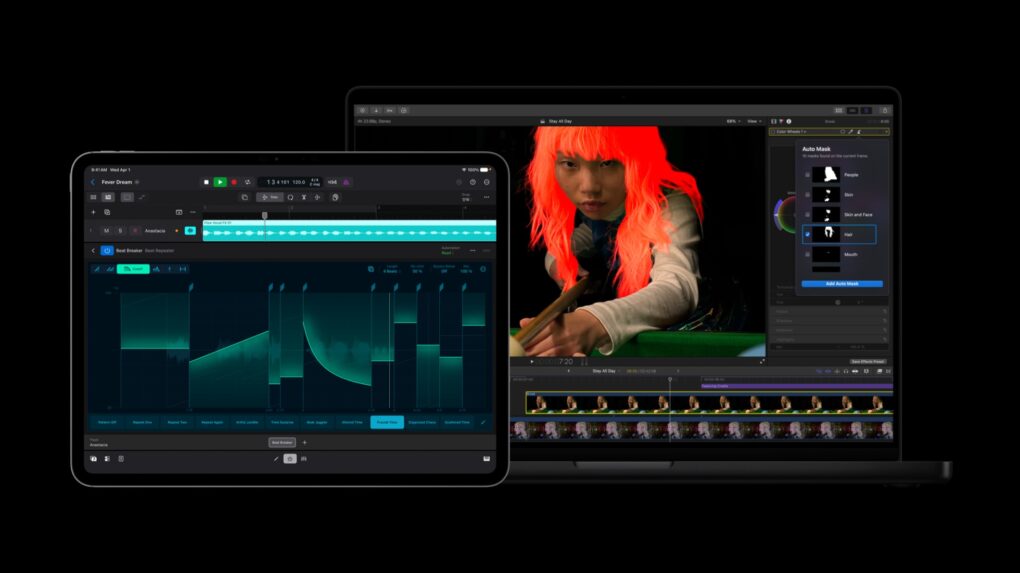
Apple rolled out a fresh batch of updates to Apple Creator Studio Tuesday, sharpening AI features inside its flagship video and music apps while weaving Pixelmator Pro’s editing tools directly into Final Cut Pro, Keynote, Pages and Numbers.
The updates expand on the role Mac, iPad and iPhone already play for creative work. They layer in new AI capabilities across editing, photo and music workflows.
Apple Creator Studio updates sharpen editing tools and tighten app integration
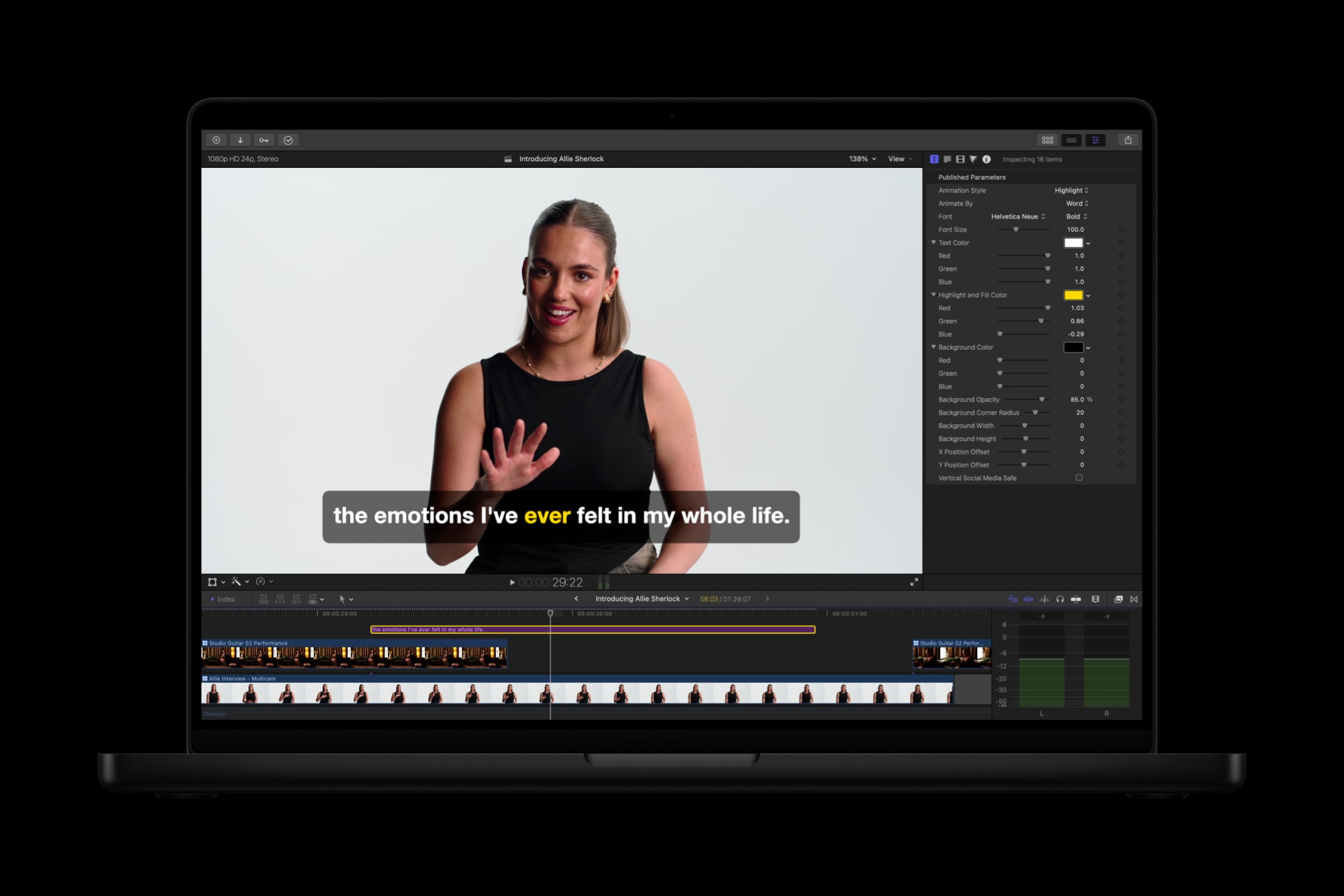
Photo: Apple
With the updates to the Apple Creator Studio suite of apps, Final Cut Pro picks up two AI-driven tools editors have wanted for a while, Apple said. Generate Captions transcribes audio automatically and drops the resulting subtitles into the timeline, with options to animate the style and adjust font, color and position. A companion tool, Edit Detection, scans a rendered video and reconstructs the original clip breakdown on the timeline, so editors can jump back into a project or pull together a quick highlight reel without hunting for old edit points. Apple built both features to run on-device.
Mac editors also gain Auto Mask, which identifies elements like skin, hair, sky, foliage and clothing without manual tracking, showing a live preview when a user hovers over a clip. It pairs with the existing Magnetic Mask tool for finer control. Elsewhere, Match Color now produces more natural color matches across varied footage and lighting once editors pick a reference frame, and a new Advanced Trimming option lets users adjust incoming and outgoing frames individually.
Apple said Motion now keeps vector graphics sharp at any size and adds a Distribute Layers tool that speeds up complex animation setups. Compressor introduces an Immersive Metadata Viewer, support for 180-degree video aimed at Apple Vision Pro and a stereoscopic preview mode.
And the free Final Cut Camera app for iPhone and iPad picks up Clean HDMI Out for external monitors, broader ProRes support and an option to switch off digital zoom.
Pixelmator Pro moves into more apps
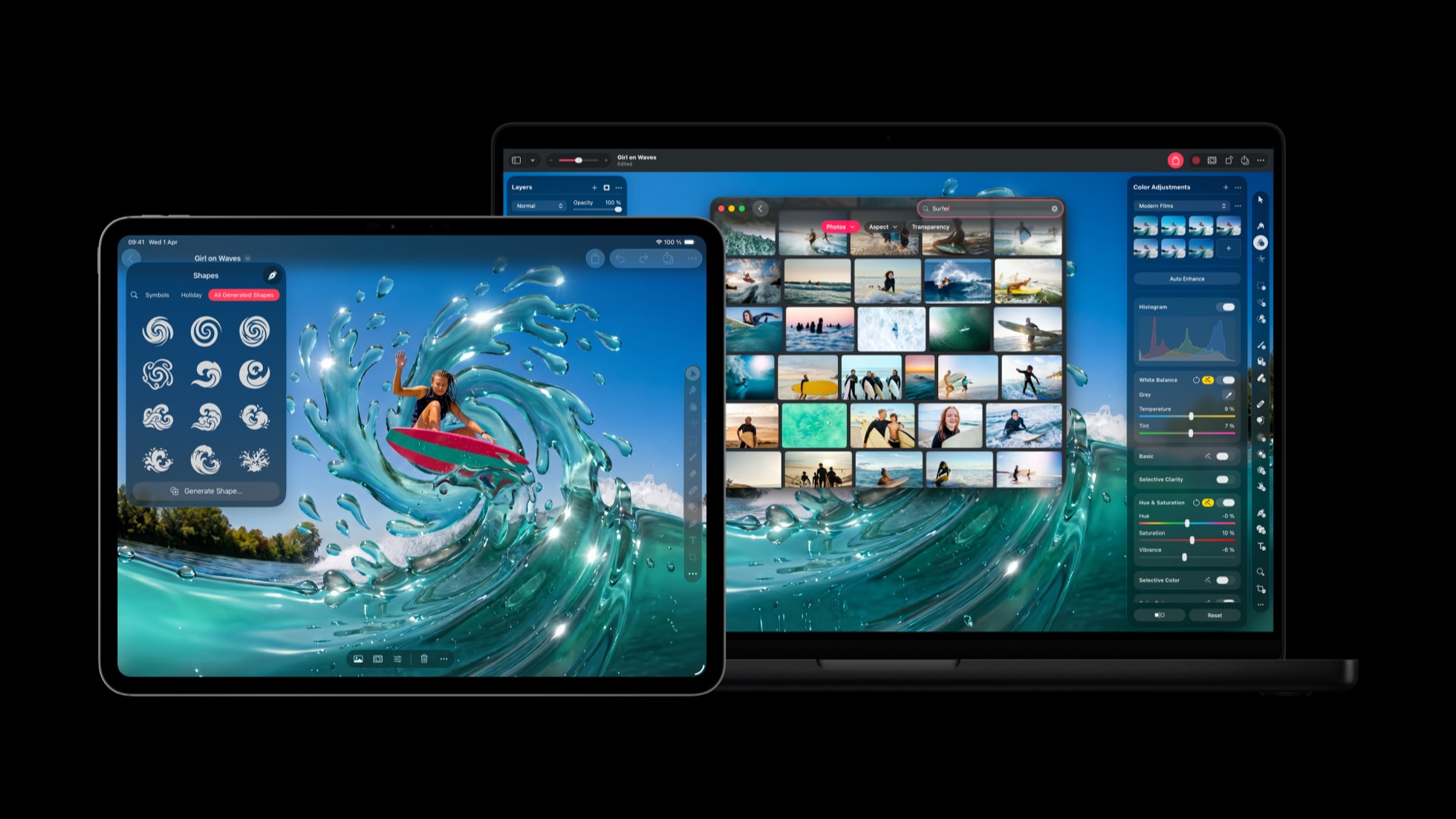
Photo: Apple
Rather than keeping its photo editor siloed, Apple now lets people reach Pixelmator Pro’s tools from inside other apps. Final Cut Pro editors can send a chosen frame straight to Pixelmator Pro to build thumbnails or social graphics. Then they can drop the result back into the timeline. In Keynote, Pages and Numbers, selecting any image opens it directly in Pixelmator Pro for editing. Changes get saved back to the document automatically.
A shape-generation tool also spreads across the suite. Pixelmator Pro, Keynote, Pages and Numbers can all generate vector shapes that users refine and store in a dedicated collection for later use. And Pixelmator Pro inherits image generation through natural-language prompts and a Content Hub stocked with stock photos, graphics and illustrations.
Apple rounded out the productivity apps with smaller fixes, too:
- Keynote gets new transitions and builds.
- Pages on iPhone and iPad adds auto-hyphenation and an option to reveal invisible characters.
- Numbers lets users hide or color-code sheets in dense spreadsheets.
- Freeform will catch up later this year, gaining shape generation, Pixelmator Pro integration, dark mode, board-organizing folders and Mac drawing support once iOS 27, iPadOS 27, and macOS 27 ship.
Logic Pro digs into chords and grain synthesis
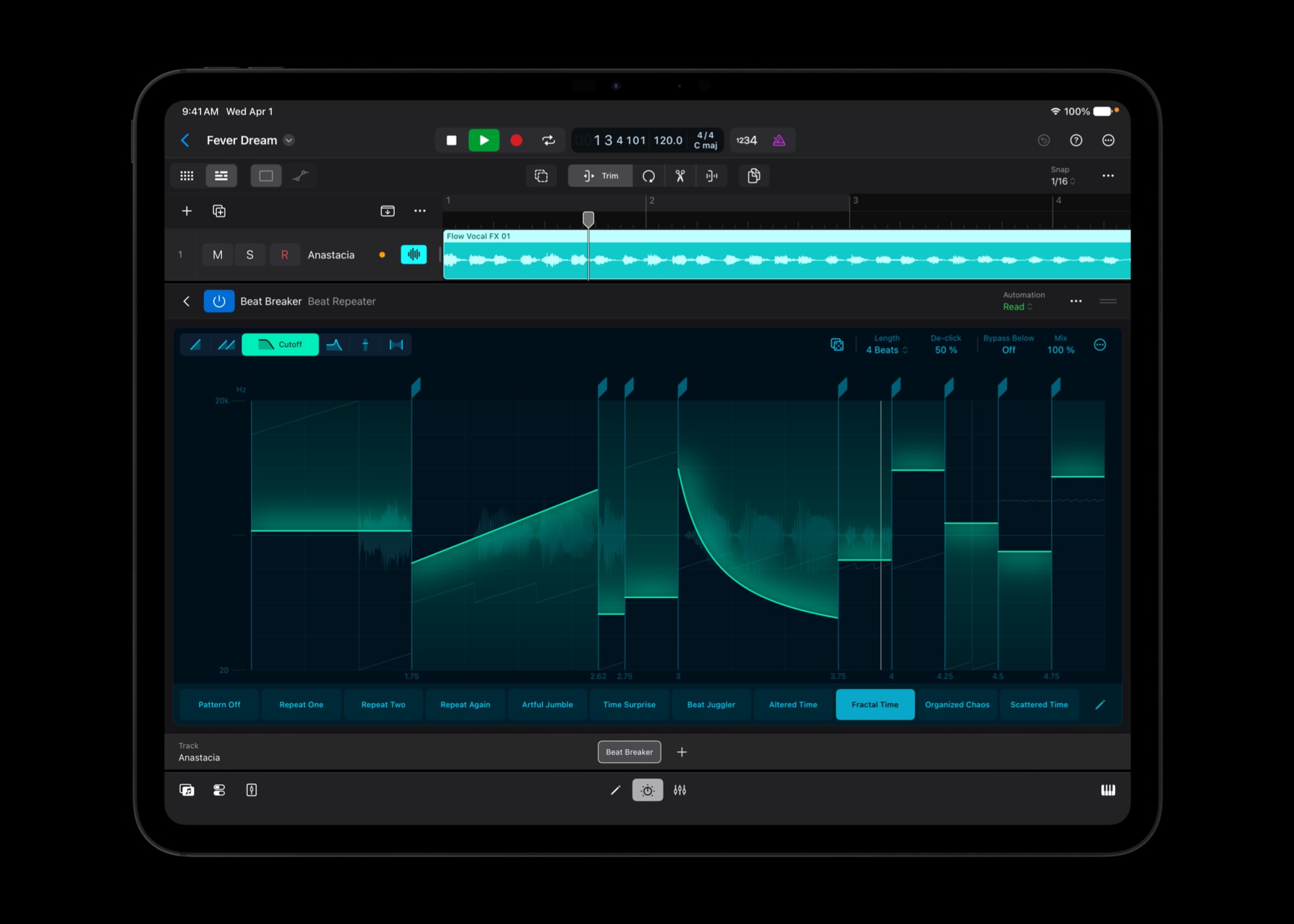
Photo: Apple
Musicians get their own round of upgrades. Apple rebuilt Chord ID so it reads extended chords and inversions more accurately, even when played on a distorted guitar or a slightly out-of-tune piano. That helps Session Players respond to changes faster. A new Producer Project walks users through the full session behind the track “Shoulda Never.” It’s produced by Khris Riddick-Tynes, preserving every multitrack recording, MIDI performance and vocal take.
For sound designers, Logic Pro’s sample-manipulation synthesizer, known as Alchemy, adds a granular sync mode for new approaches to sound design. It’s paired with a new Granular Alchemy Sound Pack of loops and presets built for it.
Beat Breaker also expands to Mac and iPad with added filter and pan modes plus randomization controls for finding rhythmic variations.
Pricing
The update lands free for existing Apple Creator Studio subscribers. New subscribers pay $12.99 a month or $129 a year, with a one-month free trial and three free months for anyone buying a qualifying new Mac or iPad. Students and educators can subscribe for $2.99 a month or $29.99 a year, and families can share the bundle across six accounts.
Apple still sells the individual apps as one-time purchases on the Mac App Store, while Keynote, Pages, Numbers and Freeform remain free on every new device.

David Snow, an expert on Apple hardware and software, writes on a variety of technological and cultural topics for Cult of Mac. They include Apple news, technology buying guides, and features about computer setups and Apple TV shows and movies.
With 30 years of experience covering technology and other subjects, he has written and edited for numerous print and online publications, including CMP Media, TechTV.com, CNET, Wired News, Red Herring magazine, Law.com, The National Law Journal and Law Technology News magazine. Among other roles, he served as executive editor of the Law.com network of websites and editorial director, technology, for ALM Media.
Snow graduated with a B.A. from Syracuse University with majors in magazine journalism and psychology. While there, he worked as a reporter for The Daily Orange newspaper and associate editor of Equal Time magazine.
Founder of the blog At the Waterline, he can be reached on X (formerly Twitter) via @atthewaterline and on Mastodon via @dsnow.

