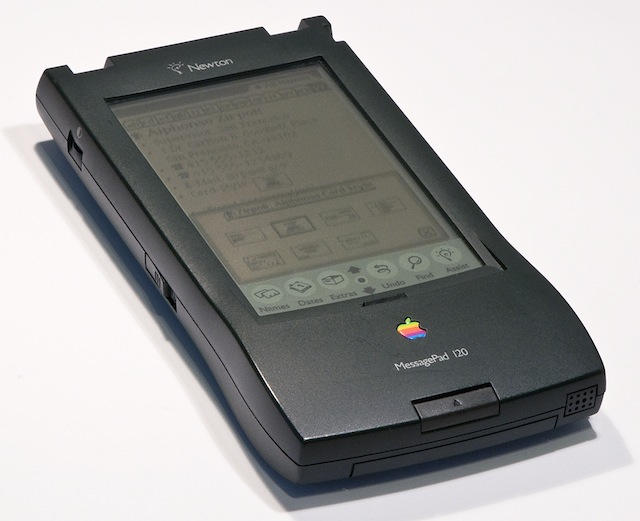
One of the first things Steve Jobs did on his return to Apple was kill the Newton, the brick-sized messagepad that some blame for dragging the company towards bankruptcy. But John Sculley argues that the Newton actually prevented Apple from going out of business.
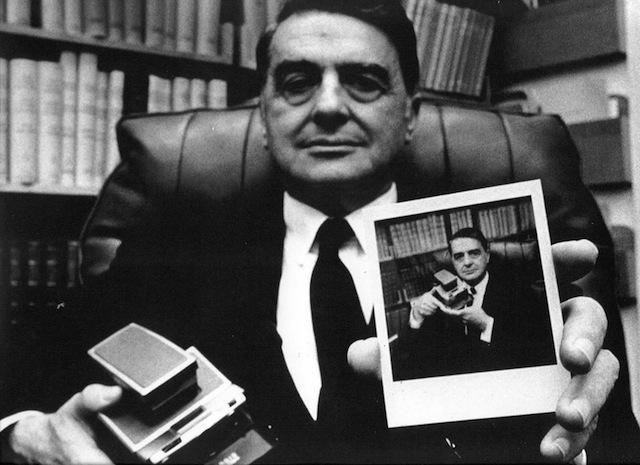
When Steve Jobs went to visit Dr. Edwin Land, inventor of the Polaroid camera, the two inventors agreed that products aren’t invented — they are discovered.
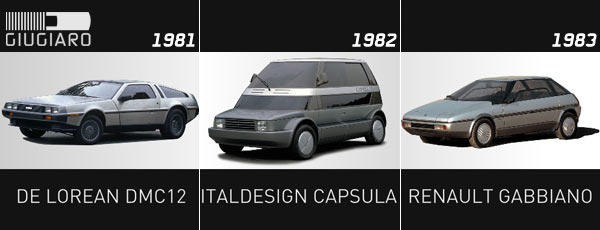
Engineers are far more important than managers at Apple — and designers are at the top of the hierarchy. Even when you look at software, the best designers like Bill Atkinson, Andy Hertzfeld, Steve Capps, were called software designers, not software engineers because they were designing in software. It wasn’t just that their code worked. It had to be beautiful code. People would go in and admire it. It’s like a writer. People would look at someone’s style. They would look at their code writing style and they were considered just beautiful geniuses at the way they wrote code or the way they designed hardware.
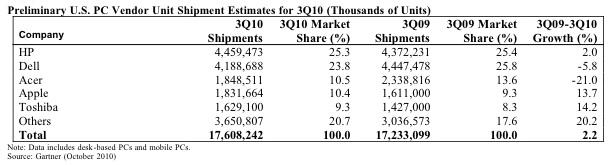
As Apple prepares to show off the next big upgrade of OS X, here’s news that its Mac hardware has cracked 10% PC market share for the first time since the early 1990s.
According to market research firm Gartner, Apple had 10.4% of U.S. PC shipments in Q3, making it the fourth largest computer maker in the U.S.
Gartner didn’t even count iPads, which are a runaway hit. But they had an effect on other PC makers’ numbers. Gartner said Q3 was weak, especially in the U.S., thanks in big part to the iPad.
“Media tablet hype around devices such as the iPad has also affected consumer notebook growth by delaying some PC purchases, especially in the U.S. consumer market. Media tablets don’t replace primary PCs, but they affect PC purchases in many ways,” said Mikako Kitagawa, principal analyst at Gartner, in a statement. “At this stage, hype around media tablets has led consumers and the channels to take a ‘wait and see’ approach to buying a new device.”
Steve Jobs rebuffed student journalist Chelsea Kate Isaacs dogged pursuit of a comment on campus Macs with “Please leave us alone.”
But the 22-year old has now discovered that not all tech companies are so hard to cover.
Issacs sent in a 140-character statement about why she should be picked in a Microsoft contest to cover the launch of Windows Phone 7 — and won. (All speculation about what that Tweet-sized application said are welcome in the comments).
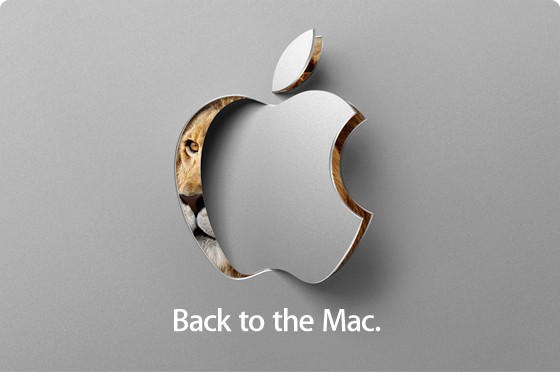
Apple is sending out invites to a special media event on October 20 to discuss the next version of OS X. Although the invite doesn’t expressly say so, the event must be about 10.7. “Back to the Mac,” the invite says, showing a lion peeking out of the Apple logo.
Surprising right? We thought it was all about iOS in Cupertino these days. But apparently the good old Mac is still alive and kicking and Steve Jobs hasn’t forgotten about it.
It won’t be the first time Apple has given a sneak peek of its operating system long before it shipped. In 2008, Apple previewed Snow Leopard at WWDC about a year before it was released.
John Sculley, Apple's ex-CEO, talks for the first time about Steve Jobs. Illustration by Matthew Phelan. Illustration: Matthew Phelan
On Thursday, we’ll be publishing an exclusive interview with ex-Apple CEO John Sculley. It’s the first time Sculley has talked publicly about Steve Jobs since he was forced out of Apple in 1993.
In the interview, Sculley reveals the secrets of Jobs’ methodology, and a few surprises:
Macs are solid machines, but (like many of us) they have a tendency to slow down and get more lethargic over time. Launching and switching programs takes longer, the dreaded Spinning Beach Ball appears more often, and soon even simple tasks become arduous. What’s going on?
Many things can decrease performance, but several culprits are common: not enough disk space, not enough RAM, and running too many apps at once. I see these in my consulting business regularly.
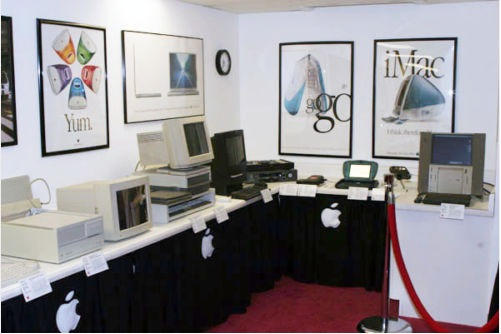
Who says old computers are worthless? The (former) Mac Museum of Franklin Park NJ, which we reported up for sale on eBay last week, has found a buyer. Closing price after 20 bids: $10,000!
The Museum’s models include the Lisa, Mac 128k, Plus, SE/30, Color Classic, Mac Portable, TAM, Newtons, etc., along with lots of posters, peripherals and paraphernalia. It’s a very respectable price for a longtime labor of love, hopefully the buyer will be able to fulfill curator Gil Poulsen’s goal of making the collection more publicly available.
In related news, Vintage Mac collectors worldwide are now updating their own inventory valuations…
Vintage Macs come and go, Vintage Mac Museums typically tend to Grow. One particularly impressive Museum is Moving On. The Mac Museum of Franklin Park, NJ has been put up for sale on eBay:
Due to the owner’s pending relocation, The Mac Museum of New Jersey is closing its doors, and this wonderful collection of vintage Macs and rare Apple products is being sold.
This famous collection and its curator have been featured on CNN, MacAddict magazine and The RetroMacCast podcast. The auction of consists of more 20 rare and distinguished Apple products, several books, manuals, installer floppy disks and CDs, along with nine framed posters, speciality items and more. Note: This collection will only be sold in its entirety as a complete collection. [eBay]
Models include the Lisa, Mac 128k, Plus, SE/30, Color Classic, Mac Portable, TAM, Newtons, etc., along with lots of posters, peripherals and paraphernalia. A trove of Mac lore indeed; if I had the room, and the money, I’d love to add this all to my owncollection. How much is all this Mac history worth?
We’ll know on October 7, when the auction ends. Some lucky collector will take the prize – then need to pick it all up in a big truck themselves!
One of the biggest problems with physical media is that it breaks. As soon as your DVD gets a couple scratches it’s rendered un-usable and worthless. Copying a DVD with encryption isn’t as easy as it should be. The good news is that with this walkthrough Cult of Mac will show you how to do it.
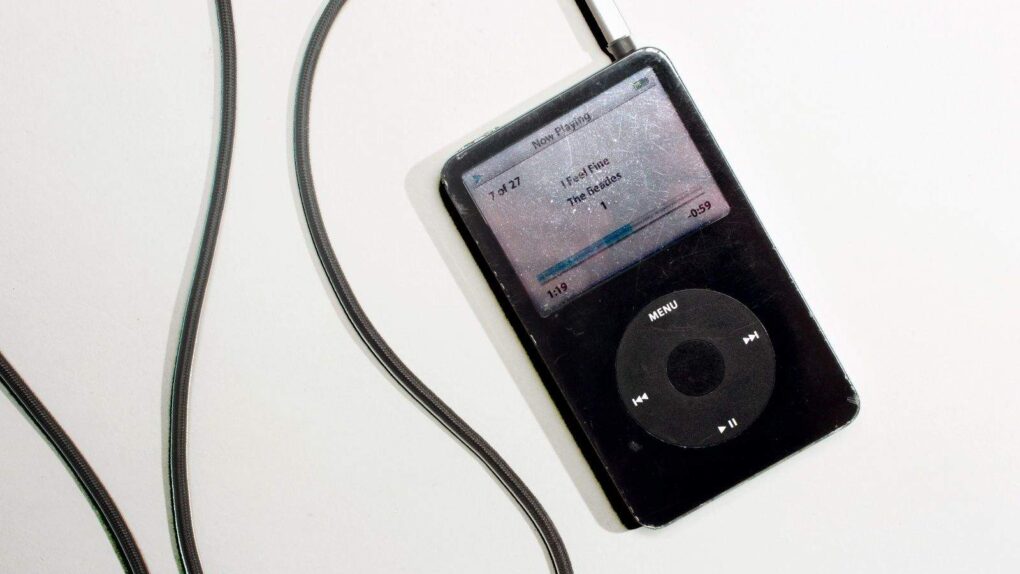
The MP3 made the iPod possible. Photo: Jim Merithew/Cult of Mac
Now that Apple has made iBooks available on all iOS devices users can read their purchased eBooks on a number of different devices. But what if you have a couple large RTF, DOC, TXT, or LIT files of your own that you want to view in iBooks you’re out of luck. In this tutorial we’re going to show you how to get digital and convert your documents into eBooks so that you can enjoy reading them on your iPad, iPhone or new iPod Touch.
Avid will soon begin offering packages of its M-Audio branded audio hardware bundled with an entry-level package of its Pro Tools recording software that could well make a dent in the progress Apple has lately made with Garage Band.
Three offerings priced under $130 will make it easy for first-time Pro Tools users to easily create and record music at home using Avid’s Key, Recording and Vocal studio products with the included Pro Tools SE recording software. Whatever Pro Tools SE may lack in Garage Band’s take-you-by-the-hand user friendliness, it more than makes up for in multi-track recording capability and direct compatibility with higher-end professional grade Pro Tools installations.
Recent updates to Apple’s iLife suite of software included a revamped, juiced up version of Garage Band with well-received interactive learning features that solidified the software’s status as a highly capable tool for creating great-sounding recordings at home. But soon it will become possible to do the same things using an inexpensive version of Pro Tools — with the resulting tracks being readable and usable by the same more expensive studio versions of Pro Tools used by nearly every major recording facility in the world today.
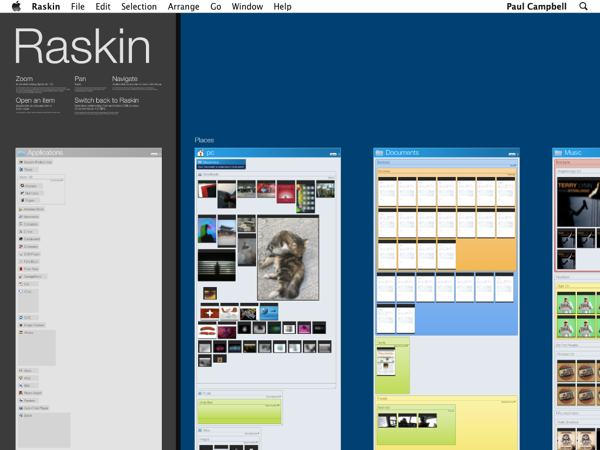
Raskin for Mac is an intuitive Finder replacement for Mac OS, and is the single best reason to go out and buy Apple’s new Magic Trackpad: it totally transforms the desktop experience.
Raskin for Mac uses a visual interface to present all your files on a single page, allowing you to view, arrange and open documents, applications, files and images without opening the Finder. It’s like a giant zoomable photo contact sheet, and makes navigating files and applications very easy and fast. It is inspired by the work of Jef Raskin — the legendary computer interface designer and father of the Mac computing experience.
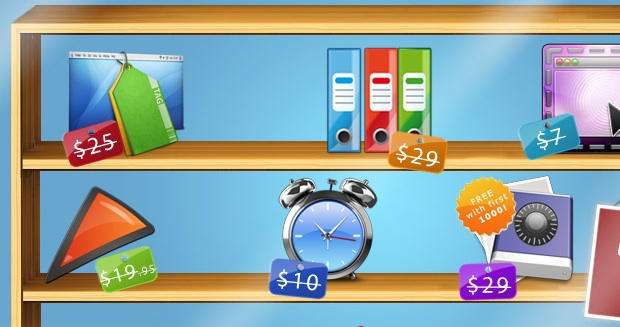
The Bundleeicious folks are back with a $10 bundle of six Mac apps, worth over $100 if each were bought separately.
Included are the $29 iDatabase, a database app that has a companion iPhone app (available separately for $3) and Punakea, a $25 app that allows users to organize files with tags.
The bundle will be around for nine more days before disappearing. Hit the jump for a preview of what else is included:
Ever been singing along to a new song and wondered just what the heck the lyrics really are? Searching for the lyrics on the internet isn’t the fastest of solutions to avoid lyric confusion. Here we’re going to show you how to utilize scripts and a widget to search out the lyrics for all of the songs in your iTunes library and automatically save them to song’s meta data, so that next time you can correct your friend when they sing “where’s my Asian friend,” when the lyrics really are, “what’s my age again.”
All Mac applications and system functions have preferences, but there are often more options available than are accessible via the User Interface. Using the Terminal in Mac OS X in conjunction with the defaults write command, you can control behavior of the Finder, iTunes, etc. in ways that you otherwise can’t.
We noted the use of this command with the iTunes 10 button fix last week: defaults write com.apple.iTunes full-window 1
Following is a list of some other useful commands I’ve compiled which will work in Snow Leopard.
iPods are great nifty little devices that allow you to take music off of your computer and carry it around town with you inside a magical Apple electronic device. But what happens when you want to transfer the music that’s on your iPod and put it back on your Mac? Despite all of its friendliness, iTunes is unwilling to pry the music of your iPod or iPhone. In this walk-through we’ll show you how to reclaim your music from your iPod and get it back on your Mac.
From Vienna comes news of one of the most striking homes (and Mac home offices) I’ve ever seen. Designed by architects Najjar & Najjar, the owner of Villa F is an IT entrepreneur and aficionado of Macs and Lamborghinis. He wanted a living space that reflected his passions. The futuristic result is something which wouldn’t be out of place on the Starship Enterprise.
There is a vast open space that connects the entrepreneur’s working space with a lounge area, a bar and a kitchen. Almost everything inside the Villa F is digitally controlled. There are Plasma TVs, a huge aquarium with computer generated graphics, LED lighting and sound systems that respond at a click of the mouse. [Born Rich]
PlayNice from PocketMac is a new utility that enables syncing between Windows and Mac OS X. It is designed to be a replacement for MobileMe syncing and it doesn’t require an annual subscription. You can sync contacts, calendars, and tasks between iCal and Address Book on Mac OS X and Outlook on Windows.
Dr. Johan Sanneblad has written, Filerr, a new MAC OS X file utility. The application assists users by making sure that the files they are sharing on their Mac are compatible with Windows computers and Windows OS formatted USB thumb drives.
The application runs in the Mac OS X Menu Bar and will allow you to locate and change the names of files in Finder so they can be copied to Windows OS based systems, drives, and cloud services like Dropbox. Anytime a file with an incompatible filename is created the program will warn you via a Growl notification. Filenames that are deemed incompatible begin with a space character or contain one of the following characters: \ / : * ? ” < > |.
The application will allow you to work with multiple files and has some filtering options to prevent warnings popping up on files in specific folders. You set those folders to be ignored and you can set others to be watched. Files drag and dropped into the watched folders will be checked for compatibility.
Filerr is available as a single-user license for $6.95 and requires Mac OS X 10.5 or higher. You can download a free trial here.
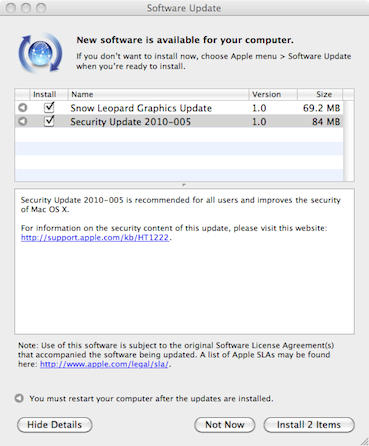
Apple released a Mac OS X security update today that patches a critical PDF vulnerability and a handful of other security issues.
Security Update 2010-005 supplies a fix that addresses a “heap buffer overflow” that exists in CoreGraphics and the way it handles PDF files. The vulnerability could have allowed the “unexpected application termination of arbitrary code execution” via a malformed PDF file.
It is interesting to note that this sounds just like the exploit hackers used to jailbreak iOS 4 on the iPhone. It is possible that it is the same since the two Operating Systems are said to share the same code base. However, there isn’t any indication that this is true in Apple’s support document. Apple released the update for the iPhone exploit, iOS 4.0.2, a few weeks ago.
This update also addresses a “stack buffer overflow” that would allow arbitrary code execution through a malformed embedded font and the remainder of fixes in the update resolve problems with network security.
Security Update 2010-005 is available for: Mac OS X v10.5.8, Mac OS X Server v10.5.8, Mac OS X v10.6.4, Mac OS X Server v10.6.4 via Software Update or direct download.
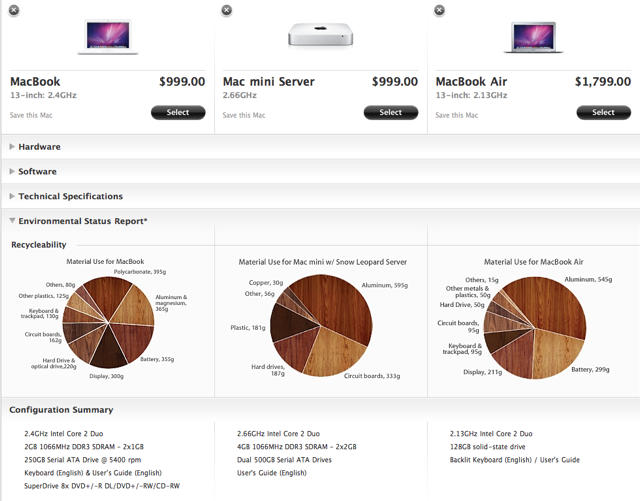
Figuring out which Mac you want to drop your moist wad of bills upon just became a little easier thanks to a new addition to the online Apple store called Compare Macs.
The feature offers a tri-paned juxtaposition of the hardware, software, storage, environmental impact, communications and display of any OS X machine sold by Apple online. The option becomes available in the top menu bar once you select a Mac.
Although there’s nothing particularly revolutionary about the feature, as usual, Apple has managed to execute the new option with such perfection that the HTML5 seems to shiver. Each genre of juxtaposition — Hardware, Software, Technical Specifications, And Configuration Summary — is delineated into specific sections that collapse as you scroll down the page, with each point of comparison flushly horizontal with its comparable brethren. The pie charts under the Environmental Status Report section are particularly well rendered, using different patinas of oak and walnut to attractively convey the green-friendliness of each model.
In truth, Apple’s computer line-up is so well branded that it’s usually pretty clear what performance you’ll get from each computer simply according to where the line model falls within Apple’s spectrum of products. But that’s besides the point: ultimately, “Compare Macs” is just another example of the exemplary interface polish that Apple is known for whether in software, hardware or HTML.