Mobile menu toggle

Mac - page 81

The Alix Leather Laptop Tote Is One Big, Beautiful Bag

By

P1110082

If you’re a packrat like me, and you need a really big bag for your MacBook plus everything else, you should seriously consider the Alix Laptop Tote Bag from J’Tote (pronounced zhe-tote).

I have been toting the Alix around for a month now. I have to say that this bag is my new favorite. It can take a beating and still looks great. If passion is your fashion, this bag is your match.

MobileMe Goes Virtual – Will It Go On Sale In Mac App Store?

By

mobileme_login

According to 9to5Mac MobileMe sales haven’t stopped instead they surmise that Apple is simply moving MobileMe subscriptions to online ordering only.

However, as they pointed out you can only join MobileMe under a 60-day trail. Paying for it isn’t currently possible and you cannot currently order the boxed version.

I think that starting March 2nd we will see MobileMe subscriptions that will be for sale in the Mac App Store.

What do you think?

[via 9to5Mac]

Mac OS X Lion Adds Recovery Partition Support [Gallery]

By

LionRecovery1

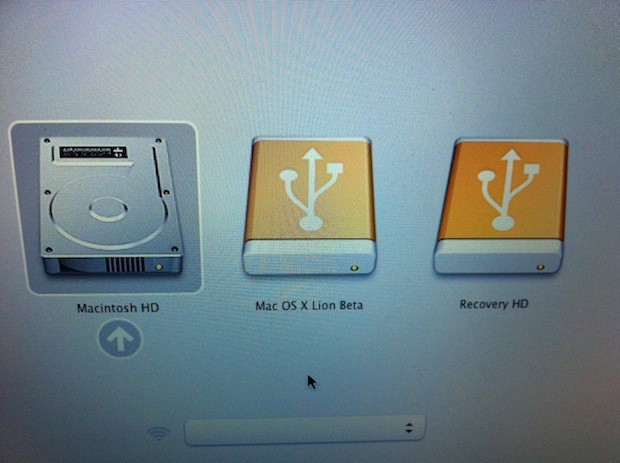
Mac OS X Lion recovery partition.

Apple’s new Mac OS X Lion adds support for a recovery partition as part of the OS installation and while this may not seem important to most users — it is.  Apple is making the tools and resources available to you that will allow you to perform disk repair and recoveries on your mobile Mac while on the road or on your desktop Mac at home. The utilities will be readily available and therefore you won’t have to go hunting for that always elusive DVD or USB stick.

This is because the new partition labeled Recovery HD acts just like the DVDs and USB sticks that Apple has traditionally shipped with its computers. You simply press and hold the Option key after starting your Mac. You are eventually presented with a list of the available boot partitions.

You use the arrow keys to select the boot drive and press Return. The system will then boot from the selected disk. In this instance you would choose the Recovery HD disk to access the Mac OS X Lion recovery partition.

It looks like Apple is going to have another blockbuster OS release later this year. I don’t know about you, but I cannot wait until Lion hits store shelves (virtual or otherwise).

Check out more photos after the read link.

First Look: Lion’s New Mail Client Is So Good [Video]

By

post-83707-image-9c840805d5cc72ca6ae0b75965aea9e1-jpg

https://www.youtube.com/watch?v=cX928KC8jiA

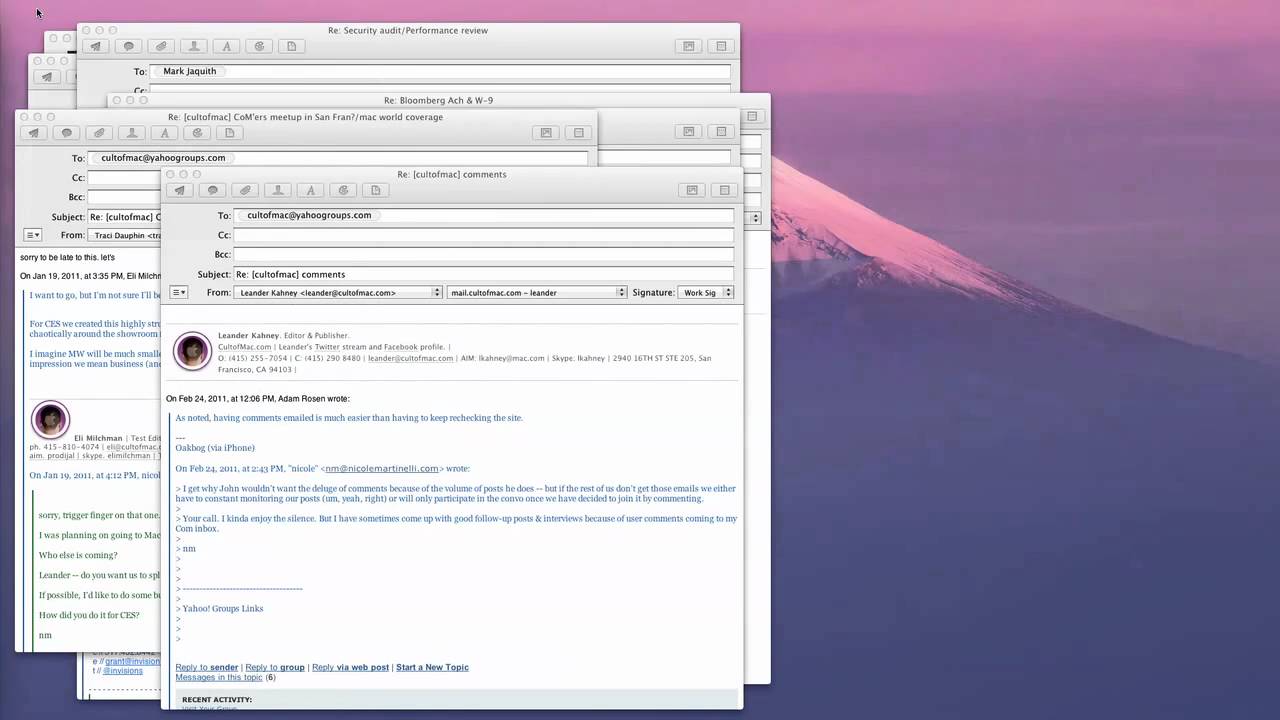
Here’s a quick video tour of the new Mail client in OS X Lion. It’s got a three-pane view, nicely threaded “Conversations,” and a goes full screen. It’s very good. Mail alone is a good reason to upgrade to Lion.

First Look: Mission Control and Launchpad In OS X Lion. One’s Good, One Not So

By

post-83643-image-79c4b1208e84dabaedbf227ed0e28a93-jpg

https://www.youtube.com/watch?v=UC4cguWNFlg

Here’s a quick overview of Mission Control and Launchpad in OS X Lion, Apple’s upcoming major update to OS X.

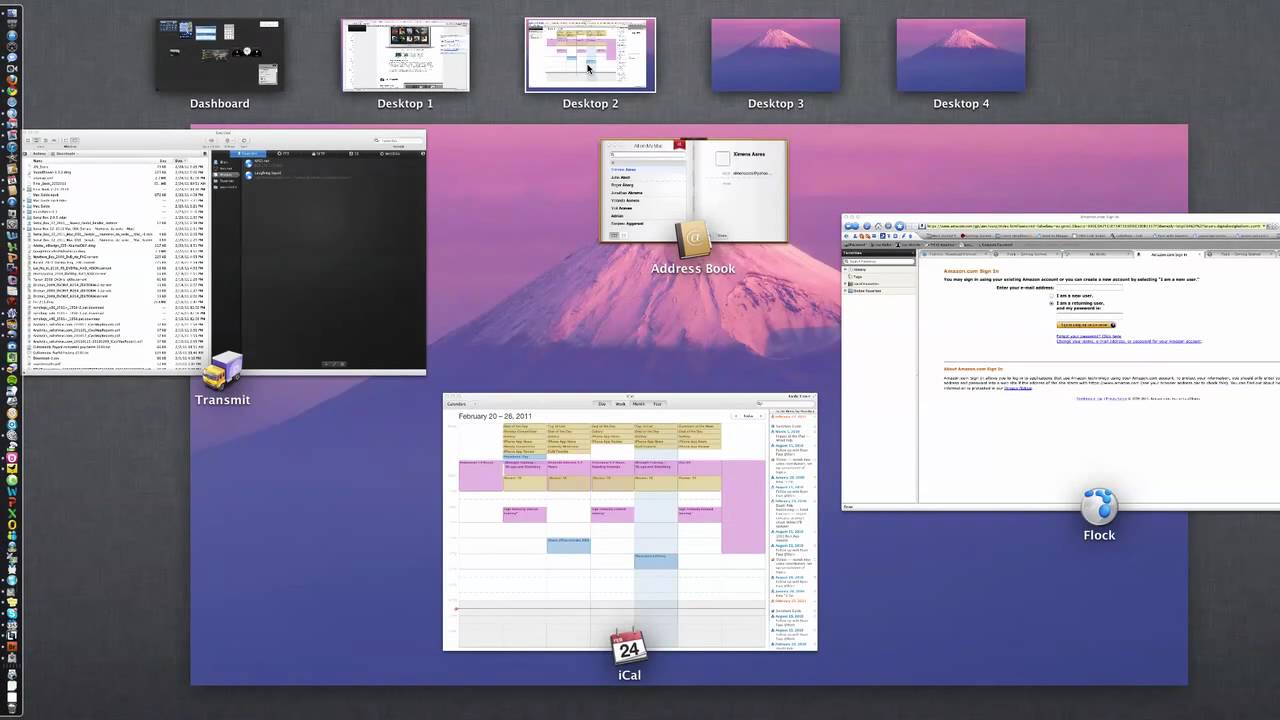
Mission Control is like Expose, Spaces and Dashboard on steroids: Hit a hot corner and all the open windows fly away. You then get an overview of all the running applications, with thumbnails of open windows. There’s also your Dashboard widgets and virtual desktops in Spaces. When it was first previewed by Apple last year, critics said Mission Control was a mess, but I think it’s pretty good. It works really well. It’s much clearer than Expose, and I can see it becoming a central part of my workflow.

Launchpad, on the other hand, won’t be. Launchpad is like the Home screen on the iPad. Icons for all your apps are displayed in a grid. But it suffers from the same problem as the iPad — it’s hard to find the app you’re looking for among the clutter. Much easier to launch a search. Same in Lion.

Why Is Scrolling Backwards In OS X Lion?

By

post-83576-image-5b59bbf63d5d78df58bac063a6e6fa73-jpg

https://www.youtube.com/watch?v=GPzRWca53Is

As you’ve probably heard, touchpad scrolling is backwards in OS X Lion. Instead of pulling your fingers down to scroll down a window, you know push your fingers up.

Confused? You will be. It undoes years of muscle memory. So why would Apple do this?

It’s easy: because of iOS. It’s the same gesture you make on the screen of an iOS device when you scroll up and down the screen. You want to scroll down? You pull the content up.

It’s another example of the influence of iOS on OS X.

Happy-Birthday-Steve-Jobs.com Survive Attacks, Displays 13K B’Day Wishes

By

happybirthdaystevejobs

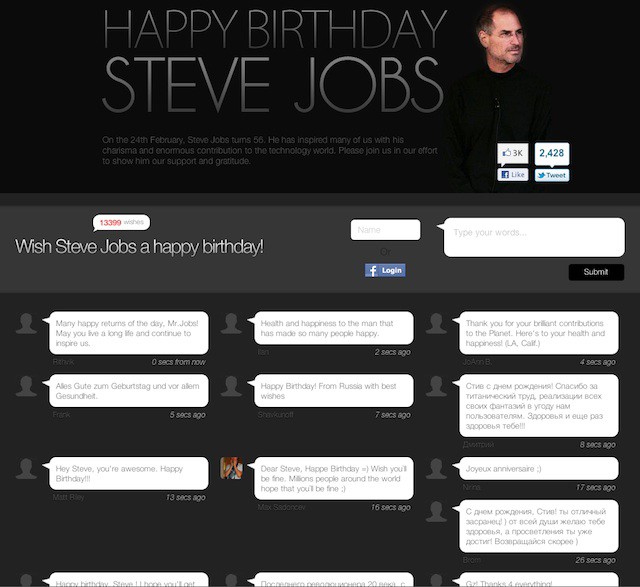
The HappyBirthdaySteveJobs.com tribute website is going gangbusters.

Thrown up a couple of days ago, the site has survived attacks from malicious hackers and has seen more than 45,000 visitors from 147 countries.

It is currently displaying more than 13,000 birthday wishes to Steve Jobs, whose birthday is today.

One of the site admins, London student Raoul-Gabriel Urma, says he’s been up for 48 hours trying to keep the site running. Here are the stats:

OS X Lion Brings Host Of Auto Save Features

By

overview_versions

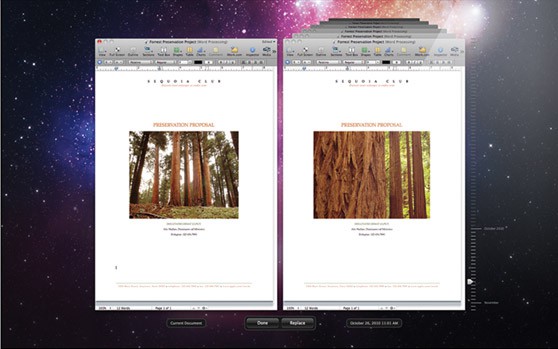
Apple is adding several auto-saving features to Lion, including Auto Save, Versions and Resume.

“Mac OS X Lion automatically saves your work — while you work — so you don’t have to,” says the company.

One of the most interesting implications is that you may never have to quit an application again, or go hunting for the file you were working on.

See OS X Lion’s New Gestures In Action [Video Preview]

By

cult_logo_featured_image_missing_default1920x1080

https://www.youtube.com/watch?v=6jbOZvNidCA

Apple has posted video of OS X Lion’s new gesture controls in action. Look how iPad-ish the whole experience is.

Lion features several new multi-touch gestures, including rubber-band scrolling, page and image zoom, and full-screen swiping.

Apple Shareholders Vote Down Calls To Reveal Steve Jobs Succession Plan

By

Steve Jobs at Macworld in 2007. CC-licensed photo by Noboyuki Hayashi.
Steve Jobs at Macworld in 2007. CC-licensed photo

Apple shareholders have voted down a proposal that would have required Apple to disclose Steve Jobs’ succession plan.

The vote came at Apple’s annual meeting today. The proposal was brought by the Laborers’ International Union. Apple’s board also opposed.

Apple has said in the past that it has executive succession plan, though it hasn’t revealed what that plan is.

Steve Jobs wasn’t present at today’s meeting. He continues his indefinite medical leave. This is only the second time in a decade he has missed the annual event.

All Things D: Apple Shareholders Reject Proposal to Disclose Succession Plan

Steve Jobs Hides In Bushes To Spy On Customers

By

The bushes outside the Apple Store Stanford in the Stanford Shopping Center, Palo Alto, Calif. Steve Jobs hides in the bushes outside the store to spy on customers.
The bushes outside the Apple Store in the Stanford Shopping Center, Palo Alto, Calif. Steve Jobs hides in the bushes to spy on customers.

We all know that Steve Jobs is obsessed with crafting top-notch customer experiences. Of course, he’s famous for being dismissive of focus groups, but did you know he spies on customers at his local Apple Store?

Housekeeping: We’ve Switched To Disqus For Comments (Please Be Patient)

By

Disqus office sign. Photo by zzwannabedjzz:
Disqus office sign. Photo by zzwannabedjzz: http://www.flickr.com/photos/zzwannabedjzz/2543864085/

If you’re wondering were all the comments went, they’re currently being imposted into Disqus. We’ve switched to Disqus, a commenting platform with all kinds of great features, including great social integration, notifications and multimedia.

When it’s up and running, it promises to be a great system. However, importing the old comments can sometimes take a while: maybe even two or three days.

That’s for existing comments. New comments should post immediately. Fingers crossed it’s up and running quickly. In the meantime, please leave any questions, comments or complaints in — you guessed it — the new comments system.

And thanks for your patience — Leander.

Wish Steve Jobs Happy Birthday

By

happy_birthday_steve

Raoul-Gabriel Urma writes:

We are computing students from Imperial College London and created a website dedicated to Steve Jobs allowing members of the public to leave their birthday comments and this way to support him while he is currently dealing with serious health issues.

Our aim is to allow as many people to wish him a happy birthday this way letting him know he has a back-up of so many.

Leave your best wishes here: Happy Birthday Steve Jobs.

How To Download Any YouTube Video [Video How-To]

By

FastestTube

Have you ever seen a great YouTube video that you wanted to download but didn’t know how?

The browser extension FastestTube solves that. The free extension works with Safari, Firefox, Chrome, Opera and even Interent Explorer!

This video will show you where and how to get FastestTube, as well as download a video and save it to your hard drive.

https://www.youtube.com/watch?v=Ph97RbPIh_U

Is Stanford’s New Hospital Based On Apple’s Retail Stores?

By

ATRIUM_1

Apple is helping finance a major remodel of Stanford Hospital (where Jobs was photographed by the sleazy National Enquirer). But is Apple also helping design the $2 billion facility, perhaps based on the design of its retail stores?

Check out the rendering of the atrium above. Look familiar? Note the massive skylight, the marble floors. Is that a Genius Bar on the right?

Most important, the brains behind Apple’s stores — Ron Johnson — is intimately involved.

New MacBook Pros To Boot From Speedy SSDs: Rumor

By

macbook_lineup

The new MacBook Pros expected later this week will boot off solid-state drives, claims Boy Genius Report, citing unnamed sources.

In addition:

  • The new MacBook Pros will feature larger glass trackpads. It’s hard to imagine how this is possible, but they’ve been growing with each successive machine, so maybe so.
  • The lower-end models will have 8GB-16GB SSDs for Mac OS X, and will also come equipped with a regular hard drive. This will offer the benefits of SSDs — instant on and super fast performance — while also providing lots of room for power users’ files (video and Photoshop).
  • The higher-end models will be SSD only, just like Apple’s new MacBook Air line.
  • The new machines will be up to a half-pound lighter than curent models. Again, hard to imagine how this is possible given that Liquidmetal rumors are unlikely.
  • The report also note there will be five different SKUs, jibing with previous rumor reports.

Boy Genius Report: New MacBook Pro models imminent; we’ve got some new details

A Detailed Followup to Wired’s “101 Ways to Save Apple” From 1997

By

Wired's June 1997 cover. Apple was in deep trouble at the time. The article numbers
Wired's June 1997 cover. Apple was in deep trouble at the time. The article numbers "101 way to save Apple"

In 1997, Apple was in deep financial trouble. Wired published a now-famous cover story: “101 Ways to Save Apple.”

Some of the advice was prescient, some was silly, but it was a fascinating list of suggestions. And what actually happened between now and then is even more interesting.

Here, for the first time, is a really detailed followup to each and every one of Wired‘s 101 suggestions.

It’s Confirmed: New MacBook Pros Next Thursday, MacRumors Says

By

liquidmetal_macbook_pro_mockup
2011 MacBook Pro mockup by designer Dario Crisafulli.

It’s new MacBook Pros next Thursday February 24, according to MacRumors, citing a “reliable” source.

We’ve since heard reliable confirmation that this information is accurate and that the expected release date is next Thursday, February 24th. The move would be a bit unusual for Apple to launch new machines on a Thursday. So, if you are about to buy a new MacBook Pro, wait until next week.

MacBooks were last updated a year ago with Intel Core i5 and i7 chips. The new machines are likely to get Intel’s latest Sandy Bridge processors, which are faster and a lot less power hungry. Rumors that the machines will have cases made  of Liquidmetal are unlikely, but they will probably will be lighter, thinner and have higher-resolution screens. A big price drop is predicted too.

Apple’s said to be releasing five new models, which will include two new 13-inch versions, two new 15-inch versions and one new 17-inch version.

Pictures Of Steve Jobs’ Demolished Mansion [From Gizmodo’s Airplane]

By

steve_jobs_mansion_demolished

Years ago, the Sun tabloid newspaper kidnapped a donkey and kept it in a Spanish hotel room for a story. Yesterday, Gizmodo hired a plane to take aerial photos of Steve Jobs’ demolished mansion.

Demolition began Monday of the abandoned mansion. Jobs won a long legal battle to have the old pile torn down. He wants to build a smaller, greener place on the property.

More demolition pictures below:

And here are some really beautiful pictures of the Jackling House before it was demolished, courtesy of photographer Jonathan Haeber, who sneaked in one night.

Apple Objects To Steve Jobs Ninja Action Figure

By

pineapple_CEO_action_fig

Our friends at Hong Kong-based M.I.C. Gadget have received a letter from Apple! It’s not a very nice one though. It concerns the Pineapple CEO action figure, which portrays our favorite technologist as a star-throwing ninja (remember the story about Jobs being stopped at airport security?).

“Mr. Jobs has not consented to the use of his name and/or image in the Product. Unauthorized use of a person’s name and/or likeness constitutes a violation of California Civil Code Section 3344, which prohibits the use of any person’s name, photograph or likeness in a product without that person’s prior consent… The figure and its stand are replications of Mr. Jobs image and Apple’s trademark. The thin attempt to “disguise” the figure in its current iteration does not impact the fact that you are plainly trading on Mr. Jobs image…”

M.I.C. Gadget says it’s sorry and will no longer sell the action figure.

Actually, we are wondering what took the law firm so long to send us an email to request us to cease the marketing and sale of the figure. We reviewed it on January 18, and we received the email on February 8. That’s almost a month time! We believe someone from Apple has bought the figure so the lawyer took so much time to look for us. So, who bought it??

M.I.C. Gadget: Apple Is Not Happy With The Pineapple CEO Action Figure

How To Easily Back Up Your Mac With Time Machine [Video How-To]

By

TimeMachine

Imagine this scenario: your Mac crashes and all of your files are gone forever. Do you want this to happen to you? If not, Time Machine is the perfect solution. It automatically backs up your Mac every hour, so you can always have the peace of mind that your files are safe. The video below describes how you can set up Time Machine quickly and easily.