Is the focus on iOS and other mobile devices becoming too big of a priority for IT?
BYOD and ever-increasing mobility are business trends that are forcing many organizations to take a fresh look at security. The idea of employees connecting from home, coffee shops, and even planes has led to an overall increasing awareness of the need to secure remote connections. At the same time, business data residing on the iPhones, iPads, and other mobile devices of those employees is causing the IT industry to take a fresh look at mobile device security.
That is, of course, a good thing. With the focus on mobile security, however, many IT organizations are letting the security and overall design of their core networks to become outdated – and exposing their companies to incredible risks in the process.
Want to quickly check the weather on your iPhone? Want to have your eyes soothed by wonderful, minimal design at the same time as you’re informed of the temperature outside? Then you need WTHR, an iPhone app which could have been designed by Dieter Rams himself.
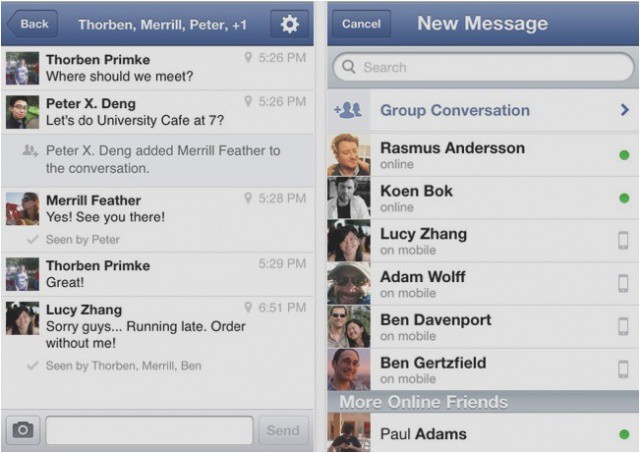
You can now see who's online when beginning a new message in Facebook Messenger.
Facebook has updated its standalone Facebook Messenger app for the iPhone this morning to deliver a nice selection of new features, in addition to some bug fixes and performance improvements. Highlights include in-app notifications, the ability to delete individual messages, and support for larger images.
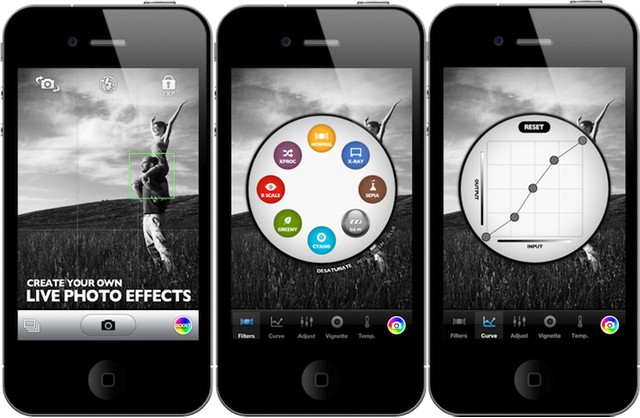
Booster lets you customise filters before you take the photo.
You probably love Instagram filters, and all the other image-tweaking filters in the myriad apps available for your iPhone. But no matter how many you try, they are all just presets.
What if you could make your own presets instead? That’s the promise of Booster!, an iPhone 4/s (or iPad 3 if you don’t mind pixel-doubling) photo app with infinitely changeable live filter effects.
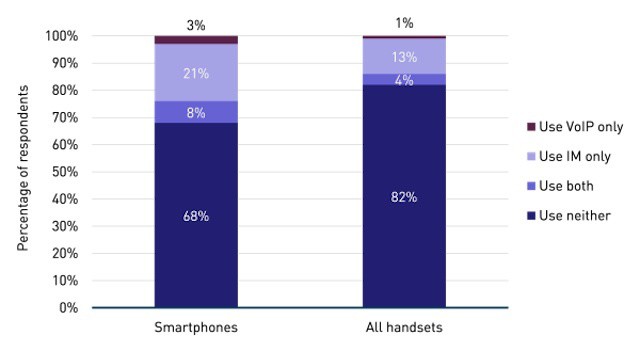
iMessage and related services are gaining critical mass compared to text messaging.
Apple has put a lot of work into developing its own secure messaging platform. With Mountain Lion and the Messages app that Apple rolled out in iOS 5, Apple is setting up its iMessage platform with a lot potential advantages for consumers and business users alike. For business, the always available and secure messaging is huge. Messages and conversations can be found on an employee’s iPhone, iPad, home iMac, work MacBook Air – that’s taking the concept of RIM’s BlackBerry Messenger service to a higher level.
For consumers, the great features are the integration of non-phone devices like the iPad and iPod touch and reduced reliance on carriers for texting, which can translate to cost savings (depending on mobile carrier/plan).
While most of us still use SMS to send text messages, there’s a distinct trend in shifting to using solutions like Apple’s Message platform.
Unlike its 3G network, T-Mobile's LTE offering should be compatible with the new iPhone.
Believe it or not, there are over one million iPhone users in the United States who cannot access 3G networks because their carrier of choice is T-Mobile. Apple’s smartphone isn’t officially available on T-Mobile right now — because the operator’s unique 3G network isn’t supported by the handset’s wireless chip — but people choose to use its 2G network instead.
That situation will change for the new iPhone, however, because T-Mobile has announced it will launch a new LTE network next year.
It’s our inalienable right as citizens of the modern world to take a vacation or a holiday, right? Well, instead of packing your whole family off to an all-inclusive Club Med vacation or Disney cruise, how about taking on one of the most time-honored summer vacation traditions, the road-trip. Long drives through scenic countryside with loving families and family pets are some of the best memories we all have, right? Right?
Well, at least we have iOS devices with us these days to both combat boredom and make sure we arrive where we want to. Here’s a veritable cornucopia of apps and ideas for road-tripping this summer, iOS-style.
In a post on the official Google Mac blog today, editor Scott Knaster wrote a final piece that closed the Mac-centric web log for good. Citing the current mainstream popularity of Apple, Macintosh computers, and of course the iPad, iPhone and iOS, Knaster says that he realizes that a special Mac blog is no longer needed.
Going from BlackBerry to iOS management is a culture shift, but that can be a good thing.
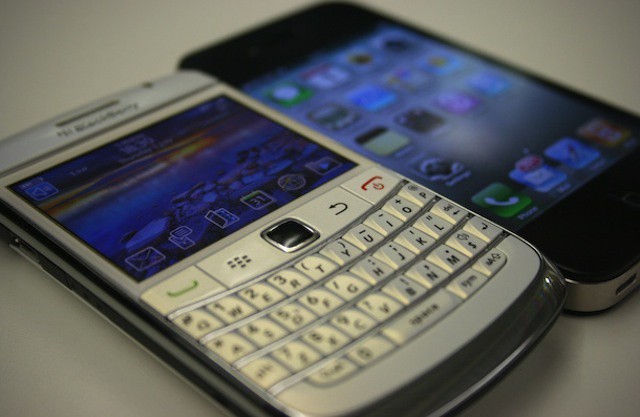
Despite its continuing downward spiral, many IT professionals continue to acknowledge that RIM’s BlackBerry platform — or more accurately its BlackBerry Enterprise Server (BES) — remains the most secure mobile platform on the market. That’s a fact RIM hypes every chance it gets. Usually RIM points out that BES supports over 500 security and management policies. That’s roughly ten times the number of discrete management options that Apple has built into iOS.
While that number sounds impressive, the real difference between BlackBerry management and iOS management isn’t really about the number of policies. In many ways, it isn’t even about what IT can or can’t manage. The real difference is a cultural divide in the way mobile devices and mobile management is perceived.
Companies developing internal iOS apps need to ensure those apps don't compromise security. Photo: 1Password
Many IT departments are under intense pressure to develop and implement a range of mobility initiatives. Those initiatives often span a range of IT disciplines. There’s the effort to develop internal apps, provide access to new and legacy systems from mobile devices like the iPhone and iPad, the need to manage and support users devices as part of BYOD programs, and the need to develop customer-facing solutions like mobile-oriented sites and native apps.
With so many pressures hitting IT organizations at the same, compromises are being made because of tight deadlines and budgets. According to security expert Jeff Williams, that push to get solutions out as quickly as possible may result in solutions that have major security flaws in them.
User input is key to planning and managing a successful enterprise app store
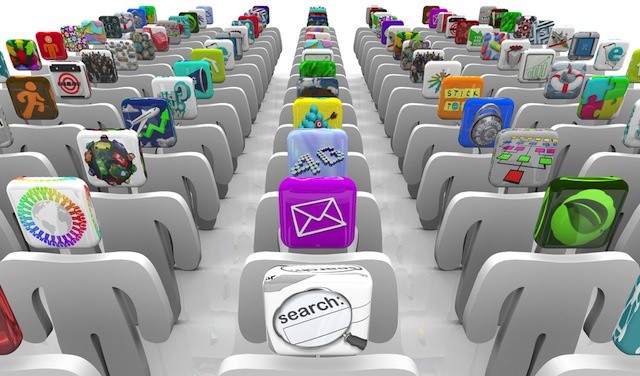
Enterprise app stores are becoming a common feature in many business that have embraced BYOD and mobile devices like the iPhone and iPad. An enterprise app store offers two core advantages: it allows users to easily install apps developed internally and it allows IT managers and others to offer a set of recommended apps from public sources like Apple’s iOS App Store.
Given the thousands of business and productivity apps available for iOS devices (not to mention profession-specific apps in other categories), providing guidance to users can help get them started with the best tools quickly and easily. The tricky part, however, is deciding which public apps to include in an enterprise app store.
Years ago, I worked out a way to remote control my home’s lamps from my iPhone: just record the sound of somebody clapping, and play it back when you want to switch a light on or off.
Now, though, there’s a much higher-tech way to do the same thing. It’s an iPhone-controlled lightbulb from Insteon.
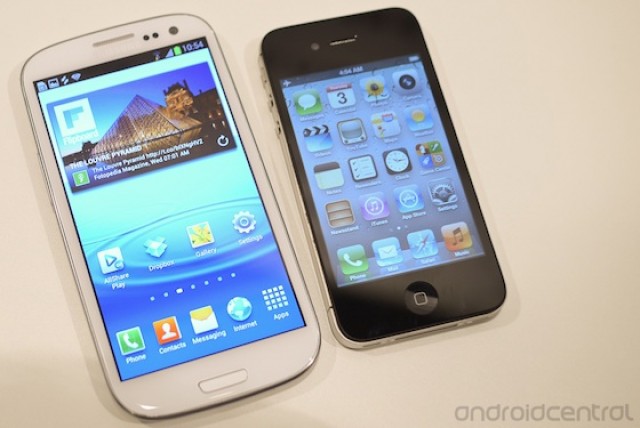
Switching from the iPhone to the Galaxy S III? You're crazy. Here's an app to help you switch.
Sometimes, something so traumatic happens to the human body that a person undergoes a complete personality shift. The girl who was, before, a model member of the Christian league gets hit by a car suddenly becomes promiscuous and violent. The good-natured guy who helps everyone has a wrench fall on his skull from fifty feet and becomes a drug-addicted psychopath. And the alpha businessman who is in a car crash goes from trading on Wall Street to rambling incoherently and exposing himself on subway platforms.
It’s sad, but it happens, and Samsung wants people who have been unfortunate enough to undergo such mental trauma ending in a complete personality shift to know that they’ve got a friend in them. That’s the only explanation for the Korean manufacturer’s latest play: an app for the deranged minds who are switching from the iPhone to a Galaxy smartphone.
Arguing the iPad can't access legacy IT systems often means IT is ignoring much bigger problems
Plenty of people have offered their thoughts and opinions about Microsoft’s Surface devices after the company unveiled the two tablets earlier this week. One particular thread of conversation has been what Surface means for the iPad in businesses and enterprises. One piece that stood out to me was Justin Watt’s blog post Goliath Wants David’s Market.
Watt offers an interesting and well written argument that Surface may find success in many companies because they are still using legacy applications and processes – some of which may have originated long before Windows XP and OS X and have been patched countless times to over the years or decades to continue functioning. His core argument is that many iPad users access these tools using virtual desktop solutions like Citrix Receiver. As a result, at least for some tasks, the iPad functions as a Windows tablet. That could give Surface and other Windows tablets an edge over the iPad if they can directly deal with the legacy code involved or deliver the same virtual desktop experience.
The truth, however, is that many companies are chugging along on legacy solutions that were never designed to work with devices like the iPad. In fact, some widely used legacy systems have roots that weren’t even designed to work with Windows! In many companies, IT has been able to keep the age and state of those systems under wraps. But the iPad, and now the iPad versus Surface discussion, is now pushing that dirty little secret into the light of day.
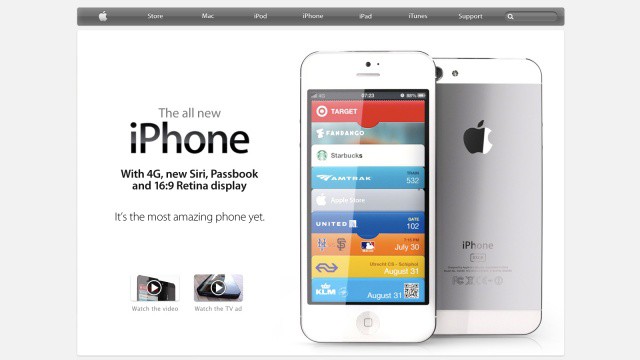
Will Apple's website look like this come October? We hope so.
When I first spotted those leaked images of what was claimed to be the next-generation iPhone’s rear panel, I wasn’t keen on the two-tone aluminum look, and I found myself wondering what Jony Ive was up to inside Apple’s design labs. But now that I’ve seen a few mockups of that design, I’ve changed my mind.
In fact, the latest mockups, created by Martin Hajek, look absolutely incredible.
A gang leader who orchestrated the production of counterfeit credit cards and then used them to purchase over $1 million worth of iPhones, iPads, and MacBooks from Apple Stores throughout the United States has been sentenced to up to nine years in prison.
The latest update brings a nice new look to Nike+ Running for iPhone.
Nike+ Running for iPhone has received a huge update this morning, which not only introduces a fancy new look, but plenty of great new features as well.
It’s now even faster to get into a run thanks to the dedicated run button seen throughout the app, and the new landscape history view allows you to “visualize your runs side-by-side.” One of the update’s most impressive new features, however, is the ability to “tag” your running shoes and get a reminder when it’s time for a new pair.
Companies challenged by BYOD should consider Apple's Genius Bar as a tech support model
One of concerns for IT departments as first iPhones and then iPads and other consumer-focused technologies began creeping into the workplace is how to support the personal devices and apps of employees. That issue took center stage this week as security vendor Fortinet identified that most millennial workers feel that support and security for their mobile devices and other technologies is their responsibility and not the responsibility of an employer or IT department.
What that means is that many IT departments may need to rethink what technical support means. That isn’t a new concept. Various studies and reports have shown that members of Gen-Y prefer to engage support resources using a range of technologies beyond a helpdesk phone line including email, texts, and social networks. As this new vision of support emerges, one model for the future help desk is the Genius Bar from Apple’s retail stores.
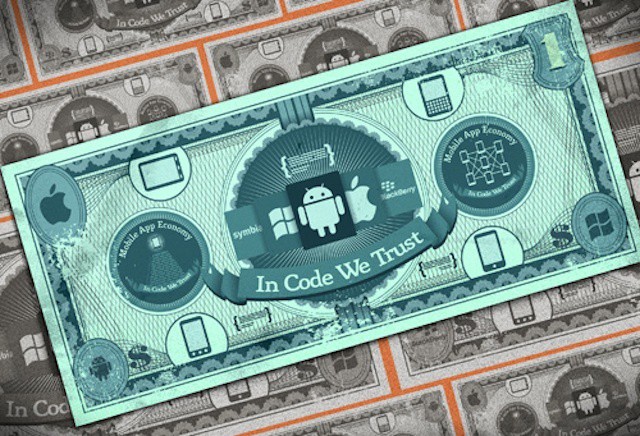
VisionMobile offers a glimpse into the app economy and what it takes for developers to succeed
On average, iOS is the most expensive mobile platform for developers. It’s the second most profitable mobile platform overall behind RIM’s BlackBerry. One in three mobile developers can’t earn enough money to living from the apps that they produce.
Those are some of the details contained in a new report from mobile analyst and strategy company VisionMobile. The report delves into the heart of the so-called app economy and provides a range of information and statistics about app development, its costs, and the income potential that comes from being an iOS, Android, BlackBerry, or Windows Phone developer. If you’re considering a career as a mobile developer, this is must-read report. For the rest of us, it’s a fascinating sneak peek into the experience of app developers around the world.
I’ve waited over two decades to own a real robot. It was one of those silly childhood dreams to own something straight out of Terminator that obeys commands, spies on people, and rains down havoc if need be. Even though we’re in the year 2012, we still haven’t managed to create affordable robots, which is a pretty big letdown if you ask me. Thankfully, we’re getting closer, and playing with the new Parrot AR. Drone 2.0 has given me hope that the toys of the future are going to kick some major ass.
Now you can look like you;re playing with yourself as you innocently use your phone.
Alphyn Industries’ DELTA415 Wearcom jeans may as well have been called the Dork-O-Tron 3000, for they are nerdy in the extreme. They are also flat-out awesome, and if I was the kind of person who spent $160 on a pair of jeans, then I’d be al over them. Or all in them, I guess.
The Wearcoms are simple: the front right pocket has been replaced by a see-through phone pouch, complete with a protective flap to cover it.
Magnets. Even if we’ll probably never know how they work, you gotta love them. They let us pin notes to fridges, they lock and unlock your iPad’s screen and now they can even stick your your iPhone to any metal surface. If only they didn’t do that pesky trick of wiping your bak cards, magnets would be pretty much perfect.
Great Scott! Asphalt 7: Heat lets you race in Doc. Brown's DeLorean.
Gameloft’s Asphalt series has been one of the most successful racing titles on iOS, and its latest addition promises to the “newest, fastest, most visually stunning” edition yet. It’s called Asphalt 7: Heat and it’s available today on iPhone, iPad, and iPod touch for just $0.99.
For that you get the chance to race over 60 cars — including a DeLorean! — over 15 tracks, in both single and multiplayer game modes.
Apple must have a hard time thinking of ways in which it can improve the design of the iPhone; after all, it already looks pretty terrific. But this concept design for a transparent device is by far the most beautiful iPhone we’ve ever seen. In fact, it pains me to realize we’ll never see an iPhone like this.
Millennial workers view BYOD as a right and device security as their personal responsibility
Enterprise security vendor Fortinet decided that the best way to understand members of the millennial generation (or Gen-Y) and their potential impact on IT and security policies was to ask them directly for their views on technology in the workplace. What Fortinet learned will probably keep CIOs and IT leaders up at night.
Most millenials view BYOD programs and the ability to choose the technology they use for work as a right rather than a privilege and have few qualms about outright ignoring policies that restrict that right – even in situations where they know that important data breaches could be the result.
Most worrying for IT leaders, however, is that most young workers feel that device and data security is their personal responsibility even when sensitive business data is stored on or accessed from their personal iPhone, iPad, or other device.