Mobile menu toggle

iPhone - page 252

Apple Building Another Store In Beijing Ahead Of Fall Product Launches?

By •

Apple-logo
This takes the total number of cases in Ireland to 24.
Photo: Cult of Mac

Apple looks to be building another retail store in Beijing, which could open its doors in time for the launch of new iPhones and iPads this fall. Construction has begun on a building that bears a strong resemblance to a typical Apple retail outlet in Beijing’s China Central Place Shopping Center.

Chuck The Muck Flings Itself Onto The App Store For Free

By •

Chuck that muck, Charles.

In the latest free-to-play iOS game from the makers of Critter Escape, you’ll take on the role of a crystal mining critter who must take care of an endearing blob of muck named Chuck. You’ll be tasked with escaping the crystal mines with some flinging-action and bouncy platforming skill. You’ll need to keep Chuck fed with crystals, all while navigating through dangerous places and avoiding guards and exploding things along the way.

Here’s How Much The iPhone Camera Has Improved And The Images To Prove It

By •

Woah.
Woah.

One enterprising soul over on the Apple boards at Reddit has taken a bunch of comparison photos from the Camera+ app website and put them together to show just how far the iPhone camera has come, with the same image taken with the original iPhone, the iPhone 3G and 3GS, the iPhone 4 and 4s, and then the iPhone 5.

The difference between the first and last photos is stunning, but there’s an initial ratio of improvement between two models of the iPhone that’s simply stunning.

Delete Passbook Items With Aplomb On Your iPhone [iOS Tips]

By •

Passbook Delete

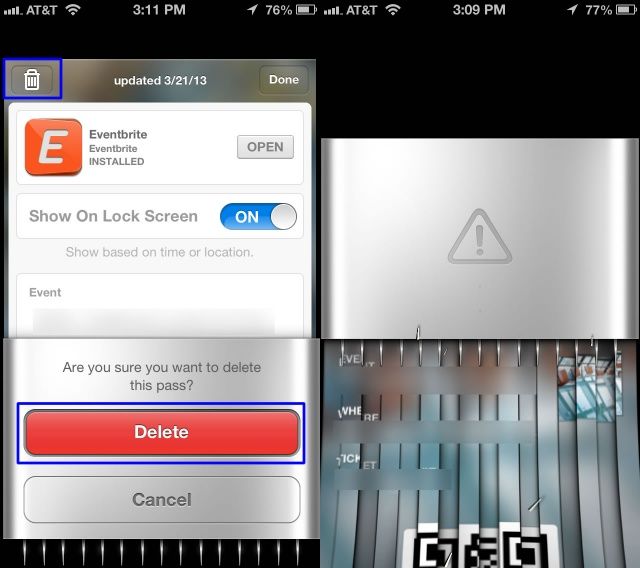
No, Aplomb is not a new third-party app to help you manage your Passbook items, cars, or passes. But if any developers plan to make one, please let me know.

Really, once a card, coupon, or time-based ticket is expired in Passbook, you’ll want to delete it to prevent Passbook clutter, right? Well, it’s super easy to do so, and here’s how.

Netflix For iOS Update Makes Binging On Your Favorite TV Series Even Easier

By •

netflixappselection

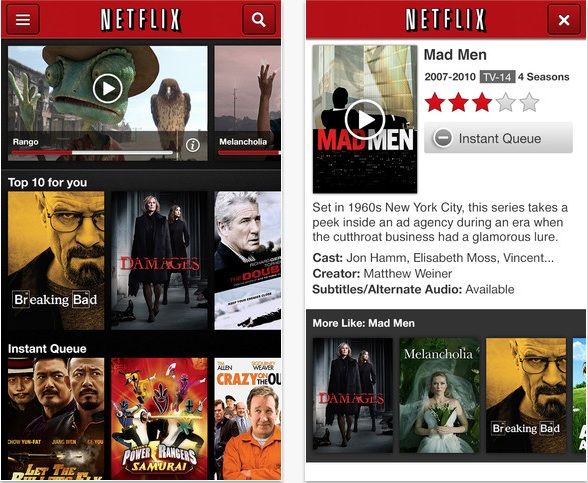
Netflix is one of the greatest tools ever invented for absolutely destroying your weekend with laziness. All you got to do is pull up one of your favorite TV series and watch the entire thing in one glorious weekend of binge TV viewing.

A new update for the Netflix iOS app just hit the App Store and it’s going to make binging even easier, thanks to to the added “post-play” feature that will start up the next episode after one ends. Other features included in the update are a recommendation feature after you’ve finished a movie and enhanced second screen options.

Here are the release notes:

Ending Soon: Get 9 Seriously Powerful Mac Apps With The Mac Productivity Bundle 4.0 [Deals]

By •

CoM - productivitybundle4

Your Mac comes loaded with some great stock apps that can help you be more efficient and effective with your workflow, but there’s nothing wrong with adding some elements to the Mac environment that can push your productivity that much further.

That’s where The Mac Productivity Bundle 4.0 comes in.

In the latest version of this bundle, you’ll get 9 great Mac apps from Cult of Mac Deals for only $49.99 – a savings of $640 – that has been hand-picked to help you get the most out of your Mac.

Brits Don’t Need A Budget iPhone When They Can Get The iPhone 4 For Just 50p A Day

By •

iphone-4s-face-down

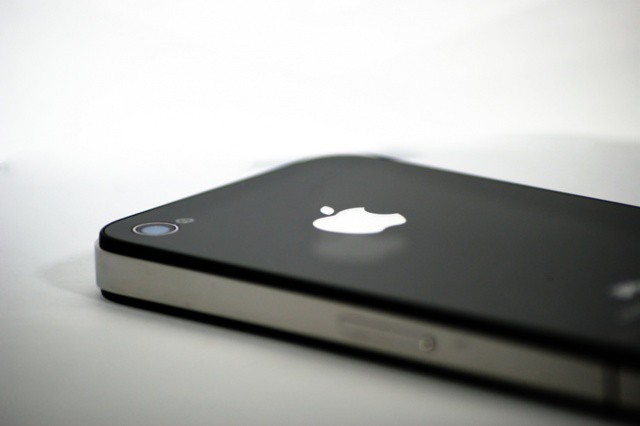
Apple is expected to launch a new low-cost iPhone later this year, but as long as you’re willing to buy an older model, you can already bag an Apple smartphone for as little as 50p a day.

British retailer Carphone Warehouse will offer the iPhone 4 on a two-year contract for just £17 a month from tomorrow, May 10, with no upfront cost. It will be the cheapest iPhone tariff available in the United Kingdom.

AT&T Launches New Pre-Paid And BYOD Wireless Carrier AIO

By •

AIOatt

Last week we reported that AT&T was planning to launch a new pre-paid brand to compete with T-Mobile and other pay-as-you-go carriers, and it looks like it’s finally here.

AT&T just pulled back the curtain on its new pre-paid BYOD service provider that’s a subsidiary of AT&T called AIO Wireless. The new pre-paid nationwide service is launching in Houston, Tampa, and Orlando today but new markets should be opened up in the U.S. over the next year.

Rosetta Stone’s Free Navigator iPhone Apps Put Pronunciation Lessons in Your Pocket [Daily Freebie]

By •

rosetta-stone-1


Most Mac users will experience one of three reactions after reading the word “Rosetta.”

The first involves breaking into a cold sweat, and possibly hives, after remembering that Apple no longer supports the translator that ran all those old, useful apps written for PowerPC-based Macs after Apple switched over to Intel chips.

Option two, imagining the Rosetta Stone itself, the magical key to unlocking ancient script, stumbled upon by Napoleon’s troops

Or there’s an association with foreign phrases, mall carts and almost certainly the most recognizable name in language software, Rosetta Stone.

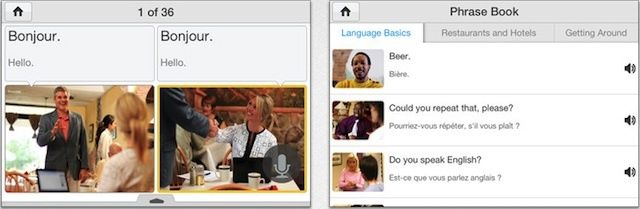
We’re focusing on that last one here, and about how Rosetta Stone has finally brought their language software, in the form of the Navigator series apps, to the iPhone — for free.

Keep Track Of Every Little Thing With EveryThink, Now Updated

By •

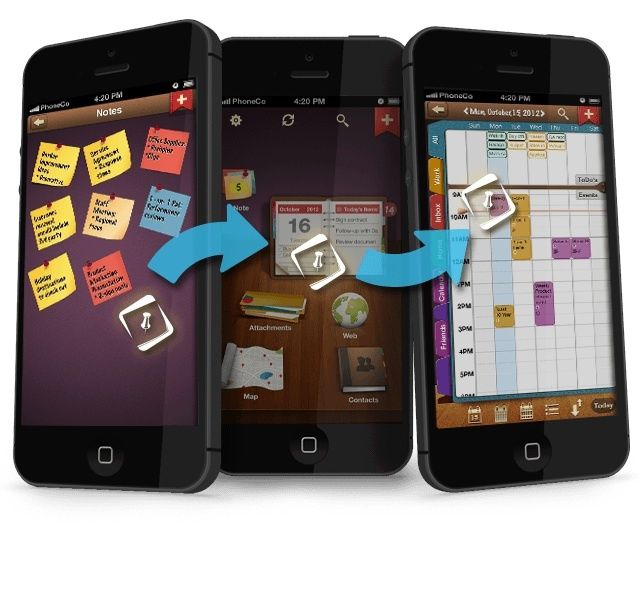
Drag, hover, drop your way to GTD.

EveryThink, an amazing get-it-all-done-and-in-one-place app, has just updated to version 1.3.1, bringing a host of improvements to an already pretty great app.

The new update adds Dropbox to the already existing Google Drive support, meeting invitations from within the app itself, Siri Reminder integration, and Facebook support, which brings contact photos and Facebook calendar events in automatically.

New usability features have also been added, including a guided introduction to the many features of the EveryThink app, as well as landscape orientation, so you can hold your iPhone the way you want to and still use the spatial organization central to the app’s interface.

Should Apple Disable iPhone Notifications During A Call In iOS 7? [Let’s Talk]

By •

5th-avenue-apple-store-iphone-5-launch

Over at The New York Times, Bits columnist Nick Bilton has a gripe to pick with Apple. He doesn’t like the fact that push notifications keep pouring in during a voice call on the iPhone. “Even when the device is placed on mute, it vibrates when a notification comes in, rattling your skull for a never-ending second,” says Bilton.

I had never actually thought about this annoyance until I read Bilton’s piece. And coincidentally, it actually happened to me while I was on the phone earlier today. I remember quickly pulling my iPhone away from my face in shock at the vibration and loud noise in my ear.

This seems like something that should be fixed. What say you? Should Apple say hasta la vista to notifications during phone calls in iOS 7? Let us know in the comments below!

Manually Refresh Items And Passes In Passbook [iOS Tips]

By •

Passbook Refresh

Passbook is cool, and one of the neat features of the service is the automatic refresh of information on your passes, letting you keep track of stuff like your Starbuck’s balance, or airline miles, or other kinds of cool stuff.

Unfortunately, it doesn’t always work automatically. This can be an issue if they include balances or loyalty points, right? Luckily you can refresh each of the passes in Passbook manually.

Here’s how to do that.

Apple’s Product Photographer Explains How He Makes iPhone Ads Look Perfect

By •

peterapplephotographer

Peter Belanger is a San Francisco-based photographer. You’ve never heard of him, but you’ve definitely seen his work. He’s the guy that makes Apple products look so perfect in every Apple ad, so if you’ve seen an ad for an iPhone, iPad, or iPod within the last few years, you’re probably very familiar with Peter’s work.

In a recent interview Peter talked about his creative process with commercial photography. Finding the perfect lighting for each surface of a product is the ultimate challenge, but Peter explained what the creative process is like when working on an Apple product shoot.

iOS 7 Beta Usage At Apple Increases As WWDC Draws Near

By •

iOS 7

Over the last few months developers and websites haven’t seen much iOS 7 beta traffic coming out of Apple’s set of IP addresses in Cupertino. However, over the last few days traffic from devices running iOS 7 has increased for a number of websites and apps.

Onswipe has reported that it has seen a big spike in traffic on its partner sites that run its HTML5 optimized mobile websites. Cult of Mac has seen the number of visits from iOS 7 users increase in our traffic logs, starting around April 29th as well.

Troubleshoot Getting Passes On The Lock Screen Using Passbook [iOS Tips]

By •

Passbook Lock Screen

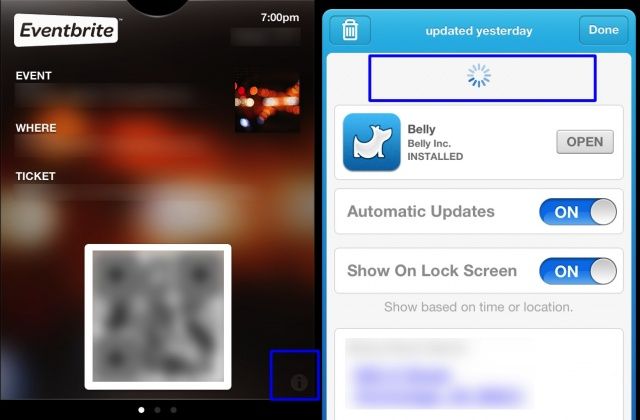
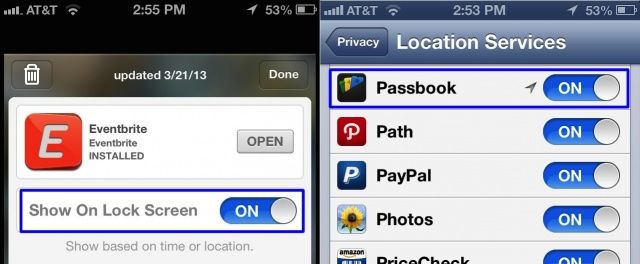
Apple’s Passbook app and system lets you use passes that contain time-sensitive or location-sensitive information. For example, you might have a pass that triggers when you enter a specific store, like Target. Or, you might have airplane tickets going through Passbook, if you use that specific airline’s iOS app.

The ideal here is that the passes show up on your lock screen, so you don’t have to launch an app. This doesn’t always work, however. What can you do when it doesn’t? I’m glad you asked.