Photo by MIC Gadget: http://www.flickr.com/photos/micgadget/5692949614/sizes/z/in/photostream/
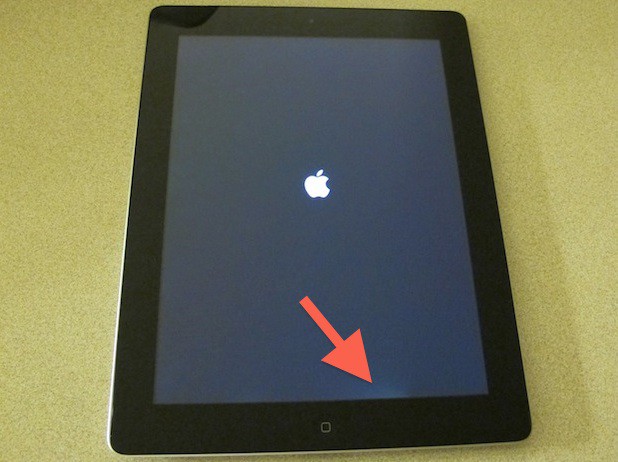
The iPad 2 came to China this morning and sold out in less than 4 hours, according to our friends at M.I.C. Gadget.
Apple’s flagship store in Beijing attracted a massive crowd of customers and scalpers, who started lining up at 5 p.m. on Thursday. Overnight customers were treated well: there was a special waiting room for them to sleep in, and everyone got a wristband, allowing them to leave the line for an hour and return to their place in line.
There was even a special section for scalpers, who set up shop behind a barrier. Here’s the details:
Shipment delays to the iPad during the last quarter were reportedly due to light leakage issues with displays produced by LG, according to a DigiTimesreport. Apple’s other supply partners were forced to increase their shipments this quarter to rectify the shortage.
During the first quarter, Samsung supplied a total of 4 million 9.7-inch iPad panels, outpacing its rival, LG, who only shipped 3.2 million. It is believed, however, that now LG’s light leakage issues have been resolved, it will increase its supply of displays during the second quarter.
The iPhone Dev-Team’s PwnageTool has just been updated for Mac OS X users to provide a stable jailbreak for the latest iOS 4.3.3 release. Just as before the application provides an untethered jailbreak for the iPhone 4, iPhone 3GS, iPad (1st-gen) and the iPod touch (3rd- & 4th-gen).
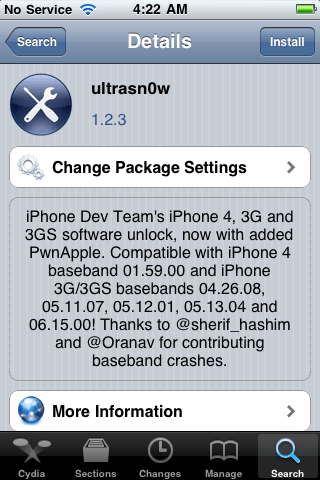
PwnageTool uses i0nic’s untethered exploit to safely install jailbroken 4.3.3 firmware whilst preserving your 1.59.00 baseband. This gives users the opportunity to continue to use UltraSn0w to unlock their device.
Apple has provided us with some of the best ads ever created. The Mac vs PC Campaign ads have been some of the most memorably entertaining advertisements to grace the television. Unfortunately Apple pulled the plug on the fun banter between Mac (Justin Long) and PC (John Hodgman) last year. However, should you feel so inclined to walk down memory lane with the plethora of Mac vs PC advertisements, Adweek has compiled all 66 ads for your viewing pleasure. They’ve even got them ordered out chronologically.
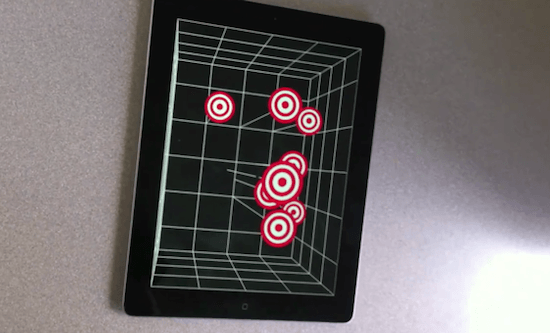
Multiple sources who seem to know a thing or two about Apple’s third-generation iPad are claiming that the device will boast a 3D display. One “Hollywood insider” talking to RCR Wireless says the device is already in the advanced planning stages, and “the fact that the iPad 3 is 3D is a dead cert.”
She went on to say that the big film studios were currently running around like blue arsed flies trying to gear up to release plenty of 3D content in time for Apple’s next launch.
RCRreveals the story has also been backed up by a source at Foxconn – the factory that manufactures Apple’s devices – who have “spilled the 3D iPad beans” to several of their closest industry sources.
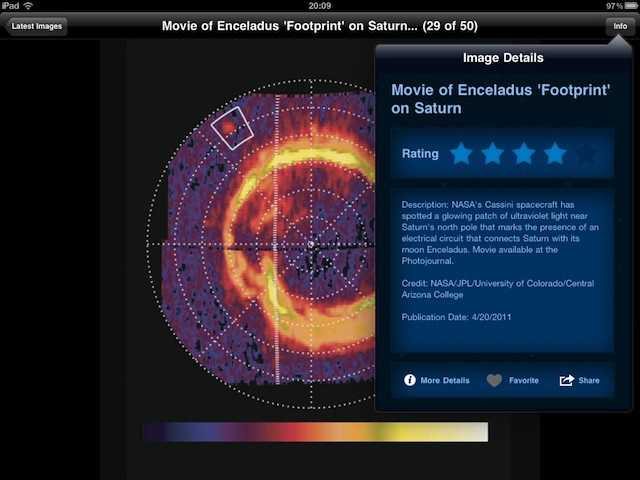
NASA has released version 2 of its popular Space Images app for iPad, and it’s lovely.
It’s packed full of gorgeous images from pretty much every aspect of the space agency’s work. Each one comes with a brief explanation, and you can fave or rate the ones you like.
Even better, you can save images to your iPad and use them as wallpapers. And all of this is free. If you have an iPad and you have kids, or even if you don’t have kids, this is well worth downloading.
For a while Cydia has been the one and only source for jailbroken applications and tweaks, and it hasn’t really had a lot of competition. That’s about to change, as a new web-based installer called Lima is on its way to give Cydia something of a challenge.
Developed by the Infini Dev Team, Lima runs in the Safari browser and doesn’t require any additional applications – you just navigate to its webpage to access all of its packages. Downloading and installing packages is just as simple as it currently is with Cydia.
Judging from the video at the top, Lima looks like a nice, snappy way of accessing jailbroken apps and tweaks, without the downsides of the often slow Cydia. However, I’m not sure whether you’ll we’ll still be able to add our own repositories like we can with Cydia, or whether we’re stuck with whatever Lima has to offer.
As much as I love Cydia, sometimes its slow reload times and all too frequent errors prove to be a huge frustration, and I’m looking forward to giving Lima a try. What do you think; will Lima give Cydia a run for its money, or is it facing an uphill battle? Let us know in the comments!
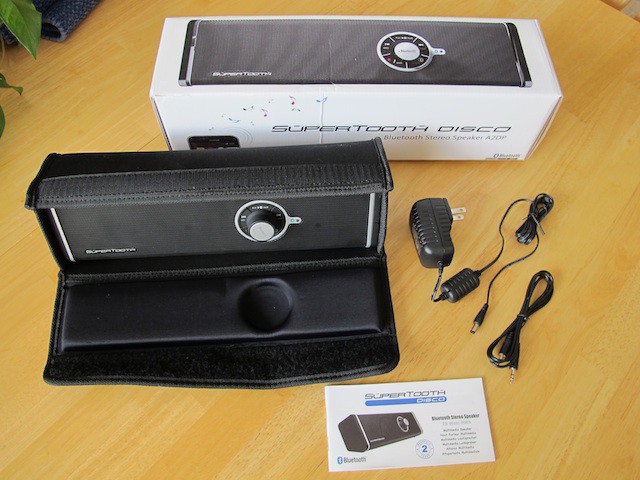
The SuperTooth Disco is a portable speaker that will wirelessly stream 28 watts of sound for your next parties dance floor. Here’s a hands-on review.
It won’t take the place of a dedicated sound system like the one you might have in your living room with only 28 watts of power, but for a portable Bluetooth device it is pretty impressive.
A Colorado builder is incorporating iPads into new homes.
Apple’s magical device is used regulate all the electronic systems in the house — from lights, motorized blinds, entertainment systems (music, TV etc.) to baby monitors and closed-circuit cameras. The docks are built in but the iPads can be removed.
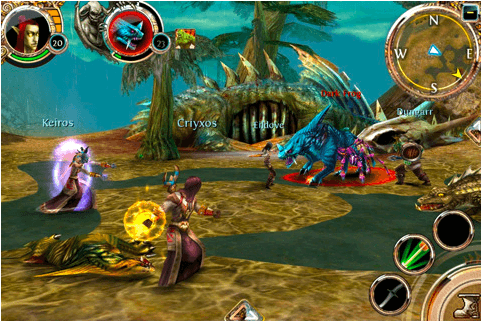
At the top of our list of must-haves this week is Gameloft’s brand new World of Warcraft-like MMORPG called Order & Chaos Online. Set in a vast fantasy world with thousands of other players from around the world, this is the most promising real-time RPG to hit the App Store yet.
Also to feature is the third release of Zenonia – another RPG which promises to provide “greater enjoyment that the previous two Zenonia’s combined.” The Midgard Story has been revamped and upscaled for a truly epic gameplay experience.
Gears is a physics-based 3D ball roller that defines its genre with an immersive adventure across beautifully detailed worlds that feature dozens of unique and challenging levels.
Find out more about the games above and check out the rest of this week’s must-haves – including Unpleasant Horse and Snuggle Truck – after the break!
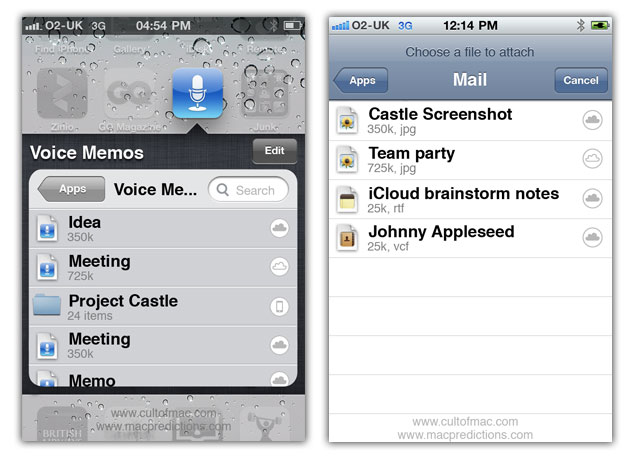
WWDC next month is likely to provide our first sneak preview of the fifth major release of the iPhone and iPad operating system: iOS 5. But with so many enhancements and additions over the years since its launch in 2007, what could Apple possibly add next? This week’s iCloud revelations suggest it might be file management.
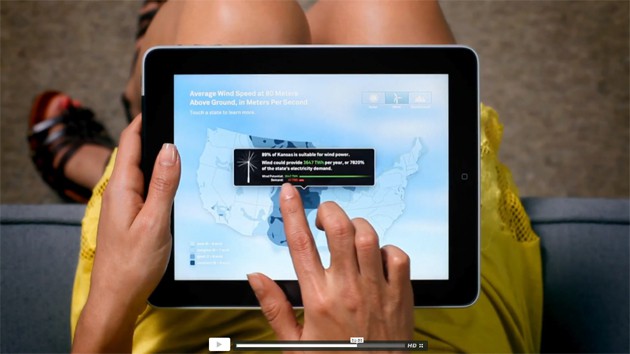
Former Vice President Al Gore’s new book, “Our Choice: A Plan to Solve the Climate Crisis,” is a $4.99 iOS app designed by Push Pop Press, a startup launched by two former Apple engineers. “This app,” according to Gore, “is a new kind of book that combines text and images, as well as video, interactive info-graphics and my own audio commentary.”
Kicking off this week’s roundup of must-have iOS applications is the brand new TweetDeck app for iPhone, which its creator claims has been completely re-imagined and rebuilt from the ground up to be fast, flexible, and powerful.
Fring is the popular video chat and VoIP application for iPhone and iPod touch. It deserves some recognition this week thanks to its recent update that makes it the first application for iOS to offer group video calling with support for up to four people.
Fahrenheit – or Celsius if you prefer – is a new weather application that displays the temperature in your area on your home screen. No, it doesn’t require a jailbreak: it uses the iOS application badges to display the current temperature over the application’s icon with push technology.
Find out more about the applications above and check out the rest of this week’s must-have iOS apps – including TuneIn Radio and Lamebook – after the break!
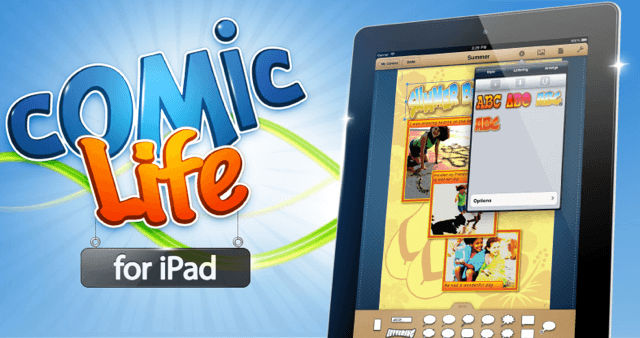
Remember Comic Life – the awesome application for creating comic books out of your photos that used to be bundled with Intel Macs? Well, now it’s available on the iPad; taking the latest functionality from the desktop application and wrapping it up into an easy to use touch interface.
Comic Life for iPad has everything you need for creating and sharing comics, including fun and quirky templates, stylized image filters, and an easy-to-use drag and drop placement. You have full control over the design of your comics with a huge selection design options – colors, fonts, gradients, balloons, captions, panels and more.
Create comics out of the photos in your device’s photo library, then add balloons, captions, lettering and templates to tell your story; while the smart text layout and image filtering functions ensure your projects always look fantastic.
Use the integrated e-reader to view your creations in fullscreen, and when they’re ready for the big time, share them with your friends via Facebook and email. You can also print your comics via AirPrint and share them between other iPads with the intuitive ‘drag & drop’ feature.
Comic Life from Plasq is currently on sale for a limited time to celebrate its App Store release. Grab it now for $7.99!
The former vice president’s book features text, images, interactive infographics, documentary video and audio commentary.
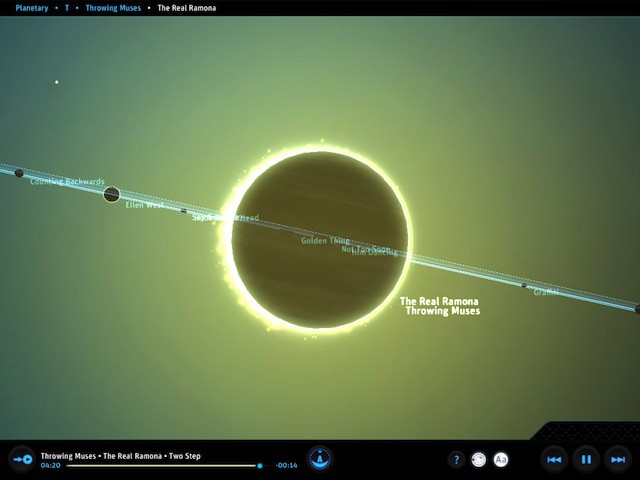
It looks like a great, immersive experience (and probably pretty scary, given the subject matter) — the climate change equivalent of the beautiful The Elements app.
Check it out:
The app ($4.99 on the App Store) was designed by Push Pop Press, a San Francisco startup by a pair of ex-Apple engineers, including Mike Matas, who helped design Delicious Monster. Push Pop Press is working on a Mac desktop application to create similar eBooks, which will be “very affordable” when it eventually ships. Reporter Brian Chen has more detail at Wired.com: Gore, Ex-Apple Engineers Team Up to Blow Up the Book
Here’s another video showing Gore’s app/book in more detail:
The touch-tablet market is still in its cradle and already Apple has won. The iPad now has a lead so vast that it will not and cannot be dislodged from its position of dominance.
Fans of competing platforms don’t want to hear this, of course.
The Google Android faction believes that — finally! — a real, shipping tablet-specific version of open-source Android exists, so a tsunami of iPad-killer Android devices will now quickly overwhelm and surpass the iPad. This is wishful thinking based on a false belief and an inadequate appreciation for the primacy of apps and the destructive power of platform fragmentation.
Gameloft is famous for using hugely popular games as the inspiration for some of its iOS releases. For example, Modern Combat 2 is not too dissimilar to Modern Warfare 2; N.O.V.A. bears some resemblance to Halo, and Starfront’s similarities to Starcraft are uncanny. As a keen iOS gamer, I like this. Though some game developers are beginning to offer iOS versions of their most popular releases, some still aren’t, and I admire how Gameloft offers a substitute to some of my favorite console and PC games.
Gameloft’s latest release is called Order & Chaos Online – and is their iOS answer to World of Warcraft (WoW). It just hit the App Store and comes with a $6.99 (universal) price tag. That’s not too bad for an iOS game, but you’ll also need to pay a subscription fee. You get three months free when you first login, and to continue playing after that you’ll have to pay $0.99 per month, $1.99 for three months, or $2.99 for six months.
Order & Chaos Online is a true real-time, full 3D massively multiplayer online role playing game, or ‘MMORPG’. It features a vast fantasy world for your to explore with thousands of other players from around the world. When you begin the game, you use the character creation system to cuztomize your hero.
Apple is certainly rather talkative today; as well as confirming the release of the white iPhone 4 tomorrow, it has also issued a press release announcing that the iPad 2 will launch in another 12 countries this week.
Tomorrow, April 28th, the second-generation tablet will hit Japan; while Hong Kong, India, Israel, Korea, Macau, Malaysia, Philippines, Singapore, South Africa, Turkey and UAE will get the device on Friday, April 28th. China will also get the device on May 6th.
Customers can purchase the device at Apple retails stores from 9 a.m. local time, select Apple authorized resellers, and from Apple’s online store beginning at 1 a.m.
Meanwhile, I’m still waiting for the iPad 2 I ordered in the U.K. on April 1st. What gives?
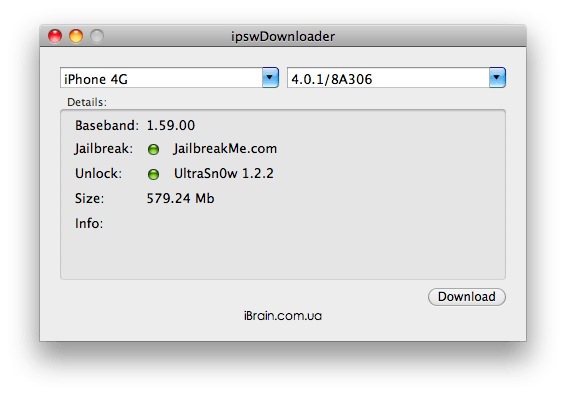
ipswDownloader is a great new tool that makes the process of finding and downloading iOS firmware releases incredibly simple. Developed by Vitaly Parovishnik, and available for both Mac and Windows, the app supports every iOS device there is – including AppleTV – and features iOS firmware from version 1.0.1.
What’s great about ipswDownloader is that once you’ve selected your device and the firmware version you want to download, it provides additional details on the release that jailbreakers in particular will find incredibly valuable; such as the baseband version, whether the firmware can be jailbroken and unlocked, and the size of the download.
ipswDownloader is completely free to download and use. The full list of supported devices can be found after the break.
As a massive fan of first-person shooter games, I’m always looking for great iOS shooters that will help me get my fix when I’m away from a console. Thankfully, the App Store is home to some great FPS games from developers such as Gameloft, EA Games, Treyarch and Villain.
Our latest app list is a collection of the best FPS games in the App Store – check them out after the break!
Sony surprised visitors to the Consumer Electronics Show back in January when the company announced its intentions to take second place in the tablet market within a year, despite not having a tablet under its name. But at a media launch in Tokyo on Tuesday, the company announced two new devices that will be coming to take on the iPad this fall.
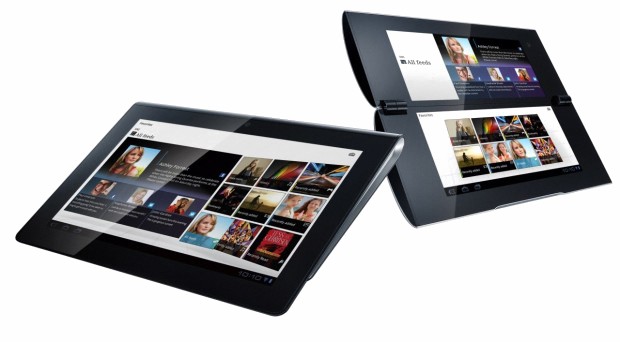
Identified, for now, by the code names S1 and S2, the new Sony tablets will be powered by the latest Android 3.0 Honeycomb operating system, and will both feature Wi-Fi and 3G/4G capabilities. The S1 will feature a 9.4-inch display and a Tegra 2 processor, with an “off-centre of gravity design.” It will also boast an IR port for controlling Sony’s line of Bravia televisions.
The S2 has two 5.5-inch displays with a foldable design; which can be used independently to display different functions, or together for browsing websites and other tasks.
Sony chose not to reveal any further details about either tablet, disclaiming that “design and specifications are subject to change without notice.” Both devices will be compatible with selected PlayStation games, and are scheduled for a worldwide launch this coming fall.
The S1 certainly looks like a pretty swanky tablet in the picture above, but I’m sure I like the foldable design that comes with the S2. Until we know more details about each device’s technical specifications, it’s hard to determine whether these Sony tablets will worthy adversaries for the iPad 2. However, I can’t imagine Sony would release them if they weren’t strong contenders.
Filmmaker Spike Lee uses his iPad to photograph President Barack Obama as he greets guests at the National Action Network’s Keepers of the Dream awards gala in New York, N.Y., April 6, 2011. (Official White House Photo by Pete Souza).
But I know you guys can do better than that.
Keep it clean, play nice and make our drizzly San Francisco Monday.
This week’s roundup of must-have iOS games includes the second episode in a series of five Back to the Future games from Telltale – with a brand new story for Marty and Doc.
We’ve also got Real Racing 2 HD – which has just been updated to feature dual-screen gaming, allowing you to connect your iPad to your HDTV and enjoy the ultimate racing game at 1080p.
Final Fantasy III also makes our list of favorites. This 90s classic has been around on the iPhone for a few weeks, but it now features new and improved 3D visuals and story sequences exclusive to the iPad.
Find out more about the games above and check out the rest of this week’s must-have’s – including Bunny the Zombie Slayer and NBA Jam – after the break!