Imagine for a moment that your three year old daughter has a disability that stops her from using her voice to communicate. Then imagine that a combination of an iPad and a specialized app gave her the ability to talk to you, requesting things, express her needs, and even say, “Daddy, I love you.”
I don’t know about you, but I’d see that iPad and app as some sort of technological miracle.
Now, imagine that the app was pulled from the app store.
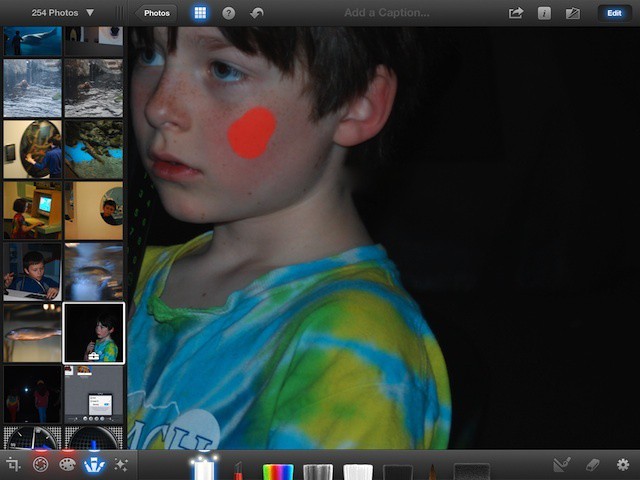
Red eye happens, folks. Caused by the reflection of a camera flash in our eye’s retina, it can be reduced by special flashes, but not always completely eradicated, especially in dark environments. Blemishes are a whole different matter, but they do seem to happen more often just before we take a picture of ourselves or loved ones.
Luckily, both of these issues can be fixed after a photo has been taken, and rather easily using iPhoto for iPad.
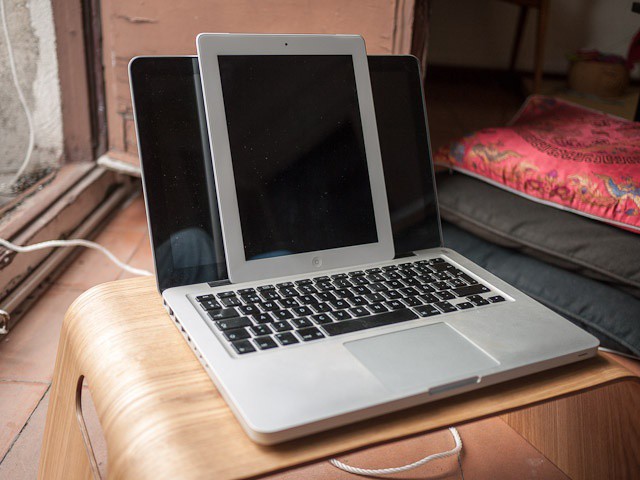
Kidding! It's a MacBook and an iPad. The bit about the scotch was real, though.
These exclusive blurrycam shots, which I found on an SD card left on my kitchen table next to a half-empty bottle of scotch, show what we think is a prototype retina-display 13-inch MacBook. It seems that, along with the high-res retina display like that found on the iPad, it also comes with a large bezel and the option to buy the device in white.
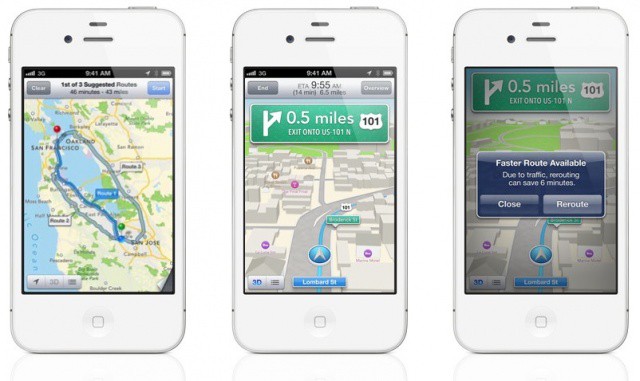
Turn-by-turn looks incredible, but it won't be coming to your iPhone 3GS.
Although iOS 6 looks a lot like iOS 5 at a glance, it represents a huge change to some of Apple’s core iOS features. Apps and services like Maps, Mail, Phone, Notification Center and more have all received new features worth talking about, while several new ones have been introduced.
The great thing about it is, is supports a whole host of devices, including every iPhone from the iPhone 3GS onwards. Some devices won’t get access to all features, however. Only the iPhone 4S and the first- and second-generation iPads will enjoy turn-by-turn navigation and 3D maps.
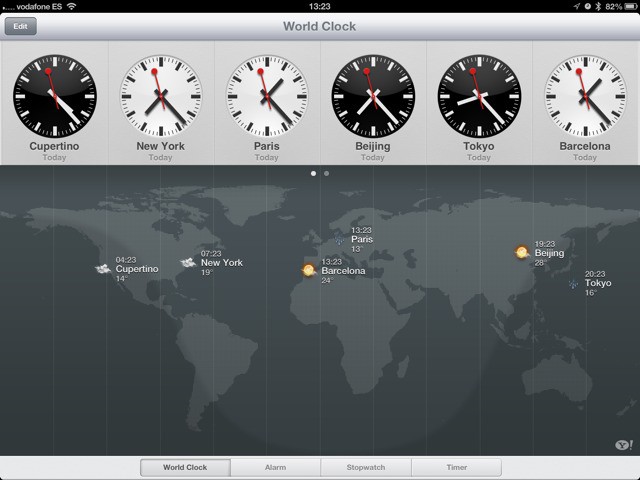
When the iPad launched, there was an inexplicable lack of a couple of core Apple-made apps. There was no Clock, no Weather app and (thankfully) no Stocks. Now, Clocks has been added to the iPad in iOS6, and weather is also in there – kinda.
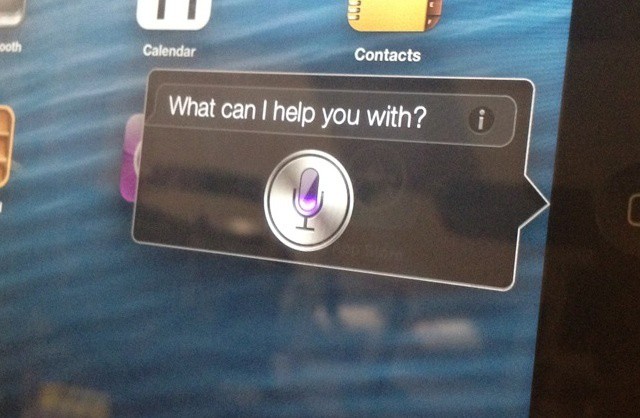
Siri is getting a major update with iOS 6, including support for Apple’s newest iPad. There’s plenty of new features to see, so we went hands on with Siri running on the new iPad. Check out the video after the break.
The new MacBook Pro highlights Apple's battery design know how
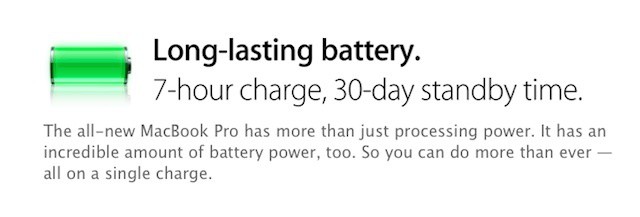
While the new MacBook Pro’s retina display, light weight, and thin format factor were all show stoppers, the notebook’s battery is also a major feature and feat of engineering. Apple claims that despite powering all those pixels, the new MacBook Pro with Retina display has a battery will last for seven hours on a single charge and offer a full month of standby power. Unsurprisingly, much of the its internal space is devoted to the mammoth battery required for that feat.
The new MacBook Pro with Retina display isn’t the first Apple device to sport a massive built-in battery. The new iPad also sports one and the MacBook Air line has had most of its internal space devoted to its battery for years. Each new mega-battery from Apple represents an advance of battery technology that few other companies could deliver.
When Game Center was announced for iOS 5, some folks were skeptical. They didn’t really see the value in Apple taking on the leader board scene with already established players like OpenFeint, Plus+, Crystal, Gameloft Live, and others.
Those very same people would surely have to eat their words when they heard today at the WWDC in San Francisco that Game Center has over 130 million people using it and those folks submit 5 billion scores every week.
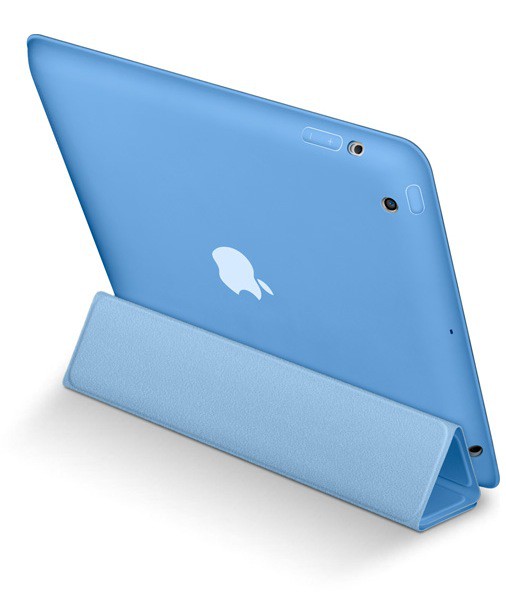
New products and announcements keep rolling out from Apple. The Cupertino company has lifted the curtain on a new iPad accessory called the Smart Case. Instead of the Smart Cover’s flimsy screen covering, the new Smart Case fully encloses the iPad in a polyurethane coating.
The iPad Smart Case covers your iPad — both front and back — yet still retains the thin, light design of iPad. Like the Smart Cover, it folds easily into a stand for reading, typing, and watching video. And it automatically wakes and sleeps iPad on open and close. Made from polyurethane, it’s available in six bright colors. And you can personalize it with free laser engraving on the Apple Online Store.
Analysts are offering last minute predictions before today's WWDC keynote
With just a few hours to go before Apple kicks off WWDC, some analysts are rushing to make predictions right up till the last few moments. London-based research firm Ovum, for example, delivered a list of three things that its Chief Telecoms Analyst Jan Dawson feels are essential announcements that Apple needs to make during the WWDC keynote later today.
Dawson’s assessment breaks ranks with many other analysts who have insisted that Apple must unveil its own HDTV at the event or sometime later this year but does think Apple needs to bring apps to the TV experience. The remainder of his comments focus on iOS and changes that a wide swath of iPhone and iPad owners, developers, and tech journalists have suggested since Apple released iOS 5 last fall.
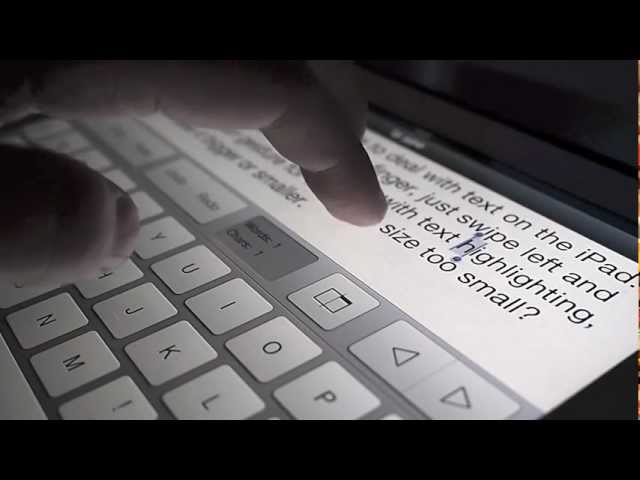
Tyype, a new ultra-simple text-editing app for the iPad, could point the way to better text manipulation in iOS 6, due to be announced today at Apple’s WWDC in San Francisco. And while we don’t think for a moment that Tyype’s gestures will make actually be in the new OS, it certainly shows that not only is Apple’s way not the sole way to do things, it isn’t even the best way.
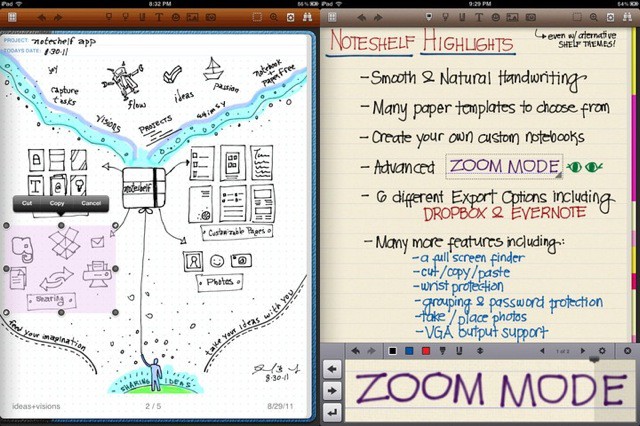
The best note taking app for the iPad just got better.
Noteshelf — the best writing and scrawling app available for the iPad — has at last gotten a Retina update for the new iPad. And boy was it worth the wait.
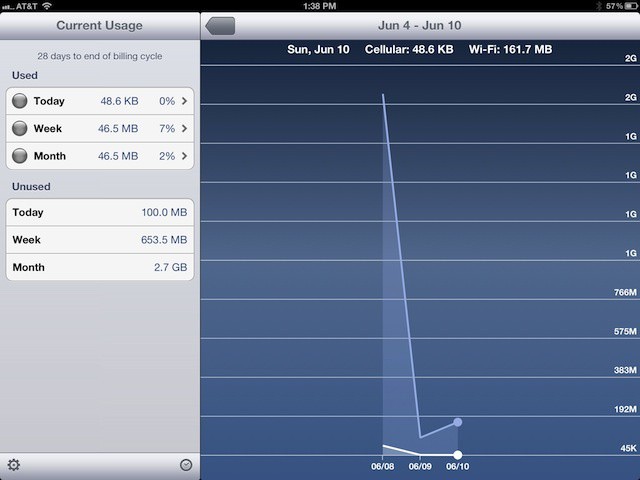
Having the ability to connect to the ‘net over a cellular network from almost anywhere is a huge asset, and one of the best things abput the iPad (if you have the 3G/4G version — which you should). But there’s nothing like the shock of suddenly discovering a $300 bill for data overage to make one extremely skittish about ever using data again — which completely ruins the whole point of getting a 4G iPad in the first place (unless, of course, you just bought it for the GPS receiver).
To banish this evil conundrum, you’ll need DataMan Pro for iPad ($4), an app that watches your data usage like a hawk and alerts you when you’re gobbling data too quickly. It’ll even tell you which apps are the most data hungry.
Chinese forum WeiPhone.com has posted alleged download links to Apple’s iOS 6 and Safari 6 developer preview files ahead of WWDC tomorrow. Apple is expected to introduce the software on Monday, June 11th and release a preview to developers. The links provided by WeiPhone are currently inactive, but they will assumedly start serving iOS 6 and Safari 6 beta downloads for supported iOS devices once Apple lifts the curtain tomorrow.
MacPhun's Color Splash Studio is finally on iOS, and it's leading this week's must-have apps roundup.
Heading up this week’s must-have apps roundup is Color Splash Studio, a terrific photo manipulation tool originally built for Mac OS X, which has finally made the leap from MacApp Store to iPhone. We also have a great music video mixing tool from Algoriddim, the guys behind Djay; a camera app that’s perfect for your kids, and more.
You have an idea for the next great app. The app that will become essential for all iPhone (or iPad) owners. But there’s a problem, you don’t know how to make an app. No problem, you get some books, look at some tutorials, and then it hits you.
You still need to learn C and Objective C to be able to actually code the app.
This is where today’s deal comes in. Unlike many “learn to make and iOS app” courses that skip the foundation of C and Objective C. This course doesn’t. This is a true Foundations for iOS Development Course.
Computer hacking, side-scrolling golf, European soccer, and more — all in this week's must-have games roundup.
Kicking off this week’s must-have games roundup is Uplink, a title you may remember from 2001, when it made its debut on PC. This computer hacking simulator has now been remastered for the iPad’s touchscreen, and despite being 11 years old, it’s still an awesome game.
Accompanying Uplink is a hugely enjoyable platformer, a unique take on golf, a first-person catapulting game, and more.
When Apple first showed off the iPad Smart Cover, the idea was simple: what’s the point of owning a device as beautiful as the iPad if you’ve got to cover it all up in a bulky case so no one can see it? What’s the point of the iPad even being designed to be so slim, so pleasant in the hand, if you’re immediately going to slap a half pound of plastic or leather sheath on top of it?
The Hex Code Folio Case for iPad is the exact opposite kind of case. It’s a professional-style case made for professionals who want to make their iPad part of their business folio. It’s beautifully made and looks quite handsome, but if you’re not the sort of person who spends hours every day in business meetings wrestling with sheaves of print-outs, this isn’t the case for you.
A hardware bomb! That’s what CultCast special guest and Ars Technica writer Chris Foresman thinks is about to go down at next week’s WWDC. I think he’s right, and on our brand new CultCast we’ll tell you why Apple might be about to refresh every Mac they make. Plus, there’s iOS 6. We’ll tell you what to expect from Apple’s new mobile OS too.
And don’t miss our winner of Faves and Raves, the game where we pitch our favorite hardware/apps and then vote on which is best.
All that and too many LULZ on our brand new CultCast. Subscribe now in iTunes and read on through for our show notes.
A look back at Apple's biggest WWDC announcements from the past decade.
Apple’s Worldwide Developers Conference (WWDC) has been a staple event for the company since since the turn of the 21st century. The first ever WWDC was held in 1983, but it wasn’t until 2002 that Apple started using the conference as a major launchpad for new products. Since then, Steve Jobs and Co. have unveiled products like the Power Mac G5, Mac Pro, iPhone, and plenty of software. Because WWDC has always been a developer-focused conference, Apple uses the event to announce new apps, OS X versions, major iOS updates, etc. For an Apple fan, it doesn’t get much better than WWDC.
With WWDC 2012 set to kick off on Monday, June 11th, we decided to take a look back at the big announcements Apple made at WWDC over the past decade.
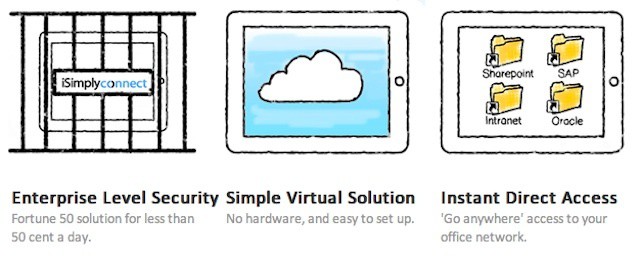
iSimplyConnect makes support remote iPad and iPhone users simple and cost-effective.
Secure remote access has always been important for companies with mobile workers. As Apple and other mobile technology companies enable an increasingly mobile workforce, however, those remote access needs are increasing rapidly and can easily strain existing VPN setups.
Increasing capacity can be accomplished with the traditional appliance or server-driven VPN solutions, but that can get expensive and doesn’t guarantee that even more capacity won’t be needed in a few months or a couple of years. One company offering a scalable and cost-effective solution to these challenges is iSimplyConnect.
Malkovich has Siri telling jokes, but Apple's fans are far from amused.
Apple has produced some of the most memorable adverts in history. Its “1984” commercial for the original Macintosh is still talked about today, and we can all remember the “Mac vs. PC” commercials, and the dancing silhouettes that were used to promote the iPod. However, it hasn’t quite been the same story in recent years.
Despite promoting incredibly popular products like the iPhone and the iPad, Apple’s most recent commercials have been far from unforgettable. In fact, the CEO of one ad-tracking firm has revealed that Apple is being mocked for its latest Siri commercials, which employ celebrities to sell a feature that rarely works in real life.
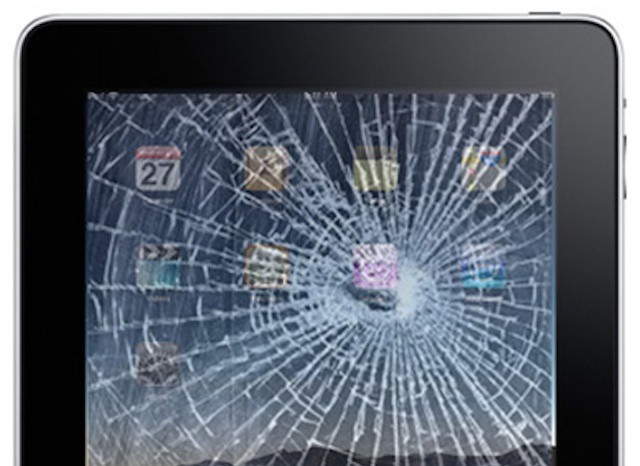
In a BYOD program, who's responsible for replacing a damaged iPad or other device?
The principal at my elementary school was fond of saying that every privilege comes with a new responsibility. That phrase often comes to mind when I think about BYOD programs. The ability to use your personal iPhone, iPad, or other mobile devices in the workplace is a privilege. Even though it may make you a happier and more productive employee, using your personal device means that you take on certain responsibilities once taken care of by your IT department.
Tasks and costs like cell service, supporting technical problems specific to your device, choosing and purchasing apps, and even maintaining some aspects of data security become your responsibility. Then there’s the ultimate responsibility question – what happens if your iPhone or iPad is damaged?
While most BYOD programs are designed to incorporate issues around support, expenses, and security, many don’t include a policy for physical damage to a device.
This cash register could be used in the House of Bamboo
I used to work as a the sole waiter in a restaurant where the cash register consisted of a wooden cigar box and a solar-powered Casio calculator. I’m an honest chap, and the chef was also the owner, so it worked just fine. But times have changed, and now there exists a modern alternative to our old cedar box. It’s called the Cashbox and it is fashioned from beautiful bamboo varnished to look like a hideous high-school craft project.
Google's purchase of Quickoffice could cause a serious shakeup in the mobile business market
Google shook up the mobile business landscape by announcing its acquisition of mobile office powerhouse Quickoffice. That move might not seem terribly large, but it creates a very different and unexpected dynamic in the business mobility world. It also sets up a showdown over business capabilities that could have lasting ramifications.
Why is this move significant? It means that every company that produces a major mobile platform now also owns a serious office and productivity solution. Microsoft has Office, Apple has iWork, RIM has Documents To Go (which it acquired nearly two years ago), and Google now has Quickoffice as well as Google Docs. Each company can now ensure that its mobile business customers will have at least one solid option for working with Office files on their smartphones or tablets.