Google promised us it was coming, and after a lengthy Google Now today makes its debut on iOS. It’s available as part of an update to the Google Search app, and it’s exactly what users on Android have been enjoying for the past year.
The iPad has earned first place in the J.D. Power and Associates customer satisfaction survey for the second year in a row, just a month after Apple’s iPhone secured the award for the ninth time. The popular slate scored 836 out of a possible 1,000 points having been rated on performance, ease of operation, styling and design, features, and cost.
Japanese telecom provider KDDI’s mobile branch is planning to kick off its iPhone 5S pre-orders on June 20 ahead of a launch in July, according to an internal document that has been making its way around the web. The carrier expects the device to offer a 13-megapixel camera as well as Apple’s latest iOS 7 operating system.
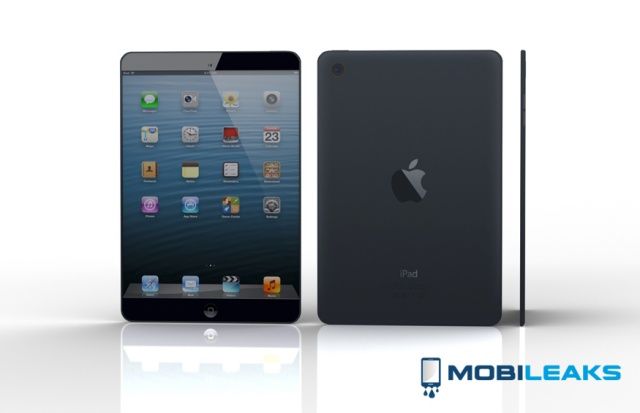
KGI Securities analyst Ming-Chi Kuo has issued a note to investors in which he says the second-generation iPad mini with Retina display won’t enter mass production until October due to yield issues with the new high-resolution display. If true, the problem could make a fall launch for the device very unlikely.
The “i” in the next iPhone will stand for “identity.”
When people hear rumors and read about Apple’s patents for NFC, they think: “Oh, good, the iPhone will be a digital wallet.”
When they hear rumors about fingerprint scanning and remember that Apple bought the leading maker of such scanners, they think: “Oh, good, the iPhone will be more secure.”
But nobody is thinking different about this combination. Everybody is thinking way too small.
I believe Apple sees the NFC chip and fingerprint scanner as part of a Grand Strategy: To use the iPhone as the solution to the digital identity problem.
NFC plus biometric security plus bullet-proof encryption deployed at iPhone-scale adds up to the death of passwords, credit cards, security badges, identity theft and waiting in line.
We’ve all done it. Passed our beloved iPhone handset to a young child or clumsy friend, in hopes that they’ll play a game for a bit and let the grownups continue drinking talking. Then the youngster in question ends up hitting the Home button, dropping into that secret stash of photos, or looking at our web history. Or even worse, playing some splatter-horror game that you forgot was even on the dang thing.
Guided Access is part of iOS 6’s accessibility options, but it can be useful for folks without the need for that specific adaptation. Here’s how to enable it for use.
There’s a weird glitch that has started affecting Apple’s iMessage platform. When users text certain phrases over iMessage the last word of the text is deleted once its sent, but a large space is left behind where the word once was.
Right now there are only a couple known phrases that appear to be affected by the glitch, and one of them involves Obama. To test for the glitch, send someone an iMessage of the phrase “I could be the next Obama” but leave a trailing space at the end.
Everything will look fine when you hit send, but then the last word suddenly disappears on both users’ screen. The glitch also works with the phrase, “The best prize is a surprise”
Apple has reversed its decision to change the way iOS devices handle connections with Virtual Private Networks (VPN), now that its patent lawsuit with VirnetX has concluded. Earlier this month, Apple said it plans to kill the “Always” feature for iOS devices with VPN On Demand configured, by rolling out a software update that would kill the feature on shipped devices.
Apple proposed that users would just have to use the “Establish if needed” option until an alternative solution was provided via software update, but it looks like Apple may have reached an agreement with VirnetX to keep the “Always” feature on shipped iPhones and iPads for now.
Apple posted the following update to an article on its support site to announce the reverse in decisions:
It’s been a while since we’ve had a contest here at Cult of Mac, so let’s start the week off with a little bit of fun. We’re looking for a few talented (or not-so talented) readers to voluntarily decapitate themselves and replace their head with an iPad. It’s gruesome and beautiful at the same time, plus we’re giving away five free copies of FX Photo Studio Pro to best entries.
To win the contest all you have to do is take a self-portrait, and then overlay it onto an iPad in another portrait. You can go traditional and use your own face, or use a friends’ or celebrity’s face. Hell, you can draw a face and then overlay it on the iPad, we don’t care. Surprise or delight us and you’ll probably win.
The official IMDb app for iOS had been given a number of new features today, including a new light theme on the iPad, and the ability to look up worldwide movie release dates, actor heights, “crazy credits,” and more. The update also makes some visual tweaks, and offers bug fixes that should improve stability.
Derrick Story – photographer, Macworld writer, podcasts and the man who (somewhat brilliantly) named his site The Digital Story – has just launched a new book called iPad for Digital Photographers.
The book isn’t proposing that you use you iPad to take photos, holding it up in front of you like some big dork, but that the iPad is a slim and powerful computer that should be slipped into the gear bag of anyone who takes pictures.
SpeakingPhoto is a new social photography app that lets you connect in real-time with anyone you like, using photos and recorded audio to share your special moments. Competing with Vine, Snapchat, and Digisocial, SpeakingPhoto aims to be a nicer place to be; instead of the party-atmosphere of the latter two apps, this one wants to let you record and archive the “memories, notes, and stories behind milestone moments in your personal and professional lives.”
Pretty heady stuff for a photo sharing app, right?
Assisted Touch is an accessibility feature for iOS, usable on any iPhone, iPad, and iPod touch, that recreates the hardware buttons and other gestures that someone with a motor disability might need to use. It also lets other folks use the Home, volume, screen lock, wake/sleep, and multitasking bar without using any of the hardware buttons themselves.
This can be pretty handy if you have the device in a case or holder of some type where accessing the buttons is tricky or impossible, like a home-made picture frame, for example.
Tim Cook suggested during Apple’s earnings call earlier this week that the Cupertino company wouldn’t be announcing any new products until later this year. So it’s no surprise to see that analysts from Citigroup are now reporting that the iPhone 5S will be available in early September, alongside a new low-cost iPhone for emerging markets.
That statement up there in the headline, that Flowboard will be “the most important free app you download this month” — that’s kind of a bold thing to say.
But it’s not hyperbole; Flowboard’s publishing tools are super-easy to use, letting you easily create electronic portfolios and presentations — heck, even magazines and eBooks — and the finished products, published on Flowboard’s site, are just as easy to share and view.
And if you rarely download anything, well, this may be the most important free app you download all year.
Another accessibility option like VoiceOver and Zoom, originally created for those with visual impairments, is Speak Selection. There are times when you may not want to turn the entire VoiceOver system on, having Siri read every button and icon on the screen, but would prefer to just have your iOS device speak text you’ve highlighted on the screen.
As an added bonus for those with print or learning disabilities, you can have your iPhone or iPad highlight the words as it speaks them for true bi-modal output (seeing and hearing the words at the same time).
WWDC 2013 was just announced. Finally, Apple’s going to end this year’s drought, and show off some new stuff after going the entire first four months of the year without a single keynote or product announcement.
But now that WWDC is in our sights, what are people most excited about? There are tons of hardware rumors about the iPad, iPhone and even the iWatch but we doubt we’ll see either of those three. We’ve also heard that iOS 7 is going to have some huge changes, and we should see some of the next version of OS X. What are you guys most excited to see at WWDC 2013? Software or hardware?
The iTunes Store celebrates its tenth anniversary this month, and Apple is marking the occasion with a new promotion called “A Decade of iTunes.” iTunes users can enjoy a timeline that recognizes key moments throughout the store’s history, as well as a look back at ten year’s worth of chart-topping tracks and albums.
Drafts 3.0 for iPad and iPhone launches today, and it turns an already useful text-wrangling app into a note-taking powerhouse. Added are organization tools for your old drafts, way better Evernote integration, great compatibility with iOS native Reminders app plus an all-new Actions Directory. Let’s take a look:
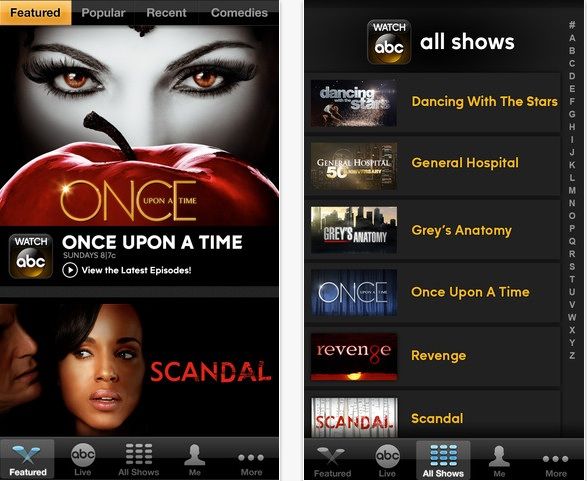
Google has released a standalone iPad app for its Google Fiber TV service in the App Store. If you haven’t heard of Google Fiber, don’t feel bad: it’s only available in Kansas City at the moment.
Besides lightning-fast, fiber-opic broadband, Google Fiber also offers TV like Comcast. Android devices have been able to control Fiber TV, and now the iPad can be used as a remote for controlling the big screen.
Another accessibility option built right into iOS is Zoom. Like VoiceOver, it was originally created to help those with a visual impairment access their iPhone, iPad, or iPod touch. Zoom is made for those who need things magnified on the screen, and it can be pretty darn helpful for those of us who may not have a specific visual disability. If your iPhone is zoomed in on lock screen and you’re unsure how to fix it, there are simple ways to adjust this setting.
Some apps zoom in within the app itself, like Maps, Safari, or Google Earth. That doesn’t help if you need the buttons and iOS controls magnified, or the text in apps like Mail, right?
Apple will announce its second quarter financial results at 5 p.m. EST today, and this could be one of the company’s most interesting earnings calls for some time. Wall Street has been less than optimistic about the Cupertino company’s recent performance, and some believe that Apple will post its first quarter of negative growth income for over a decade.
But some analysts are a little more positive. According to averages put together by Yahoo! Finance, Apple is likely to announce revenue between $41 billion and $43 billion for the second quarter, with margins between 37.5% and 38.5%.
You don’t necessarily have to spend $1,200+ on a new MacBook Pro to get a computer with a Retina display. Providing you’re happy to pull apart your iPad and you know what you’re doing with a soldering iron, you can build your a Retina display for your PC.
Namco Bandai’s Idolm@ster series has been exclusive to Japan since it first debuted in 2005, so you’ve probably never heard of it, despite their popularity. But Namco has translated three of the titles into English and ported them over to iOS, giving fans all over the world the chance to experience the Japanese sensation for the first time.
The only problem is, they’re priced at $54.99 each!
Kids. Can't live with them, can't manage their allowance.
I don’t know if you have kids or not, but one of the more difficult things to keep track of, at least for me, is their allowance. Yeah, you might say, just write it down on a piece of paper or something. While that may seem to have merit, it rarely works out in my family. Let’s say my son gets $5 every two weeks for allowance. That’s a $5 bill I need to have each and every week.
Honestly? It never works out that way. So we tried using a calendar, on which I created a repeating event, set for every two weeks, figuring we could just count it up when he needed something. Well, that didn’t really work out, either. We’d be at a store, and he’d want something, and it’d be some non-multiple of five, and we’d try to remember to write it down, and so on.
Suffice it to say that I am doing a poor job at helping my kid keep track of his allowance, and an equally poor job of prepping him for real life money management.
So imagine my joy when I saw Allowance Manager for iOS, a Universal app that basically does what we need: tracks allowance on the iPhone or iPad. Win!