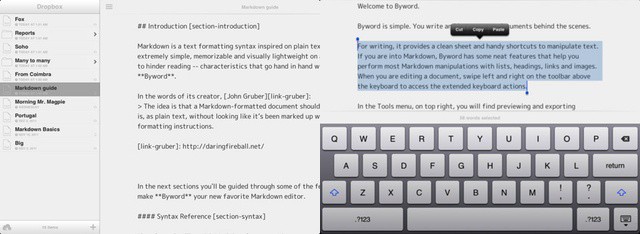
Byword stands out from the Markdown crowd with its elegant simplicity
After a brief moment in the iTunes in the iTunes App Store sun last week, Markdown text editor ByWord has officially arrived on your iPad and iPhone. It’s a companion to the excellent OS X version of ByWord, and is one of a growing number of apps to sync using iCloud.
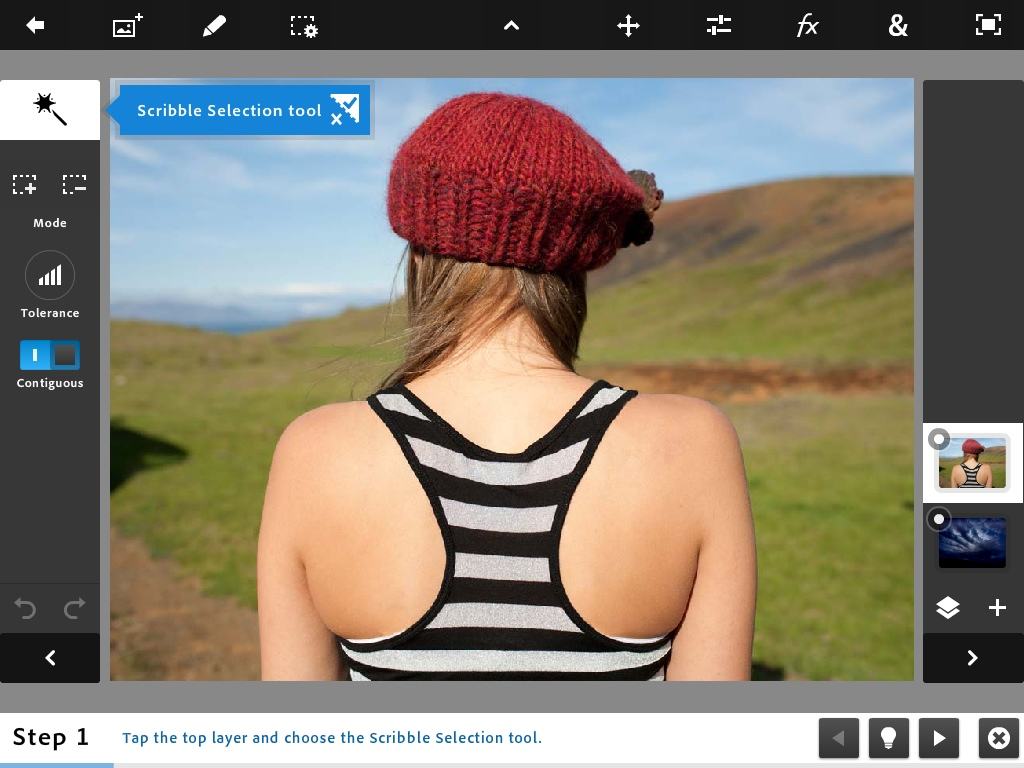
Boring sky? Jazz it up in seconds using Photoshop Touch's Fade tool
Adobe’s Photoshop Touch is flexible enough that you can really get your hands dirty with some desktop-level photo manipulation. But what the app is really meant to do is be a quick way for you to fix or edit your photos and then share them with your friends via social networks or email.
To this end, there are some incredibly powerful tools which take just a few taps to apply. One of the coolest is called Add Fade, and it makes blending two images together as simple as dragging a slider: Photoshop takes care of all the masking and blending for you. So go grab your iPad, fire up Photoshop and follow along.
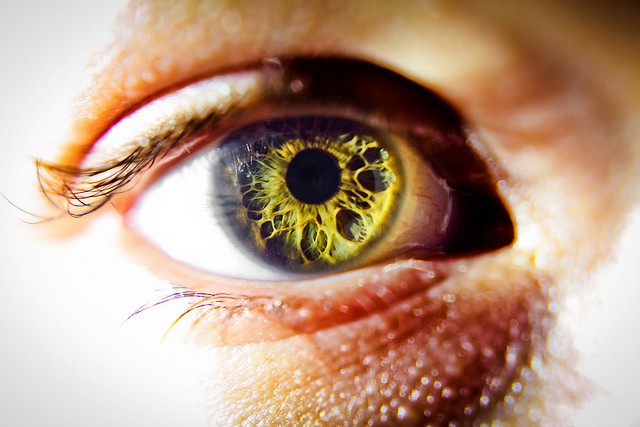
A retina, surrounded by an eye. Photo Bodey Marcoccia (CC BY-SA 2.0)
The new iPad appears to be all upside: A retina display, 4G connection, no loss in battery life and a potentially great new camera. But there is a dark side lurking in there somewhere, one that you won’t see until developers start to update their apps to be retina ready, and those apps start to gobble up your 16, 32 or 64GB of storage by the Gigabyte.
What am I talking about? Bitmap images. When quadrupled in size to look nice on the hi-res screen, bitmaps bloat the apps containing them. For example, iMovie for iOS jumps from a merely large 70MB to a terrifying 404MB. That 16GB iPad is starting to look a little small, right?
Apple should be embarrassed by the awful iOS music app. Fix it with OnCue
Unless you really hate yourself, or are just plain weird, you probably throw up in your mouth a little every time you launch the iPad’s music app. Ugly, with tiny controls and no way to customize the various navigation buttons on the bottom row (terrible for podcast or audio book fans), it is worse in almost every way than the player it replaced.
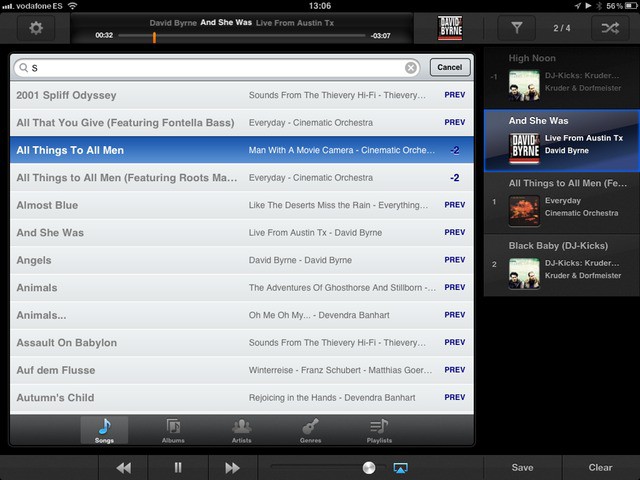
So why not ditch it altogether? There are plenty of alternate players in the app store, but OnCue 5 has a great drag-and-drop interface, and will let you create (as its name suggests) play queues, along with a lot of other neat features.
Flight Control is one of the most popular games to ever land in the App Store. The game makers, Firemint, won an Apple design award for the beautiful iPhone and iPad app. The next iteration of Flight Control is set to arrive later this month, right in time for the new iPad’s Retina display.
Flight Control Rocket will take you into space for a new set of adventures. This one looks like a whole lot of fun.
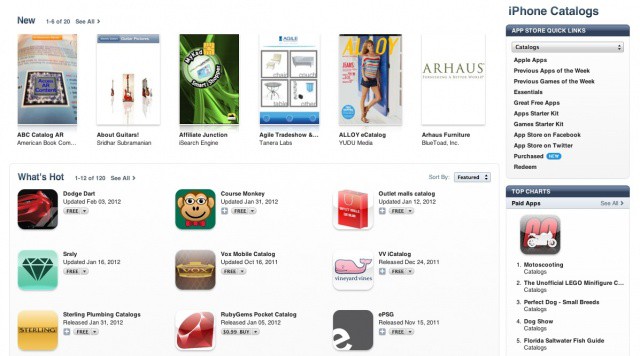
Remember when a mysterious new category appeared in the App Store on the eve of the this past week’s iPad announcement? The discovery led most of the Apple blogosphere to believe that some sort of interactive catalog experience would be making its way to the new iPad’s gorgeous Retina display. How exciting!
As it turns out, the Catalogs section of the App Store has launched, and it’s not really that amazing at all. In fact, it’s pretty awful.
March Madness season is about to begin, so it’s time to download the official NCAA app for your iPhone and iPad. With the free app and a $3.99 in-app purchase, basketball fans will be able to watch and listen to all 67 tournament games on the iPhone, iPad, and iPod touch.
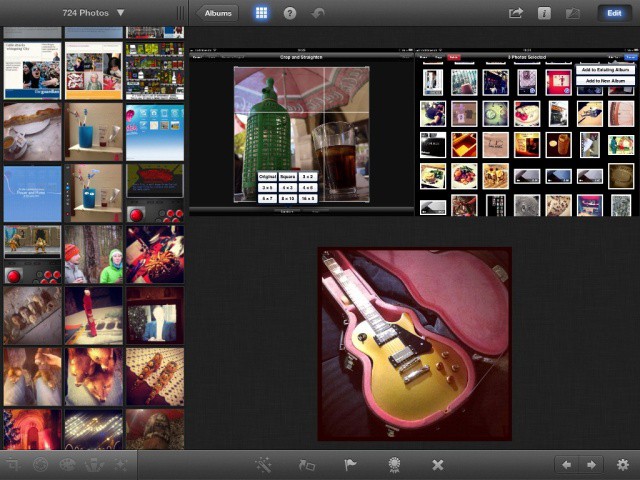
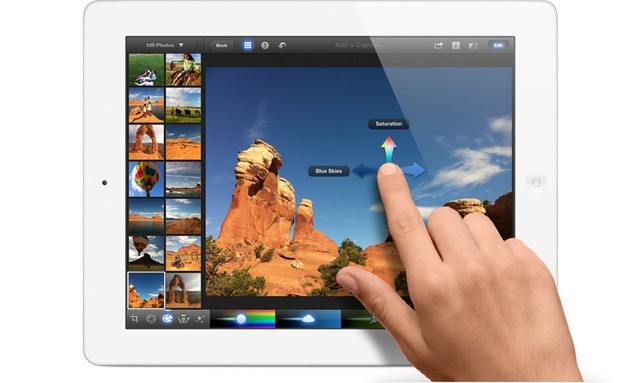
One of Apple’s biggest announcements yesterday — apart from something about some new iPad — was iPhoto for iOS. We’d suspected that Apple would fill in the hole in its iLife suite, and we were right. What we weren’t expecting was something as fully featured as iPhoto turned out to be. That said, it seems the app was really built with the iPad 3 in mind: It works great on the iPad 2, but it’s a little glitchy in places: just like its desktop cousin.
Fast, easy and non-annoying: iPhoto for iPad is way better than the Mac version
As we thought, Apple has launched iPhoto for the iPad, meaning that — at last — we won’t have to deal with the awful built-in Photos app so much any more. As you’d expect if you have used GarageBand or iMovie on the iPad, iPhoto keeps the spirit of its desktop cousin, but has been completely remade for the touch-screen tablet. And while it is sure to shine on the new iPad’s Retina display, it will also run on the iPad you have today.
Photoshop Touch is probably all the Photoshop most people need
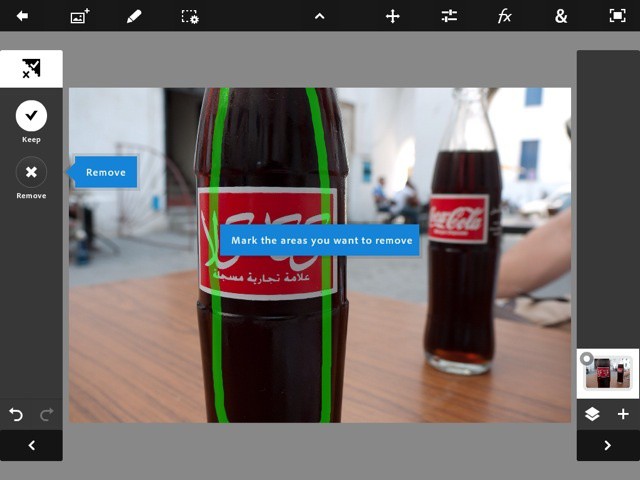
I have been using Photoshop Touch almost obsessively for the past week, despite being holed up in the Mobile World Congress in Barcelona for much of that time. At first look, I thought it was yet another photo-editing app, and in many ways it is. But as I dig in more and more, its clear that — while this is no substitute for desktop Photoshop — its an amazing app in itself. And all the more so as it runs in just 512KB RAM.
First, what Photoshop Touch for? That’s not as dumb a question as it might seem.
Not enough Omni's in the article for you? Try this: OmniOmniOmniOmniOmniOmniOmniOmni
Nerds who use Omni Group’s kick-ass task manager Omnifocus have a little bit of good news today. No, you still can’t export due tasks to a Google calendar shared with coworkers. You can, however, rely on the new non-beta status of the Omni Sync Server, which gets its official launch today. That’s not all: Sync is coming to all Omni’s apps.
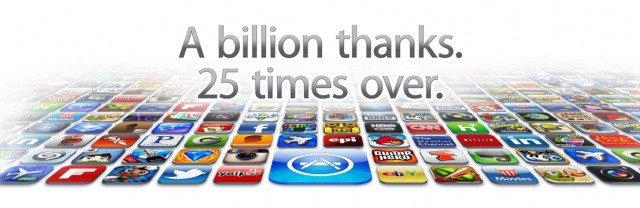
The App Store reached the 25 billionth download milestone over the weekend, and Apple recently announced the lucky winner of the $10,000 contest, Chunli Fu of Qingdao, China. It’s only fitting that the winner comes from China when you consider the exponential growth Apple has been seeing in that part of the world.
As it did when the App Store reached 10 billion downloads last year, Apple has revealed the all-time top paid and free apps for the iPhone and iPad.
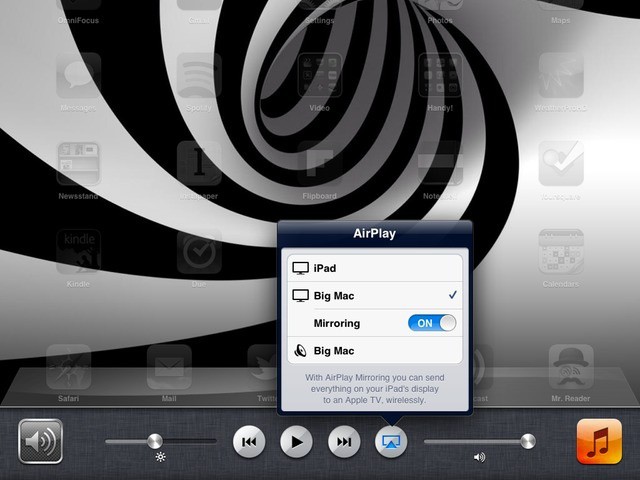
Stream any screen or app by double-tapping the home button and swiping right
With an update to v4.0, the Mac AirPlay server AirServer has gotten the ability to mirror the display of your iPad on your big-screen Mac. This is pretty big, as you can now not only send video and music to your Mac as you could before, but you can make presentations and even play games, wirelessly.
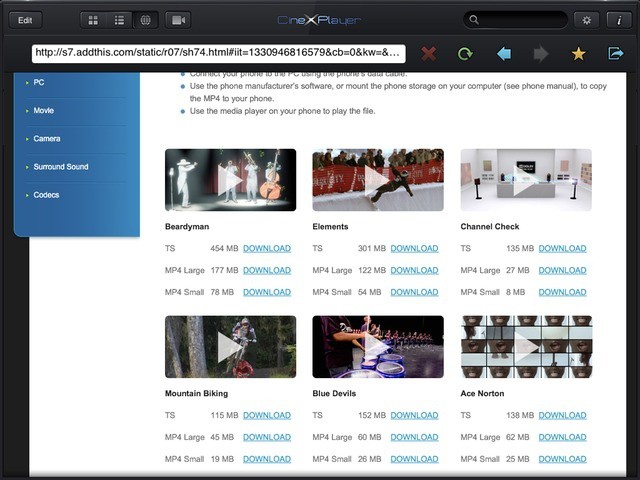
CineXplayer's new browser view lets you stream or download movies
CineXplayer, the go-to iOS app for playing pretty much any kind of video you can throw at it, has been updated to include virtual surround sound. This gives you surround sound in stereo speakers or headphones instead of mixing Dolby Digital 5.1 surround down to a plain stereo signal.
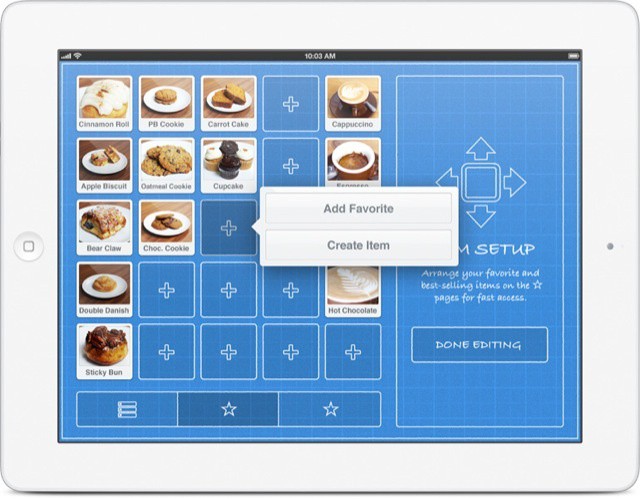
Square, the iOS credit-card company, wants to replace lame old cash registers with sleek iPads sporting its little square white credit card-reading dongle. The new Square Register app for iPad aims to do just that.
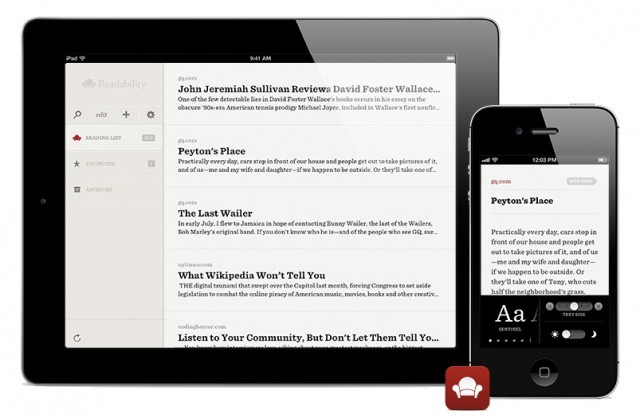
Popular web reading platform Readability has launched its official iOS in the App Store. iPhone and iPad uses can download the free app to access their Readability accounts and read optimized web pages on the go.
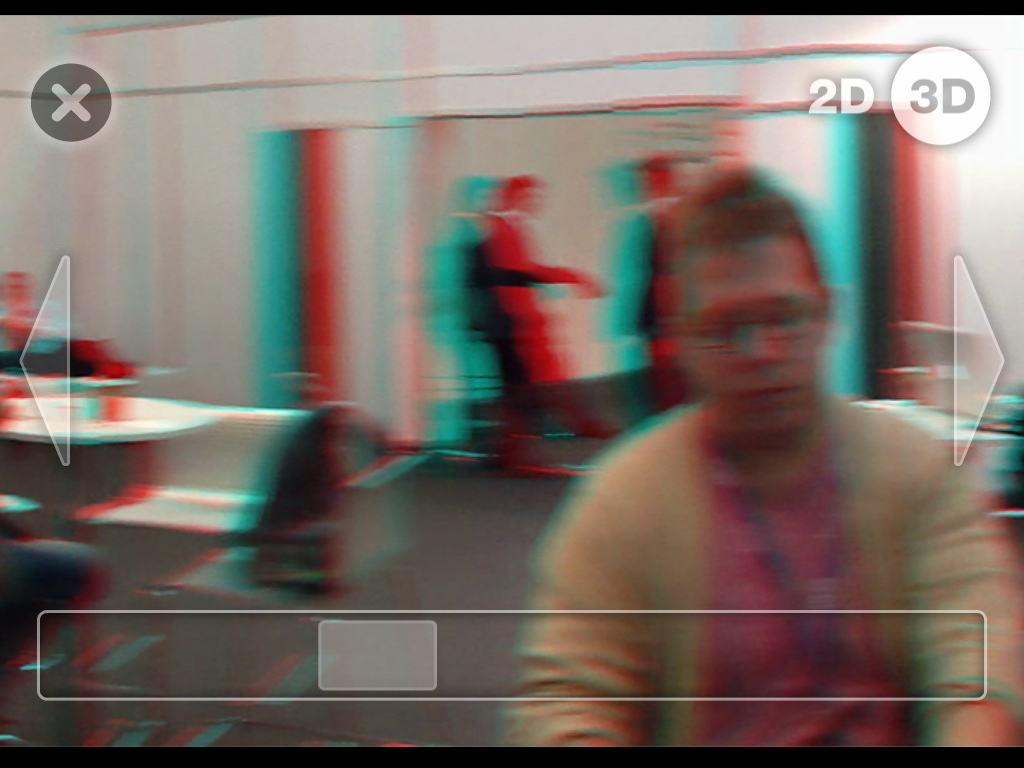
BARCELONA, MOBILE WORLD CONGRESS 2012 — Snapily is an app that lets you snap 3-D photographs with your iPad or iPhone, and then view them with 3-D specs. You can even order 3-D lenticular postcards from the app and have them sent to your home. It would be amazing: if it worked.
Photoshop Touch is so good you probably don;t need a Mac
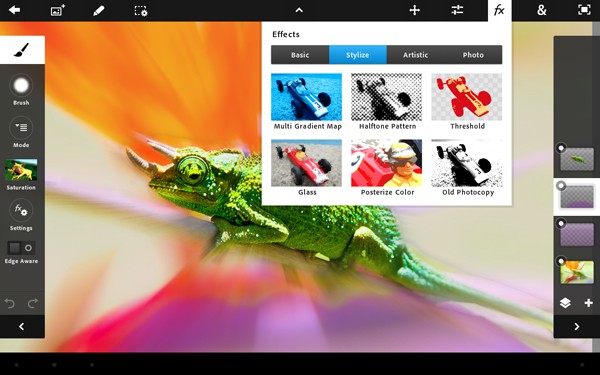
BARCELONA, MOBILE WORLD CONGRESS 2012 — If you thought that Adobe’s new Photoshop Touch was just a cut down, iPad-sized version of the desktop app, think again. I just watched a hands-on demo here at the Mobile World Congress in Barcelona, and this deceptively simple little app is pretty amazing.
Following an accidental and brief appearance in the App Store on Saturday, Adobe has officially unveiled its new photo editing app for the iPad 2. Photoshop Touch is available now in the App Store for $9.99.
The app was recently introduced for Android, and Adobe has now brought image editing tools to the iPad 2 that users of Photoshop on the desktop will recognize. The interface looks a whole lot like an Android app, but Adobe has packed some great features that make a compelling product.
Aurasma marketing boss Tamara Roukaerts fights Lion-O. Cheetara won
BARCELONA, MOBILE WORLD CONGRESS 2012 — When I first spotted the Aurasma booth, I thought it was yet another annoying app to serve ads on top of the real world, using augmented reality. And it actually is. Only before I could walk away, I got caught by the enthusiastic marketing folks and found out that the app is actually very cool indeed.
Aurasma is a kind of cross between augmented reality and Instagram. It works like this: You point the app at anything: a painting, a product package, a building, and Aurasma will remember it. You then pick a video or photo or a 3-D rendering to show up over that real-world scene whenever you point your iPhone’s camera at it again.
Chomp, chomp. Apple gobbles up the startup app-search service
Along with iTunes (ten minutes to transfer a TV show to my iPad?), the iTunes Apps Store is possibly the worst experience one can have while using Apple products. You can never find anything good; all the listings are clogged with scam software and other crap; and it is slow, slow, slow. The good news is that Apple looks set to fix it, with the purchase of Chomp.
After nearly a year of private beta testing, Cultured Code has finally implemented cloud sync in its popular to-do app Things. Now available as a public beta for the Mac, iPhone and iPad, Things Cloud can be enabled and tested for free by any customer.
When task management apps started adding cloud sync over a year ago, Things users were left behind while the developers at Cultured Code took a laboriously long time to get their sync solution off the ground. Now that iCloud is out and cloud sync is a staple feature of nearly every productivity app, has Things missed the bandwagon?
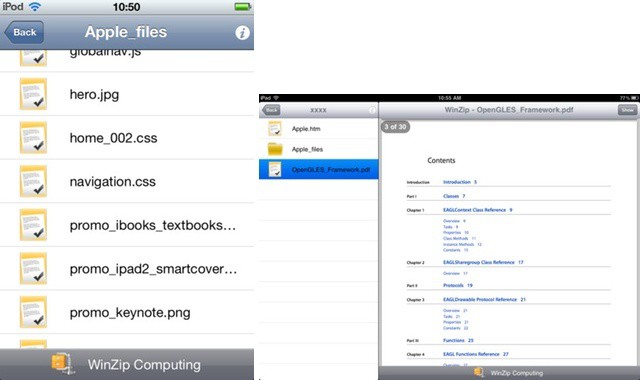
Way back in the mists of 1991, in the dark days when Kevin Costner somehow beat Martin Scorsese for the Best Director Oscar (Dances with Wolves vs. Goodfellas. Seriously?), WinZip was first launched. The frustrating, hard-to-use piece of shareware is still going today, and has just elbowed its way into the iOS App Store. That’s right: WinZip is now available for the iPhone and iPad.
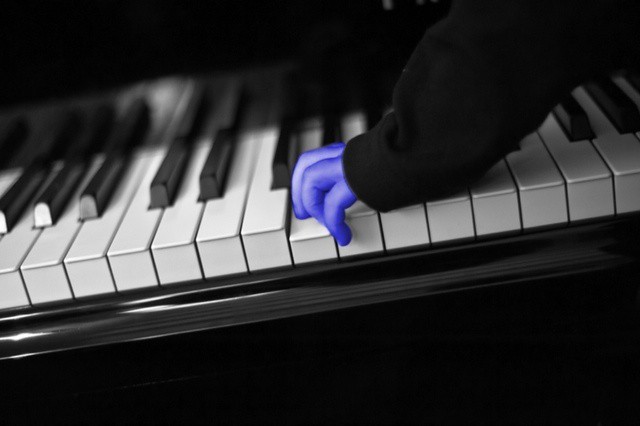
With just a few moments' work, I turned a perfectly innocent young boy into a Smurf. Photo Charlie Sorrel CC BY-NC-SA 3.0
If you grew up during the 1980s, many of its style tropes will have been burned indelibly into your brain. Shoulder pads, snow-washed jeans, pleated pants, and tacky, tacky poster art, exemplified by selective-colored black and white photos. If you can imagine a monochrome image of a rose, with the petals colored lipstick red, then congratulations: your mind just traveled back to 1985. Now, with Paint FX, your iPad can do the same.
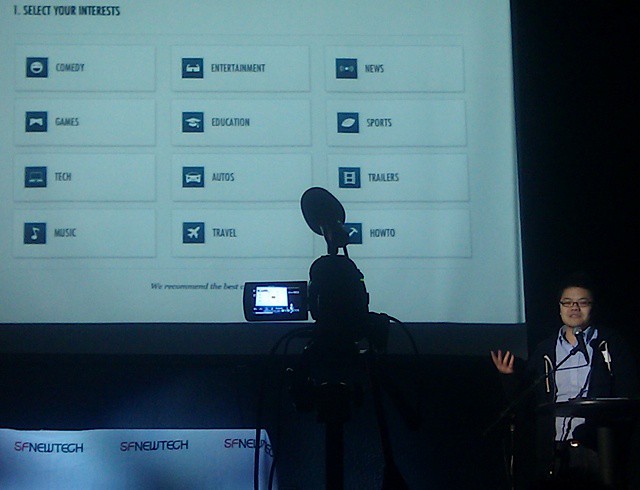
Thomas Pun demos Nowbox at SF New Tech. @cultofmac
Nowbox is a slick iPad app that allows you to waste spend many hours watching YouTube.
Nowbox was co-founded by Thomas Pun, who worked at Apple for six years, including stints as technical manager for the team responsible for the H.264 encoder technologies that shipped with QuickTime 7 and on the first video iPod.