Ever wondered if aluminosilicate glass surface of your iPad would make a great dance floor? Now you can find out.
DancePad is Like Dance Dance Revolution on Your iPad [Daily Freebie]
Ever wondered if aluminosilicate glass surface of your iPad would make a great dance floor? Now you can find out.
Apple firmly positioned the iPad as an education solution during its education even in New York five months ago. Even before that, many schools and districts had begun pilot programs of full on iPad deployments. The iPad provides many opportunities in education as well as some challenges.
One of those challenges is cost. That’s not a surprise, considering the number of iPads required in order to give one to each student in a district. The San Diego school district, for example, recently spending $15 million as part of its massive iPad plan that includes nearly 26,000 devices.
Given the cost of such deployments and the attention that BYOD programs have gotten in both the tech and mainstream media over the past year or so, it was only a matter of time before someone in the education technology sector began to talk up the idea of BYOD in education as a way to cut the costs associated with such deployments.
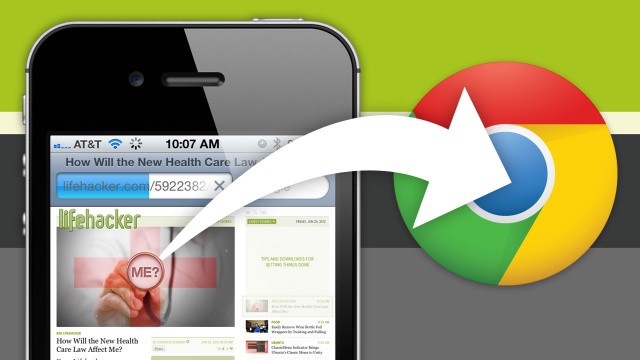
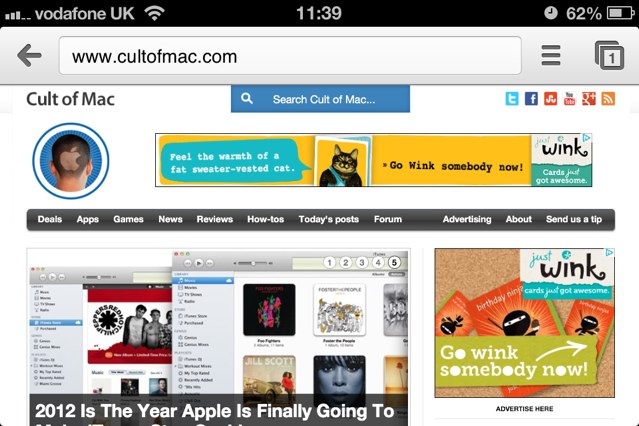
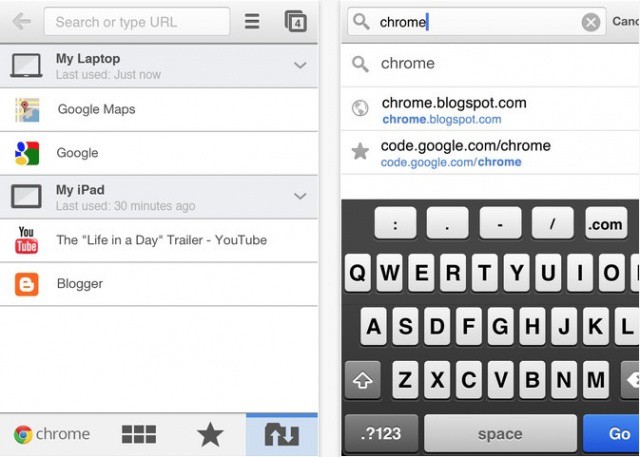
Google launched their shiny new version of Chrome for iOS today, complete with syncing and many other features Chrome users on the desktop have been longing for. We dug into Chrome for iOS to see what all the hype was about, and upon first glance, it’s definitely an interesting experience. You can check out our full hands on video after the break.
If you live overseas, you can now download Google Chrome for the iPhone and iPad at the link below. It’s on the Danish store only right now, but it’s obviously in the process of rolling out, so keep on refreshing, and watch for our early look and video tour of Chrome shortly after it hits the US App Store.
Update: It’s now available in the U.S. Store! Get downloading!
Source: iTunes
Gameloft promised a June 28th launch for their Amazing Spider-Man mobile game, and sure enough, it’s now available. If you’d like to get your web slinging on, it’ll cost you $6.99 — a price I was fully expecting from Gameloft. The game is available now on Android and iOS and features:
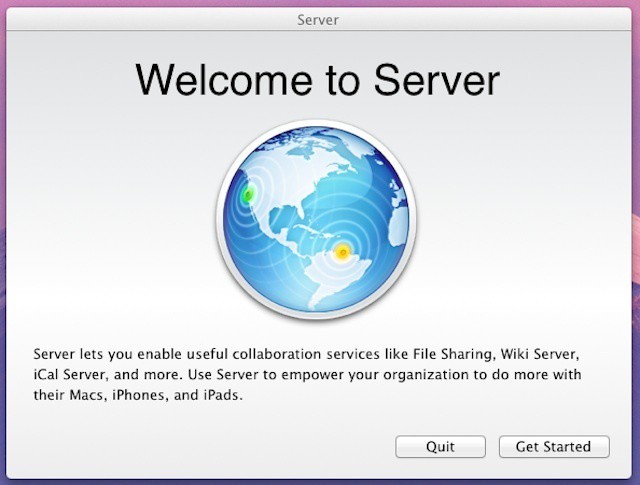
Apple’s 2007 launch of Leopard Server was the beginning of a new business strategy for the company. Leopard Server included a number of new features – shared calendaring with iCal Server, Apple’s wiki-based collaborative tools, and streamlined Podcast creation and hosting through Podcast Producer were some of the highlights. The biggest new feature, however, was the introduction of a simplified setup assistant and Server Preferences – a utility designed to look and feel similar to System Preferences that enabled easy management of key server features for smaller organizations with limited technical knowledge or resources.
Fast forward nearly five years to today and you can see the focus that Apple introduced in Leopard Server has become the core of Mountain Lion Server. You can also see that many features that used to be OS X Server staples are gone (or at least are being handed their hats and coats). What remains is a very inexpensive but still relatively powerful server OS with a focus on easy setup and management as well as collaboration.
Announced in early May, Amazing Alex is Rovio’s first venture away from Angry Birds since the title became a huge hit on iOS many moons ago. Based on the company’s previous success in the mobile gaming space, we’re all itching to see how its next release turns out, but the new teaser trailer Rovio released today gives us very little to go on.
In addition to the 20-second clip, however, the Finnish firm has also announced some more details about the physics-based puzzler.
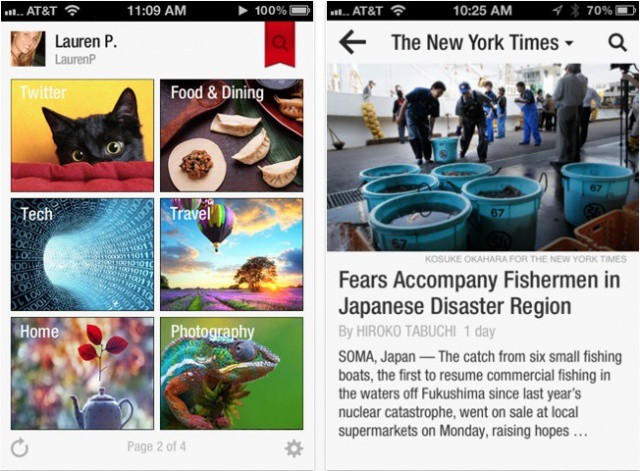
If you’re a New York Times subscriber, you’ll be pleased to know that you can now enjoy full access your favorite content via Flipboard, one of the best news readers available on iOS. Even those who don’t subscribe still get a little treat: free access to the publication’s “Top News” section.
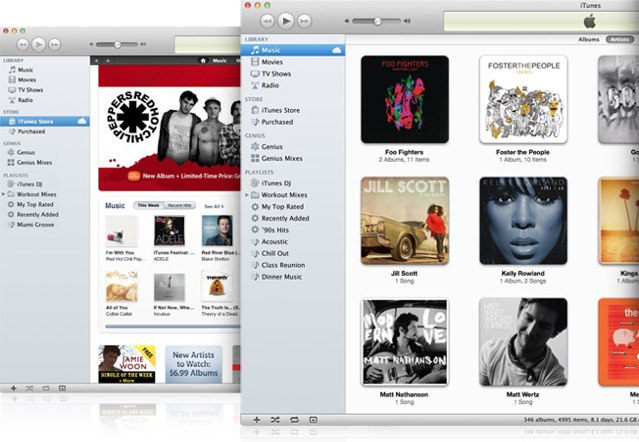
Various reports indicate that Apple is working on a major overhaul of iTunes that it plans to launch later this year. Those reports indicate that the update will be focused on consumer-oriented features like improved app/content discovery, music and media sharing, and greater iCloud integration. There’s also the possibility that Apple might split out some iTunes features into separate apps much like the company has done in iOS – the most recent example being the Podcasts app that it launched earlier this week.
Splitting iTunes into discrete parts is an attractive prospect, particularly for businesses and IT professionals. iTunes has become a bloated hodgepodge of functionality over the years. As a result, IT departments typically face a conundrum about whether to support or even allow employees with iOS devices to use iTunes on workplace computers.
Apple is said to be preparing an iTunes overhaul that will deliver the largest change the online music store has seen since its debut back in 2003. Set to be unveiled by the end of this year, the refresh will reportedly bring better iCloud integration and file-storage for users with multiple iOS devices, as well as new features for sharing music with friends.
One of the first tweaks I used to install after jailbreaking previous iPhones was Safari Download Manager, a terrific little package that does exactly as its name suggests: allows you to download files right within mobile Safari. The downside to this tweak, however, has long been its lack of support for iOS 5. That is, until it got updated today.
We got all excited about The Amazing Spider-Man earlier this month when developers Gameloft released the title’s first teaser trailer. And today the official game of the 2012 blockbuster has hit the App Store. As you’d expect from Gameloft, the 3D visuals look terrific, and they promise to “make Spider-Man more realistic than ever before!”
However dramatic the stories about her extra-curricular activities and personality are, Martha Stewart remains the undisputed queen of crafts.
But the last time I did anything crafty was back in high school when I ditched three periods and headed for the beach — so I wasn’t horribly enthusiastic when Martha Stewart CraftStudio popped up on our radar. Color me shocked though, because it’s pretty darn awesome — especially for kids, and people who actually know what they’re doing.
Since the early days of Apple, an emphasis has been put on realistic user interfaces, starting with the Apple Lisa’s GUI in 1983. This drive for skeuomorphism in design is more present in iOS than ever before. Having a touch screen allows applications to feel more natural, simulating actual real-world buttons and objects. If speculation is to be believed, future versions of iOS may take this trend even farther by placing user interface shadows based on the actual position of the light source in the room.
As more and more companies move forward with BYOD programs and/or mobile strategies centered around streamlining workflows for mobile professionals, the idea of the enterprise app store has gone from being a nice add-on feature to being seen as necessity for businesses, schools, and government agencies.
Developing a strategy around mobile apps is seen as a core need by a solid majority of companies – 66% of organization are considering or implementing internal app stores according to a Sourcebits survey of over 6,000 enterprises. That doesn’t mean that actually pursuing an enterprise app store strategy is an easy prospect.
Despite some advances in volume purchasing by Apple, many companies feel that mobile app options are still sub-par for their needs, particularly when it comes to the purchasing process and volume licensing.
The Metropolitan Police have released a new smartphone app for Android, iOS and BlackBerry devices that allows Londoners to identify suspected criminals. Called Facewatch id, the free app allows you to enter a post code and then presents a collection of CCTV images of people wanted for questioning by the police, including over 3,000 people involved in last year’s London riots.
Most discussions around BYOD and costs focus on one of two areas. The first is the cost reduction that a company might see if employees provide their own iPhones (or other devices) and pay for their own mobile plans. The second is the cost for mobile management solutions to secure and manage those personally-owned devices along with the apps and data stored on them.
Those are major concerns, but research company ARCchart recently identified a completely different cost of the BYOD trend – the revenues that device manufacturers and carriers are likely to lose as BYOD becomes a standard practice across the business world. According to ARCchart, the worldwide mobile industry could take a hit as big as $40 billion over the next four years as a result of BYOD.
Over the past few months we’ve learned a lot about the mobile ad market from a variety of studies. We know that iOS users are more likely to respond to ads than Android users, and that there’s often a big return on ads designed specifically for the iPad and other tablets. We’ve also learned that many ad agencies haven’t yet realized the value in either of those data points.
One company that sees the value of mobile ads is Universal Pictures. Universal has created an interactive mobile campaign for its upcoming “Savages” – an Oliver Stone thriller that opens a week from Friday (July 6) – that ticks all the right boxes for mobile ad success.
If you’ve ever jailbroken an iPhone, you should be familiar with BiteSMS, the built-in Messages replacement that delivers almost every feature you could ever want in a messages app. One of its highlights is a feature called Quick Reply, which allows you to respond to incoming messages from the home screen, the lock screen, or from within other apps using a handy popup window.
The developer behind this awesome app has now brought Quick Reply to the hugely popular WhatsApp messenger, using a new tweak that’s available now from Cydia.
BYOD and ever-increasing mobility are business trends that are forcing many organizations to take a fresh look at security. The idea of employees connecting from home, coffee shops, and even planes has led to an overall increasing awareness of the need to secure remote connections. At the same time, business data residing on the iPhones, iPads, and other mobile devices of those employees is causing the IT industry to take a fresh look at mobile device security.
That is, of course, a good thing. With the focus on mobile security, however, many IT organizations are letting the security and overall design of their core networks to become outdated – and exposing their companies to incredible risks in the process.
Apple released its second iOS 6 beta to registered developers yesterday, and it included a number of new changes. The Cupertino company’s new Passbook app remains inactive, however… unless you know about the workaround.
Although nothing you can do within the Passbook app itself will get it working, there is a little trick you can perform in mobile Safari. Here’s what you need to do.
In a long-awaited update, Google is finally brining some improvements to its Gmail app for iOS. The newest update brings support for Notification Center, “Send-As”, and persistent login, all useful features which should be well received by users of the app.
Apple has put a lot of work into developing its own secure messaging platform. With Mountain Lion and the Messages app that Apple rolled out in iOS 5, Apple is setting up its iMessage platform with a lot potential advantages for consumers and business users alike. For business, the always available and secure messaging is huge. Messages and conversations can be found on an employee’s iPhone, iPad, home iMac, work MacBook Air – that’s taking the concept of RIM’s BlackBerry Messenger service to a higher level.
For consumers, the great features are the integration of non-phone devices like the iPad and iPod touch and reduced reliance on carriers for texting, which can translate to cost savings (depending on mobile carrier/plan).
While most of us still use SMS to send text messages, there’s a distinct trend in shifting to using solutions like Apple’s Message platform.
Although iOS 6 looks a lot like iOS 5 on the surface, a number of Apple’s built-in apps and services have received some big changes. The biggest overhaul comes to the Maps app, which has done away with Google Maps in favor of Apple’s own 3D mapping service. Another feature you can look forward to in Maps, according to an Apple document sent out to developers, is Yelp check-ins.
A US judge today set a trial date for the US government’s lawsuit that accuses Apple and book publishers of conspiracy to fix the price of e-books. The case will begin June 3, 2013 and is based in part on antitrust charges, with the US Justice Department claiming that Apple colluded with five book publishers to artificially inflate electronic book prices in early 2010, when Apple was releasing the iPad.