BBC iPlayer is finally Retina-ready for the new iPad.
The BBC has updated its iOS today, finally delivering high-resolutions visuals for the third-generation iPad. It also introduces “improved video performance,” better accessibility with VoiceOver controls, and more.
Kicking off this week’s must-have apps roundup is a brand new Twitter client called Slices, which claims to be the world’s first Twitter app that allows you to break your timeline into individual streams, follow live events, browse Twitter by category, and more. We also have a “magical” app called Cardiio that accurately monitors your heart rate simply by looking at your face; the best blogging app for iPad yet called Pages; and more.
Heading up this week’s must-have iOS games roundup is a brand new Ghostbusters game that promises to be the best augmented reality game in the App Store. We also have a great online strategy game in the form of Tiny War XD, Activision’s legendary Pitfall!, and more.
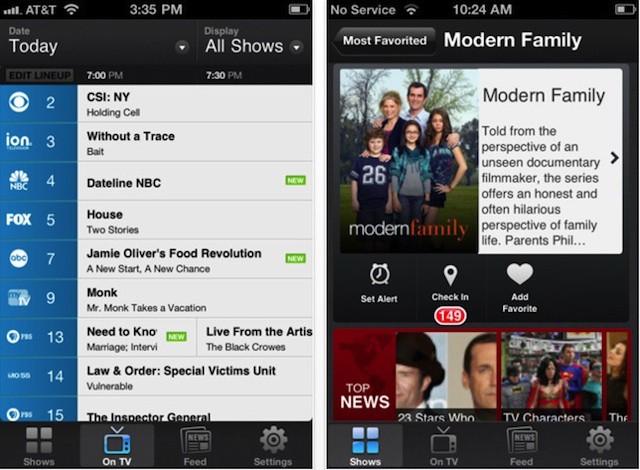
Even with the iPad eating away at the time we spend in front of the bigger screens — in my case, the iPad is my screen of choice when watching Netflixed TV shows — cable subscriptions still have a ton of appeal. Want to watch the Olympics live on your iPad via the official NBC app? You’ll need a cable subscription; and then there are all the recent great cable shows: Walking Dead, Breaking Bad, etc.
But you’ll need a guide to sort through the mire, and that’s where the i.TV app and your trusty iPad or iPhone comes in.
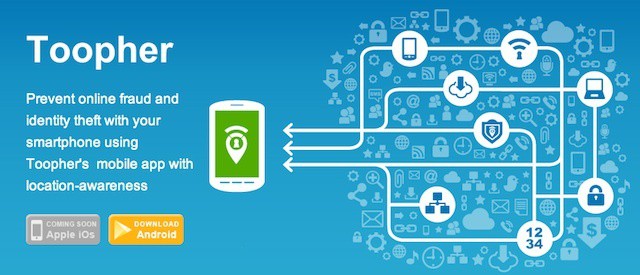
Toopher aims to use your location as a second way to verify you're you that goes beyond a username and password.
When Dropbox acknowledged its recent data breach last week, the company noted that it will be adding a range of security solutions in an effort prevent such a breach from occurring again. One of the technologies that Dropbox plans to implement is two factor authentication, which requires another identifying item beyond your username and password to grant you access to your account.
The second item in two factor authentication can be any one of a range of technologies like a smart card that needs to be swiped, a USB flash drive or other mobile that contains security certifications, a one-time user password token like RSA’s SecurID, or a biometric input like a fingerprint scan.
One company has another interesting option, however, your location.
Are you guys ready to watch two brand new $500+ devices get ruined for no good reason? Sure you are. Someone decided it would be beneficial to humanity to tie an Apple iPhone 4S and a Samsung Galaxy S III to the trunk of a car and drag them a couple hundred feet across the pavement. I bet you guys can guess what happens next.
Mobile app management vendor Apperian responds to our post on the future of mobile management.
Earlier this week, I took a look at the ways mobile management has changedsince Apple introduced mobile management features in iOS 4 two years ago. The biggest change has been the evolution of what constitutes effective and secure mobile management, which has shifted from securing the physical and operating system features of iOS, Android, and BlackBerry devices to securing the business data that is stored on those devices. That shift has refocused IT leaders and professionals on the need to secure data by securing mobile apps – a type of solution referred to as mobile app management or MAM.
Our friends over at Apperian, one of the major MAM vendors, decided to share their thoughts with me (and you) in a video. Check it out after the jump.
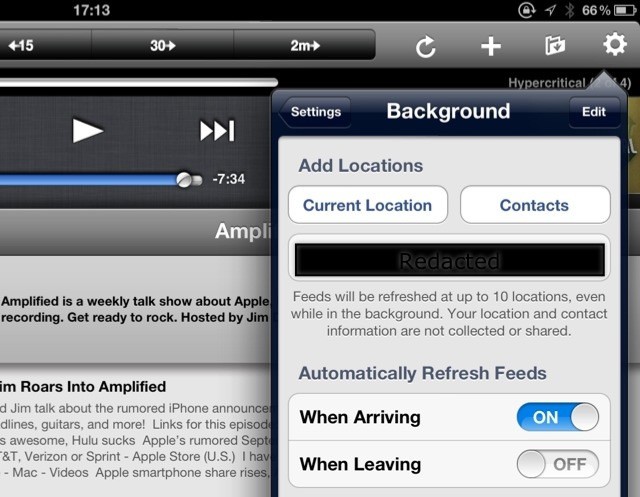
Downcast, my favorite podcatching app, has added a rather handy new feature with its latest update. Now it can automatically check for new podcasts when you arrive in a certain location. This clever use of iOS’ geofencing tech was first used by Instagram to grab unread articles, but now works for podcasts, too.
Cloud computing has great potential for schools, but isn't without some pitfalls.
The summer break is winding up and many teachers are getting ready to head back to work for another school year (and many IT staffers in those schools are trying to make sure everything’s ready when those teachers return). Over the past several months, many schools and their IT departments have been struggling to keep spending down while also delivering a 21st century learning environment. That discussion has largely focused on how to most cost effectively deploy iPads, new MacBooks, and other technology systems.
One approach to that dilemma is moving away from traditional software purchasing and towards enterprise cloud solutions. That approach may give schools more control over expenditures and offer other advantages, but it also has downsides including the potential to raise costs and degrade the education experience.
Google has slowly been introducing its cleaner, richer, more interactive search answers. You may have noticed these interactive “card-like” results when searching for “weather” or “120 X 50.” Google continues to refine its search tools and yesterday announced a few improvements to make these interactive results even better.
We're still no closer to a third-generation Apple TV jailbreak.
If you’ve been browsing the Internet every day in the hope that someone’s going to announce a jailbreak for the third-generation Apple TV you bought back in March, then look away now. iOS hacker Pod2g has confirmed that neither he, nor any other hacker he knows of, is working on an exploit for the Apple’s latest set-top box.
If you’re signed up to Blizzard’s Battle.net network, it’s time to change your password. The company has confirmed that its online service — which powers some of the most popular PC games including Warcraft, Diablo, and Starcraft — has been hacked. Although Blizzard is confident no financial information was taken, your email addresses and scrambled passwords have.
Turborilla, the developers behind Mad Skills Motocross — of the best side-scrolling racing games on iOS —has released its first teaser trailer for Mad Skills BMX, which is coming to iPhone, iPod touch, and iPad on August 16.The clip shows off the upcoming title’s gameplay, and offers a hilarious little cartoon alongside it.
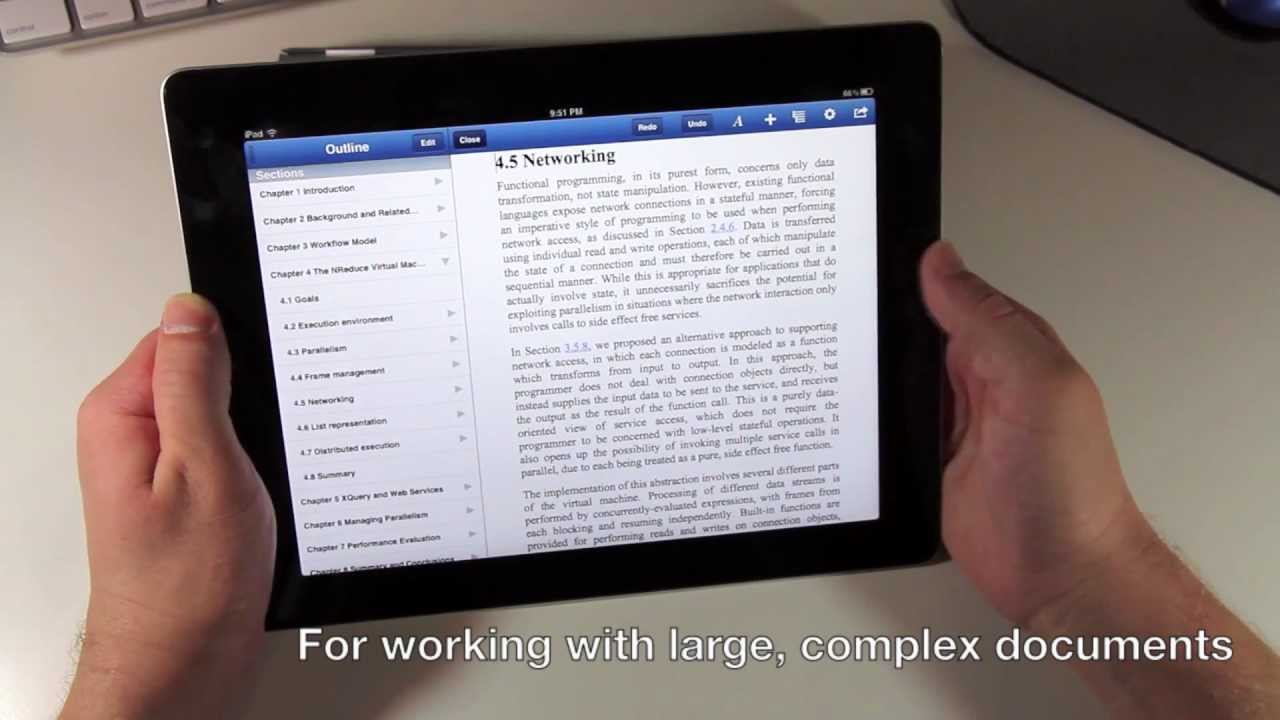
I featured UX Write in one of my must-have apps roundups when it first hit the App Store, because it’s one of the best word processors available on iOS. It has now received its first update, and it’s a fairly major one, introducing support for external keyboards, autosave, dictation on supported devices, and more.
Like we said, Passbook in iOS 6 is going to steal a few tricks from flight apps like Mobiata’s $5 FlightTrack (and $10 FlightTrack Pro), making the apps seem somewhat less valuable.
Whether or not Passbook replaces these types of apps remains to be seen; in any case, Mobiata isn’t going down without a fight, and has just released an all-new, free version of their FlightTrack app for both iOS — and Android.
Teasing mobile gamers with trailers and screenshots is nothing new for the mobile gaming giant Gameloft, however, what is new, is a trailer for their first game built off of the Unreal Engine. Gamers first caught a glimpse of the new game (that we now know is entitled Wild Blood) thanks to a sole screenshot depicting a gigantic bloody blade towering over a corpse filled battlefield. Gameloft has now followed that up with a short teaser video and a Facebook page for gamers to unravel clues about the game’s story.
Need to upload a photo quickly on the go? No problem.
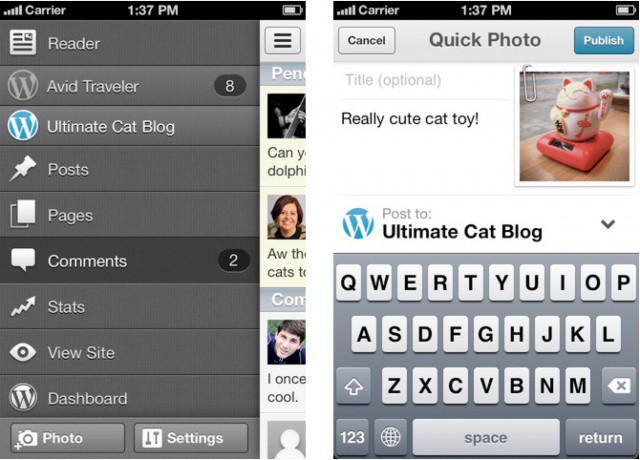
The previously lackluster WordPress iOS app has been updated with a host of new features and improvements that make it more appealing to power users. The new version also features a design overhaul and the sidebar menu interface seen in other popular apps like Facebook and Path.
There have always been two top players in the news reader app market: Flipboard and Pulse. Both started on the iPad and later made their way to the iPhone and Android OS. While Pulse may not always receive as much attention as Flipboard, the app is still beloved by many.
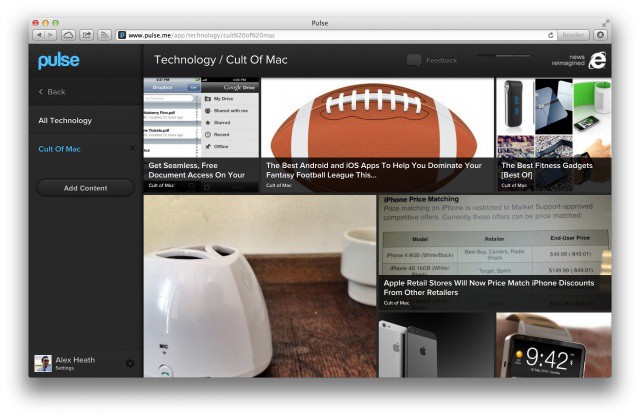
Fans of Pulse will be happy to learn that the free service has made its way to the desktop in the form of a slick, new HTML5 web app.
Don't start your fantasy without checking out these great apps.
The NFL pre-season games are almost upon us with the regular season not far behind. If you’re a fantasy football fan, that means it’s time to join a league (if you haven’t already), research and plan your draft choices, and pick the apps that you’ll use over the course of the season to track all of your key player and team stats as well as to manage your team.
The right tools can make or break a successful season. Here are some of the best apps out there for iOS and Android that can help you keep track of everything and manage your team’s lineup on the go.
Remember the 1982 Activision classic Pitfall! from the Atari 2600? It’s probably been a while since you played it, but that’s about to change. The jungle-crawler has been revamped and relaunched on iOS — 30 years after its first debut — promising thrilling new environments and twists on the classic gameplay that will “appeal to fans of all generations.”
I’ve always had a lot of love for Things for iOS, ever since I began using it on my iPhone 3G. But lately I’ve felt the iOS version has been lacking a few key features, and struggling to compete with rival solutions. Today, however, Things has received a massive update packed full of new features, including a fresh new look, and Things Cloud syncing. But does it do enough?
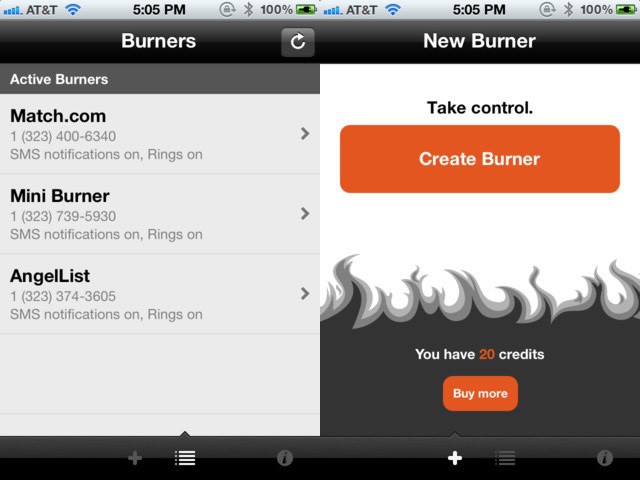
So, there’s a new app out there for the iPhone that will let you create a temproary number that routes to your real phone number, and can be set to stop working, or “burn,” after a set amount of time. Basically, the free Burner app comes with enough credits to create a temporary phone number called a mini-burner that expires after 20 minutes of talk time and/or 60 text messages, or after 7 days. Or you can burn it sooner.
Inbound and outbound calls use up your actual phone plan minutes and/or texts, but the actual identity of the caller and callee are kept private. You can then buy more credits, in various tiers starting at 3 for $1.99. These can be used to buy burner numbers of different lengths, or to extend burners you’re currently using.
Yeah, we all want to think we’re James Bond, but the reality is probably more mundane. Or, you know, way to hook up anonymously (possible NSFW link). As the iTunes description says, “** What will you use Burner for? **”
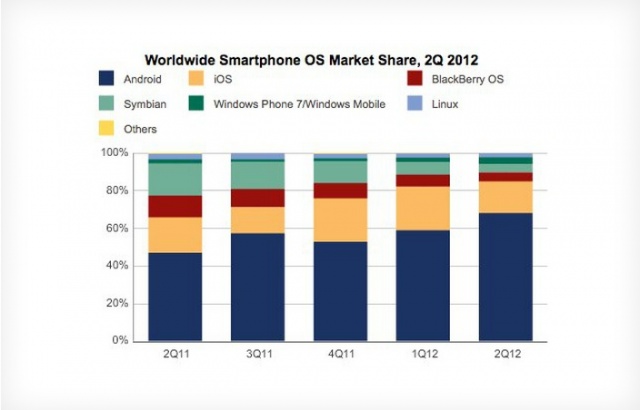
As smartphone shipments surge, the mobile market remains dominated by two operating systems: Android and iOS. Android maintains a commanding lead, with over 68% of all smartphones shipping with the young and robust OS. This, of course, comes at the expense of its elders, such as BlackBerry and Symbian, while iOS keeps its small but steady pattern of growth as it gears up for the release of its next grand iteration.
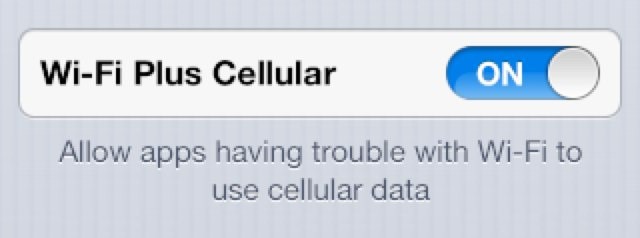
Have you ever watched your iPhone attempt to load a webpage with a poor Wi-Fi connection, and wondered why it doesn’t just switch to 3G automatically? In currently iOS releases, your device can’t do that. If you’re connected to a Wi-Fi network, it will only use the Wi-Fi network. But iOS 6 changes that. You’ll soon be able to use “Wi-Fi Plus Cellular” connections, which allows apps to switch to a cellular data connection automatically when Wi-Fi is poor.
College football teams follow NFL teams in replacing playbooks with iPads.
Football season is just around the corner and the iPad is set to become a fixture for both college and pro teams. As we noted earlier in the year, a handful of NFL teams made the switch to iPad-based playbooks at the start of last season and more are making the switch this year. In addition to NFL teams, several colleges have announced that they are transitioning to the iPad playbook model as well.