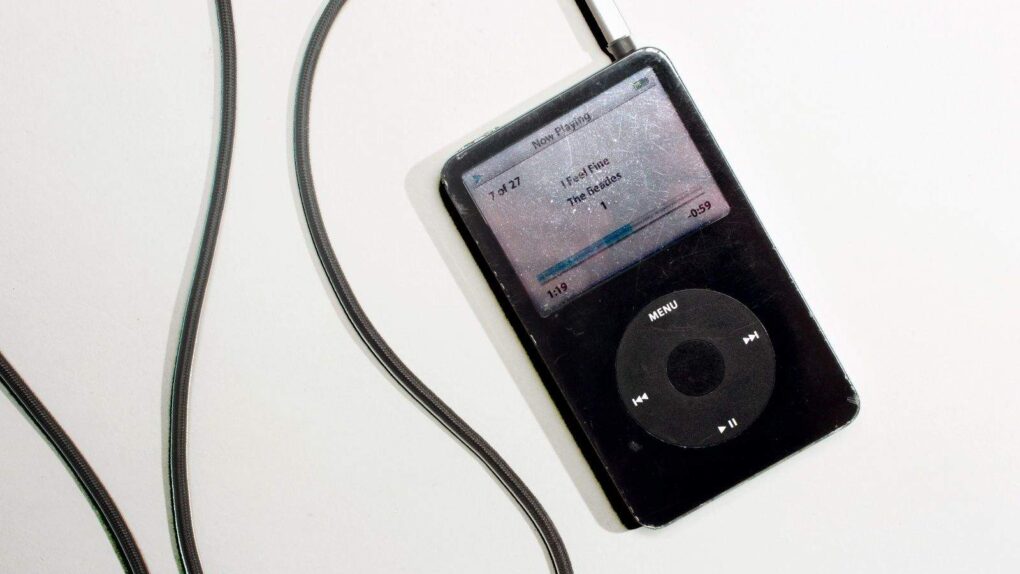
The MP3 made the iPod possible. Photo: Jim Merithew/Cult of Mac
Now that Apple has made iBooks available on all iOS devices users can read their purchased eBooks on a number of different devices. But what if you have a couple large RTF, DOC, TXT, or LIT files of your own that you want to view in iBooks you’re out of luck. In this tutorial we’re going to show you how to get digital and convert your documents into eBooks so that you can enjoy reading them on your iPad, iPhone or new iPod Touch.
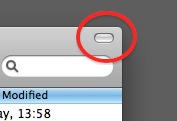
Look at this button in the top-right corner of a Finder window. Ever wondered what this is for?
It’s called the “toolbar control button” and you’ll see it all over the place in OS X. It lives in the top-right corner of an application or document window.
But what does it do? Simple: it hides the toolbar from view. The toolbar is that strip across the top of the window where buttons and controls live. You can choose to leave it there all the time, or you can reclaim that screen space by getting it out of sight. That’s what this button is for.
Image by mixlass, used with thanks under CC license
You don’t.
There’s no need to. The OS X filesystem is designed to look after files properly in the first place, so that’s one thing you don’t have to worry about.
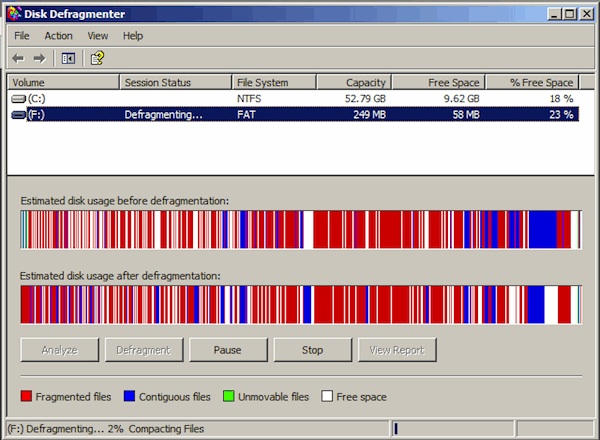
Sometimes – not often, but sometimes – you might hear your computer’s hard disk whirring for no apparent reason. Among other things, that could be the system looking after itself – moving stuff around on the disk so that there’s no need for you to actually sit down and click a button marked “defrag.”
If you want to know more about the technical ins-and-outs behind this, go read this Apple support document. As it points out, there’s no need to defrag your disk, and even if you download a third party defragging application and run it, you probably won’t notice any difference.
Save yourself the trouble, and spend your not-defragging time doing something fun on your computer instead.
Ever been singing along to a new song and wondered just what the heck the lyrics really are? Searching for the lyrics on the internet isn’t the fastest of solutions to avoid lyric confusion. Here we’re going to show you how to utilize scripts and a widget to search out the lyrics for all of the songs in your iTunes library and automatically save them to song’s meta data, so that next time you can correct your friend when they sing “where’s my Asian friend,” when the lyrics really are, “what’s my age again.”
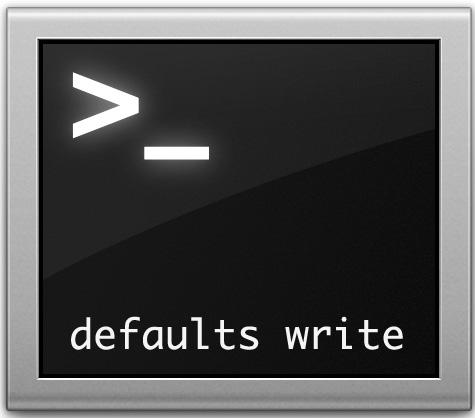
All Mac applications and system functions have preferences, but there are often more options available than are accessible via the User Interface. Using the Terminal in Mac OS X in conjunction with the defaults write command, you can control behavior of the Finder, iTunes, etc. in ways that you otherwise can’t.
We noted the use of this command with the iTunes 10 button fix last week: defaults write com.apple.iTunes full-window 1
Following is a list of some other useful commands I’ve compiled which will work in Snow Leopard.
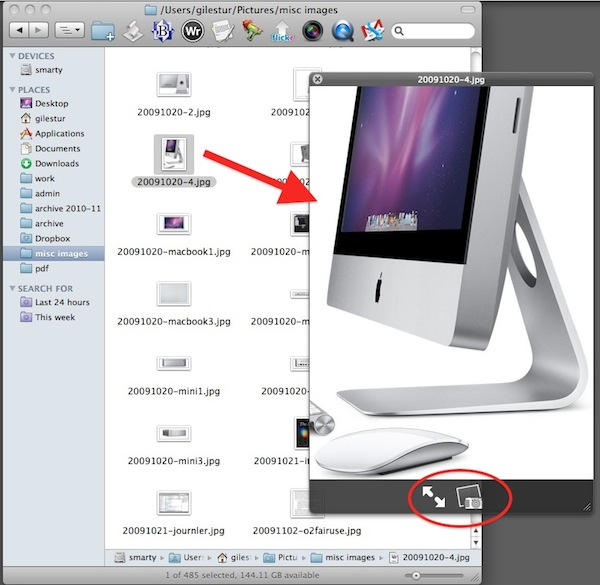
QuickLook is a system for quickly previewing files as you browse around your computer. It’s really easy to use, and personally I find it invaluable. Not a day goes by when I don’t use it at least once.
iPods are great nifty little devices that allow you to take music off of your computer and carry it around town with you inside a magical Apple electronic device. But what happens when you want to transfer the music that’s on your iPod and put it back on your Mac? Despite all of its friendliness, iTunes is unwilling to pry the music of your iPod or iPhone. In this walk-through we’ll show you how to reclaim your music from your iPod and get it back on your Mac.
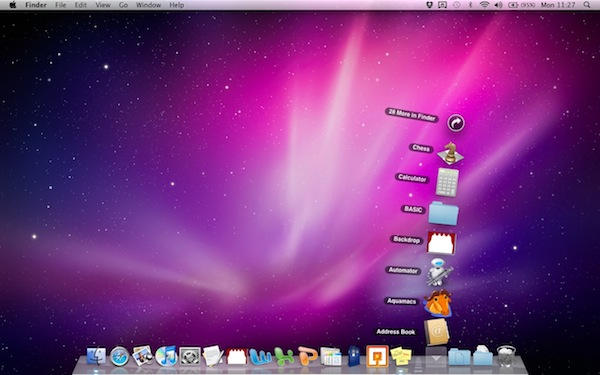
Back in tip number 5, we had a look at how the Dock is laid out. Application shortcuts are on the left, folders on the right.
It’s pretty clear what the shortcuts do: they open an app for you. If it’s already open, they switch you to it. You can change which ones stay in the Dock all the time, so that you’ve got quick access to the applications you use most often. But what happens with the folders on the right, and how do they work differently?
The idea with folders in the Dock is to make it easier to get to what’s inside them. When they’re in the Dock, they’re known as “stacks”.
You might be over the moon about Apple’s baby social network, but on the off chance that you’re not, here’s a quick’n’simple guide to de-Pingifying your iTunes. It’s not difficult.
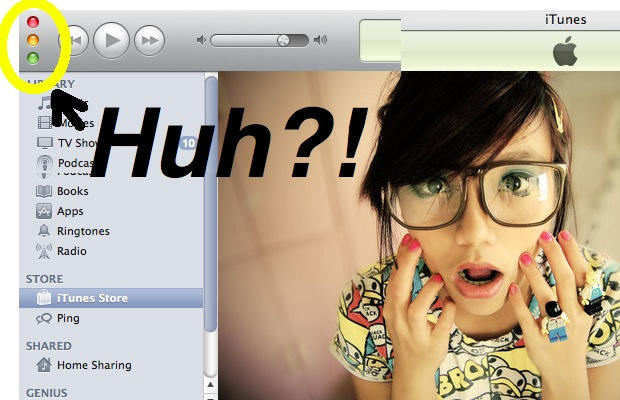
Ever feel like Steve Jobs is messing with you just for fun? That’s what I thought when I opened up iTunes 10 and saw the minimize, maximize, & close buttons on the left hand side of the window, instead of aligned at the top.
Moving the buttons over there goes against everything OS X design is about. It’s an uncharacteristic move by Apple, unless they plan to move the buttons to the side for all of their applications, which doesn’t seem likely. Don’t worry though, there’s a super simple fix for this weird quirk if you want to bring uniformity back to OS X.
With the announcement of Apple TV it’s never been more apparent that physical format is dying and your collection of DVDs is becoming more obsolete by the day. However, that doesn’t mean you have to purchase all your favorite movies again just so you can enjoy streaming them to your iOS devices. Here we’re going to show you how to take your encrypted DVDs and rip them onto your Mac.
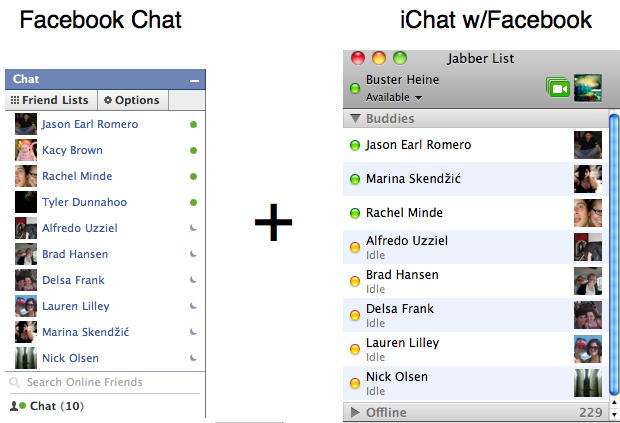
Tired of having to keep that browser tab open to Facebook just so you can keep chatting with your friends? It only takes five Quick Steps to integrate iChat with Facebook’s web-chat client and because Facebook uses the Jabber protocol it’s incredibly easy to set up and use.
Got an old lamp-style iMac sitting dusty and unused since you first swooned over it back in 2003? Gut it, install a Larson Scanner Kit into the base and plop it on your head and you’re ready to attend your next Halloween party as… well.. take your pick? iMaCylon? Cyclops from the OS X-Men?
I don’t know about you, but I’m used to being able to customize the operating systems that run on my gadgets. I like to be able to tweak a few things here and there on my Mac especially the things I have to look at all the time like my desktop background and screen saver. If I wasn’t able to do these things I think my Mac would be pretty boring. I used to think the same thing about my iPhone until now.
Apple’s release of iOS 4 introduced us to something people using jailbroken iPhones have been taking for granted for a long time — the ability to alter the wallpapers used on the iOS Springboard desktop and lock screen. Couple these iOS enhancements with the new iPhone 4 retina display and soon you’ll be feasting your eyes on some pretty amazing wallpapers.
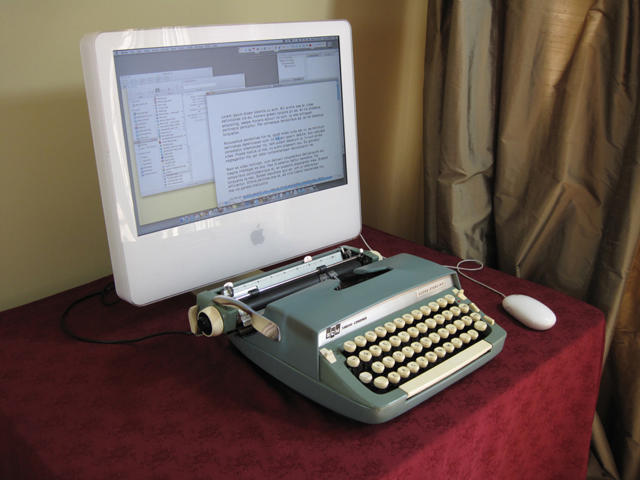
Miss the meaty mechanical kerchunk of slapping down your old Macintosh Plus Keyboard? Feel as if the Apple Wireless Keyboard’s soft and barely yielding keys barely convey the shaking gravity of your prose? Instructables has you covered, with an excellent guide on how to convert an old typewriter into a USB keyboard capable of being used with any Mac, bringing back to your computer the mighty hammering of the Underwoods of old.
Just don’t expect the project to be easy: according to Instructables contributor Jack Zylkin, the modification will take anywhere between five to ten hours to complete.
Not quite sure what you’re looking at? These seven Escher-esque airplane propellors were captured by iPhone photographer Soren Ragsdale, and while the resulting image is a bit mind-bending, no genius would find anything wrong with his iPhone’s camera sensor. Instead, the photo is just a trippy (but terribly neat) demonstration of the iPhone’s rolling shutter.
Here’s how it works. Unlike a film camera — which quickly opens its shutter and burns the resulting image into the ensconced film strip all at once — most digital cameras have a rolling shutter. An iPhone doesn’t take the picture all at once; instead, it works more like a scanner, starting from one side and — line by line — moving to the far end of the photograph.
Usually, this all happens so fast that you can’t tell the difference, but when you start adding in photographic subjects that spin faster than your iPhone’s camera can scan them, you get the weird reality bending of the image above.
The iPhone’s not alone in exhibiting this behavior: you’ll see this sort of sampling on pretty much every CMOS sensor camera on the market. A nightmare for professionals, surely, but for a consumer interested in Dali-fying his iPhone photos without downloading an app, it’s a pretty cool side effect.
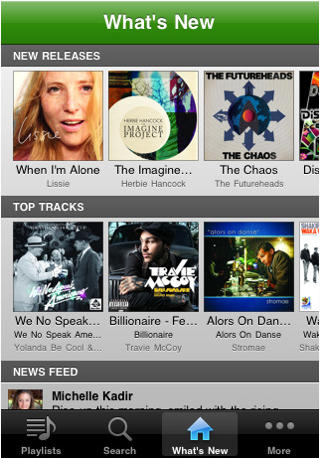
Although Spotify is “the best desktop music player ever,” the revolutionary music service is only available for people located in Finland, France, Norway, Netherlands, Spain, Sweden and the United Kingdom. You can’t get it in the U.S.
This is enforced by Spotify by checking your IP Address and making sure that you are in one of those countries. As such, anyone in the U.S. that goes to https://www.spotify.com/int/get-spotify/overview/ will get a message that Spotify is “Not available in your country yet.”
Don’t worry though, because with this walkthrough I’m going to show you how you can get this great music service on your computer and on your iPhone/iPod Touch.
On Windows, you might have got used to right-clicking on a file and clicking “Properties” to see the meta information about the file itself – such as its size, and so on.
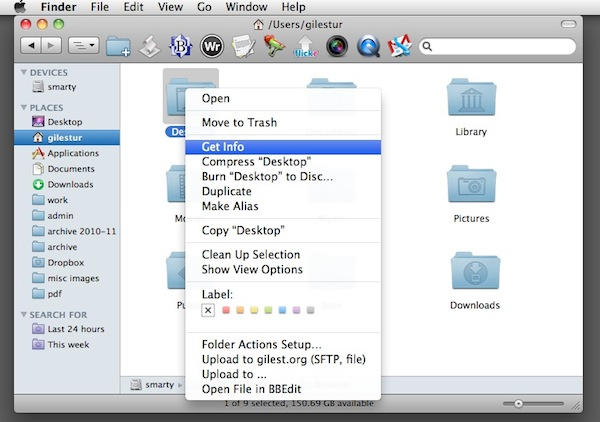
On Mac OS X, you can do the same thing by choosing the “Get Info” command.
You can get to it in a variety of ways:
Select the file in a Finder window, and hit Command+I
Select it, and click on the File menu, then Get Info
Select it, then click the Action button in the Finder toolbar, and choose Get Info
Control-click or right-click on it, and click Get Info from the popup list
The Magic Trackpad is a fantastic addition to a desktop, but it’s insistence on being battery powered is a little strange. For most users, it’ll never leave their desk, yet there’s no USB option, unlike Apple’s own keyboards; additionally, unlike the Magic Mouse, where a cable would limit its effective range, the Magic Trackpad is designed to stay stationary.
For a lot of people, then, the Magic Trackpad’s battery guzzling represents something of a waste, and while Apple’s introduction of their own Battery Charger mitigates a lot of the environmental concerns, its still a shame there isn’t at least an option to plug it into your iMac or MacBook’s USB port directly and never worry about its juicing at all.
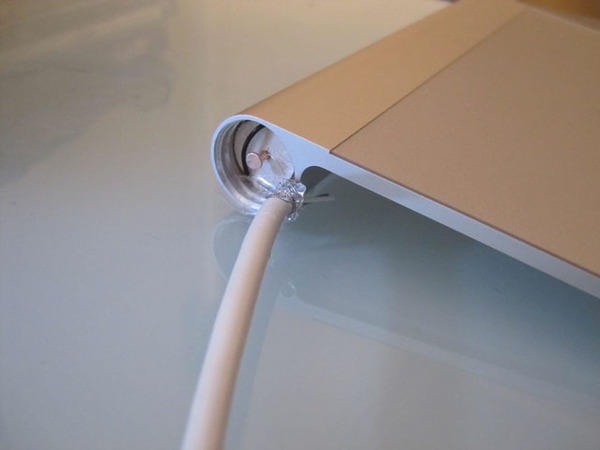
That’s why MacRumors modder markbog hacked his Magic Trackpad to hook straight to his Mac’s USB port by taking the batteries out of the device, stripping down an old USB cord and attaching them to a battery sized dowel.
Supposedly, it works great. Let’s not forget, though, that the Magic Trackpad is a pretty great mobile accessory as well: it easily fits into a laptop bag, and I can say from first hand experience that it makes an absolutely fantastic way to control your Mac mini driven HTPC set-up.
No, you don’t have to use an Apple mouse on your Mac. Any standard USB will be fine. Just plug it in and go.
And that includes standard USB mice with two buttons. Yes, the right button will work. You will be able to right-click on things just as you used to do while using Windows.
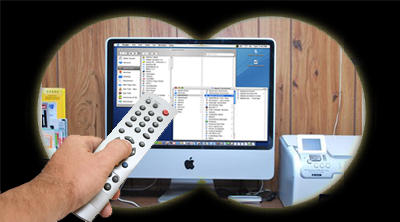
Remote control of your Macintosh allows you to access a distant computer across a network or the Internet. The screen of the remote Mac appears locally, and you use your mouse and keyboard to control the distant system. This capability can be helpful for tech support, system administration, finding missing information or more informed parenting (to the chagrin of many offspring).
With the Mac’s increasing popularity there are now an increasing number of options available for Mac Remote Control, many of which are free. Choices include Apple’s built in Screen Sharing and Remote Desktop software, web based services like LogMeIn and GoToMyPC, and old standards like VNC.
Facebook has introduced a new feature called Places and like everything Facebook seems to do lately it leaves us all feeling a little more paranoid and less secure than we did before. The thought of your friends checking you in at your therapist may not be something you want everyone to know. You might like going to the therapist, but you may not want anyone knowing how often you spend your time there talking about your iPhone addiction. So, if you’re anxious to find out how to turn off Facebook Places, read on.
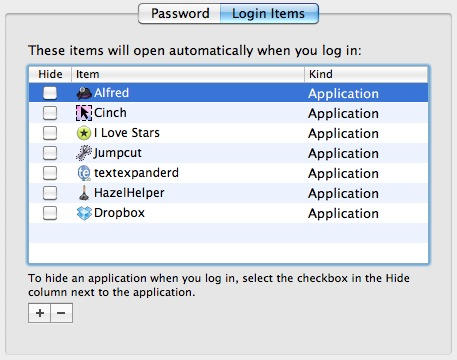
Every time you log in to your user account, you’ll have to wait while a handful of applications and background processes get themselves started.
Finder, for example, has to start running – otherwise you won’t get very far. On a brand new Mac you won’t find a lot of things running as well, but as time goes on and you add more software to the basic system, you might want to make some changes and decide exactly which apps run at log in.
There’s a place to do that in System Preferences, but it’s not immediately obvious exactly where.
This is the Option symbol, which you’ll see quite a lot of as you use Mac OS X.
Depending on the age of your Mac or your keyboard, the key itself might have all sorts of different things on it. It might just have the option symbol. It might have the word “Alt” on it, or the word “Option”; or both; or some combination of one of those words and the symbol.
This can make things confusing for newcomers. To make it easier, remember that Option = Alt = ⌥, and that the key you need is adjacent to the Command key.
Just as the Mac Command key is similar to the Windows Control key, so the Mac Option key is similar to the Windows Alt key, or the AltGr key. Hold it down while pressing other keys, to make them do different things. It’s a modifier.
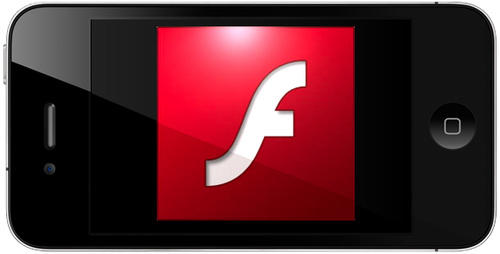
Flash (or, rather, Frash) came to iPhone 4s yesterday, and also runs on jailbroken iPads, but the installation process was, well, a little convoluted.
Thankfully, it’s just gotten a whole lot easier thanks to Cydia repository Benm.at. If you want to install Frash on your jailbroken iOS device, it’s now as simple as following these steps:
1. Open Cydia > Manage > Sources
2. Edit source and add https://repo.benm.at
3. Search Frash and install it.
Voila! A pulsing migraine of Steve Jobs’ annoyance, right in the palm of your hands. Watch out for core meltdown, though: we hear Frash runs pretty hot.