
Thunderbolt 5 docks turn your humble MacBook into a full-fledged desktop workstation. They allow for a clean, one-cable setup, with support for multiple monitors, external drives and other USB-C accessories.
There are plenty of Thunderbolt docks on the market, but not all of them are created equal. If you want the fastest speeds, the right mix of ports and seamless compatibility with your Mac, these are the best Thunderbolt 5 docking stations you can buy right now.
The best Thunderbolt 5 docks for Macs
If you use your MacBook as a desktop replacement or connect it to multiple monitors or accessories, a Thunderbolt dock is a must. It will elevate your desk setup and give you freedom from messy cables.
With a Thunderbolt dock, you can connect multiple displays, fast external SSDs, SD cards, Ethernet, audio gear and other accessories through a single cable. Dock your MacBook when you sit down to work, and instantly turn it into a desktop-class workstation.
Thunderbolt 5 docks take full advantage of the additional bandwidth (up to 120Gbps) of the latest version of the standard to offer additional ports and faster speeds. This gives them extra headroom to handle more demanding accessories.
The Thunderbolt 5 dock market is smaller than the crowded world of Thunderbolt 4 accessories. Some focus on packing in as many ports as possible, while others prioritize compact designs, ultra-fast storage connectivity or multidisplay support for demanding Mac setups. If you are confused about which one to buy, check out our favorites below.
Table of contents: The best Thunderbolt 5 docks for Macs:
- CalDigit TS5 Plus
- iVanky FusionDock Ultra
- Ugreen Maxidok 17-in-1 Thunderbolt 5 Dock
- Anker Prime TB5 Docking Station
- OWC 11-port Thunderbolt 5 dock
- Wavlink Thunderbolt 5 Docking Station
CalDigit TS5 Plus
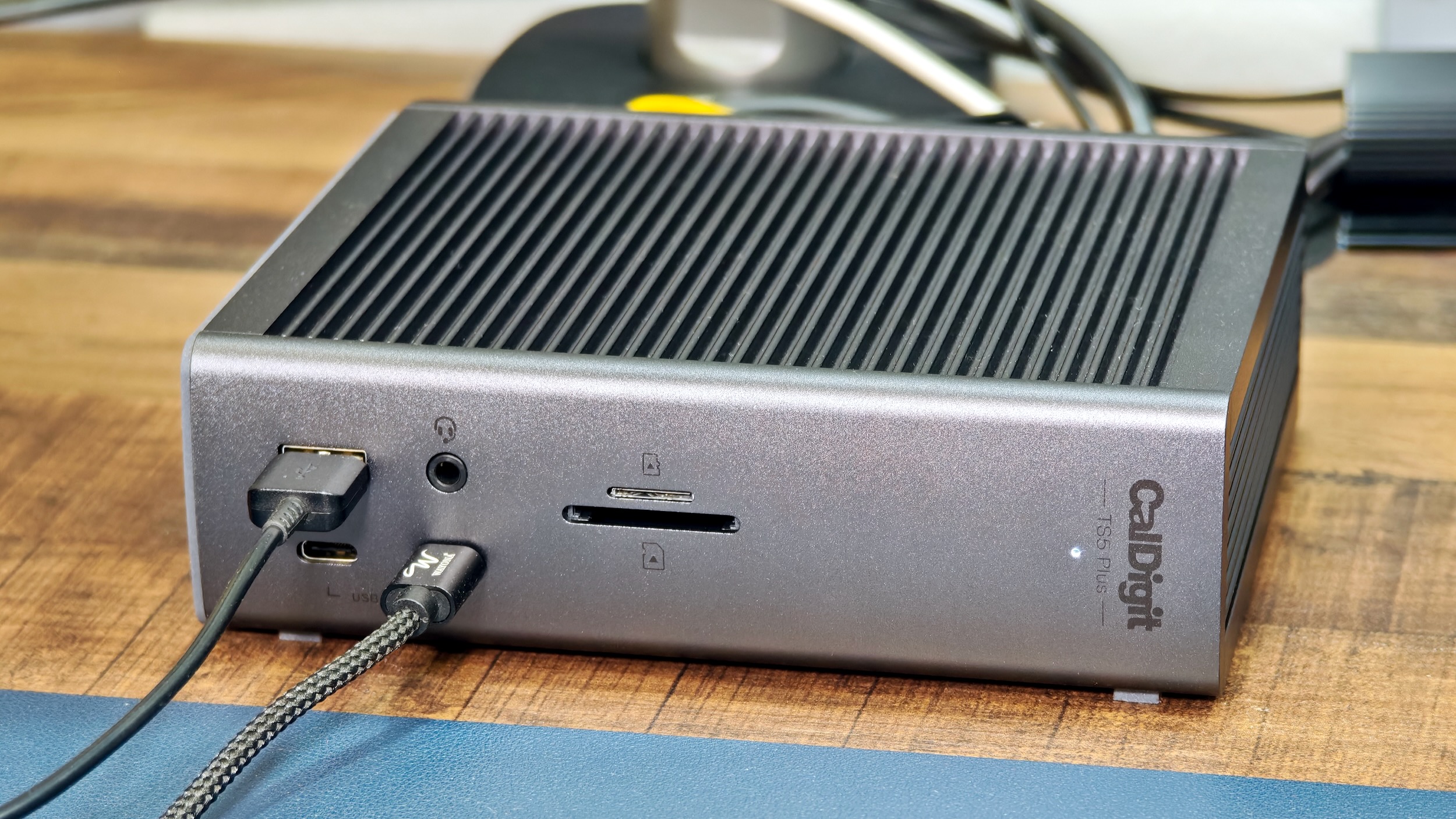
Photo: Rajesh Pandey/Cult of Mac
CalDigit made a name for itself with its excellent Thunderbolt accessories. The TS5 Plus, the company’s flagship Thunderbolt 5 dock, packs a stunning 20 ports.
It comes with 10 (!) USB ports, a 10GbE Ethernet port, an SD card slot, DisplayPort 2.1 and more. To handle all the bandwidth, it features dual USB controllers.
Besides its compact footprint and a practical port selection, the CalDigit TS5 Plus stands out for its massive 330W power brick. This means you can keep your MacBook, external drives and other USB-C accessories connected and powered at the same time without worrying about stability or charging speeds.
Every Thunderbolt port delivers up to 36W of power, so even demanding accessories get enough juice. Likewise, the front USB-C port’s 36W power output means you can fast charge your iPhone or iPad.
Another handy touch is offline charging, which lets you keep charging your phone, earbuds or other gadgets through the dock even when your Mac is asleep or turned off.
The only bummer with the TS5 Plus is that it runs hot. Unlike most other Thunderbolt 5 docks in this list, CalDigit’s offering lacks active cooling. Instead, it uses its aluminium body to dissipate heat.
As a result, the TS5 Plus can become very hot, especially if you connect a bunch of accessories. This can be a problem and even increase your room’s ambient temperature noticeably.
For most power users, the CalDigit TS5 Plus is the Thunderbolt dock to purchase. It will happily handle all your needs and then some.
The CalDigit TS5 Plus is a premium hub meant for power users with demanding workloads. It fully utilizes the Thunderbolt 5's bandwidth to 20 ports, including multiple TB5 and USB-A/C, 10GbE networking and up to 140W host charging.
- Only dock with 10GbE port
- Only dock with dual USB controllers
- 330W power supply
- Variety of ports, including USB-C with up to 36W power output
- Expensive
- Can get hot under load

iVanky FusionDock Ultra
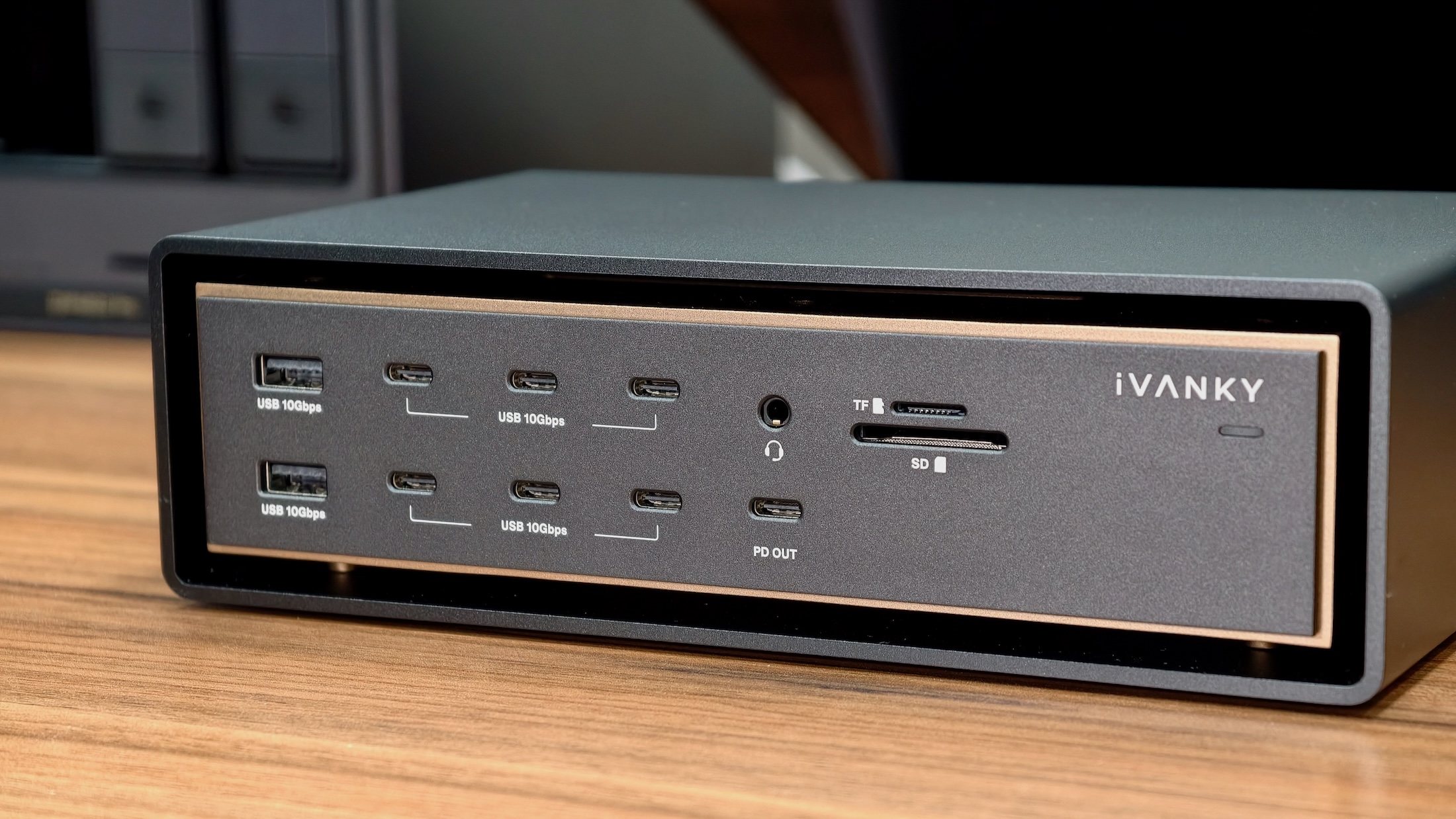
Photo: Rajesh Pandey/Cult of Mac
There are power users, and then there are the users the iVanky FusionDock Ultra is built for.
There’s no other Thunderbolt 5 dock on the market like iVanky’s offering right now. It packs a staggering 26 ports and can output up to 140W of power to a connected MacBook.
It’s also the only dock in this list that uses two Thunderbolt 5 ports on the Mac to work. In return, you get 13 USB-C ports, five USB-A ports, 10GbE Ethernet, HDMI 2.0 and Display Port 2.1.
There’s enough power to allocate to all the connected devices, ensuring they don’t disconnect or lose power under load.
The floating design and dual fans ensure the FusionDock Ultra stays cool even with multiple devices connected.
All the ports and features of the FusionDock come at a price, though. It costs a whopping $749.99, making it among the most expensive Thunderbolt 5 docks on the market.
A one-of-a-kind Thunderbolt 5 dock for Mac with dual controllers, quad-display support and a plethora of ports.
- A staggering 26 ports!
- Dual controllers
- Quad-display support
- Runs warm despite dual fans
- Expensive

Ugreen Maxidok 17-in-1 Thunderbolt 5 Dock
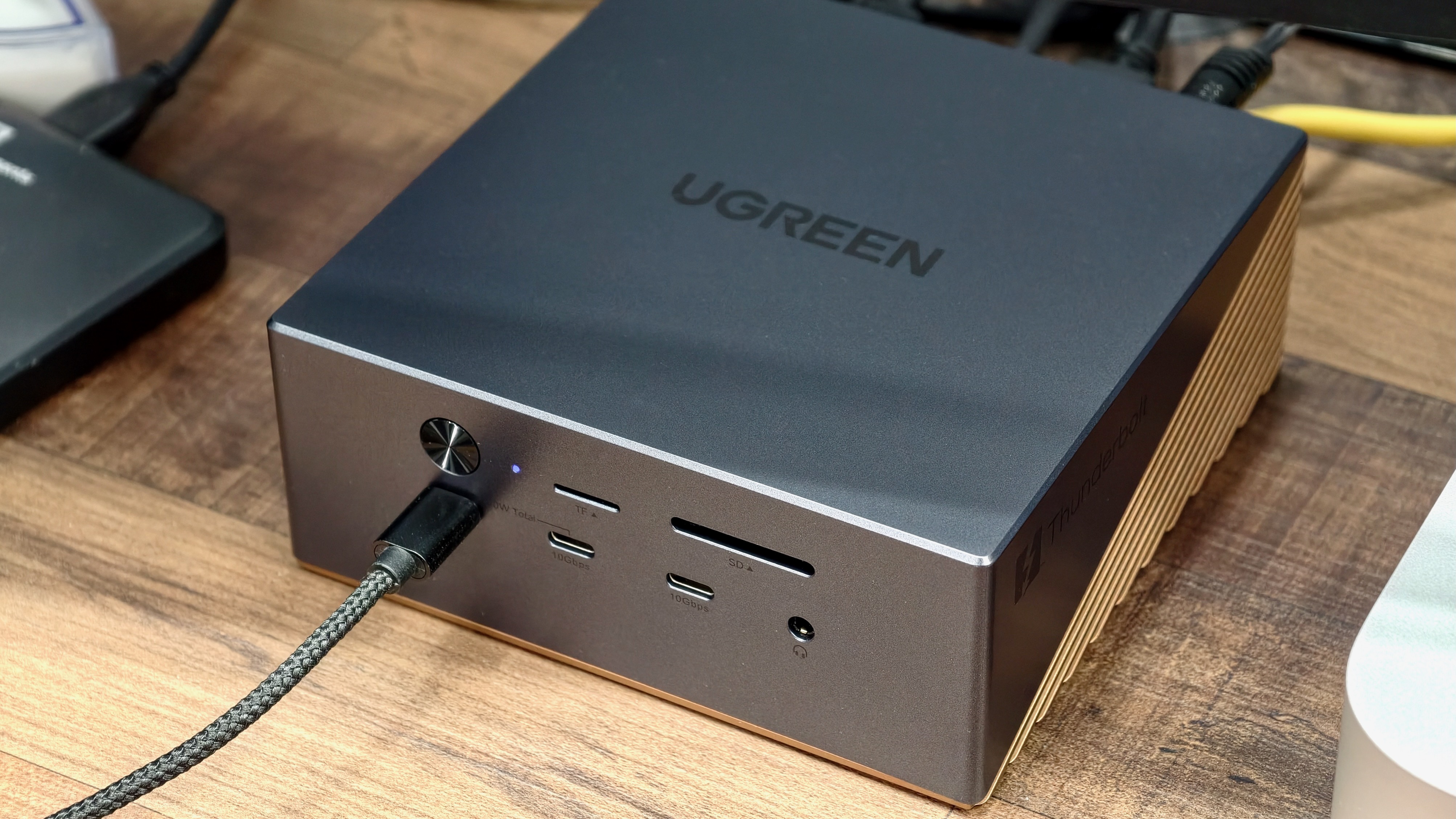
Photo: Rajesh Pandey/Cult of Mac
If you want a Thunderbolt 5 dock to meet almost all your needs while also helping expand the storage on your Mac, it’s hard to beat the Ugreen Maxidok 17-in-1 Thunderbolt 5 docking station.
As the name suggests, it features 17 ports, including 3x USB-A (10Gbps) ports and 2.5 GbE. The dock also stands out for its two front USB-C ports capable of outputting up to 60W power. That’s good enough to fast charge your iPhone, iPad or even other MacBooks or power banks.
You can use the hidden NVMe slot at the bottom to add up to 8TB of extra storage to your Mac. If you work across multiple Macs, the NVMe drive proves especially handy as a dedicated scratch disk for video editing or a convenient place to keep all your important files.
The Ugreen Maxidok 17-in-1 Thunderbolt 5 dock is easily the most value-for-money pick on this list. You can get it for less than $400 after discounts.
If you just need a reliable Thunderbolt 5 dock with a decent selection of ports and solid power delivery without spending a fortune, the Ugreen Maxidok 17-in-1 Thunderbolt 5 Dock is for you.
Ugreen’s Maxidock 17-in-1 combines Thunderbolt 5 speeds with a versatile port selection and a hidden NVMe SSD slot for expandable storage. It handles demanding workflows and stays cool thanks to an active cooling system.
- Front USB-C ports can output up to 60W of power
- Runs cool even under load
- Allows for a true one-cable setup
- No USB-C ports on the back
- No USB-A port on the front
- Limited power output when all ports are in use
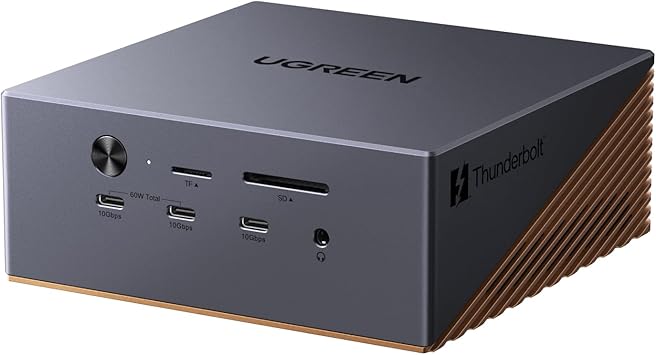
OWC 11-port Thunderbolt 5 dock
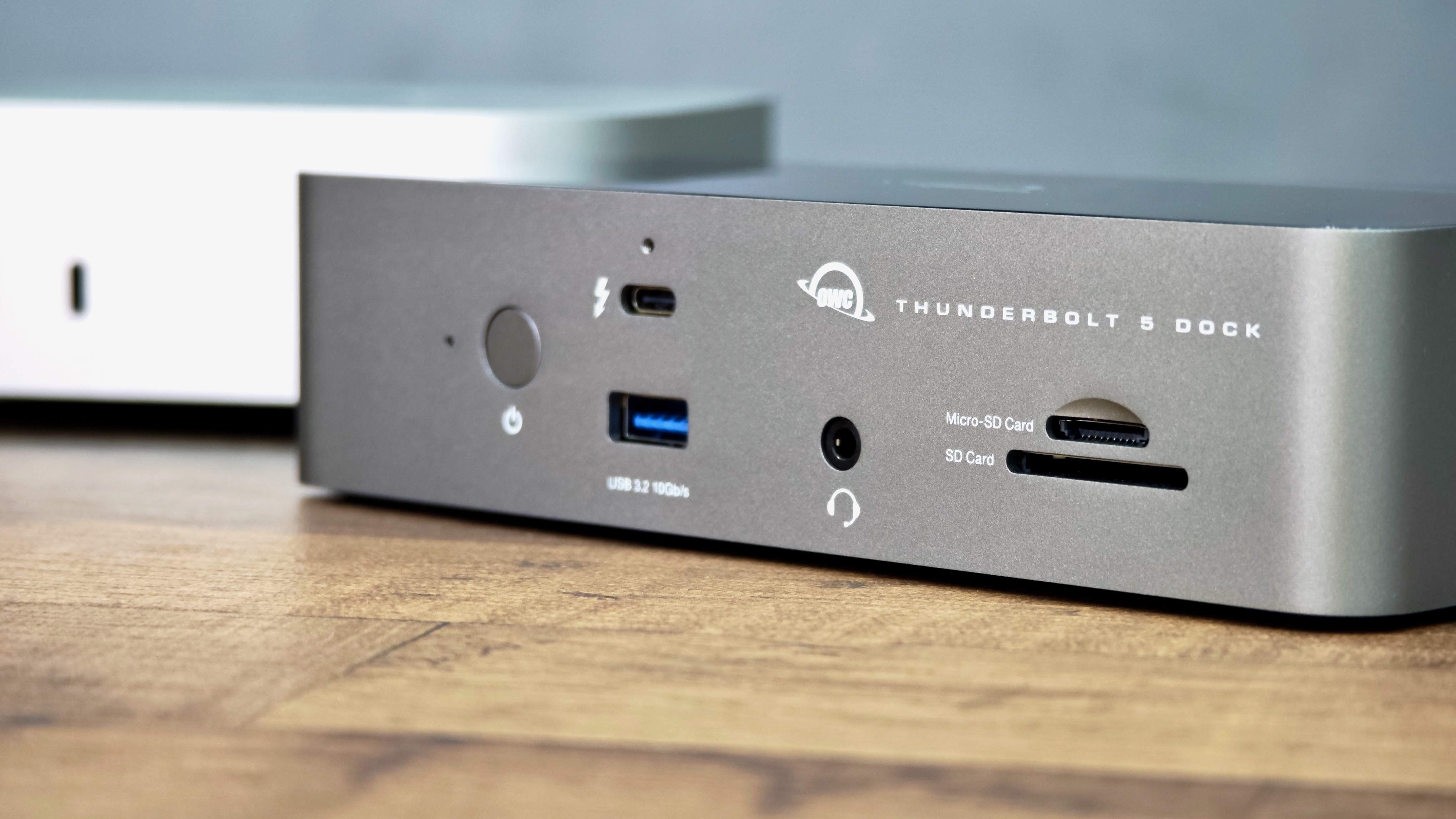
Photo: Rajesh Pandey/Cult Of Mac
If you only have a handful of accessories to connect and don’t want to spend a fortune on a dock, the OWC 11-Port Thunderbolt 5 dock is worth considering. It comes with two downstream Thunderbolt 5 ports, a 2.5GbE Ethernet port, multiple USB-A and USB-C ports, and an SD card slot.
What makes the OWC dock appealing is its simplicity. It gives you the essentials for a clean, one-cable Mac setup without overwhelming you with extra ports or features you might never use.
It’s the kind of dock that works well if you mostly connect an external display (or two), a fast SSD, a keyboard and maybe an SD card from time to time. It can output 140W power to the connected MacBook, so you don’t need to plug in a separate power brick.
The compact design is another plus, as the dock easily fits into smaller desk setups without adding clutter.
For its price, there’s really nothing to complain about with the OWC dock. It’s a great Thunderbolt 5 dock for beginners, with a solid selection of ports and power delivery.
The OWC 11-port Thunderbolt 5 dock stands out for offering three Thunderbolt 5 ports and a 2.5GbE Ethernet port. Plus, it can fast charge your MacBook Pro while powering all your accessories.
- Plenty of Thunderbolt 5 and USB-A ports
- 140W upstream fast charging
- 2.5GbE Ethernet port
- No HDMI or DisplayPort
- None of the USB ports support 18W or higher power output

Anker Prime TB5 Docking Station
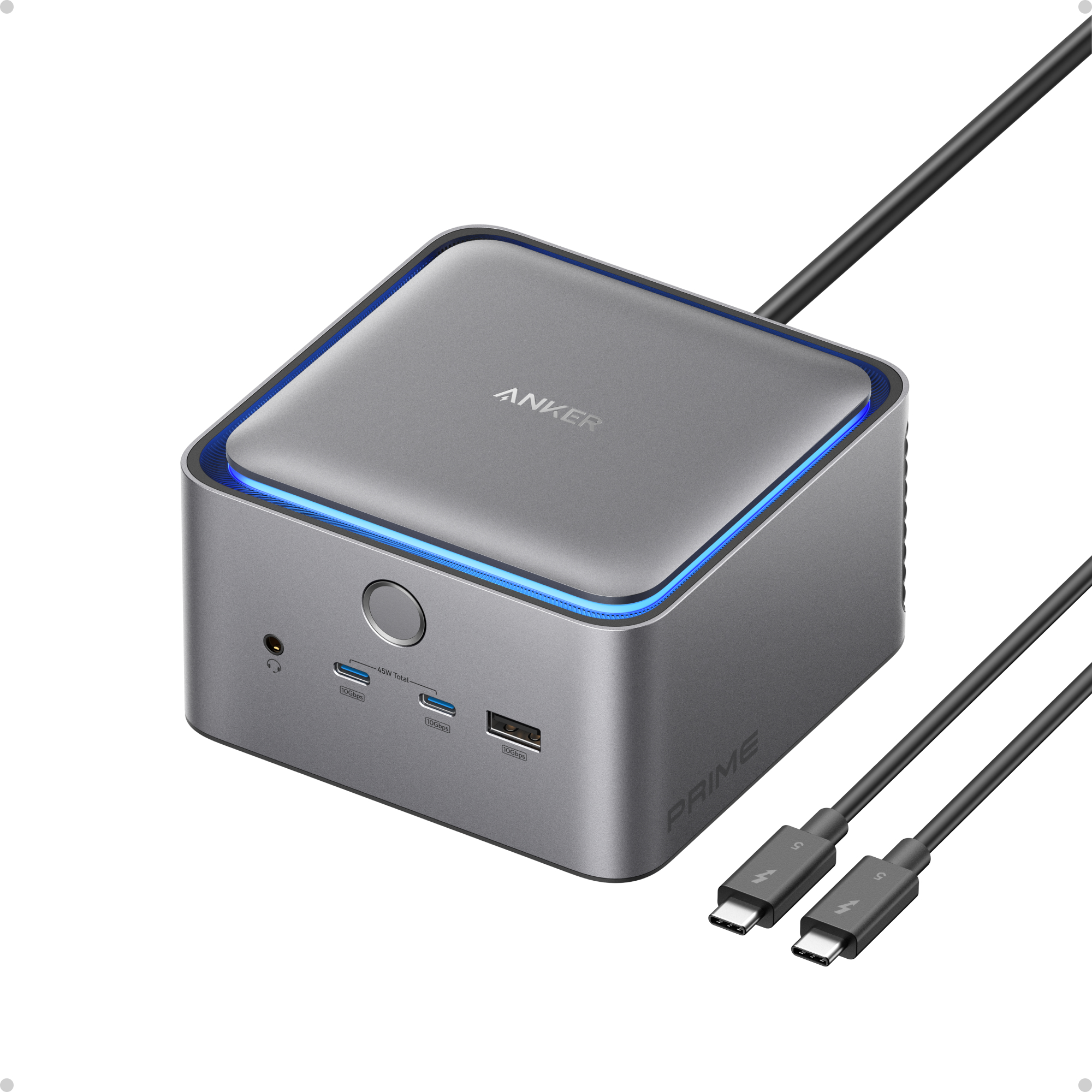
Photo: Anker
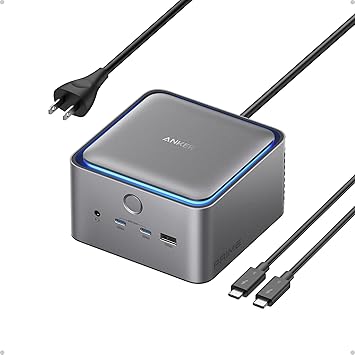
Want a docking station without all the bulk? The Anker Prime TB5 Docking Station packs 14 ports into a compact form factor — at an affordable price.
Its main highlight is the built-in power supply, which means it does not need a separate power brick to work. This enables a clean, one-cable setup and can be especially useful for users with limited desk space.
While not as feature-rich as some of the other docks in this list, the 14 ports cover the essentials. You get two Thunderbolt 5 downstream ports, a 2.5GbE Ethernet port, HDMI 2.1 or DisplayPort 2.1 output, and multiple USB-A and USB-C ports.
The two front USB-C ports can pump out a combined 45W power, which can fast charge your iPhone or iPad. Despite the lack of a power brick, the dock can push 140W of power to the connected MacBook to top it up at full speed.
Thanks to active cooling, the Anker Prime TB5 Docking Station runs cool even with multiple devices connected.
This 14-port Thunderbolt 5 docking station offers 140-watt charging, data transfer speeds up to 120Gbps, ambient LED lighting, a cooling system, and support for up to 8K dual displays.
- Fast Thunderbolt 5 connectivity
- 14 ports and support for dual 8K displays
- 140W charging
- Some new docks have up to 20 ports
Wavlink Thunderbolt 5 dock
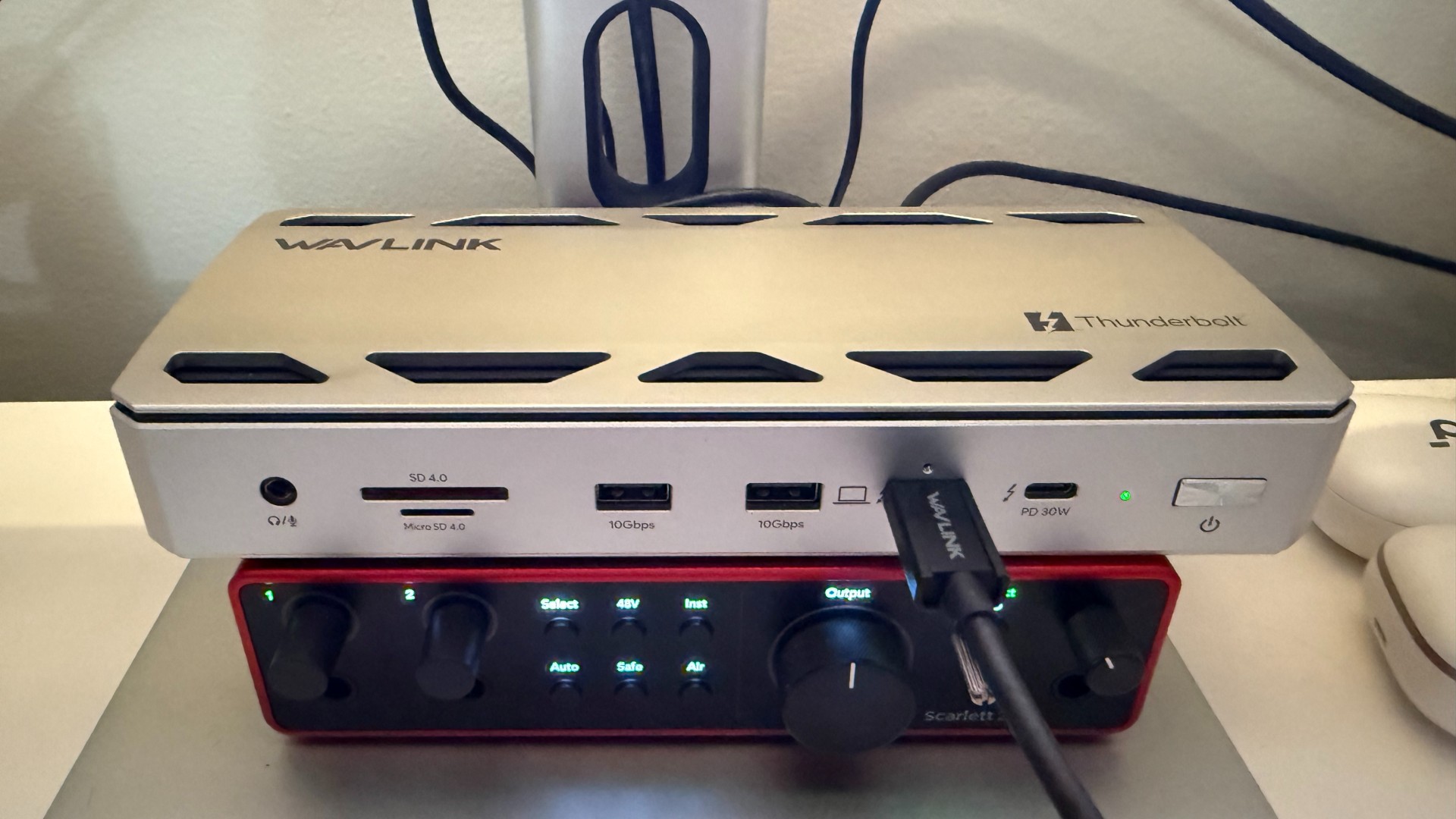
Photo: David Snow/Cult of Mac
If you want a flashy dock with a decent selection of ports, the Wavlink Thunderbolt 5 dock is a good option. It packs 12 ports, including four USB-A 3.2 ports, one 2.5GbE Ethernet port and two downstream Thunderbolt 5 ports. Nothing fancy, but enough for most users.
Wavlink’s Thunderbolt 5 dock stands out for its design, with vents on both sides of the top and bottom to dissipate heat.
Despite its relatively affordable price, the WavLink Thunderbolt 5 still delivers the essentials you’d expect from a high-end Thunderbolt 5 dock, including fast data transfer speeds, support for high-resolution external displays, and up to 140W charging for your MacBook.
It’s a particularly good fit if you want a one-cable setup without paying premium prices for features you might never actually need.
This 12-in-1 Thunderbolt 5 dock offers 120Gbps data transfer, 140W power delivery to a laptop, 8K display support, 2.5G Ethernet port and four USB-A 3.2 Gen 2 ports.
- Blazing fast data transfer
- Plenty of power for laptop
- Supports high resolution displays
- No dedicated HDMI or DisplayPort connection
- Not all max specs apply to Macs
- No active cooling
- Ethernet connection could be faster

Best Thunderbolt 5 docks: Final thoughts
No matter which Thunderbolt 5 dock you choose from this list, adding one will upgrade your setup. Each one can dramatically expand your Mac’s connectivity while helping create a cleaner, more capable workspace.

Rajesh has been writing about consumer technology for over a decade, with a strong focus on iPhones, Macs and Apple’s ecosystem. He enjoys digging into Apple software updates, hardware changes, and discovering new Mac apps that make work faster and more enjoyable.
You can reach out to him at mail[at]rajeshpandey.me.

