Mobile menu toggle

Ed Hardy - page 20

iOS 18.5 will bring satellite connectivity to iPhone 13 series

By

iOS 18.5
iOS 18.5 is probably a week away, with good news for iPhone 13 users.
Image: Ed Hardy/Cult of Mac

Apple sent the iOS 18.5 release candidate out for testing Tuesday and revealed that the update will enable the iPhone 13 series to access carrier-provided satellite features. The new software also will bring other changes and bug fixes for models going back to the iPhone XR.

The release candidates for macOS Sequoia 15.5, iPadOS 18.5, watchOS 11.5, tvOS 18.5 and visionOS 2.5 also went out at the same time.

Backbone Pro makes the best iPhone game controller way, way better [Review] ★★★★★

By

Backbone Pro★★★★★
There’s no better way to improve mobile gaming than with Backbone Pro.
Photo: Ed Hardy/Cult of Mac

The Backbone Pro game controller that launched Tuesday wraps around your iPhone and connects via USB-C, but it can also connect to your Mac or iPad via cable or Bluetooth. Plus, it adds remappable rear buttons to the standard mix of sticks, triggers, D-pad and more.

Backbone already makes the best iPhone game controller, and my hands-on experience with this new premium version found that it takes mobile gaming to a whole new level.

How to use Surfshark’s free, privacy-protecting DNS server

By

Free DNS servers from Surfshark
Switch to a free DNS server to protect your privacy.
Photo: ChatGPT/Cult of Mac

You use Domain Name System (DNS) servers many times every day, even if you don’t know what they are. You can’t avoid it, and whichever one you use can track where you go on the internet. That’s why you might consider switching to the free DNS servers Surfshark just launched that promise not to track you.

Here’s how to set your iPhone, iPad and Mac to use the Surfshark DNS server. It’s free!

Wireless video transmitter lets you dump the HDMI cable

By

Nyrius Orion Prime Wireless USB-C to HDMI Video Transmitter & Receiver
Replace that bulky HDMI cable with this wireless video transmitter and receiver.
Photo: Nyrius

With the Nyrius Orion Prime Wireless USB-C to HDMI Video Transmitter & Receiver, you don’t need a cable to connect your MacBook, iPad or iPhone to your TV. It can send video up to 150 feet, offers HD resolution, and doesn’t require a Wi-Fi network.

The product launched on Monday.

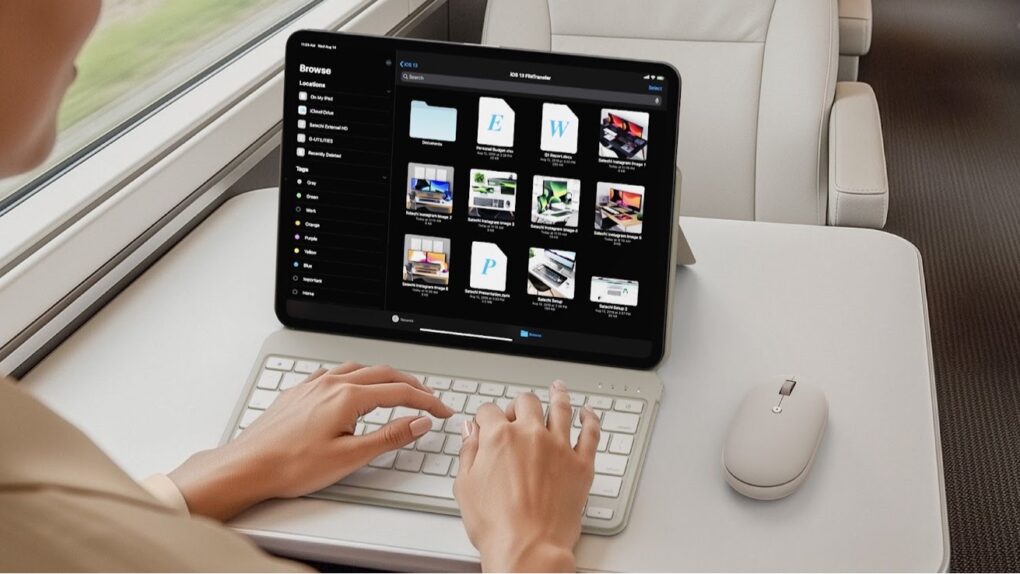
How to transfer video from iPhone to iPad via cable

By

Transfer video from iPhone to iPad
Apple makes moving images and video from iPhone to iPad via a cable quick and easy.
Graphic: Ed Hardy/Cult of Mac

Now that both iPhone and iPad have USB-C ports, transferring video and images between them can be easily done by connecting them with a cable, without mucking about with wireless transfers.

It’s easy, and brings some advantages over AirDrop. Most notably, iPhone Pro 15/16 users get a big speed boost.

Here’s what to do.

Apple finally bows to major, court-ordered changes to App Store

By

iPhone App Store
The iPhone App Store won’t be quite the same.
Photo: Ed Hardy/Cult of Mac

Apple changed its App Store rules late Thursday to allow third-party iPhone application developers to steer customers toward their own websites to make purchases. The move comes after a years-long delay in complying with a court order.

The alteration in the rules should result in many iPhone apps allowing customers to pay for services and subscriptions without giving Apple a cut. Streaming music service Spotify became one of the first to take advantage of this major change to the App Store. The modification gives customers more buying options, and the hope is that this will save them money.

Trump tariffs will cost Apple almost $1 billion this quarter

By

AI image of an Apple logo in a post-apocalyptic landscape, with the words
Newly imposed tariffs could cost Apple $900 million dollars this quarter -- and that's just the start.
Illustration: Midjourney/Cult of Mac

Apple CEO Tim Cook said Thursday that he expects the tariffs imposed by President Donald Trump to add at least $900 million to the company’s costs during the current quarter, which ends in June.

Speaking with investors after the company announced its quarterly earnings results, Cook also said Apple will assemble most of the products it sells in the United States outside of China this quarter to avoid the tariffs fueling an ongoing trade war between the two countries.

What economic problems? Apple posts solid growth.

By

AI image of the Apple logo, with a see-through, glassy look, and the word
Revenue from services like Apple Music jumped to an all-time high last quarter, and strong iPhone 16e sales didn't hurt, either.
Illustration: Midjourney/Cult of Mac

Apple revenue increased 5% annually to $95.4 billion during the first three months of 2025, and profits grew 8%. Those are the top takeaways from the March-quarter financial results Apple revealed after Wall Street closed Thursday. Both numbers beat analysts’ expectations.

“Today Apple is reporting strong quarterly results, including double-digit growth in Services,” said Apple CEO Tim Cook in a statement.

Stop using these stupid, stupid passwords immediately

By

Stupid passwords
You’re not a idiot. Stop acting like one.
Photo: ChatGPT/Cult of Mac

Some people simply can’t stop using stupid, weak passwords. An analysis of the phrases used to secure various accounts in 2024 finds that “123456” was used 3 million times, making it the most popular. And the rest of the top 10 are all easily guessed also, with “password” showing up in the No. 4 slot.

It’s World Password Day, a good opportunity to change the horribly weak ones you’re using now. Especially as Apple makes it easy

Despite tariff turmoil, Wall Street expects good news from Apple

By

Apple financial results expectations: Bullish
It seems a bit surprising, but analysts think Apple is about to deliver some upbeat financial news.
AI image: Google Gemini/Cult of Mac

Wall Street is putting out positive vibes about the March quarter results Apple will announce Thursday. Analysts anticipate a 4% increase in Apple’s revenue, plus a jump in earnings per share.

That might seem surprising in the wake of President Donald Trump imposing a 20% tariff on electronics coming in from China. However, the Apple financial results about to be revealed are for the quarter that ended in March. Trump didn’t announce the tariffs until April, so they don’t affect these numbers. That won’t happen until Apple provides its June quarter results.

Your wait for an amazingly affordable iPhone game controller ends now [Review] ★★★★★

By

GameSir X5 Lite★★★★★
The GameSir X5 Lite is fun and a great value.
Photo: Ed Hardy/Cult of Mac

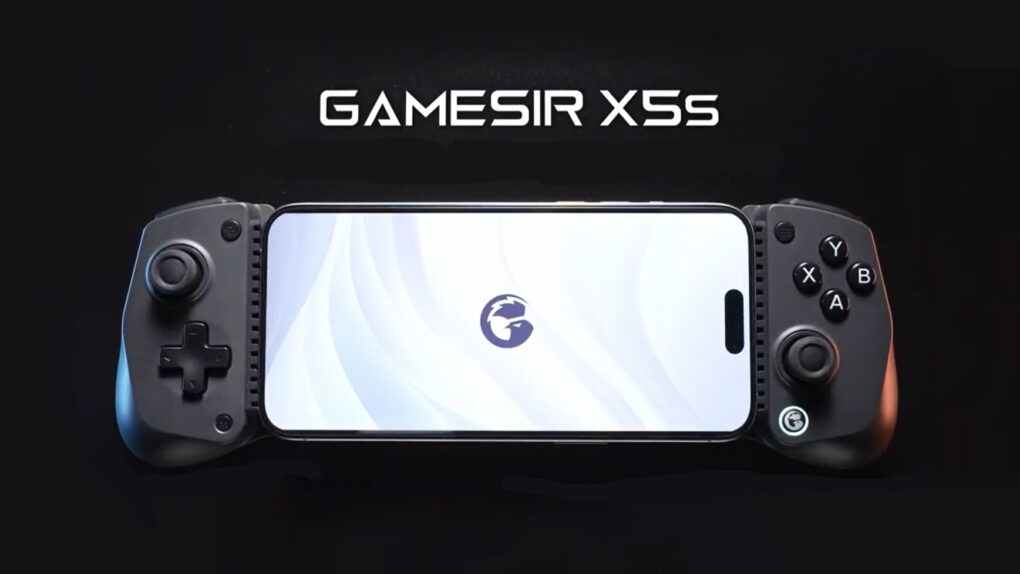
The GameSir X5 Lite is the game controller for those who’ve hoped for a truly affordable way to add physical buttons and sticks to their iPhone. It costs a fraction of the price of its chief rival.

But don’t call it cheap. The accessory includes Hall Effect sticks plus a full set of the buttons and triggers needed for cloud gaming or on-device apps.

I enjoyed my time testing the GameSir X5 Lite — read the full review to find out why.

Satechi OntheGo wireless travel charger offers max power in minimum space

By

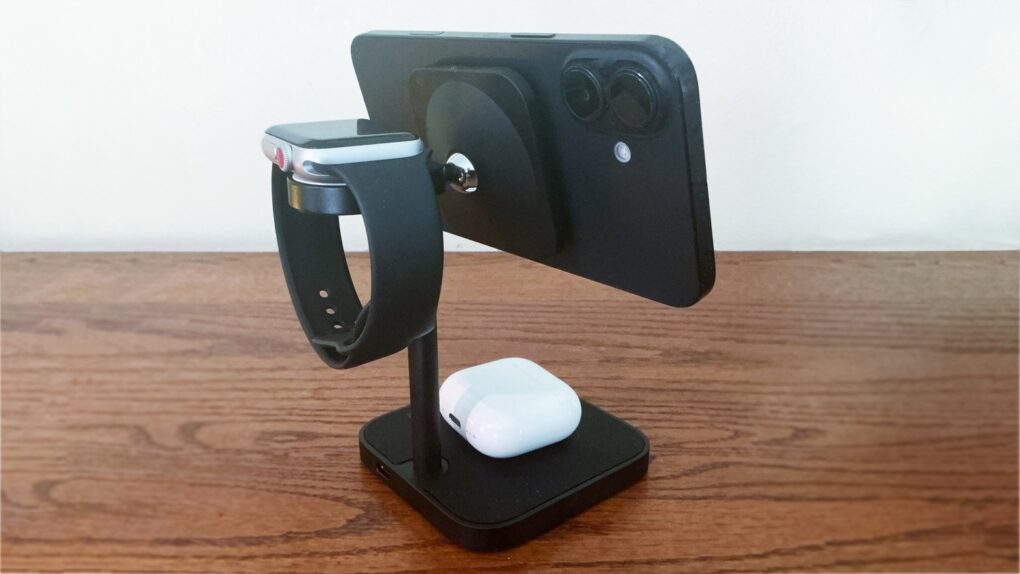
Satechi OntheGo 3-in-1 Charger
The Satechi OntheGo 3-in-1 Charger is ready for your next vacation.
Photo: Satechi

Put a Satechi OntheGo 3-in-1 Charger on a hotel nightstand and it’s ready to juice up your iPhone, Apple Watch and AirPods all at once. When it’s time to go, it folds up into a travel-friendly shape.

There’s also a 2-in-1 version, and both hit store shelves on Tuesday.

iOS 19 might transform your iPhone into a mini Mac

By

iPhone mini mac
What if your iPhone could become a mini Mac?
AI concept: ChatGPT

An iPhone running iOS 19 will be able to display applications running in windows on an external screen, according to a Thursday report from a noted tipster.

If true, it’ll enable iOS to act much more Mac-like than ever before. If Apple continues developing in this direction, an iPhone could eventually be someone’s only computer .

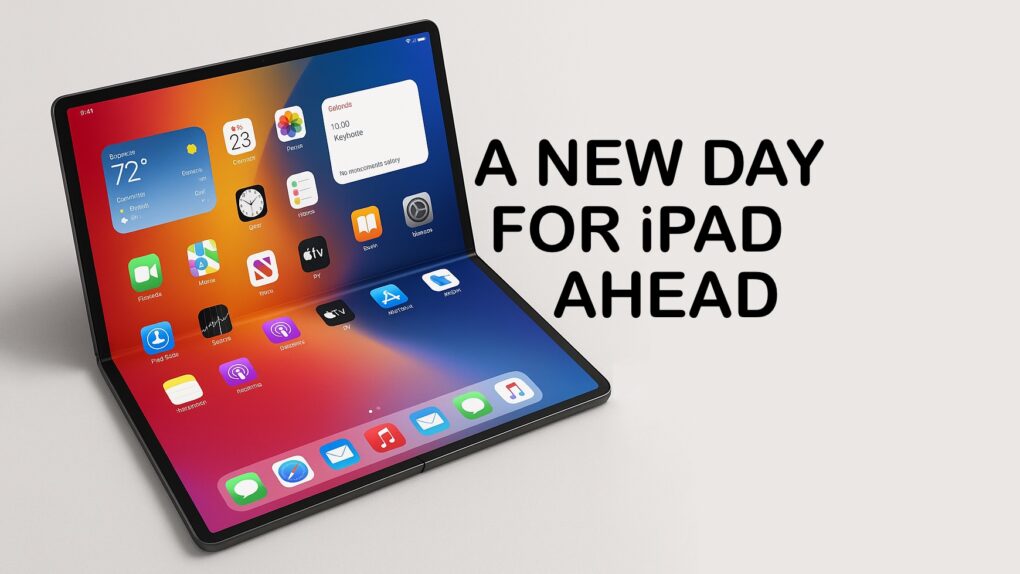
iPadOS 19 may add Mac-like home screen menu bar

By

iPadOS 19 menu bar rumor
iPadOS 19 might get a home screen menu bar similar to the one in macOS.
Photo: Majin Bu

iPadOS 19 will include a menu bar at the top of the screen like the one in macOS, according to a noted tipster on Thursday. If true, it’ll be a major step toward making iPads act more like Macs.

In addition, the system for managing floating application windows is supposedly in for an upgrade in iPadOS 19.

Apple’s chipmaker promises AI enhancements for next-gen processors

By

TSMC chip production
Improvements to TSMC chip-making tech benefit Apple users.
Photo: TSMC

TSMC unveiled its A14 chip-making process Wednesday, which is designed to increase the AI capabilities of future smartphones, among more general improvements. The Taiwanese foundry is perhaps best known for making all the processors for iPhone, Mac and other Apple computers.

A14 will follow the N2 process set to go into production later this year, and the A16 process scheduled for 2026.

Apple’s convoluted iPhone sideloading rules break EU law

By

iPhone in use
The EU wants Apple to make it easier for iPhone users to install applications outside the App Store.
AI image: Grok

The system Apple set up to enable EU residents to load apps onto their iPhones outside the App Store violates the Digital Markets Act, according to a decision handed down Wednesday by the European Commission. It cites “overly strict eligibility requirements” and Apple’s new Core Technology Fee as reasons.

It’s a preliminary decision, but if Apple doesn’t make the app sideloading process easier, the DMA gives the European Commission the right to hit the iPhone maker with hefty fines.

EU fines Apple and Meta hundreds of millions for DMA violations

By

EU imposes fine for Apple anti-steering limitations
Apple is in hot water with the EU over the Digital Markets Act again.
Photo: Sora Shimazaki/Pexels CC

The European Union socked Apple with a fine of 500 million euros ($570 million) Wednesday for breaking antisteering rules in the Digital Markets Act. It also fined Meta 200 million euros for DMA violations.

The two companies face further fines if they don’t make the changes the EU demands.

3 simple tricks every Apple Watch wearer should know

By

Apple Watch Control Center
The Apple Watch Control Center has some nifty features you should be aware of.
Photo: Cult of Mac

Apple Watch does so much that it’s possible for some of its handy tricks to get lost. You can’t call these three Apple Watch tips  marquee features. But they can make life just a bit more convenient.

Here’s how to turn on the flashlight, find your iPhone and silence alarms on your iPhone from an Apple Watch.

How to make apps avoid the MacBook screen notch

By

Make apps avoid the MacBook notch
It’s easy to make apps avoid the MacBook notch
Image: Cult of Mac

If your favorite app doesn’t work well with the screen notch in your MacBook Pro or MacBook Air, there is a solution. Apple created a “Scale to fit below built-in camera” setting that always puts the app into the space below the notch when in full-screen mode.

And it can be set for individual apps. Here’s how.

There’s a fix for aging batteries and it involves … heating them?

By

Battery recycling
The future of battery recycling might have just been rewritten.
Photo: Cult of Mac

In what might be the biggest battery recycling news of the decade, scientists in China found a way to achieve nearly 100% voltage recovery in worn-out lithium-ion batteries by precisely heating them to high temperatures while applying voltage. This has the potential for “rejuvenating aging batteries, making old electric vehicles like new,” according to the institute where the research was conducted.

This is exactly the sort of news one hopes for on Earth Day.

7 everyday tasks that Apple Watch makes easier

By

Apple Watch pros
Sometimes, your Apple Watch really is better than your iPhone.
Image: Ed Hardy/Cult of Mac

It’s time to break the habit of doing everything on your iPhone while overlooking what’s often a better alternative. Consider the Apple Watch pros: It’s a very capable little computer, and it’s right there on your wrist. Odds are you aren‘t taking advantage of half of what it can do for you.

Here are the simple tasks I used to do on my iPhone that are now easier because I do them on my Apple Watch. And all without needing any third-party software. The only apps required come preinstalled on every Apple Watch.

Ask one simple question to get the most out of your Apple Watch

By

Maximize your Apple Watch use
Make your Apple Watch useful for more than health tracking.
Image: Ed Hardy/Cult of Mac

Odds are, you’re not taking advantage of all the useful things your Apple Watch can do for you. That’s because we all tend to grab our iPhone, even when it’s not the best option. I started using my smartwatch much more after I began asking myself one simple question whenever I grab my iPhone: “Would this be easier on my Apple Watch?”

You should try it, too.

GameBaby controller/case brings retro fun to iPhone [Review] ★★★★

By

GameBaby review★★★★
GameBaby can be your key to retro gaming fun.
Photo: Ed Hardy/Cult of Mac

GameBaby from Bitmo Lab is both an iPhone case and a game controller. Combined with the Delta retro game emulator, the accessory’s clever design allows you to play classic games on your phone with real buttons. And there’s nothing wrong with a new way to have fun.

For my GameBaby review, I tested it with my iPhone 16 Pro Max, and it’s the closest thing to a Game Boy I’ve played in much too long.

Plus, it’s available at a huge discount right now — 38% off. But the deal only lasts a few more days.

How to use DeepL, the first alternative default translation app for iPhone

By

iPhone translation app
DeepL can replace the iPhone default translation app with a better alternative.
Photo: Ed Hardy/Cult of Mac

You can now set DeepL Translate as the default translation application on iPhones and iPads, replacing Apple’s own app. Powered by artificial neural networks, the machine-translation service supports a wider range of languages than Apple’s Translate app. And in our testing, it delivered slightly better translation as well.

DeepL Translate is the first third-party app that can serve as the iPhone’s default translation app … it beat Google Translate to the punch. The option works for iPhone users in the United States and the European Union.

Here’s how to set DeepL as the default on your iPhone or iPad.