Evernote is planning on giving away over $100,000 in prizes in its second annual worldwide developer competition: the Evernote Devcup. Devcup challenges software developers and designers to create awesome products that integrate with the Evernote API for desktop, mobile or the web. The competition, which opens in 4 days, will award developers with over $100,000 in prizes and give finalists the chance to present their work to the attendees at Evernote’s Trunk Conference in San Francisco.
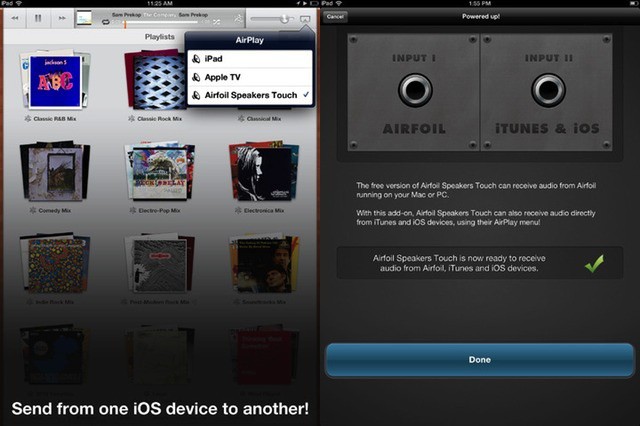
AirFoil now has full iPad Retina support along with AirPlay streaming
Rogue Amoeba’s AirFoil started out as a way to stream any non-iTunes audio to your AirPort Express mini-router, back when AirPlay was still called AirTunes. Then it was expanded with a free iOS app which would let you stream music from AirFoil on the Mac to AirFoil on your iPod or iPhone, handy for hooking up to a stereo.
Now we have AirFoil Speakers Touch 3 for iOS, and it adds in proper AirPlay support, letting you send music from pretty much any iDevice you own.
Gameloft released a teaser video for the upcoming N.O.V.A. 3 game which is rumored to be powered by Epic Games’ Unreal Engine 3. This is the third installment in the N.O.V.A. franchise, which stands for Near Orbit Vanguard Alliance, and picks up with Kal Wardin crash-landing towards Earth. Gameloft has been known for their console-quality mobile games and N.O.V.A. 3 doesn’t look to disappoint.
Three years ago, WWDC sold out in a month. The next year took a week to sell out. 2011 took just 12 hours. This year took 2 hours. How fast will next year sell out?
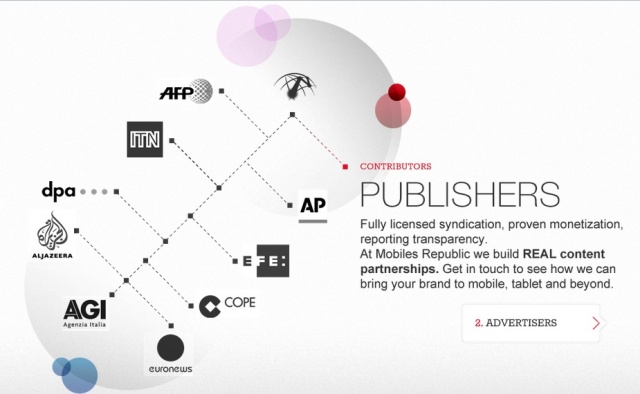
Mobiles Republic is proud to announce the addition of euronews content to their popular free news applications News Republic, APPY Geek and Biz Report. Euronews is Europe’s leading international news network, covering world news with its 400+ journalists from more than 25 countries. In addition to world news, euronews will provide Mobiles Republic with the latest stories in the field of business, high-tech and culture.
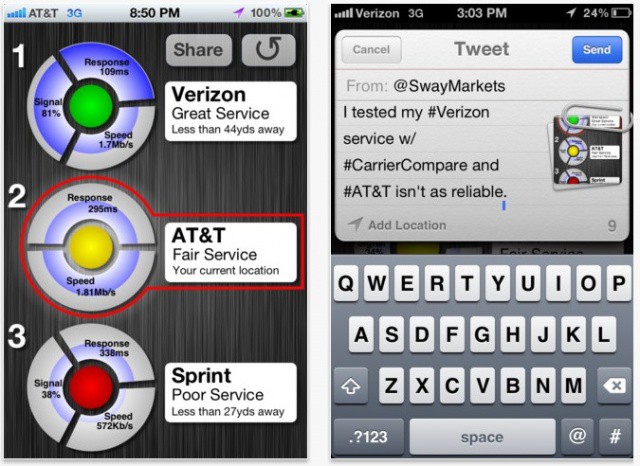
CarrierCompare crowd-sources finding the best iPhone carrier in any given area.
Asking people what the best iPhone carrier is usually leads to a number of thoroughly unscientific and subjective responses. For example, one person might recommend AT&T simply because they’re locked into a two-year contract with Ma Bell and don’t want to admit they made a mistake. Someone on Sprint, on the other hand, might recommend their network for the “unlimited data” to someone for whom speed — not volume — is the most important criterion.
CarrierCompare is a new iOS app that aims to moderate the debate by allowing you to see what the best iPhone carrier is at any given location. But right now, Apple’s stamping down on a key feature that makes the app less useful than it could be.
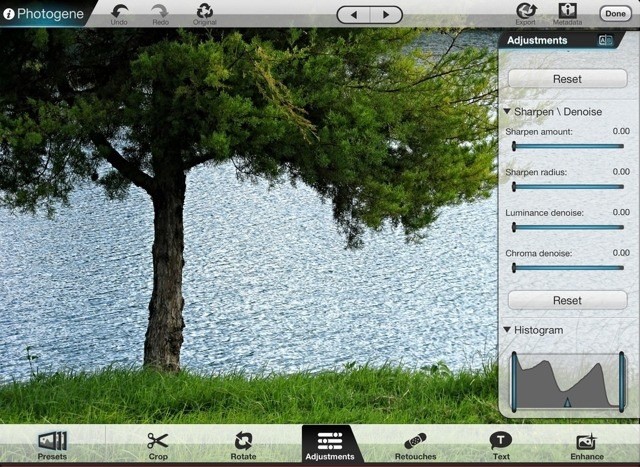
Photogene is like Lightroom and Photoshop rolled into one. Now with Retina support
Photoshop Touch is a great iPad app, but it’s tightly focused on quickly gussying up your images and sharing them to the Facebook. To replicate the desktop Photoshop experience on your iPad you need to go somewhere else, and for me that “somewhere else” is Photogene, which this weekend was updated to v3.4. There are a few other additions, but the main new feature is compatibility with the new iPad’s Retina Display.
Time Warner recently added the ability to live stream national and regional sports networks from the TWC TV app for the iPad, iPhone, Android 4.0 smartphones and tablets, and TWCTV.com. Any Time Warner Cable video subscriber living in New York, Dallas, or Charlotte will now have the ability to live stream their favorite sports channels at no extra cost by using the TWC TV app.
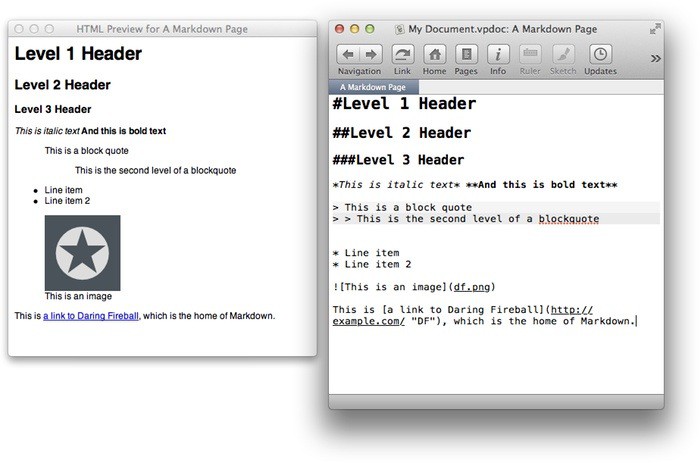
Now you can write your wiki notes in Markdown, as God intended
VoodooPad, Gus Mueller’s amazing little desktop Wiki, has been updated to v5 on the Mac and v2 on iOS. The big news is that it has dumped Mobile Me syncing and instead now syncs via DropBox. There are lots of other tweaks and new features, but Dropbox — and by extension any cloud-syncing service — is the big one.
Cult of Mac Deals has another stellar app bundle lined up for our readers — with a total savings of over $400 on 9 great Mac apps! The apps in this bundle can help you in a wide variety of activities, from digital media with Roxio Toast to searching for files more efficiently and effectively with Houdah Tembo to keeping track of your home inventory easily with Compartments.
All of these apps would normally retail for $453 on their own. But thanks to Cult of Mac Deals you can get all of them for only $49 for a limited time. That’s an 89% savings!
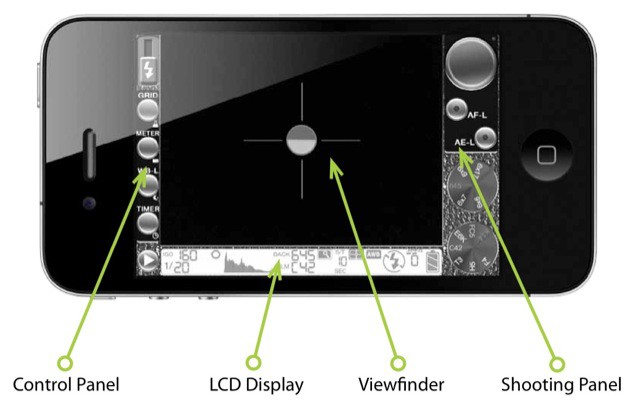
645 Pro bills itself as an app which will turn your iPhone into a DSLR. At first glance, it seems like this has been achieved by mimicking the buttons and LCD panel of a modern SLR, and to an extent that’s true. But the real meat here is under the hood: 645 Pro shoots uncompressed JPEGs and TIFFs, and gives the closest that we’re likely to see to RAW images from the iPhone’s camera.
The iPad is hands-down, one of the best platforms to play video games on. Games just seem to envelop you in a wave of child-like wonder once you start playing. One of our favorite types of iPad apps are Tower Defense games that force users to employ strategy combined with realtime action. There are hundreds of games out there, but one of the coolest and unique games we’ve played is Tesla Wars by Synaptic Wave.
The funniest part of Abvios's lineup is that there's an app called 'Walkmeter'
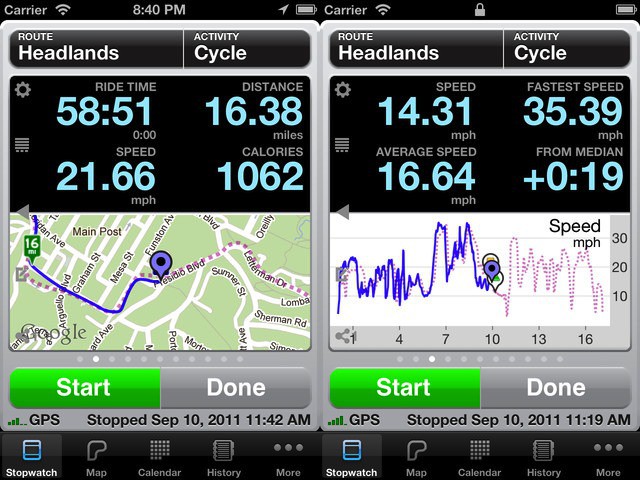
Abvio has updated its trio of iPhone fitness apps — Cyclemeter, Runmeter and Walkmeter — with iCloud support and a bunch of new features. The biggest improvement, though, is that they are no longer annoying to use.
It’s been a busy day for photo sharing community 500px. They managed to launch a major update to their iPad app as well as release their first ever Android app. While Instagram is all the rage these days and has amateur mobile photographers giddy inside, 500px is a photo community built around passionate photographers and enthusiasts who discover, publish, share, buy and sell thousands of photographs every day. You won’t be snapping pictures with this app but you have the opportunity to:
This busy interface may hold a high-quality camera app
645 Pro is a new app that claims to shoot RAW images with your iPhone. It also offers control over almost every aspect of photo-taking, and comes on like an app that turns your iPhone into a DSLR. But let’s get back to that RAW business, which we all know is impossible.
Mattebox is the closest you'll get to using a high-end film camera on your iPhone
I’ll come out and say it at the top of this review: Mattebox is hands-down the best camera app I have used on iOS. That it was launched in December of last year and I only found out about it today is something of an embarrassment.
If you love the richness of features and tweakability of something like Camera+, then Mattebox may not be for you. But if you ever picked up a Leica and loved how the camera seemed to disappear, allowing you to just get on and shoot, you’re gonna be out by $5 in the next few minutes.
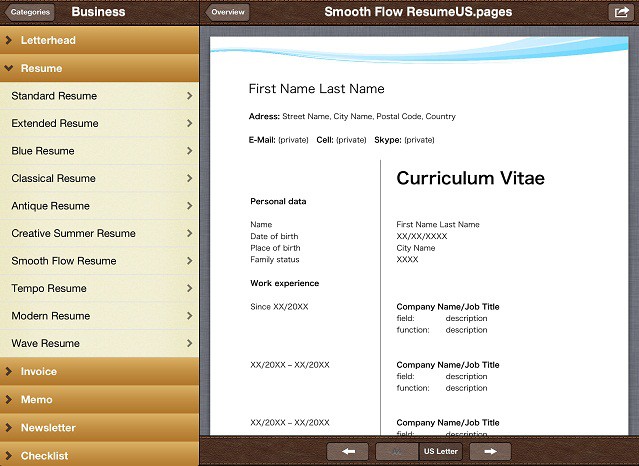
Even though I’m on a computer like 10 hours a day, I still suck at a lot of computer things. Like making a resume that looks worthy of distribution. Apple’s Pages app is one of the best word-processing tools available, but people like me need some extra help to make high quality documents without the fuss of complicated interfaces. The guys at Emendo Media saw that problem and have come out with an awesome new app to help iOS users create gorgeous, well designed documents through Pages using their iOS app Templates For Pages Pro.
Templates for Pages Pro is the best way to create professional looking, high quality and polished documents with Apple’s Pages application on your iPhone, iPad or iPod touch. With more than 222 different templates divided into 20 different categories, the app significantly expands the possibilities of Pages creating all kinds of trendy, functional, and time-saving documents. The app makes it super easy to create letterheads, invoices, resumes, coupons, newsletters, flyers, and so much more that look like they were touched by a professional designer.
Today, we’ve partnered up with Emendo Media to give 10 free copies of their amazing app to our readers. Even if you don’t use Pages a ton, you’ll want to keep this app in your back pocket for those times that you do. Entering the contest is easy, but you have to play to win.
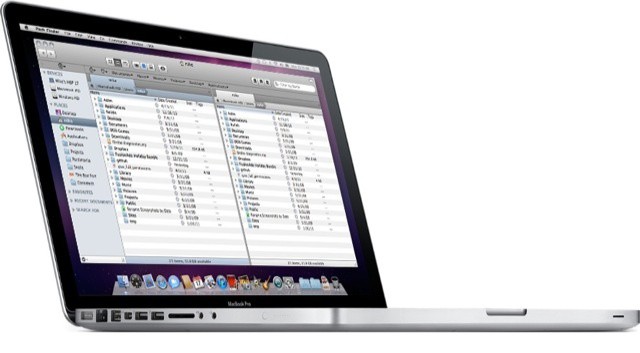
If the Finder spent a few years at the gym, it would look like Path finder
Path Finder has long been a super full-featured Finder replacement for OS X, and now it has been updated to version 6. I have been trying Path Finder on and off for years now, but finally gave up as it’s pretty much impossible to kill the native Finder completely.
Add to this the fact that the Finder doesn’t suck nearly so much as it used to, and that I find most of what I want with Launchbar and Spotlight these days and I’d all but given up on Cocoatech’s offering. But as v6 adds support for file tagging and batch renaming which – in addition to it’s already impressive line-up of features – might make it worth another look.
Your iTunes library is an embarrassment to you and your family. Fix it now
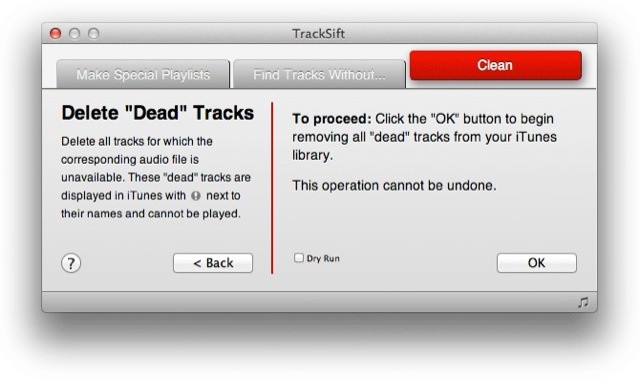
Unless you are some kind of OCD music nerd, your iTunes library is likely a mess. Sure, you always meant to properly assign genres to your old Napstered tracks, or delete all the one-off songs in your library (that old Rick Astley track you used to think was so funny, for instance). But of course you’ll never get around to it without some help.
Doug Adams has been making amazingly useful Apple Scripts to do this for many years now, but if you’ve used them, then you’re the alpha geek I already mentioned above. Now, though, Doug has packed these functions into a $2 app for the Mac, and it is the perfect way to finally spring clean your filthy, crusted music library. It’s called TrackSift.
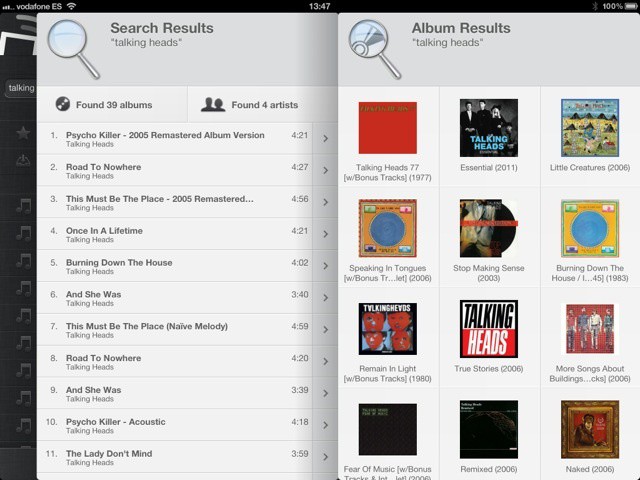
Those of you waiting for the big Spotify press event today (12 noon EST) in hope that an iPad app will (finally!) be announced, I have something for you in the meantime. It turns out that a Swedish developer already released a free Spotify iPad app — two weeks ago. It’s called Spotable, and while it’s simple, it’s pretty slick.
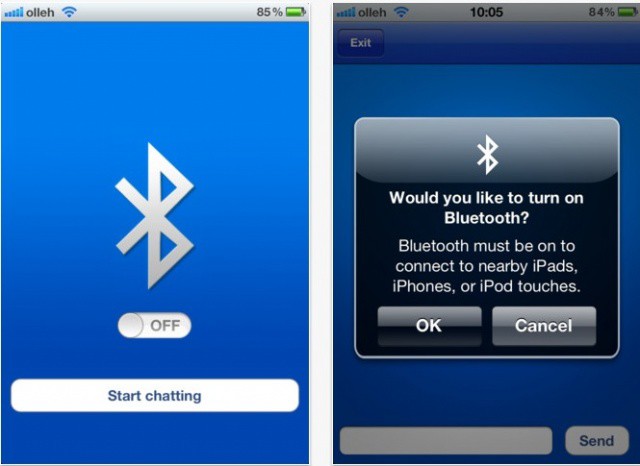
One of the most annoying things about Apple’s Bluetooth implementation in iOS is that turning it on or off is a four-step process involving digging deep into Settings. Considering the battery drain associated with just leaving Bluetooth on and the wide variety of devices you can connect via Bluetooth to your device, it’s a constant irritation for many.
Jailbreak utilities like SBSettings make turning bluetooth on/off on the fly a fairly simple proposition, but unfortunately, Apple hasn’t borrowed inspiration from any of them when it comes to baking better Bluetooth toggling into iOS. A new $0.99 app on the App Store, though, makes it much easier to toggle Bluetooth on the fly on your device even without a jailbreak. Launch the app once to toggle Bluetooth on, launch again to toggle off. Simple.
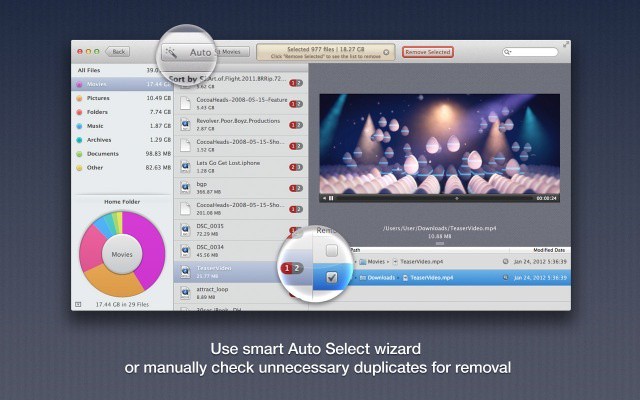
Gemini is a Mac app that does one thing: Find duplicate files on your Mac. You just point it at a directory (your home folder is a good place to start) and sic it on your files. After a few moments it gives a list of anything that is doubled-up on your machine, and then the fun begins.
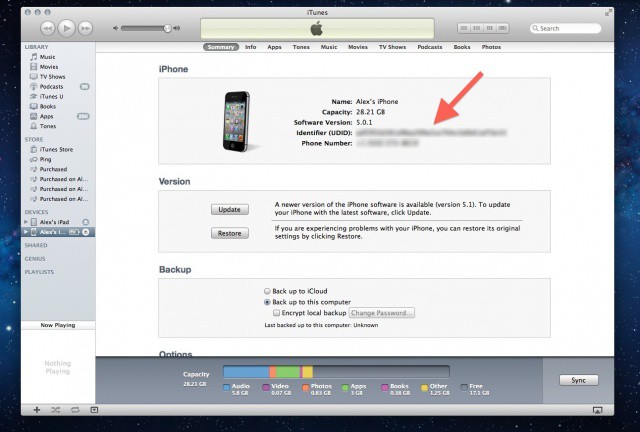
This unique string of alphanumeric text attached to every iPhone and iPad is the source of a lot of privacy concerns.
Many of us feel a deep personal connection with our iPhones, and small wonder: the average person’s smartphone knows more about them than their spouse or significant other. Our iPhones hold our contacts, photos, videos, music, banking data, texts, emails, voicemails, web logins, apps and more. We use our phones to pay our bills, send texts to our girlfriends, check-in to our favorite club, play games with friends, and much more besides.
That makes our iOS devices a juicy target for tracking, and what most people aren’t aware of is that, historically, Apple has made it very easy to anyone to tell what you do with your iPhone. It’s called a Unique Device Identifier or UDID. Every iOS device has one, and using it, third-parties have been able to put together vast databases tracking almost everything you do with your iPhone, iPod touch or iPad.
The good news for privacy advocates is that the days of UDID are numbered. Following the recent stink the U.S. Congress raised over how iOS apps handle a user’s personal information without permission, Apple has given an ultimatum to third-party App Store developers: either stop tracking UDIDs or get kicked out of the App Store. Now ad networks and developers are scrambling to agree on a way to track your device in the future.
But are these replacements any good, or do they pose even bigger privacy concerns than UDIDs did?
Want to download a trial version of Apple’s iWork apps? Tough. Apple just pulled them, replacing the page on its site with a notice sending you over to the App Store: “The trial version of iWork is no longer supported. But you can easily purchase Keynote, Pages, and Numbers from the Mac App Store to start creating beautiful presentations, documents, and spreadsheets today.”
Translation: Everything – and we mean everything, will be going through the App Store from now on.
At 1.5 million downloads in just two weeks, Paper is a clear success for simplicity
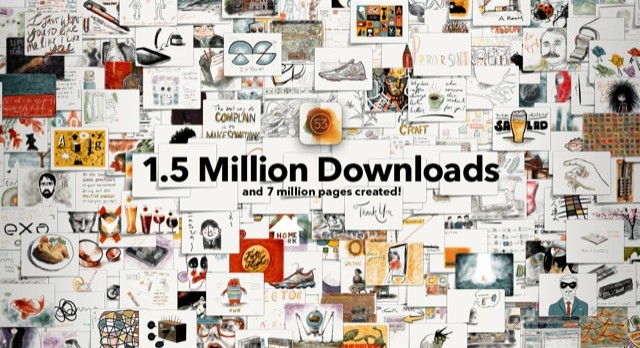
Paper, the ultra-simple app that turns your iPad into a piece of paper, has been downloaded 1.5 million times in just two weeks. What’s more, users have created seven million pages in that time. Not bad for an app that is distinguihed more by a lack of features than anything else.