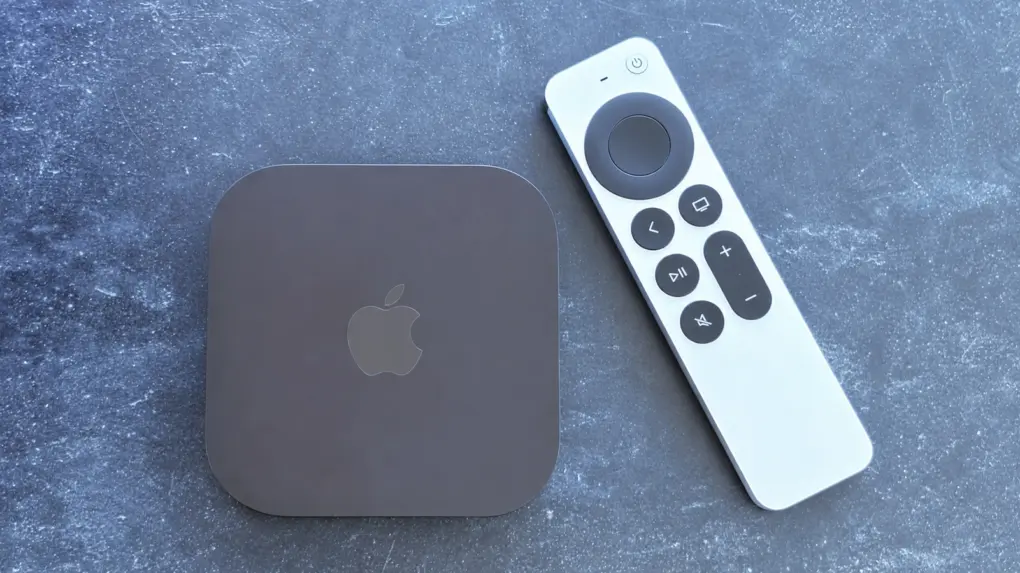
The long-awaited fourth-generation Apple TV 4K is finally here, and it was worth the wait. It offers better performance, a remote that’s much easier to find, as well as support for SiriAI.
I’m a long-time Roku user testing my first Apple TV 4K, and I really see the appeal. Even though Apple’s new streaming box comes at an eye-watering price.
Apple TV 4K (4th Gen) review
I used a variety of Roku models for many years, most recently a Roku Streambar. The low price was attractive, and the device can do just about everything an Apple TV 4K can do. It does everything a bit slowly, and sometimes unreliably, but it can do it.
That said, I’ve become less happy with Roku because about once each year a revamped home screen comes out with more advertising every time. It gets harder and harder to find my streaming apps buried in all the ads.
Plus, Roku’s business relies heavily on advertising revenue, giving the company a strong incentive to collect information about what people watch, what they search for and how they interact with its many ads.
The first time I started up my new Apple TV 4K, I was struck by the complete lack of advertising on the home screen. It’s a visual indication that Apple makes its money by selling people devices, not by selling information about us users to corporations.
Keeping that in mind makes the cost of Apple’s new streaming box easier to accept.
The fourth-generation Apple TV 4K is a premium streaming box, delivering 4K video, high-quality audio, access to popular streaming services and tight integration with the Apple ecosystem.
Siri AI and an easily findable remote are standout new features.
- Easy to use
- Lightning fast
- Findable remote
- Expensive

Table of contents: Apple TV 4K (4th Gen) review
- A very familiar Apple TV 4K design
- The ports you need
- Premium performance
- Good for gaming, too
- Siri Remote is much easier to find
- Siri AI makes your TV smarter
- Part of the Apple ecosystem
- Apple TV 4K (4th Gen) review: Final thoughts
- Pricing
A very familiar Apple TV 4K design
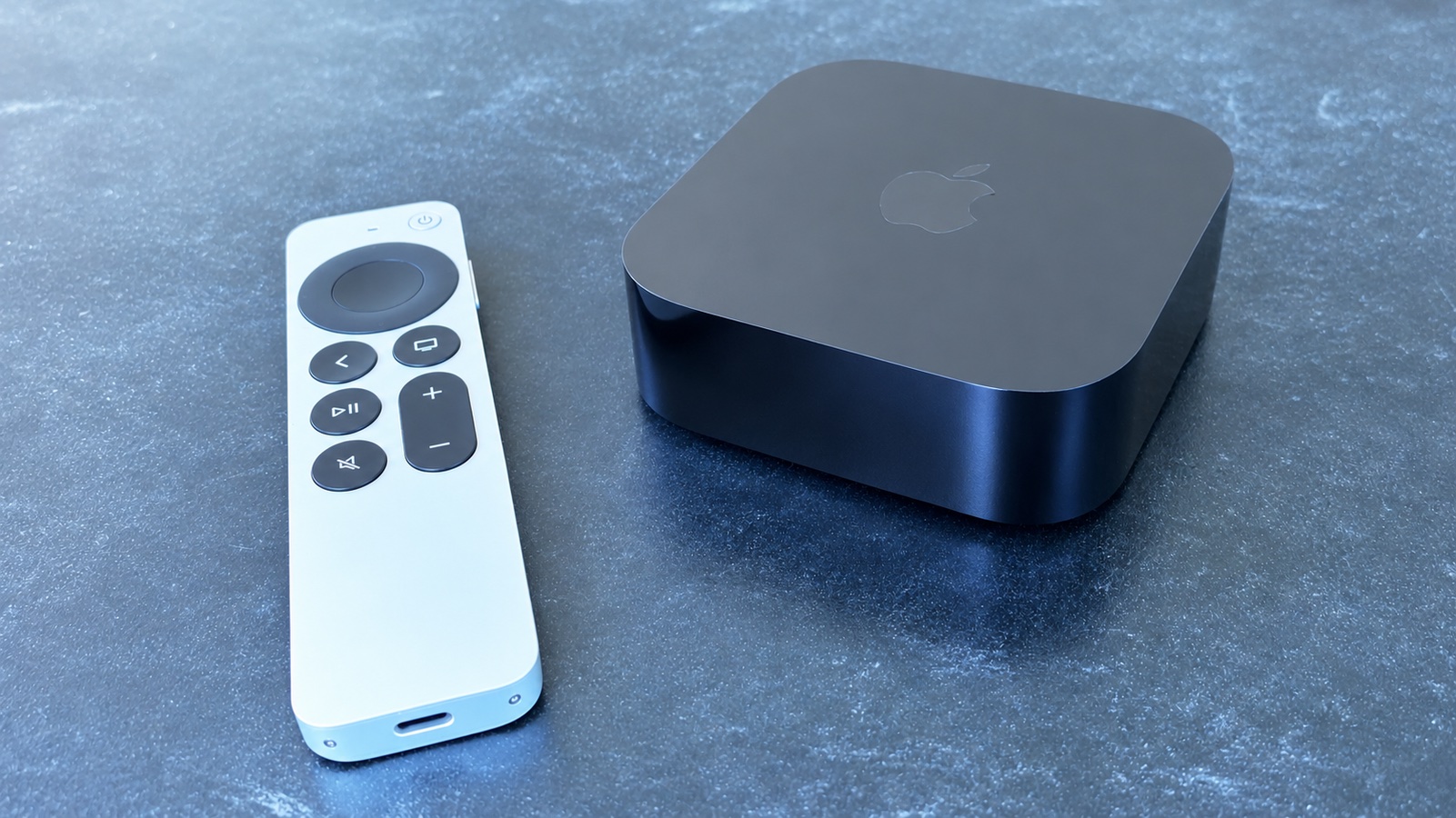
Photo: Ed Hardy/Cult of Mac
The fourth-generation Apple TV 4K retains the compact black enclosure that users should be very familiar with. It’s a 3.7-inch square with very rounded corners, and 1.2 inches thick.
If you’re coming from a small Roku or Amazon streaming stick, you’re used to something that plugs directly into your TV’s HDMI port. Not this one: you’ll need to make a place next to the TV for it.
Still, it’s small enough that I could easily tuck the device in my luggage for use during a week at a mountain cabin.
The ports you need
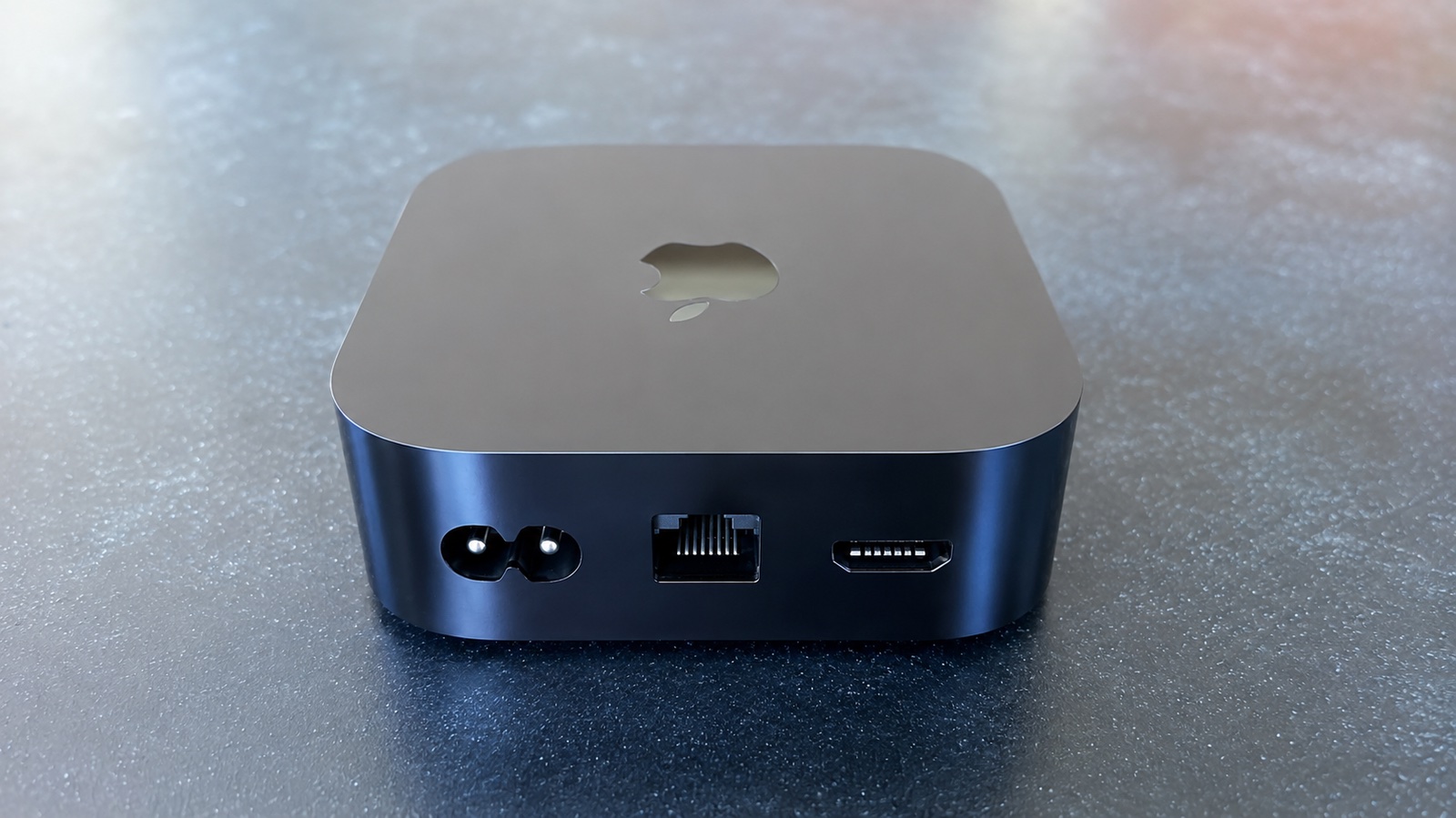
Photo: Ed Hardy/Cult of Mac
On the back of the Apple TV 4K (4th Gen) is a power port, an HDMI port and an Ethernet port.
No bulky external power “brick” is needed, just a power cable. And it’s nice to have an Ethernet port if you live somewhere the Wi-Fi is dodgy.
But there’s no audio-out port. The speaker in your TV can be used, though AirPlay or Bluetooth speakers almost certainly offer better sound quality. Or you can even use AirPods.
New surround-sound home theater option
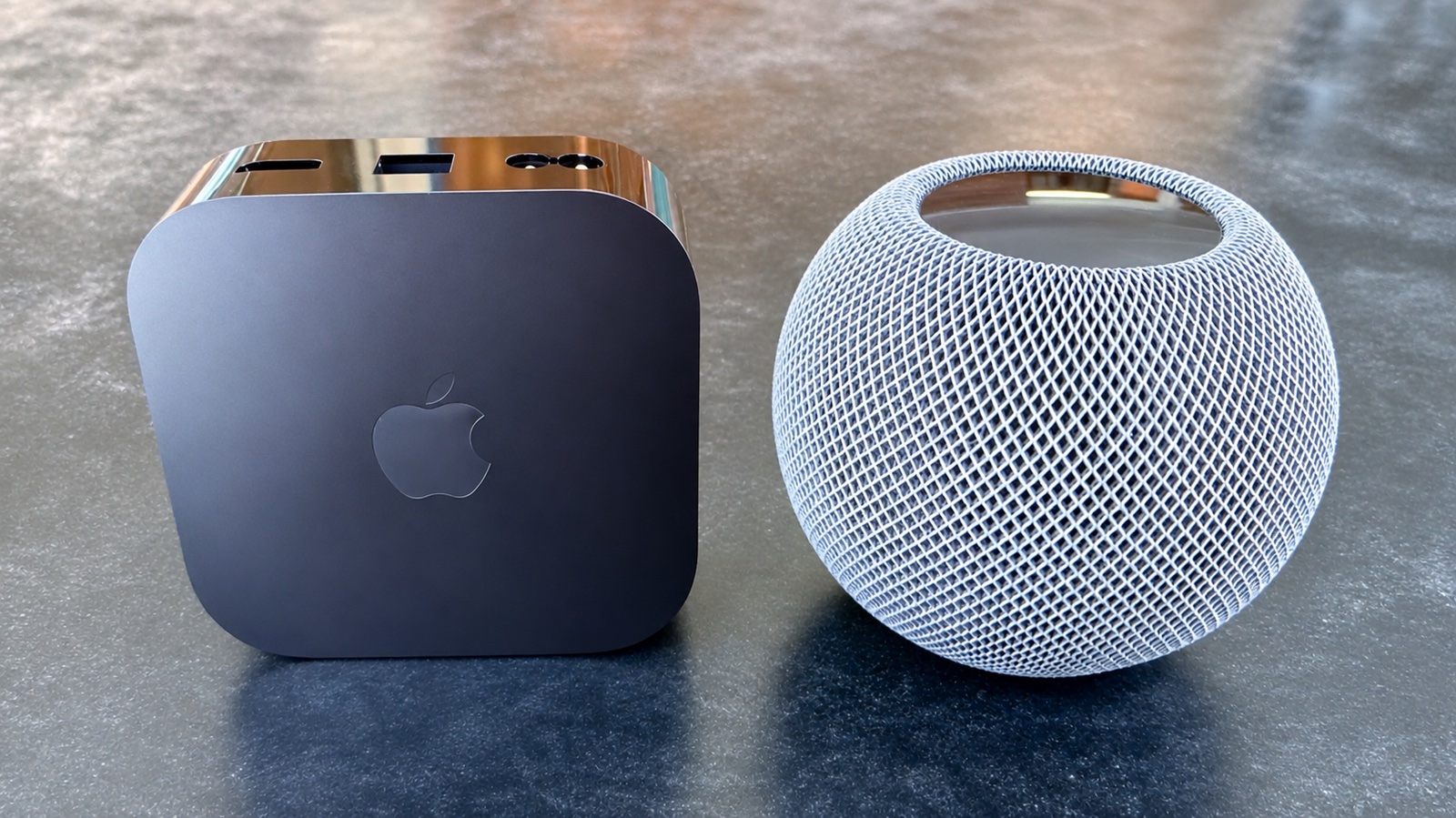
Photo: Ed Hardy/Cult of Mac
I connected my Apple TV 4K to a pair of Dio Node speakers, and they’ve done the job quite well.
I also connected the streaming box to my new HomePod mini 2, though it can’t make a stereo pair with my original HomePod mini.
But Apple’s latest streaming device has a new trick: it can use as many as four HomePods to create a surround-sound home theater system. That means you can arrange two speakers at the front of the room and another pair behind you.
Let the Apple TV handle the calibration, using test sounds to determine speaker positions and configure the system.
Notice that I switched from “I can” to “you can”? That’s because I didn’t invest $600 to buy all the HomePods needed to test this feature.
Premium performance
The outside of the new Apple TV 4K didn’t change much — the real improvements are inside. The A15 Bionic processor in the previous generation got replaced with an A19. Apple promises the new chip delivers up to 50% faster CPU performance and twice the GPU performance of the previous model.
I’m coming from what was a top-of-the-line Roku a few years ago. Even when it was new, it was slow. Now that it’s close to being obsolete, launching any streaming app then going through choosing a user and getting to actually watch a show requires real patience.
So I was amazed at how quick everything moves on the Apple TV 4K (4th Gen). I can go from the home screen to ready to watch something in Disney+ or Paramount+ in about 5 seconds.
Speaking of which, there are tvOS apps for all seven of my streaming services, and they all perform quickly.
Part of the reason everything is so speedy is the device supports Wi-Fi 7 and Bluetooth 6 for fast and reliable wireless connectivity.
The top-tier performance is wonderful now, and it makes me confident that the streaming device will remain useful for many years. At this price, I’m not replacing the streaming box for several more generations.
Good for gaming, too
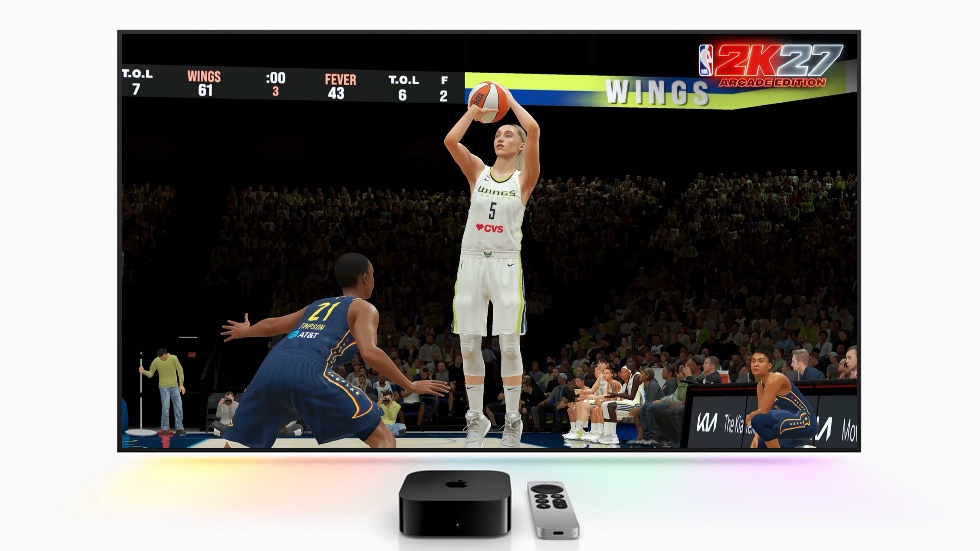
Image: Apple/Cult of Mac
As an Apple Arcade subscriber, I’m thrilled about the faster A18 processor in the latest Apple TV 4K.
I tested the performance with Oceanhorn 3: Legend of the Shadow Sea, a AAA-quality RPG that’s part of a brilliant series. The Apple TV 4K easily connected to my Backbone Pro controller and handled the game just as smoothly.
Before this, I played on my iPad connected to my TV via wireless HDMI. Playing directly on the streaming box is much easier.
To be clear, I’m not suggesting anyone toss out their PlayStation or Xbox, but Apple Arcade includes some amazing games too, like NBA 2K27 Arcade Edition. And the new Apple TV 4K handles them very well.
The only storage option for the Apple TV 4K (4th Gen) is 128GB, so there’s plenty of room to hold games in addition to streaming apps.
Siri Remote is much easier to find
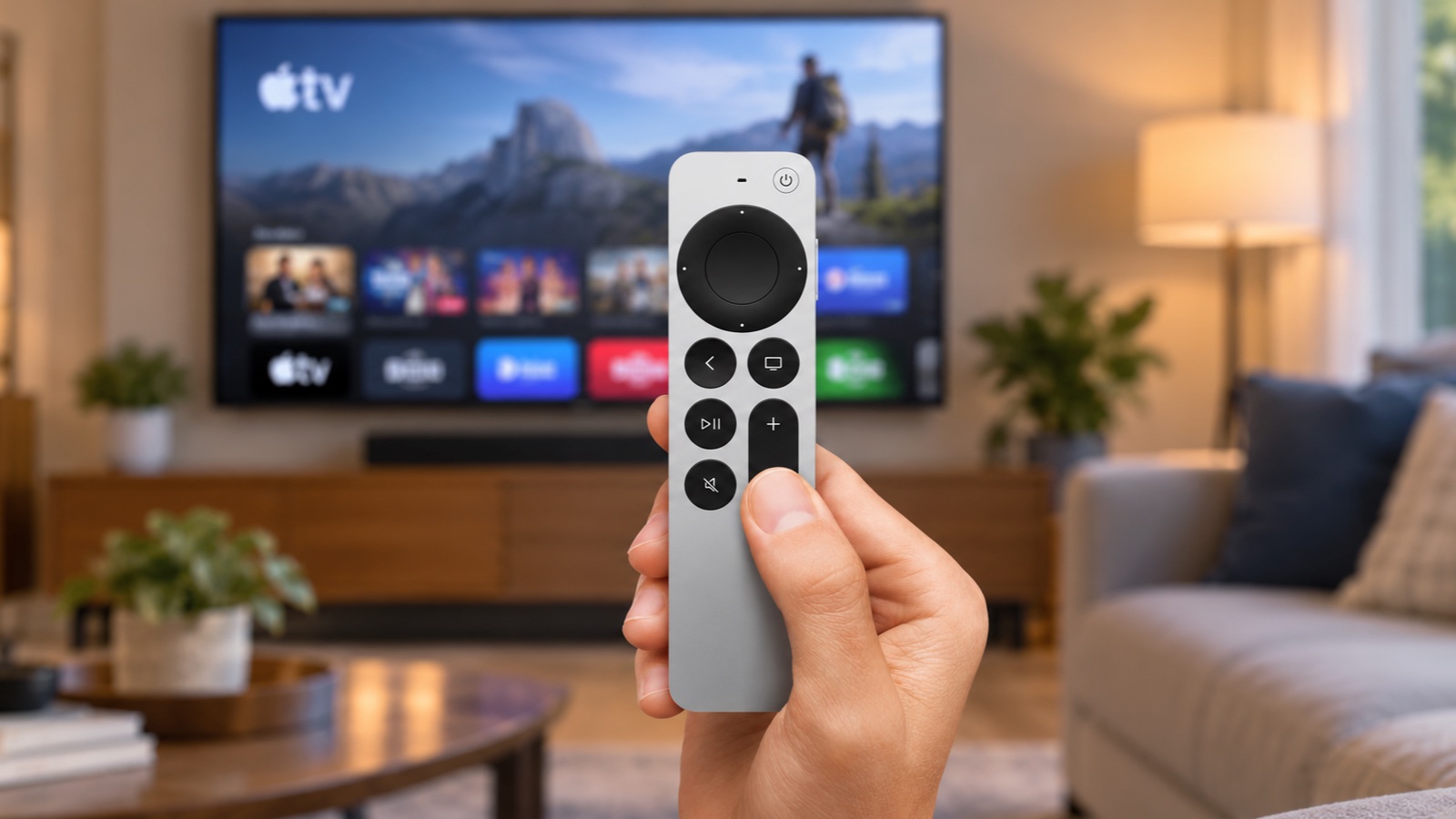
Image: Apple/Cult of Mac
The Siri Remote hasn’t received a major redesign and retains its aluminum construction, familiar button layout and touch-sensitive navigation surface.
Long-time Apple TV 4K users will love that all the buttons are just where their fingers expect them to be. Which is critical because Apple still hasn’t added backlighting to them.
But those of us who are new to Apple TV 4K face a learning curve. There’s nothing intuitive about accessing the tvOS Control Center through the home button. This feature is important enough to deserve a dedicated button.
While the overall design of the Siri Remote hasn’t changed, there is a major upgrade that every Apple TV 4K user can celebrate: Apple finally gave the remote a built-in speaker so you can make it play a sound when it goes missing. It also supports Precision Finding, which can guide you toward the remote with the iPhone’s Find My app.
I tested this by sticking the device under some couch cushions, opening the Find My app on my iPhone 17, and setting off the audible alert. This was a bit muffled by the cushions, but the app could tell me I was exactly 22 feet from the remote and point me in the general direction. Walking straight to the device was easy.
Note that if you love the idea of a findable Siri Remote, you can buy one separately for $59 that works with previous Apple TV 4K models and even the Apple TV HD.
Siri AI makes your TV smarter
One of the highlights of the Apple TV 4K is Siri AI, a huge upgrade over the previous version. It can now make recommendations on what to watch, answer questions about movies and shows and suggest related entertainment.
As a test, I asked the AI to suggest movies similar to Star Wars, and it gave some solid choices, like the new Dune adaptation. And it dug deep, finding The Last Starfighter, a brilliant flick from the 1980s.
While watching a series, I asked about actors who played some of the recurring characters and was shown a card laying out each actor and their role on the show.
But it’s possible you know this already because Siri AI isn’t restricted to the fourth-generation model. It is compatible with every Apple TV 4K going back to 2021. You just need tvOS 27.2.1 or newer.
The backward compatibility is possible because the heavy AI load isn’t handled by the streaming device. Using this feature requires you to own an Apple Intelligence-enabled iPhone or iPad running the latest software, with Siri AI enabled and set to a supported language.
Despite that, performance is fairly quick. It’s not instantaneous, but getting answers to my questions takes only a few seconds, even if they have to be routed through my iPhone or iPad.
I can pick up the Siri Remote, push a button and ask my question, but the fourth-generation Apple TV 4K includes three far-field microphones, so I can just say “Hey Siri” and start talking. That said, Siri works better if I pause what I’m watching or at least mute the audio.
Part of the Apple ecosystem
When I used a Roku, it didn’t occur to me that I was missing out by not having my streaming box part of my Apple ecosystem and smart home. But I was.
With the Apple TV 4K (4th Gen), I can switch from my Dio Node speakers to my AirPods in only a few seconds, or connect to my HomePod mini just as quickly. I can set the HomeKit scene that dims all my smart lights, and the one that brings them back up. I can even access my security camera on my TV if I hear something outside.
Apple TV 4K (4th Gen) review: Final thoughts
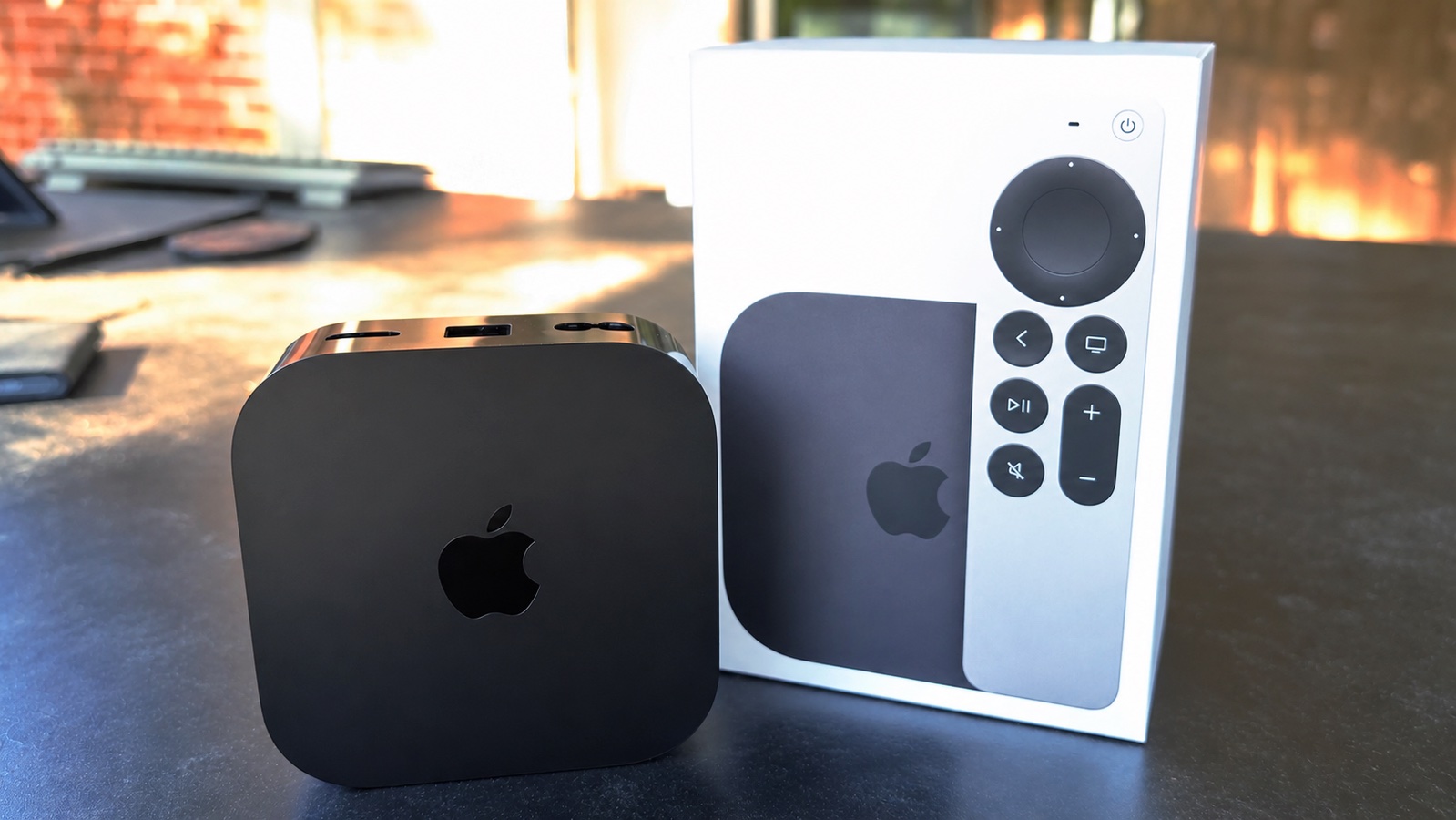
Photo: Ed Hardy/Cult of Mac
I’ve needed a new streaming device for over a year, but I refused to buy a new Roku once I set my heart on an Apple TV 4K. I’m glad the fourth-generation version was worth the wait. It’s undoubtedly the best streaming box I’ve ever used.
It’s lightning fast, easy to use and fits neatly into my Apple ecosystem. Siri AI is a nice bonus, and the findable remote is icing on the cake.
★★★★★
Pricing
One could argue that the Apple TV 4K (4th Gen) better be amazing because it cost twice the starting price of its predecessor. And it’s well above the cost of its competitors, too.
That said, it boasts 8GB of RAM, twice as much as its predecessor, and 128GB of storage. With the worldwide memory shortage dubbed RAMageddon driving up the cost of memory chips, a price hike was forced on Apple.
The fourth-generation Apple TV 4K is a premium streaming box, delivering 4K video, high-quality audio, access to popular streaming services and tight integration with the Apple ecosystem.
Siri AI and an easily findable remote are standout new features.
- Easy to use
- Lightning fast
- Findable remote
- Expensive
Apple did not provide Cult of Mac with a review unit for this article. See our reviews policy, and check out more in-depth reviews of Apple-related items.

Ed Hardy has been writing full-time about tech for 26 years, and using it for much longer than that. His intro to Apple was a Macintosh SE/30 (which he still has), but now he uses a 13-inch iPad Pro as his primary computer.
That’s because he’s a “tablet first” type of guy. Rather than use a Macbook, he connects a keyboard case to the iPad. And instead of a desktop Mac, he connects his tablet to a 27-inch display and full-size keyboard. (So don’t try to tell him that everyone has to use a Mac to be productive.)
Before coming to Cult of Mac, Ed wrote for NotebookReview, TabletPCReview and Brighthand, as well as other sites.