
Somewhere out there, a data broker has your name, address and phone number for sale. If you want to remove your personal information from the internet, the process is easier than it sounds.
Data breaches hit a new high this year, and hundreds of broker sites now buy and sell your details without asking. The good news: Reclaiming your privacy doesn’t take a law degree, just a mix of manual steps and automated tools.
How to remove your personal information from the internet
Your personal data is an open door for scammers, spammers and unscrupulous businesses. Incogni is an easy-to-use data scrubbing service that helps remove your personal data from the internet.
Save 55% when you use code: CULTOFMAC
- Works automatically, with very little effort required.
- Comprehensive: Removes data from hundreds of brokers/sites.
- Customizable: Handles custom removals.
- 30-day money-back guarantee.
- No free trial.

According to the Identity Theft Resource Center’s 2024 Annual Data Breach Report, victim notices rose nearly 211% year-over-year. Separately, the Federal Trade Commission’s Consumer Sentinel Network logged 1.1 million identity theft reports the same year.
YouGov Profiles data show that three in five Americans — about 62% — worry about how much of their information is available online. And security incidents are climbing fast, too. YouGov found that a whopping 48% of people experienced a security failure last year. That’s up from 34% in 2023.
It’s not just spam and robocalls

Image: Surfshark
The risks aren’t just financial, either. Court filings in a 2025 Minnesota shooting case showed that the suspect had compiled notebooks listing multiple people-search sites. He then allegedly used them to find targets’ home addresses.
This is a stark reminder that a data broker listing can carry real-world danger, not just spam and robocalls. Many Americans have been uneasy about how little control they have over their own data.
A significant percentage of the population believes that they should have the right to get their information removed from online searches entirely. If you feel the same way, here’s a step-by-step approach to cleaning up your online presence.
What counts as personal information
Before diving into removal steps, it helps to know what you’re actually trying to protect. Personal information is data that relates to you, but personally identifiable information (PII) is a narrower category.
PII is the data that can be used on its own to identify you specifically. Some of it, like property records and court filings, is public by default, while other pieces of PII data are nonpublic and more sensitive.
These include your full name, contact information, date of birth, sex and marital status. Financial records, medical records and your Social Security number fall into this bucket, too. So do your employment history and any criminal or court records tied to your name.
Delete accounts you no longer use
Old accounts are a liability, even those you’ve forgotten about. Dormant logins on shopping sites and apps you used only once still store your name, email and payment details. To check these, go through your password manager or inbox for old sign-up confirmations.
Try to close anything you no longer use. But most services bury the delete option somewhere deep inside, so you may need to search “how to delete my account” plus the service’s name.
Opt out of data broker and people-search sites
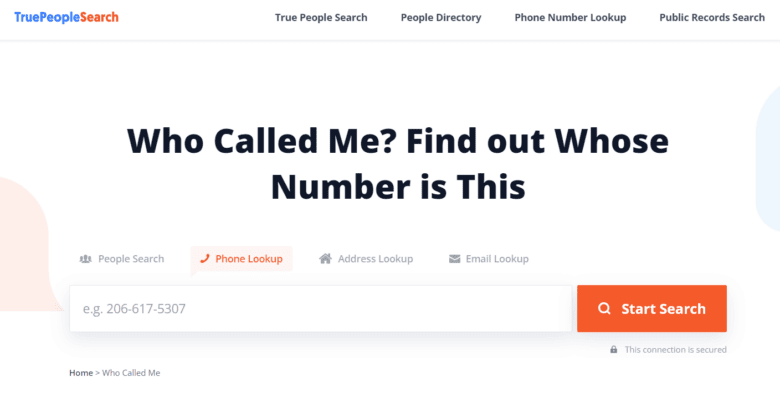
Photo: TruePeopleSearch
This is where most of the heavy lifting happens. Data brokers and people-search sites gather your name, address, relatives and more, and sell that information to anyone willing to pay.
You can go broker by broker using each site’s opt-out form, but the process is extremely tedious. You might have to contact thousands of sites. New listings also pop up as fast as you remove old ones.
This is exactly why services like Incogni exist. Incogni automates opt-out requests across more than 420 data brokers. On top of that, Incogni’s Custom Removals feature covers more than 3,500 unique domains on top of that, for a combined reach of roughly 4,000 sites.
The service also keeps resending those requests at regular intervals, so your data doesn’t quietly reappear.
Deloitte compiled an Independent Limited Assurance Report on Incogni in August 2025, and the results back up those numbers. The report confirmed that Incogni covers more than 420 data brokers and receives removal confirmations from them.
It verified Incogni’s resubmission schedule: every 60 days for public brokers and every 90 days for private ones. Deloitte also confirmed that Incogni did not sell customers’ personal data.
Continuous scanning, and a new Exposure Scanner
Incogni’s service has processed more than 245 million data removal requests since 2022. It also won PCWorld’s Editors’ Choice Award last year.
Under the hood, Incogni scans more than 260 people-search sites directly. It uses the minimal information you provide: up to three phone numbers, three emails and three addresses.
And for the 160 private database brokers that can’t be scanned the same way, Incogni sends official, legally binding removal requests on your behalf. But even after your data is deleted, brokers often collect it again over time.
That’s why Incogni keeps sending fresh requests on a recurring schedule instead of stopping after the first success.
As of 2026, Incogni’s Unlimited plans now feature a new Exposure Scanner, which continuously scans the web, finding sites that list a user’s personal information. It then gathers all the results in one place, making it very simple for users to decide what they want to have removed.
The Unlimited tier also unlocks Custom Removals, so you can easily submit takedown requests to these sites outside the standard broker list. Throughout the process, you can track potential databases found, requests sent, and requests completed from your Incogni dashboard.
This makes Incogni a proactive tool, rather than just a reactive one.
Individual and family plans are currently available at 50% off. That works out to $7.99 a month for individuals, or $15.99 a month for a family plan covering up to five people. Use code CULTOFMAC to bump the discount to 55%.
Your personal data is an open door for scammers, spammers and unscrupulous businesses. Incogni is an easy-to-use data scrubbing service that helps remove your personal data from the internet.
Save 55% when you use code: CULTOFMAC
- Works automatically, with very little effort required.
- Comprehensive: Removes data from hundreds of brokers/sites.
- Customizable: Handles custom removals.
- 30-day money-back guarantee.
- No free trial.
See what strangers know about you
You can check to see what strangers know about you using Incogni’s free data scanner.
The data scanner searches the internet and data broker databases to see where your personal information is publicly exposed or sold.
The scan is free and doesn’t require an account.
Ask Google to remove your information from search results

Photo: Rajesh Pandey/Cult of Mac
You can also stop your information from showing up on Google. The company has a tool that helps you remove information like your address, phone number, and Social Security number.
Just give it the URL where your data appears, and Google will review it for removal. While it won’t remove the underlying page, the tool does help keep it out of search results.
Contact websites directly
Alternatively, you can contact website owners directly and ask them to remove personal information about you. More often than not, a polite email explaining that a page contains your personal data works, especially with smaller sites.
To remove personal data from a website, look for contact information or opt-out links in specific locations:
- Footer links: Scroll to the bottom of the webpage for links labeled “Do not sell or share my personal information,” “opt out,” “privacy policy” or “contact us.”
- About us or support pages: Check the contact us, support or help sections to find a web form, support email address or mailing address.
- People search/data broker opt-out pages: Sites like Whitepages, Spokeo, BeenVerified and TruthFinder have dedicated footer links or privacy centers specifically for managing removal requests.
- Whois lookup (for domain ownership): If the site is a standard domain rather than a data broker, use an official domain registry lookup tool like ICANN Lookup to find the technical contact, administrative contact or registrar abuse email.
Clean up your apps and accounts

Photo: David Snow/Cult of Mac
Smartphone apps are another point of data leakage. From your location to shopping habits, many apps and services collect far more data than you might expect. So open your phone’s settings and review every app’s permissions.
Review permissions by app on your iPhone:
- Open the Settings app.
- Scroll down to the bottom of the main Settings menu and tap Apps (or scroll to find the specific app listed directly).
- Select the name of the app you want to inspect.
- Review and adjust all listed toggles and sensor controls (such as Camera, Microphone, Location and Photos) for that app.
Check the App Privacy Report:
- Go to Settings > Privacy & Security.
- Scroll down and tap App Privacy Report.
- Turn on the report if prompted, then review the app’s data and sensor access over the last seven days.
Make sure to delete any apps you no longer use, and while you’re at it, check the security settings on your most important accounts. You can start with your social media profiles, since they’re the most public-facing.
Set accounts to private if possible, and remove posts that reveal your address, workplace or daily routine. Also, review your browser and Google account’s privacy settings, as they may be tracking and storing more than you realize.
Why your personal information ends up online in the first place
Your data doesn’t leak from just one source. Public records like property and court filings can be searched by anyone.
Data brokers and people-search sites, including names like Public Record Search, SearchQuarry and Sync.me, resell that information. They may also include details from state and federal databases.
Social media adds another layer on top, because even a “private” profile can leak data via tagged photos or mutual friends. From online shopping to email newsletters, everyday accounts also build a profile of your habits over time.
If you understand where the data comes from, it makes it easier to cut it off at the source.
How to protect your personal information going forward

Screenshot: Selena Gomez/Instagram
Removing existing data is only half the battle. Going forward, make sure you remain mindful of what you share in the first place. This includes social media, online forms and apps requesting more access than they need.
- Make sure you use unique, strong passwords for every account, and enable two-factor authentication (2FA) wherever possible.
- Also, protect yourself against spam, phishing attempts and malware, since these are the main ways criminals harvest your personal data. Be skeptical of unexpected emails or texts that ask you to click a link.
- A virtual private network proves really useful for masking your location, especially on public Wi-Fi, where the traffic is easy to intercept.
Together, these habits will make it harder for anyone trying to build a detailed profile of you. Deleting old accounts, opting out of brokers, and tightening app permissions all eventually add up.
The bottom line
You can’t make yourself invisible online. But you can make it significantly harder for others to find and exploit your information. Start with the basics: Delete what you don’t use, lock down what you keep, and use a service like Incogni to handle the tedious work of chasing down data brokers. Small, consistent steps add up to a smaller digital footprint over time.
Your personal data is an open door for scammers, spammers and unscrupulous businesses. Incogni is an easy-to-use data scrubbing service that helps remove your personal data from the internet.
Save 55% when you use code: CULTOFMAC
- Works automatically, with very little effort required.
- Comprehensive: Removes data from hundreds of brokers/sites.
- Customizable: Handles custom removals.
- 30-day money-back guarantee.
- No free trial.

Anurag Chawake is a tech-focused writer specializing in smartphones, apps and consumer technology. His interest in computers began during the Windows 98 era, eventually leading him to explore everything from operating systems to mobile devices and PC hardware. Anurag previously contributed to The Indian Express, covering Apple, Android, gaming and the broader technology landscape.

