The Mac's emoji panel is even better than the iOS emoji keyboard. Photo: Cult of Mac
Finding emoji on the iPhone and iPad is easy — you just tap the little emoji key in the corner of your keyboard, and there they are. Emoji are fully supported on the Mac, too, but where do you find them? If you don’t already know, then this trick is going to blow your mind, because it’s just as easy to get to the emoji panel on the Mac as it is on the iPhone.
Tests prior to launch showed the iPhone 6 and 6 Plus could have bending issues. Photo: Cult of Mac
Bendgate is back in the news and this time, court documents show Apple knew about structural problems with the iPhone 6 and 6 Plus prior to release.
Apple’s own tests revealed the handsets might have a bending problem but publicly defended the structural soundness despite widespread customer complaints of frozen or unresponsive touchscreens. As the complaints piled up, Apple quietly corrected the defect, the documents show.
That's the Seaboard sat on a 12-inch iPad. Photo: Charlie Sorrel/Cult of Mac
Imagine a piano keyboard that is also a multitouch surface, like the screen on an iPad. Now imagine that this is a tactile silicone surface with bumps and dips so you can feel the keys, just like a piano. Hold that image in your mind — you are currently imagining the Roli Seaboard Block, backpack-sized Bluetooth MIDI keyboard that will change the way you play music.
This little music player combines a classic form factor with modern music streaming. Photo: Cult of Mac Deals
Media formats and devices have a way of circling back into relevance. Vinyl, cassette tapes, heck, even VHS are making comebacks. So it should be no surprise to see the handy iPod shuffle style of music player back on the scene. This time, it’s with an eye to streaming music, courtesy of Spotify.
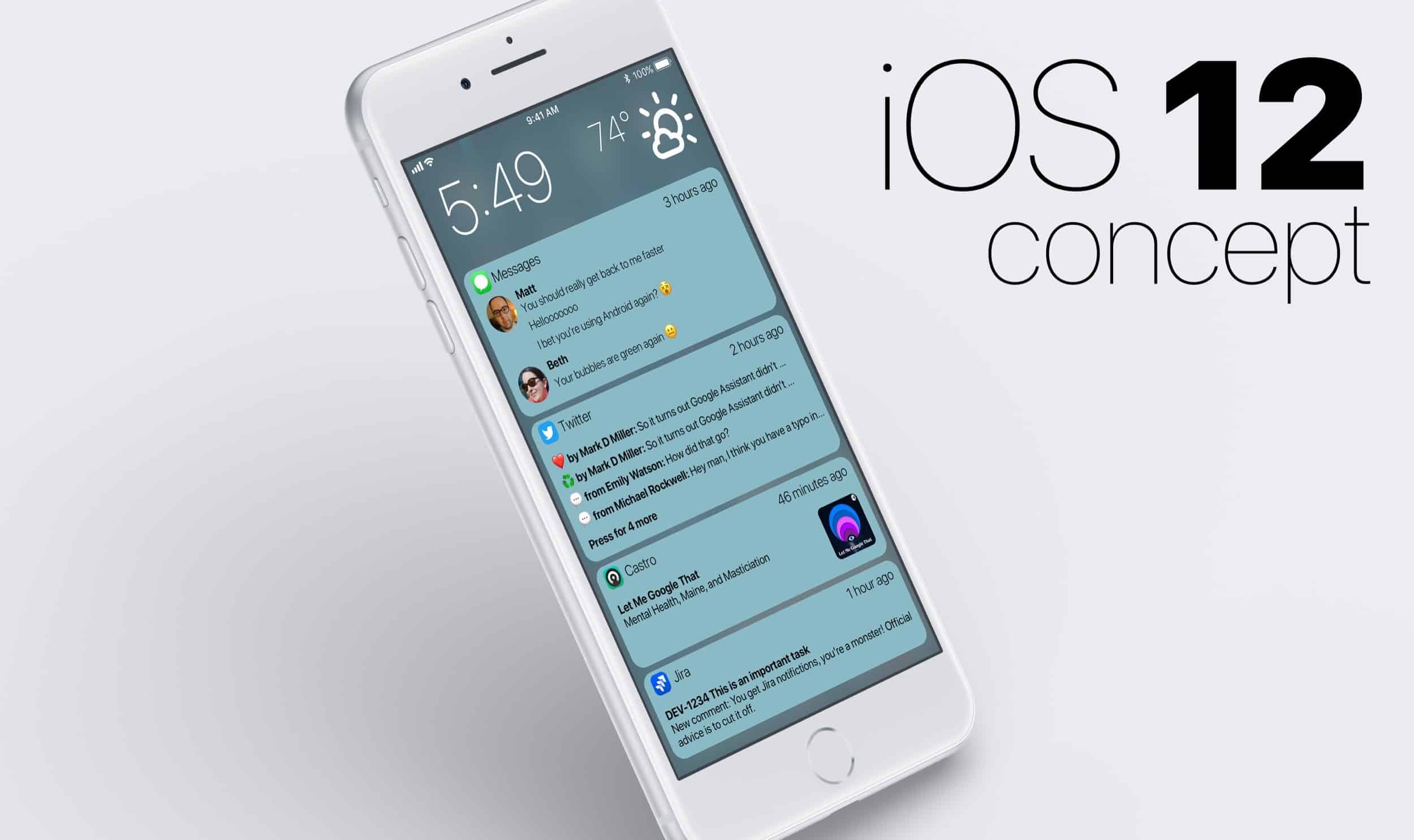
It's time for Apple to bundle notifications. Photo: Matt Birchler
The grand unveiling of iOS 12 is just a few weeks away and there’s one feature on everybody’s wishlist: grouped notifications.
iOS 11’s notification screen is a mess when you get multiple notifications from the same app, but developer Matt Birchler has created a simple concept that shows how Apple could make the lock screen notifications so much better.
Now you can mute people on Instagram, just like this creepy doll. Photo: Charlie Sorrel/Cult of Mac
Instagram finally lets you mute people, letting you remove their pictures from your timeline. If you’re too cowardly to just unfollow someone (like they’d even notice anyway), or your best friend just got their first dog/baby, and has flooded their Instagram with “cute” photos, you can now block these photos and videos without ditching the person responsible for them. Let’s see how to mute Instagram.
Did you ever visit a website and find something annoying? The answer is, of course, yes. Ad-blockers and content blockers strip a lot of the junk from a page, but there may be other elements — videos, popups, hideous profile photos on forums, which just annoy you. Today, we’ll see how to get rid of those irritating elements with a single click, using Brett Terpstra’s Killzapper.
Tweetbot for iOS is clean, easy-to-use, and isn't cluttered like the Twitter app. Photo: Ian Fuchs/Cult of Mac
Over the years, the Twitter app has changed significantly. What started as a container for Twitter’s mobile website has grown into the jumbled mess that it is today.
During that time, many third-party Twitter clients blossomed, providing a more streamlined, logical experience. While many faded away, a select few managed to stick around. For several years now, Tweetbot has been one of the best Twitter clients on iOS. It offers a clear design, simple gestures, and provides a better Twitter experience.
From text messages to research papers, Ginger Page will improve your writing on every device. Photo: Cult of Mac Deals
These days everyone is a writer, whether in emails, texts, status updates, or any of a thousand kinds of digital communications. Technology means clear writing is a more important skill than ever. Luckily, technology can also help make your writing better.
Apple’s Data and Privacy website launched last year Photo: Apple
Apple is now giving users the opportunity to download a copy of all the data the company has collected from them. This includes App Store and iTunes activity, Apple ID account and device information, online and retail store activity, AppleCare support history, and more.
The tool is part of Apple’s new Data and Privacy website, which also allows users to correct any information Apple holds about them, and deactivate their account completely.
We rounded up our favorite stands and docks for Apple Watch Series 3 from some of the best brands on the market. Perfect for dads and future graduates! Photo: Bobine
If you are an Apple Watch wearer then you already know that there’s about a million and a half individual accessories that you can buy for it. But why pay a lot to get a bunch of accessories when you can get Bobine Watch — a flexible, on-the-go Apple Watch dock.
You can charge Apple Watch within view on a nightstand, desk, or even while driving. Bobine Watch is a great gift for gadget-loving dads and upcoming grads, and is super versatile. It’s also available now in Cult of Mac’sWatch Store.
Did you ever visit a website and find that it had blocked the usual behavior of the Safari browser? Maybe it’s a banking site that won’t let you paste in your long password into its password field? Or maybe you discovered that YouTube disables Safari’s contextual (right-click) menus and replaces them with it’s own versions? Or maybe you can’t drag that image to the desktop, or copy text from the page?
The good news is that you can wrest control of your browser back from these malicious, control-freak sites. Let’s see how, using the StopTheMadness browser extension.
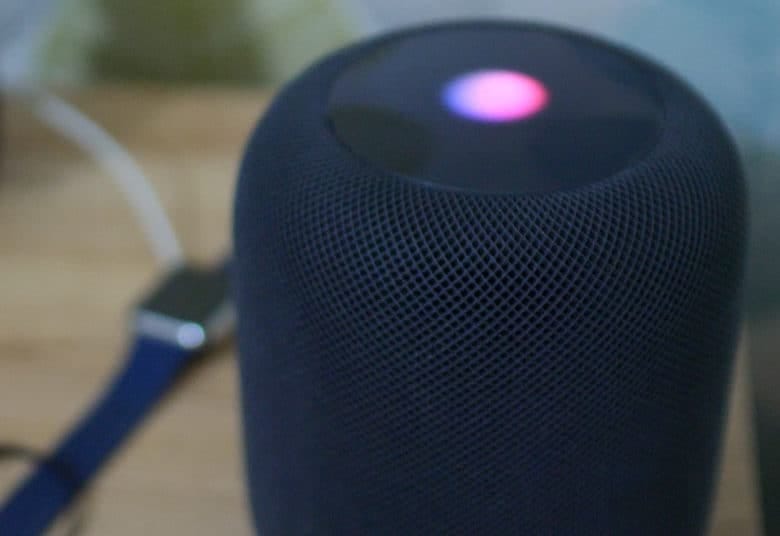
Maybe we're not getting a new, Siri-powered HomePod this year after all. Photo:
It looks like Siri suffered a bit of a hangover from WWDC 2017. Monday’s reports of a Siri makeover to be unveiled at this year’s Worldwide Developers Conference look like nothing but old news.
The cheeky nuggets, which came straight from Siri when asked about the upcoming event, appear to be leftover responses designed to create buzz about last year’s WWDC.
No more tangles with the Side Winder cable tidy. Photo: Fuse Reels
This is the Side Winder, a spinning reel for your MacBook’s power brick that coils and spools out both the mains and the DC cables from the brick in seconds. It adds a little bulk to the charger, and in return it promises to free you from tangles and knots, forever.
Apple CEO Tim Cook on stage for WWDC 2018. Photo: Apple
Apple has started issuing press invites for its big WWDC keynote on June 4.
Attendees will be treated to a preview of iOS 12 and the next major updates to macOS, tvOS, and watchOS. Apple could also surprise us with some new hardware.
Everyone should welcome skill-based matchmaking. Photo: Killian Bell/Cult of Mac
Battle Pass buyers can now begin completing week four’s challenges for season four in Fortnite Battle Royale. There are seven in total — four easy and three hard — that will earn you 50 Battle Stars.
When it comes to learning a new language, this deal on Rosetta Stone subscriptions leaves no more excuses. Photo: Cult of Mac Deals
We all know that person, the one who speaks four languages fluently and ‘gets by’ in two others. Meanwhile, we’re still trying to reach intermediate status on a second language. So for anyone tired of wasting time and ready to finally count yourself among the multilingual, this deal on Rosetta Stone subscriptions is for you.
Suddenly Apple's record quarter seems even more impressive! Photo: Ste Smith/Cult of Mac
Apple had an even better start to 2018 than you might think. While it’s now well known that Apple had a record first three months of the year, that doesn’t take into account what the rest of the smartphone market was doing during that time.
In fact, according to a new report by analysts at Counterpoint, the overall U.S. smartphone market declined 11 percent versus the same time last year. Apple, on the other hand, shipped a record 16 million handsets in Q1 — representing a 16 percent increase year-on-year.
Podcast app Castro addresses several missing features with version 3 Photo: Ian Fuchs/Cult of Mac
With podcasts increasing in popularity, Castro has been one of the top third-party podcast players on the market. In version 2, Castro changed the way users manage their unplayed episodes with their podcast triage system. While it was a great update, and included some gorgeous design touches, it was missing some key listening features. With version 3, Castro adds in users most requested features to make it a truly great podcast player.
A screen glitch, frustrating to most, is beautiful to weaver Melissa Barron. Photo: Melissa Barron
The Apple II and the iconic game The Oregon Trail launched countless computer science careers – and are twin muses for weaver Melissa Barron.
The Chicago artist appreciates the similarities in a line of code and a strand of yarn as she brings analog texture to computer screens, especially the helter-skelter appearance of glitches.
When asked about Apple’s upcoming Worldwide Developer’s Conference, Siri very sweetly dishes two interesting bits of news. Apple’s voice assistant will get a new voice, and she will lend it to a new HomePod.
The Kindle app is the perfect platform for reading e-books on iPad or iPhone. Photo: Ian Fuchs/Cult of Mac
Reading books. It’s something we’ve all done at some point in our lives. People read for fun, learning or taking a break. The trouble is, having a huge collection of books takes up space and can literally weigh you down.
E-books are the solution, and the Kindle app is an excellent way to enjoy the world of literature without straining your back or your physical space. With the Kindle app, you can carry an entire library’s worth of books on your iPad or iPhone.
Great for anyone running an Airbnb, this programmable lock opens with private codes, fingerprint ID, and Bluetooth. Photo: Cult of Mac Deals
In our digital day and age, why are house keys still a thing? They’re easy to lose, easy to copy, and with a little skill and a paperclip someone can get through anyway.
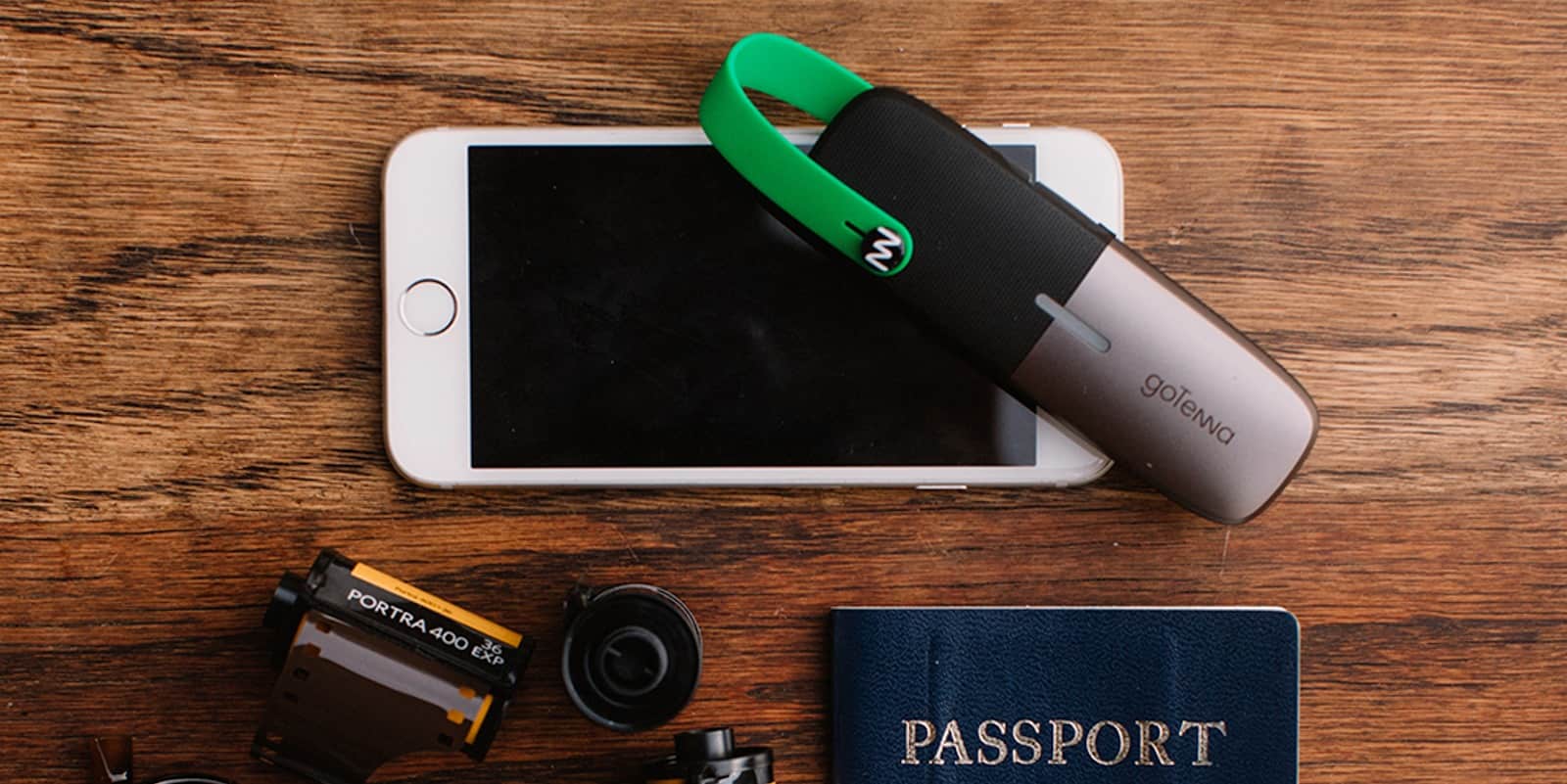
Go off the grid and still have a connection with goTenna Mesh Photo: Cult of Mac Deals
There are plenty of times when wireless service providers can come up short. So when traveling with friends to far-flung places, crowded concerts, or even during power outages, it’s nice to know you mesh networks offer a chance to create your own connections.
There are growing reports, tons of complaints, and a new petition claiming the butterfly keyboard in the new MacBook Pro has a critical design flaw that can’t be fixed. This episode we explore the issue with Matthew Taylor, creator of the keyboard recall petition, who tells us what’s going wrong with Apple’s butterfly keyboard, why it can’t be fixed, and why almost 26,000 people are demanding it finally be recalled.
Plus: stick around for a innovative new iPhone gimbal, a very cool throwback iPhone case, and the perfect green screen for your Twitch or Youtube streams in another tech-packed roundtable of our favorite new gadgets.
Our thanks to Udemy for supporting this episode. Whether you’re looking to learn something new or just sharpen your skills, Udemy has over 65,000 courses starting at just 11.99.
Visit Ude.my/CULTCAST or download the Udemy app to learn anytime, anywhere.