★★☆☆☆
Self-made multimillionaire Dev Ayesa (played by Edi Gathegi) wants to get to Mars first. Photo: Apple TV+
For All Mankind heads to Mars a little sooner than expected this week — and with a surprise guest in the cockpit.
Danielle and Ed, then Molly and Margo, fall out. Karen and Ed fall into business together. Aleida worries about her family from the moon. And Danny Stevens is still a little psychopath.
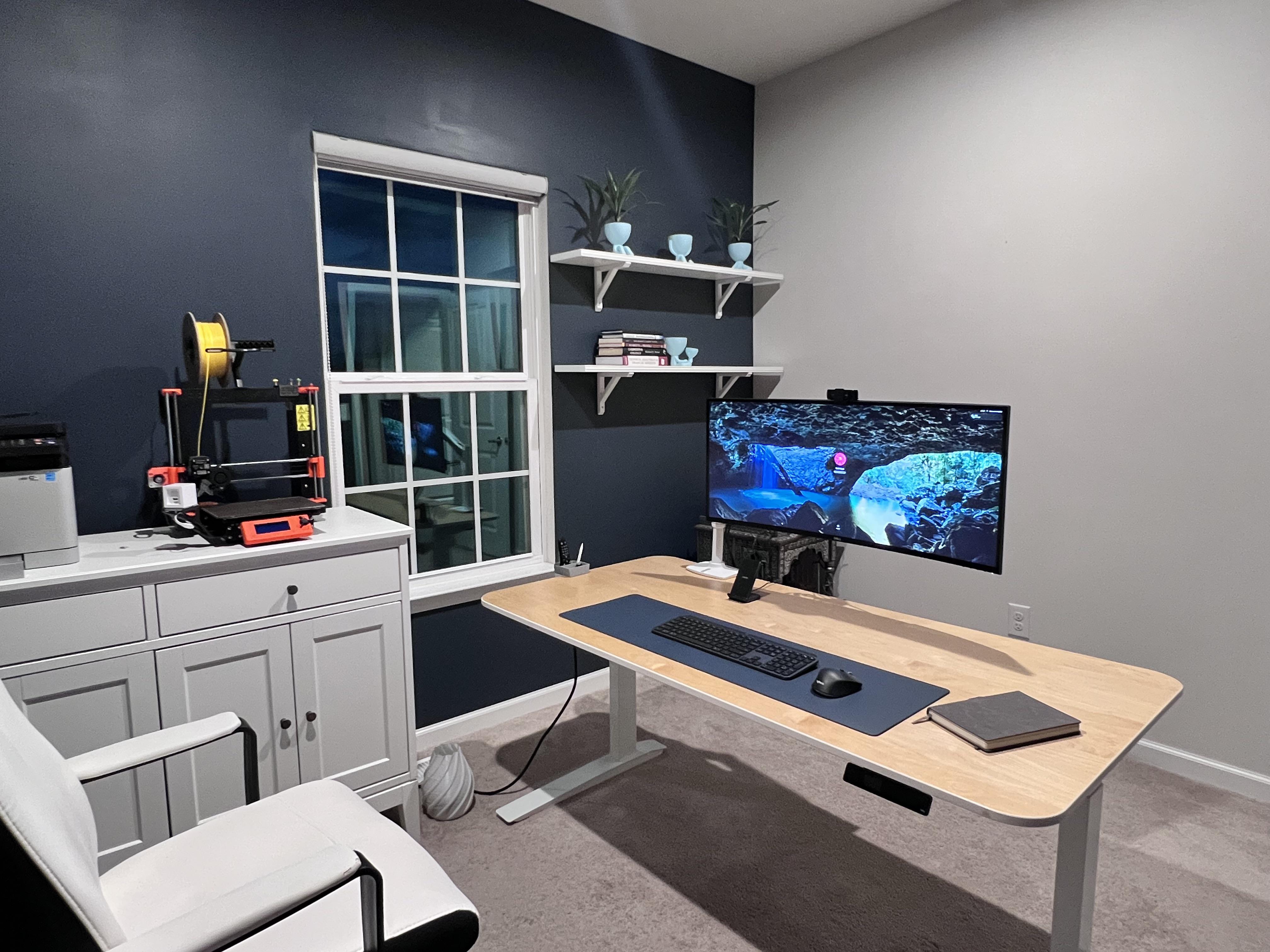
That 38-inch monitor is almost too much for the standing desk to handle. Photo: [email protected]
In a world of ever-increasing monitor sizes (and weights), you need a pretty tough, supportive desk — especially if it’s a motorized one for sitting or standing. Otherwise, the whole thing might wobble all over the place under the combined, imbalanced weight of your fabulous gear.
Today’s featured Mac mini computer setup copes with an electric desk that struggles under the weight of a behemoth of a curved ultra-wide monitor.
★★☆☆☆
Rose Byrne finally gets to let loose in the role of Sheila. Photo: Apple TV+
Apple TV+’s Physical, about a would-be fitness guru in California, heads to a funeral this week to rethink its priorities. Sheila’s finally cracking up, John’s lies catch up with him in a sad way, Bunny is at the end of her tether, and a vengeful mother gets her hooks into two generations of women.
A couple of standout performances lift this week’s episode out of the usual doldrums. Rose Byrne is allowed to stretch a bit beyond the usual limitations of her role as Sheila Rubin — and the result is a glimpse into a better version of what this show could be.
Fight back against spammers and scammers for less than $1 a week. Photo: Cult of Mac Deals
Spam calls and texts are beyond annoying. Sometimes you’re anything like us, it feels like half the time your phone rings, it’s a robot asking about your car’s extended warranty. Of course, you could block the number, but that doesn’t help when spammers trick your phone into displaying a fake number.
You can fight back against spam callers, though. If you want an all-in-one solution to spam calls and texts, you need RoboKiller. And right now, you can get a one-year subscription for $19.99, two years for $39.99 or three for $59.99.
The only question is, how long do you want to keep the spammers at bay?
☆☆☆☆☆
Take a long second to get used to this face. Photo: Apple TV+
Only moments ago Cooper Raiff was a niche figure, someone you could avoid with a little effort. But now, he is the filmgoing public’s problem, thanks to Cha Cha Real Smooth, which premieres Friday on Apple TV+.
Writer/director/actor Raiff’s excruciating 2020 feature debut, Shithouse, captured enough viewers and earned enough praise to garner him a second chance to waste our time with the equally galling and charmless Cha Cha Real Smooth.
Apple TV+ paid an absurd amount of money for this garbage film. Unfortunately, the big gamble on this “Sundance hit” landed the streaming service an indifferently directed trifle starring a weaselly narcissist.
Give your dad MS Office for life with this bundle.
Photo: Cult of Mac Deals
For Father’s Day this year, skip the tie and get Pops something he can use for the rest of his life: a lifetime license to Microsoft Office for Mac. It’s the gold standard when it comes to software. And if he doesn’t own the latest version, he’s missing out.
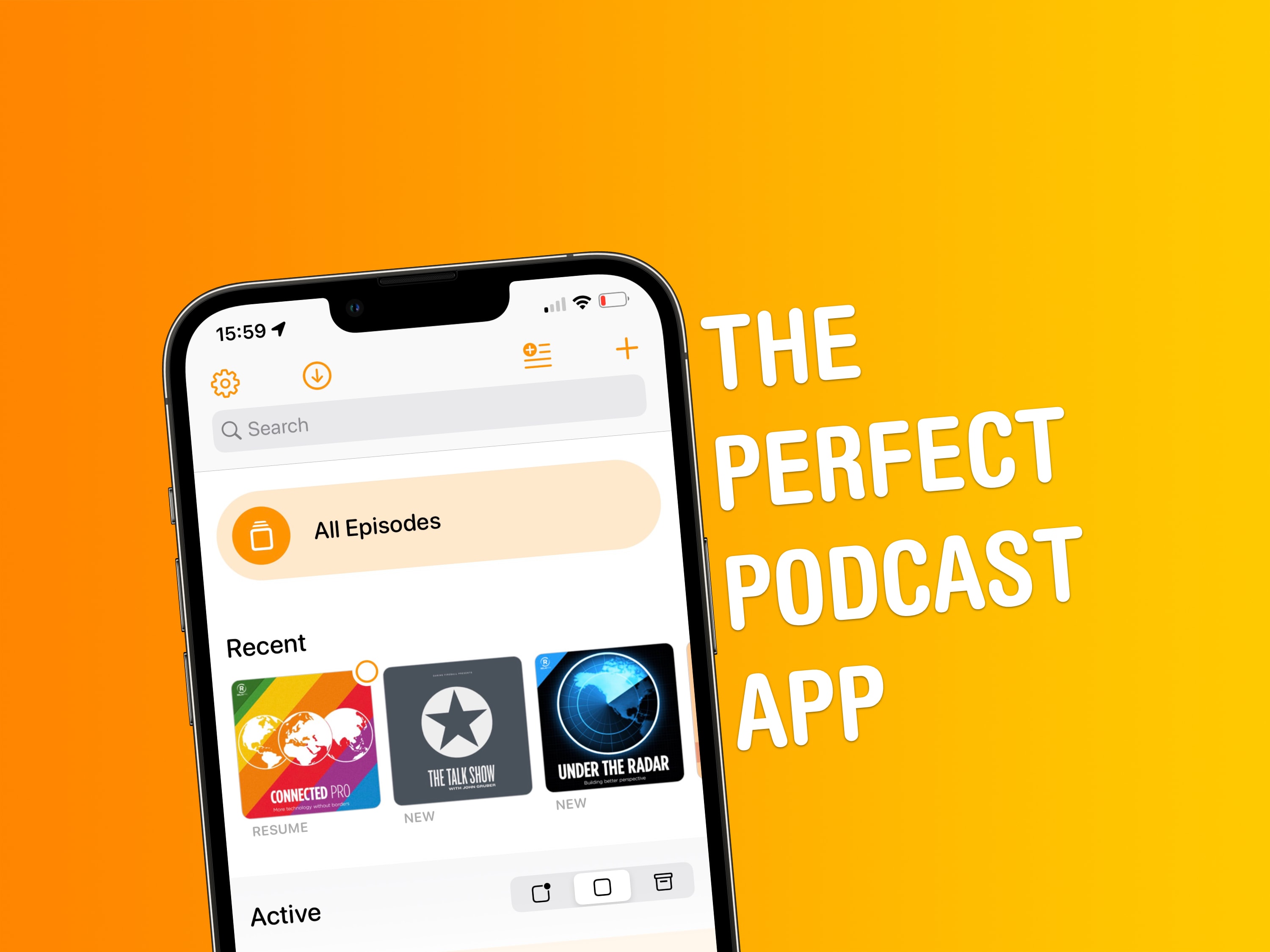
A great design and smart features are some of the reasons why I love Overcast. Screenshot: Joe White/Cult of Mac
This definitely isn’t the first time we’ve talked about Overcast here at Cult of Mac. But since I’ve been spending time rounding up my must-have apps as part of our Awesome Apps series, it makes sense to tell you why Marco Arment’s podcast client is the best podcast app out there.
It’s actually a great time to introduce anyone unfamiliar with Overcast to the app, since it recently received its biggest redesign ever. Part of this change includes a new home screen with some smart features. I love Overcast for a number of reasons, but the app’s home screen is probably chief among them.
★★★★★
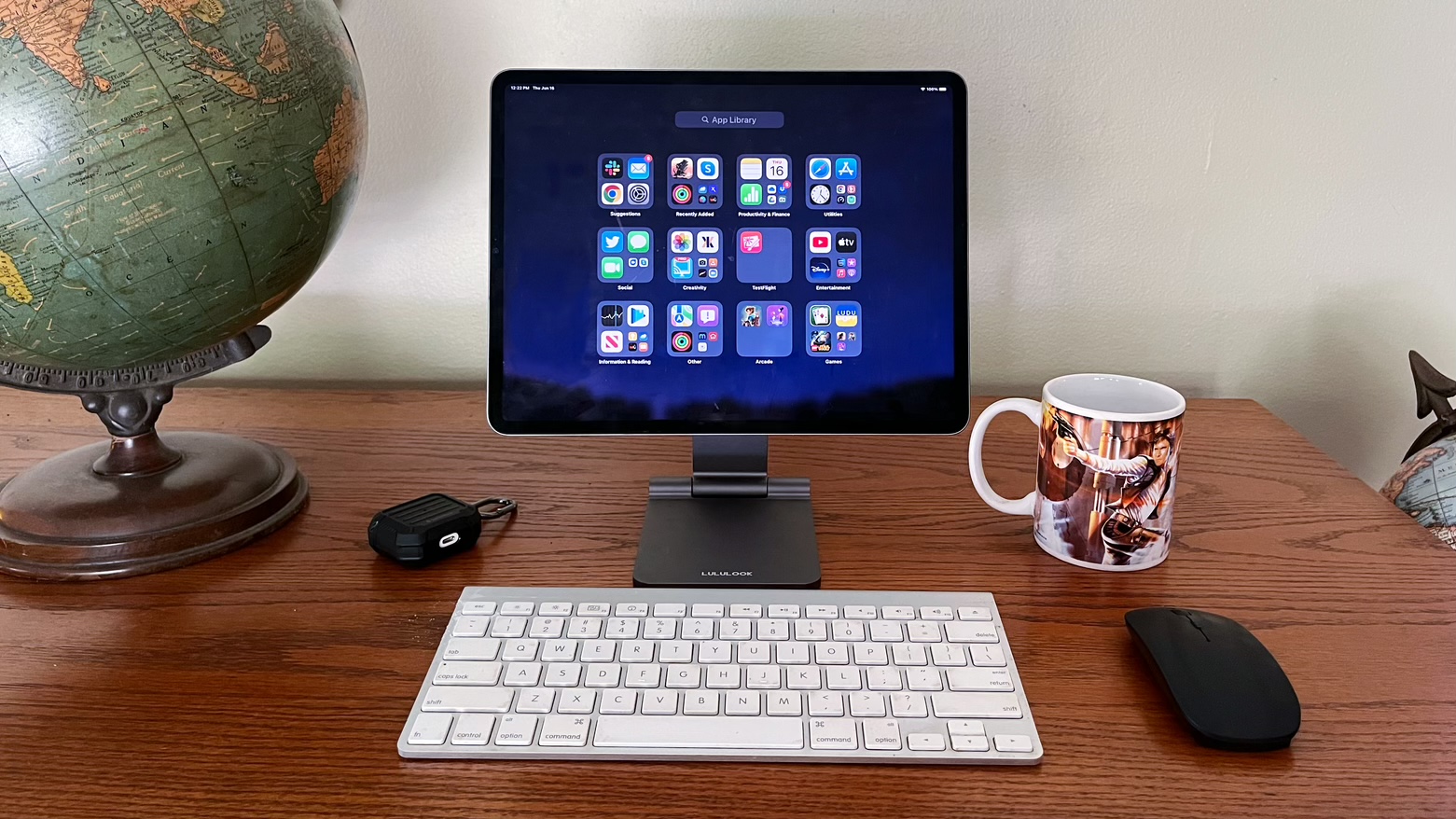
Your iPad can also be your desktop with the Lululook Foldable Magnetic iPad Stand. Photo: Ed Hardy/Cult of Mac
The Lululook Foldable Magnetic iPad Stand is ready to help turn your tablet into a small desktop computer. Your iPad attaches to it magnetically, and you can easily adjust the height and viewing angle. Or switch between portrait and landscape.
Just as importantly, when you don’t need it, the desktop stand folds up so you can carry it with you or easily put it out of the way.
This is absolutely one of the best iPad Pro or iPad Air stands I’ve ever used. Here’s why I love it.
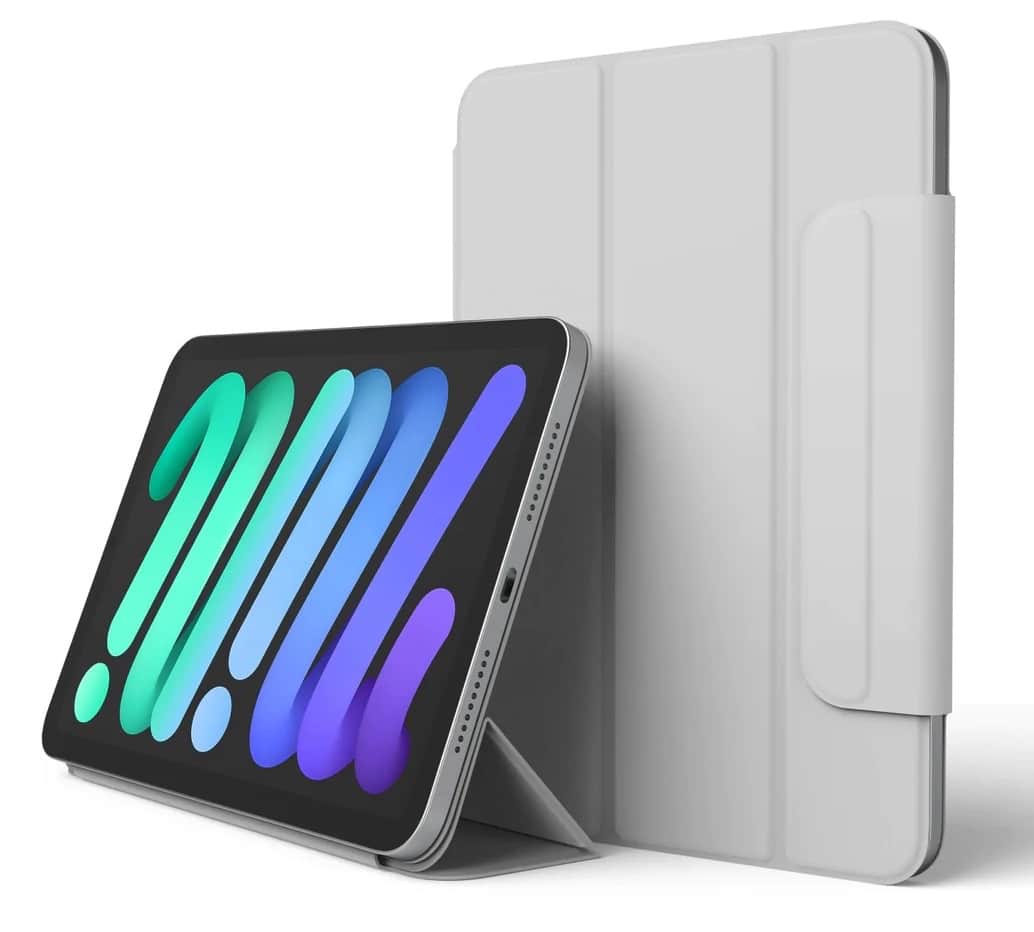
This folio case shown has the clasp. Another version does not. Photo: Elago
You’d probably no sooner carry around your iPad mini in public without a case than you would your MacBook Pro. But you can keep the slim form factor and terrific portability of your tablet while keeping it safe by slipping it into an Elago Smart Folio Case.
And what’s more, Elago just put out a new product that goes with iPads and the Apple Pencils that work so well with them. The Elago Apple Pencil Holder is a super-secure and protective sleeve for a stylus that fixes strongly to a tablet or its case.
And best of all, two versions of the folio are a great deal in the Cult of Mac Store, as is the Pencil holder — all detailed below.
Get access to the new features and APIs in iOS 16 with the Developer Beta today. Featuring my dog, Indy Anna Jones. Image: D. Griffin Jones/Cult of Mac
iOS 16 was announced with some awesome, radical new features: a completely redesigned Lock Screen, a shared Photo Library for families, editing and un-sending iMessages, advanced new features in Maps and more. It’s especially hard this year to wait until September to get your hands on it.
Developers have a busy summer ahead of them, too. I spoke with some developers while at WWDC (no, I’m not done flexing that yet) and afterwards on Twitter. Developers are especially excited about creating Lock Screen widgets for their apps, using the new advanced features of SwiftUI and experimenting with the Live Text API.
But you don’t have to wait to get your hands on the beta. Registered developers can install the iOS 16 developer beta today. According to Apple, the Public Beta will be coming sometime in July. If you pay $99 for a developer account, installing the beta on your device is fast and easy. Here’s how.
Your next flight could be more affordable than you thought possible with Dollar Flight Club. Photo: Cult of Mac Deals
Is it really a vacation if you spend half the time recovering from the stress of planning it? With how expensive flights are right now, it’s hard to think of an airline ticket as anything more than another bill, even if you’re flying somewhere incredible.
Luckily, Dollar Flight Club can find you amazing deals on domestic and international airfare so you can focus on fun. For a limited time, you can become a Premium Plus+ member for $99. And if you purchase between June 15 and June 30, you get five entries for a chance to win $5,000 toward flights, hotels, food, adventures and more!
Toast your dad this Father's Day with 12 bottles of wine for just $85. Photo: Cult of Mac Deals
Dad deserves a glass of wine to wind down with at the end of a long day. And yet wine is one of those simple delights that’s easy to get wrong but so satisfying to get right.
You can get your dad some wine he’ll love on his special day with Winc wine delivery. You can purchase $155 of credit toward 12 bottles for only $84.99 during our Father’s Day Sale, which ends June 19 — no coupon necessary!
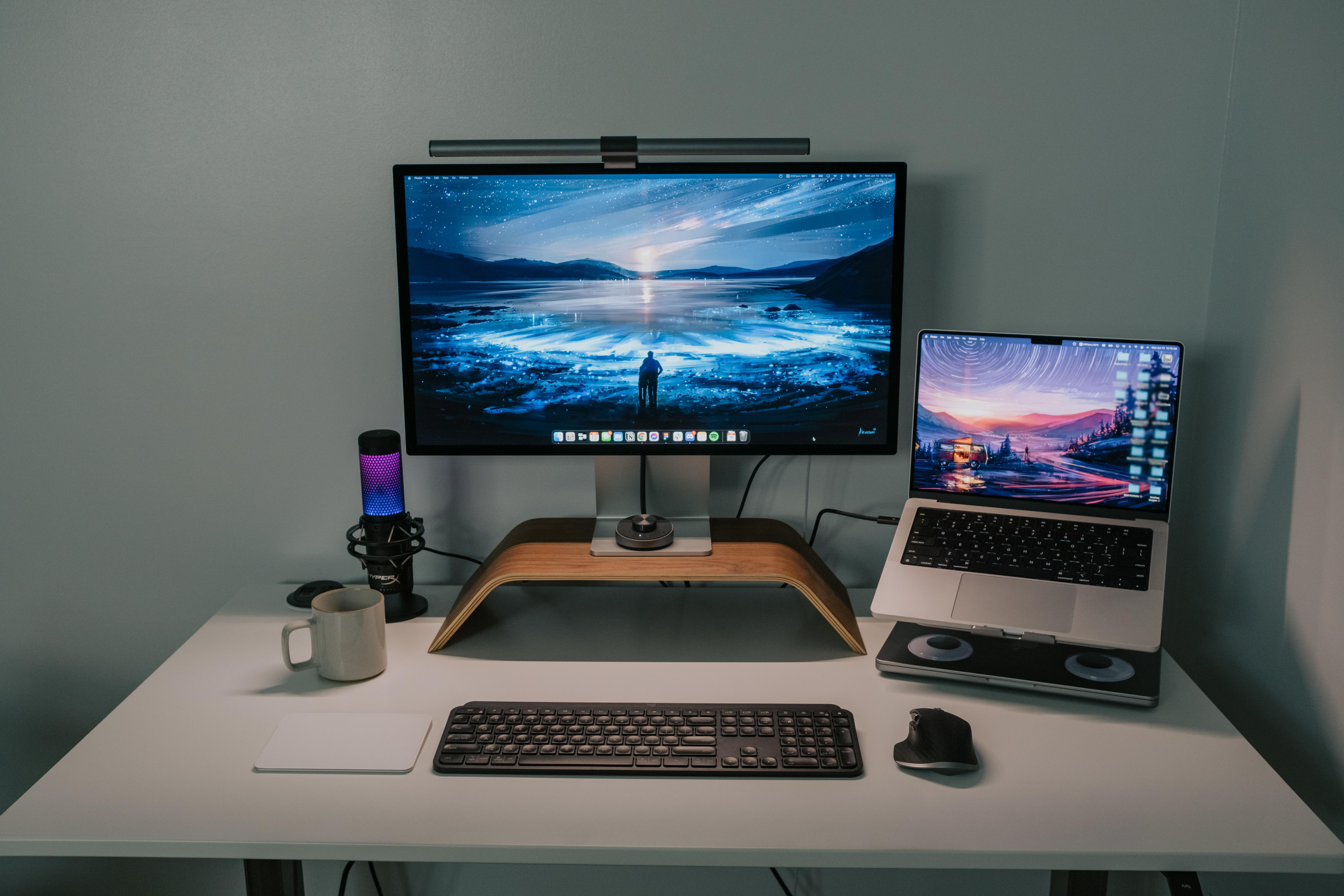
The flashy RBG microphone sits to the left of the Studio Display. Photo: [email protected]
If you’re tired of being just another drab presence on conference calls or online gaming tournaments, maybe it’s time to bring the party. No, we’re not saying you should send everyone jello shots beforehand. But you might try a sassy RGB microphone like the one in today’s featured MacBook Pro and Studio Display setup.
And it’s not just for fun. The product designer who uses it said it’s perfectly loud and clear on Zoom and Discord calls.
★★★☆☆
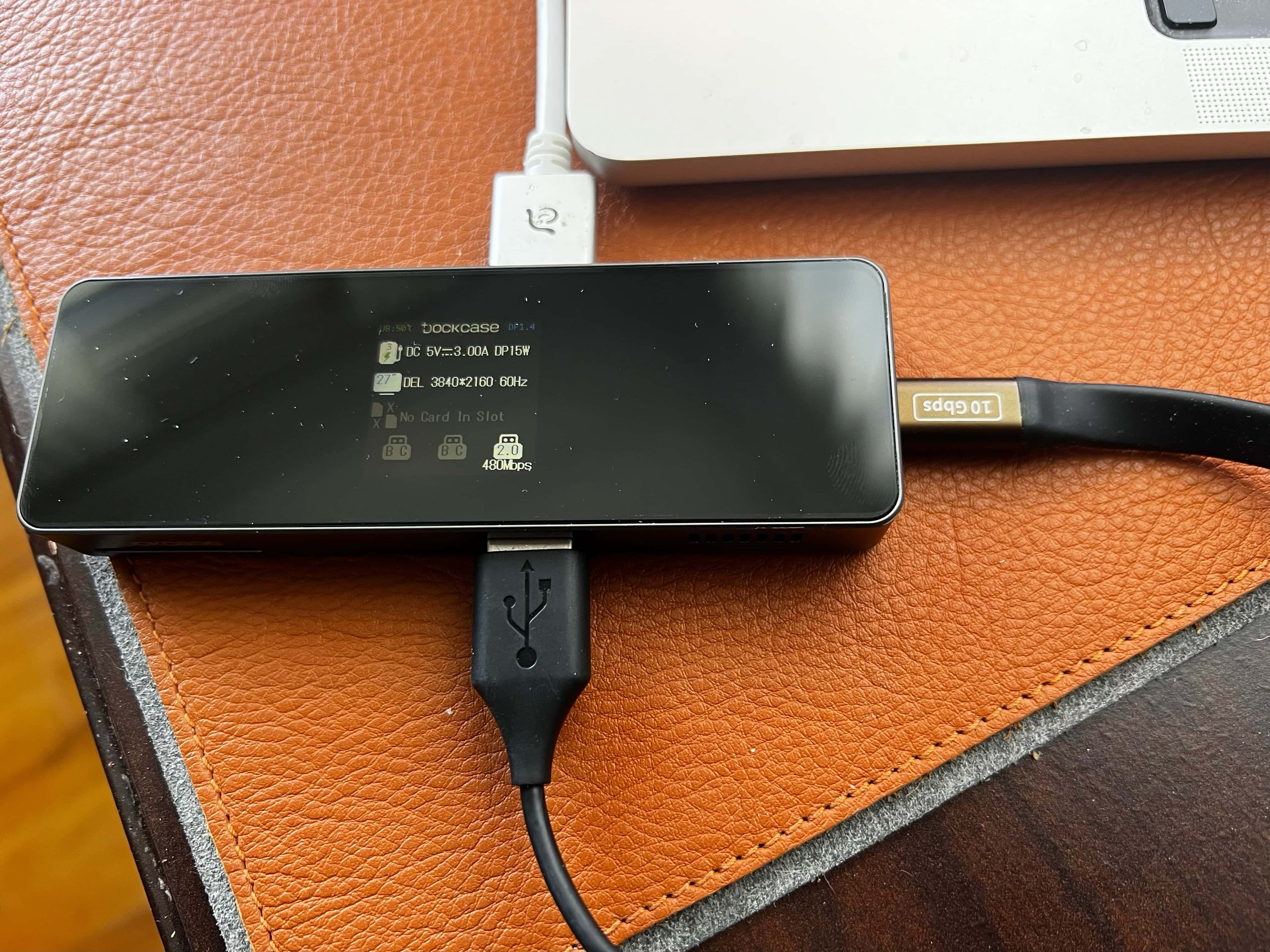
The display isn't life-changing, but it can be useful and it's kind of cool. Photo: David Snow/Cult of Mac
After trending toward fewer and fewer ports for a while, Macs have added some back lately, offering better connectivity for the latest laptops and desktops. But it never hurts to have a dock to connect additional devices, share files and distribute power — and now you can get one with an informative display.
DockCase has shaken up the fairly boring world of USB-C docks with its new series. The company sent me its 7-in-1 USB-C Smart HD Display Dock Pro to take for a spin. DockCase said it’s the first to offer such a dock with an HD display.
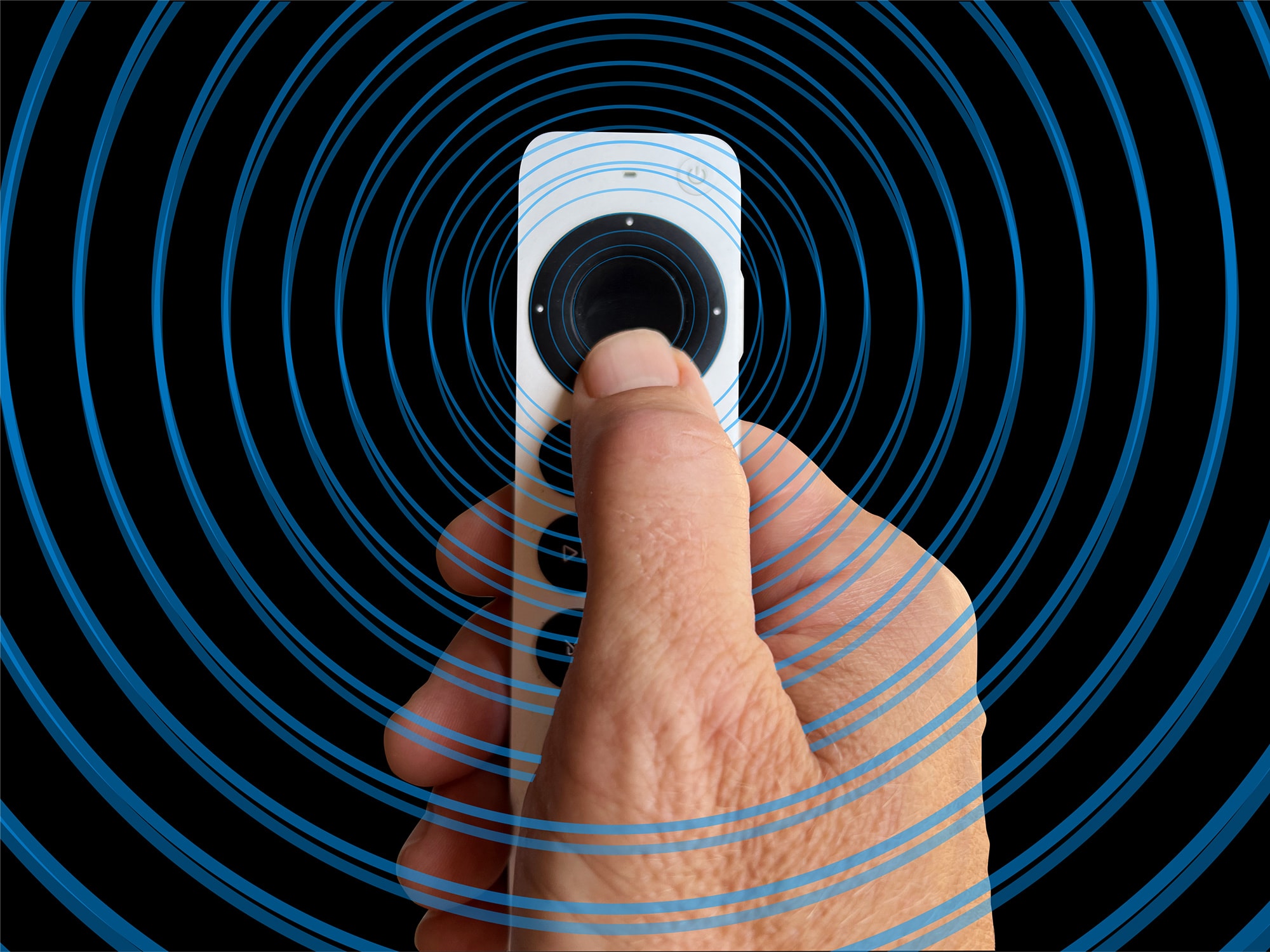
Does the Siri Remote have you going around in circles? Photo: Graham Bower/Cult of Mac
When Apple TV 4K launched last year, it had fans salivating. But not for the sharper picture or faster processor. It was the new Siri Remote that caught everyone’s eye. Had Cupertino finally made a TV remote control that didn’t suck?
With its iPod-style scroll wheel, the second-generation Siri Remote promised to make scrolling through content effortless. In reality, the scroll wheel turned out to be hard to use, and lacked support from third-party apps like YouTube.
But don’t throw your remote at the TV just yet. When you get the hang of its quirks, the Siri Remote scroll wheel works surprisingly well. And you can use it with loads of essential apps, including Netflix, HBO Max and, of course, Apple TV+.
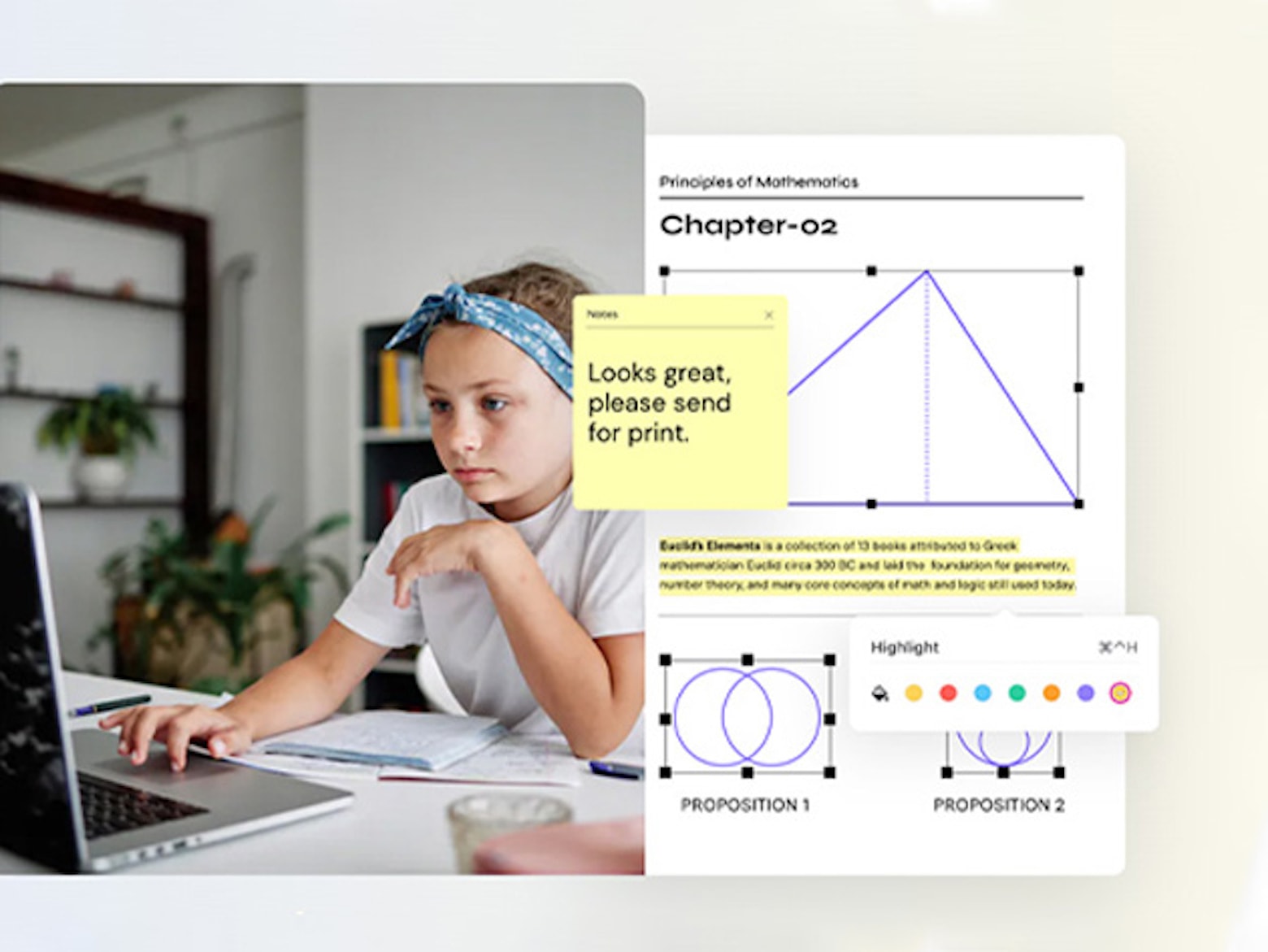
All you need to learn for free with Apple this summer is an iPad. Photo: Apple
Apple trotted out a new list of free iPad-based virtual conferences this summer in its Professional Learning series. Topics cover subjects like photo storytelling, making music and learning the Swift programming language.
And best of all, they’re free. All you need to participate, once you register, is an iPad.
Give your father a gift he can use at home or work. Photo: Cult of Mac Deals
Dads work really hard to take care of their families. This Father’s Day, why not give your dad some software that could make his professional and home life a little easier?
For example, check out this deal on a lifetime license to Microsoft Office Professional 2021 for Windows. It’s on sale now for only $59.99 (regularly $947). Plus, it comes bundled with finance courses from author and entrepreneur Chris Haroun.
That’s the full MS Office suite for life, plus 51 courses that thoroughly explain investing, taxes and key business concepts.
All the games? No blackouts? Yes, please. Photo: Apple
Cupertino unveiled a major new sports deal Tuesday, saying Apple TV will be the exclusive streaming destination for all Major League Soccer (MLS) games for 10 years, starting with the 2023 season.
Unlike Friday Night Baseball on Apple TV+, watching many soccer games will require a separate subscription to an MLS streaming service, available exclusively through the Apple TV app. But some of the biggest matches will air on Apple TV+, as well.
Humane's wearable ditches a screen in favor of lasers, which project info out into the world. Here it is showing a thermostat projected on a user's hand. Photo: Humane
The people who invented the iPhone are trying to invent what comes after the iPhone, and it sounds bonkers.
A secretive San Francisco startup called Humane appears to be developing a wearable, screen-less device that uses low-powered lasers to project information out into the wearer’s environment. And there’s not an AR/VR headset in sight.
Filmora offers many advanced features to make editing your videos easy. Photo: Wondershare
It might look glamorous, but actually making videos is challenging. Once you get past the writing and the filming, you still have to get through the editing.
Wondershare PDFelement Professional is a simple PDF editor loaded with features. It caters to everyday users as well as professionals who need advanced tools. And you can get a perpetual license on sale for $119 (regularly $159) for a limited time.
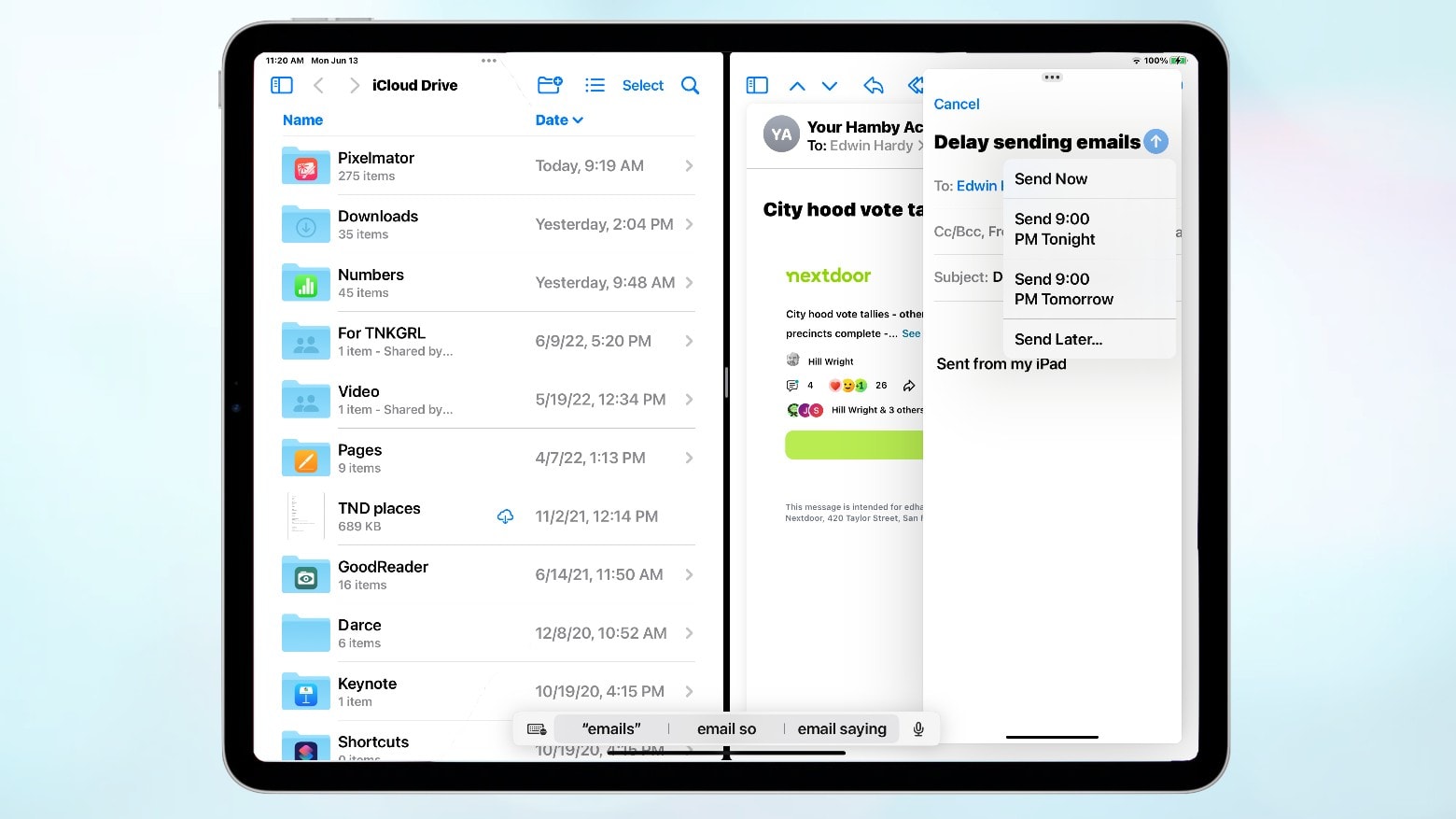
Improved Files and Mail apps are just a couple of the great new iPadOS 16 features coming to non-M1 iPads. Image: Ed Hardy/Cult of Mac
There’s more to iPadOS 16 than floating app windows. The Files app gets some significant improvements in the upcoming upgrade. There’s a Weather app and great new features in the Mail and Messages apps. Plus, you can hand off a FaceTime call between your Apple computers.
These enhancements are available to every iPad that supports iPadOS 16, which is currently in developer beta. So don’t think there’s nothing coming this fall for tablets without an Apple M1 processor. That’s just not true.
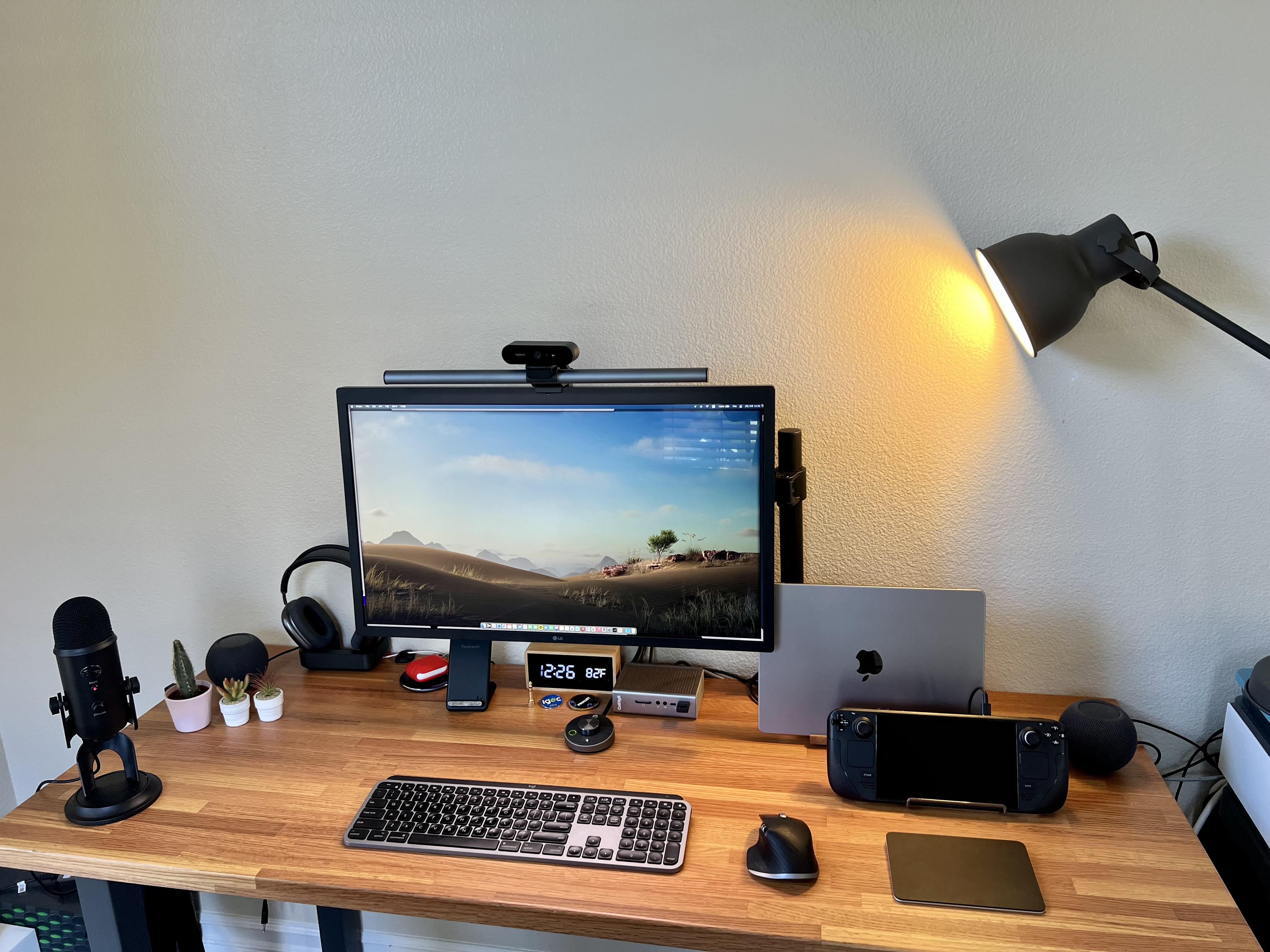
Two computers live here: a 14-inch M1 Pro MacBook and a Steam Deck for gaming. Photo: [email protected]
Everybody knows Macs don’t set the gaming world on fire, though Apple silicon has made some inroads. So while plenty of Mac users enjoy Apple Arcade and use Apple hardware to play games, many turn to other means. We’ve seen plenty a hybrid Mac – PC computer setups out there.
But today’s featured setup takes another course to gaming satisfaction. It’s owner, who describes himself as an “old gamer,” divides his time between work via an M1 MacBook Pro and gaming on a Valve Steam Deck.