Mobile menu toggle

Top stories - page 1018

Gallery: Behind the Scenes From Two Classic Apple TV Ads

By

tank_commercial

Is this Steve Jobs driving a tank in a classic Apple TV spot from the late 1990s? That was the rumor at the time: Jobs was making cameos in Apple commercials.

Ken Segall, the TBWA ad man responsible for naming the iMac and Think Different, reveals the truth after the jump. He also shares some rare behind-the-scenes photos he took during the filming of this commercial and another from the same era.

Interview: The Man Who Named the iMac and Wrote Think Different

By

ken_segall_1

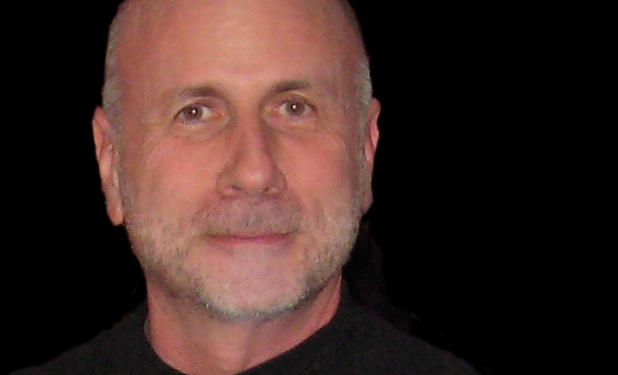
Meet Ken Segall — the man who dreamed up the name “iMac” and wrote the famous Think Different campaign.

Segall is a veteran creative director who worked at Apple’s agency, TBWA\Chiat\Day, back in the day.

“I’ve put in 14 years working with Steve Jobs on both Apple and NeXT,” says Segall. “I’m the author of the Think Different campaign and the guy who came up with the whole “i” thing, starting with iMac.”

Segall collaborated closely with advertising legend Lee Clow, chief creative officer of TBWA\Chiat\Day, whose retirement was widely — but prematurely — reported last week.

In this exclusive interview, Segall talks about working with Steve Jobs, how Jobs initially hated the word “iMac,” and the importance of the Think Different campaign to Apple.

How To: Jailbreak and Unlock Your iPhone / iPod Touch Using Blackra1n

By

post-20356-image-7a48ece87edd56d7d27facd9b593332e-jpg

Warning: This method no longer works. To jailbreak the latest firmware, check out greenpois0n/limera1n/Pwnage Tool

George Hotz a.k.a GeoHot has released blackra1n RC3, which is an update to a 1-click jailbreak that adds activation options and an add-on blacksn0w, which unlocks latest iPhone 3G and iPhone 3GS baseband version 05.11.07. To use blacksn0w, make sure you have this new baseband (check under Settings –> General –> About –> Modem Firmware) and if not, then update to a stock 3.1.2 firmware.

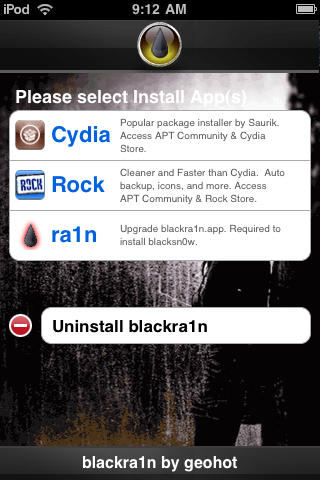
It is pretty easy to use and worked perfectly with my iPhone 3G. Besides the tool, there’s a blackra1n application that gets automatically installed on the iPhone after jailbreak, which gives you option to install Cydia and some other alternatives like RockYourPhone and the ‘sn0w’ option to use blacksn0w unlock solution as well.

Please note that if you have an iPhone 2G, you can still jailbreak using blackra1n but blacksn0w will not unlock for you. You must use BootNeuter available in Cydia for that purpose. Also, if you purchased an iPhone 3GS or iPod Touch (any capacity) in October or later, there is a high probability that you have a new model. Blackra1n currently performs only a tethered jailbreak for these new devices, which means you need to use blackra1n every time you boot the device, otherwise all your jailbreak data gets wiped.

Here’s see how it works.

Blacksn0w Add-on For blackra1n Unlocks Any iPhone 3G / 3GS, Enables Tethering

By

blacksn0w2

GeoHot, creator of the famous blackra1n jailbreak tool has now released blacksn0w. Blacksn0w is a full fledged software unlock solution for iPhone 3G and iPhone 3GS, having baseband version 05.11.07 found in firmware version 3.1.2. Unlocking the phone enables you to use it with any carrier in the world.

This means if you have older firmware, you can now upgrade to a stock 3.1.2 and still have the ability to remain unlocked. Blacksn0w also enables the tethering option on these iPhones for you to share the data connection with a laptop or desktop computer.

blackra1n_update

The blackra1n application for iPhone installed as a result of the blackra1n jailbreak process then allows you to run blacksn0w and finally unlock the phone. However, those who already have the old version of blackra1n application installed on the iPhone can upgrade to the latest version by selecting the new ‘ra1n’ option inside the application. After installing the updated version, tap ‘sn0w’ in the application to unlock. For those who used the DevTeam’s PwnageTool to jailbreak, blacksn0w will soon be available on Cydia.

To accompany blacksn0w, there is a new hacktivation feature added to blackra1n, which activates the iPhone to be used without the iPhone specific plans from carriers like AT&T, O2 etc. But, if you have an officially activated phone already, this won’t interfere. The update to blackra1n tool also makes it  a lot faster, enabling it to jailbreak the iPhone / iPod Touch in just 15 seconds. It also adds support for Mac OS X Tiger and PPC Macs along with the existing Windows and Intel Mac support.

Please note that if you have an iPhone 2G, you can still jailbreak using blackra1n but blacksn0w will not unlock for you. You must use BootNeuter available in Cydia for that purpose. Also, if you purchased an iPhone 3GS or iPod Touch (any capacity) in October or later, there is a high probability that you have a new model. Blackra1n currently performs only a tethered jailbreak for these new devices, which means you need to use blackra1n every time you boot the device, otherwise all your jailbreak data gets wiped.

The new version of blackra1n is available to download at blackra1n.com

Check out our guide on how to jailbreak and unlock using blackra1n and blacksn0w here.

Gallery: A Cool Dozen Cult of Mac Fan Workspaces

By

Sean_Caine.jpg
Sean Caine

Earlier in the week we asked readers to post pics of their workspaces on our Facebook page for the chance to win a new Magic Mouse — and the response was great. So far, more than 90 of you have taken the time to become fans of Cult of Mac on Facebook, snap a shot and upload your pictures — thank you!

While everyone is waiting with bated breath to find out who’ll win the Magic Mouse (announcement to come tomorrow, Sunday, November 1), we thought readers might like to see a cool dozen of some of the most interesting.

Let us know what you think in comments below and feel free to continue posting your own shots over at the Facebook fan page.

Review: 27-Inch iMac, The World’s Sexiest Desktop Just Got Sexier

By

post-20100-image-d73f09f02eb308eca6a72b0a575226a3-jpg

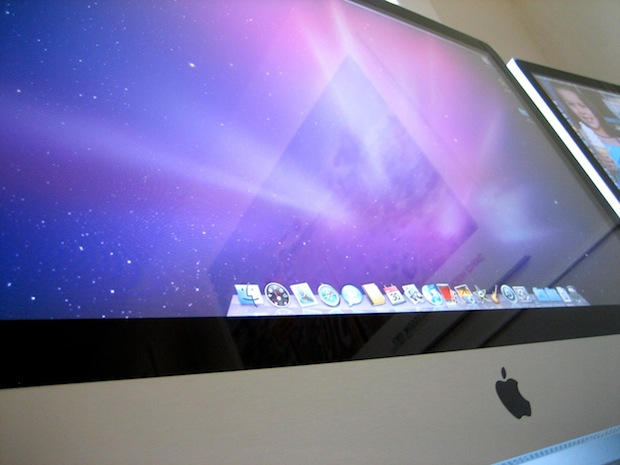
The sexiest all-in-one computer has long been the iMac, and last year’s 24-inch model was a beauty. But oh my Lord, the new 27-inch machine induces crazy lust. Look at the size of that screen!

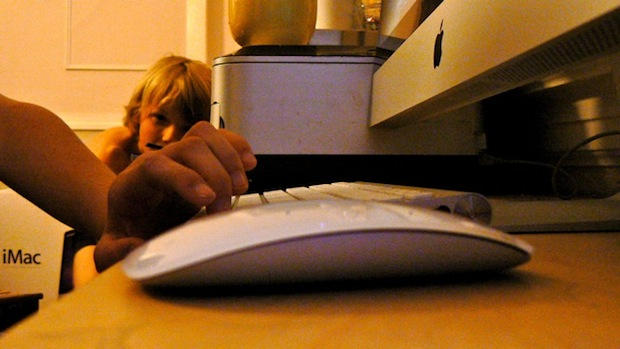
I just returned from the Apple store with one. I went to buy the new Magic Mouse. They were out of stock, so I bought the new iMac instead — it comes with a Magic Mouse.

Crazy, I know. I just couldn’t help myself. We’ve already got a 24-inch model, but the 27-inch is so much… bigger.

Yeah, like 3-inches of extra screen makes a difference. But it does. The screen is simply HUGE. There’s no other word for it. If you’re sitting right in front of it, hunched over the keyboard, you have to physically MOVE YOUR HEAD to look from one corner to the other. You get motion sickness if there’s video playing, like being in the front seats of a movie theater.

Thanks to this big beautiful screen, the sexiest desktop in the world got a lot sexier. The question is though: is the screen too big?

Full review after the jump, including real-world benchmarks and tons of pics.

Review: I Want To Love The Magic Mouse, But I Can’t

By

P1040341

I’m a multitouch junkie. Everything I touch has to be multitouch, or it just ain’t right. I can no longer use a regular laptop trackpad — there’s no two-finger scrolling. It irritates me no end if I can’t point, scroll and double-click with my fingers.

How long will it take then, to get used to the Apple’s new Magic Mouse? So far, it’s been frustrating. It seems like the Magic Mouse would be perfectly natural to use, but it isn’t.

Print-And-Clip Your Own Scary Steve Jobs Halloween Mask

By

Web
Print and cut-out your own scary Steve Jobs Halloween mask, courtesy of Dan Draper. http://www.flickr.com/photos/macobyte/2302719050/

Forget Balloon Boy and Billy Mays this Halloween. Dress up as your favorite demonic CEO instead.

You’ll scare the pants off work colleagues when you walk in the elevator, and the neighboorhood kids will be in a bag of hurt when you give them apple slices instead of sickly sweet candy.

Hit the jump for a full-size mask that you can print and cut out.

Thanks Dan Draper for the fantastic image of Steve Jobs and Forbes for the idea.

Gallery: The Best of the Best Tend to Choose Apple

By

beyonce_macbook
The singer Beyonce Knowles -- one of the biggest celebrities in the world -- uses her MacBook at the pool.

When you’re among the top achievers in your given field of endeavor it only stands to reason you probably choose the best tools available to do whatever it is you do, both professionally and personally.

Our survey of some of the best of the best across a wide range of endeavors shows lots of those at the top of their games choose Apple gear when it comes to computing and entertainment and we offer here a gallery of 10 top machers from the fields of media, sports, entertainment, politics and elsewhere who choose Apple products to enhance and enable their achievements.

There’s a reason the game is called Follow the Leader, isn’t it?

Via ObamaPacMan

Cult of Mac Exclusive: Surprise! Apple I Buyer is a “PC”

By

apple1

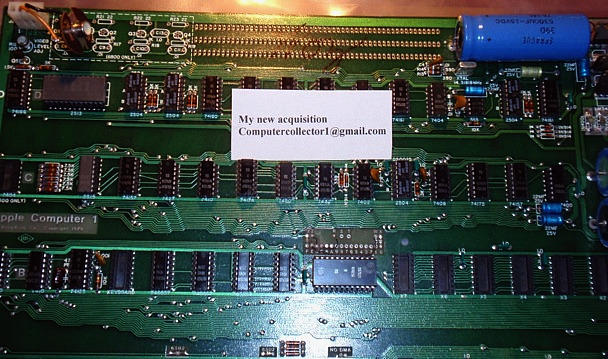
On October 3, a collector bought a rare Apple 1 on eBay for $18,000. The computer, one of about 50 thought to be still in existence, had an estimated value of $14,000 – $16,000.

Back in July 1976, the Apple I sold for $666.66; there were 200 of them hand made by Steve Wozniak. Sold in a kit,  it came with 4KB standard memory,  you could bump up to 8KB or 48KB with expansion cards. You had to add your own case, keyboard and display. (If you’d like to see one, check out the Smithsonian.)

The seller of this Apple 1, Monroe Postman, wasn’t even sure if it would still work.

So, who would pay $18,000 for an Apple I?

A  self-defined “PC person,” who believes that today’s Macs are overpriced. The collector, who wishes to remain anonymous for now, may one day launch a computer museum.

And perhaps trade that PC for a modern Mac.

Interview by Leander Kahney.

CoM: Why did you buy it?

I have been collecting vintage computers for number of years. Obviously, original Apple I is a dream for any serious computer collector and for me, this dream came through.

I have 150+ vintage computers in my collection, which I try to maintain in working order. Occasionally, I take some to local middle and high schools to show to the students. I have an exact working Apple I replica, which is always a hit. Students love playing Lunar Lander.

CoM: What are you going to do with it?

One of those days, I am planning to open a real “museum” for public and the Apple I will take one of the central places.

CoM: What does your spouse/significant other think of it?

Even though my wife is in the computer business herself, she does not pay much attention to my hobby. Obviously, $18K raised her brow, but she understood it in the end.

More pics, full interview after the jump.

iPhone Game Edge by Mobigame Under Threat Again from Tim Langdell

By

Edge: it's back, it's brilliant, it's not been reviewed here, and it's the Cult of Mac App of the Week!
Under threat yet again: Edge by Mobigame.

We’ve reported before about the legal spat between Mobigame, makers of fine indie game Edge, and Tim Langdell, who appears to make his money by suing anyone daring to use the name Edge in a videogame, and makes rather spurious claims regarding how he ‘spawned’ almost any major property with the word ‘Edge’ in its title, including Edge magazine by Future Publishing, Marvel comic Edge, and, er, 1997 Anthony Hopkins movie turkey The Edge. (He’s also laughably stated in the past how he has come to an ‘understanding’ with a guitarist of a very popular rock band.) TIGSource has a great overview of the madness.

Edge returned to the App Store recently, and Langdell will next year be battling EA, a company that’s had enough. Rather than just dealing with issues relating to EA game Mirror’s Edge—Langdell started advertising a game called Mirrors (a game by) Edge, which still doesn’t exist, and yet was in no way an effort to promote mark confusion—EA’s aiming to have Langdell stripped of all his Edge-related marks.

EA’s documentation cites numerous examples of Langdell filing out-of-date and falsified specimens, and the fact Edge Games isn’t a viable commercial concern. (ChaosEdge offers running commentary regarding Langdell’s so-called commercial concerns—a Mythora ‘reissue’ they bought from Edge Games was a home-made burned disc; and despite Langdell claiming its game Racers had sold out, the second purchase ChaosEdge made days later had an order number only one higher than their pre-Racers order.) Last month, company spokesman Jeff Brown said: “While this seems like a small issue for EA, we think that filing the complaint is the right thing to do for the developer community.”

Sadly, Langdell still won’t back down. We today heard Mobigame’s Edge is again under threat, with Apple giving the company five days to respond to yet another threat from Langdell. If you’ve an iPhone or iPod touch, get in there fast, because chances are that Edge is about to vanish yet again, and it may take an EA battering in court next year for Langdell to finally stop harassing indie developers.

Edge is available on the App Store for $4.99. It’s really good, so go and buy it before it’s too late.

Apple Stock Reaches New Highs, Veteran Investors Dancing in Aisles

By

post-19297-image-f1a179157eabecf4718304eabf36901c-jpg
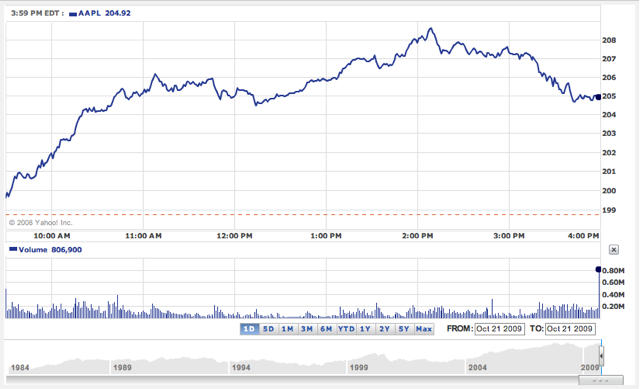
Image via Yahoo! Finance

Apple’s stock reached it’s all time high today, leaping just over the $208 mark. The rally caused investors to dance in the aisles over the company’s astonishing rise to a Wall Street darling. This is the same company that most people doubted would even survive, back in the late 90s.

“I’ve made over $1,500 in two days… Thank you aapl”, said @jherrdog on Twitter.

The happiest investors were those AAPL veterans who bought the stock at its all-time low — around $12 in 1997. Several were also celebrating their good fortune on Twitter.

“Oh, look! Time for my quarterly brag about buying a bucket of AAPL in 1997. Translation: Suck it, Ballmer,” said @guywithabike (Tyson) on Twitter.

Investors like Tyson  have seen their AAPL shares grow to about 70-times their inital value. In the last decade, the stock has split twice and risen almost 200x in value.

That means $1,000 invested in Apple stock in 1997 is worth around $70,000 now. And $10,000 — the kind of sum that professional investors typically put into company stock — is worth a cool $700,000 — almost enough money to buy a house in posh Palo Alto where Steve Jobs lives.

And for those wondering how much Steve Jobs made, thanks to his 5.4 mil shares of AAPL and 138 mil shares of Disney (DIS), he made more than $90 million today. On paper, of course.

Gallery: 10 Awesome Apple Logo Wallpapers

By

3975872377_693156166b_b

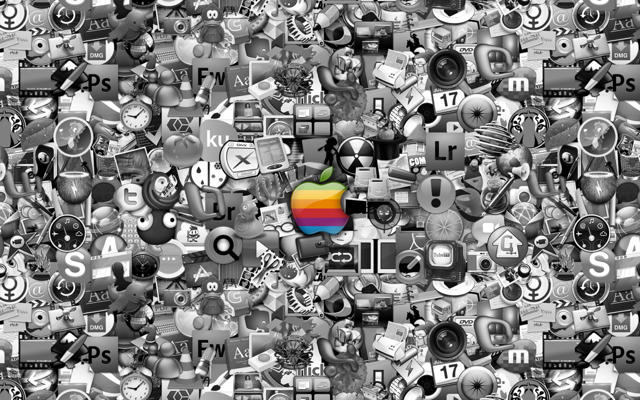
It’s been said countless times: one indicator of Apple’s superiority over Microsoft and Dell (and other major computer and electronics manufacturers that are — for the most part — associated with Windows) is the fact that Apple inspires creativity in the general populace on a scale that dwarfs the influence of any other computer-oriented company you’d care to name.

Some evidence of this can be found in the following gallery of 10 simply awesome wallpapers themed around nothing more complicated than the Apple logo. Perhaps you know others in this specific genre that belong in this class — we invite you to let us know about it in comments below.

And if you can find anything comparable out there built around a logo from Microsoft, Windows, Dell, HP, etc., do let us know about that, too.

iPhone Wish-List: Display All Installed iPhone Apps Via Spotlight, and More Springboard Home Screens

By

post-18617-image-c6be2f006b18ab7ce1a4e7cff3c039c7-jpg
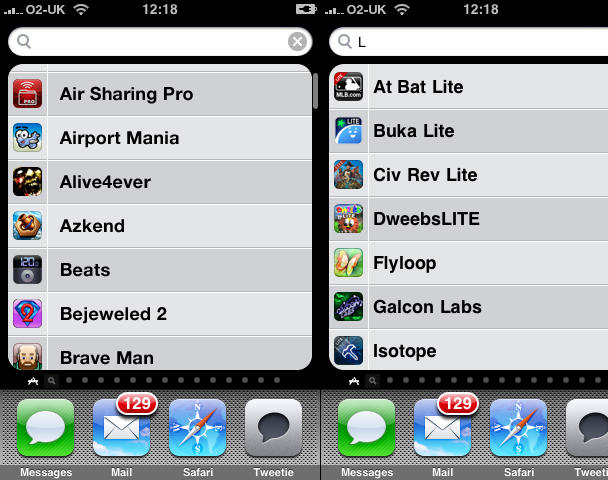
A list of all installed apps, which can be filtered, like in Finder on Mac OS X. C'mon, Apple - how about it?

Since getting my iPhone, I’ve become a certified app junkie, justified somewhat by the fact I review apps for various publications on- and offline, and for my own website, iPhoneTiny.com. Despite regular clearouts, my home screens often end up full, not least because many games remain on the device, to avoid my losing my progress. (Apple, in its infinite wisdom, still doesn’t provide any means of backing-up progress and optionally reinstating it when you reinstall an app. It’s like Apple saw the cheapskate end of the DS market—carts without battery back-up—and went “we’d like a piece of that pie!”)

Having been commissioned to write some group reviews recently, I’m now at the stage where I have eleven full home screens and dozens of apps in ‘the void’—that place apps go when they aren’t allowed to sit on a home screen. Apple’s suggestion: use Spotlight, and that’s fine if you can remember every app you have installed. If not, tough. (And rearranging them in iTunes to get the most ‘important’ ones on the 11 visible home screens isn’t a great tip, given that iTunes appears prone to crashing in a nasty fashion when rearranging apps—usually after you’ve spent an irritating 15 minutes doing so.)

Various people have tried designing an improved springboard for non-jailbroken devices, most recently including Bruce Tognazzini, but these tend to lack the elegance of Apple’s existing solution. Tognazzini offers labels and vertical scrolling in pages, but Lukas Mathis argues that this is too complex, and I agree. (Hat tip for these links: Daring Fireball.) The springboard Exposé concept also appears awkward and fiddly.

I wonder whether a simpler solution would assist anyone with lots of apps installed. Along with upping the number of home screens to 14—the most that could be displayed using the current UI before things start looking iffy—Spotlight could have a separate apps list page. This could be accessed by a swipe on entering Spotlight (as in, it would spatially live to the left of the standard Spotlight screen). By default, this screen would display an alphabetised list of your apps, and typing in the Spotlight field would filter them, just like the Applications folder in Mac OS X’s Finder in combination with a Finder window Spotlight-driven search field.

App Store Dev Sick of Whining Morons Raises Price of Alchemize Game to Forty Bucks

By

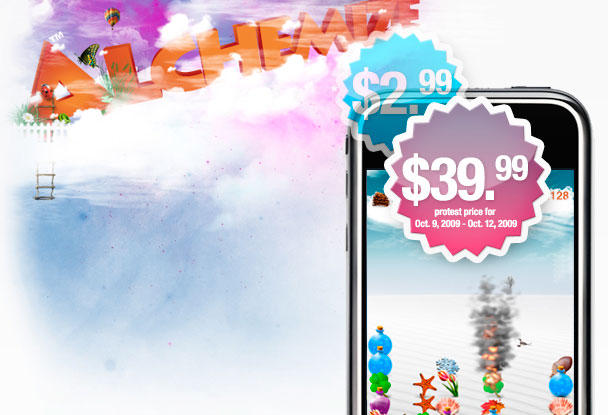
For one weekend only - buy Alchemize at 13 times its usual price! Barg!

On my blog a couple of weeks back, I wrote the article More proof the iPhone App Store destroys people’s understanding of good value, highlighting rampant idiotic reactions to Loren Brichter having the audacity to charge three whole dollars for a complete rewrite of his stunning Twitter app Tweetie. Patrick Jordan referred to Tweetie 2’s price-point as a “very,very,very Bad Call,” (his emphasis), suggesting it was “spitting in the face of existing Tweetie users”. My thinking: You’d pay more than three bucks for a crappy sandwich or a luke-warm beer in the pub. But, apparently, three bucks is too much of a ‘reward’ for the hard work a dedicated indie dev has put into a leading and brilliant product.

The dev of Alchemize has clearly had enough of this kind of attitude. On the TouchArcade forum, he reveals that his company has received an astonishing 3400 emails in one month moaning about the price of his three-dollar game. Although its Puyo Puyo-style mechanics won’t win too many awards for originality, Alchemize is a fairly good game, and one that would set you back considerably more on competing platforms. To that end, the dev’s now upped his app’s price to an eye-watering $39.99 in protest at people constantly complaining about paying a few bucks for a videogame.

It’s pretty clear that something needs to be done regarding App Store pricing and value perception, because the race to the bottom is hurting many developers. Apple’s recent ‘top grossing’ chart doesn’t really help. Personally, I like Eucalyptus dev Jamie Montgomerie’s suggestion that the App Store should split its chart in two, along the lines of British 8-bit videogames during the 1980s and early 1990s, offering separate ‘budget’ and ‘full price’ charts.

Alchemize is available on the App Store, and really isn’t worth 40 bucks; but it’s probably worth a shot at three, after the 12th.

Report: iTunes LP is Over-priced, Under-Planned

By

post-18144-image-80e99558649b7f3b9483d12818ba080f-jpg

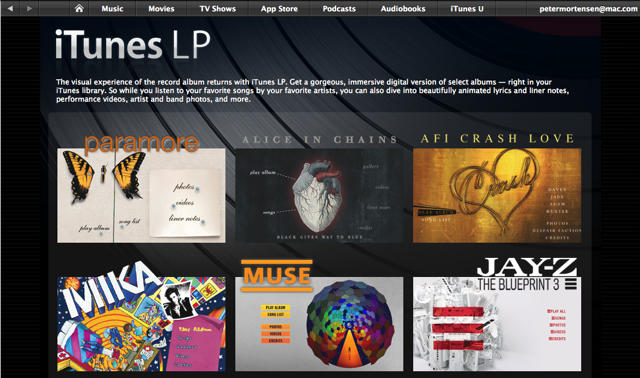
So, a month ago, I wrote a post proclaiming iTunes LP to be the first digital album good enough to criticize. I would like to revise that assessment. It is, instead, the first major content misstep in the history of the iTunes Store.

At launch, Apple had six albums available in the format, which basically marries lyrics, album artwork, ad video content to your collection of AAC files. Scratch that, there were five albums and one musical comic book. It seemed like too little, but it was a launch — there were hardly any apps on the App Store when it came out, too. A month later, however, things have scarcely improved. We’ve gone from six offerings in iTunes LP to 13.

So what could be the problem? As it turns out, it’s the business model. According to Gizmodo, an indie record label owner asked Apple what it would take to get some of his albums available in the LP format. Apple’s reported answer? Be a major label. Seriously. Read on.

Another Logo Sets Apple’s Lawyers Off

By

post-17989-image-8ed09b50cced43161f523a2f638524f2-jpg

The latest corporate apple to be taken to court by Apple is Woolworths, an Australian supermarket chain.

They 80-year-old company restyled their “W” to look like an apple, meant to symbolize fresh produce.

Apple’s lawyers are seeing red, just as they did with the Canadian school, and hope to convince IP Australia, the federal agency that governs trademarks down under, to repeal Woolworths’ application, made last August, to trademark its new logo, according to The Age.

Further Tangential Possibilities For Dropbox On iPhone

By

20091001-dropbox.jpg

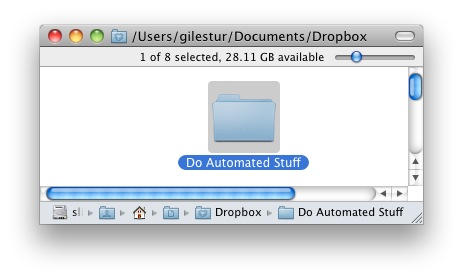
Ken Clark’s post about using Dropbox for iPhone to automatically import photos to Yojimbo is a wonderful pointer to new possibilities, and got me thinking about a few that can’t be done yet – but could be, if future versions of Dropbox add one or two features.

Ken’s trick depends on a little bit of Applescript to make it work. But not everyone knows Applescript, which is where another app called Hazel comes in handy.