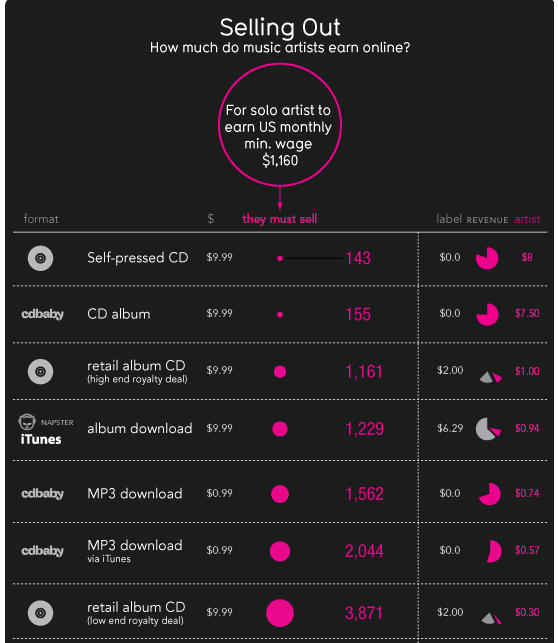
This incredible infographic from Information is Beautiful really puts the iTunes business model in perspective: for the vast majority of artists, iTunes gives them a significantly larger share of the revenue than traditional retail outlets, and orders of magnitude more cash than any other digital music service out there.
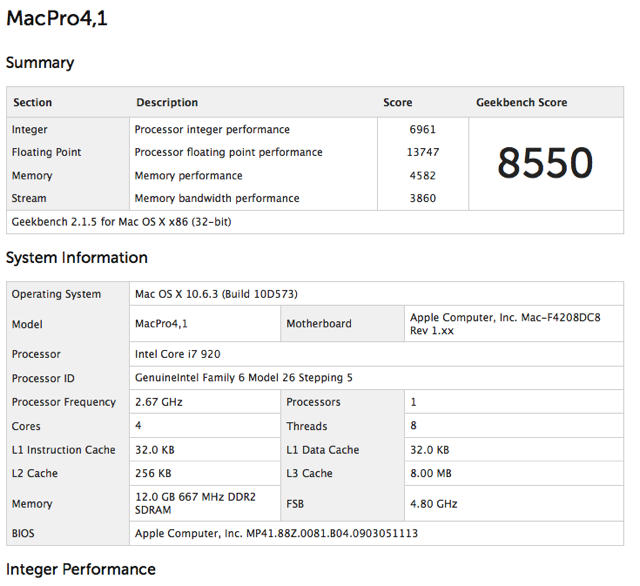
‘Conventional Wisdom’ (and the rumor mill) suggest that Apple will remain on the Xenon platform for it’s Mac Pro line. Yet, while browsing Geekbench results, I came across this result indicating an i7 powered Mac Pro 4,1, published less than a Half Hour Ago on Geekbench (which also if we remember broke the existence of i7 powered Mac Book Pro’s a couple of months back).
It’s not too far fetched that Apple might use i7’s in its entry-level Mac Pro. While previously the single and dual processor versions of Apples top box were effectively the same, with the only difference being the number of processors installed, the current version changed that. The current Mac Pro’s have already segmented the line with the entry level being powered by Intel Xeon X3540 processors (which can not be deployed in a dual processor configuration), and the top model being powered by the Intel Xeon X5570.
This split is important because for the first time it require Mac Pro’s to have different motherboards, EFI, etc depending on the variant of the pro machine. Since they’ve already segmented the line based upon architecture, it’s all the more reasonable that they might use the i7 in the low-end Mac Pro.
The only argument against this is performance. As bench-marked, the alleged i7 pro-box scores lower than the current entry model. Turning lemons into lemon-aid however, perhaps this is the mid-level (ie between the Mini and the Mac Pro) tower many of us have been waiting for forever.
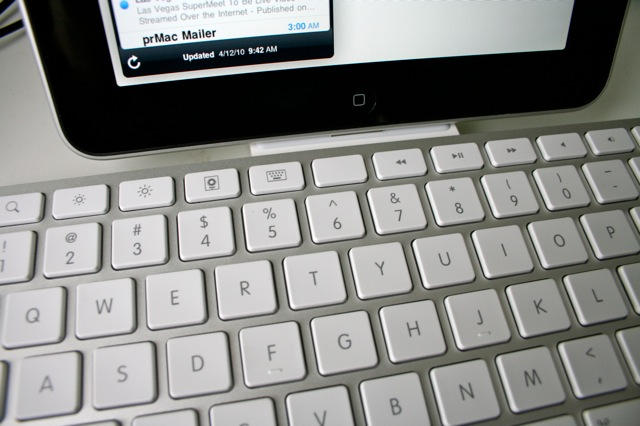
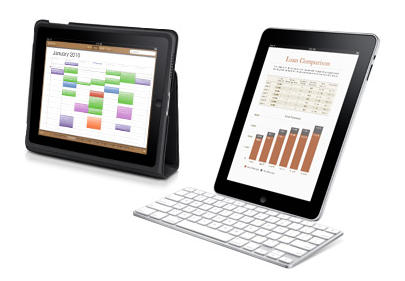
The weirdest thing about using Apple’s iPad Keyboard Dock is that you are constantly reaching for a mouse — a mouse that isn’t there, of course. The iPad doesn’t support mice. Instead, you should be tapping and swiping the screen.
Using the keyboard to work with the iPad takes you out of the multitouch mode and puts you back in mouse/keyboard mode. And while you can use the keyboard in a limited way to navigate the iPad, you can’t use many of the desktop shortcuts you’ve learned over the years, like Command-Tab to switch apps.
So using an iPad with a keyboard takes a little getting used to, but the $69 iPad Keyboard Dock is a very handy accessory, with a couple of caveats.
As we reported eariler the Apple Store was closed this morning when I went for my ‘O-Dark-Thirty’ run, and as anticipated, we’ve got new i5 and i7 Macbook Pros to enjoy. I will be picking one up today if possible and will give a full rundown later in the week for an in-depth hands on.
Pricing looks great too, with $200 off the 17″ model. The 17″ configured as I’d buy it with an i7, is just $200 more (or in other words back to the original pricing).
No updates today for Macbook Air, or Macbook Pro… Which is good ’cause I don’t think I could justify to even my generious and understanding wife, upgrading two three thousand dollar machines at once!
Beautiful. Thanks Steve.
Check back here this weekend for a deep-dive hands on.
There are quite a few similar services around, but Cloud is the latest of the instant file sharing apps, and it’s very nicely done.
The aim is to make sharing of files – any files – as quick and painless as possible. Whatever you wish you share, you drag up to the icon in your Menu Bar. The app does everything from there; uploading the file, creating a short URL for it, and putting that URL on your clipboard. All you need to do is paste it somewhere.
Cloud is still very young. It was only officially out of beta on April 1st, and there are still some rough edges. What I like about it is that the dev team are very open about what’s going on, as you can see from posts like this one on their blog.
Who knows how the iPad will ultimately be used? Certainly no one at this early date.
Is it merely an ebook reader, or is it a gaming device? Could it be an honest-to-goodness tool for business?
Like so many things, it all depends on your expectations.
It’s well known by now that early impressions of the iPad find it pooh-pooed by the technorati and generally lauded by the great unwashed as a fantastical window (if you’ll excuse the pun) into the future of mobile computing.
The highly regarded founder of Daily Kos, one of the Internet’s most widely read blogs, weighed in Sunday with a wide-ranging, detailed review of Apple’s latest creation and pronounced the iPad a gadget that “scored big as … a device that makes my life easier,” calling it “better than a laptop.”
Update: This article is not intended for the Irony challenged.
So I’m a hypocrite. After swearing that there was no way I’d ever own a tablet with a phone operating system, I broke down and got one. At this price point, I don’t see how I couldn’t. The wife couldn’t be happier, one needs just look at my bathroom above to see why. Gone are the endless stacks of magazines and books. Gone, is the image of her husband stuck behind his desk, nose in the computer (now, I’m on the couch, nose in the iPad, but at least being in the same room gives the impression of being engaged with the family).
Follow me after the jump for my impressions after week one.
What is clear is that Apple has timed this purposely to hurt sales of CS5. This has nothing to do whatsoever with bringing the Flash player to Apple’s devices. That is a separate discussion entirely. What they are saying is that they won’t allow applications onto their marketplace solely because of what language was originally used to create them. This is a frightening move that has no rational defense other than wanting tyrannical control over developers and more importantly, wanting to use developers as pawns in their crusade against Adobe. This does not just affect Adobe but also other technologies like Unity3D. […] Now let me put aside my role as an official representative of Adobe for a moment as I would look to make it clear what is going through my mind at the moment. Go screw yourself Apple.
Note: this is an earlier version of the post copied by Via 9to5Mac.com before someone at Adobe ordered edits.
It seems there’s a glitch with Apple’s new iPhone 4.0 OS beta.
Several developers are having trouble installing the iPhone 4.0 beta on the 3G iPod touch, according to a tip from an iPhone developer.
The developer says there are several posts on Apple’s Developer Forums complaining that the new operating system will not run on third-generation iPod touches. It appears the problem is limited to 32GB models, the developer says.
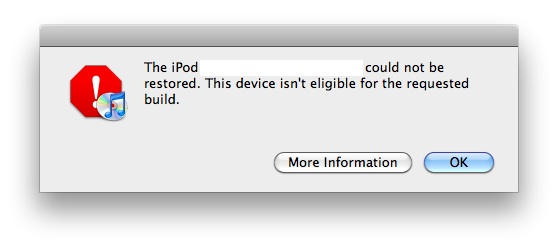
After loading the OS, programmers are getting the following error message: “The iPod could not be restored. This device isn’t eligible for the requested build.”
The error message is displayed after developers restore the device to firmware bundle 4.0 and try to verify it with Apple.
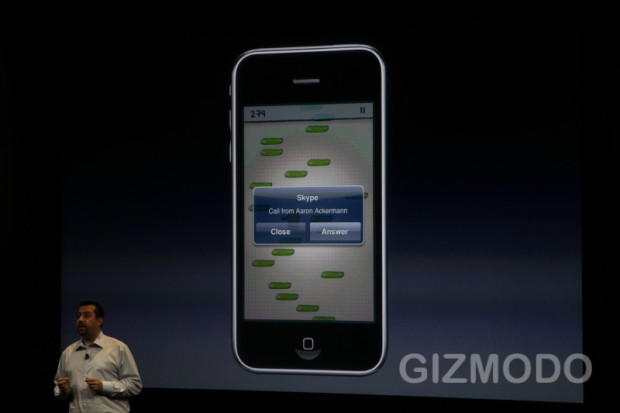
Boy, Steve Jobs doesn’t mess around, does he. Not content with his Google throwdown, he’s challenging the entire telecommunications industry with the iPhone’s new Background VoIP.
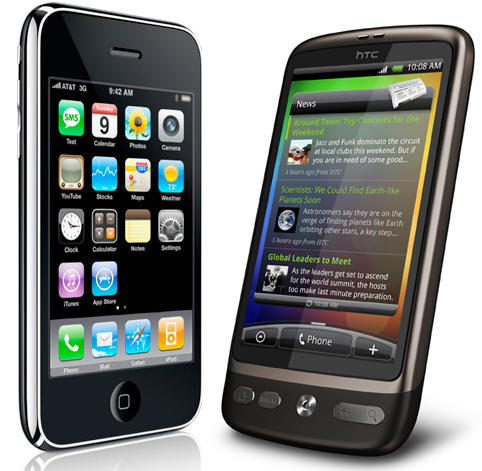
Carrier T-Mobile has announced a bounty of sorts for iPhone switchers. The carrier will pay up to $350 when you trade in your iPhone for a HD2 from HTC. If your turn in a working iPhone, you could get $100 credit toward the Windows Mobile handset, according to a report Thursday.
To obtain the bounty, iPhones must be in working condition and the screen intact. T-Mobile retail locations are participating through May 19.
I think I speak for everyone at Cult of Mac when I say that the last hour has been incredibly exciting. I didn’t expect much from a small, post-iPad event about iPhone OS 4.0: multitasking and iAds, sure, but I still expected it to be something of a snoozer.
Instead, Apple blew my socks off. iPhone OS 4.0 is a huge game changer… and it’s a massive challenge not just to Google’s Android operating system, but their whole mobile advertising business.
When Jobs took the stage, he promised the presentation would touch upon seven “tentpoles” of iPhone OS 4.0. Here’s a short breakdown of each.
Well, almost everyone called it, but almost three years after the first plaintive cries about the lack of the feature arose, Steve Jobs has just announced that the iPhone OS will be getting multitasking, come summer. Developers can start playing with the preview today.
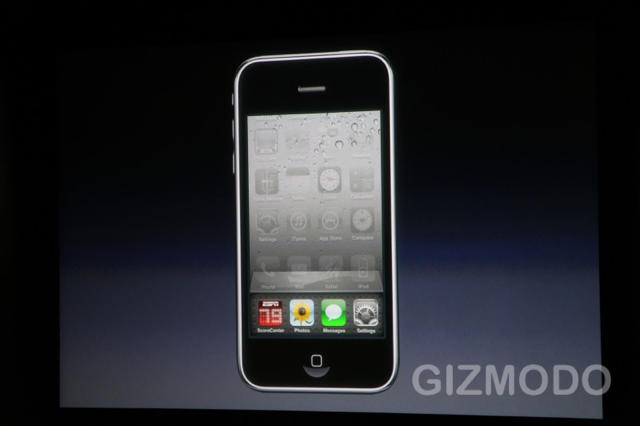
It’s the biggest of the “tentpole” features Apple is announcing today for iPhone OS 4.0. It works as expected: Jobs double clicks the home button and loads an app switcher, which allows him to cycle through running apps. The app switcher takes the place of the dock. Smooth! Finally!
A great start to a great presentation. Let’s hope, though, that Jobs is being honest when he says they solved the battery drain issue for third party apps, and Apple hasn’t just caved to demand when the feature, while always possible, really wasn’t ready for prime time.
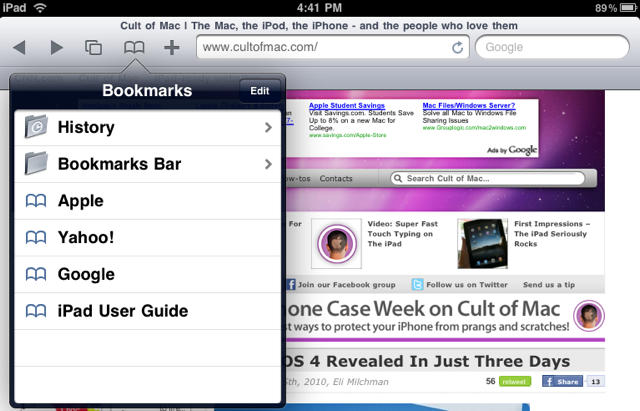
By having an iPad, you now have the internet in your hands (and probably on your couch), at least according to Steve Jobs. But are you wishing you had a bookmarks bar like in regular Safari? After reading this quick guide you soon will.
We knew it was coming — we just had no idea it’d be here so quickly. Yes, iPhone OS 4.0 will be revealed to the world at a press event this Thursday, at 10 a.m. Pacific, according to our friends over at Gizmodo — and every other tech blog under the sun.
The first thing I notice about the iPad is that it’s wicked fast. Everything happens in a snap. Apps fly open. They close even faster. Web surfing is lickety-split, especially on a fast Wi-Fi connection. Netflix movies load almost immediately, and scrubbing through them is quick and painless.
I marvel at how seamless it is. Turning the pages of Winnie The Pooh is so gorgeous, I spend five minutes just turning and returning the pages.
Some new email comes in. Everything’s synced: email, address book, calendars, music and movies — all thanks to a two-minute setup in iTunes. I dash off a quick reply, and am pleased how easy it is to type on this thing. Woah — this is one slick gadget!
I know what you’re thinking. Should I get one for the kids instead of a nasty netbook? Can we replace our old PowerBook with it? Should I take it to a confernece next month instead of my heavy MacBook?
Although the kids have already monopolized CoM’s brand new iPad, here are some initial impressions. My colleague Jose Gutierrez also chipped in.
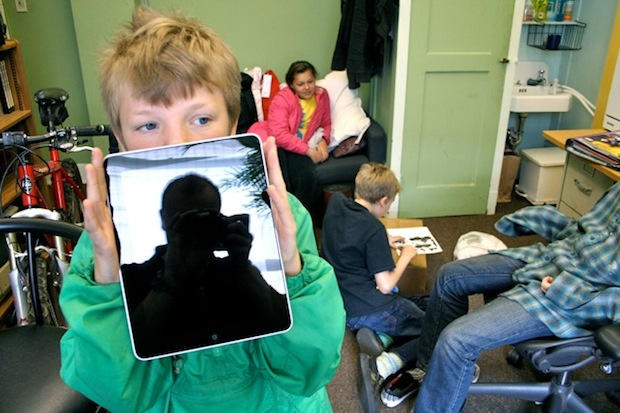
* It’s seriously WOW. A huge grin broke on my face the first time I swiped the lock screen. It’s so much better than just a big iPod touch. The size of the screen makes it a very different experience. I can already tell, using a mouse and keyboard is going to get old fast.
* It’s got great heft and feel. It feels tough and substantial, but the 1.5 lbs weight is going to take some getting used to. In fact, it’s heavy. Definitely need an armrest. Next model will likely be plastic backed. The glass screen makes it top heavy, especially when typing it portrait mode.
* At first I thought the screen was scratched — but there are shooting time lapse images of stars on the Home screen wallpaper. Hard to believe Steve Jobs didn’t spot this.
* The screen is bright and very sharp. HD video looks astonishing.
* It picks up greasy fingerprints super fast — in spite of the oleophobic coating.
* Out of the box it won’t turn on until you set it up through iTunes.
* Set up is super simple. Connect to iTunes (you need version 9.1) and there’s two choices: start from scratch or back up from iPhone.
* The UI is very fast. Apps launch instantly.
* Being able to put six apps in the dock is awesome. Many features like this and the custom wallpaper need to make it to the iPhone. Bookmarks bar in Safari is very nice.
* Keyboard needs work. Very difficult to type in portrait mode. In landscape, the keyboard dominates the screen. Might be a deal breaker for some.
* iPhone apps look horrible, especially Facebook.
* Some apps have bugs, due to lack of hardware availability to developers. Simulators can only do so much. Expect firmware upgrade soon as well as many app updates.
* The iPad’s speaker is pretty loud and perfectly adequate for watching TV or movies, even with background noise.
Overall a good product but will become an awesome product when people’s favorite apps are optimized for the iPad. A firmware update is needed to work out some bugs. Perfect for relaxing at home or on a plane. Not ready for the working world. iWork just not quite good enough due to file management constraints.
Please chip in your impressions in the comments. What do you guys think?
The hottest debate going at the moment is whether or not the iPad is a laptop or netbook replacement. The conversation has focused on the quality of the virtual keyboard, the power of the processor, the storage capacity, and the simplified UI. But we now have a definitive opinion on the topic — Apple’s. Hinted at in the technical specifications now confirmed in Leander’s unboxing, the iPad won’t even turn on unless it has been synced through iTunes.
I sincerely hope this changes. You’re not going to attract an army of non-computer savvy users to a revolutionarily simplified platform if they have to own a regular computer, too. It’s time to cut the umbilical cord, Apple. Let the iPad exist unto itself. If you never connect it to a computer, it should still work brilliantly. If you want to connect it to a computer to transfer files, so be it. But the Mac didn’t need to sync to an Apple II. The first PowerBook didn’t have to dock into a Quadra to turn on. You’ve made a serious new computing platform for the rest of us. Don’t treat it like it’s just an iPhone, dependent on a big brother computer to be truly useful.
Here are CoM’s obligatory iPad unboxing pix. The biggest surprise is the lack of a cleaning cloth (the iPad is already sticky with greasy little prints). There’s also the austere minimalism of the box’s contents. There’s hardly anything in it.
Woz was camped out all night at the Valley Fair Apple store in Santa Clara, Calif. He seems to somehow have gotten his iPad early, because it’s still a couple of hours before 9AM on the west coast. But here he is holding it with a big sh*t-eating grin on his face.
iFixit reviewed FCC-leaked pics of iPad internals Friday afternoon.
iFixit, perhaps the premier gadget tear-down shop on the web today, dissected photos Friday of a pre-production iPad provided by Apple to the FCC, which inexplicably leaked the photos somehow, despite Apple’s desire that they be kept under wraps until August.
With standard caveats about the photos being lower-resolution quality than those iFixit will publish Saturday during its own teardown of a commercially available unit, the company uncovered a few interesting tidbits shedding light on Apple’s suppliers, manufacturing processes and thinking behind the design of the highly anticipated device.
From the iFixit review of the FCC photos:
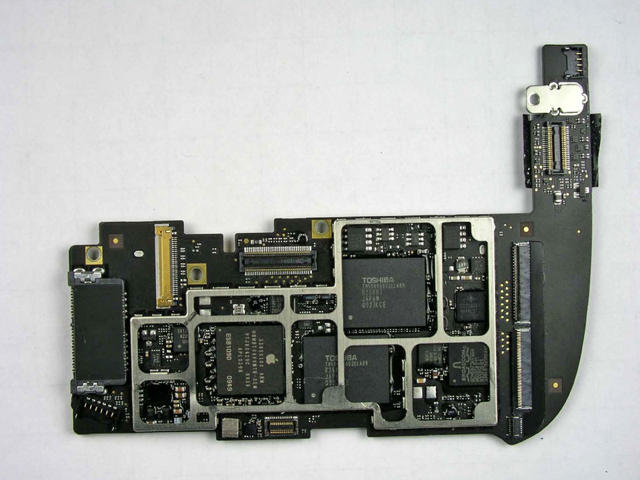
* It looks like there is a LOT of epoxy holding these chips down to the board. More than we’ve seen before— Apple is really serious about durability on this thing.
* Apple didn’t solder the battery! The iPad uses the same battery attachment system as the iPhone 3G and 3GS.
* Notably lacking from the RF/data cable is anything GPS related.
* Dual speakers provide stereo sound. Two small sealed channels direct sound toward three audio ports carved into the bottom edge of the iPad.
There’s more at the ongoing iFixit review, as well as plenty of info on the iPad hosted by the FCC. And of course, stay tuned for the deluge of information and opinion about Apple’s newest revolutionary device set to wash over the shores of Cyberia just a few hours from now.