Mobile menu toggle

News - page 17

Photojojo’s LED Lighting Bank Will Brighten Up Your iPhoneography

By

1363953852.jpg

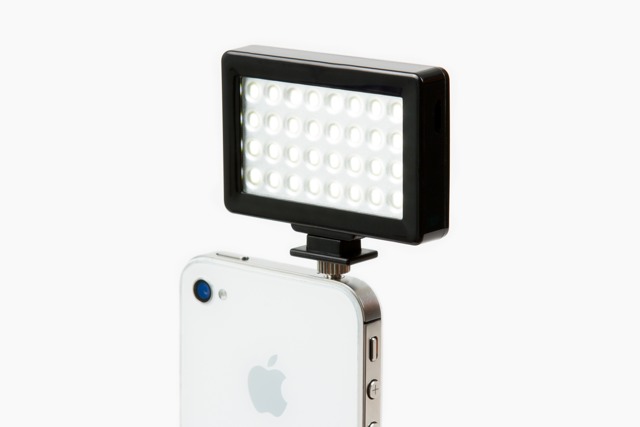
Counter-intuitive though it may seem, taking a light source and putting it right up close to your subject’s face – as close as you can without getting it in frame – makes for softer light. Why? Because it makes the light bigger in relation to the subject. If that subject is a face, a bigger light can “wrap around” its contours and fill in its own shadows.

And the Photojojo Pocket Spotlight is a big light source for your iPhone.

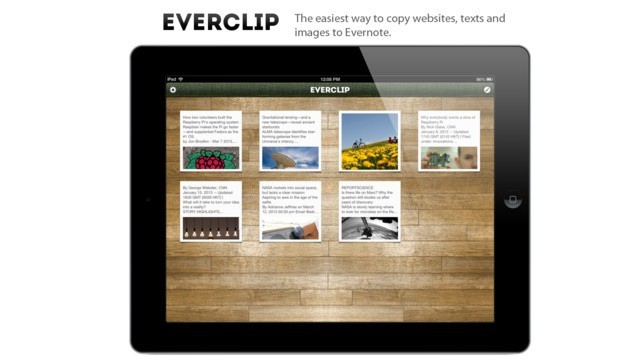
The Awesome Everclip, Now Available For iPad

By

1363952722.jpg

Everclip is one of the most used apps on my iPad, despite being iPhone-only. Until now, that is. Along with an update to the regular iPhone Everclip, there’s now an iPad version. No, it’s not universal and yes, it’ll cost you another $6, but if you’re an Everclip fan, you really won’t care.

Cool iOS App From Autodesk Teaches Kids Mechanics, First of a Series [Daily Freebie]

By

autodesk-ds-applied-mechanics

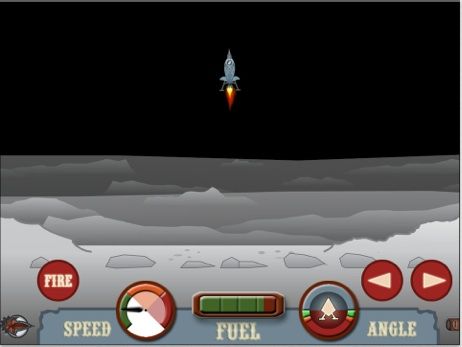
Autodesk has a stunning — and I’m not using the word lightly here — catalog of free design-focused iOS apps that do everything from applying filters to photos, to drawing on your iPad — or even turning the subject of an iPhone photo into a 3D model. Now, they’re taking their deep knowledge of modeling, physics and mechanics and using it to make iPad apps that’ll teach your kids cool stuff. For free.

Firaxis, Developer of Civilization Games, Announces Monster-Themed iOS Strategy Game

By

haunted-hollow

The fact that we’re mentioning this game really hinges on one fact: It’s being released by Firaxis and 2K Games, two names behind some of the greatest games ever made: Sid Meier’s Pirates, XCOM: Enemy Unknown and of course, the Civilization series (and for a little bit here, let’s just forget that 2K is also responsible for the somewhat poorly received Borderlands Legends).

Rego, The Antisocial Way To Remember Places

By

1363872881.jpg

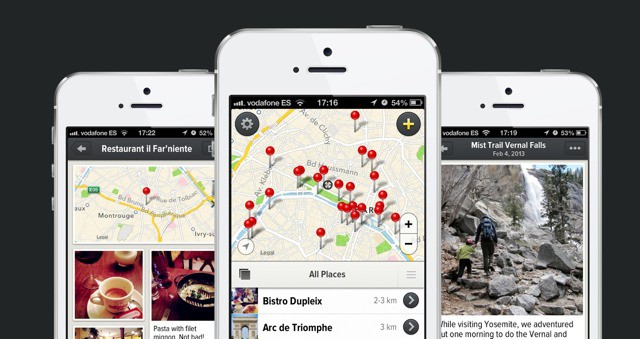
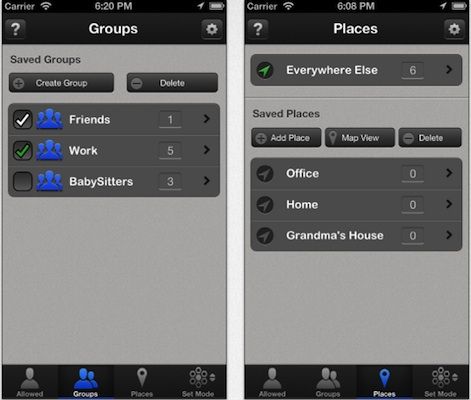
Rego is an app that answers the question “How do I remember this place?” It’s a question partially addressed by Foursquare’s check-ins, and also by Evernote’s location-aware notes. But Rego goes further than both, letting you save places you’ve been to, places you find, and places you have never even seen.

MacSparky’s New Field Guide: Markdown [Books]

By

1363869087.jpg

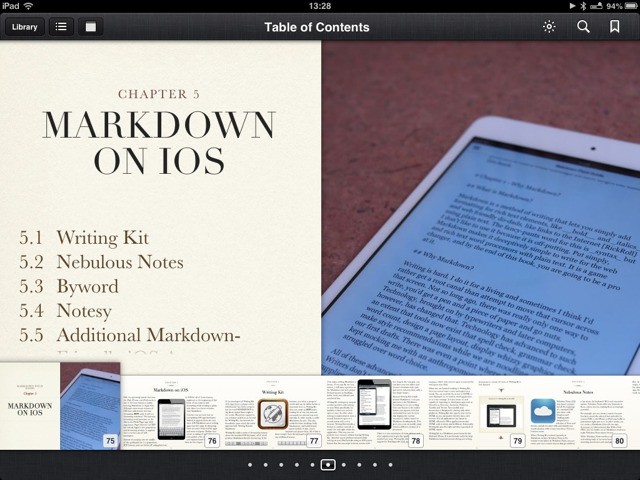
There’s some irony in the fact that David Sparks’ (MacSparky) book on Markdown – a format dedicated to being as simple as possible – is published as an iBook which contains audio, video, screenshots and everything else, along with its text.

But if you are either Markdown-curious, or a hardcore Markdown user who just wants to nerd out for an afternoon or two, it’s worth checking out.

Skimr, A Minimalternative To Google Reader

By

1363784799.jpg

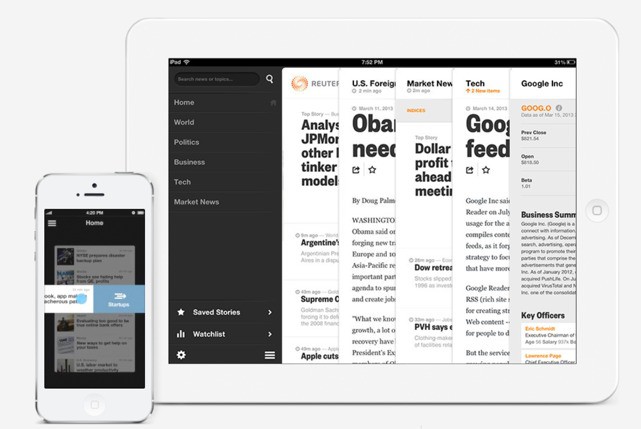
Looking for an alternative to Google Reader? The might I suggest Skimr, a rather minimal web app which will let you read your feeds right there in the browser. It shows your feeds in a big, bright and beautiful single-column list, and when you open a feed it shows you the articles in a similarly cruft-free view.

It’s just about perfect, as long as you don’t have more than a few feeds.

Say What You See: iPhone Camera App For The Blind

By

1363781111.jpg

Tap Tap See is a camera app for blind people. Sure, any partially or non-sighted person could just snap bad, out-of-focus pictures of their shoes, or of the backs of their friends heads, with any camera app. But only Tap Tap See will then say to them, out loud, “Shoes,” or “Head.”

You see, Tap Tap See is like a sighted assistant that never grow tired of you asking “what’s that?”

Amazon Launches Send to Kindle Button For Websites

By

1363776824.jpg

If you ever tried to explain Instapaper (or any other read-later app) to a “straight” (non-nerd) friend or family member, you’ll know why Apple added a reading list to Safari. Even without the terrible experience of adding a javascript bookmarklet to Mobile Safari, Instapaper requires way too many steps: save page; remember to open Instapaper before the internet goes off to load that saved page; remember to read.

Safari, on the other hand, just saves the page inside Safari. That’s it.

And so Amazon is now simplifying Instapaper’s Send to Kindle feature, allowing you to send a web page to your Kindle with one click.

TextExpander Snippet Runs Shell Script To Get Info About Your Mac

By

cult_logo_featured_image_missing_default1920x1080

There are a handful of apps that I have to have on every Mac I use, or things quickly start to get annoying. Launchbar is one. Dropbox is another, and TextExpander is one more. TextExpander is sold as a way to expand a short string of text into a longer string of text, so I can just type, say, “aadd” and my address magically appears. I use it all day long on both Mac and iOS for adding Markdown and HTML code to my Cult of Mac posts, and even to the the name Cult of Mac (shortcut: ccom).

But there’s a lot more in there, as this example will show. BEcause TextExpander can run scripts, it can query all kinds of neat stuff — including finding out about your Mac.

3-D-Printed Adapter Lets iPhone 5 Fit In Any Dock

By

cult_logo_featured_image_missing_default1920x1080

As a reader of Cult of Mac, I’d say it’s a safe bet that you have a whole bunch of 30-pin docks around your home. And that those docks have been rendered useless by Apple’s evil insistence on equipping all of its new devices with smaller, tougher, easier to use Lightning plugs.

Now, we bring good news. With just €13, you can resurrect your pointless plastic paperweight.

Portable Laptop Stand Renders Portable Computers Less Portable

By

stand

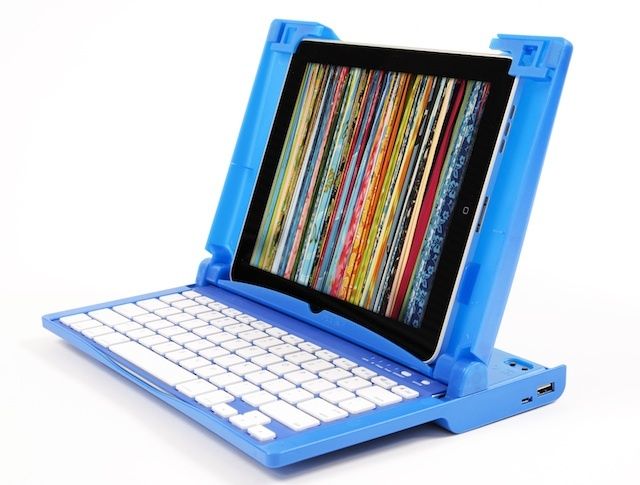
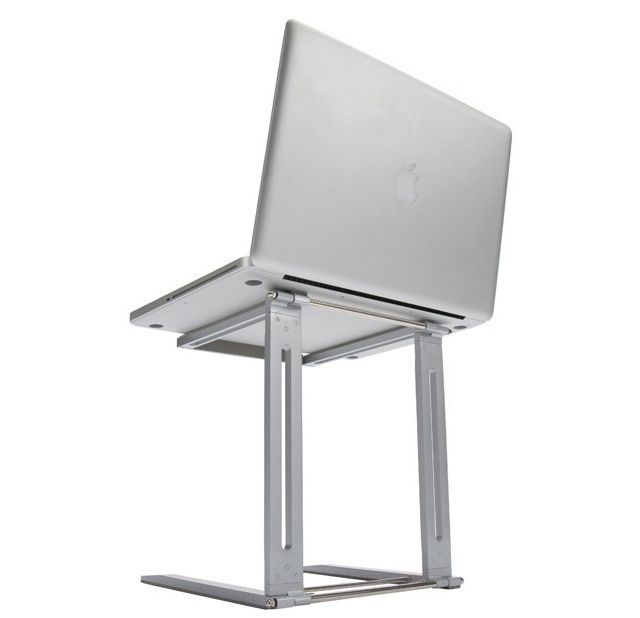
You know what you need when you go away on a weekend trip? Along with your two suitcases worth of clothing, a laptop, a pair of iPads, a speaker maybe, plus case of shoes (rain or shine… Who knows?), chargers, your own personal pillow and, well, you get the point. Now you can add to that list the Traveler Laptop Stand from Magma. That’s right: a folding, portable stand for your folding, portable computer.

5 Great Replacements For Google Reader

By

post-219971-image-28cd8275a613baaee6519f63334151da-jpg

As you may already know, Google Reader will shutdown as of July 1, so now’s the time to look for a new RSS reader. If you’re a longtime user, you may not be familiar with the other options available to you, but don’t worry — there are plenty out there, so you don’t need to go without your news.

We’ve compiled a list of the best cloud-based and local news readers around to help you find the best solution for you. Check them out below.

Skinny iMac Now Comes With Built-In VESA Mount

By

1363349801.jpg

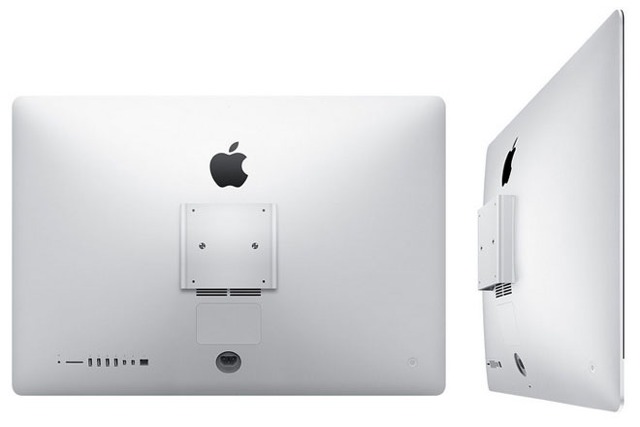
My 27-inch iMac hangs on my wall, freeing up desk-space and terrifying me that it will fall off as I sleep and crush me in my bed. To get it up there I had to hit up Amazon and order the VESA wall mount, plus an adapter to replace the iMac’s huge foot with a VESA-compatible set of holes.

The result is very sturdy, and very neat. But there’s one problem: where the hell do I put that giant (and heavy) aluminum foot? If I were buying new iMac, I could just order a version without the stand, and instead equipped with a built-in VESA mount.