Mobile menu toggle

News - page 15

Ricoh GR Compact With Big Ol’ APS-C Sensor

By

1366181316.jpg

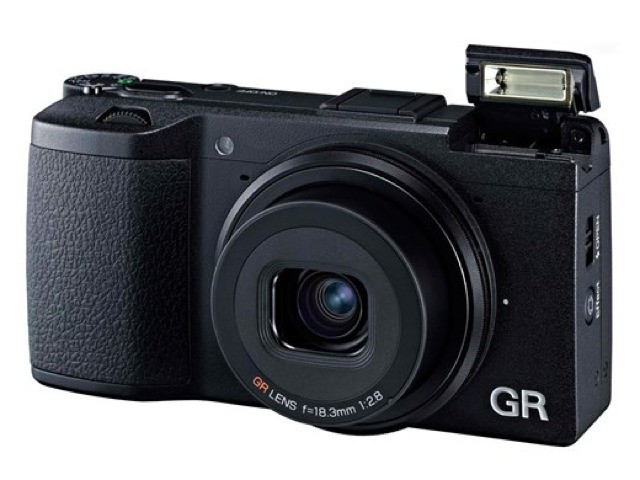
Back in the 1980s and 1990s, all compact cameras looked like the Ricoh GR. they might not have been as sleek-looking, but they had big finger grips, a giant full-frame sensor (35mm) film and a fixed wideangle lens.

Now, proving that large sensors are the new black, the GR is packing a DSLR-sized APS-C sensor into its tiny body.

Nomad Tablet Table

By

1366104134.jpg

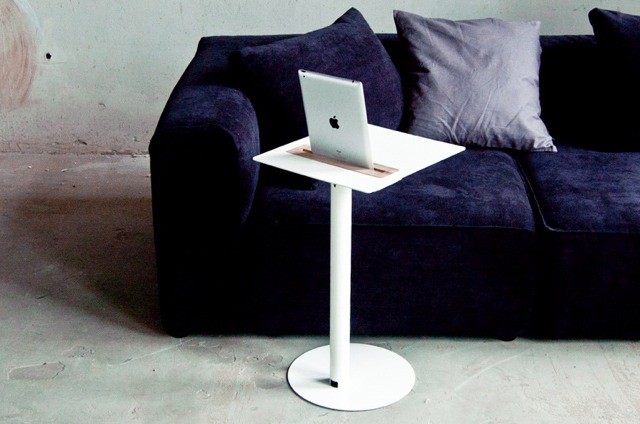
I still type on my iPad, despite the gorilla-arm troubles that sent me back to the Mac for most of my work (I’m typing this post on an iPad Mini with a Logitech Easy Switch keyboard). But if I was still committed to the iPad-only working life, I’d be taking a long look at the Nomad Tablet Table.

New 35mm Film Back Offers Fresh Prints From Belair

By

belair.jpg

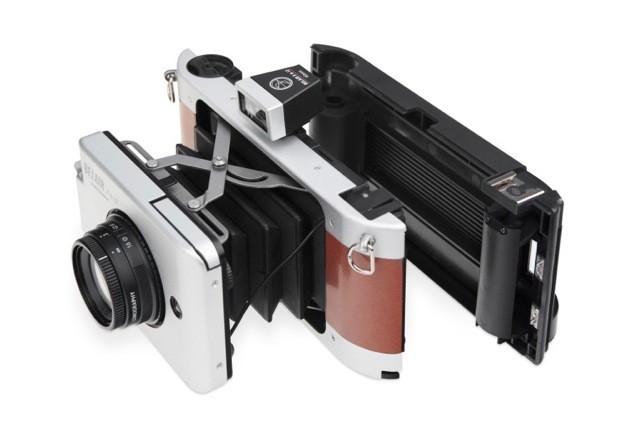
Lomo’s awesomely handsome Belair camera has some retro-tastic styling, and a clever-and-classical bellows system to allow it to fold flat for your (oversized) pocket. The rub was that it used 120 roll-film, the kind used by medium-format cameras in the olden days.

120 is great, and the big negatives give amazingly sharp and detailed prints. But 35mm film is both cheaper and easier to process. To address this, Loma will now sell you a replacement 35mm back for your Belair.

Barry For iOS Save Screenshots Of Entire Web Pages

By

barry.jpg

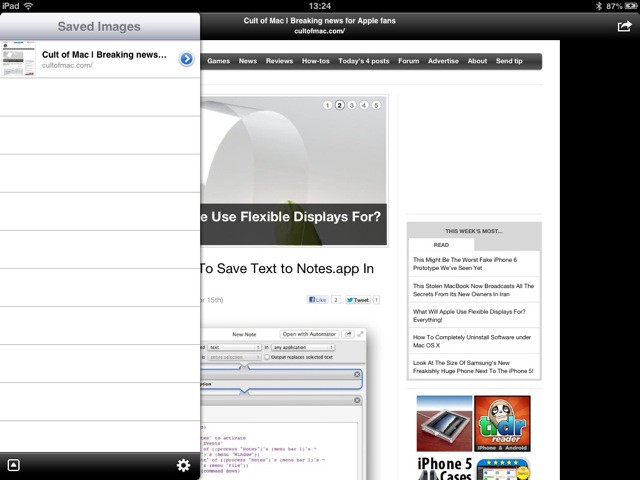
Ever wanted to save a picture of an entire webpage? I have. Last time I made a style guide for our Cult of Mac reviews, I wanted to take a picture and scrawl notes on it. Could I find an app to help? Could I hell. In the end I resorted to printing PDF on my Mac and…. I can’t really remember. It was so convoluted that my brain has repressed the traumatic memory.

If only I’d had Barry to help me.

System Service To Save Text to Notes.app In Mountain Lion

By

new-note-sshot.jpg

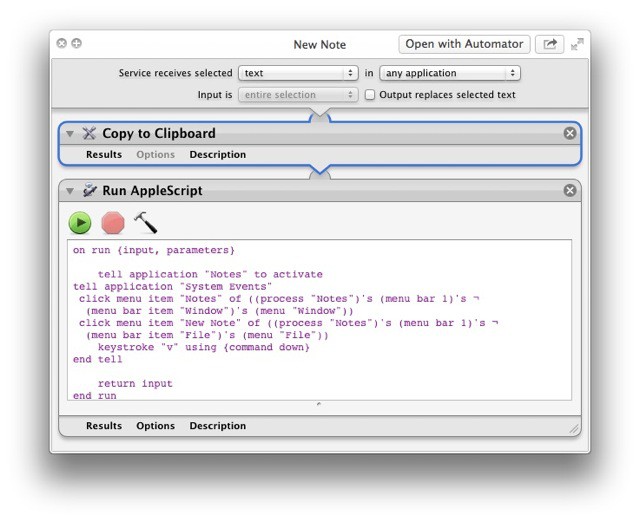
When you think about it, it seems absurd that there’s no way to add the currently highlighted text on your Mac to your notes. The Notes app, which is the spiritual successor to Stickies, with the advantage of a) not clogging up your screen with yellow squares and b) syncing with your iPhone and iPad, is pretty great. But it lacks, inexplicably, a way to quickly clip the selected text.

This little System Service, which runs an Applescript, will fix that for you.

Schneider iPro Series 2 Adds Two New Lenses And iPhone 5 Compatibility

By

lenses-600x462.jpg

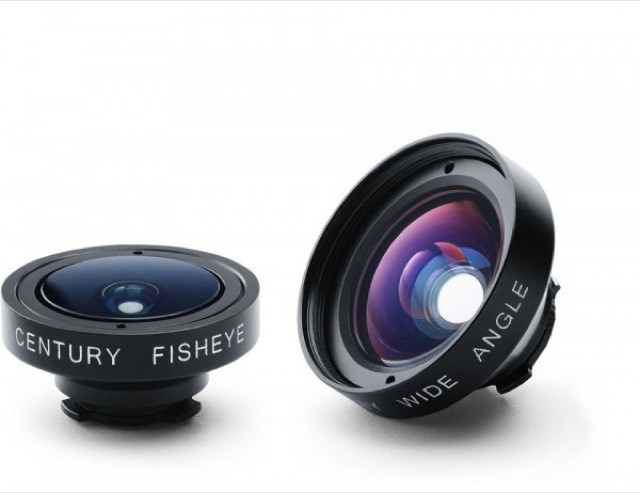
Yesterday, I visited the nerd-o-rama that is the annual Barcelona comics convention, and along with the overweight folks in too-tight superhero costumes, there were overweight folks in black t-shirts and sweatpants taking lots of photos. And their comfy clothing choices were explained by the fact that they had to carry like 20 kilos of glass in their camera bags.

Next year, they might be able to dress a little better whilst also saving their spines, using the Schneider iPro Series 2 lenses for the iPhone 5.

Tropiformer Gadget Jacket Looks Like it Jumped Right Out of a Bond Movie

By

tropiformer-1

Even before I ever dreamed of writing and taking pictures for a living — I’ll just pause here to let my fellow journalists and bloggers finish laughing hysterically at the idea that earnings from journalism could be considered “a living” — I rocked one of those photographer’s jackets. You know the one — zippers and pockets everywhere. I was a Geek King in the jacket, but I didn’t care; it let me carry all my gizmos and, yes, sometimes even photography gear.

Only the most wizened, old-school photographers use those vests anymore. And there are far better ways to shlep a quiver of gadgets — like the magnetic-sleeved, 22-pocket, Personal Area Network-equipped Tropiformer by Scottevest. Oh yeah.

iHome Ends The Bluetooth Speaker Drought With Four New Models

By

post-223156-image-f79fdeaf67aa90c414576205d559763d-jpg
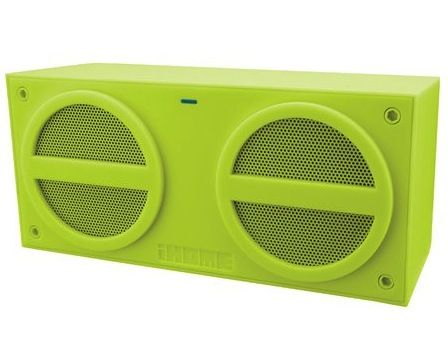
iHome iBT24


Yeah, that’s a bit of sarcasm up there in the hed; there’s obviously no lack of choice regarding Bluetooth speakers. This year’s CES exploded with Bluetooth, and it doesn’t seem a day goes by that a manufacturer doesn’t release another model.

iHome is more about, well, more; so instead of releasing one, they’ve released four.

Meet Pocket Ranger, Your Helpful Little State Park Guide [Daily Freebie]

By

post-223152-image-885b75c6c08e46da33ed3519fa42c9b6-jpg

Looks like this whiteout winter may finally be waning. Time to soak up a little sunshine; so grab your bike, backpack, rod, oars, harness and a Pocket Ranger official State Park Guide app for Android or iOS and get yourself outside. Why a Pocket Ranger app? Because it’s stuffed full of info about anything and everything related to state parks in your area — for free.

Manfrotto Brings “Stile” And Bad Spelling To Camera Bags

By

stileee.jpeg

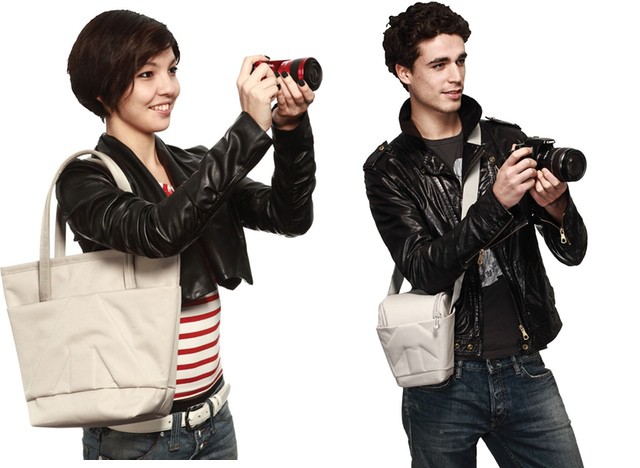
Face it. Camera bags are dorky as all get-out. I avoid them entirely, either dropping my camera into the pocket of a regular bag with a pair of woolen socks underneath for padding (true, and it works great in my Rickshaw Zero Messenger) or putting it and its accessories into a padded liner that slips into any other bag I might want to use.

But Manfrotto (Bogen in the U.S) has hit on the formula for cool camera bags. The secret? Calling them “Stile” bags and taking photos of them being used by young people in leather jackets.

MagSkin Case Will Stick Your iPhone To Almost Any Kitchen Appliance

By

cult_logo_featured_image_missing_default1920x1080

You know when you make a Skype call and your own voice echoes back at you, and you find it impossible to concentrate on anything except VIOLENCE and KILLING! Please make it STOP!?

And you also know how cool it is when you pull out your credit card, or slip your bank card into an ATM and it just doesn’t work? Like it’s been zeroed out by magnets? Well, imagine if you could somehow combine these two things into one.

You need imagine no more: Daniel Weyer has done the hard work for you. Behold! The MagSkin case.

Antisocial Place-Tagging App Rego Updated To Use Foursquare Database

By

rego.jpeg

Remember Rego? It’s the place-saving app whose name means “asshole” in Brazil, and which lets you check-into and remember locations without sharing them.

When the app launched a couple of weeks ago, I moaned,whined and complained endlessly about the lack of a search function for places – you just had to swipe and pinch your way there manually. Now v1.1 is here. And it brings search, accessing the Foursquare database, as well as using Apple Maps search and grabbing places from your contacts.

Cooliris Gets Even Cooler, Adds Support for Dropbox [Daily Freebie]

By

cult_logo_featured_image_missing_default1920x1080

https://www.youtube.com/watch?feature=player_embedded&v=4ja6Sy2JwEc

Imagine dining at a sumptuous, football-field-sized smorgasbord where all your friends and acquaintances have made and brought tantalizing morsels for you. And it’s all yours to sample, as you glide past table after stacked table. On ice skates.

Now replace the food with photos, and you’ll understand the draw of Cooliris (assuming you like looking at photos; and since the toaster is probably the last remaining electric gadget not equipped with either a camera or a way to display images, it’s a safe assumption).

And the iOS app is even cooler now that it’s just been seamlessly integrated with Dropbox.

New Borderlands 2 Update Brings Back Windows Multiplayer, Adds New Weapons

By

borderlands2-7


Hardcore Vault Hunters may have noticed that the opportunity to venture forth with their PC-based comrades — a huge boon that arrived in an update almost two months ago — was no longer an option as of early this month, when the latest Borderlands 2 patch hit PCs, throwing the two operating systems out of sync again.

But the two platforms are now synced again, thanks to Aspyr’s lightning-fast release of a Mac-side patch. They’ve also brought us the $5, Steam-only Ultimate Vault Hunter’s Pack DLC, which raises the level cap and adds a “super-rare line of weapons.” Yeehaw.

CamFind is a Better Google Goggles [Daily Freebie]

By

camfind-1


I’ve never had much luck with Google Goggles; it’s a fancy feature tacked on to the Google Search iOS app that’s supposed to return search results related to any item or text photographed from within the app. But it’s sent me shopping for dresses after I’ve snapped a picture of speakers, and  tried to conduct searches using text it thinks it’s found — when their wasn’t any.

Brand-spanking-new CamFind attempts more-or-less the same trick — only it’s better at it.

Get Started Pano Glitching With Your iPhone Camera

By

glitchy.jpg

Pano Glitches are a the new fake light leaks. Only they’re better. Pano Glitching involves setting your iPhone to shoot a panorama and then dicking with it on purpose. Instead of following the instructions to smoothly sweep the iPhone across the scene in front of you, you can quickly switch views, or just jerk the phone in your hand. 

Panasonic GF6 Talks To Your Phone With Wi-Fi And NFC

By

gf6.jpg

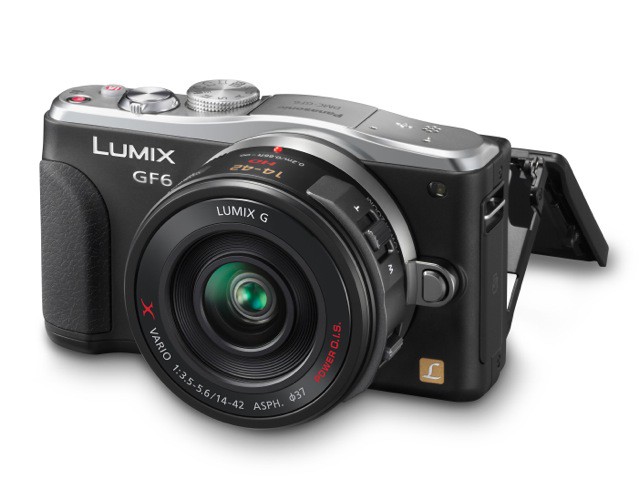
Panasonic’s new GF6 Micro Four Thirds camera has two new gimmicks: NFC and Wi-Fi, with the latter acting as a fast way to set up a Wi-Fi connection between the camera and an NFC-enabled phone.

Along with this it brings a new 16MP sensor, fast startup and the promise of great low light performance. Let’s take a look.

PopAGraph Is A Fun Masking App For iPhoneographers: With A Twist

By

popagraph.jpeg

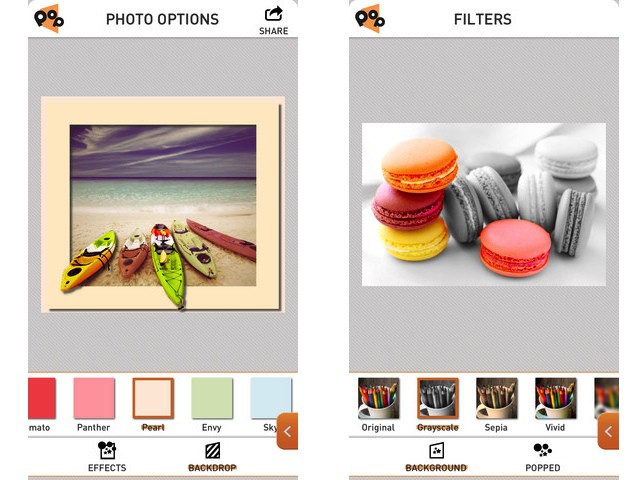
PopAGraph is Yet Another iPhone Photo Editing App (YAIPEA), but it brings a slick interface and a nice new gimmick to the game. The idea is that you create quick masks for your photos, and then apply effects to the masked (and unmasked) sections. Then – and here’s where the name comes from – you can frame the picture so that the subject pops out over the edge.

The example picture of the boats at the top of this post shows exactly how it looks.