Mobile menu toggle

iPhone accessories - page 2

Take 4TB of super-fast USB4 storage anywhere with LaCie Rugged SSD4 [Review] ★★★★★

By

LaCie Rugged SSD4 review★★★★★
The LaCie Rugged SSD4 is rugged, fast and holds up 4TB.
Photo: Ed Hardy/Cult of Mac

The just-launched LaCie Rugged SSD4 from Seagate is for “creators working beyond the four walls of a studio.” It’s designed to stand up to punishment while offering terabytes of storage and USB4 data transfer speeds. That’s fast enough for iPhone Pro users to record ProRes 4K video.

I put the SSD through real-world testing. Here’s how it came out.

Inexpensive iPhone game controller also connects to Switch and PC

By

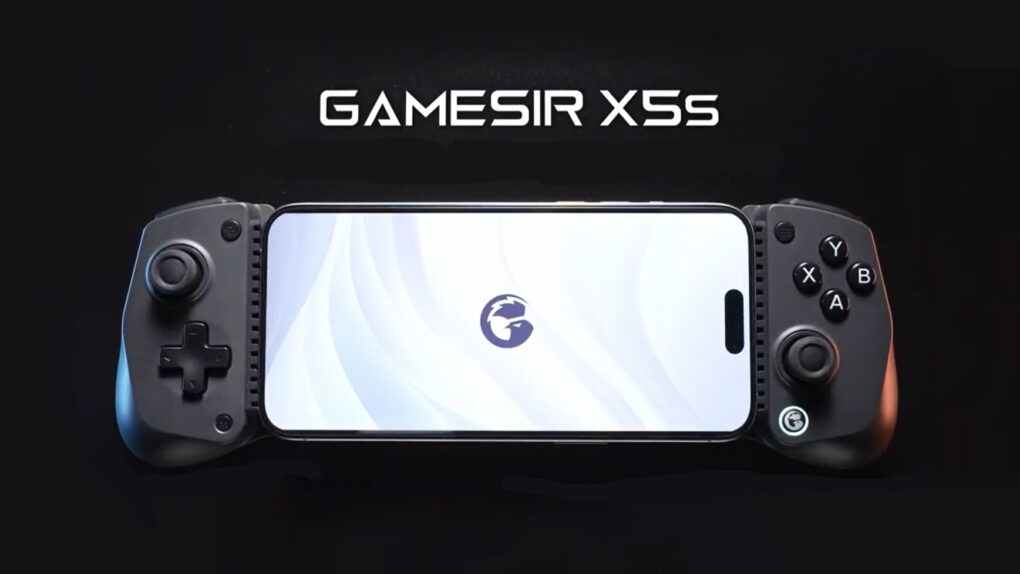
GameSir X5s Wireless Mobile Game Controller
The GameSir X5s Wireless Mobile Game Controller offers tri-mode connectivity.
Graphic: GameSir

Wrap the brand-new GameSir X5s around your iPhone to play high-end games. But that’s only the start — the controller also works with iPad, Nintendo Switch, PC and Android.

It’s lightweight with a portable design but includes Hall Effect sticks and triggers, a gyroscope and rumble motors.

Even better, the GameSir X5s costs under $50.

Belkin’s gorgeous new iPhone stands do 25W wireless charging

By

Belkin UltraCharge Pro 3-in-1 Magnetic Charging Dock
The UltraCharge Pro 3-in-1 Magnetic Charging Dock (center) is the highlight of Belkin’s new iPhone stands.
Image: Belkin

Forget about the old 15W limitation on wireless charging. Belkin took the wraps off a trio of iPhone stands on Friday that support the new Qi2 25W standard, offering a 66% increase in speed.

The new models include the UltraCharge Pro 3-in-1 Magnetic Charging Dock for use in the office, plus a pair of multidevice wireless chargers for travel.

Supertiny USB-C charger pumps out big power [Review] ★★★★

By

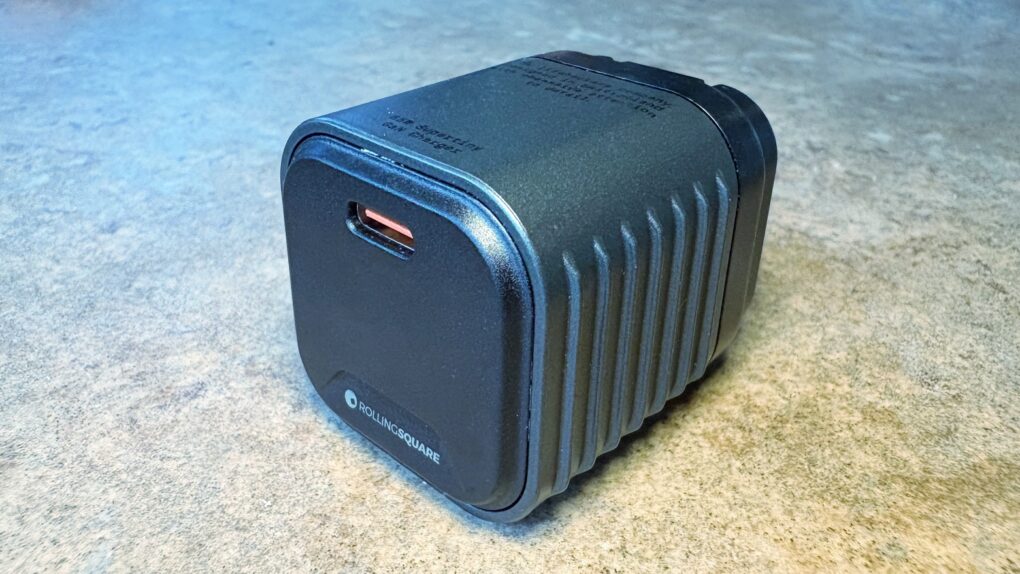
Rolling Square Supertiny review★★★★
We went hands-on with the wee little Rolling Square Supertiny.
Photo: Ed Hardy/Cult of Mac

Rolling Square claims, “Supertiny is the smallest 65W GaN Charger ever.” It’s definitely very small, but can still quickly power up a MacBook or other full-size computer.

I put the claims to the test and came away impressed. I do have one caution, though.

Mini keyboard saves you from typing on cramped iPhone screen [Review] ★★★★☆

By

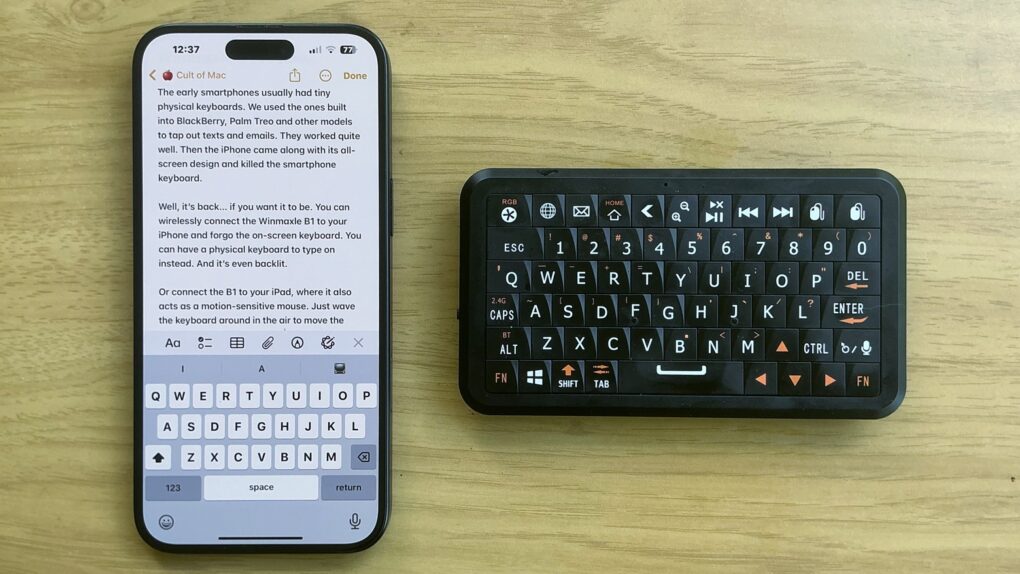
Winmaxle Mobdel B1 with iPhone 16 Plus★★★★☆
The Winmaxle Mobdel B1 adds a physical keyboard to your iPhone, and it's easier to type on than a virtual keyboard.
Photo: Ed Hardy/Cult of Mac

The Winmaxle Mobdel B1 can be a physical keyboard for typing on your iPhone, harking back to the days of the BlackBerry. And because it’s also a motion-sensitive mouse, you can use it with your iPad, too. Either way, it’s a handy little gizmo.

I found multiple uses for the wireless keyboard while I was testing it. But I also ran into a limitation that made it not as useful with my iPad as I hoped.

Backbone One deal drops brilliant iPhone game controller cost by 40%

By

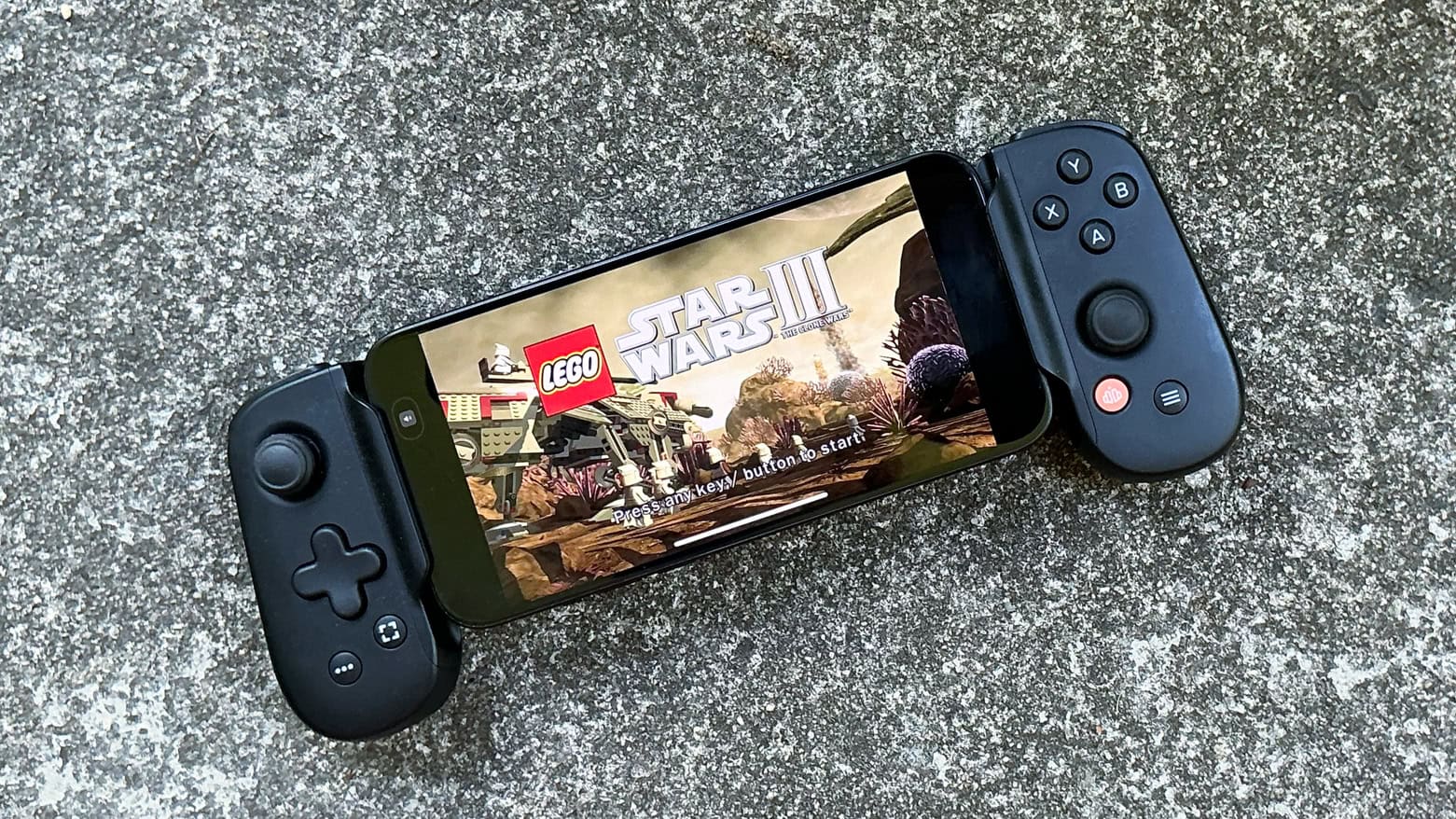
Backbone One USB-C game controller review
Backbone One USB-C game controller makes high-end gaming a pleasure on iPhone.
Photo: Ed Hardy/Cult of Mac

A deal on the Backbone One (USB-C), which ranks among the absolute best clip-on game controllers for iPhone, cuts 40% off the usual cost. It’s also on sale at Amazon, though the deal isn’t quite as good.

Can’t take the family Playstation or Xbox to university? Game on your iPhone instead with this controller.

This superslim folding stand could be just what your iPhone needs [Review] ★★★★

By

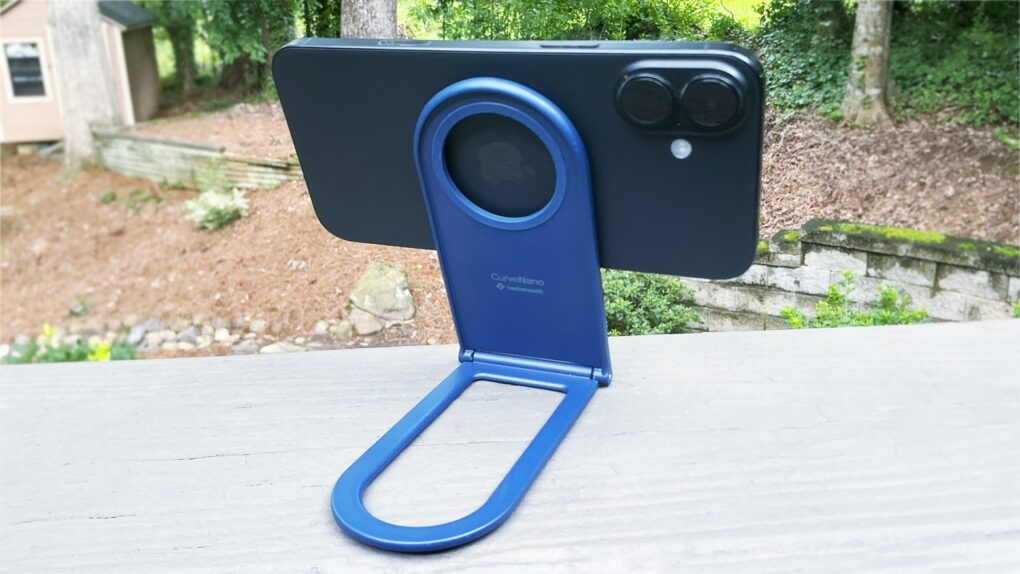
Twelve South Curve Nano: Travel iPhone stand★★★★
The Twelve South Curve Nano can be your iPhone stand wherever you need one.
Photo: Ed Hardy/Cult of Mac

The Twelve South Curve Nano is an iPhone stand designed to go with you anywhere. It’s slim and lightweight when folded, but flips open to support your handset when you’re watching video, making a video call and more.

I tried it out with my iPhone 16 Plus, both at home and on the go. Here’s what I found.

Smartish Wallflower combines iPhone finger loop, suction mount and kickstand

By

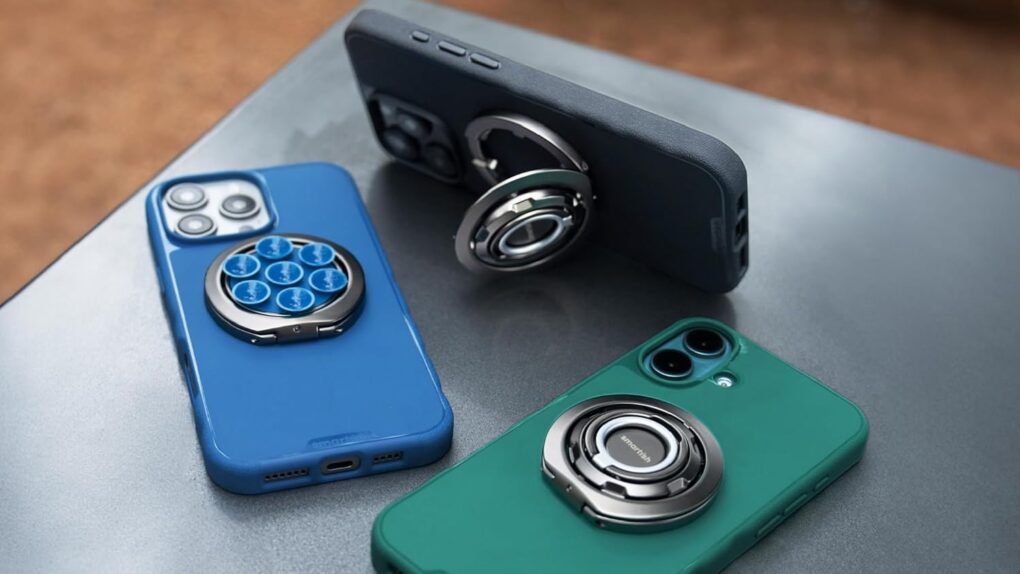
Smartish Wallflower combines iPhone finger loop, suction mount and kickstand
Don’t carry three accessories when one can do what your iPhone needs.
Photo: Smartish

The Smartish Wallflower magnetically attaches to your iPhone, where it’s ready to do three important jobs. It’s a finger loop so you don’t drop your handset, it’s a stand to prop up the device, and it’s even a suction mount so the iPhone can stick to many surfaces.

The clever accessory launched Tuesday.

3-in-1 charger keeps all your gear going for a very low price [Review] ★★★★

By

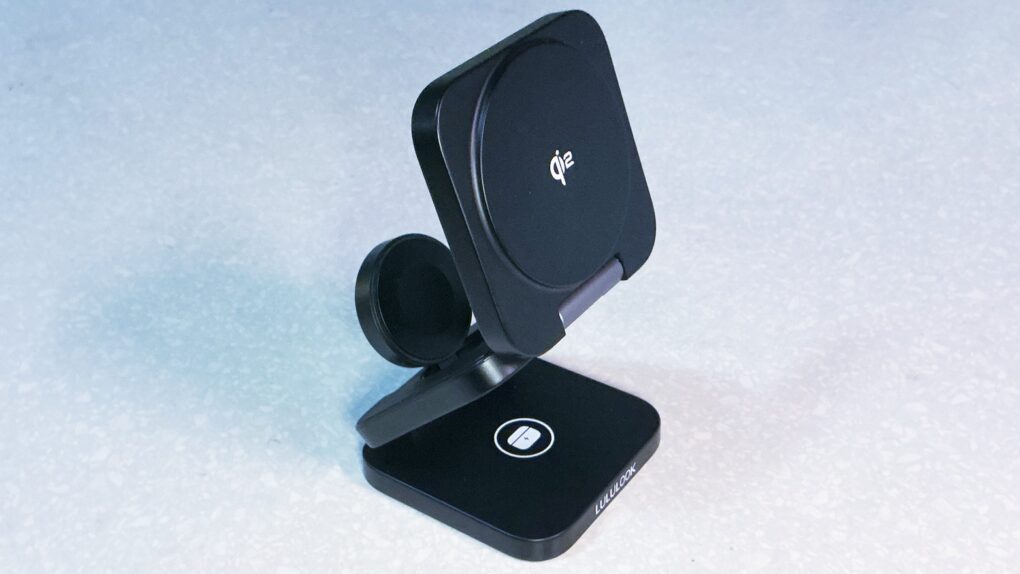
Lululook Ultra-Nano Qi2 3-in-1 Travel Charger review★★★★
A new travel charger from Lululook works well and is very affordable.
Photo: Ed Hardy/Cult of Mac

A couple of things immediately catch the eye about the Ultra-Nano Qi2 3-in-1 Travel Charger. One, you can make it into a convenient stand or lay it out flat when charging your iPhone, Apple Watch and AirPods. And the second? Wow, this thing is a deal.

I tried it out with all my Apple devices. There are a lot of features to like here, but also a quirk in the design that Apple Watch wearers need to know about.

PowerBug merges iPhone MagSafe travel stand with wall charger [Review] ★★★★

By

PowerBug review★★★★
Don’t be fooled by the simple design — PowerBug is two useful accessories in one.
Photo: Ed Hardy/Cult of Mac

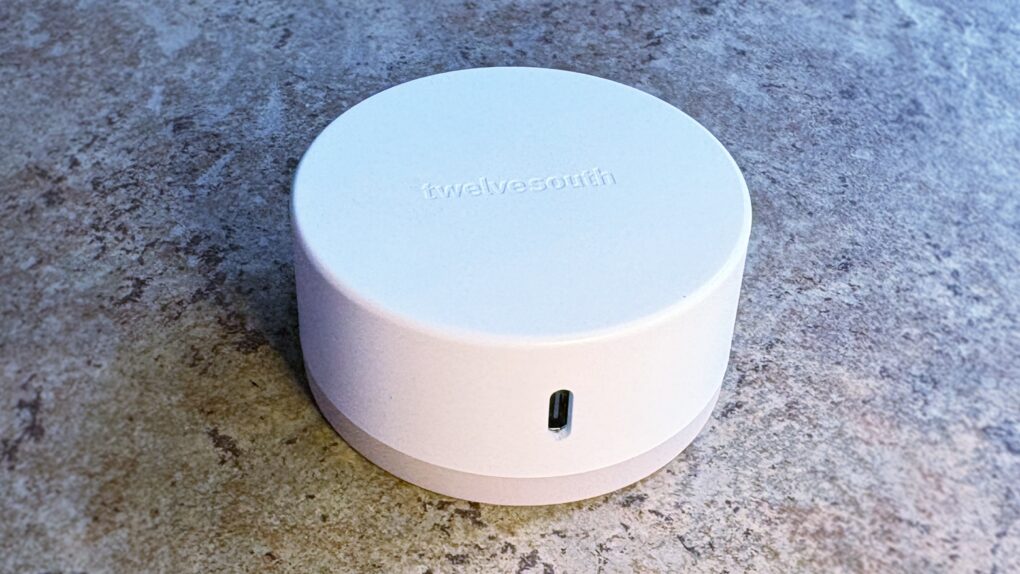
The Twelve South PowerBug is a new palm-size accessory that does two useful jobs. It’s both an iPhone stand and a plug-in wall charger. It uses MagSafe magnets to hold onto the handset, whether you’re using it to watch video or to juice up the iPhone’s battery.

It works wirelessly, plus there’s a USB-C port for powering a second device.

PowerBug just launched today, but I got some hands-on testing time before the debut. Here’s what I found.

4 ways AirNotch Pro Find My-compatible tracker tag beats AirTag [Review] ★★★★

By

AirNotch Pro review★★★★
AirNotch Pro tracker tag outperforms Apple’s AirTag in several important ways.
Photo: Ed Hardy/Cult of Mac

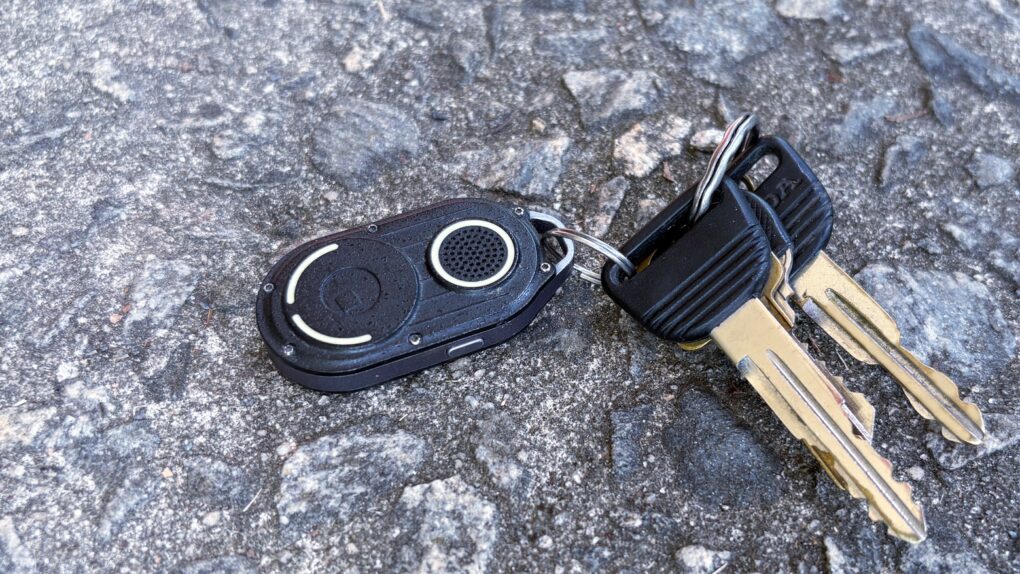
Those needing to keep track of something living a tough life should consider the Rolling Square AirNotch Pro. It does the same thing as an Apple AirTag, but beats Apple’s tracker tag with sheer volume and a few other tricks, too.

It’s rugged, and connects to Apple’s Find My network so no additional app is needed to locate the tag with an iPhone.

I tested AirNotch Pro for months. Here’s what I found.

Clever phone lanyard is also a USB-C charging cable

By

Satechi OntheGo USB-C Lanyard Cable
This lanyard can also charge your iPhone.
Photo: Satechi

The Satechi OntheGo USB-C Lanyard Cable makes carrying around an iPhone easy, and charging it, too. That’s because it’s both a lanyard and a USB-C charging cable in one accessory.

In addition, the accessory maker also just launched the Satechi OntheGo 67W Slim Wall Charger to power up an iPhone or MacBook when and where needed.

This SanDisk SSD clings to iPhone to record terabytes of high-res video [Review] ★★★★

By

SanDisk Creator Phone SSD review★★★★
Expand your iPhone Pro/Pro Max storage capacity with this SanDisk SSD.
Photo: Ed Hardy/Cult of Mac

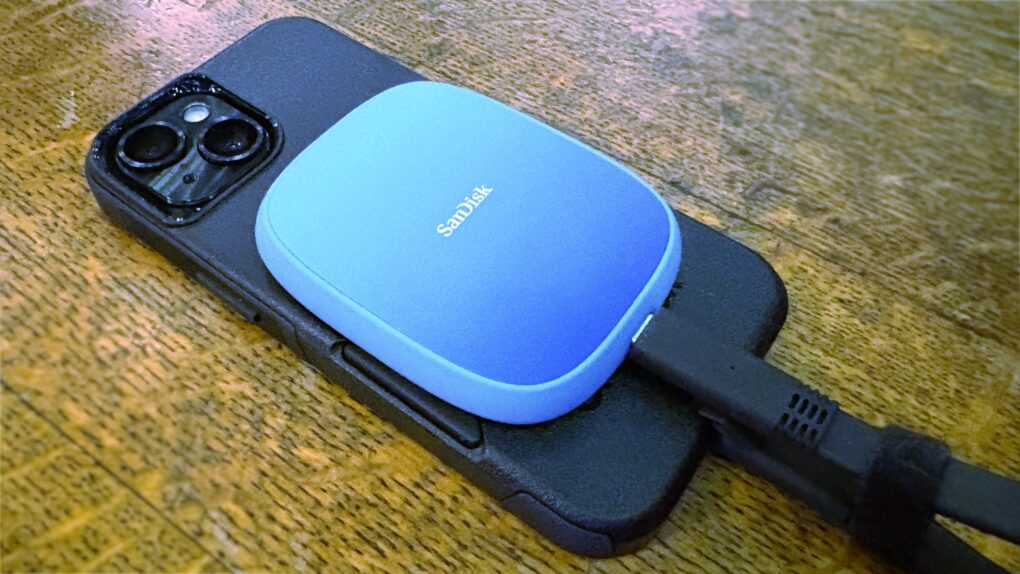
SanDisk designed its Creator Phone SSD specifically for people recording large amounts of 4K ProRes video with a recent iPhone Pro/Pro Max model. The MagSafe drive magnetically attaches to the back of the handset so it’s out of the way during filming.

It holds up to 2TB of data without making the handset difficult to film with. And transferring data to a Mac for editing is a snap.

I tested the SSD with my iPhone and it worked very well. But the cable is bulkier than it should be.

Test your connections with this tiny USB multimeter [Review] ★★★★

By

StarTech.com USB-C Power Tester★★★★
Find out why your iPad isn’t charging with this mini multimeter.
Photo: Ed Hardy/Cult of Mac

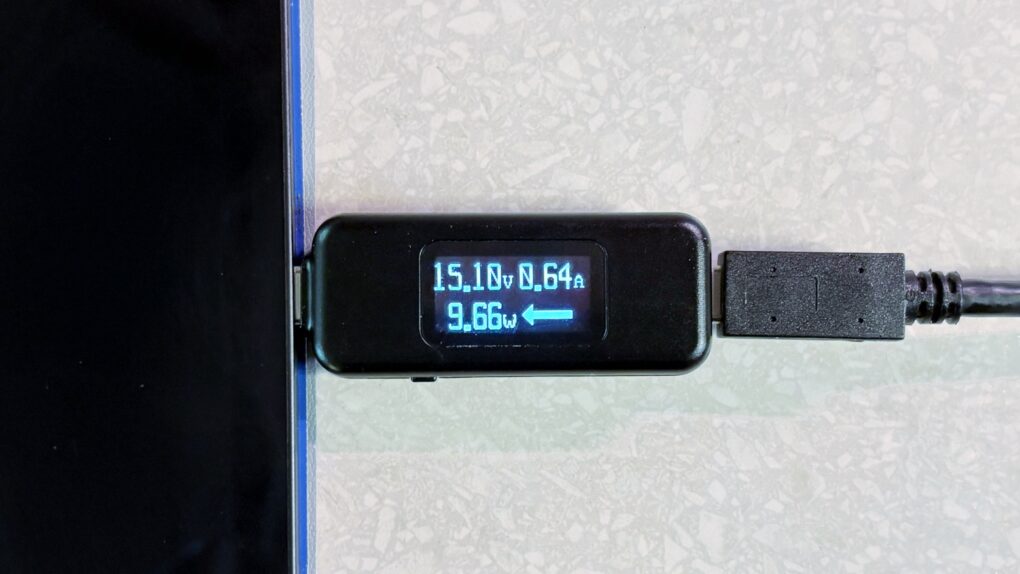
With the StarTech.com USB-C Power Tester, you can easily look for charging problems in your setup. It’s a quick and easy way to ensure your devices are getting all the power they’re supposed to.

I tested the inexpensive little multimeter out. Here’s what I found.

This brilliant portable foldable monitor is like nothing you’ve ever seen [Review] ★★★★★

By

Arovia Splay★★★★★
The Arovia Splay puts a beautiful 25-inch screen anywhere you need one.
Photo: Arovia

The Arovia Splay Portable Foldable Monitor and Projector is a truly remarkable piece of kit. Not only does it promise a 25-inch, 1080p screen that can fold down to the size of a book, it actually delivers… with a surprisingly bright, clear image that doesn’t need a darkened room.

As the name indicates, it can also be used as a small portable projector.

I watched hours of TV shows on the Splay, and used it for work, too. I’m truly impressed with the performance. I’m less pleased about the price, though.

Backbone Pro makes the best iPhone game controller way, way better [Review] ★★★★★

By

Backbone Pro★★★★★
There’s no better way to improve mobile gaming than with Backbone Pro.
Photo: Ed Hardy/Cult of Mac

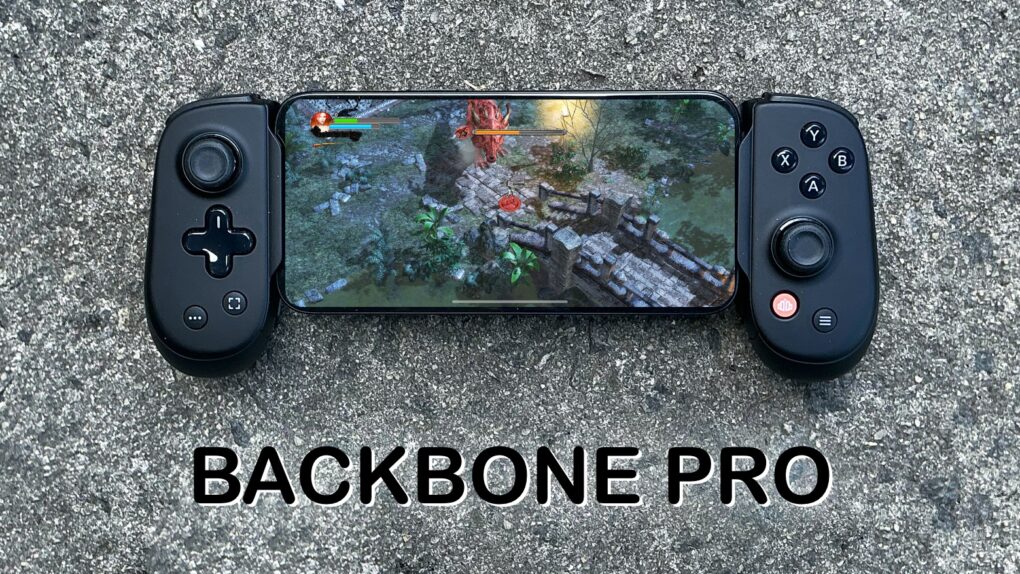
The Backbone Pro game controller that launched Tuesday wraps around your iPhone and connects via USB-C, but it can also connect to your Mac or iPad via cable or Bluetooth. Plus, it adds remappable rear buttons to the standard mix of sticks, triggers, D-pad and more.

Backbone already makes the best iPhone game controller, and my hands-on experience with this new premium version found that it takes mobile gaming to a whole new level.

Wireless video transmitter lets you dump the HDMI cable

By

Nyrius Orion Prime Wireless USB-C to HDMI Video Transmitter & Receiver
Replace that bulky HDMI cable with this wireless video transmitter and receiver.
Photo: Nyrius

With the Nyrius Orion Prime Wireless USB-C to HDMI Video Transmitter & Receiver, you don’t need a cable to connect your MacBook, iPad or iPhone to your TV. It can send video up to 150 feet, offers HD resolution, and doesn’t require a Wi-Fi network.

The product launched on Monday.

Your wait for an amazingly affordable iPhone game controller ends now [Review] ★★★★★

By

GameSir X5 Lite★★★★★
The GameSir X5 Lite is fun and a great value.
Photo: Ed Hardy/Cult of Mac

The GameSir X5 Lite is the game controller for those who’ve hoped for a truly affordable way to add physical buttons and sticks to their iPhone. It costs a fraction of the price of its chief rival.

But don’t call it cheap. The accessory includes Hall Effect sticks plus a full set of the buttons and triggers needed for cloud gaming or on-device apps.

I enjoyed my time testing the GameSir X5 Lite — read the full review to find out why.

Ends soon: $35 wireless charger will fast-charge your iPhone on the go

By

This $40 wireless charger will fast-charge your phone on the go.
Apple fans love this speedy wireless iPhone charger, now on sale for just $35.97.
Photo: Cult of Mac Deals

Forget having to find a wall outlet to charge your phone, or even using a cable to connect an external battery pack. To charge your phone in real luxury is to enjoy fast charging, totally wire-free. And one of the best options we’ve found to enjoy just that is the Speedy Mag Wireless Charger for iPhone.

Usually $119.95, you can grab it right now for only $34.97. But this price drop won’t last forever.

GameBaby controller/case brings retro fun to iPhone [Review] ★★★★

By

GameBaby review★★★★
GameBaby can be your key to retro gaming fun.
Photo: Ed Hardy/Cult of Mac

GameBaby from Bitmo Lab is both an iPhone case and a game controller. Combined with the Delta retro game emulator, the accessory’s clever design allows you to play classic games on your phone with real buttons. And there’s nothing wrong with a new way to have fun.

For my GameBaby review, I tested it with my iPhone 16 Pro Max, and it’s the closest thing to a Game Boy I’ve played in much too long.

Plus, it’s available at a huge discount right now — 38% off. But the deal only lasts a few more days.

This 140W fast-charging beast of a power bank will destroy your nomophobia

By

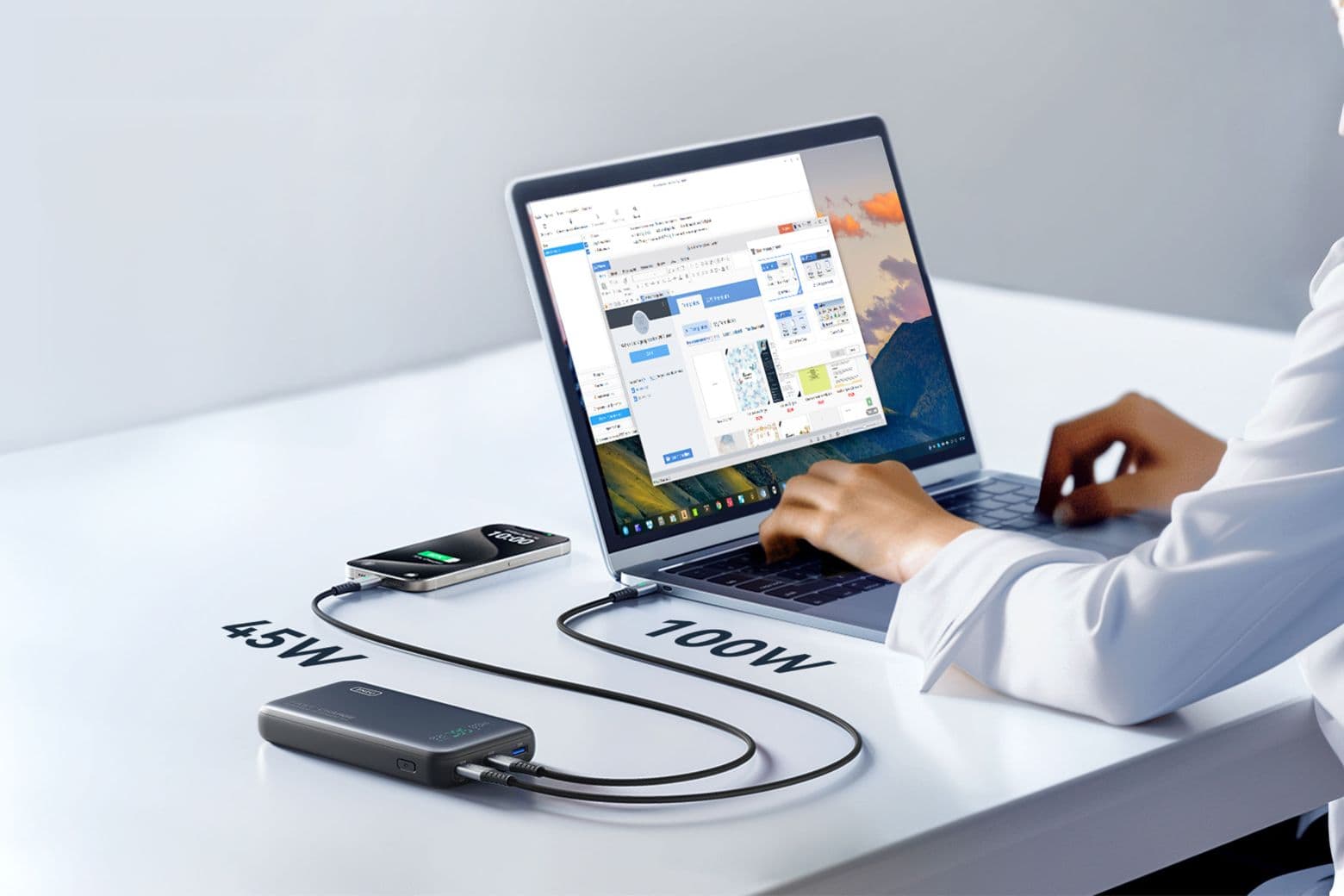
Photo of a person charging a mobile phone and laptop with the Iniu Leopard 140W power bank.
Save big on this advanced 25,000mAh power bank, which can fast-charge a MacBook and an iPhone at the same time.
Photo: Cult of Mac Deals

You know the feeling: You’re midflight, knee-deep in an important email or crushing it in a gaming session — and your laptop battery hits 1%. Panic mode activated. But with the Iniu Leopard 140W power bank, that nightmare (technically, it’s called nomophobia) never needs to happen again.

This airline-approved power bank isn’t just another bulky battery pack, either. It’s a fast-charging, multidevice powerhouse that can revive your MacBook Pro to 59% in just 30 minutes or juice up your iPhone 15 Pro Max to 71% before you finish your coffee. Loaded with advanced features and designed for everything from smartphones to gaming consoles, it’s the power solution you didn’t know you needed — but definitely do. And it’s on sale now for just $93.99.

Get a premium MagSafe wallet at a bargain price

By

Photo of a folding MagSafe wallet with Find My that contains a blue credit card.
Save 25% on this RFID-blocking MagSafe wallet that doubles as an iPhone stand.
Photo: Cult of Mac Deals

Tired of retracing your steps to find your lost wallet? This Folding MagSafe wallet with Find My can stop your endless searching. Snag one, and you can use real-time tracking and audio alerts to quickly locate it, whether it’s nearby or across town.

Designed to work seamlessly with iPhone 12 through iPhone 16, it offers secure storage for up to eight cards while doubling as a versatile accessory. For a limited time, you can save 25% and get one for $29.99. (Note: This MagSafe wallet is not compatible with iPhone 12 mini or iPhone 13 mini, or with iPhone 16e.)