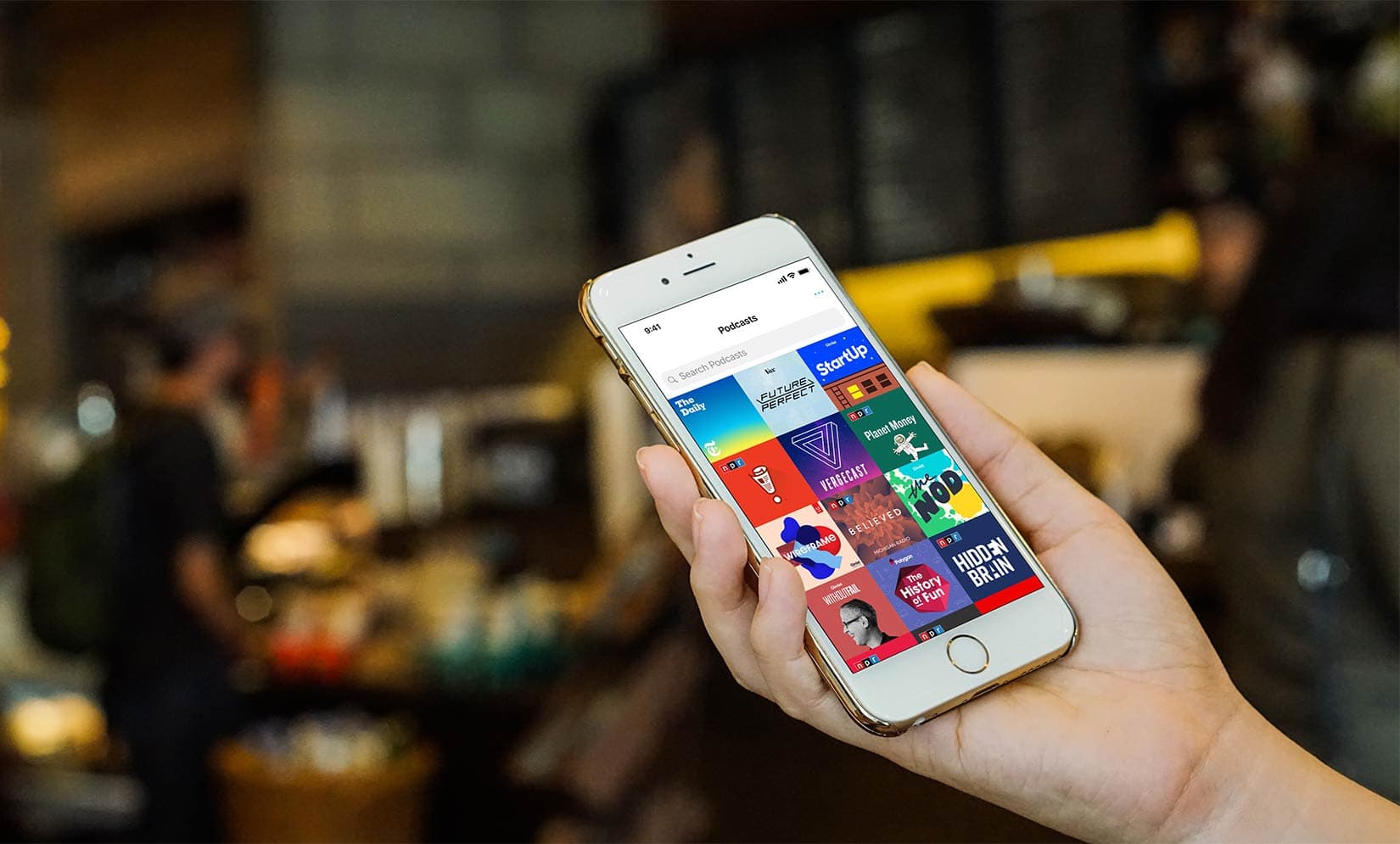
Pocket Casts gets a big user experience update. Photo: Pocket Casts
Pocket Casts, the paid app with more than half a million podcasts, is retooling its listening experience. An update to the popular app adds Siri Shortcuts support, improved search and discovery features, and a browse-and-play option without having to subscribe to a show.
Check out this week’s best new and updated apps. Photo: Cult of Mac
This week we chill out with the retro-tastic Mellowsound synth, check out the essential new QWERTY keyboard support for GarageBand, explore a huge update to everyone’s favorite painting app, Procreate, and more.
This week we find out that Halide has added yet another awesome new feature to the iPhone’s best camera app, that the AudioKit team has busted out yet another amazing (and retro) synthesizer, that Name Skillz exists to help you remember people’s names, and that HomeRun has scored — yes — a home run with its HomeKit-controlling Apple Watch app.
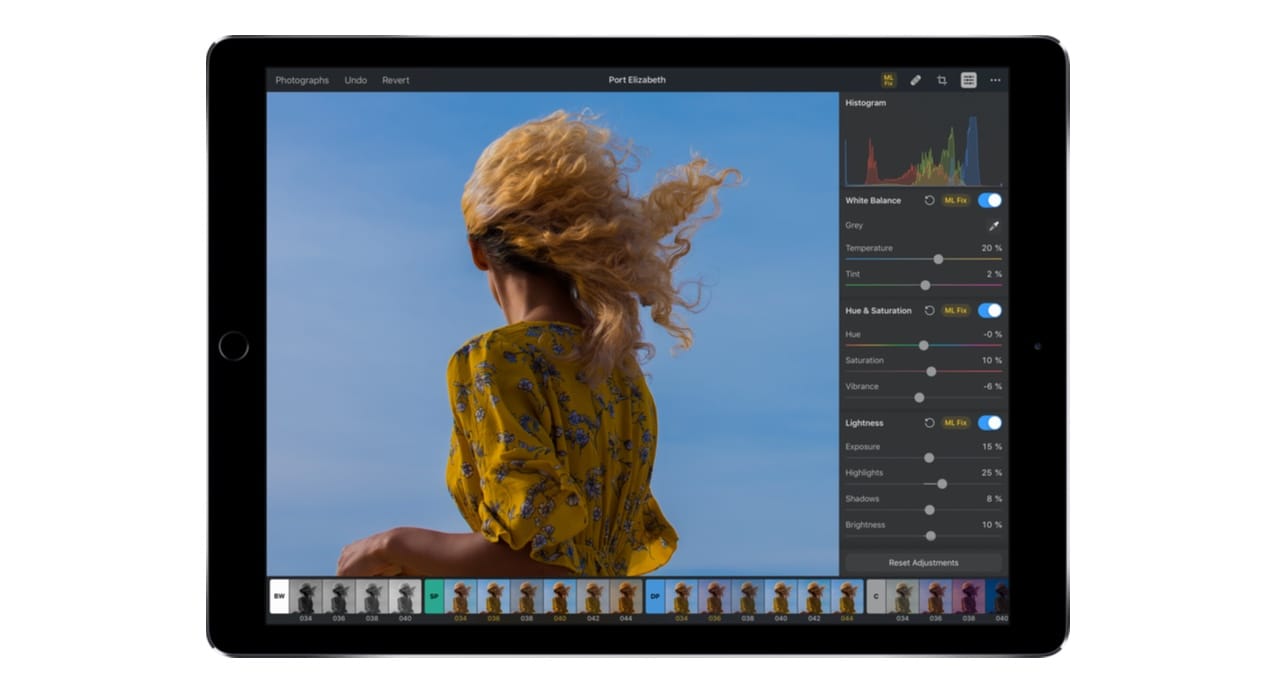
Pixelmator Photo will offer a wide sweep of image-editing tools, many enhanced through machine learning. Photo: Pixelmator
Pixelmator makes image editing software for Mac and iPad, and it’s hard at work now on a new iPad application that uses artificial intelligence to improve its photo-editing capabilities.
The new app — dubbed Pixelmator Photo — will employ Apple’s Core ML (machine learning) technology to intelligently improve the exposure and cropping of images.
Pokémon GO Adventure Sync rewards you for exercising with the Candy needed to Power Up and evolve your pocket monster. Photo: Niantic
Playing Pokémon GO requires you to get off the couch and explore the world. The game now takes that idea and runs with it (pun intended) by rewarding you for exercising even when not hunting virtual monsters.
Ordinarily, GasBuddy shows you nearby fuel prices. Right now, it might lock up your iPhone. Photo: Ian Fuchs/Cult of Mac
Avoid using the latest version of the GasBuddy app on your iPhone. The developer admits it is causing problems and has temporarily withdrawn it from the App Store until a fix can be released.
UPDATE: A fixed version of GasBuddy is available on the App Store. Users of this service should install this new version immediately.
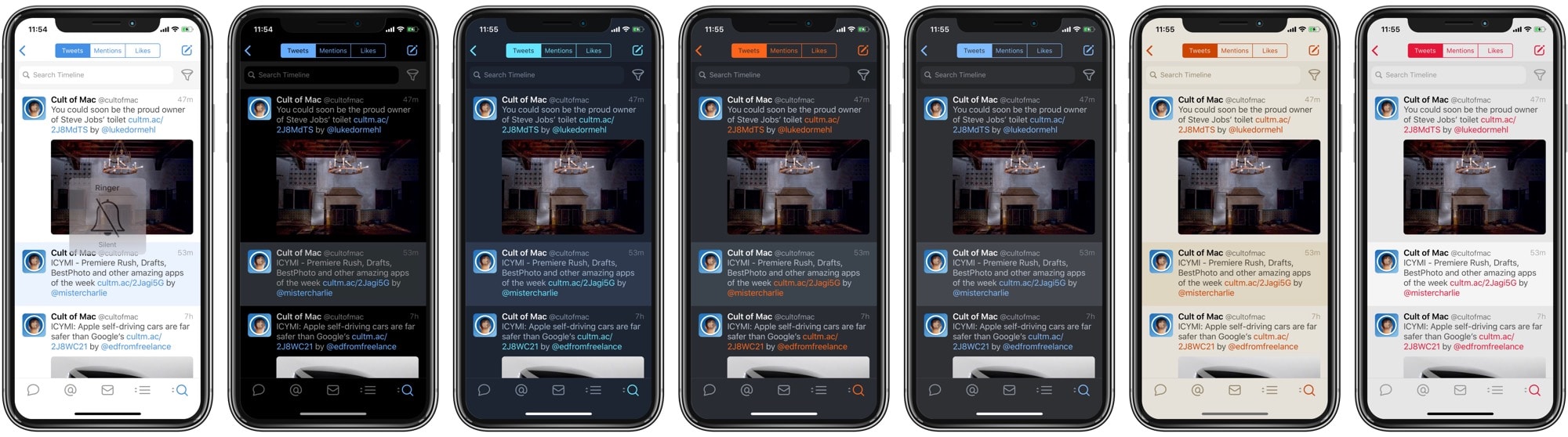
Tweetbot 5 themes: Gotta activate 'em all. Photo: Cult of Mac
Tweetbot 5 for iOS adds some nice modern features, including a dark theme that looks great on OLED screens. There’s also an awful, creepy new icon.
But that’s not why we’re here today. The iPhone’s best Twitter app also packs a whole bunch of secret, hidden themes for you to choose from. Here’s how to activate them.
This week we shoot and edit video with Adobe’s new Premier Rush, get into the long-awaited Drafts for Mac beta, and clean up our Photo Library with BestPhotos.
This week it’s all about awesome updates. Spark adds Siri shortcuts to your email, Halide adds Smart RAW to make your iPhone XS camera even better, and Fiery Feeds gets a makeover and Pinboard support.
Hear about all that and more in this week’s app roundup.
You need these apps now! Cover: Leander Kahney/Cult of Mac
After wrapping our “50 Essential iOS Apps” series, we sorted the winners to make it easier for you to download the best of the best. (Plus, we added Cult of Mac readers’ picks for must-have alternatives.)
You’ll find that list and much more in this week’s issue of our magazine. It’s free and it looks great on an iPad or iPhone. Get your free subscription to Cult of Mac Magazine from iTunes now. Or read on for this week’s top stories.
The best and most useful apps for iPhone and iPad Photo: Ste Smith/Cult of Mac
With our 50 Essential iOS Apps series, the goal was to help you find some of the best apps for iPhone and iPad. Picking the finest offerings from the more than 2.2 million iOS apps in Apple’s App Store proved challenging. But we highlighted apps that offer excellent features or make life easier in various ways.
To wrap up the series, we’ve sorted the apps by category to make the list easier to browse. We’re also showcasing Cult of Mac readers’ alternatives to our picks.
(You’ll find reader faves linked at the end of this post. That’s especially helpful since one of our must-have apps is about to die an unceremonious death.)
This week we use Berkanan to avoid talking to the people around us, we make music with the amazing new Gestrument Pro, and we take old-school film photos with I Love Film.
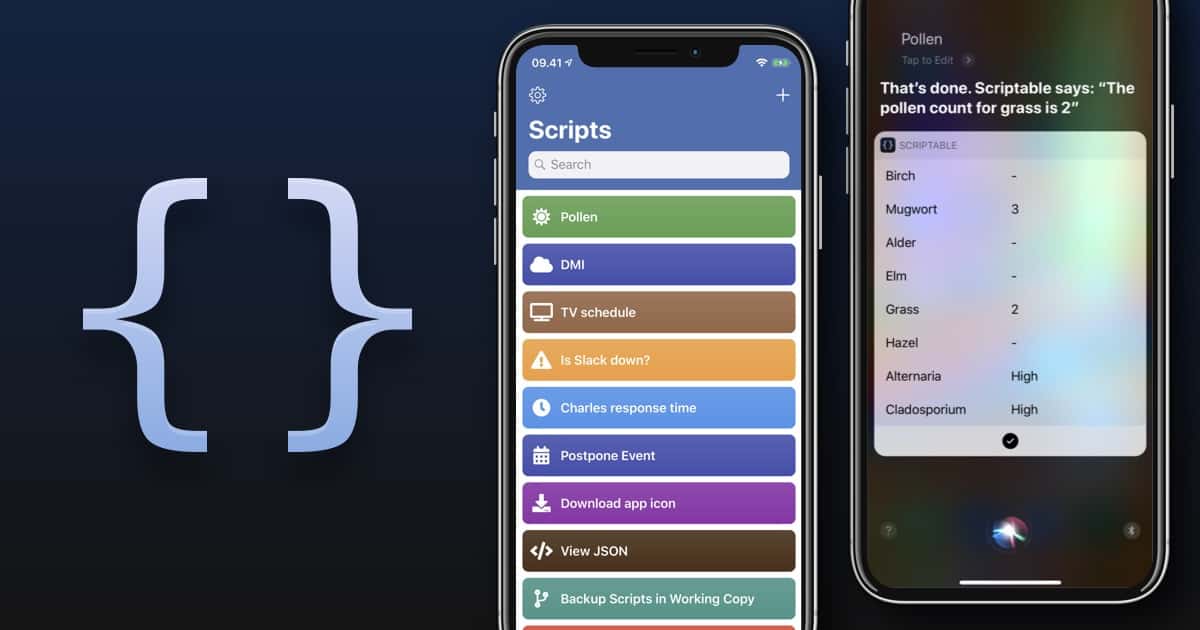
Scriptable works a lot like Siri Shortcuts, only more difficult. Photo: Scriptable
Now that you’re finally getting used to iOS 12’s new Shortcuts app, here comes Scriptable, a new automation app that runs JavaScript. It can make powerful and deep connections with your iPhone or iPad — working with the Files app, for example, or Reminders.
Why would you want such a thing? Well, maybe you know how to program JavaScript. Scriptable lets you take your code, and integrate it with iOS. You can make your own scripts and use them to automate iOS. For instance, how about creating something as simple as a custom save menu that lets you rename files as you save them?
With the football season heating up, it’s time to make sure you have a way to catch all the biggest matchups. Luckily, watching NFL games no longer requires you to pay for an overpriced cable subscription. And Apple users have a plethora of options to stream pro football without cable this season.
No matter which Apple device you use, you’ll find a wide range of apps to let you watch NFL football. Here’s a rundown of some of the best options for streaming NFL games this season.
Students can now download Minecraft: Education Edition for their trusty iPads. Photo: Microsoft
Kids love Minecraft and iPad. Teachers love applications that turning learning into a game. All of these come together with an iPad version of Minecraft: Education Edition.
After being announced last month, this application just debuted in the iOS App Store.
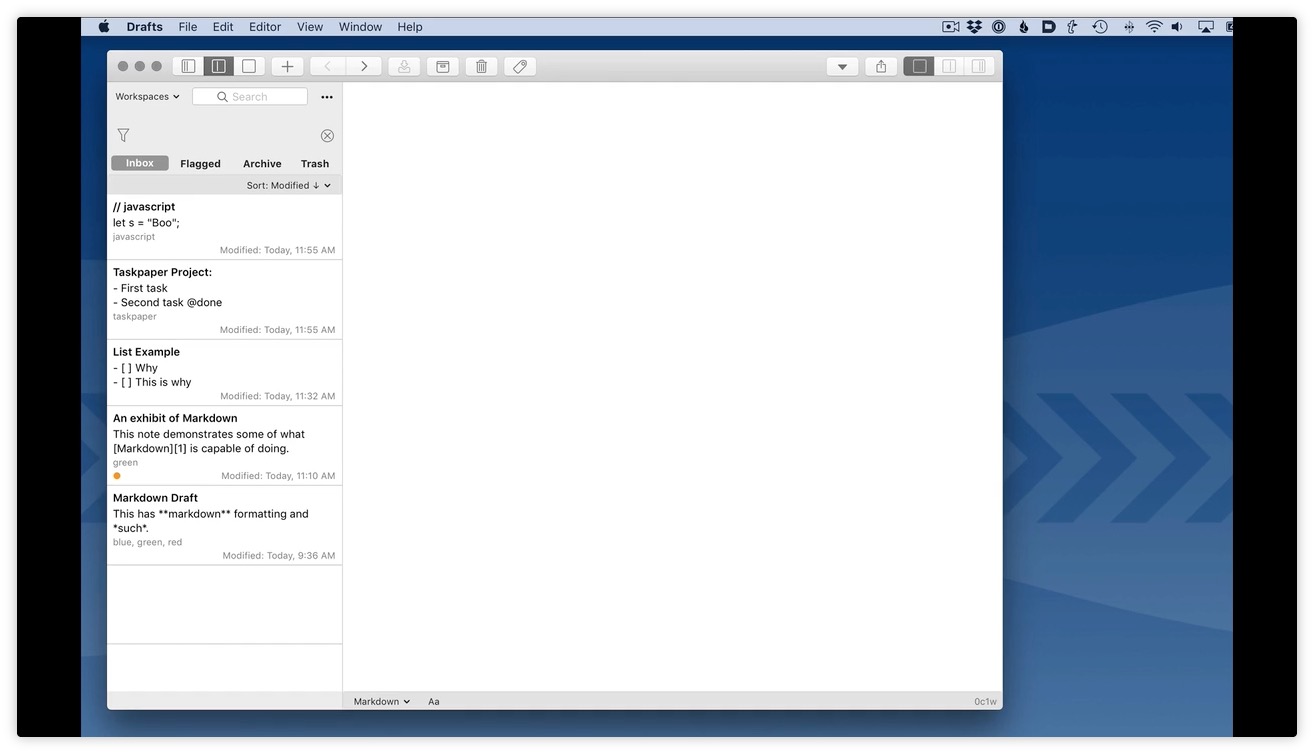
Drafts is on its way to the Mac. Photo: Agile Tortoise
Drafts, the best text notes/writing/wrangling app on iOS, is coming soon to the Mac. Drafts, for those who haven’t tried it, is a kind of universal inbox for text. Whenever you want to write something — a note, an email, a blog post or an essay — you launch Drafts and start typing.
It’s always ready with a blank page. Then, when you’re done, you can use Drafts’ many, many actions to send that text elsewhere — beautifully formatted for the Notes app, as a list to the Reminders app, as a post to Twitter, a task in Things, etc. The list is almost endless thanks to a shared directory of new actions that can be installed with one click.
Until now, Drafts has been iOS-only. But soon, probably later this year, it’s coming to the Mac.
Day One makes some pretty sweet-looking journals. Photo: Day One
Day One, the super-popular journaling app for people who want their most important thoughts, experiences, and notes to be left to future generations, just got a huge update. Day One version 3.0 gets a whole new editor, plus audio recording and a bunch of other tweaks.
Another day, another new weather app. Dark Sky was already a big favorite, thanks to its hyper-local forecasts that tell you when it will rain outside your door, down to the minute.
Well, the app just got updated to version 6.0. According to the Dark Sky developers, it’s a completely new app — an update in name only. Let’s take a look.
You don't need a weather app to see what's going to happen here. Photo: Charlie Sorrel/Cult of Mac
There are roughly a billion weather apps on the App Store, and several them are very good indeed. But my current favorite is Hello Weather, which was just updated to get some great international features, as well as some awesome radar maps. It’s so great-looking, and so easy to use, that it’s been my go-to weather app since I discovered it.
Cycle is wheely, wheely, chilled. Photo: Charlie Sorrel/Cult of Mac
Cycle is both a musical instrument and a meditation device. The app, for iPhone and iPad, is something called a “time lag accumulator.” You play notes on its simple keyboard, and these notes are repeated over and over, slowly fading after time. The result is hypnotic, relaxing and creative, all at the same time.
Anyone can compose a hit song in Hookpad 2 Photo: Charlie Sorrel/Cult of Mac
Hookpad is a web app for music composition, and it’s also a killer way to learn about music theory. Hookpad and its companion theory app/book have been around for a while. The problem was, it only worked on the desktop. Hookpad 2 is a complete rewrite, and it works just great in mobile Safari. You can even save it to your home screen.
Podcasting is like radio, only way better. Photo: Tom Page/Flickr
Castro, one of our favorite podcast apps, just added two really great new features that aren’t yet available elsewhere. The first is the ability to load any audio file into the app, just by dropping it into a folder in your iCloud Drive. The second lets you preselect the podcast chapters you want to listen to.
This information shouldn't fall into the hands of enemies. Photo: Cult of Mac
Whether it’s our phones, our fitness trackers, or even something as innocuous as a dating app, much of the technology we use on a regular basis tracks our physical location.
Knowing the potential security risk this poses, the Pentagon banned deployed military personnel from using tech with active location-tracking features.