Mobile menu toggle

Apple TV - page 2

Apple Cyber Monday deals: iPads, AirPods, Apple Watch and more [Updated]

By

A graphic illustrating Apple Black Friday deals.
All the insanely great deals we can find on Apple products on Cyber Monday.
AI image: MidJourney/Cult of Mac

There are plenty of great Apple deals this Cyber Monday 2024—but not from Apple directly. As usual, Apple keeps its discounts minimal (Tim Cook loves his big fat profits!). This year, you can get up to a $200 gift card with select purchases, but the newest products, like the iPhone 16, M4 MacBook Pros, iMac, and Apple Watch Ultra 2, aren’t included.

That said, third-party retailers like Amazon, Best Buy, Walmart, and B&H Photo are offering significant discounts on a ton of Apple gear. From AirPods to iPhones, Apple Watches, and iPads, you’ll find some fantastic deals. Here’s a roundup of the best offers we’ve come across.

Why Apple won’t make a TV

By

Why Apple won’t make a television set
We’re never going to see an Apple-branded TV.
AI image: Imagen 3/Cult of Mac

Apple is reportedly considering making a television set, but don’t get your hopes up. There are simply too many reasons why Apple won’t make a TV. Like so many things, it all comes down to profits (and the lack thereof).

You need look no further than Apple’s set-top box and monitors to see why an Apple-branded television isn’t going to happen.

Lionel Messi’s first MLS playoff match streams free on Apple TV [Updated]

By

Lionel Messi and Inter Miami CF in the MLS Cup Playoffs
Lionel Messi’s Inter Miami is headed for the MLS playoffs, and the first game can be watched free.
Image: Apple

Soccer superstar Lionel Messi will take the field in his first MLS Cup playoff match on Friday, and it’ll be available free for anyone to watch via the Apple TV app.

He’ll lead Inter Miami CF against Atlanta United FC.

How to control volume with your Apple TV remote

By

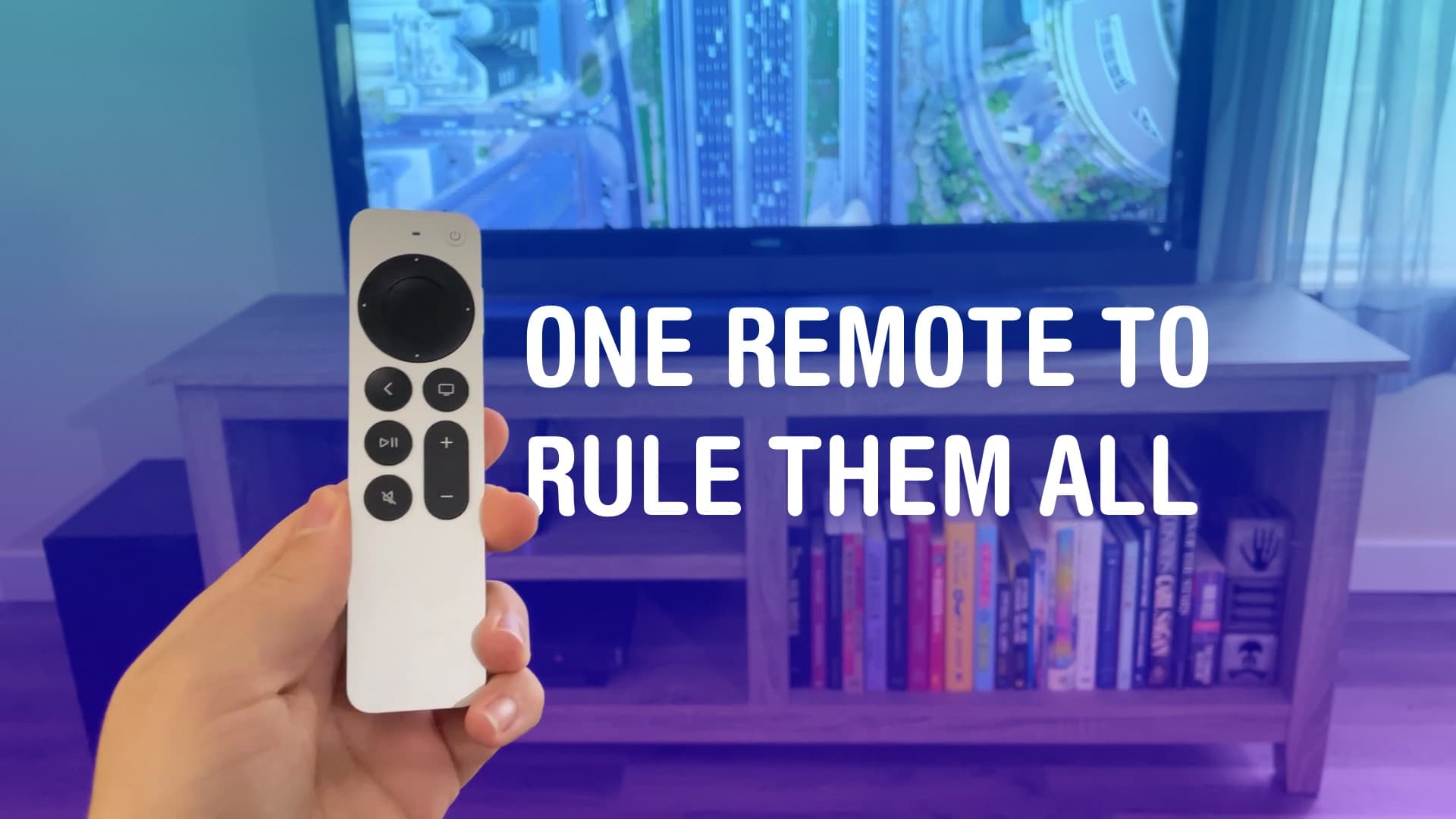
One Remote To Rule Them All
All hail the mighty Siri Remote.
Image: D. Griffin Jones/Cult of Mac

You can set up your Apple TV to control volume on a separate sound system, like a sound bar. It may not work out of the box, but poking around in Settings, you can use the convenient volume buttons built into the Siri Remote.

If you have a separate sound system or an older television, the volume buttons on your Apple TV remote may not work directly. You don’t have to keep two or three remotes sitting around — you can make it all work from just one. It just takes a little setup

Update your Apple Watch and Apple TV with these bug fixes today

By

Apple Watch and Apple TV
Apple Watch and Apple TV users have software patches to install.
Image: Apple/Cult of Mac

Apple released watchOS 10.6.1 and tvOS 17.6.1 on Monday, a pair of “bug fix” patches for Apple Watch and Apple TV that offer no new features.

New versions of iOS 17.6.1 and iPadOS 17.6.1 from two weeks ago went out at the same time, but don’t appear to be available for most models.

You’ll want to change these three Apple TV settings after you set it up

By

Apple TV settings: Fix Its Biggest Problems
Fix the remote, the Home Screen, and those pesky sports notifications.
Image: Davidbspalding/Wikimedia Commons/D. Griffin Jones/Cult of Mac

There are three Apple TV settings I always tell people to change as soon as they set theirs up. While I heartily recommend the Apple TV over the clunky and ad-infested experience of Roku and other smart TVs, it’s not perfect. You’ll want to change a few things to make it right. 

First of all, you can put one of the Siri Remote buttons to better use. The TV button, by default, opens the Apple TV app — but you can have it take you to the Home Screen instead. Also, you’ll want to change the Home Screen to show your Continue Watching list, not its recommendations. And finally, you can turn off those annoying Apple TV sports notifications to stop the interruptions while you’re watching your shows. 

Then, you’ll have the perfect TV experience. Keep reading or watch our video.

How to find your lost Apple TV remote with your iPhone

By

Screenshot of an iPhone feature that lets you find a lost Apple TV remote. The phrase
A modern solution to an age-old problem.
Photo: D. Griffin Jones/Cult of Mac

Whether it’s wedged between the cushions or kicked far under the couch, a handy-dandy feature in iOS 17 and tvOS 17 lets you find your lost Apple TV remote using your iPhone.

Sure, you can take the L and simply use your iPhone or Apple Watch to control your Apple TV. But I like having the physical remote on hand, too.

The mind races when one imagines how many hours of human life might have been saved if everyone had this feature 30 years ago. Let me show you how to find your AWOL Apple TV remote with your iPhone.

Netflix ends support for older Apple TV models in July

By

netflix.logo
Your pre-2015 Apple TV is about to lose access to Netflix.
Photo: Brad Gibson / Cult of Mac

The Netflix streaming service will soon stop working on second- and third-generation Apple TV models. It’s not a shocking development as both are over a decade old.

If you’ve been looking for a reason to buy a newer tvOS device, it may have just arrived. (By coincidence, Verizon currently offers the Apple TV 4K for just $89.99.)

How to rename your Apple devices so you can tell them apart

By

Tell Your Devices Apart
Change the name so you can tell them apart.
Image: D. Griffin Jones/Cult of Mac

You can change the name of your Apple devices, whether you have an iPhone, iPad, Apple Watch, Mac, AirPods or Apple TV. By default, it’s just “[your name]’s iPhone.” But you can give your iPhone its own unique name, like Kit-Kat or Magic Rectangle.

Also by default, when you set up a new iPhone, the name is transferred. This can get confusing if you keep old phones around because you’ll see “John’s iPhone,” “John’s iPhone (2),” maybe even “John’s iPhone (3)” and more. The same is true for Apple Watch, Mac, iPad and AirPods.

The name of your device shows up among a bunch of Apple features like AirDrop, Find My, Personal Hotspot, AirPlay and more. If you use these features often, giving it a unique name will make it easier to identify.

Here’s how to fix this mess on all your Apple devices. Keep reading or watch our video.

7 reasons to get an Apple TV instead of a Roku

By

Apple TV Better Than Roku?
Could it be? Yeah, I think so.
Image: D. Griffin Jones/Cult of Mac

Comparing the Apple TV vs. Roku vs. other smart TV products, there are a lot of good reasons to stick with Apple’s offering — even though it’s more expensive.

Roku is the more popular product, selling plug-in devices for as little as $30. And if you buy a new TV today, it’s probably running Roku or Google TV software. Although the latest Apple TV 4K is a pricey $129, it offers better privacy protection, it’s easily controlled with your iPhone and Apple Watch, makes FaceTime calls, plays better games and runs faster.

Check out our latest video or keep reading.

New Belkin mount connects iPhone to Apple TV for top-quality video calls

By

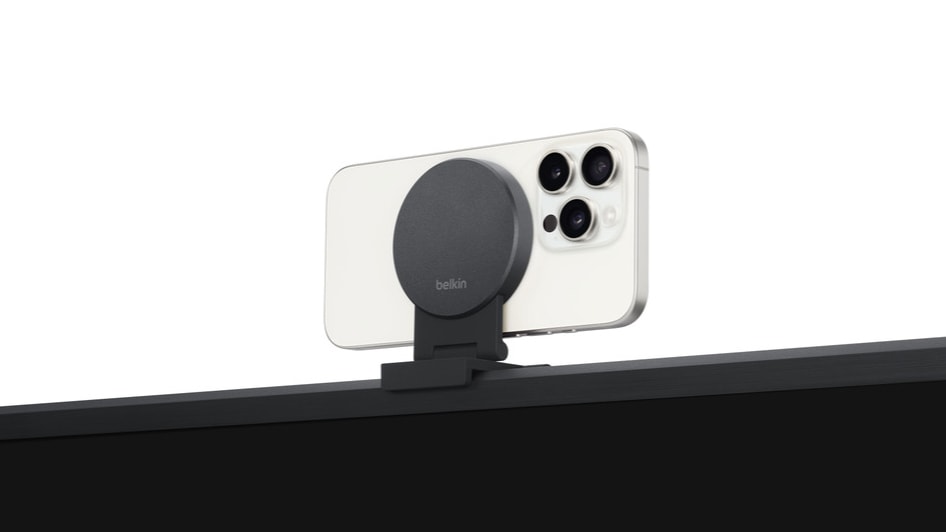
New Belkin mount connects iPhone to Apple TV for top-quality video calls
Belkin makes it a snap to mount an iPhone on a TV.
Photo: Belkin

The just-launched Belkin iPhone Mount with MagSafe for Apple TV 4K makes it easy to hold FaceTime calls with Apple’s set-top box. It magnetically holds an iPhone so its cameras point toward the user.

Video-chat capability is built into Apple’s set-top box — the mount just makes it simpler.

Through Wednesday only: Up to 83% off Apple accessories

By

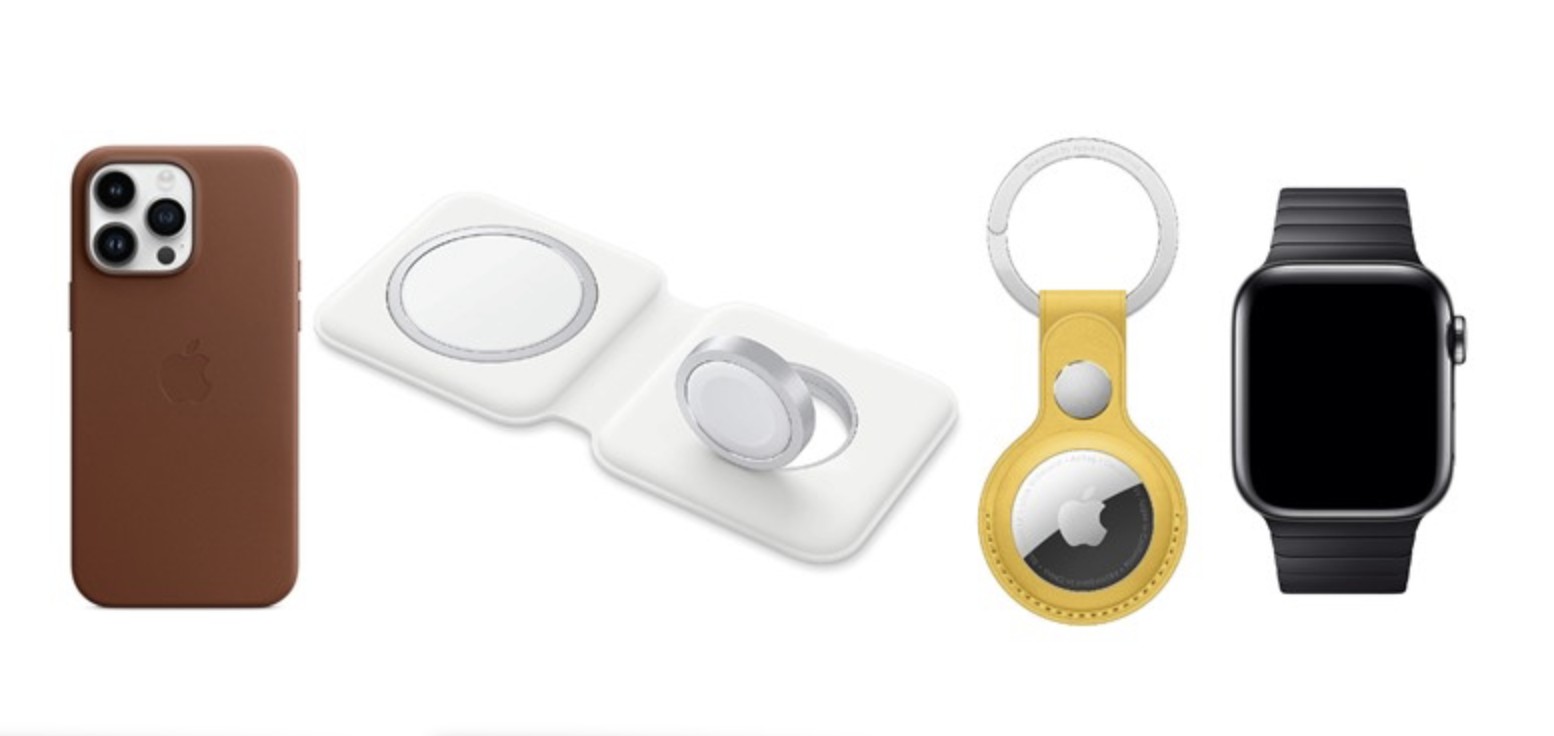
Apple MagSafe Duo wireless charger
You can get a MagSafe Duo wireless charger for iPhone and Apple Watch for 38% off.
Photo: Apple

Amazon bargain site Woot! is offering deep discounts, anywhere from 13% to 83% off, on dozens of Apple accessories and a few choice items like Apple Watch Ultra and AirPods Pro — but only until Wednesday at 9:59 p.m. PT.

As of Tuesday morning, one item had sold out and 52 remained, including accessories for iPhone, Apple Watch, AirTag, AirPods and more. See some highlights below.

More Messi: 2024 MLS Season Pass opens to new subscriptions

By

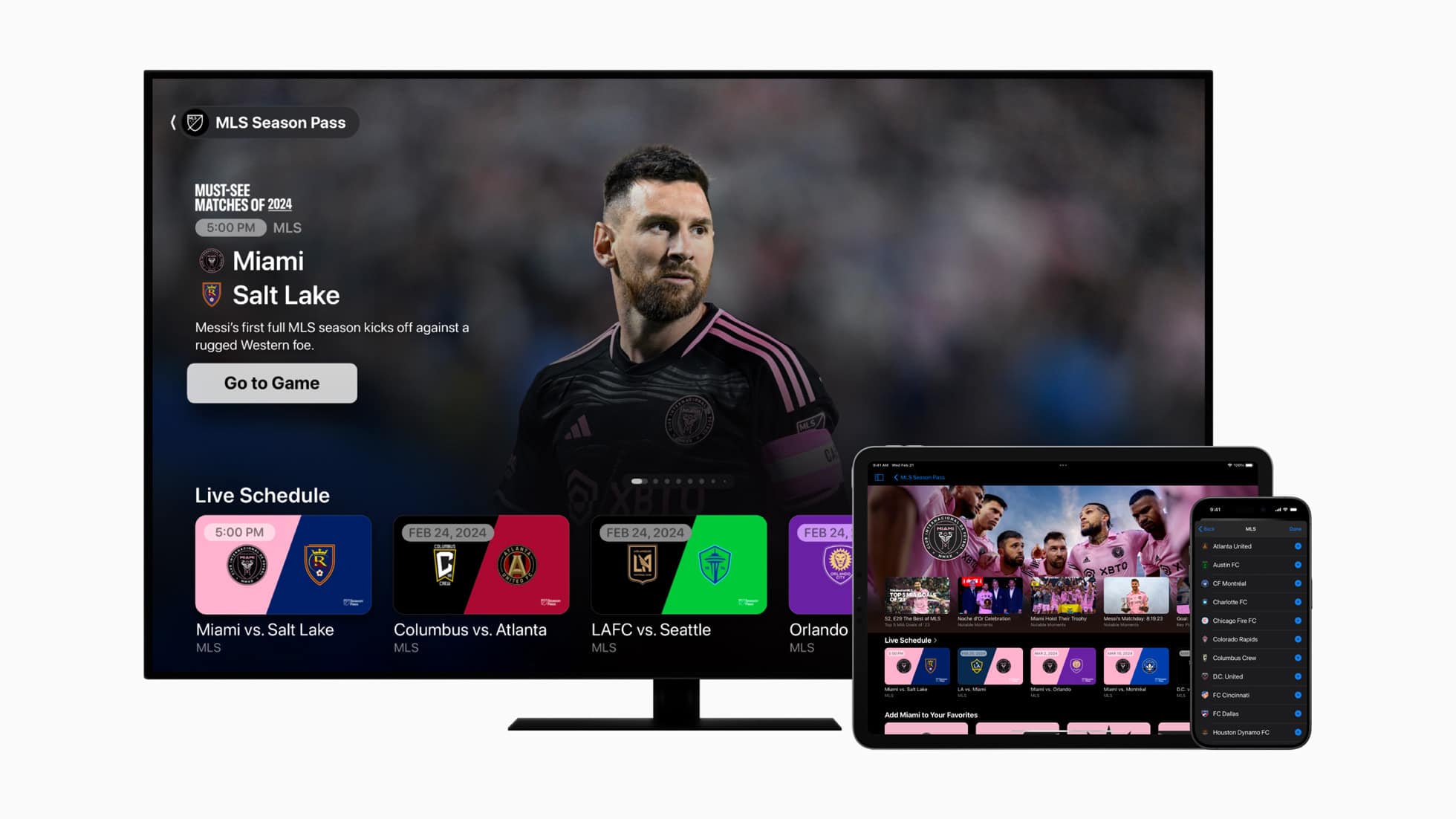
MLS Season Pass on Apple TV
MLS Season Pass gives fans access to every MLS game, in-depth analysis and exclusive content.
Photo: Apple

Major League Soccer’s 29th season kicks off February 21 on MLS Season Pass on the Apple TV app, but fans can subscribe to the service starting Monday, Apple said.

International superstar Lionel Messi joined Inter Miami CF late last season, so 2024 will see his first full season with the club, and fans can also check out a variety of exclusive content.

Apple pitches Vision Pro as ‘ultimate entertainment device’

By

Apple Vision Pro Environments
Environments are dynamic vistas in your space that change as the day progresses.
Photo: Apple

New entertainment experiences launching with Apple Vision Pro on February 2 should be dazzling, as users can turn any space into a personal theater, enjoy more than 150 3D movies and experience “the future of entertainment” with Immersive Video, Apple said Tuesday.

“Apple Vision Pro is the ultimate entertainment device,” said Greg Joswiak, Apple’s senior vice president of worldwide marketing. “Users can turn any place into the best seat in the house, enjoy personal concerts and adventures with Apple Immersive Video, interact with lifelike prehistoric creatures in Encounter Dinosaurs, and even land on the surface of the moon using Environments. It’s unlike anything users have ever seen before and we can’t wait for them to experience it for themselves.”

Zoom video-chat app launches on Apple TV [Awesome Apps]

By

Zoom for Apple TV
You can now make Zoom calls on your biggest screen via Apple TV.
Photo: Zoom/Cult of Mac

Awesome AppsFrom the “better late than never” category, a version of the Zoom video conferencing app has launched for Apple TV. This means it’s now easier to make Zoom calls using a TV’s large display.

Turns out the long wait was actually Apple’s fault.

Apple Black Friday deals: AirPods, Apple Watch, iPad and more [Held over!]

By

Illustrative graphic with the text 'Best Apple Black Friday deals'
There are some great deals to be had on Apple gear and accessories during the 2023 Black Friday sales.
Photo: Midjourney/Cult of Mac

Update: Black Friday might be over but the deals certainly are not. Many of the best deals on Apple products are still live and you can score some hefty discounts on them this shopping season. In fact, some of these deals disappeared for a while on Black Friday — like the iPad (9th gen) for just $229 (save $100) — then reappeared at some point!

For starters, don’t miss this killer deal on AirPods Pro 2 (with USB-C) for just $189 (save $60) — this is the best price we’ve seen on the best AirPods you can get. Plus, Apple Watch SE (2nd gen., 2022) is down to just $179 (save $70) — the SE is a great gift for someone this Xmas. Or, if you are shopping for yourself, the latest Apple Watch Series 9 is just $329 (save $70).

There are lots of great Apple deals to be had on Black Friday 2023 — just not from Apple itself. Apple is usually pretty stingy when it comes to Black Friday (Tim Cook loves his margins!). This year, you can get an Apple gift card worth up to $200 when you splash out on select products, but the latest and greatest — iPhone 15, M3 MacBook Pros, iMac, and the Apple Watch Ultra 2 — are not included.

However, there are great savings on Apple products from third-party retailers like Best Buy, B&H Photo, Target and Walmart. All these stores offer significant discounts on AirPods, Apple Watch, iPads, iPhones and more. Here are the best deals on Apple gear we’ve found.

Apple accessories blowout sale: Get up to 90% off iPhone cases and more

By

Woot Apple accessories sale
Here's your chance to bag great deals on Apple accessories.
Photo: Woot!

Amazon bargain site Woot! launched an Apple accessories sale with something for almost everyone — and deals as good as 90% off certain iPhone cases and 61% off an Apple Thunderbolt 3 Pro cable.

But with 49 products on sale, that’s just a taste. Act fast, the sale ends November 10 at 9:59 p.m. PT.

Apple adds 100+ podcasts with improved access

By

iOS 17 gives Apple Podcasts users a refreshed player and queue, episode art, search filters and the ability to connect subscriptions to top apps.
Photo: Apple

Now you can listen to more than 100 new podcasts from various apps and services in Apple Podcasts, the company said Tuesday.

“Subscribers to Apple Music, Apple News+ and participating apps like Calm and Lingokids can connect their subscriptions to access new shows and more,” Apple noted.

Mark your calendars for iPhone 15 launch [The CultCast]

By

iPhone 15: Coming soon! The CultCast logo, episode 607.
What will iPhone 15 look like? We're about to find out.
Image: Cult of Mac

This week on Cult of Mac’s podcast: Looks like we have an iPhone 15 launch date. An early hint pinpointed September 13, but now it looks like the big reveal might come a day earlier. Mark your calendars (but maybe use a pencil rather than a Sharpie).

Also on The CultCast:

  • We take a closer look at what the iPhone 15 Pro’s A17 Bionic chip can do.
  • Apple’s working on a wide array of M3 Macs — here’s a rundown. Plus, the M3 Max chip sounds particularly beastly.
  • Total Mac aficionado Griffin explains why an iPad makes a better choice than a MacBook Air for college students.
  • Apple TV 4K is about to get a sweet upgrade just for AirPods fans.

Listen to this week’s episode of The CultCast in the Podcasts app or your favorite podcast app. (Be sure to subscribe and leave us a review if you like it!) Or watch the video live stream, embedded below.

Introvert Marcie takes center stage in new Peanuts trailer

By

You remember Marcie, don't you? She's the smart, quiet one.
Photo: Apple

“Sometimes, the people who make the biggest difference aren’t the ones who grab the spotlight,” Apple TV+ said Wednesday, when it dropped a trailer for a new Peanuts special focusing on the introverted character Marcie and all the behind-the-scenes work she does.

Snoopy Presents: One-of-a-Kind Marcie premieres Friday, August 18.

Apple wants to make anything into a TV remote. Anything.

By

Apple wants to make anything into a TV remote. Anything.
Yes, this could be an Apple TV remote.
Photo: RDNE Stock project/Pexels

Suppose you could change the channel on your TV by moving a sofa cushion? Or adjust the volume with a plate of nachos? That’s the simple but somewhat ridiculous idea behind a patent Apple applied for.

While silly, it would mean we’d never need to worry about losing the TV remote.

Get organized with Function101 accessories at 20% off

By

You can use the BentoStack to neatly store you Apple accessories (and charge them).
Photo: Function101

Do you ever feel like you could be neater and less disorganized? Some of us always feel like that. But plenty of tools exist to help you get organized, like the Function101 accessories listed for 20% this week in the Cult of Mac Store.

You can find 10 helpful items in the Function101 collection, from desktop organizers to cable-management must-haves. See some highlights of the sale below. The sale runs through July 5.

Apple is reportedly working on iMac with 30-inch-plus screen

By

New iMac with 30-inch display in development
Would you buy an iMac with a 30-inch+ display?
Photo/Graphics: Apple/Rajesh

Aside from the inevitable iPhone refresh (and the headset everyone’s buzzing about), Apple reportedly has several other major new products lined up for launch in 2023 and the first half of 2024. This includes revamped iPad Pros with OLED displays, new Macs powered by a next-gen M3 processor and an upgrade to the Apple Watch Ultra.

Apple also is supposedly in the early stages of developing an iMac with a display that measures more than 30 inches.