Mobile menu toggle

security - page 21

iOS 5.1.1 Patches Important URL Spoofing Vulnerability In Safari

By

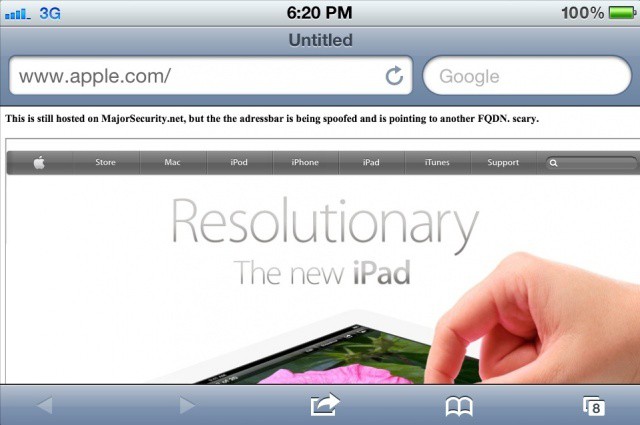
Apple has fixed an important security issue in iOS 5.1.1.

Apple released iOS 5.1.1 for iOS device owners today over-the-air and in iTunes. The update brings several bug fixes and improvements, including a fix for certain iPads that loose connectivity when switching between 2G and 3G networks.

An important security update has also been included in iOS 5.1.1 for a URL spoofing technique in Safari that made the news a couple weeks ago.

Mobile Security – Simple Username and Password Isn’t Good Enough

By

More mobility requires more security options that just a username and password

There’s plenty of news out there about the way mobile technology, BYOD programs, and other facets of the consumerization of IT trend are reshaping the workplace and the IT department. The traditional daily routine of typing a username and password into PC in the morning, using that computer all day long, and shutting it down before heading home is gone for many of us.

Today, we use a mix of devices in the office, during meetings, on the road, and often from home. That mix of devices, a range of different apps, cloud services, and remote access empowers us in ways that were unimaginable a few years ago. In this new workplace, however, do we need something more than the old username and password to make resources available and keep them business data secure?

IT Needs To Chill Out Before Wiping iPhones and iPads

By

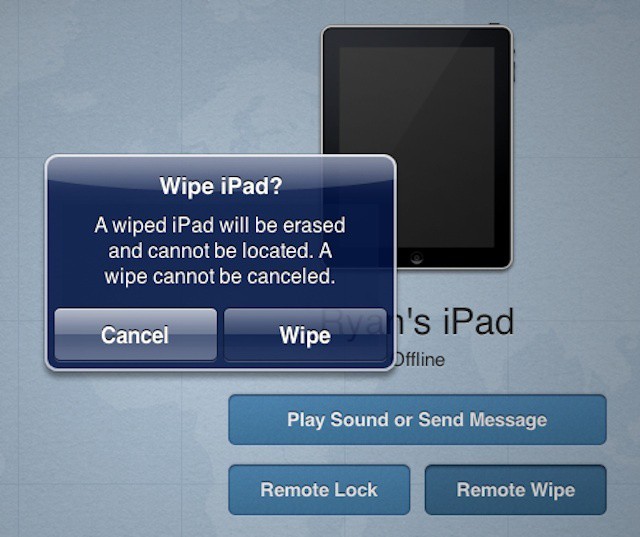
Is IT too quick to jump to the remote wipe option?

BYOD programs have a tendency to worry IT departments. After decades of being charged with keeping computers, supporting devices, and data safe and in working order, losing control of hardware is a massive culture shift. Even absent a BYOD program, the growing number of mobile devices that are used outside of the office and take corporate data outside the security of an enterprise network can be disorienting for long term IT professionals.

That leads to a tendency to clamp down with every ounce of security muscle available – mobile device management (MDM) can’t entirely secure an iPhone or iPad, but they can do a pretty good job of locking it down, monitoring it in the office or on the road, and make it easy to wipe everything off of it at a moment’s notice.

Are “Beneficial Viruses” The Future Of Mobile Security?

By

bigstockphoto_data_security_2346522
Could viruses actually protect company data on an iPhone or iPad?

The BYOD movement has transformed the relationship between IT staffers and other employees in a wide range of companies. While there are benefits to BYOD, there are also headaches – and securing data on personal devices and/or securing the devices themselves is one of the biggest. While there’s an ongoing discussion about whether to manage data, apps, or devices, right now most companies are developing a strategy that has a mix of approaches.

All that could change if the mobile management industry unfolds the way Gartner analyst Ken Dulaney expects. Dulaney is an advocate of creating what he calls “beneficial viruses” that companies can layer into apps and data itself – the idea being that the data could delete itself if it becomes compromised.

The Real Reason Why Apple’s Security Is 10 Years Behind Microsoft’s

By

mac-virus-trojan

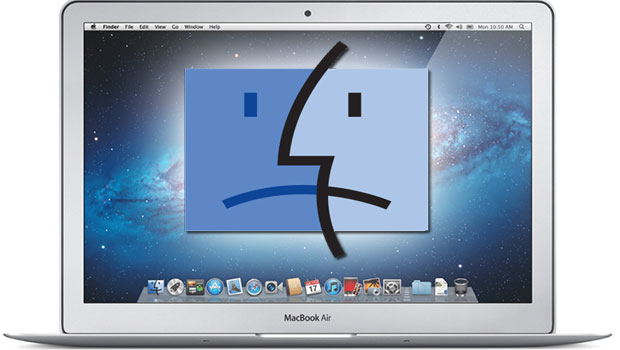
Last week, Eugene Kaspersky — the eponymous founder of the industry leading Kaspersky security company — made some waves by claiming that OS X was “at least 10 years behind Microsoft in terms of security.”

Since Kaspersky’s eyebrow-arching claim, there’s been a lot of bickering about whether what he said was true, or whether his comments were self-serving. Maybe Kaspersky’s right, though, and Apple should follow in Microsoft’s footsteps and outsource OS X security to the anti-virus industry?

Face Recognition Photo App Hopes To Sidestep Basic Flaw With A Blink [Review]

By

Dare you show your face?

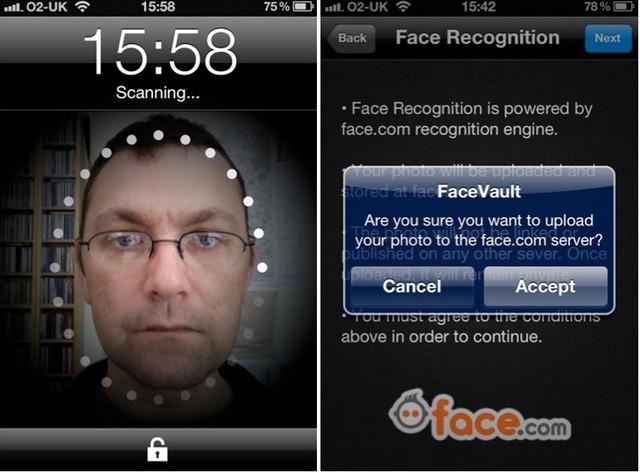
Facevault is a one-dollar photo archive app that can only be unlocked by one person – the one with the right face.

It sounds neat, and yes, it works. But the face recognition features come at a price, and are hindered by a flaw that affects other apps using the same technology: it can’t tell the difference between real faces, and photos of real faces.

New Windows Conficker Infections Put Flashback In Perspective, Offer Warning

By

Continued Conficker threat offers perspective/warning on Mac malware

News, information, and commentary of the Flashback malware threat has ricocheted around the web over the past few weeks. The news of dangerous Mac malware has spread from the Apple and tech media into the mainstream. While not downplaying the seriousness of the threat, a Microsoft announcement yesterday does offer some perspective.

Microsoft made it clear that the Conficker worm is still infecting millions of PCs worldwide – three years after fears about Conficker’s potential damage and the estimated level of infections (estimates ran as high 12 million PCs at the time) created a media frenzy.

48% Of Used Hard Drives Contain Sensitive Data – How To Be Sure Yours Won’t

By

Discarded hard drives often have residual personal data on them
Discarded hard drives often have residual personal data on them.

Many of us pass our Macs and some external devices on to others when we upgrade. Family and friends may get our hand-me-downs, but quite frequently we’ll sell an old Mac, printer, or external drive on eBay or some other venue. Regardless of where our computers and related technology end up when we outgrow them, it’s important to make sure we scrub any personal data from them.

The importance of securely erasing personal and/or business data from hardware that is being passed on, sold, or even recycled was highlighted in a recent study by Britain’s Information Commissioner’s Office, which discovered that half of all used hard drives contained information from their previous owners.

Kaspersky CEO: Apple Is “10 Years Behind Microsoft In Terms Of Security”

By

Kaspersky believes Apple needs to invest more into Mac OS X security as more and more malware infections appear.

One of the main reasons many of us turned to Apple’s machines and its OS X operating system is the belief that the company’s software is more secure than Windows, its biggest rival. However, Eugene Kaspersky, CEO and co-founder of Kaspersky, one of the industry’s leading security specialists, believes that Apple is “10 years behind Microsoft in terms of security,” and that Apple need to invest more into security audits for its software.

New iTunes Security Questions Are Confusing And Can Be Easy To Figure Out

By

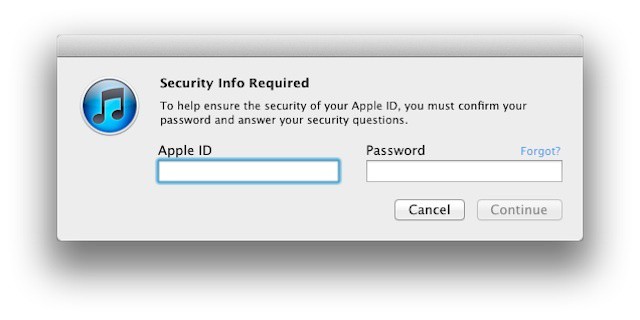
iTunes prompt for new account security questions

Apple recently began prompting users to select three security questions for their iTunes Store accounts. The move helps to ensure that you’re the authorized account holder if you have problems or forget your password.

The idea is well intentioned and a sensible protection for Apple and its customers. Unfortunately, Apple’s way of rolling out these security questions and the questions themselves highlight the old adage about the way to hell being paved with good intentions.

“Wake Up, Mac Users!” One In Five Macs Carry Malware

By

Kaspersky is helping Apple identify vulnerabilities in Mac OS X.
Mac users are being urged to "wake up" and realize that malware is a growing problem for Mac OS X.

Think your Mac’s safe now that you’ve removed that Flashback infection? Think again. New research conducted by security specialists Sophos has revealed a “disturbingly high level” of Macs are currently carrying malware, though much of it is designed to attack Windows machines.

Of the 100,000 Macs that Sophos analyzed, one in five was found to be carrying Windows malware, while one in 36 was carrying malware designed for and dangerous to Mac OS X.

Flashback Trojan Discoverer Reveals That 650,000 Macs Are Still Infected

By

Flashback is still far from dead.

The Flashback saga has yet to reach its end, as a recent report debunks earlier claims that the number of infected Macs had fallen from 600,000 to 140,000 over a matter of a few days. Apple released a security tool to combat Flashback last week, and Norton Symantec reported that the number of infected machines had fallen to 140,000 shortly after. That number has been proven to be inaccurate.

In an interesting turn of events, the original Flashback whistleblower, Russian security firm Dr. Web, has revealed that around 650,000 Macs are still infected with the notorious trojan. Not only are there many Macs connected to the botnet that were previously unaccounted for, but more OS X computers are added every day.

Five Major Lessons IT Needs To Learn From The Flashback Fiasco

By

Flashback threat may be fading, but companies shouldn't get complacent about Mac malware

With the number of Flashback-infected Macs dwindling more each day and Apple’s release of software updates that can both clean an infected Mac and prevent infection or reinfection, it’s easy for IT departments and individual Mac users to think that the crisis has passed. That doesn’t mean that it’s time to forget about the issue of malware targeting Macs, however. In fact, the entire event has been a wakeup call to IT and security professionals as well as to the wider Mac community – Macs are not invincible.

When reflecting on the Flashback events of the past couple of weeks, there are five major themes or lessons for businesses and IT department to consider when it comes to supporting Macs going forward.

Blogger Shows Us How It’s Done – Wins Suit Against Apple Over Defective MacBook Pro

By

2006_rocky_balboa_035

A few years back Seattle Rex had gone all out on a 17” MacBook Pro – spending approximately $4,500 on the then top-of-the-line machine ($5,100 including AppleCare). The particular MacBook Pro he bought turned out to be defective. The laptop’s Nvidia graphics processor started displaying symptoms of the defect shortly after his AppleCare expired. A few days later the laptop died completely – it wouldn’t even start up. At the time Rex’s laptop broke down the defect was a known and well-documented issue. Apple had even issued a tech note and was replacing defective models as they failed.

Unlike iCloud, Google’s Rumored Cloud Storage Could Be a Privacy Nightmare

By

Google
Google could easily amass a good deal of data on users of its expected cloud storage service

There have been rumors circulating for some time about Google releasing its own cloud storage service. According to reports, the service is on the verge of release a launch expected next week. Google’s service will enter a crowded market of cloud providers that includes Apple’s iCloud, Box with its new OneCloud feature, and the popular Dropbox.

Public cloud services like these tend to concern business and IT leaders because of the ease with which data migrates out of the office when they’re widely used. A Google service is likely to engender even more privacy and confidentiality issues on the part of businesses – and for good reasons that should concern anyone considering using it.

Cloud Squatting – Great And Free For Users But A Big Headache For Business

By

Multiple free accounts can mean unlimited cloud storage but with serious tradeoffs

Almost every cloud storage service on the Internet operates using a freemium model. Anyone who signs up gets a certain amount of storage for free. When someone uses up all their free storage, they can add more for a fee. Cloud providers usually layer on a few extra features for paid customers like the ability to stream audio files or the ability to restore deleted files or older versions of documents. Just like most companies now, they to outsource the support process making it easy for clients to resolve issues easily. Netzen is a company that provides IT support to businesses in the UK, consider checking them out if you need help with your IT.

With so many free options, however, it can be tempting to use multiple services simultaneously. Add files to a free Dropbox account up till the free 2GB, then create an account with Box for the next 5GB (Box’s free limit), then create a SugarSync account and on and on.

This approach, known as cloud squatting, effectively nets users unlimited free storage so long as they’re willing to play an ongoing game of musical chairs with their data. iOS and other mobile apps that can access and edit files across different services make it surprisingly easy for users to become cloud squatters – and it’s surprisingly difficult for a business or IT department to prevent or deal with cloud squatting employees.

What Is A UDID And Why Is Apple Killing Apps That Track Them? [Feature]

By

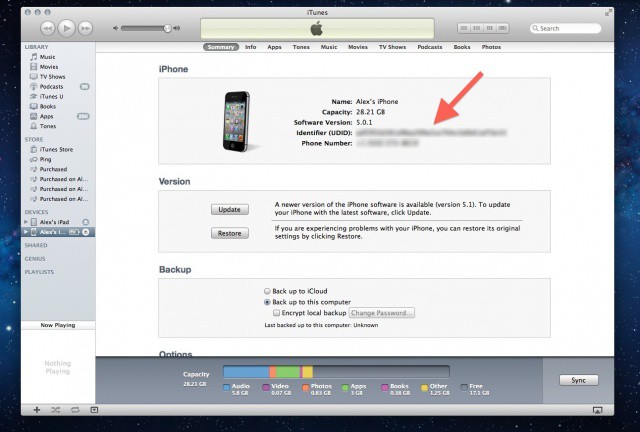
This unique string of alphanumeric text attached to every iPhone and iPad is the source of a lot of privacy concerns.

Many of us feel a deep personal connection with our iPhones, and small wonder: the average person’s smartphone knows more about them than their spouse or significant other. Our iPhones hold our contacts, photos, videos, music, banking data, texts, emails, voicemails, web logins, apps and more. We use our phones to pay our bills, send texts to our girlfriends, check-in to our favorite club, play games with friends, and much more besides.

That makes our iOS devices a juicy target for tracking, and what most people aren’t aware of is that, historically, Apple has made it very easy to anyone to tell what you do with your iPhone. It’s called a Unique Device Identifier or UDID. Every iOS device has one, and using it, third-parties have been able to put together vast databases tracking almost everything you do with your iPhone, iPod touch or iPad.

The good news for privacy advocates is that the days of UDID are numbered. Following the recent stink the U.S. Congress raised over how iOS apps handle a user’s personal information without permission, Apple has given an ultimatum to third-party App Store developers: either stop tracking UDIDs or get kicked out of the App Store. Now ad networks and developers are scrambling to agree on a way to track your device in the future.

But are these replacements any good, or do they pose even bigger privacy concerns than UDIDs did?

Thursby Updates Tool For Macs Used By Top Secret Organizations

By

Thursby updates Mac tool for high security environments

Thursby last week released ADmitMac PKI 4. The release is a specialized version of the company’s ADMit Mac software that focuses two factor authentication. The solution is largely aimed at government customers and regulated industries like healthcare where data security is paramount.

Thursby’s ADMitMac is an Active Directory integration solution that offers several features beyond the built-in Active Directory support that Apple provides in OS X. It offers Mac management capabilities, improved browsing of Windows network resources including Microsoft’s distribute file system, and a number of other administrative tools.

Why Your Company Needs An iPhone / iPad At Work Policy

By

A new CompTIA survey shows one 22% of companies have a mobile use policy


Mobile technology is playing an ever bigger role in the workplace. According to a recent study by IT training and certification giant CompTIA, 84% of knowledge workers use an iPhone or other smartphone for at least some work tasks on a daily basis – unsurprisingly email and using web-based services ranked as the most common and universal uses.

Despite that level of use, the survey – which didn’t break out numbers for corporate-owned versus employee-owned devices – found that only 22% of businesses have an official policy regarding the use of mobile technology. An additional 20% indicated that they are exploring options for mobility policies but haven’t yet completed them.

Dropcam HD, The iOS-Friendly Wi-Fi Security Camera

By

Take care of your creeping paranoia with the Dropcam
Photo:

Got a little corner of your property that you’d like to keep a closer eye on? Or are you just concerned that the babysitter is not shaking your kids hard enough when they start acting up? Then what you need is the Dropcam HD, a Wi-Fi video camera designed for remote monitoring.

Flashfake Antivirus Tool For Mac Finds And Removes Flashback Trojan

By

Whew...
Whew...

Apple recently responded to the Flashback trojan that has reportedly infected at least 600,000 Macs. The Cupertino company said that it is working on an antivirus tool to detect and remove Flashback from infected computers. Another tool called FlashBackChecker can check to see if you’re infected right now.

Russian firm Kaspersky Lab has released a free Mac antivirus tool to not only discover, but also delete Flashback from your Mac.

New Database Could Render Stolen Phones Useless

By

Stolen phones. Photo West Midlands Police  (CC BY-SA 2.0)
Stolen phones. Photo West Midlands Police (CC BY-SA 2.0)

Stolen phones could soon be a thing of the past thanks to a collaboration between the U.S government and the four biggest mobile carriers. The new scheme will use a central database of stolen handsets, and the carriers will use this to block their reactivation.

The idea is that it will reduce cellphone theft by making stolen phones virtually useless.

OpenDNS Is Blocking The Flashback Trojan

By

Just like the old Amiga game of the same name, the Flashback trojan isn't much fun

OpenDNS, the DNS provider of choice to the discerning and paranoid, is blocking the Flashback Trojan. Once it has infected your Mac, Flashback attempts to “call home” to a server to receive further instructions.

Open DNS will now block that connection.