Mobile menu toggle

Search results for: shortcuts

How To Get Your Mac To Tab To Every Field In Web Forms [OS X Tips]

By

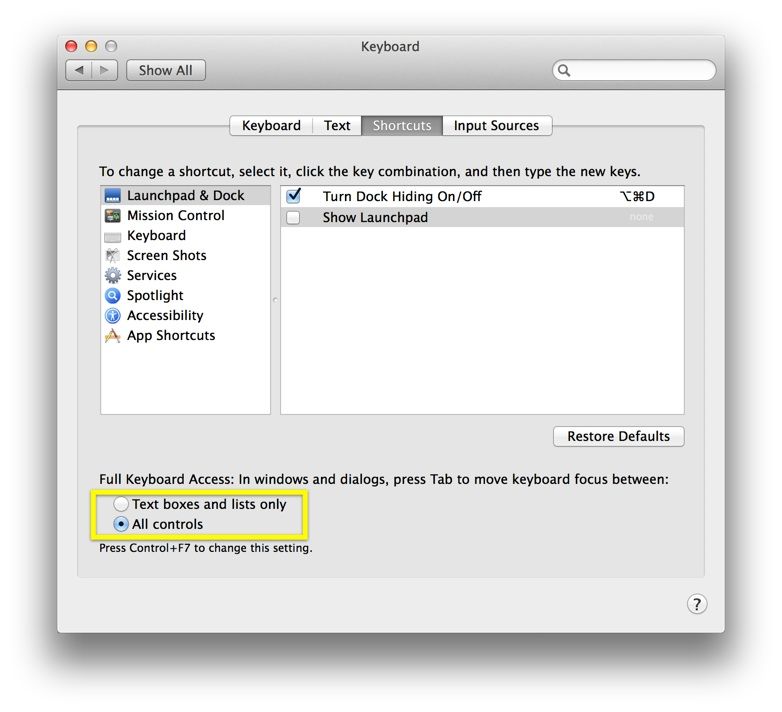
All Controls

I know it’s probably a tiny thing, but man, do I hate having to click on the web form fields to fill in stuff in a drop down menu, like those State choosers, or Date choosers.

There I am, tabbing along from form field to form field, blithely filling in the data being requested (Name, Address, Phone Number, etc.), when it’s time to hit the State form. The input skips it, every time! I have to take my hands from the keyboard, drop them to the trackpad, or (even worse) the mouse, and click on the dang thing.

There’s got to be a better way.

iWork Gets Refreshed Design And New Features On Web Alongside App Updates

By

Screen Shot 2014-01-23 at 5.51.56 PM

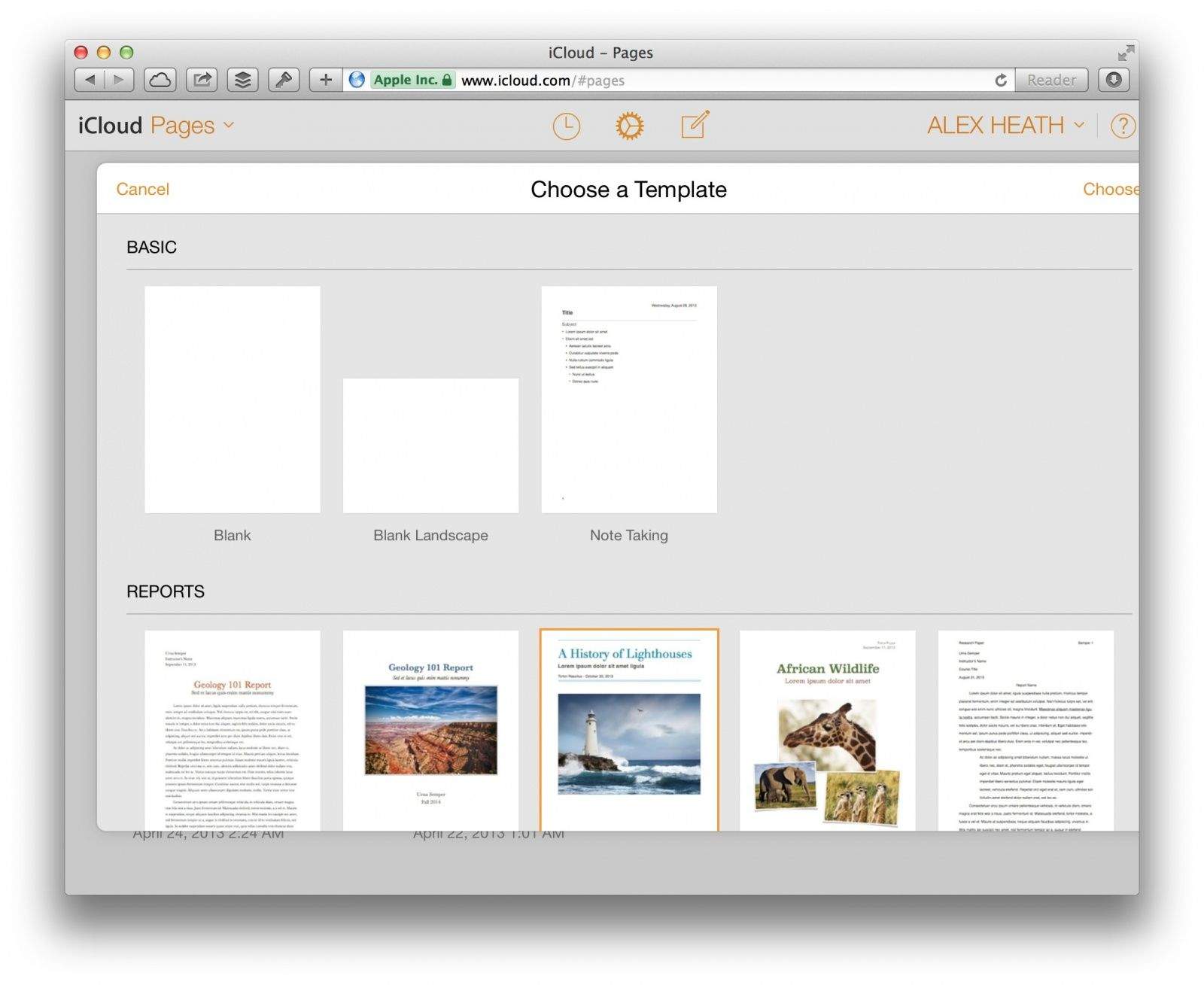
Today Apple released a slew of updates to its iWork productivity suite. On the web, iWork for iCloud has received an iOS 7-like makeover in every aspect except the editing interface. Browsing for documents on iCloud.com now looks more like it does on iOS.

An emphasis has been placed on document sharing with a new “Shared with Me” menu in each app’s toolbar. You can also share password-protected documents, presentations, and spreadsheets.

Apple didn’t just update iWork’s web apps today. Several updates have been released on iOS and OS X as well.

How To Replace Text Emoticons With Emoji [iOS Tips]

By

shortcuts1

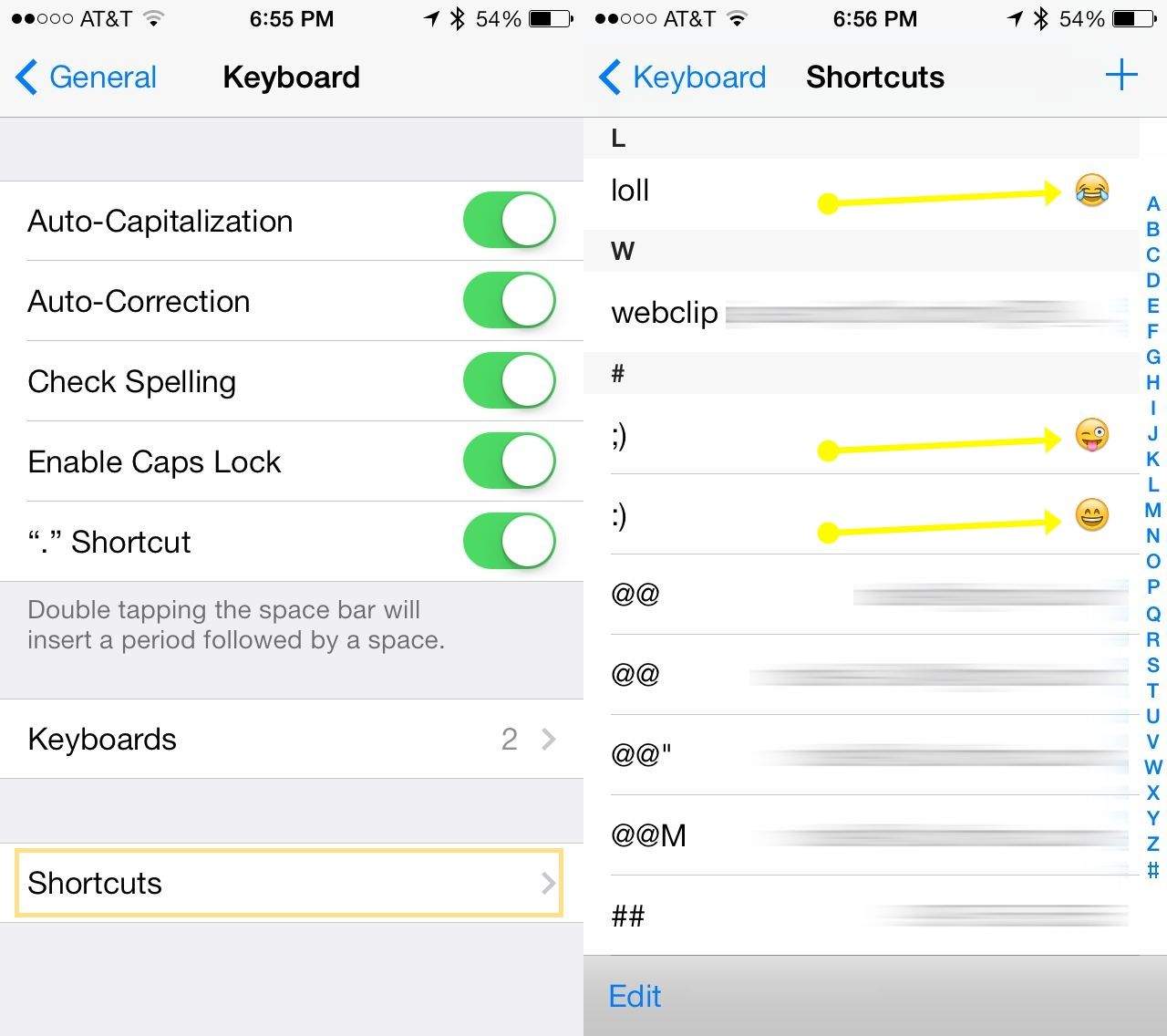
Sure, you use the Messages app to send along SMS and iMessages all day long. You know how to use Emoji’s, too, with a tap on the international keyboard button on your iPhone.

I bet you even use regular text emoticons, like semi-colon and parenthesis to create a wink, or colon and parenthesis to create a smile.

But have you ever tried to have your iPhone turn your text-based emoticon into an Emoji? I bet you haven’t.

Palette, Control Any Mac App With Modular Knobs And Dials

By

Palette-HERO


Keyboard shortcuts and trackpad gestures are fine, but they’re not as good as dedicated knobs and dials for just getting out of the way and letting your concentrate on the job instead of the interface. But knobs and dials are annoyingly fixed, whereas an on-screen control panel can be changed to fit the function.

Can you see where we’re going here? The Palette does both. It’s a modular, Lego-like set of buttons, knobs, dials and sliders which can be configured in hardware and software to do whatever you want them to.

Zoom It App Puts Your Mac’s Screen In The Loupe

By

mac-img

Fact: I’m currently waiting for my lazy optician to supply my first pair of “old-man glasses” aka specs with progressive lenses. In young-folk terms that means I get glasses which let me read without holding the iPad at arms-length.

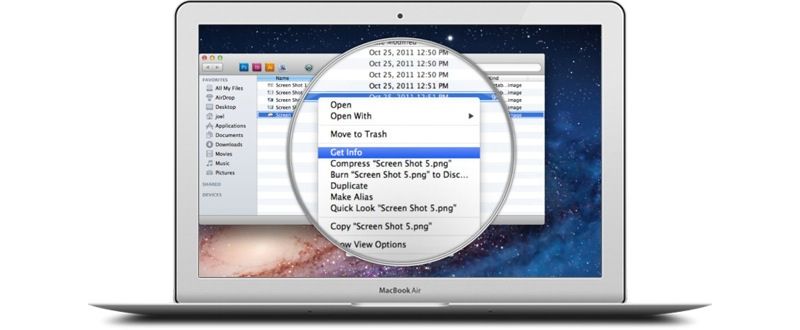
In the meantime, I have boosted the size of my iPad’s text, but on the Mac I might give Zoom It a spin. It’s a loupe app that magnifies whatever is under it’s little virtual glass eye, and it’s now compatible with Mavericks.

Write for Mac Beta Now Available

By

write beta

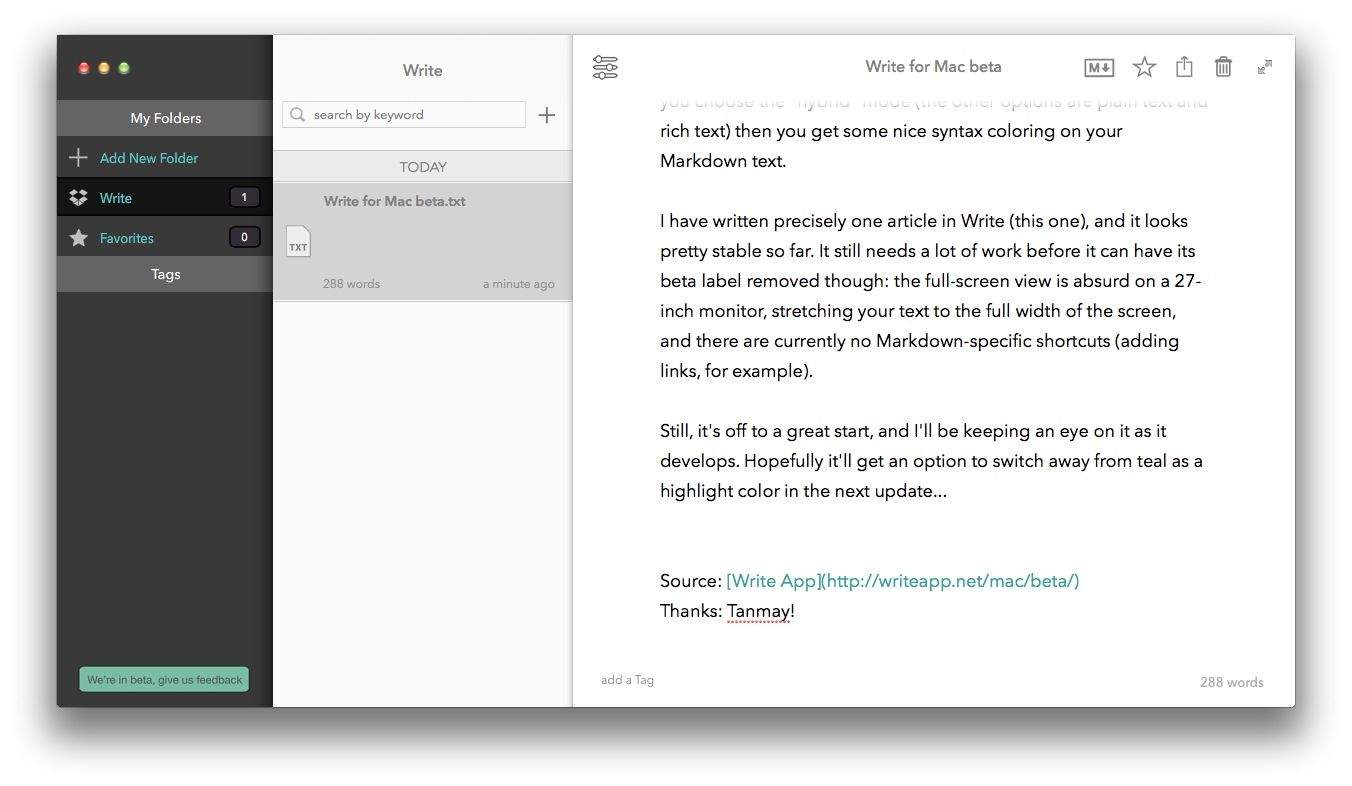
Write, the slick iPhone and iPad text-editing app, is now available in beta form on the Mac. It doesn’t yet have many of the fancy trimmings of its iOS siblings, but it is already a rather nice place to write your Markdown, rich text or plain text notes.

Double Your Mac Productivity With The OS X Mavericks Productivity Course [Deals]

By

redesign_macdojo-mainframe

After the holiday season, there are usually a lot of new Mac owners. Many of those new Mac users aren’t familiar with the platform, having switched from a Windows machine. Instead of relying on more seasoned Mac owners, wouldn’t it be great if there was an easy way to point new users in the right direction? Thanks to Cult of Mac Deals and Mac Dojo, now there is.

The Mac Dojo Productivity Course couldn’t come at a better time in the twilight of the holiday season. There’s a lot of you with new Macs out there, and if you want to get the most out of it – this is the course for you. And you can get it for a limited time for only $25 – a savings of 74%!

The Best iOS Apps Of 2013 [Roundup]

By

Best-Apps-2013

As we approach the end of 2013, it’s time to take a look back and pay some recognition to some of the finest apps that have hit the App Store over the past 12 months.

It’s not easy to build a successful iOS app anymore — with over 1 million of them in the App Store, competition has never been tougher — but some developers have proven it’s still possible to stand out among the crowd with titles that are either completely unique, or just far greater than their rivals.

We’ve picked 15 that you really shouldn’t miss.

Letter, A Beautiful Markdown App Just For Writing Emails

By

Screen Shot 2013-12-24 at 09.34.54


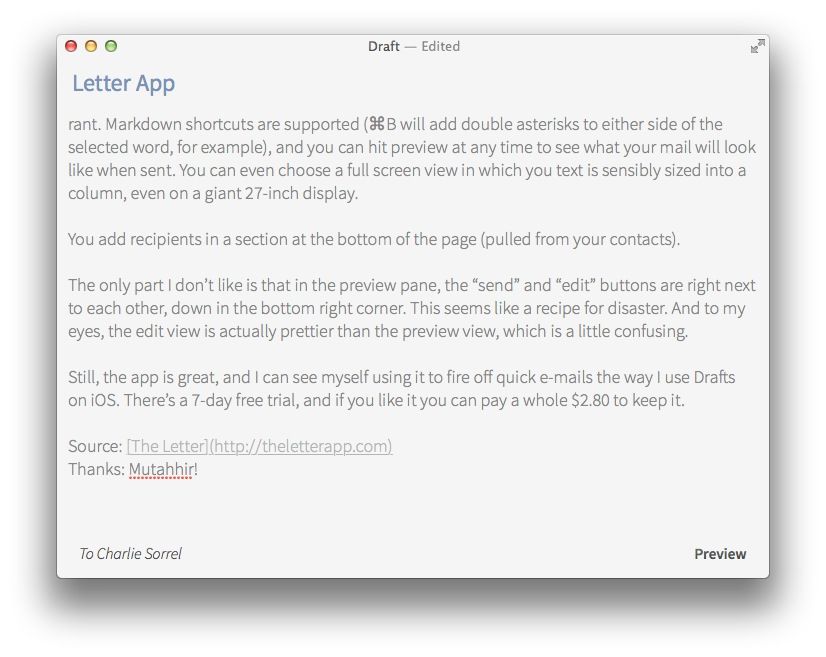
Have you ever responded to an e-mail from your boss with some angry knee-jerk reply, then you’ve accidentally sent it, only to regret it later as you sweep the contents of your desk into a cardboard filing box? Me too, but as Leander never reads any of his e-mail, I — unlike you — still have a job.

Let.ter is a brand new app which will help you stay employed next time. It’s a beautifully simple Markdown-based app with one purpose: composing e-mails away from your main e-mail app.

1 92 93 94 95 96 121