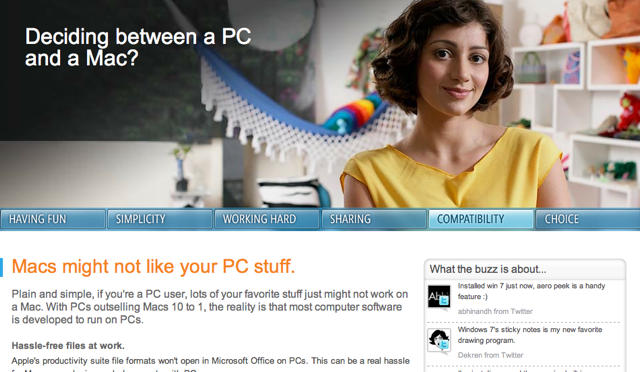
It’s been almost two years since Microsoft’s laughable, misleading and creatively bereft “I’m A PC” ads, and you’d think they’d have learned something about appearing too defensive… but no! Right in time for the annual “Back to School” laptop sales wars, Microsoft has launched an official PC vs. Mac section on their website.
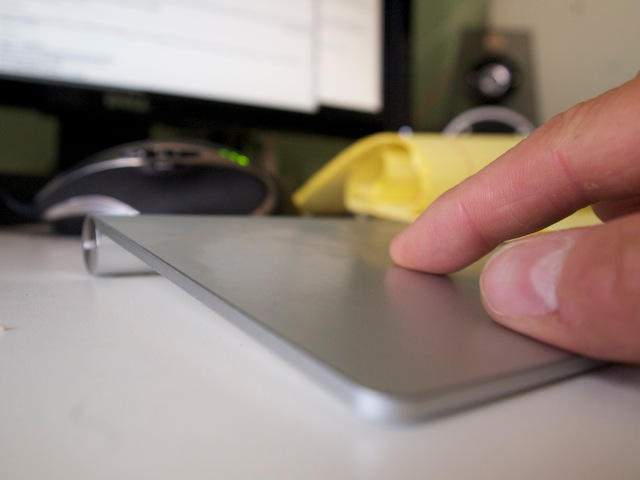
I’ve been using Apple’s Magic Trackpad for just over a week, and I can confidently say it’s replaced the mouse for me.
The Magic Trackpad is easier to use, much more functional than even a multibutton mouse, and possibly less prone to causing repetitive strain injuries.
We start the day with two hardware deals. Expercom has a deal on a 3.06GHz Core 2 Duo 27-inch iMac, bundled with three years of AppleCare for $1,599. The Apple Store has a number of unibody MacBook Pros, starting at $929 for a 2.26GHz model. We round out our featured deals with the latest crop of App Store freebies, including “Made in USSR: Merry Cook,” a game and watch-style LCD game.
We’ll also check out a couple iPhone protectors, an alarm clock that also serves as a dock, and software for your Mac. As always, details on these items and many others can be found at CoM’s “Daily Deals” page right after the jump.
Serious>PC heavy, but if you game under Boot Camp, that shouldn’t be a problem, and there are numerous Mac titles like World of Warcraft, Civilization IV and Unreal Tournament 2004.
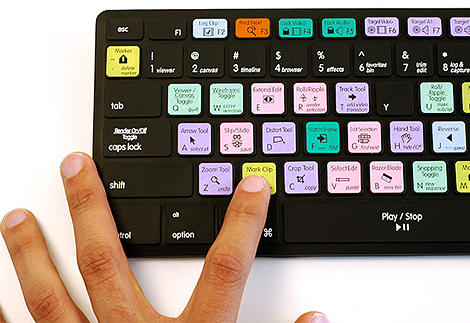
Other features of the G510 include custom-color backlighting, allowing you to truly tart up your keyboard according to your own chromatic specification, integrated USB audio for headset support, 18 programmable keys and simultaneous key input for up to five keys at once, allowing you to deploy some truly polydactyl shortcuts.
The G510 costs $119.99, and although it’s temporarily sold out, you can sign up to be notified when the keyboard’s next available over on the official Logitech website.
Number seven in our series is free, streamlined, an absolute joy to use — and here’s the biggie — syncs seamlessly with one of several desktop companions (which are also free); it’s also the first essential in our series that fully replaces a native app.
According to French blog Mac Generation, we can all expect Safari 5 to be unveiled at WWDC in just a handful of hours.
Rumor? Sure. But they’ve got a convincing looking changelog, boasting a 25% improvement in JavaScript performance, a new Safari RSS Reader which will probably be too simplistic for serious feed junkies, more than twelve new HTML5 features, hardware acceleration in Windows and the option to add Bing as your default Search engine. It also looks like Apple is changing Safari’s address field to function more like Firefox’s Awesome Bar.
Confused by which combination of keypresses triggers your favorite shortcut? What about trying to remember which arcane spell of glyphs describes that shortcut in Mac terminology?
There’s a site for that… or, at least, there will be, when its owner gets finished with it. Keyonary is an online directory of keyboard shortcuts . Using the search bar, you simply type in the shortcut you’d like to find and Keyonary will return it to you.
To be honest, the site’s pretty rough right now, and while the presentation is slick, the owner’s entering all these shortcuts in by hand… which means that while Photoshop and OS X are fairly well covered by Keyonary, there’s a lot of shortcuts for other popular Mac apps still to be filled.
Still, we wanted to point Keyonary out… not because of what it is now, but what we hope a little encouragement will allow it to become: an I Use This for user-submitted shortcuts to all your favorite Mac applications.
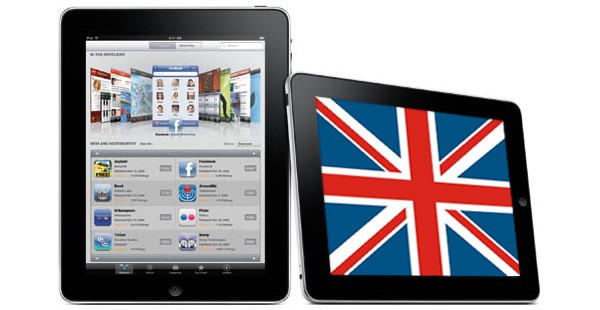
Much has been made over the last 24 hours about the fact that Apple has managed to sell two million iPads in just 60 days — a pace dramatically ahead of the original iPhone, which took 74 days just to get a million units into the hands of the public. Much less-debated, but potentially more interesting for Apple’s long-term future, is that the iPad has grossed more than $1 billion in revenue by hitting the 2 million mark. At $499 a pop and units as pricey as $829, they’ve cleared that barrier by a flying leap in record time. For context about just what a monumental achievement this is, consider the fact that when FedEx reached $1 billion in gross sales in its tenth year of operation, that was the quickest rise to a billion dollars in revenue without acquisitions in the history of American business.
Apple’s growth machine has hit a new gear with iPad, and I’d like to take this post to due some geeky quick and dirty analysis in the manner used at my day job to get a sense of Apple’s expectations for the platform and to guess as to whether its rapid take-off is a good sign or a sign of danger.
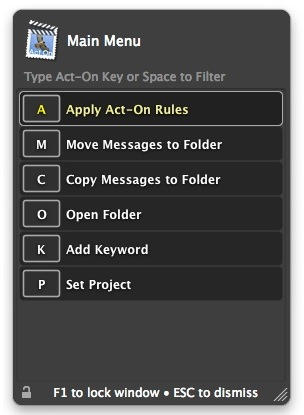
Mail Act-On is a unique plug-in for Apple’s own Mail application. It won’t appeal to everyone, but it is an excellent tool for managing lots of email and keeping it all organized.
It serves the needs of two distinct sorts of person: those who live most of their working hours inside Mail, and those who want to minimize the time they spend in it. Either way, Mail Act-On is a godsend.