Mobile menu toggle

Search results for: mechanical keyboard

Classic Harmon Kardon SoundSticks rock MacBook Pro rig [Setups]
By

Harmon Kardon Soundsticks
Even after years, Harmon Kardon Soundsticks still look like no other speakers.
Photo: [email protected]

When we first saw a Harmon Karmon SoundSticks speaker system many years ago, we thought it looked weird, cool and futuristic. And all these years later, it still looks like nothing else on the market. The company is justifiably proud of the “inspiring industrial design,” and the Apple administrator who runs today’s M2 MacBook Pro setup is happy to have the speaker system filling his room with sound.

Vivo mount lifts external displays and MacBook Pro together [Setups]

By

Vivo Dual Monitor Mount
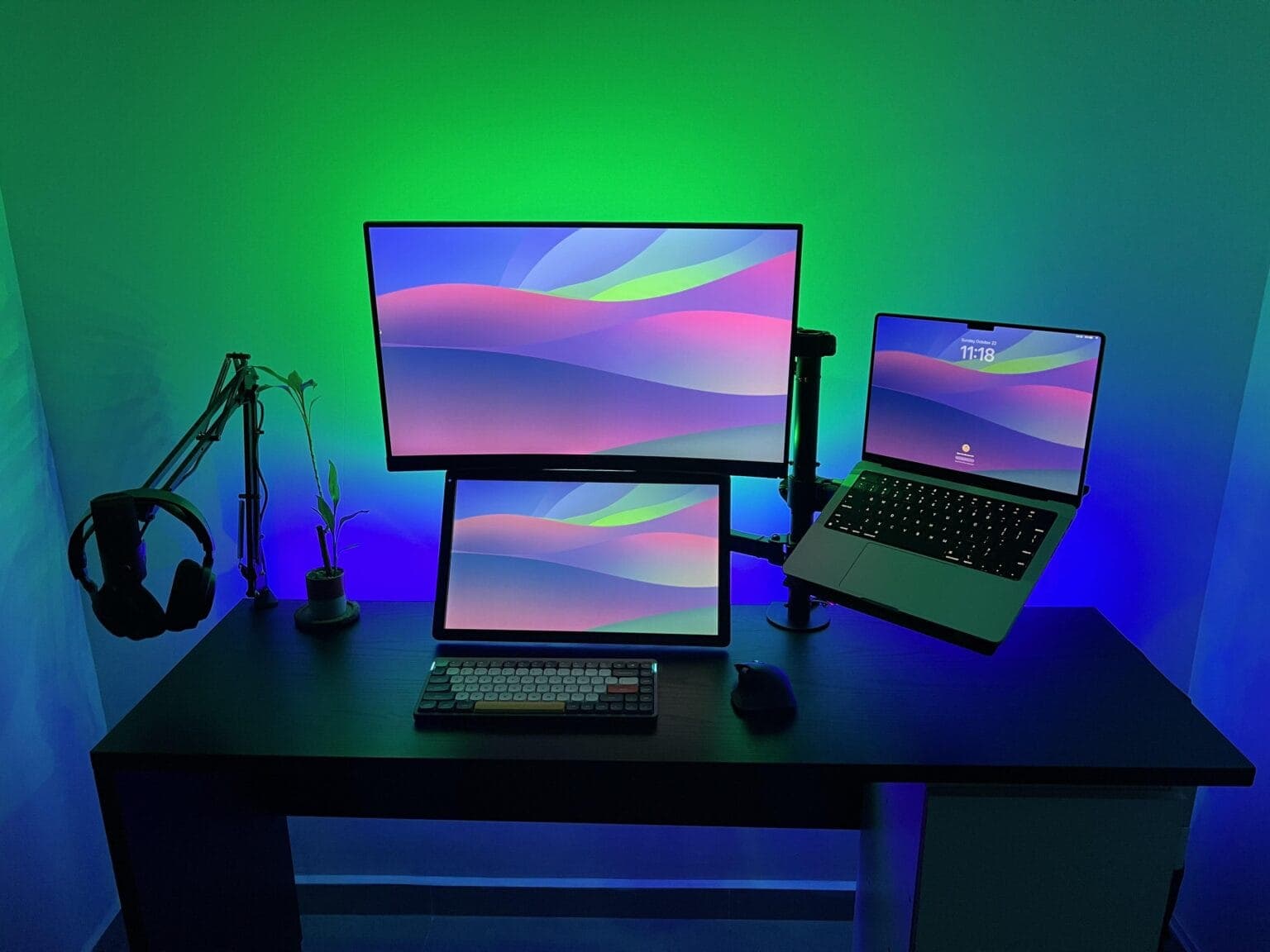
In this setup, one arm mounted on the desk handles the laptop and two external displays.
Photo: [email protected]

Today’s featured MacBook Pro setup belongs to a coder in Panama who uses two excellent stands to lift almost all of his gear off his desk. One’s a microphone arm doubling as a headphone stand. The other, more-substantial rig is a Vivo Dual Monitor Desk Mount that holds aloft two external displays and a MacBook Pro on a tray. That really tidies up the desk.

Would you go this wide with your external display? [Setups]

By

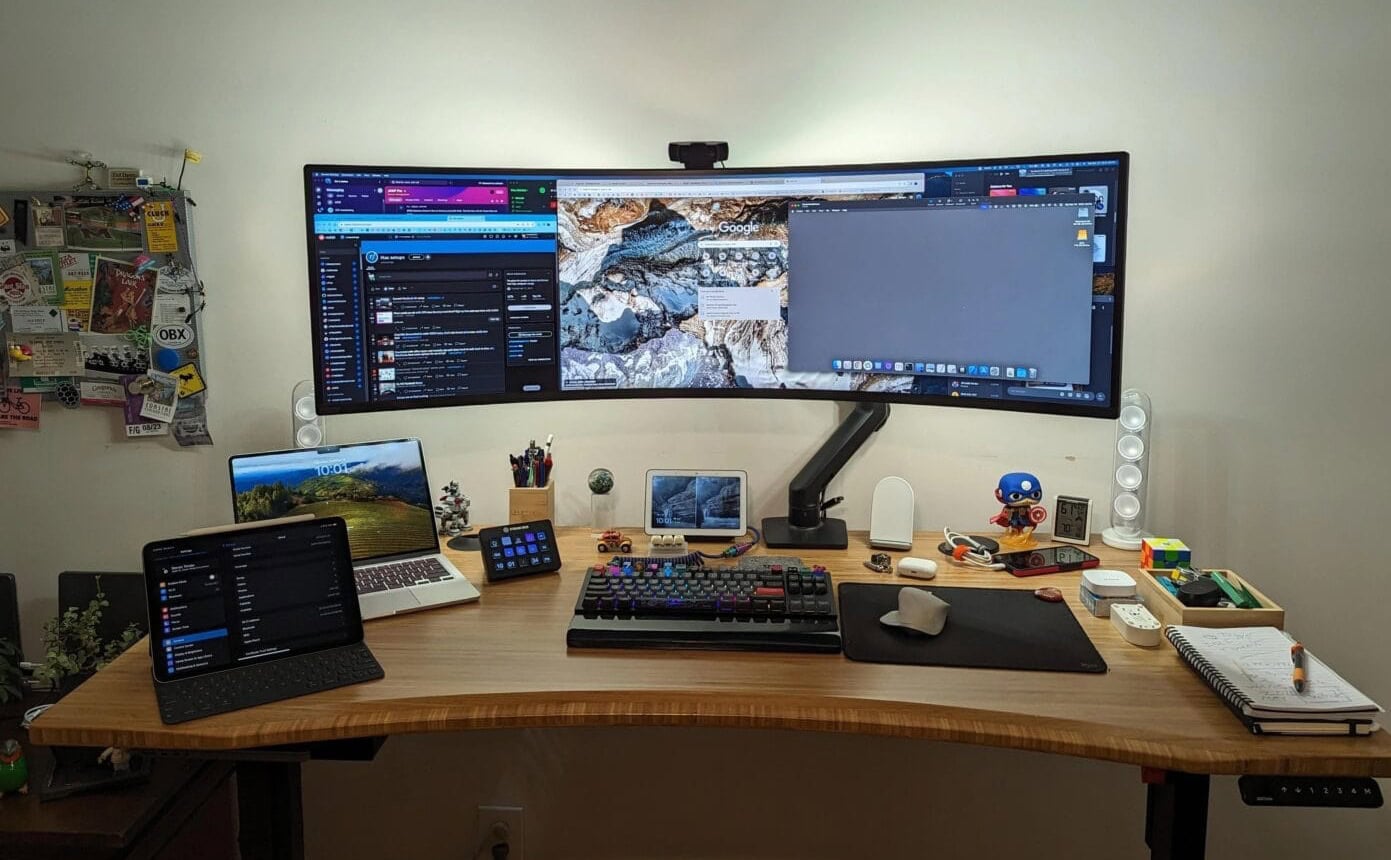
49-inch Samsung Odyssey Neo G9 monitor setup
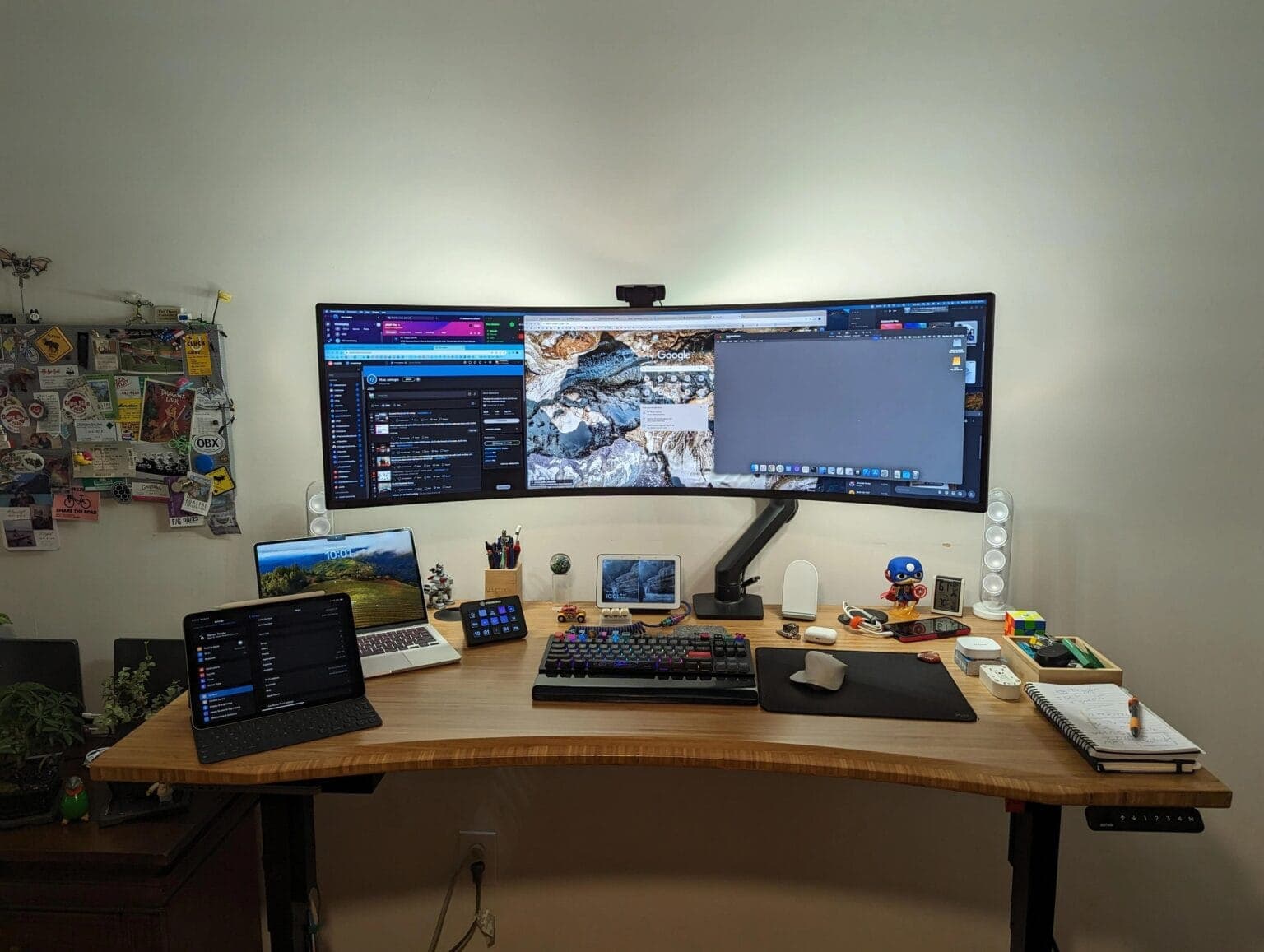
That's a 49-inch curved Samsung monitor. It would dwarf many desks.
Photo: [email protected]

Some people prefer two or more displays in their computer setup, some go for just one — often a big one. Today’s outstanding MacBook Pro setup, run by an Apple admin no less, goes ultra-wide and then some with a 49-inch curved Samsung display. It’s massive. If you like customizing your Apple devices, you may also want to check out how to name my iPhone and personalize your setup further. It’s massive, and if you’re considering a Viewfinity option, take a look at this Samsung ultra-wide monitor setup.

Can’t afford a Studio Display? Build one. [Setups]

By

DIY Studio Display setup
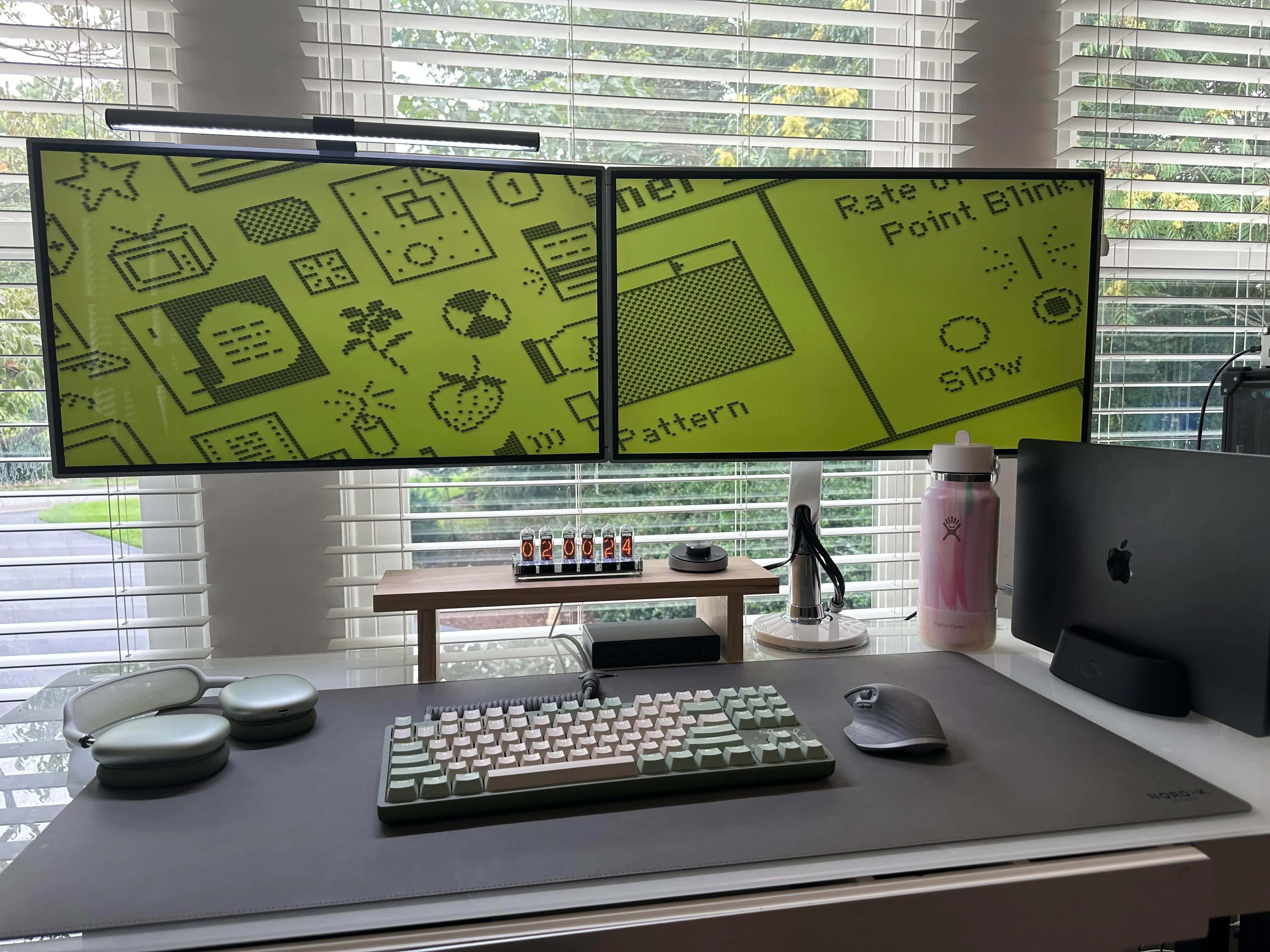
Want a 5K display without paying Studio Display (or even LG) prices? Build it yourself.
Photo: [email protected]

The main complaint about Apple’s 5K Studio Display is price — at about $1,600, it’s financially out of reach for many people. And 5K monitor competitors like LG only bring the cost down a few hundred bucks. So how about saving some dough by making your own DIY Studio Display? The owner of today’s M3 Pro MacBook Pro setup did just that, crafting dual 27-inch 5K monitors for several hundred dollars less than buying production models.

Surprising choice of retro wireless speaker ‘gets the job done’ [Setups]

By

Edifier desktop speaker setup
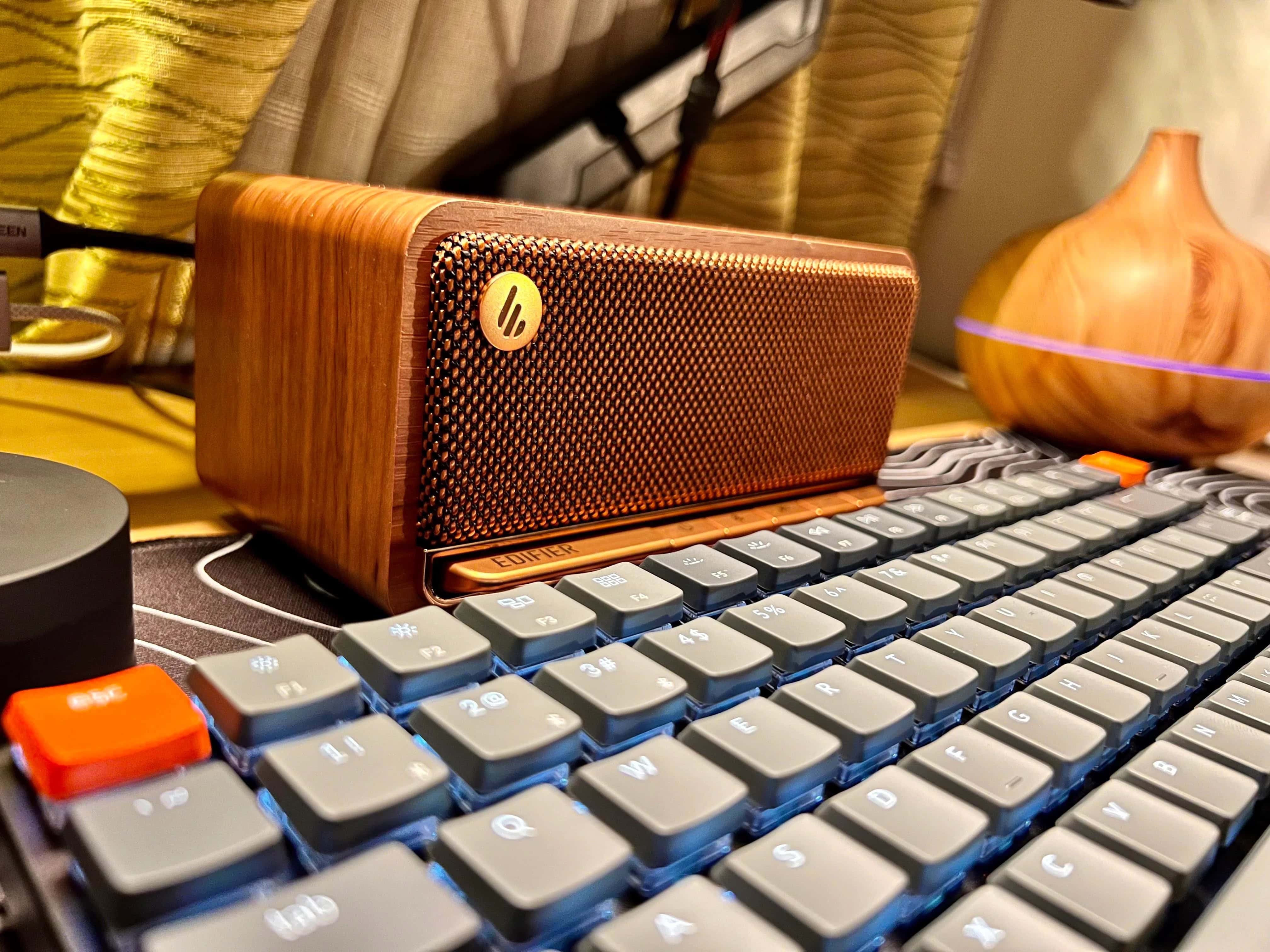
Did you know you can turn any computer setup "retro-cool" with the right choice of wireless speaker?
Photo: [email protected]

Today’s M3 MacBook Air setup features a retro-cool speaker unlike most you’ll see in workstations. When people look beyond the laptop for sound, the usual answer is bookshelf speakers. But the doctor who runs this MacBook Air and iPad Pro setup likes an unusual choice — an Edifier desktop speaker called the MP230.

Bad news for Apple Watch, good news for iPhone/HomePod [The CultCast]

By

The CultCast episode 655, with a black-and-white photo of a surprised young girl.
Which Apple rumor are you most surprised by?
Photo: Nathan Bingle/Unsplash License

This week on Cult of Mac’s podcast: We dissect the latest Apple rumors, which go from incredible bummer (Apple Watch) to potential breakthroughs (iPhone and HomePod).

Also on The CultCast:

  • The latest iOS 18 beta brings some welcome new changes.
  • A teaser trailer and a release date get us psyched for season two of Severance.
  • Griffin tells us all about a keyboard with a peculiar name in a new Under Review segment.

Listen to this week’s episode of The CultCast in the Podcasts app or your favorite podcast app. (Be sure to subscribe and leave us a review if you like it!) Or watch the video live stream, embedded below.

Developer loves ‘hated Touch Bar’ on MacBook Pro [Setups]

By

MacBook Pro with Touch Bar
Unlike many, this developer actually likes the Touch Bar on his 2017 MacBook Pro.
Photo: [email protected]

Apple doesn’t have a very long list of unpopular products or features, but whatever list of shame it may keep probably includes MacBook Pro’s Touch Bar. But not everyone hates the feature. The Python developer who runs today’s MacBook Pro setup actually loves it.

Want to save big bucks on great desktop speakers? Try these. [Setups]

By

Edifier R1280T powered speakers setup
Edifier makes high-quality audio products for mid-range budgets.
Photo: [email protected]

Looks like today’s computer setup user spent bigger bucks on an M2 MacBook Pro and an epic ultra-wide curved display, and smaller bucks on a good sound system. That’s smart, because you can get high-quality near-field-monitor speakers for your desktop without spending a mint — if you go with something like this user’s Edifier R1280T speakers.

1 17 18 19 20 21 48