Mobile menu toggle

Search results for: apple tv

Today in Apple history: Fans line up to get their hands on the very first iPhones

By

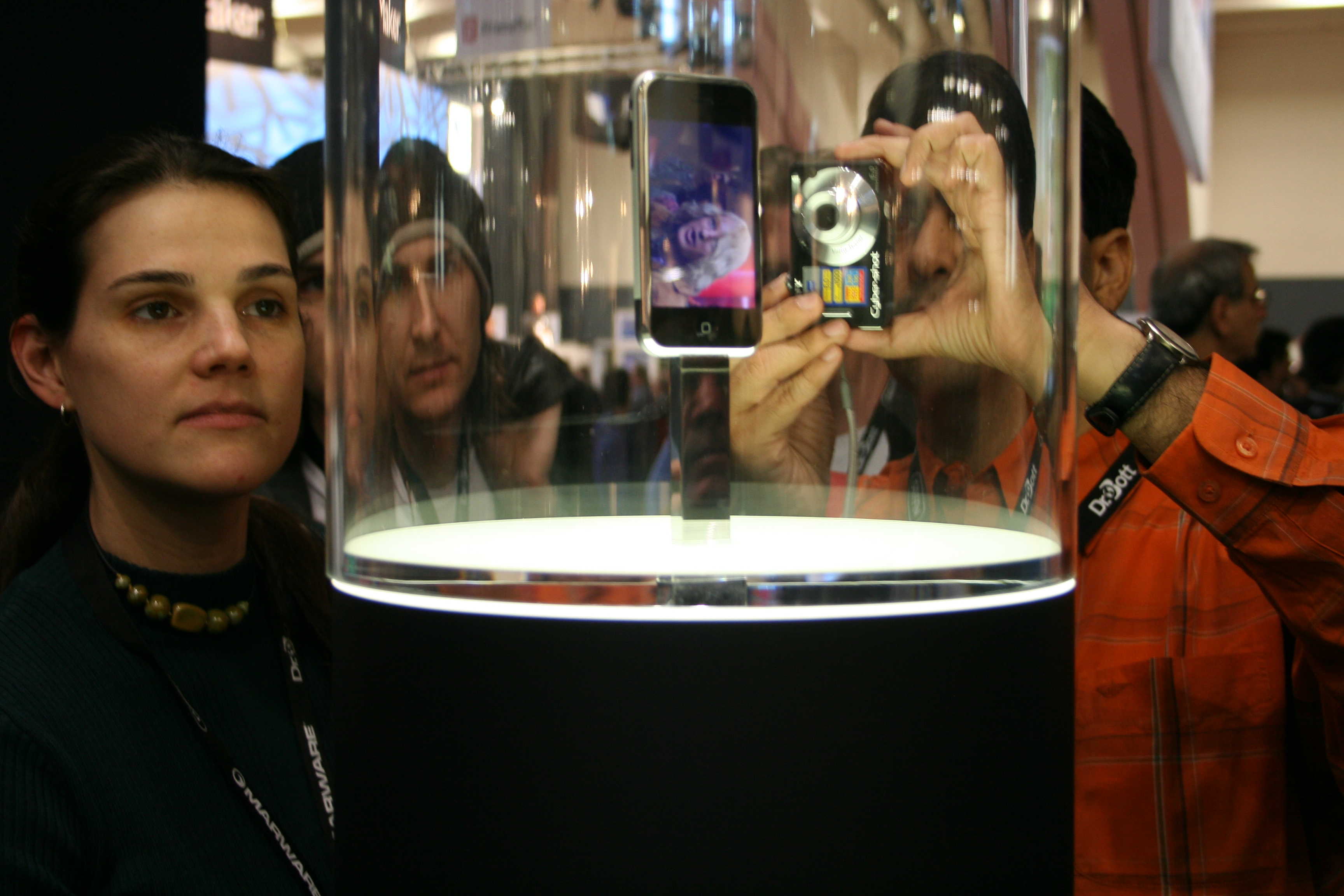
A photo of people looking at the first-gen iPhone inside a glass case on the original iPhone launch date.
The smartphone that changed smartphones!
Photo: Traci Dauphin/Cult of Mac

June 29: Today in Apple history: Fans line up to get their hands on the very first iPhones June 29, 2007: The first iPhone launch date arrives, giving excited Apple fans lined up outside stores their first chance at owning the game-changing smartphone. The queues that greet the device around the world prove that Cupertino is onto a good thing with the smartphone, first shown off by Apple CEO Steve Jobs earlier in the year.

The launch-day fervor offers a glimpse of just how revolutionary the iPhone will become.

How to play Apple’s daily crosswords on iPad and iPhone

By

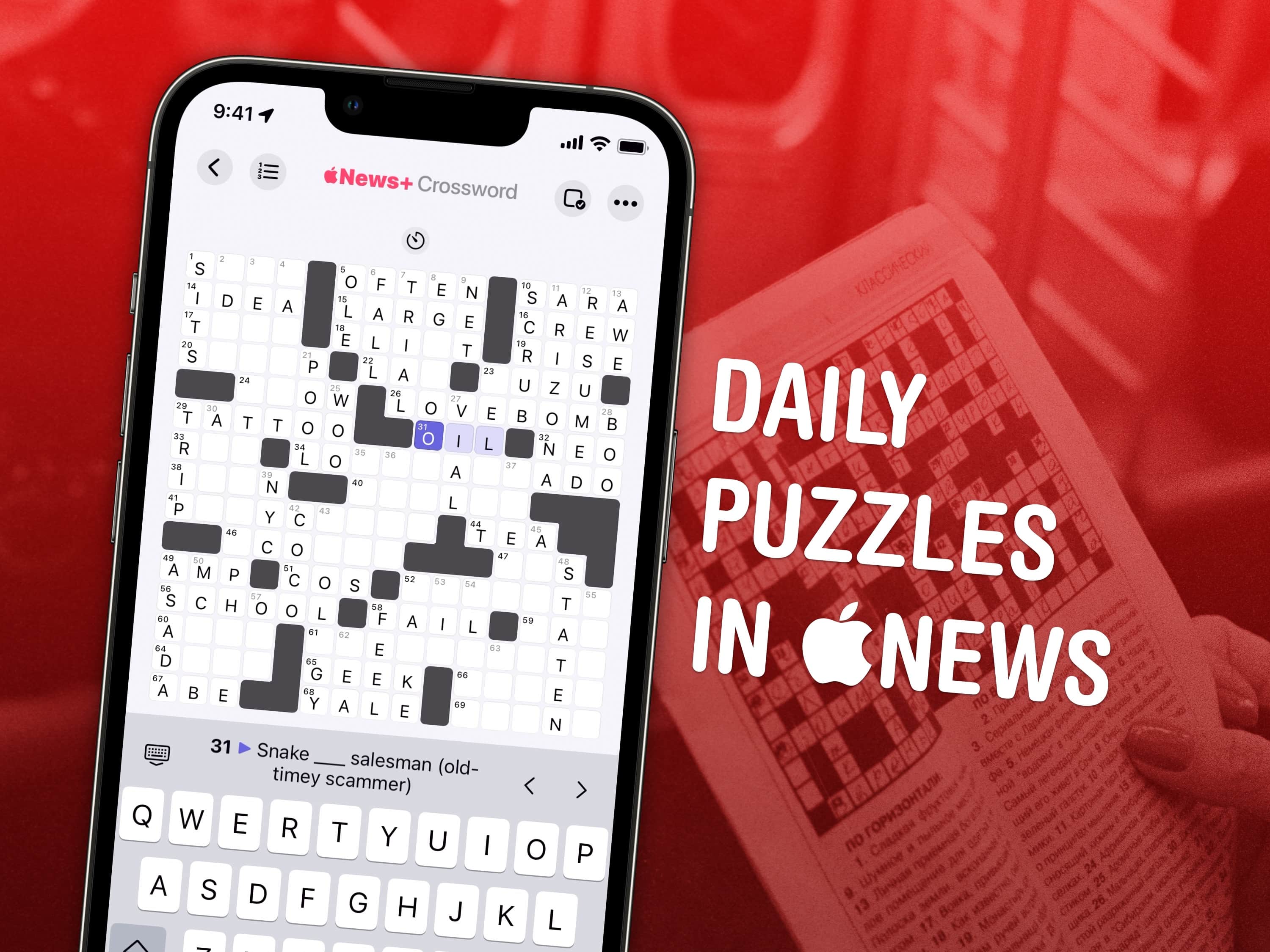
Daily Puzzles in Apple News
Get a crossword every day in the Apple News app.
Image: Wil540 art/Wikimedia Commons/D. Griffin Jones/Cult of Mac

Apple has a daily crossword and crossword mini that you can play on your iPad and iPhone inside the News app. This feature is available to anyone with an Apple News+ subscription or the Apple One Premier bundle.

I absolutely love playing the crossword puzzles every day. I’m not very good at them, but it’s a fun challenge and it’s a well-designed app.

Here’s how it works.

Today in Apple history: Paul McCartney is unlikely star of iTunes ad

By

An vividly animated Apple ad showcases Paul McCartney's
A vividly animated Apple ad showcases Paul McCartney's "Dance Tonight."
Photo: Apple

June 14: Today in Apple history: Paul McCartney iTunes ad features Dance Tonight June 14, 2007: Paul McCartney sings his new song “Dance Tonight” in an iPod + iTunes ad, the latest in a series of Apple spots starring music industry legends.
The new animated ad signifies a thawing of the icy relationship between Apple and McCartney, whose original band The Beatles has been locked in a legal battle with Cupertino for decades.

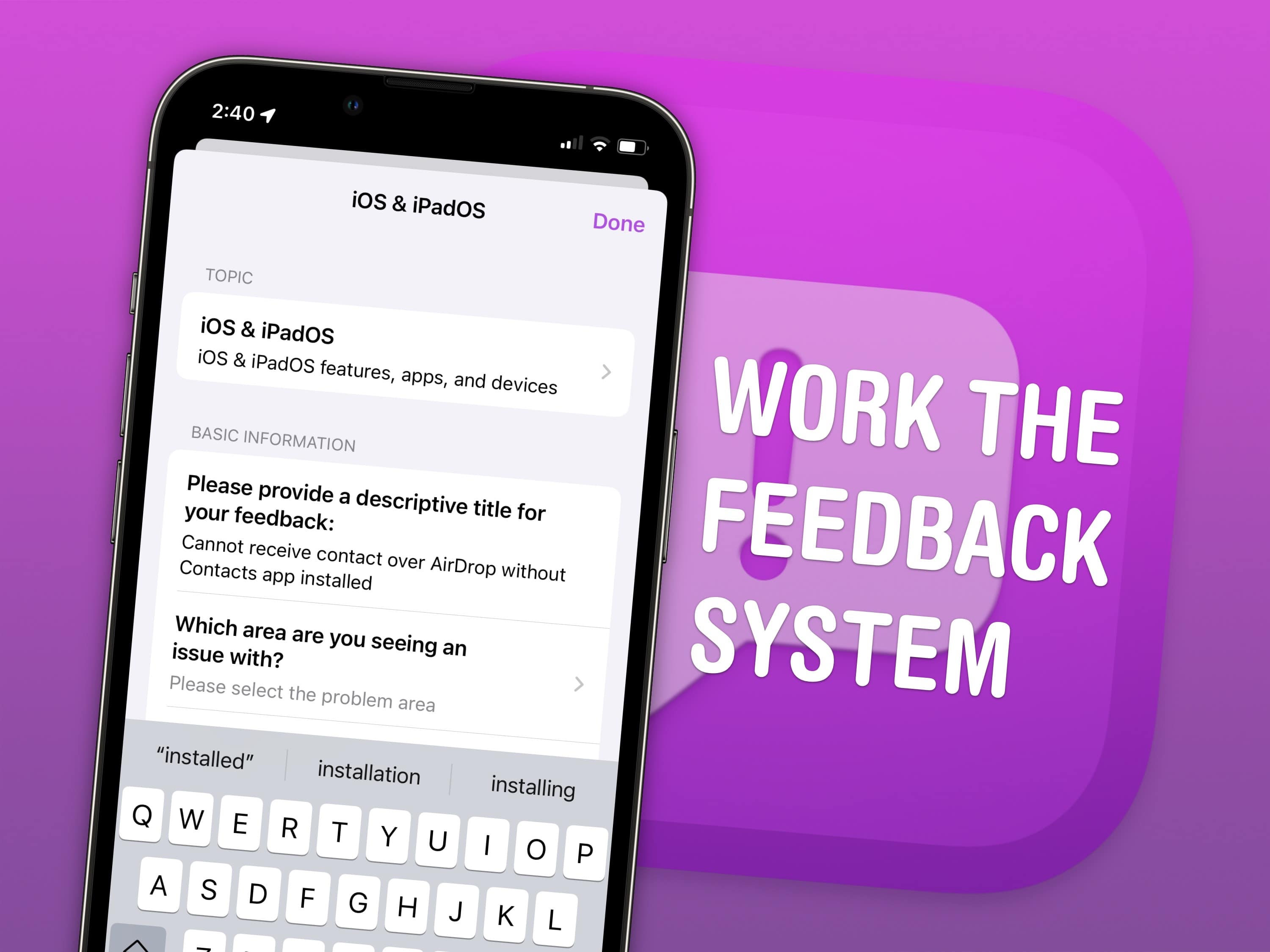
How to file Apple bug reports (and why you should do it ASAP)

By

Text “Work the Feedback System” next to a screenshot of Feedback on iPhone
There are unspoken rules and tricks to getting your bug reports fixed.
Image: Apple/D. Griffin Jones/Cult of Mac

June is the best time of year to give feedback to Apple on betas for iPhone, Mac, iPad and Apple Watch. Just after the company releases the initial betas of its upcoming software updates, this is when Apple engineers have the most time to address bugs and make changes. And that makes this the optimal time to file an Apple bug report.

It won’t be long before Apple engineers’ task lists fill up through the fall, when the new software will be released. After that, teams are rearranged to make the sprint toward the next year’s updates. So if you have any input, you’d best make yourself heard now.

How do you file a bug report or send in feedback to Apple? Apple made a tool called Feedback Assistant that will guide you through the process. It’s available if you’re running a developer or a public beta of iOS, macOS or iPadOS. Here’s how.

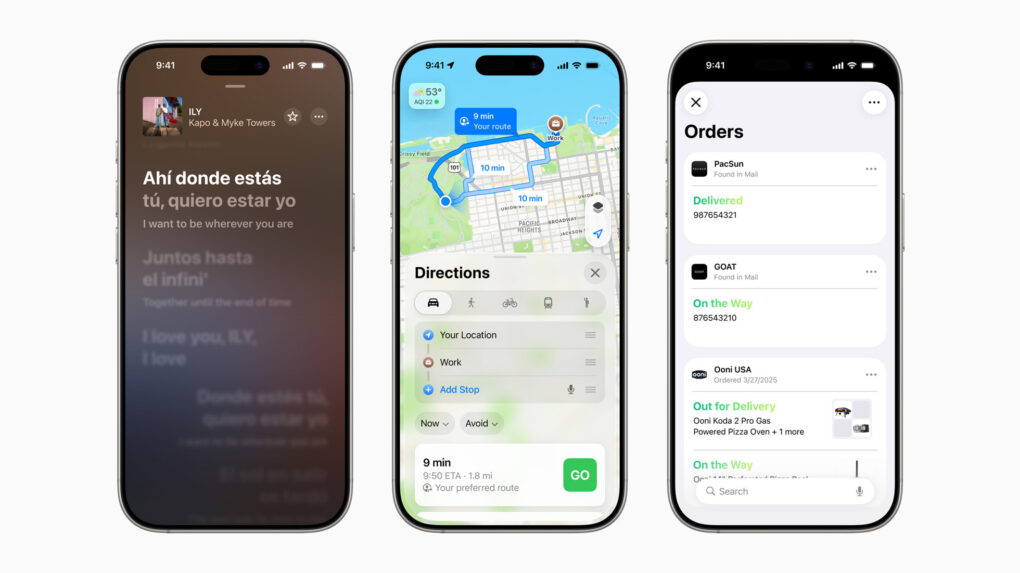
AI updates bring new tricks to Apple Maps, Music, Wallet and more across devices

By

OS 26 AI updates
A slew of new features will come in core Apple services across devices this fall.
Photo: Apple

Updates coming this fall to core Apple services like Maps, Music and Wallet focus heavily on artificial intelligence integration and personalization. The updates promise to make everyday tasks more intuitive and enjoyable for users across the Apple ecosystem.

Today in Apple history: The first Apple II ships

By

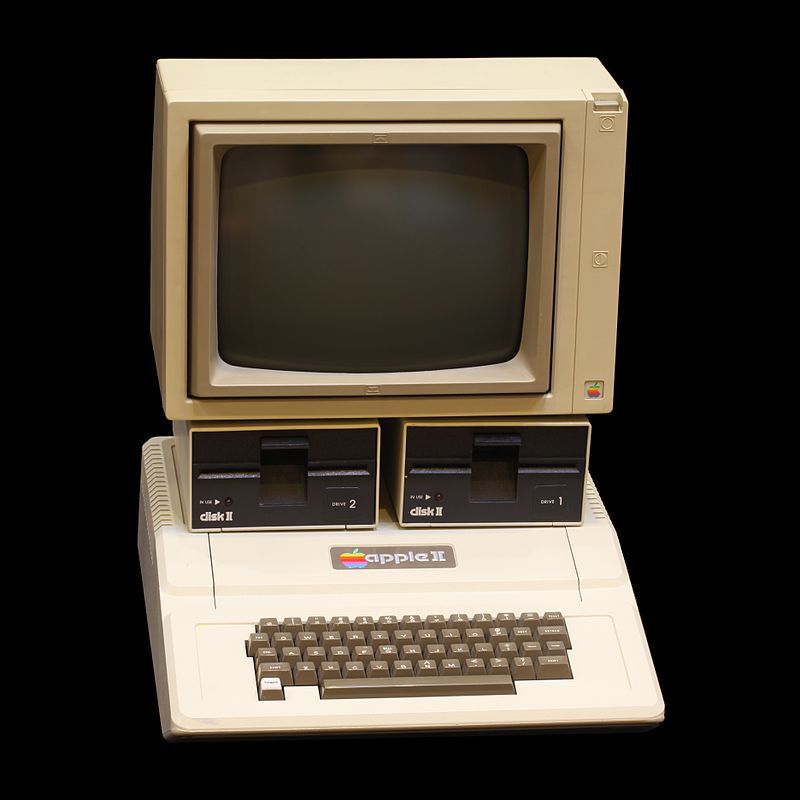
file photo of Apple II
Via Wikipedia, CC-licensed, thanks Rama.
Photo: Rama

June 10 Today in Apple history: The first Apple II computer ships June 10, 1977: Apple Computer Inc. ships its first Apple II computer.
A hulking beige behemoth with 4KB of RAM (upgradeable to a whopping 48KB), the Apple II is the computer that will define Apple for a generation of fans. Retailing at $1,298, it cost the equivalent of a handful of MacBook Pros today  — even though it seemed a total bargain at the time.

Readability concerns take shine out of Apple’s new Liquid Glass aesthetic

By

Liquid Glass harder to read
This user said Liquid Glass just seems harder to read.
Photo: @Stammy on X.com

Liquid Glass looked great in WWDC25 demos Monday, but reactions soon afterward put a few cracks in it. The new transparent and reactive design language coming to all Apple devices this fall strikes many folks as making it too hard to read information on their screens.

Many initial reactions to Liquid Glass make it look like a misstep.

“Can’t wait to not be able to read anything on my iPhone,” grumbled one user. Several others implied Apple co-founder Steve Jobs would hate the new design language.

Apple explains its new Liquid Glass UI at the Platforms State of the Union

By

Apple Platforms State of the Union
Apple went into more detail on its new software releases in the Platforms State of the Union.
Image: Apple

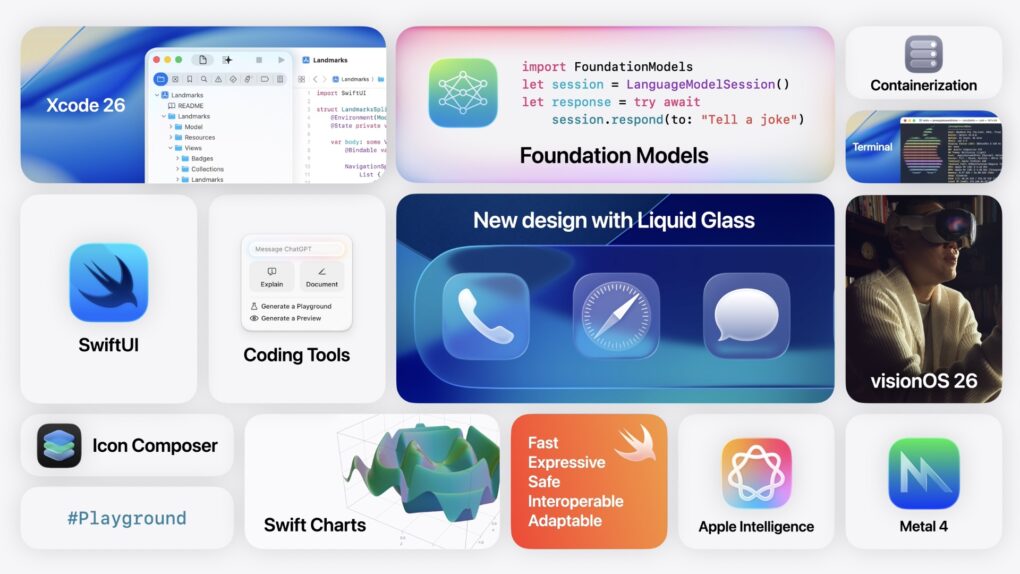
At the Platforms State of the Union, Apple detailed how the new Liquid Glass design works, how Apple Intelligence can be added to third-party apps, how Swift Assist in Xcode will work with third-party AI models and more.

This event goes into all the technical details behind the morning’s announcements. Apple showed how developers can update their apps with the new design and use the latest developer tools.

You can watch the Platforms State of the Union on YouTube, in the Apple Developer app or on the web. Read on below for our coverage of the event.

tvOS 26 shines with new Liquid Glass design

By

tvOS 26 Liquid Glass design shown during a scene from
Apple's new Liquid Glass design looks especially amazing in tvOS 26.
Screenshot: Apple

The new Liquid Glass look of tvOS 26 gets out of your way so you can enjoy movies and TV shows more easily. And along with the gorgeous new transparent design, tvOS 26 brings new features that should make using Apple TV even better.

“tvOS brings the best of Apple into your living room,” said Apple TV product manager lead Justin Washington during Monday’s WWDC25 keynote.

“With tvOS 26, we’re making Apple TV more enjoyable than ever,” said. “And it all begins with the new design with Liquid Glass, which looks incredible on the big screen. App icons feel more vibrant, thanks to their layered design and new specular highlights that bring depth and detail to every edge.”

Liquid Glass: Apple’s biggest design refresh ever

By

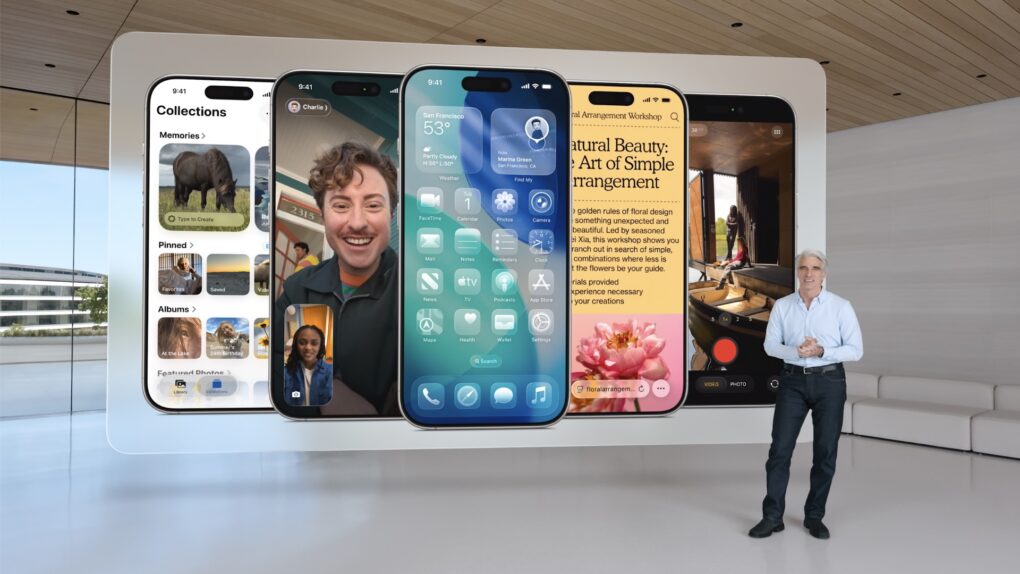
Apple's Senior VP of Software Craig Federighi introduces Liquid Glass.
Photo: Apple

For the first time, Apple will unify software design across it various platforms with a new interface design called Liquid Glass. Inspired by visionOS, Liquid Glass is, as its name implies, a translucent and fluid new interface for iPhone, iPad, Mac and other devices in Apple’s ecosystem.

“It’s the kind of project that only comes along about once per decade,” said Craig Federighi, Apple’s senior vice president of software engineering, as he introduced Liquid Glass during Monday’s WWDC25 keynote.

In demos, conference attendees and online viewers got to see “glassy,” translucent menus, panels and icons throughout the system. The new look and feel creates a more immersive and modern visual experience.